-
Flow State Logo
-
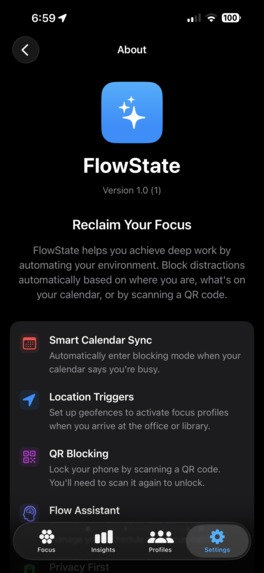
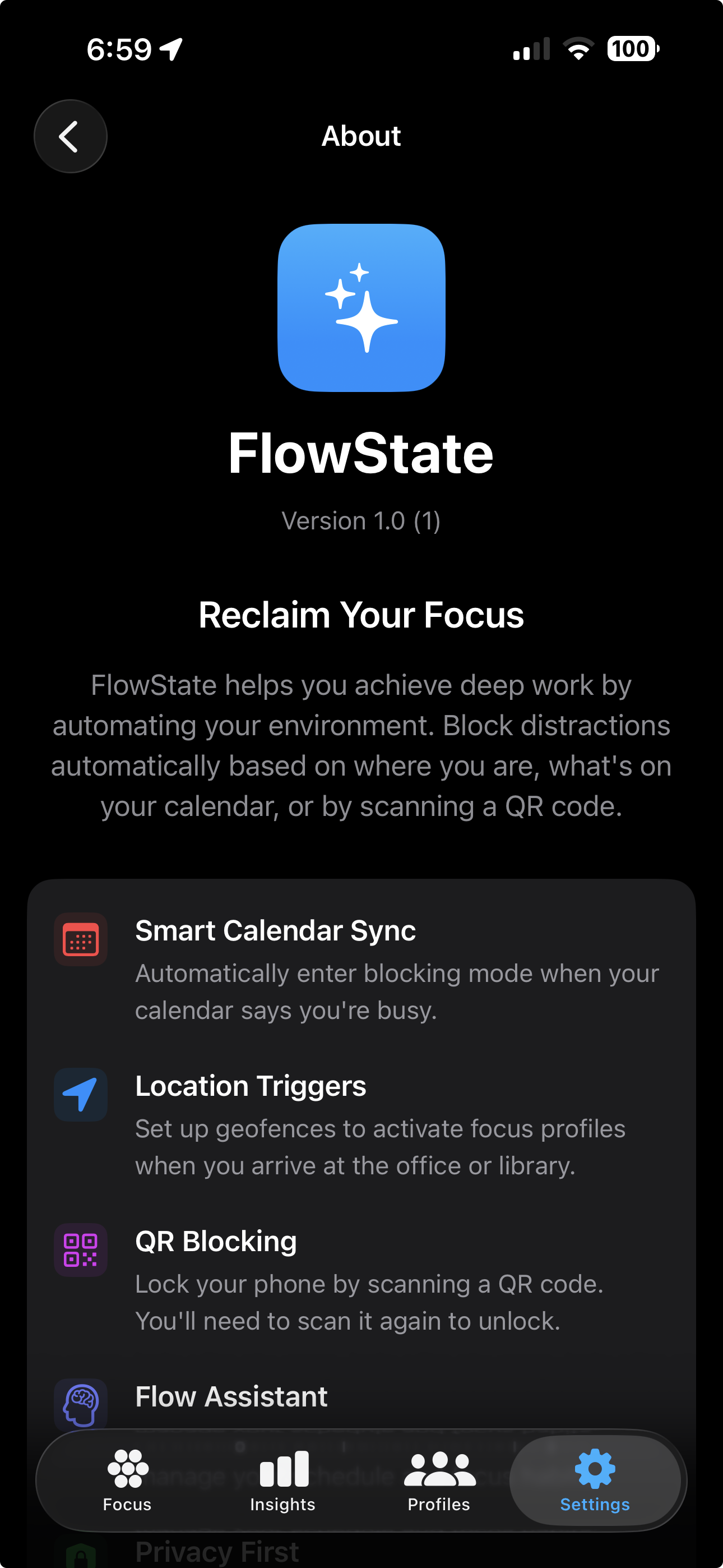
A summary of the apps features from the About section
-
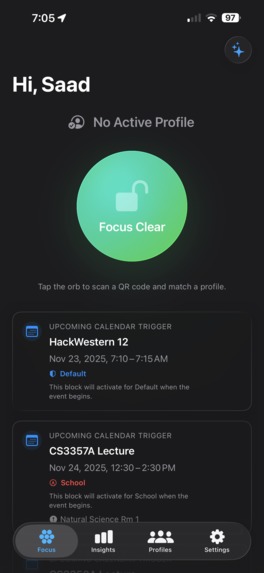
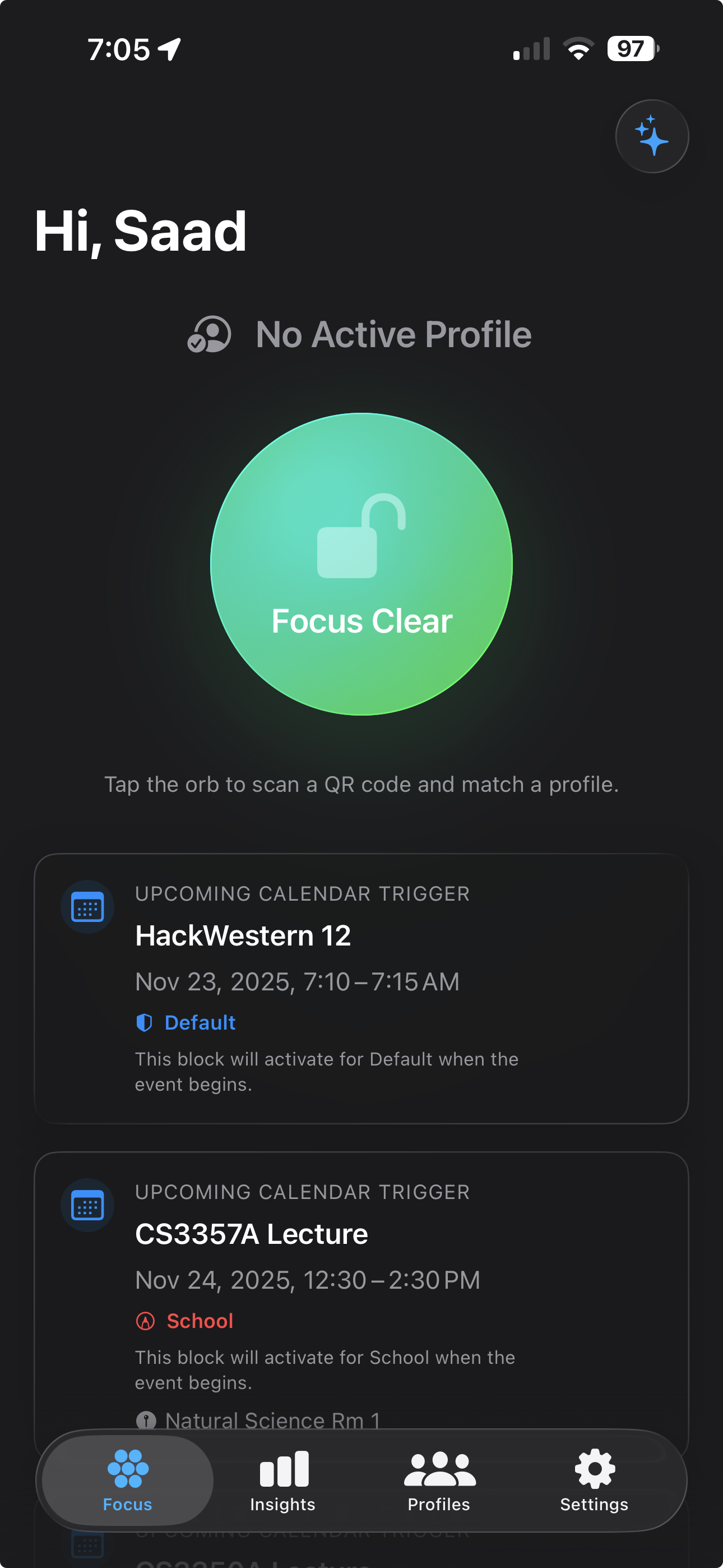
Focus screen when not blocked
-
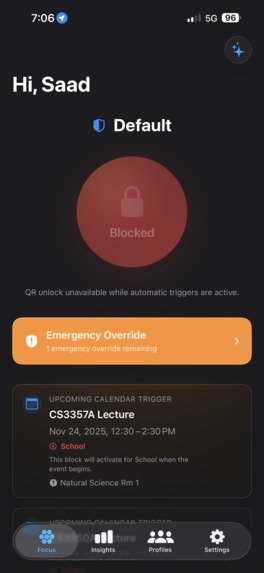
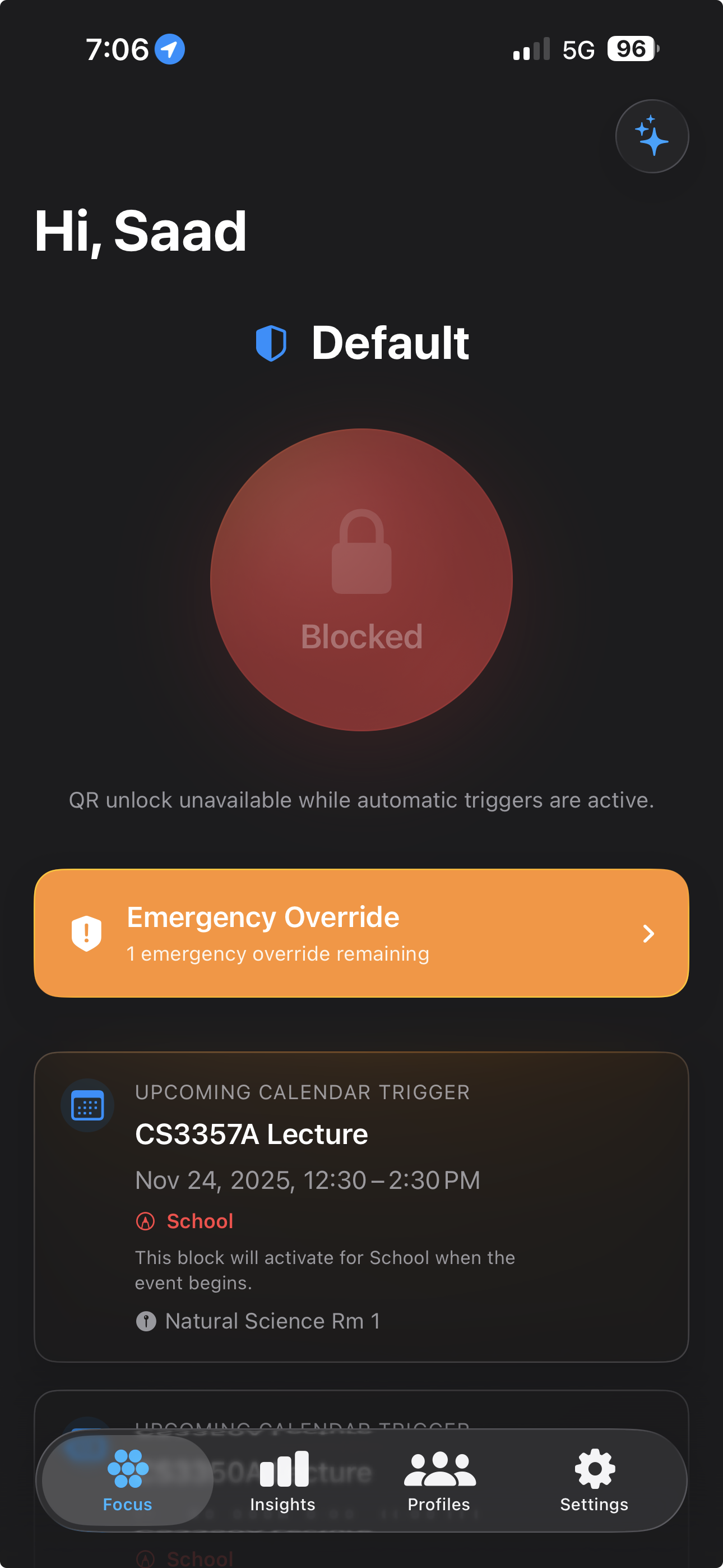
Focus screen when blocked
-
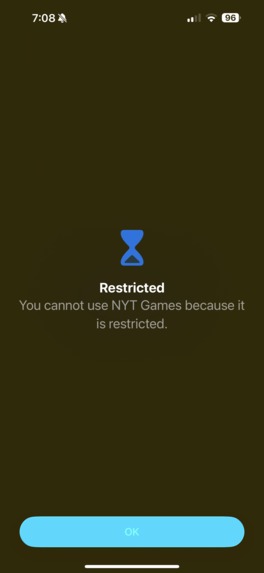
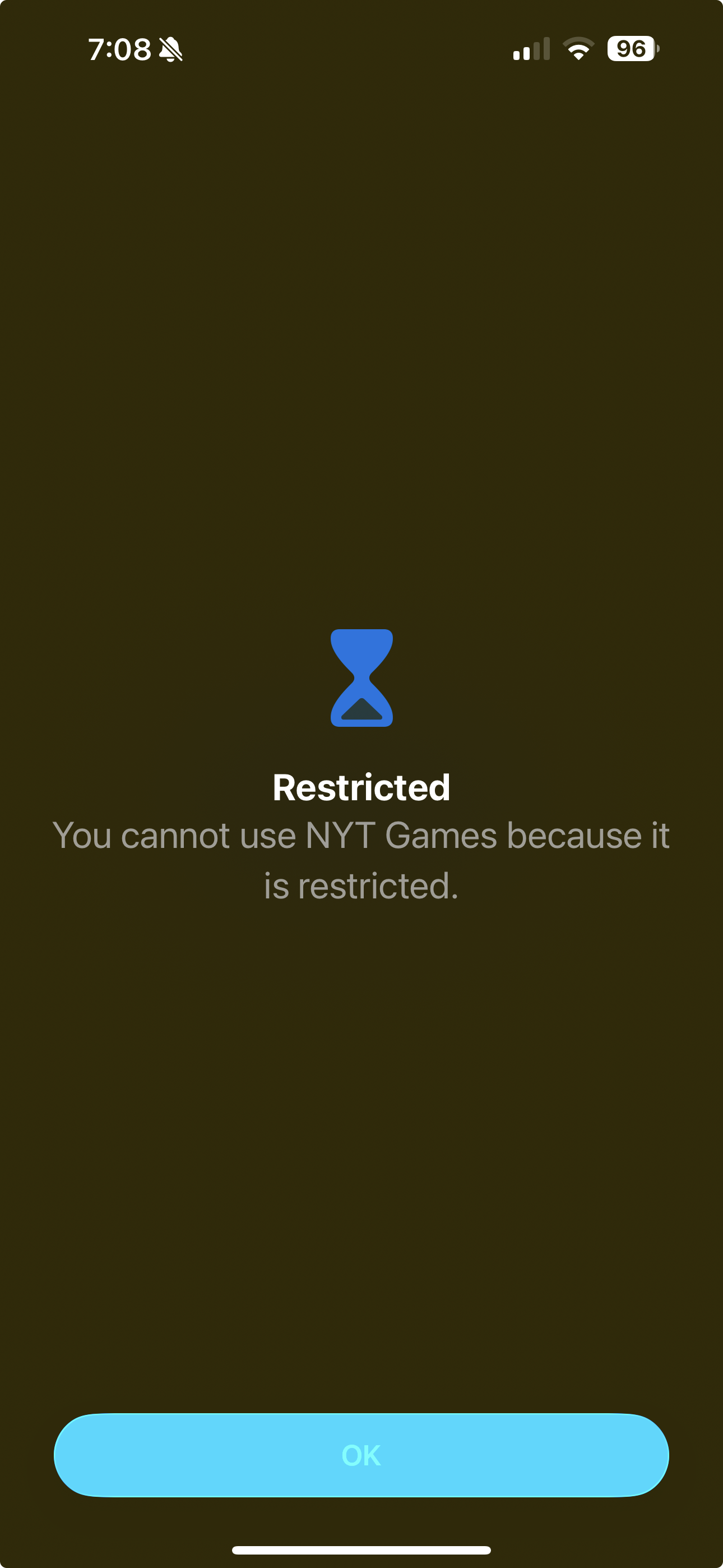
What happens when you try to access a locked app.
-
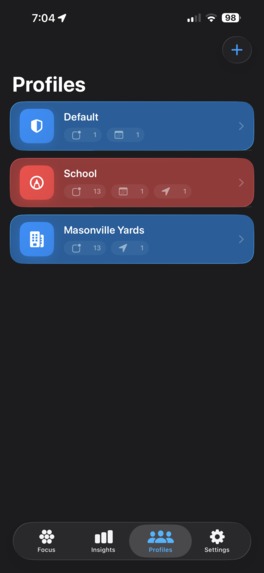
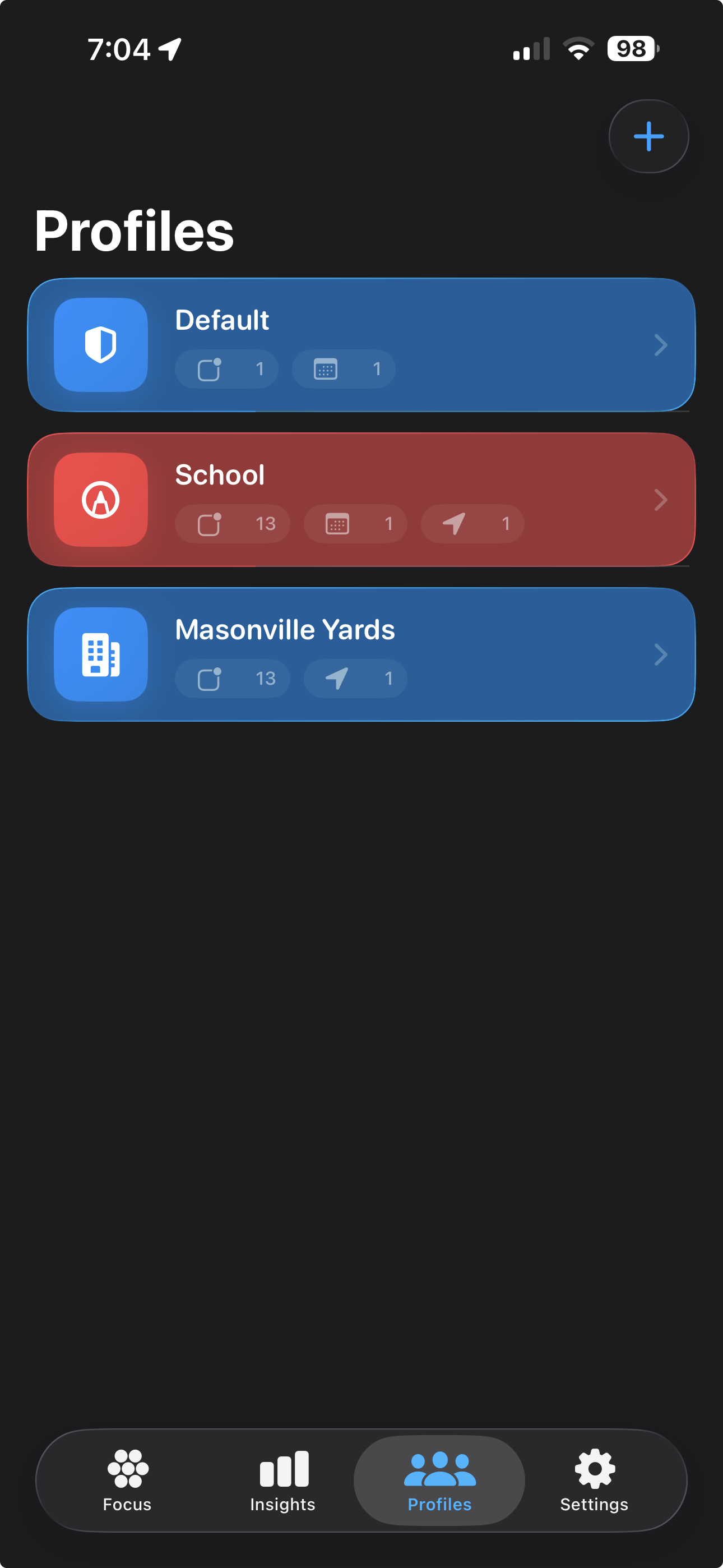
The profile list
-
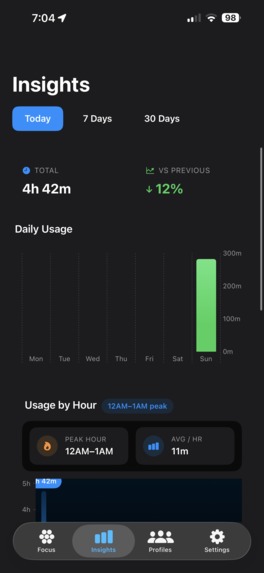
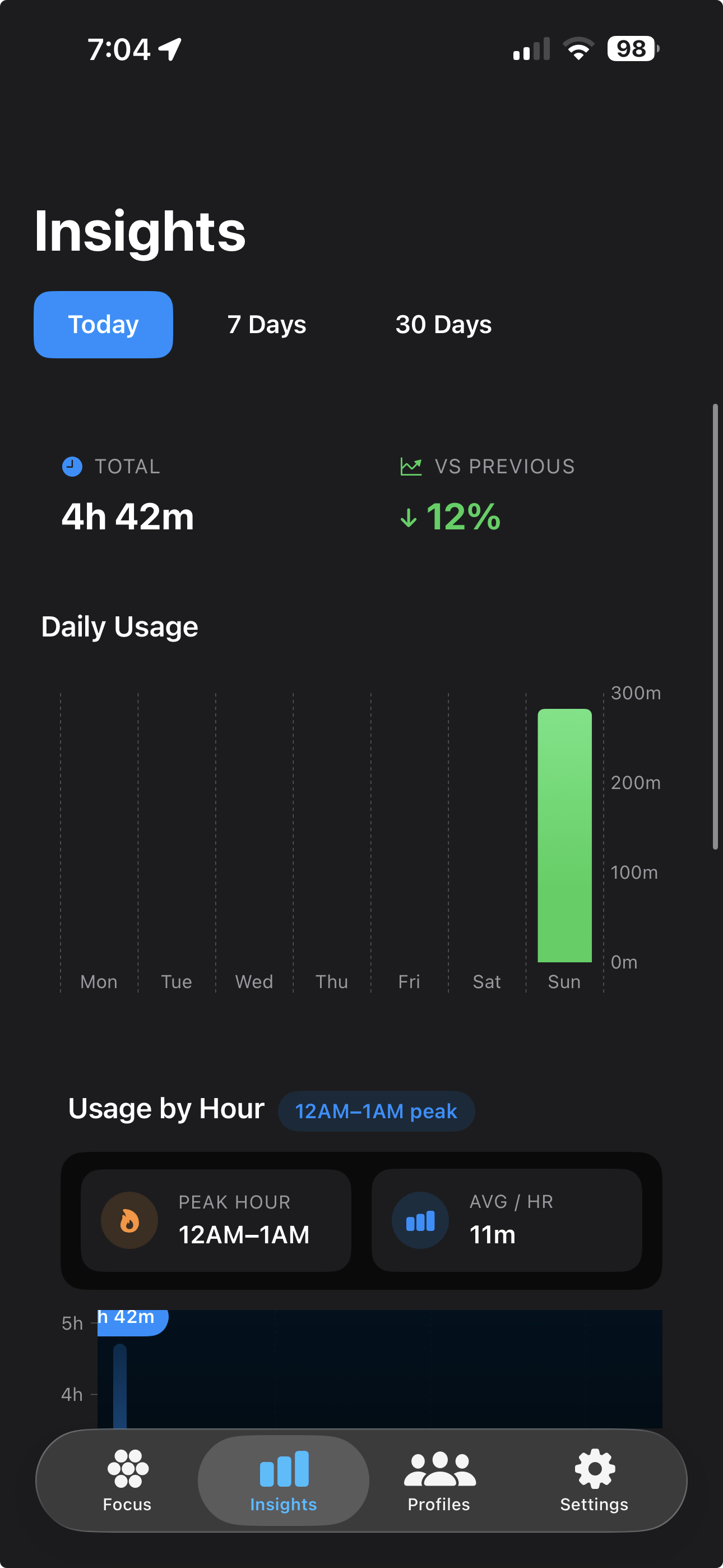
The insight screen
-
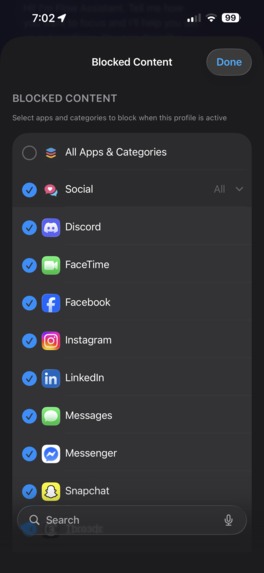
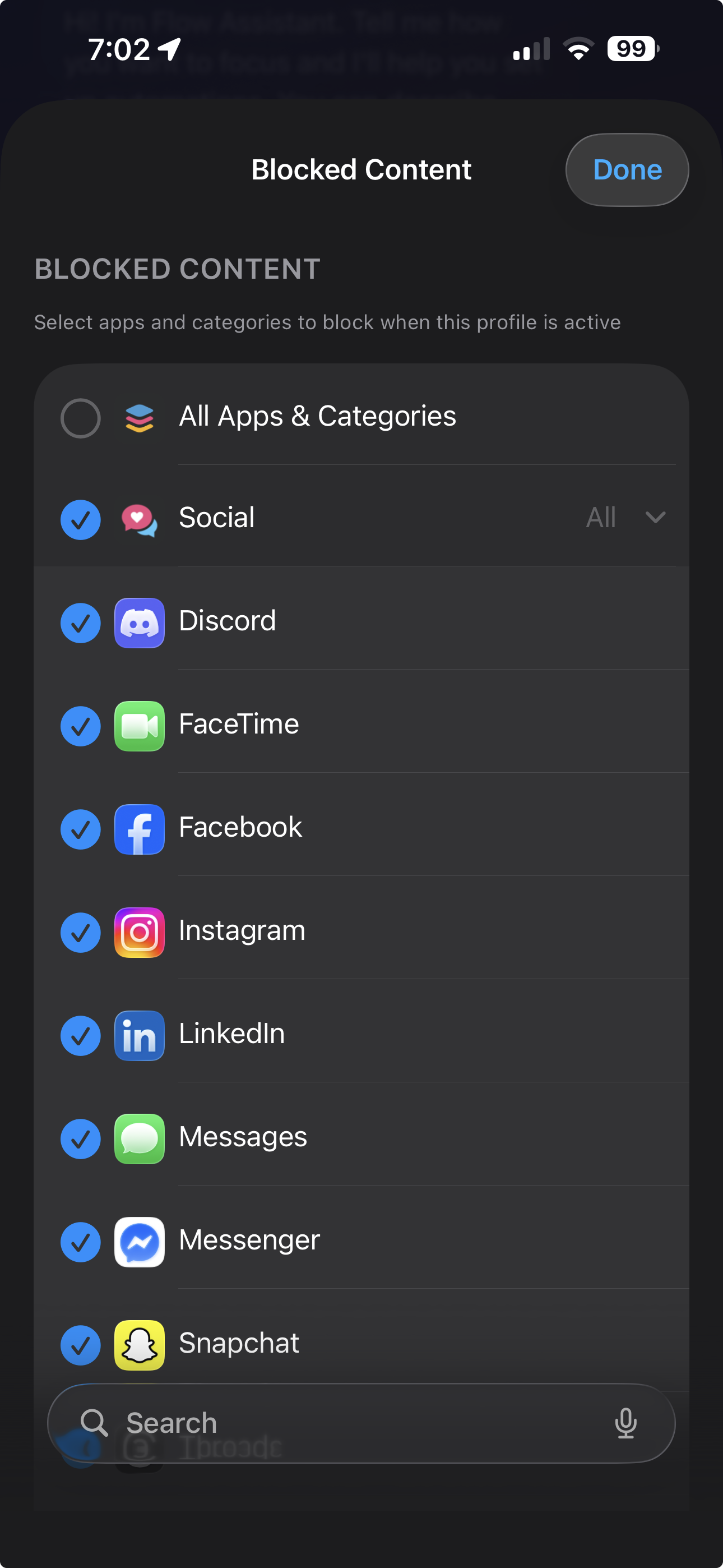
App selection is split into categories, and individual apps so you can customize blocking to your liking!
-
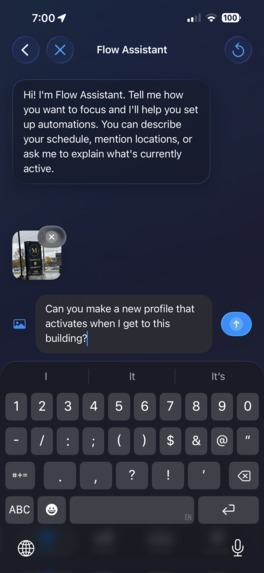
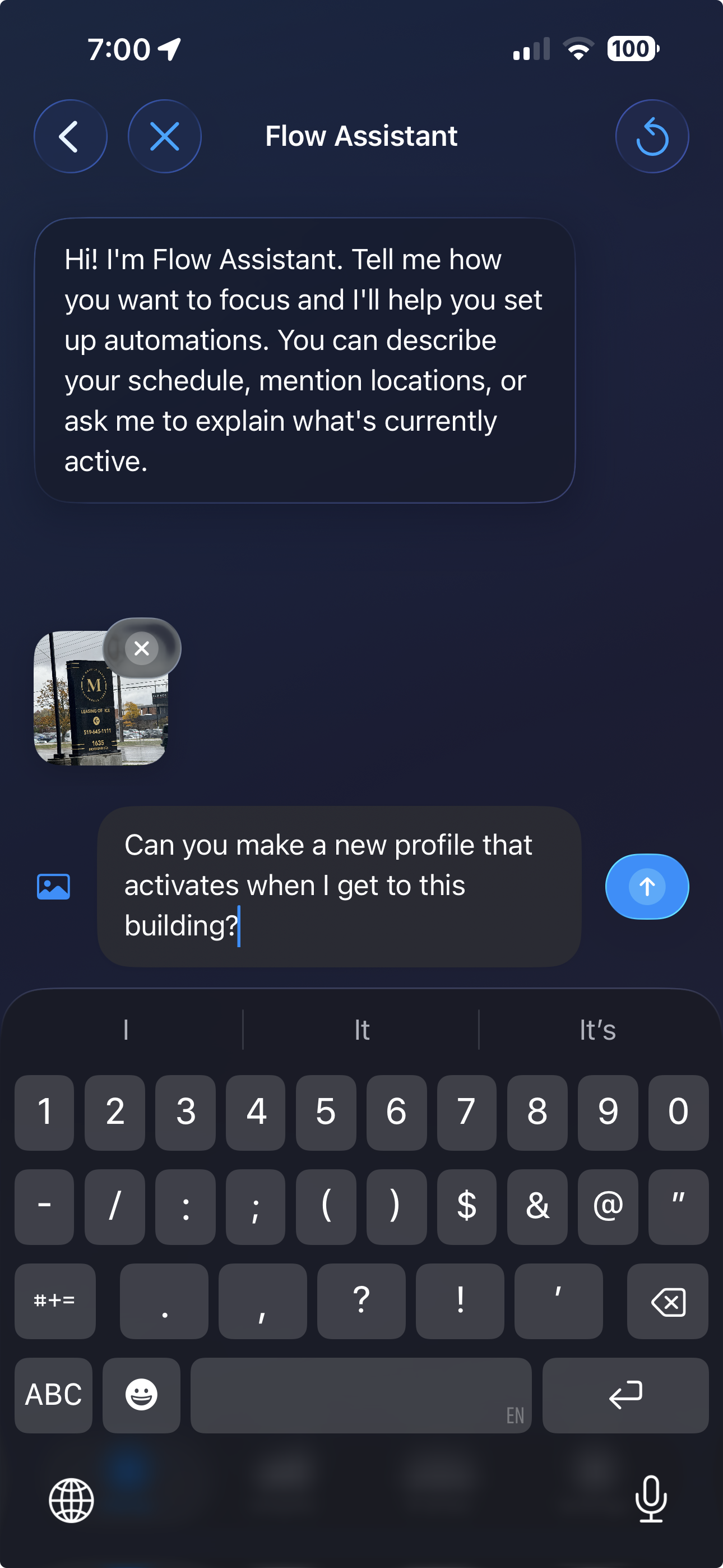
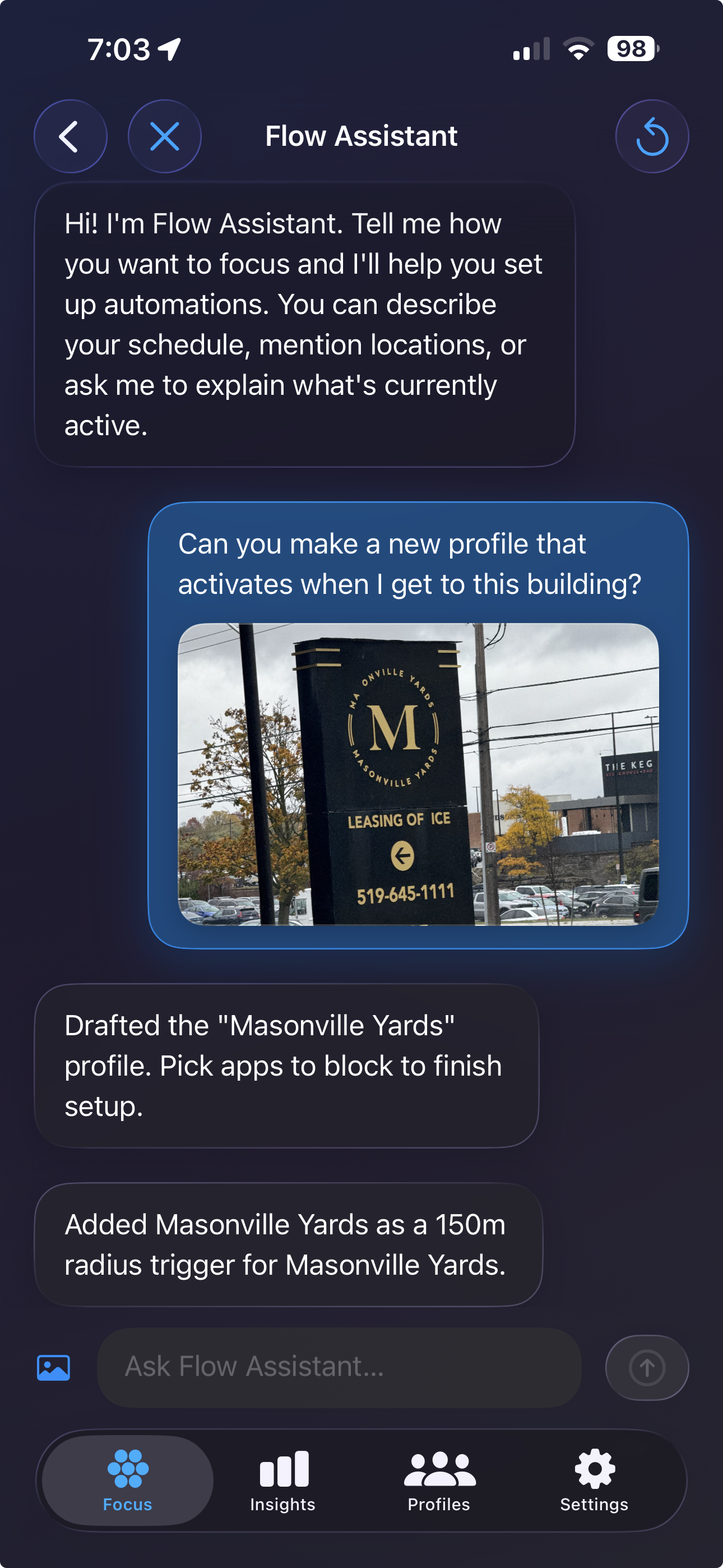
The flow assistant screen which you can access from the focus screen
-
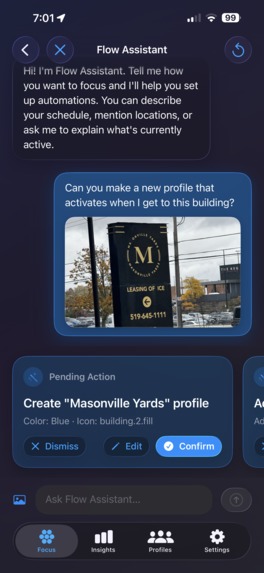
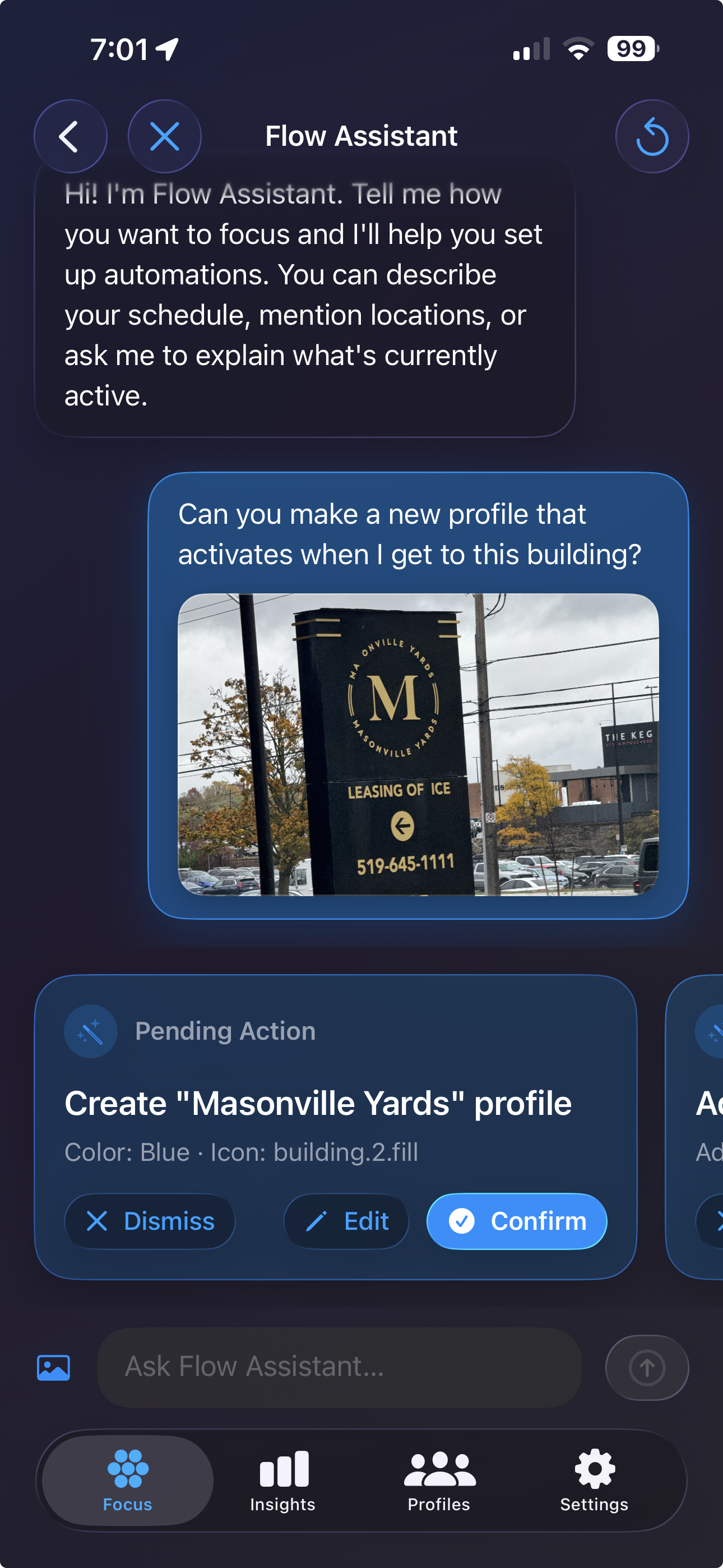
The suggestions made by Gemini based on my prompt
-
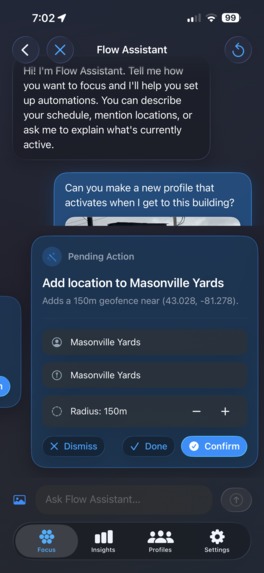
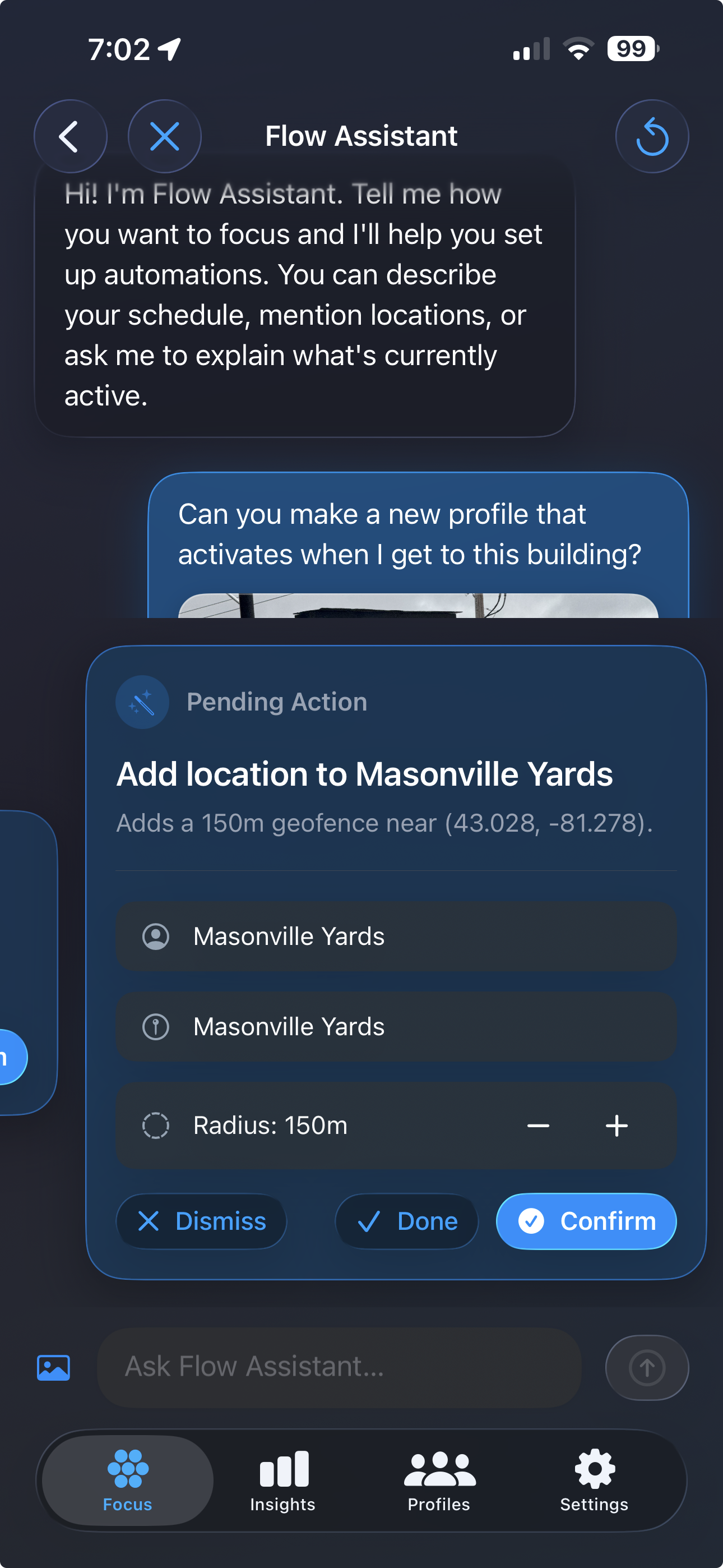
The user can edit suggestions made by the Flow Assistant
-
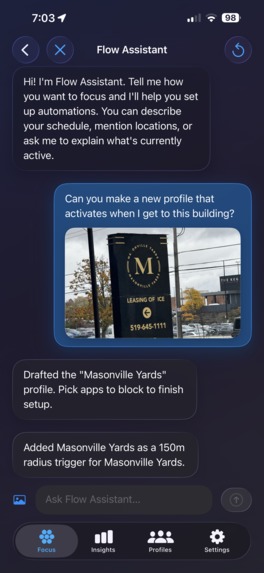
The flow assistant confirming its changes
-
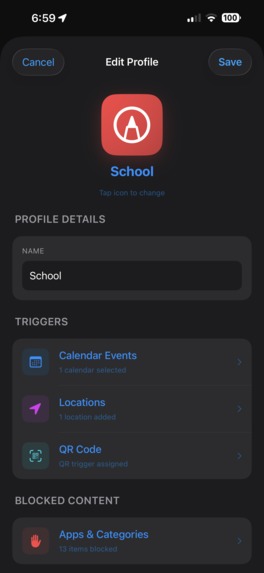
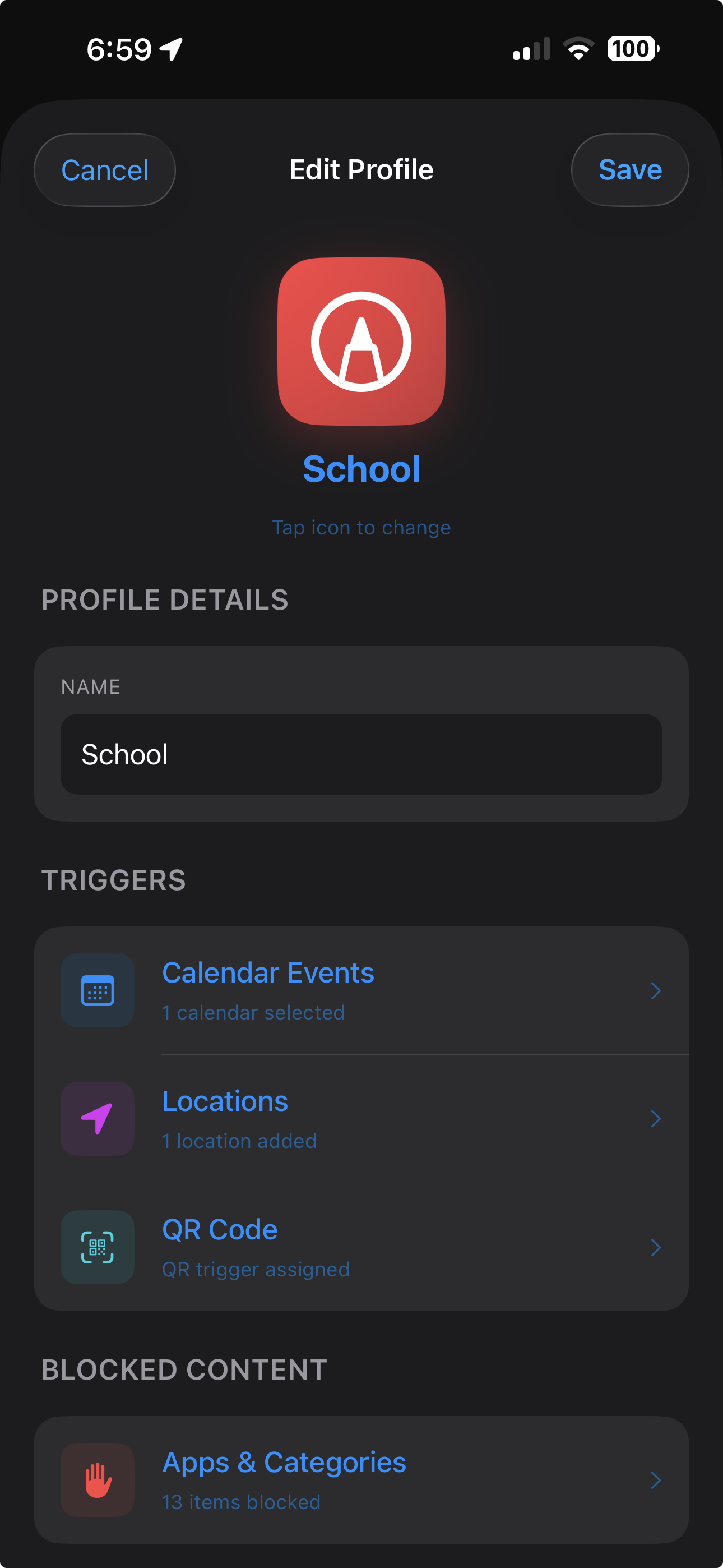
The Profile Editor
Based on the comprehensive documentation and code provided, here is the write-up for FlowState.
Inspiration
In an increasingly distracted world, maintaining "deep work" is difficult. We often lose focus not because we want to, but because our environment isn't optimized for it. FlowState was born from the desire to "Reclaim Your Focus" by automating the friction of self-discipline. The goal was to create an intelligent companion that adapts your phone's capabilities to your physical context-whether you're walking into the library, starting a meeting, or physically locking your phone away-without you having to tap a single button.
What it does
FlowState is a context-aware distraction blocker that automates your environment using three core triggers:
- Smart Calendar Sync: It automatically enters blocking mode when your calendar indicates you are busy, syncing seamlessly with your existing schedule.
- Location Triggers: It utilizes geofences to activate specific focus profiles (like "Work" or "Gym") automatically when you arrive at specific locations.
- QR Blocking: A unique "physical" lock mechanism where you scan a QR code to lock your phone, and must scan the same code again to unlock it, forcing you to stay in a specific location or near a specific object.
Additionally, it features:
- Flow Assistant: An intelligent Gemini-powered chatbot companion to help manage your schedule and habits.
- Deep Insights: A detailed analytics dashboard using to track screen time, top apps, and hourly usage trends.
How I built it
FlowState is a native iOS application built with Swift and SwiftUI, leveraging several powerful Apple frameworks:
- Screen Time API (FamilyControls & DeviceActivity): Used to securely block apps and websites without compromising user privacy. The data stays entirely on the device.
- TriggerEngine: I built a custom centralized engine that monitors
EventKit(Calendar) andCoreLocationsimultaneously. It uses a "first-match-wins" logic whereActive = Blocking, meaning the app state is purely derived from your real-world context. - Liquid Glass Design System: I implemented new iOS 26 design concepts featuring Liquid Glass. This involved creating custom
GlassEffectContainerviews, morphing transitions, and fluid mesh backgrounds to create a stunning, depth-rich UI. - Swift Charts: The Insights tab uses the latest interactive charts, featuring scrollable axes, rule marks for crosshairs, and dynamic data binding.
Challenges I ran into
- The "Active Profile" Conflict: Initially, the app had two conflicting concepts of "active": a manually selected profile vs. a trigger-activated one. This caused bugs where calendar events wouldn't trigger blocks because a different profile was "selected." I had to refactor the entire
AppBlockerto remove manual selection entirely, enforcing a strict "Active = Blocking = Triggered" architecture. - Geocoding Hangs: The calendar integration would fetch events and immediately try to geocode their locations (convert "123 Main St" to GPS). This blocked the main thread, causing events to never appear if the network was slow. I fixed this by implementing a detached background task with a timeout, allowing events to display immediately while location data enriches them asynchronously.
- Entitlements & Sandboxing: Integrating the Family Controls capability required navigating complex provisioning profiles and entitlements. I had to create separate entitlement files for development (NoSandbox) and production to ensure the "Helper application" could communicate properly with the system.
Accomplishments that I'm proud of
- The Flow Assistant Redesign: I am particularly proud of the Liquid Glass UI. Moving from standard buttons to a multi-layered glass design with interactive touch feedback and morphing symbol transitions created a user experience that feels significantly more modern and premium. I am also incredibly proud of the incredibly powerful tool calling ability of the Flow Assistant which can GENERATE and EDIT profiles for you.
- Rock-Solid Trigger Logic: Refactoring the
TriggerEngineto handle race conditions between location updates and calendar refreshes was a major win. Now, the system robustly handles transitions, ensuring that if you leave a geofence but enter a calendar event, the blocking state transitions smoothly. - Interactive Insights: Implementing a full Screen Time report extension that rivals native solutions, complete with interactive scrubbing and granular data visualization.
What I learned
- State Management is Critical: The refactor taught me that having a "single source of truth" is vital. By decoupling "editing" a profile from "activating" it, I eliminated a whole class of bugs.
- Concurrency Nuances: Debugging the geocoding hang reinforced the importance of non-blocking architecture. I learned how to use
Task.detachedandwithTimeoutto keep the UI responsive. - System Constraints: working with
DeviceActivitytaught me the strict limitations Apple places on privacy-focused APIs, such as the inability to access raw data outside the specific extension environment.
What's Next for FlowState
The journey for FlowState has only just begun. Here’s what’s on the roadmap:
Complete UI Revamp
Inspired by the latest iOS design trends, FlowState’s interface will be completely overhauled. Expect a sleeker, even more fluid experience with refined glass effects, smoother transitions, and improved accessibility across all devices.Flexible Payment Structure
To keep FlowState sustainable and accessible, we’ll introduce a fair and transparent payment model. This will include a generous free tier for essential features, and premium plans that unlock advanced analytics, deeper integrations, and exclusive Flow Assistant capabilities.Expanded Tool Calling for Flow Assistant
The Flow Assistant already supports complex actions like generating new profiles, adjusting triggers, and batch-editing schedules-all through natural language. Next up: enabling Flow Assistant to give you personalized insights and real-time context about your current blocks and usage patterns, helping you make smarter focus decisions, instantly.Support for More Calendar Platforms
Seamless syncing with Google Calendar, Outlook, and more is on the way. Whether you’re on iOS, the web, or using multiple platforms, FlowState will fit right into your workflow.Enhanced Insights & Real-Time Data
The Insights tab will soon offer real-time data aggregation, richer trend analysis, and deeper custom reports. Users will also be able to export insights as PDF or CSV to track their focus metrics externally.…and Much More
This is just the beginning! Future updates will focus on further automation, smarter triggers (including NFC) , multi-device support, better accessibility, and ongoing performance improvements.
FlowState’s mission is to make deep focus effortless and automatic-so you can do your best work, anywhere.

Log in or sign up for Devpost to join the conversation.