-
-
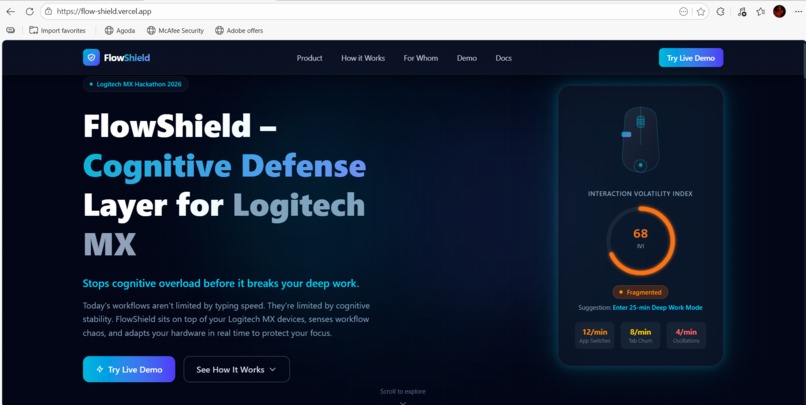
Landing Page
-
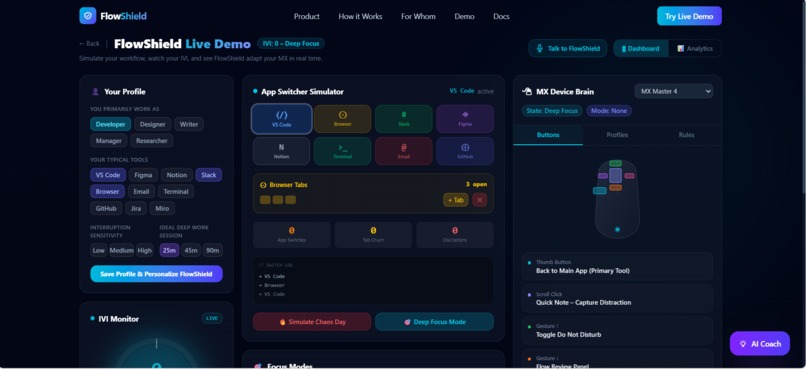
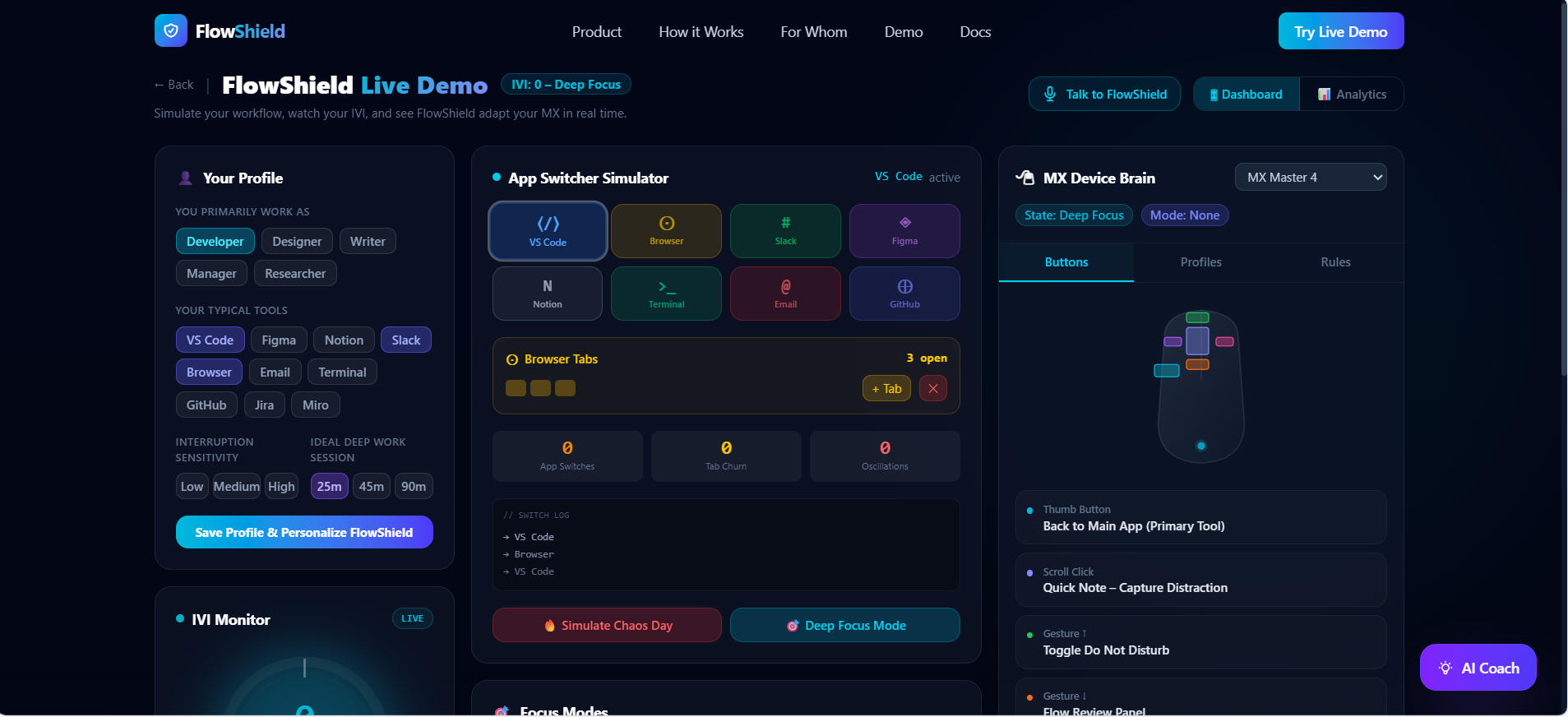
FlowShield Live Working
Inspiration
Modern productivity tools have become incredibly fast, but our brains have not.
As a B.Tech CSE (AI & ML) student constantly jumping between VS Code, browsers, docs, AI copilots and Slack, I kept noticing the same pattern: my hands were fast, but my cognitive state was fragile. One notification or context switch, and deep focus collapsed.
Research shows it can take ~23 minutes to fully regain deep focus after an interruption, yet we casually context‑switch hundreds of times per day. At the same time, we spend $150–$170 on high‑end devices like the Logitech MX Master—but those devices are completely blind to our cognitive load. They execute clicks and gestures, but they have no idea when our focus is about to break.
For this hackathon I asked a simple question:
What if a Logitech MX device could actually sense workflow chaos and defend my focus—automatically?
FlowShield is my answer to that question: a cognitive defense layer that sits on top of Logitech MX, detects interaction volatility, and adapts the device before overload hits.
What it does
FlowShield simulates what a truly “cognitively aware” MX ecosystem could look like.
At its core, it:
Monitors interaction volatility
Tracks simulated app‑switch frequency, browser tab churn, and rapid back‑and‑forth oscillations between tools.Computes an Interaction Volatility Index (IVI)
A continuous score from 0–100 that quantifies how unstable your workflow is:
[ \text{IVI} = 2A + 1.5T + 3O ]
where (A) = app switches, (T) = tab churn, (O) = oscillations.
IVI is mapped to four cognitive states:
- 0–25: Deep Focus
- 26–50: Stable
- 51–75: Fragmented
76–100: Overloaded
- Adaptively remaps MX behavior
A “Device Brain” panel shows how MX buttons and gestures would change in real time:
- Adaptively remaps MX behavior
In Deep Focus:
- Thumb button → “Back to Primary App (IDE / main tool)”
- Scroll click → “Quick Note – Capture Distraction”
- Gestures → toggle Do Not Disturb or switch only between 2 core apps
In Overloaded:
- Thumb button → “Close Current Tab”
- Scroll click → “Dump Distraction to Inbox”
- Gesture down → “Start 10‑minute Reset Break”
- Protects deep work with Focus Modes
One‑click 25 / 45 / 90‑minute focus blocks with a live timer, IVI monitoring and micro‑interventions if volatility spikes during deep work. - Includes an AI Cognitive Coach
A GPT‑powered assistant that reads your live IVI, metrics, focus mode and persona and explains:
Why your IVI is high or low
What concrete action to take next
How to tailor MX button profiles for your specific workflow
- Adds Jarvis‑style voice control
Using the Web Speech API, you can say:
- Adds Jarvis‑style voice control
“Start 25‑minute deep work”
“Mute notifications”
“Exit focus mode”
FlowShield reacts by switching modes and (conceptually) pushing new MX profiles.
Today, FlowShield runs as a full‑stack web simulation, but its architecture maps directly onto the Logitech Actions SDK: MX events become inputs to the IVI engine, and adaptive profiles are pushed back down as Actions SDK mappings.
How we built it
Frontend & UX
- React + Vite + TypeScript for a fast, type‑safe UI.
- Tailwind CSS v4 for a utility‑first design system with dark, glassmorphism‑driven aesthetics.
- Framer Motion for subtle, high‑polish animations:
- Section fade‑ins on scroll
- Pulsing IVI gauge
- Smooth transitions when cognitive state changes
- Recharts for lightweight analytics visualizations.
The application has two primary views:
Landing Page
A narrative marketing page that walks from:- The problem (cognitive saturation)
- To the gap (hardware is blind)
- To the solution (FlowShield as a behavioral intelligence layer on top of MX), including an SDK diagram.
Live Demo
A three‑column interactive dashboard:- Left: IVI gauge, metrics, focus modes
- Center: App switcher + tab churn simulator
- Right: MX mapping panel (buttons, profiles, rules)
Behavioral Engine
In src/lib/ivi.ts I implemented:
- The IVI formula and clamping logic
- A tiny state machine that maps IVI → cognitive state → color theme → UX copy
- Config tables for state‑specific MX mappings and MX profiles
A recurring timer aggregates simulated interaction events every few seconds, decays old events, and recomputes:
- IVI
- State label
- Historical IVI timeline for charts
AI Integration
FlowShield uses the OpenAI API as a true backend intelligence layer:
- The demo bundles the current state into a structured JSON:
  {
    "message": "...",
    "userProfile": { "role": "...", "tools": ["VS Code", "Slack"], ... },
    "ivi": 72,
    "state": "Overloaded",
    "metrics": {
      "appSwitchesLast10Min": 34,
      "tabChurnLast10Min": 19,
      "oscillationsLast10Min": 7
    },
    "mode": "Deep Work 25m"
  }

##Challenges we ran into
Modeling something as fuzzy as “cognitive overload” in a simple, explainable way
Striking a balance between realism and hackathon constraints was difficult. A very complex model would be unexplainable; a too‑simple model would feel fake. The IVI formula and state machine were iterated multiple times to remain both intuitive and meaningful.

Designing UX for an invisible concept
“Attention residue” and “interaction volatility” are invisible. Turning them into a gauge, color system, and micro‑copy that a judge can understand in seconds required careful UX and visual hierarchy.

Grounding the AI Coach in real data
Early prompt versions produced generic advice. I had to:

Encode a strict system prompt
Pass a rich JSON snapshot of metrics
Explicitly instruct the model not to invent context
so that its recommendations actually aligned with the current IVI and focus mode.
Simulating Logitech Actions SDK behavior without hardware access
I wanted the demo to feel realistic, while still being browser‑only. Designing the MX mapping panel and rules as if they were directly wired to Actions SDK events was a constant architectural constraint.

Secret management & tooling
GitHub push protection immediately caught an accidental OpenAI key commit. Fixing that forced me to properly structure .env / .env.example and think about how a production deployment should isolate secrets.

##Accomplishments that we're proud of
Turning an abstract research problem—cognitive saturation—into a concrete, interactive system that anyone can feel in under a minute.
Designing a single IVI metric and visual language that non‑technical judges can instantly grasp.
Building an AI coach that truly reads live metrics and feels like part of the system, not a bolted‑on chatbot.
Shipping a polished, animated, end‑to‑end experience—landing + demo + analytics + AI + voice—within the hackathon window.
Prototyping a credible, Logitech‑ready architecture that could realistically sit on top of the Actions SDK.
What we learned
Cognitive ergonomics is as important as UI ergonomics.
The same MX device can either amplify chaos or defend focus, depending on how intelligently we use its buttons and profiles.

AI needs structure, not just prompts.
Passing a consistent JSON state and enforcing a clear system role massively improved response quality versus naïve prompting.

Hardware‑aware software design is different.
Thinking in terms of “profiles”, “mappings”, and “event streams” from a physical device is a very different mindset than building a normal web app.

Good storytelling is a feature.
The landing page narrative—speed vs cognition, hardware vs software—matters as much as the actual code when convincing someone this should exist.

##What's next for FlowShield – Cognitive Defense Layer for Logitech MX
This Complete working website is intentionally a simulation, but it is designed to be productionized:

Full Logitech Actions SDK integration

Subscribe to real MX button/scroll/gesture events.
Compute IVI from actual application focus events and device usage.
Push per‑state MX profiles back through the Actions SDK, not just visualize them.
OS‑level telemetry for richer IVI signals

Use foreground window changes, notification counts, and system DND status to refine the IVI model.
Incorporate time‑of‑day and session length as additional factors.
Personalized cognitive models

Learn each user’s baseline: what “normal” volatility looks like for them.
Adapt thresholds and interventions dynamically over time.
Team & organizational dashboards

Aggregate anonymized flow metrics to help teams design better meeting and focus blocks.
Provide managers with “flow health” insights without exposing individual content.
Real‑world validation

A/B test FlowShield with MX users to measure:
Increased deep work duration
Fewer context switches per hour
Reduced subjective cognitive fatigue
FlowShield is, ultimately, a proposal:
in the age of AI and Logitech‑grade hardware, our next bottleneck is not speed, but cognitive stability—and our devices should actively protect it.


Log in or sign up for Devpost to join the conversation.