-
-
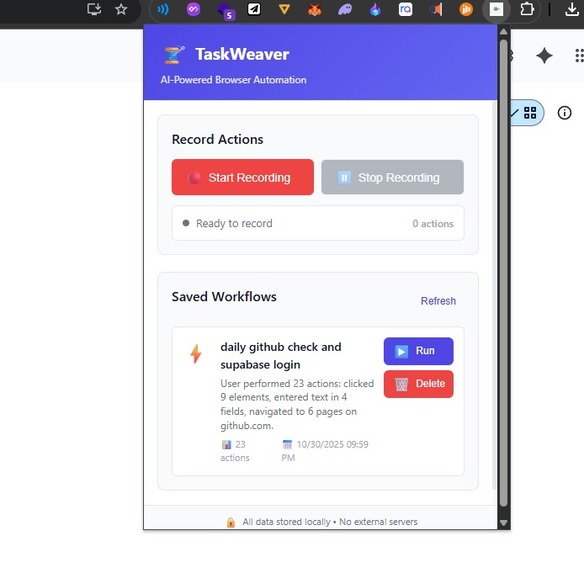
UI
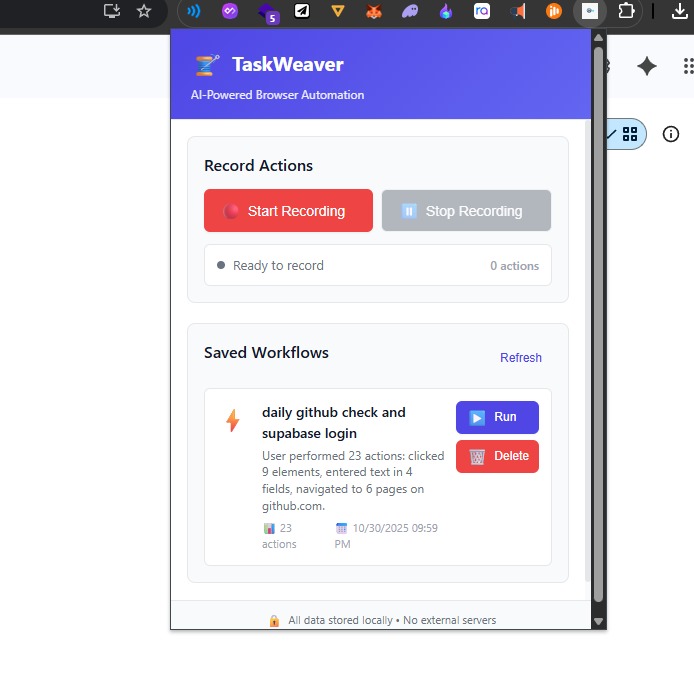
Inspiration
The idea for Flowr came from a simple thought, what if we could automate the boring stuff we do on the web every day? Things like filling out forms, clicking the same buttons, or navigating through the same pages again and again. I wanted to build something that saves time and makes browsing a little smarter and smoother. That’s how Flowr was born, a smart browser assistant that helps you record and replay your actions effortlessly.
What it does
Flowr records your actions on any webpage, such as clicks, text inputs, and navigation, and allows you to replay them automatically later. You can also save these workflows and schedule them using simple, natural language commands (like “run this every Monday at 9 AM”). It’s like teaching your browser what to do, once, and letting it handle the rest.
How we built it
Flowr is built as a Chrome Extension using Manifest V3. -The content script captures user actions like clicks and inputs. -The popup provides a simple UI to start and stop recording, and to save workflows. -The background service worker stores the workflows and replays them when triggered. -We used JavaScript, HTML, and CSS, along with Chrome APIs like storage, scripting, and alarms to manage scheduling and replay.
Challenges we ran into
Working with Manifest V3 was the toughest part — especially getting message passing to work correctly between popup, content, and background scripts. Debugging service workers (which stop and restart often) made things trickier. Another challenge was capturing the right HTML elements with unique selectors during recording. Small mistakes would break the replay. But with lots of trial, error, and console logs, we got it working smoothly.
Accomplishments that we're proud of
-Built a fully functional action recorder and replayer from scratch. -Managed to get clean communication between all scripts in a Manifest V3 setup. -Designed a simple, beginner-friendly UI that makes automation feel approachable. -Learned to debug Chrome extensions like a pro!
What we learned
We learned how Chrome Extensions actually work under the hood, from service workers to content scripts and event-based architecture. We also learned about async message passing, DOM selectors, and how to store structured data inside Chrome’s local storage. Most importantly, we realized how small, smart automations can save a lot of time in daily tasks.
What's next for Flowr
-Integrate AI (like Gemini or GPT) to understand more complex natural language instructions. -Add a visual editor for modifying workflows. -Sync workflows across devices using cloud storage. -Improve security and error handling for real-world usage.
Built With
- api
- css3
- gemini
- html5
- javascript
- json
- manifest

Log in or sign up for Devpost to join the conversation.