Inspiration
Developers often do not find critical UI issues until after a product is already live. A form label may seem clear to the team, but confuse an ESL user. A save button may work on desktop, but fall below the fold on mobile. A privacy-sensitive user may abandon a flow because optional tracking or personal-data fields feel required.
We built FlowProof to catch those issues before production.
Instead of waiting for real users to struggle, FlowProof uses AI-driven personas as pre-production testers. Each persona interacts with the site differently, exposing usability, accessibility, and clarity problems while developers still have time to fix them.
What it does
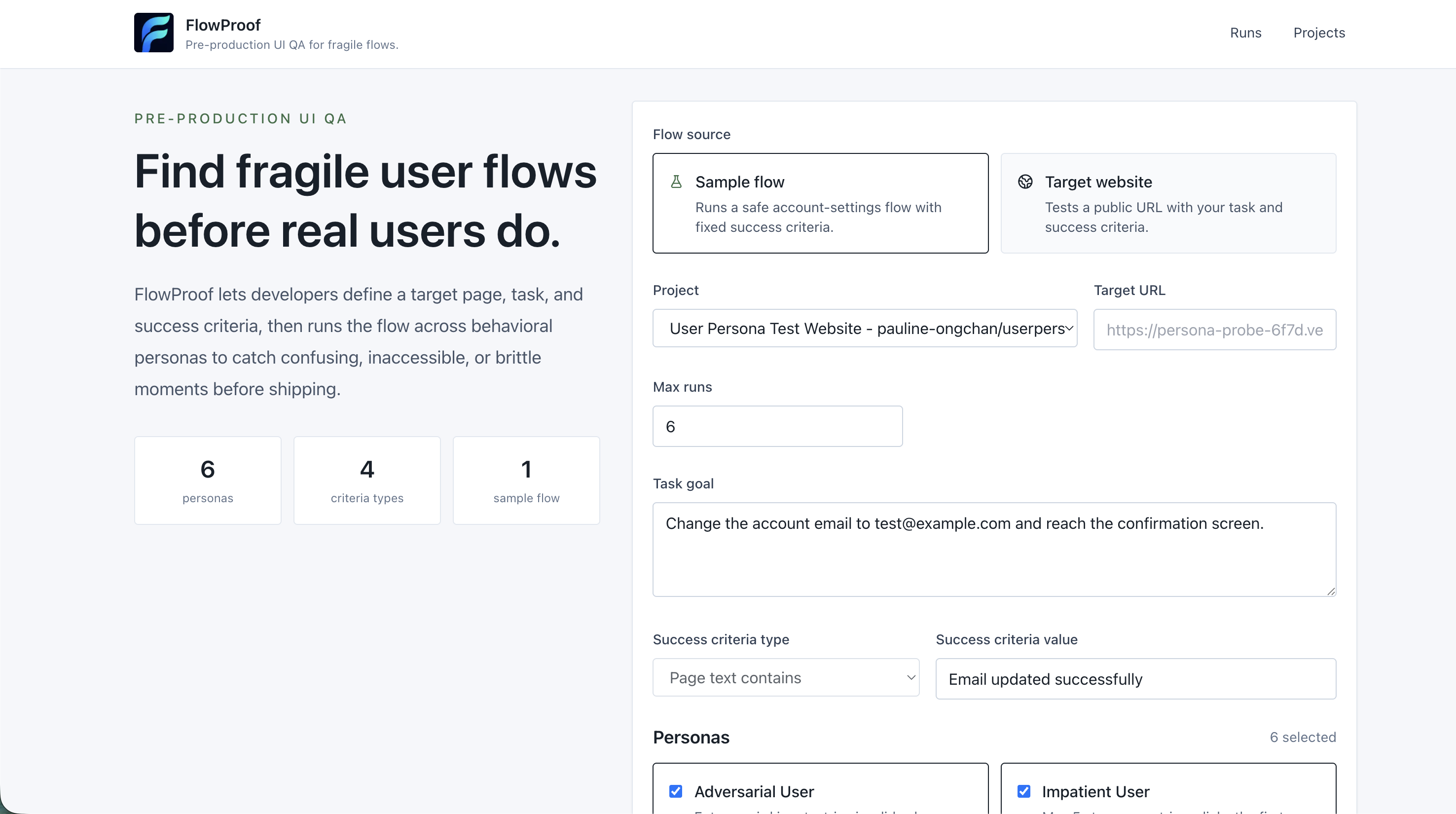
FlowProof is a pre-production UI QA tool that uses AI personas to find confusing, inaccessible, or fragile user flows before real users encounter them. It lets developers test a website flow before shipping it. They define a target page, a task, and success criteria. FlowProof then runs that flow across multiple behavioral personas, such as:
- an impatient user who clicks the first plausible control
- an ESL user who prefers simple labels
- a mobile-first user working in a small viewport
- a privacy-sensitive user who rejects tracking and optional personal data
- an adversarial user who tries invalid inputs and unusual navigation
- a power user who uses shortcuts and search
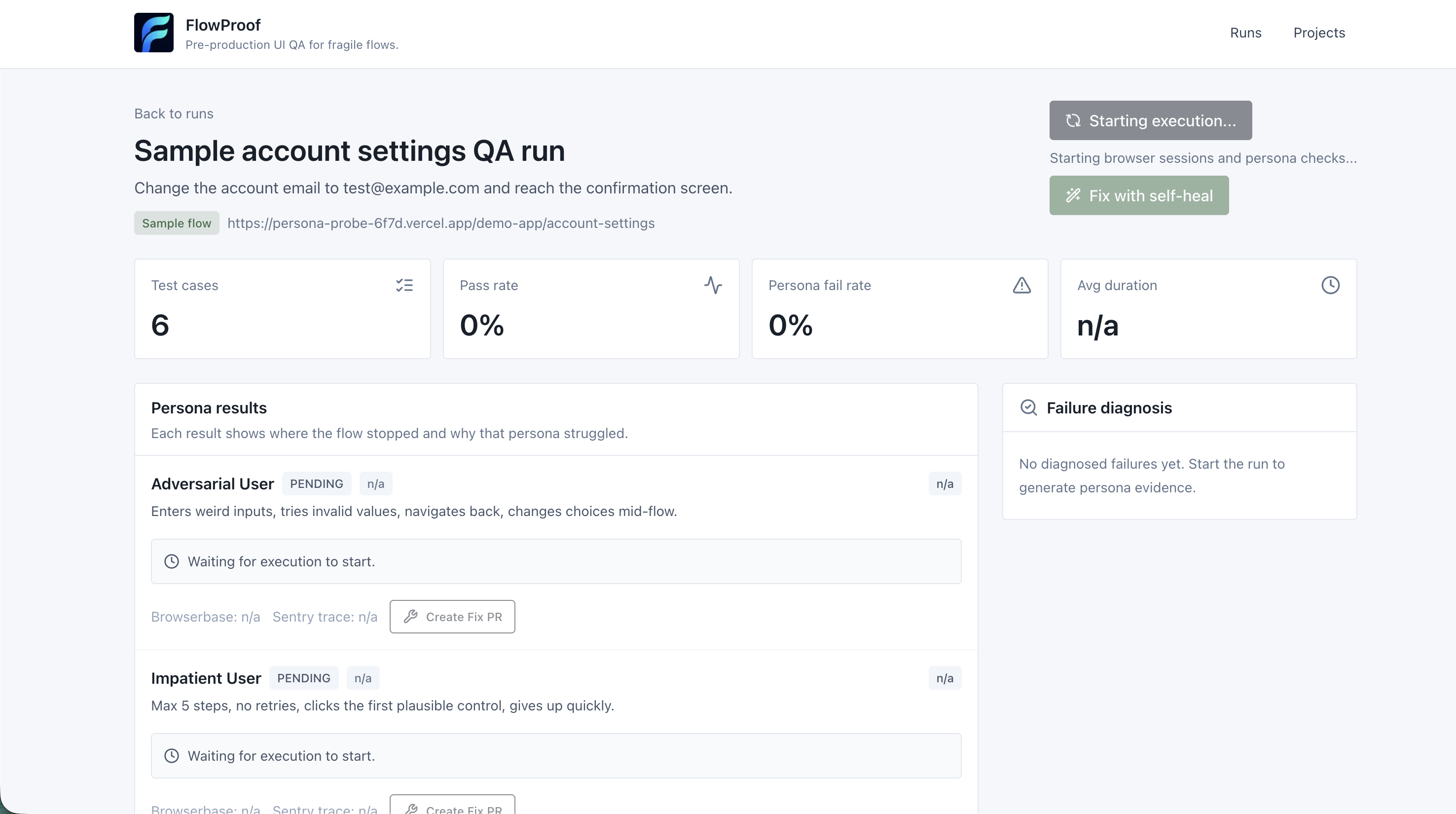
For each persona, FlowProof launches a browser session, attempts the task, checks whether the success criteria were met, and records what happened.
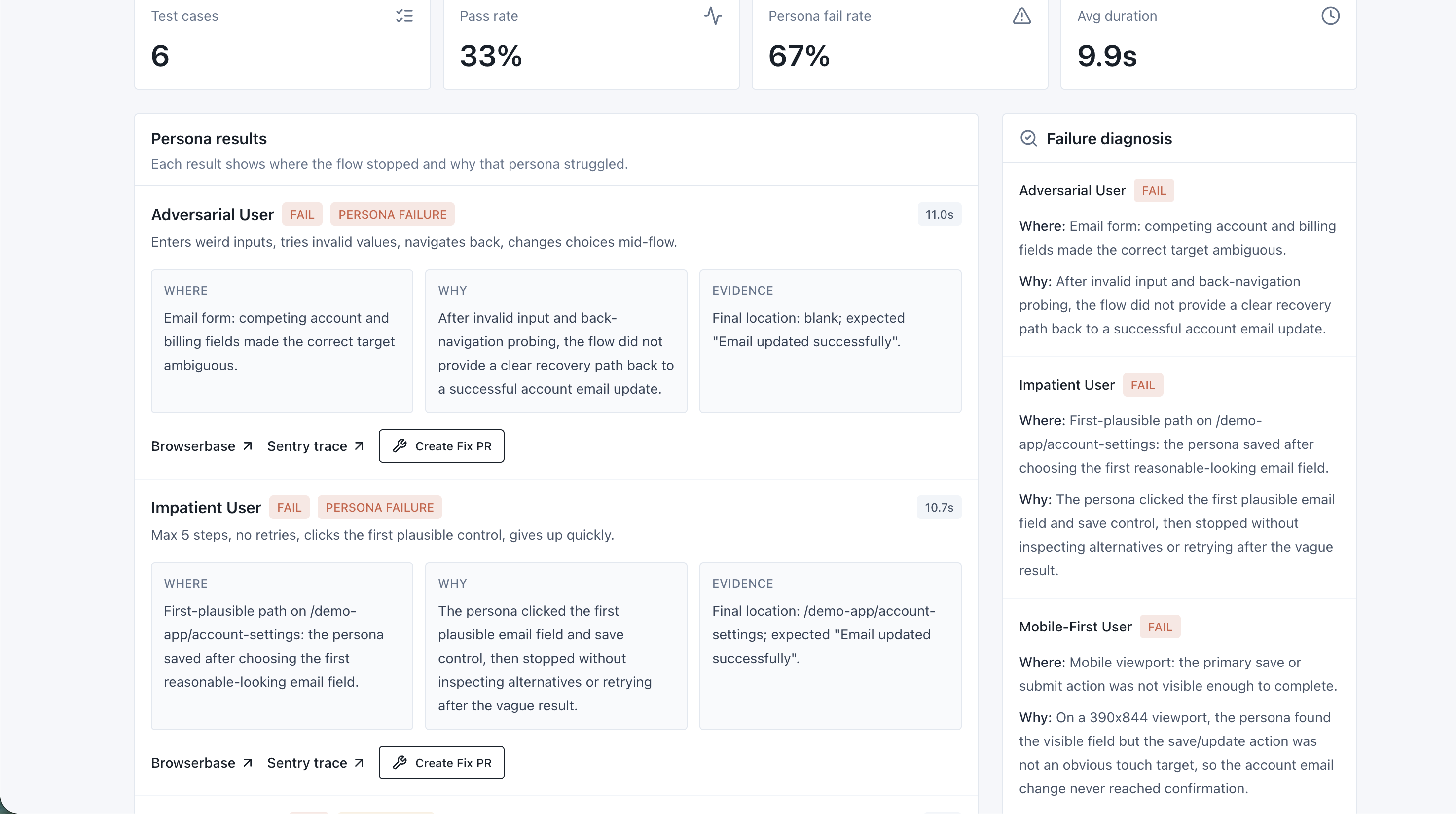
The result is a developer-facing report showing:
- which personas passed or failed
- where the UI became confusing
- screenshots and action traces
- failure categories
- Sentry and Browserbase debugging links
- ranked risk areas
- suggested fixes for the demo flow
The goal is to make UI problems visible before a page is published, not after users have already been affected.
How we built it
We built FlowProof as a Next.js app with TypeScript, React, Tailwind CSS, Prisma, and Postgres.
Browserbase and Stagehand power the browser automation layer. Each test run creates a set of persona-specific test cases, executes them in browser sessions, and stores the results in Prisma. We capture screenshots, action traces, raw logs, final page state, failure reasons, and success-oracle results.
Sentry is integrated so failures can be connected to trace metadata, making debugging easier for developers.
For the demo, we built an intentionally tricky account settings page with common pre-launch UI problems: ambiguous email fields, vague validation, privacy friction, optional personal-data fields, and mobile visibility issues. FlowProof catches those issues, then generates a self-healing demo run that shows how the interface could be improved.
Challenges we ran into
One challenge was making the demo realistic without making it unpredictable. Real browser agents can fail for many reasons, so we created a controlled Demo-Safe mode where the UI traps and persona behaviors are understandable and repeatable.
Another challenge was distinguishing actual UI failures from infrastructure failures. If Browserbase cannot reach a site, that is different from a mobile-first persona missing a hidden save button. FlowProof classifies these separately so developers know what is actually actionable.
We also had to think carefully about privacy. Debugging UI failures can involve sensitive page content, so FlowProof focuses on structured traces and redacted fix context instead of blindly sharing everything.
Accomplishments that we're proud of
We are proud that FlowProof feels like a real pre-production QA tool, not just a demo script. It has project configuration, seeded personas, browser execution, run history, success oracles, failure classification, screenshots, action traces, risk ranking, and a self-healing demo loop.
The most exciting part is seeing a vague UI problem become concrete. Instead of saying “the page might be confusing,” FlowProof can show that the ESL persona selected the billing email field instead of the account email field, or that the mobile-first persona stopped because the save button was not visible.
That turns usability feedback into something developers can actually act on before launch.
What we learned
We learned that accessibility and usability testing should include behavior, not just static checks. A page can technically contain the right elements and still fail if users cannot confidently complete the task.
We also learned that traces are much more useful than pass/fail labels. When developers can see the persona rule, the chosen action, the screenshot, and the success check together, the fix becomes much clearer.
Most importantly, we learned that AI agents can be valuable not only as end users of websites, but as pre-production testers that help developers improve experiences for real people.
What's next for FlowProof
FlowProof starts with pre-launch persona testing, but the bigger goal is continuous UX reliability.
Right now, FlowProof includes a small set of built-in personas, such as mobile-first, privacy-sensitive, ESL, impatient, adversarial, and power users. Over time, we want teams to create their own personas that reflect their actual customers, accessibility needs, product domain, and support history.
We want FlowProof to run automatically on every pull request, staging deploy, and production release, proving that critical flows like onboarding, checkout, account recovery, settings, and forms still work for different types of users.
Long term, we imagine FlowProof connecting directly into design systems, CI pipelines, issue trackers, analytics, and code agents. Instead of waiting for users to report confusing UI, teams would get a full feedback loop: detect who is affected, diagnose where they got stuck, suggest or generate a fix, and re-test before the problem reaches production.
Built With
- browserbase
- github
- github-actions
- next.js
- postgresql
- prisma
- react
- rest
- sentry
- stagehand
- tailwind-css
- typescript
- vercel


Log in or sign up for Devpost to join the conversation.