-
-
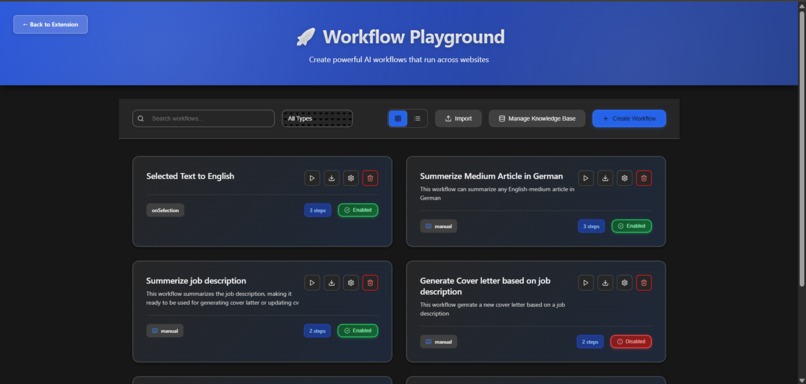
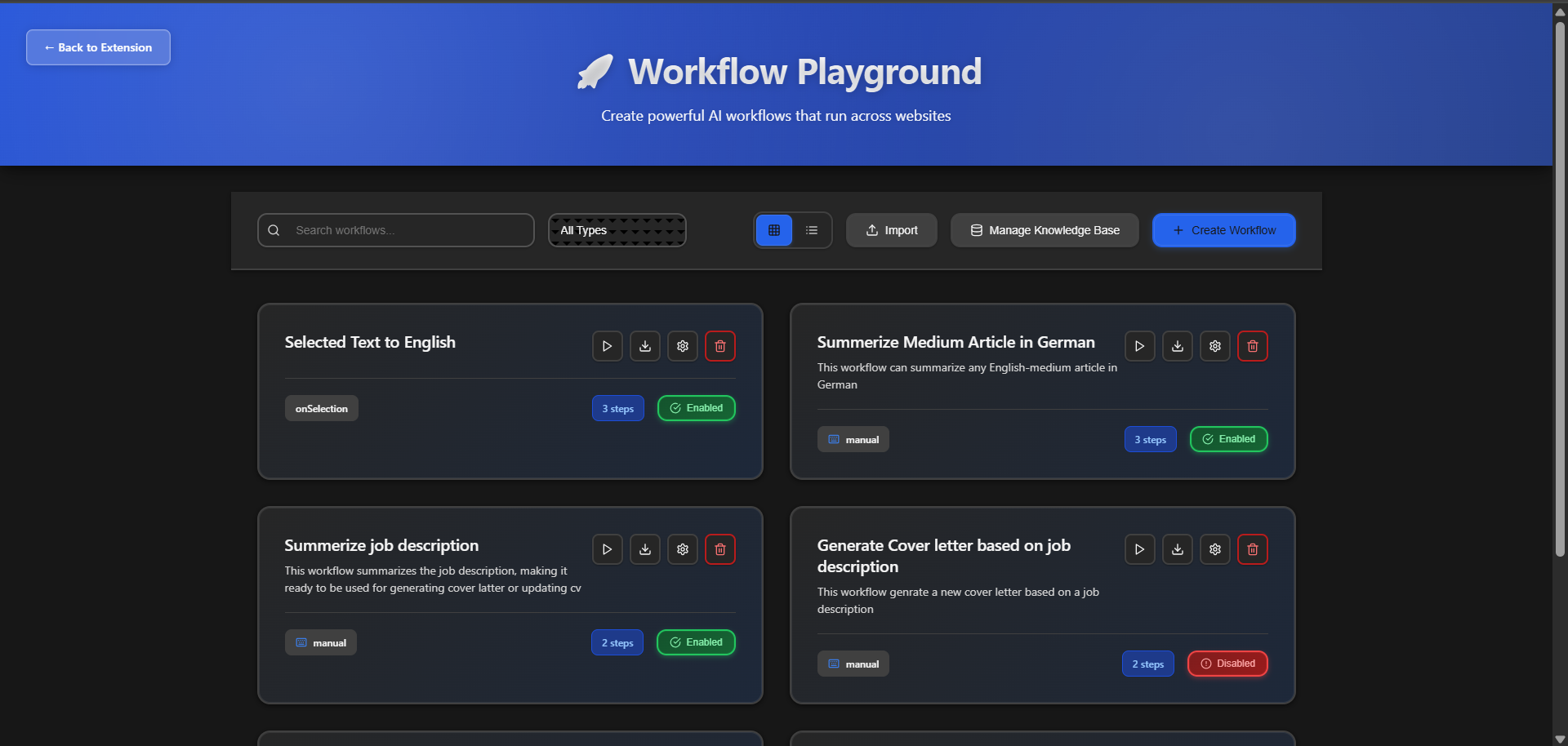
main-page
-
-
💡 Inspiration
When Chrome introduced its built-in AI APIs, I saw huge potential, but also a problem.
They were powerful, yet too technical for most users.
I wanted to make them accessible to everyone.
Inspired by tools like Google Opal, n8n, and Zapier, I envisioned a visual builder where anyone could chain AI actions: no coding, no servers, no setup.
That’s how Flownic was born: the simplest way to create AI workflows in your browser.
⚙️ What It Does
Flownic turns Chrome into your personal AI assistant.
You can create step-by-step workflows that automate tasks like job hunting, research, translation, and content creation, all powered by Chrome’s built-in AI.
✨ Core Features
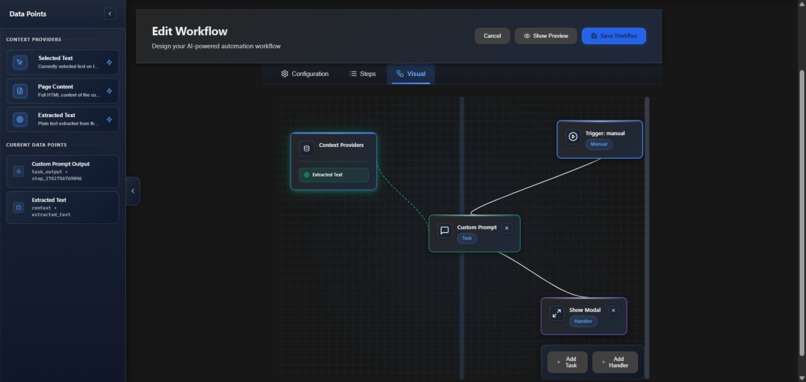
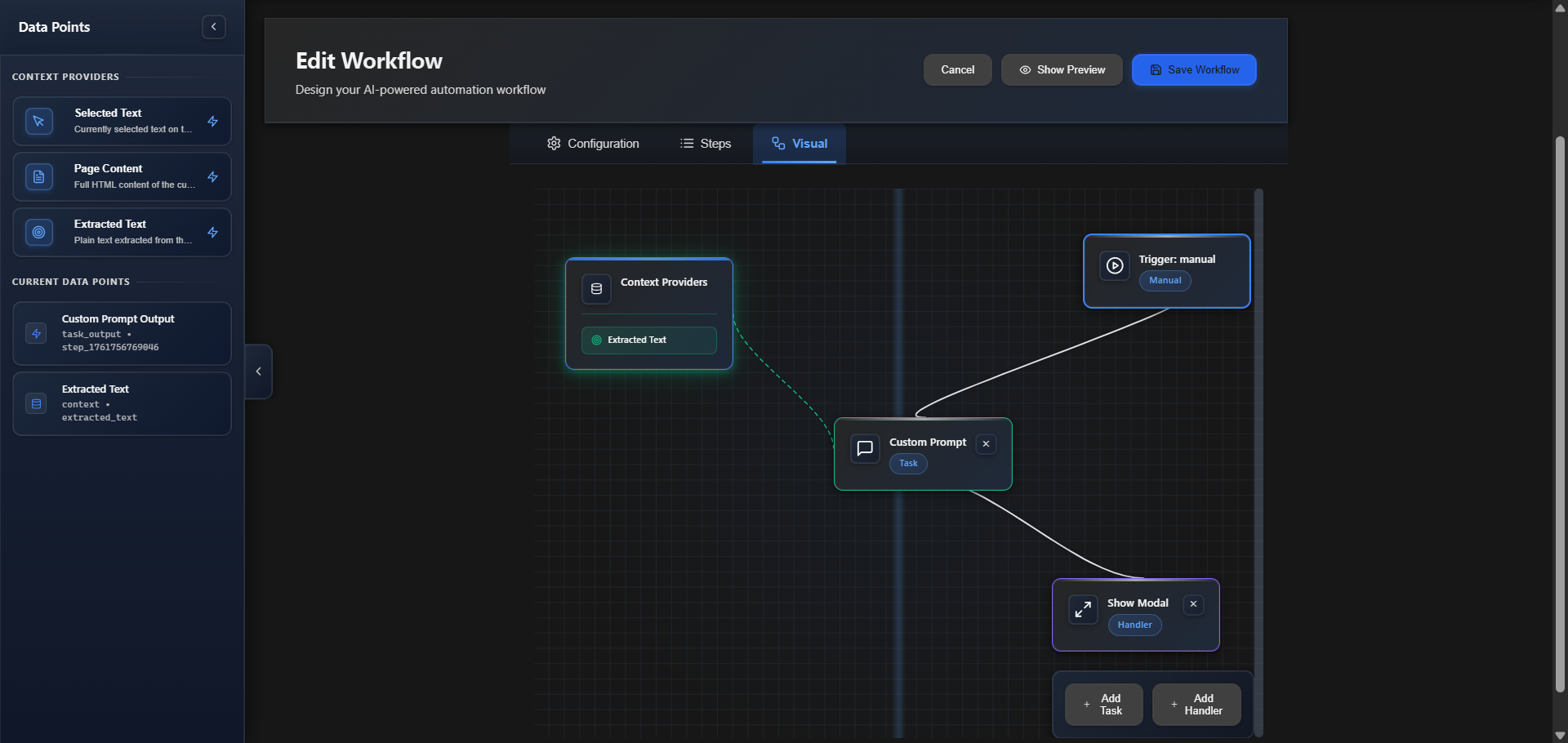
- Workflow Builder: Create and edit multi-step AI workflows visually.
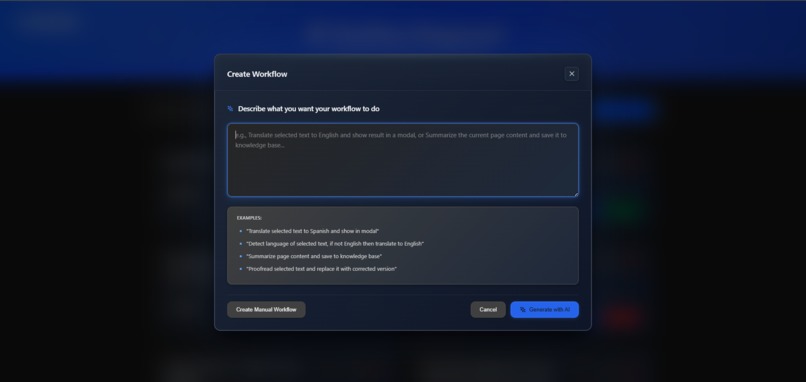
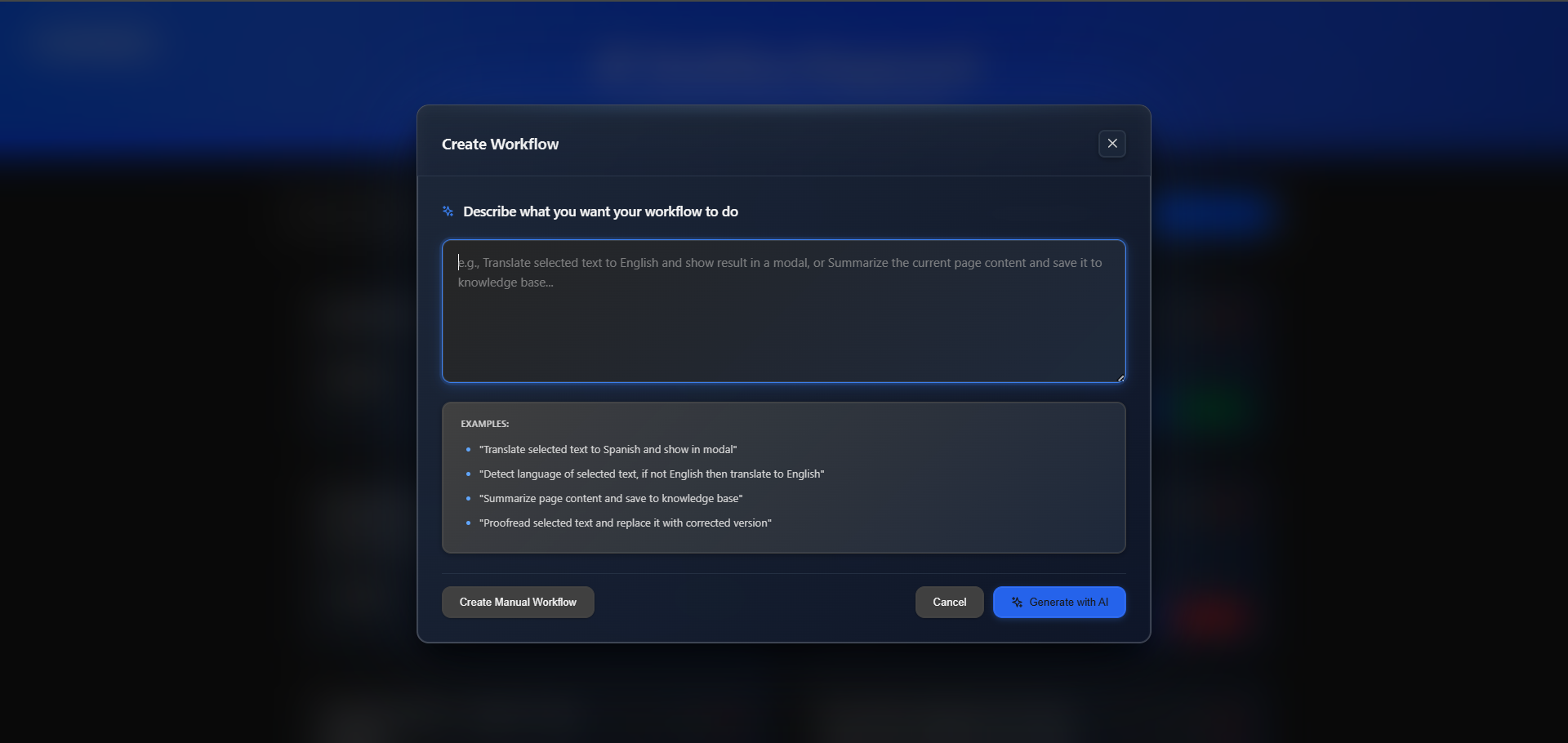
- Generate Workflow With AI: explain what you want with a sample language, and the AI will generate the workflow.
- AI Task Chaining: Combine 7 built-in Chrome AI APIs: Prompt, Translation, Summarization, Proofreading, Writing, Rewriting, and Language Detection.
- Smart Data Flow: Pass data between steps with
${step_id.field}tokens,. - Context Providers: Use
selected_text,page_content, orextracted_textto make the AI aware of the page content. - Knowledge Base: save your common data, and reuse it across workflows
- Handlers: Use actions like Show modals, modify text, extract data, trigger downloads.
- JSON tamplating: all workflows are saved as standardized JSON, allowing for sharing and reusability of workflows.
🧠 Example Workflows
- Auto-Translate on Selection → language detector API → translator API → display using Handlers.
- Summarize Medium Articles → extract → summarizer API → translator API → display using Handlers.
- Cover Letter Generator → extract job description → add user info from KB → generate with prompt API → display.
🔒 Privacy-First
Everything runs locally using Chrome’s AI models.
No API keys, no servers, no tracking, 100% private automation.
🛠️ How We Built It
Built with a modular, scalable architecture for speed and flexibility.
🧱 Tech Stack
- Frontend: React + TypeScript + Vite
- Extension: Chrome Manifest V3 + Service Workers
- Storage: Chrome Storage API
- AI: Chrome’s built-in AI
- Security: Custom CSP-safe validators
⚙️ Architecture Highlights
- Core:
BaseTask+BaseHandlerfoundation for modular design. - Tasks: 7 AI features (translation, summarization, rewriting, etc.).
- Handlers: 8 automation actions (UI, text, download, save, etc.).
- Workflow Engine: Sequential task execution with triggers.
- UI Layer: Playground, popup, and overlay with dark/light themes.
🧩 Dev Process
- Architecture-first: 20+ design docs
- SOLID, clean, fully typed code
- Iterative MVP → refined features → polished UI
🚧 Challenges We Faced
- Validating the AI-generated workflow and repairing the result in case there was an issue
🏆 Accomplishments We’re Proud Of
- ✅ Integrated all 7 Chrome AI APIs in one tool.
- 🎨 Built a polished workflow builder with validation and themes.
- 🧱 clean architecture (SOLID, modular, type-safe).
- 🔒 100% offline and privacy-first — no data leaves the device.
- ⚙️ Created a flexible
${token}-based data system.
💬 What We Learned
- Chrome AI APIs require deep integration with Manifest V3 & CSP.
- Layered architecture makes scaling and new features easy.
- Privacy-first design resonates strongly with users.
- Great UX bridges the gap between AI capability and real usability.
🚀 What’s Next for Flownic
- Action previews & undo
- Advanced triggers
- A marketplace where users can share the workflows they have created
- Security sandboxing & caching
- Adding external APIs support
- Expand to Firefox, Edge, Safari
- Enterprise & plugin ecosystem
🔥 Summary
Flownic turns Chrome into a local AI automation engine.
It’s fast, private, and intuitive — helping anyone automate their browser with zero coding, 100% offline.
Built With
- chrome
- languagedetectorapi
- manifest
- promptapi
- proofreaderapi
- react
- rewriterapi
- summarizerapi
- translatorapi
- typescript
- vite
- writerapi


Log in or sign up for Devpost to join the conversation.