-
-
FlowMotion
FlowMotion: The Autonomous AI Video Producer
Inspiration
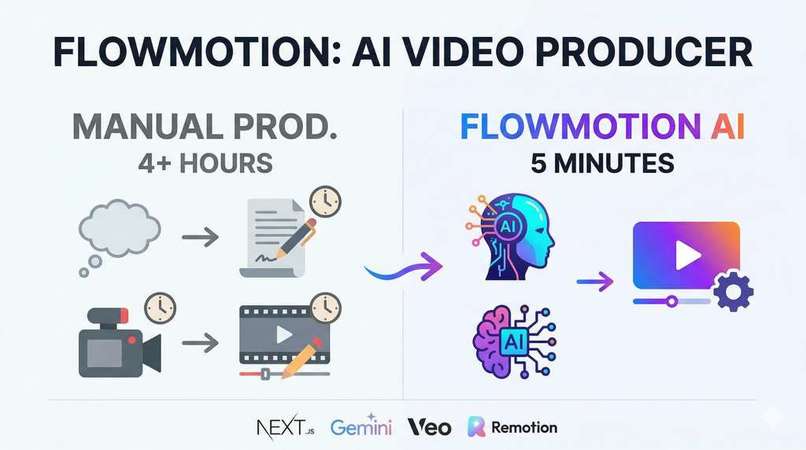
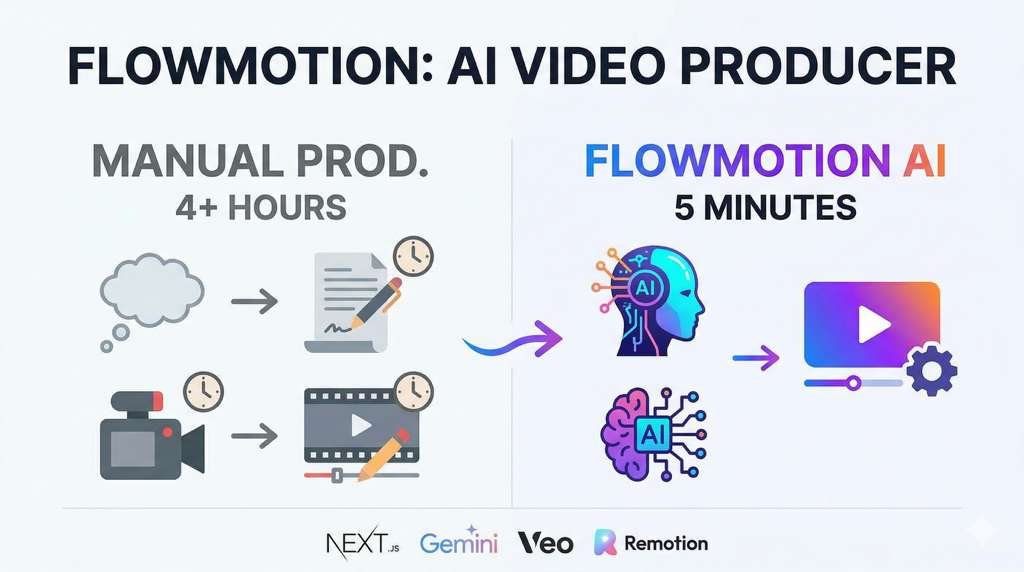
Producing a high-quality, 60-second video for social media takes the industry average of 4+ hours to complete. A content creator brainstorms an idea, writes a script, hunts for B-roll footage or generates clips, records voiceovers, sources background music, and then manually stitches it all together in Premiere or CapCut.
We asked: What if we could clone a full production team? An agent that takes a single prompt or live data feed, writes a compelling script, generates cinematic video clips on the fly, adds professional narration and music, and renders the final MP4 automatically.
You type "Create a hype video about today's tech news," and grab a coffee. That's zero-friction video production.
What It Does
FlowMotion is an autonomous video production pipeline that compresses hours of manual video editing into a seamless, few-minute interaction.
- Ingests & Ideates — Monitors live data streams via Nexla (news, crypto, weather). When a trend spikes, or when a user provides a prompt, it gathers the real-time context needed for a relevant video.
- Scripts & Directs — Routes the context through Google Gemini 2.5 Flash. Gemini acts as the Creative Director, writing a scene-by-scene script including narration, visual descriptions, and timing.
- Generates Media — Automatically parallelizes asset creation. It prompts Google Veo 3 to generate short cinematic video clips for each scene, ElevenLabs to synthesize the voiceover, and Google Lyria 2 to generate background music.
- Interacts & Refines — Features an AI Director chat powered by assistant-ui. You can preview the script and assets, and ask the agent to make adjustments mid-flight ("Make the voiceover more energetic," or "Regenerate scene 2 with a cyberpunk aesthetic").
- Composes & Renders — Passes all generated assets to Remotion, which programmatically stitches the video clips, layers the audio tracks, and adds text overlays, exporting a final MP4 server-side.
- Stores & Deploys — Instantly uploads the final rendered video to DigitalOcean Spaces (CDN) and delivers it to the user.
The Production Curve (Proven in Demo)
| Human Creator | FlowMotion | |
|---|---|---|
| Ideation & Scripting | 45 mins (Research, writing drafts) | 5 seconds (Nexla + Gemini 2.5) |
| Asset Gathering/Generation | 2 hours (Hunting B-roll, recording VO) | 3-4 mins (Veo 3 + ElevenLabs) |
| Video Editing & Composition | 1.5 hours (Timeline syncing, overlays) | 30 seconds (Remotion) |
| Export & Publishing | 15 mins (Rendering, uploading) | 10 seconds (DO Spaces) |
| Total Production Time | 4+ hours | ~5 minutes |
How We Built It (The Creative Uses)
We refused to do basic integrations. Every sponsor tool was pushed to handle unpopular or highly creative features:
Nexla — Autonomous Trend Ingestion
Instead of waiting for user prompts, FlowMotion uses Nexla's live data pipelines to feed real-time trending topics (news, crypto market movements, local weather). We built autonomous "cron-style" agents that watch Nexla Nexsets and automatically trigger video generation when specific thresholds are met.
assistant-ui — The AI Director Chat & Heatmap
Not just a static chat interface. We used @assistant-ui/react to build an interactive AI Director. It understands the context of the video being generated, allowing users to interrupt the generation pipeline and tweak prompts for specific scenes. We also integrated the heat-graph component to visually display the user's video generation activity over time.
DigitalOcean — Complete Cloud Infrastructure
Instead of basic hosting, we rely heavily on DigitalOcean for both compute and storage. FlowMotion is deployed via DigitalOcean App Platform (.do/app.yaml) to handle the CPU-intensive Remotion server-side rendering (renderMedia). All intermediate and final video assets are securely stored and served via DigitalOcean Spaces (S3-compatible object storage with a built-in CDN), ensuring lightning-fast playback for end users.
Augment Code — AI-Assisted Development
Building a complex pipeline integrating multiple asynchronous generative APIs (Veo, ElevenLabs, Gemini) and a programmatic video renderer (Remotion) was a massive architectural challenge. We used Augment Code's AI-assisted development tooling throughout the build to quickly scaffold API routes, manage complex TypeScript types across the pipeline, and debug Remotion rendering issues.
Google Gemini & Veo 3 — The Brains & The Lens
We use Gemini 2.5 Flash not just for text, but as a structured data orchestrator. It outputs strict JSON mapping out sequences, timing, and prompts for Veo. Veo 3 takes these highly specific visual prompts to generate stunning, cohesive video clips that match the script's narrative arc.
Challenges We Ran Into
- Asynchronous Asset Generation: Veo 3 and ElevenLabs take time to generate media. Managing the state of multiple concurrent generation jobs and only triggering the Remotion render when all assets are ready required building a robust polling and webhook architecture.
- Server-side Rendering Limits: Running Remotion renderMedia inside a Next.js API route is CPU/memory intensive. We had to optimize our DigitalOcean App Platform configuration to handle spikes in memory usage during the MP4 encoding phase.
- Prompt Engineering for Video Consistency: Getting Veo 3 to maintain a consistent aesthetic across multiple scenes generated independently was challenging. We solved this by having Gemini append a unified "style guide" to every individual Veo prompt it created.
Accomplishments We're Proud Of
- From 4 Hours to 5 Minutes: We successfully abstracted away the entire video editing timeline into a simple chat interface and automated pipeline.
- The "Data-to-Video" Pipeline: Proving that we can take raw, live JSON data from Nexla and turn it into a polished, narrated, and visually stunning video entirely autonomously.
- Seamless Infrastructure: Running heavy video rendering and CDN storage smoothly on DigitalOcean without dropping frames or timing out the user request.
What We Learned
- Programmatic video is incredibly powerful. Treating video as code (via Remotion) instead of a binary blob allows AI to be a true video editor, not just a generator.
- Orchestration is harder than generation. The AI models are amazing, but the real engineering challenge was safely managing the data flow between them.
What's Next
- Social Media Auto-Publishing: Automatically posting the generated MP4s directly to TikTok, Instagram Reels, and YouTube Shorts.
- Interactive Video Branches: Letting the AI generate branching narratives where viewers can click options on screen to change the video path.
- Custom Voice Clones & Avatars: Allowing users to train their own voice and likeness to be used by the autonomous agent.
Built With
next.js remotion google-gemini google-veo elevenlabs digitalocean nexla assistant-ui augment-code typescript
Built With
- assistant-ui
- augment-code
- digitalocean
- elevenlabs
- google-gemini
- google-veo
- nexla
- remotion

Log in or sign up for Devpost to join the conversation.