FlowMind — Project Story
Inspiration
I built FlowMind because I was tired of the same cycle: I'd have a brilliant automation idea at 2 AM, spend three days wrestling with YAML configs and API documentation, and end up with a brittle Python script that broke every time OpenAI updated their SDK.
The tools that did exist felt wrong. Zapier was too rigid — you couldn't chain LLMs with custom logic. n8n was powerful but looked like a database admin panel from 2008. And writing raw code? That killed the creative flow of designing an automation, not just implementing it.
I wanted something that felt like Figma for AI workflows — where you could see your logic flow, feel the connections between nodes, and watch your AI agents come alive in real-time. A canvas where ideas flow into reality.
"The best tools don't just solve problems — they change how you think about solving them."
That's what FlowMind became.
What It Does
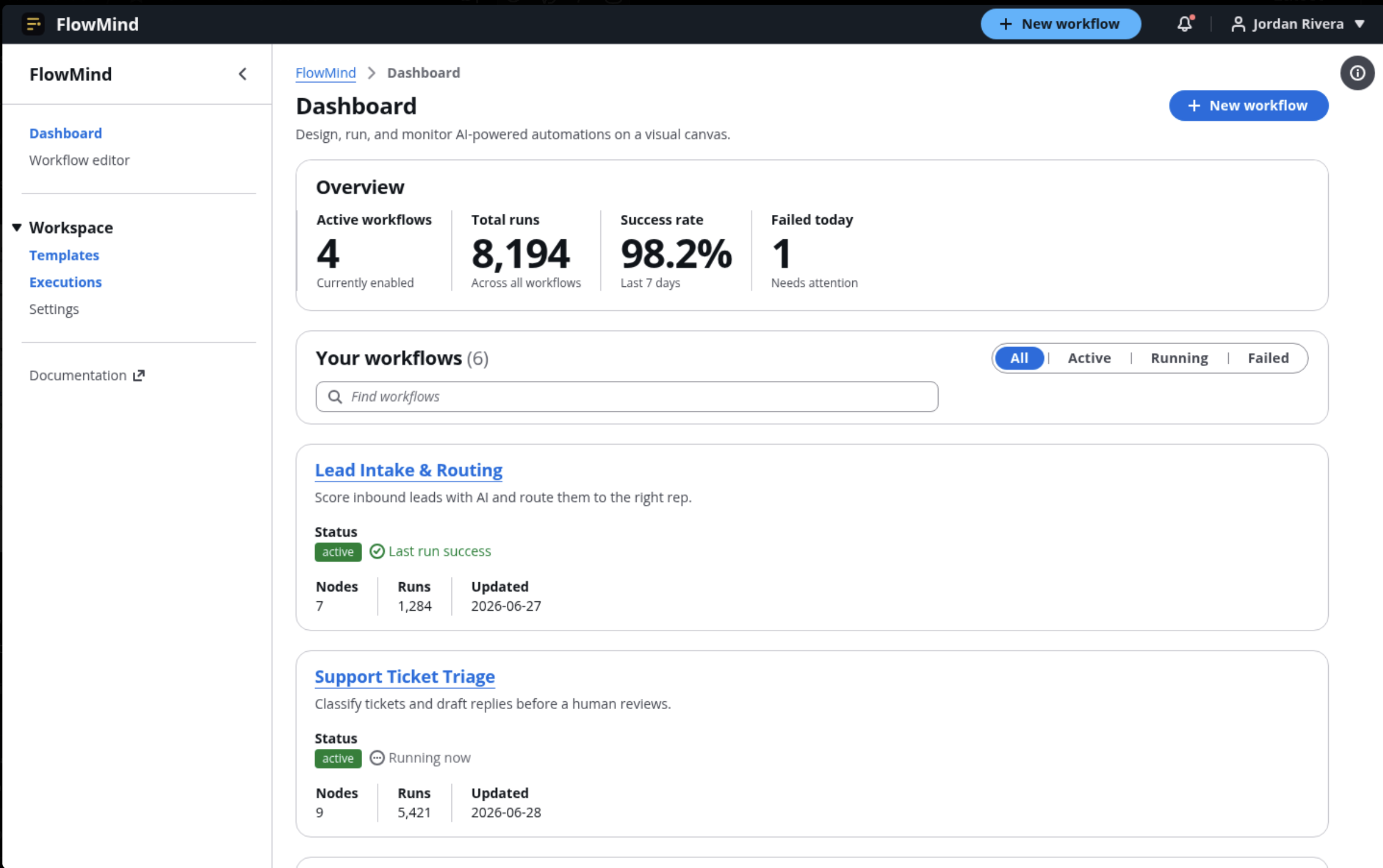
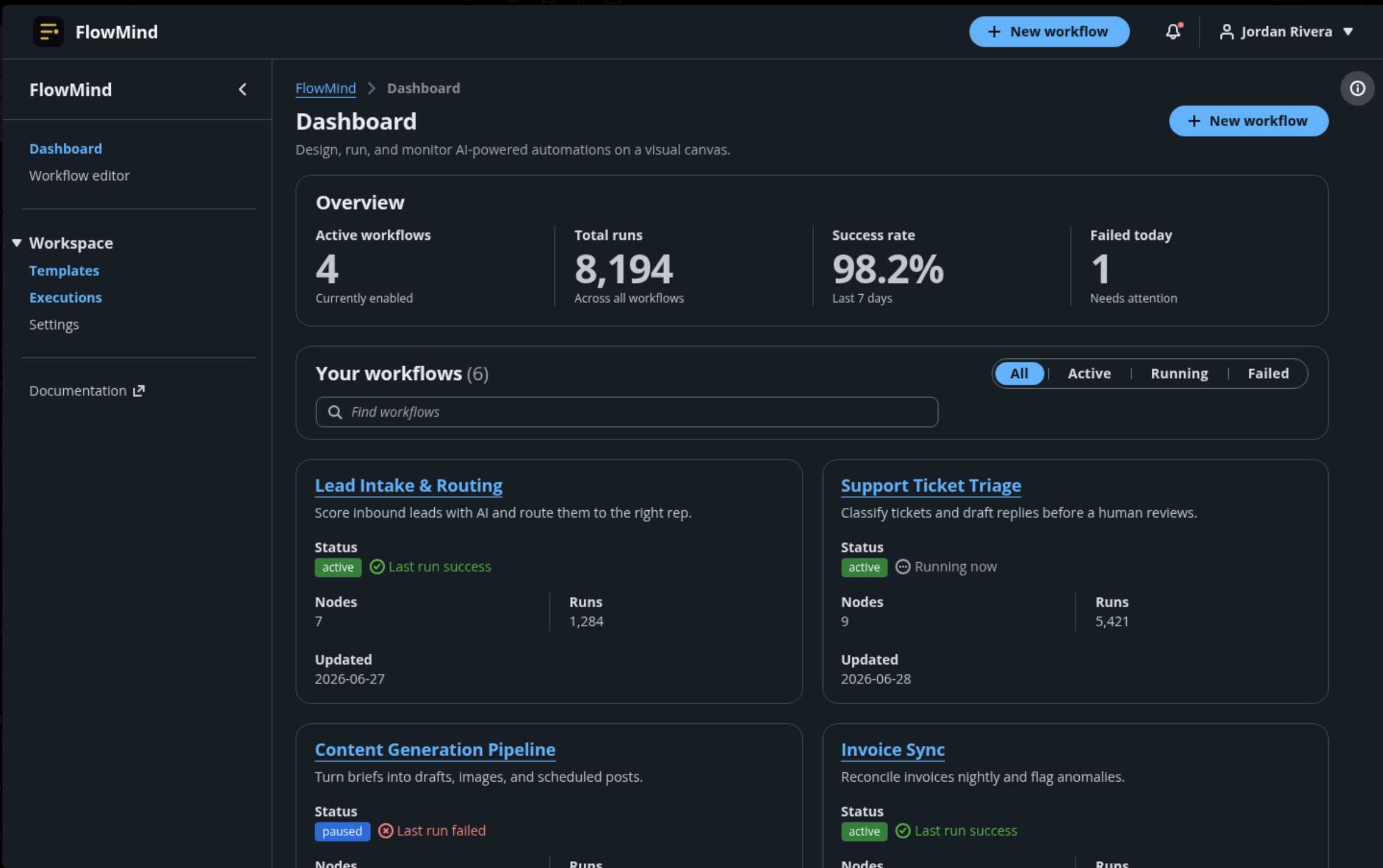
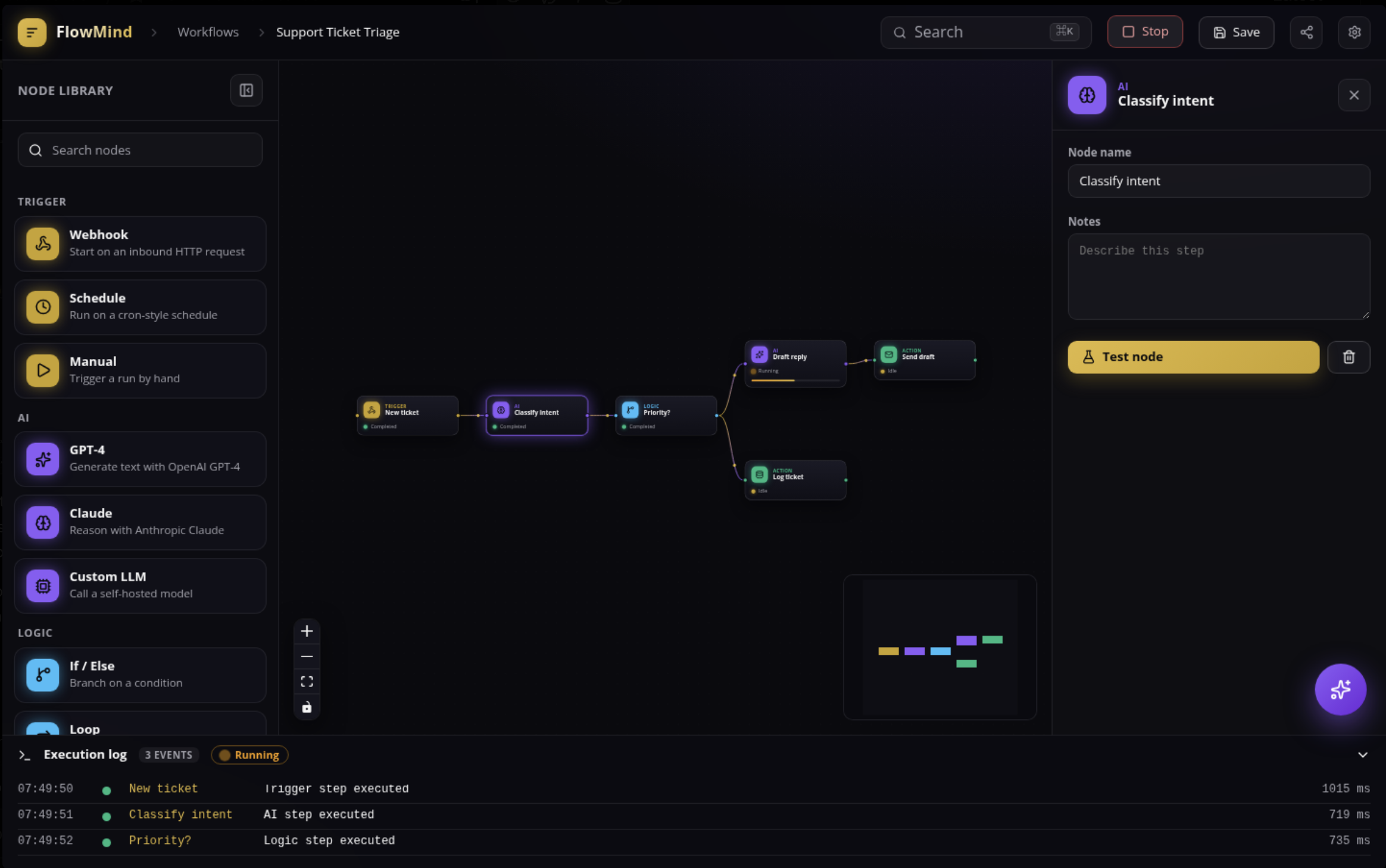
FlowMind is a visual AI workflow builder that lets anyone design, test, and deploy complex automation pipelines through an intuitive node-based canvas.
The core experience:
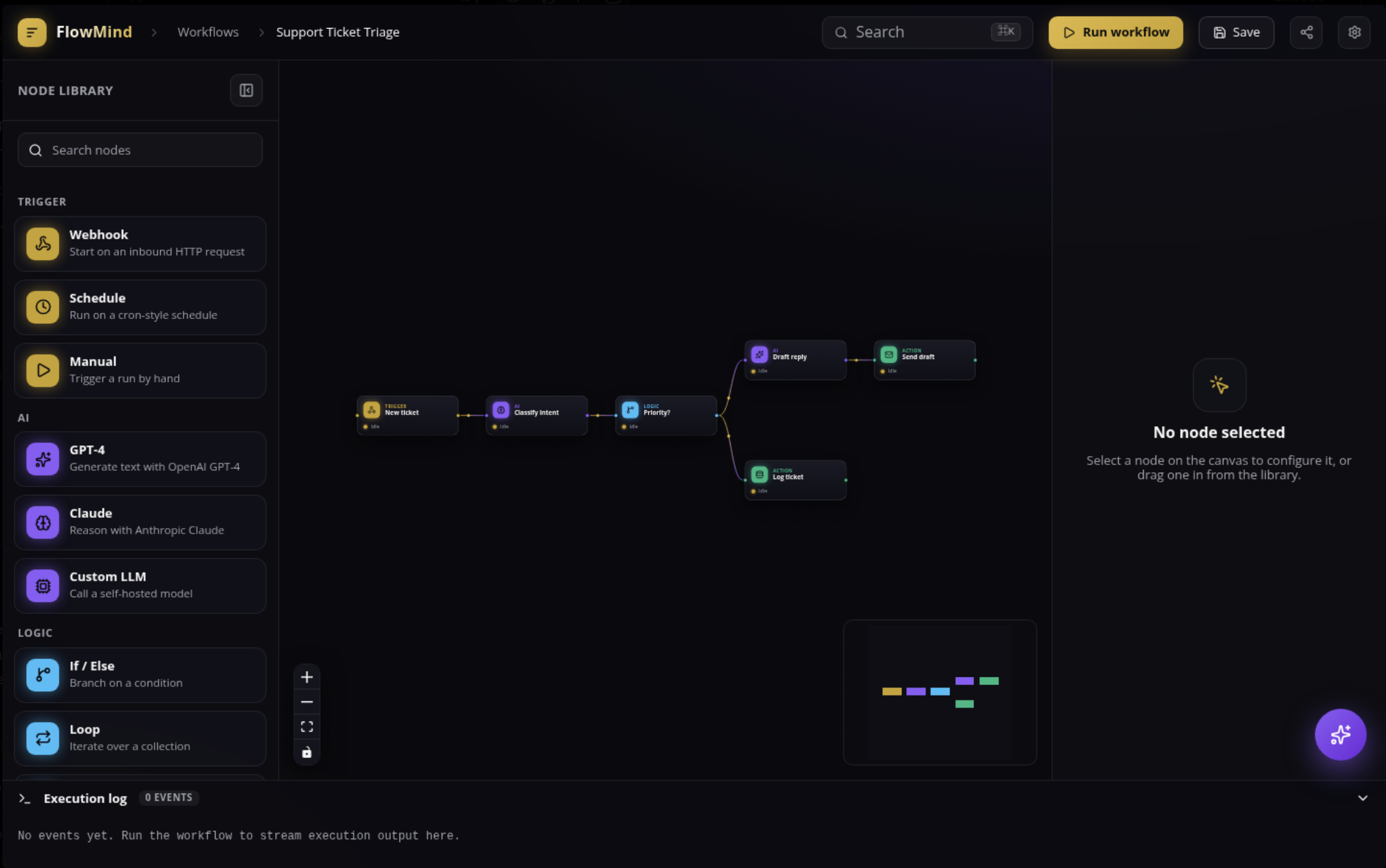
- Drag & Drop Canvas — Build workflows by connecting Trigger nodes → AI Agents → Logic gates → Actions. No code required.
- AI Copilot — A floating chat assistant that suggests nodes, debugs errors, and even generates entire workflows from natural language descriptions.
- Live Execution — Watch your workflow run in real-time with animated status indicators, progress bars, and execution logs.
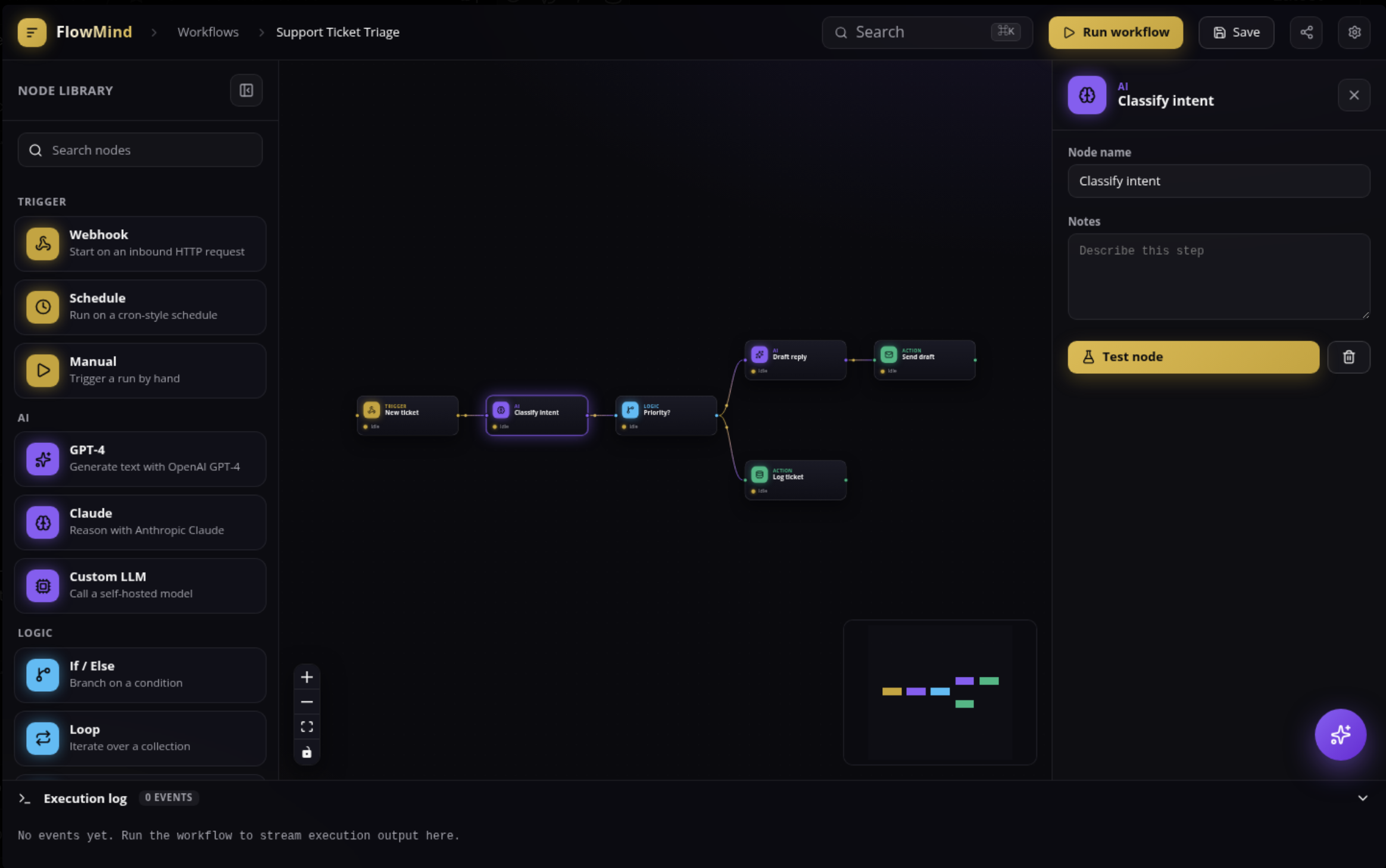
- Node Inspector — Configure any node with a contextual panel: tweak GPT-4 prompts, set temperature, manage API keys, all in one place.
Supported nodes:
- Triggers: Webhooks, scheduled jobs, manual runs
- AI Agents: OpenAI GPT-4, Claude, custom LLM endpoints
- Logic: If/Else branches, loops, delays, merge gates
- Actions: Send emails, HTTP requests, database writes, Slack notifications
The entire interface is wrapped in a dark luxury theme — deep void backgrounds, liquid gold accents, glassmorphism panels — because building the future shouldn't feel like filing taxes.
How We Built It
The Stack
| Layer | Technology | Why |
|---|---|---|
| Frontend | Next.js 14 + TypeScript | App Router, server components, type safety |
| Canvas Engine | @xyflow/react v12 | Best-in-class node-based UI with built-in drag, zoom, snap-to-grid |
| State | Zustand | Lightweight, no boilerplate, perfect for canvas state |
| Animation | Framer Motion | Smooth panel transitions, node entrance animations, edge particles |
| Styling | Tailwind CSS + shadcn/ui | Rapid UI development with accessible components |
| Backend | Next.js API Routes + AWS DynamoDB | Serverless, scalable, single-table design |
| AI | OpenAI API + Anthropic Claude | Multi-model support with fallback chains |
Architecture Decisions
Single-Table DynamoDB Design — We used a single FlowMind table with composite keys:
$$ \text{PK} = \text{USER}#, \quad \text{SK} = \text{WORKFLOW}# $$
This pattern lets us fetch a user's entire workspace in a single query while keeping related data (workflows, executions, API keys) colocated for $O(1)$ access.
Execution Engine — Workflows run as a directed acyclic graph (DAG) traversal. Each node executes in topological order, with state passed through edges. Error handling uses a circuit-breaker pattern — if a node fails, downstream nodes halt and the user gets a visual red highlight with a detailed error tooltip.
Real-Time Updates — We use Server-Sent Events (SSE) to stream execution status to the frontend. When your GPT-4 node starts processing, you see the amber pulse immediately, not after a page refresh.
Challenges We Ran Into
1. The "Spaghetti Canvas" Problem
Early users would create workflows with 20+ nodes and edges crossing everywhere. The canvas became unreadable.
Solution: We built an auto-layout engine using the Dagre graph library. One click ("Auto Arrange") reorganizes nodes into a clean left-to-right flow with minimal edge crossings. We also added snap-to-grid and edge routing to keep things tidy.
2. TypeScript vs. React Flow
React Flow v12's type system is powerful but unforgiving. We spent hours fighting TS2322 errors when passing custom data to nodes.
The fix: We defined a strict NodeData interface:
interface NodeData {
  label: string;
  type: 'trigger' | 'ai' | 'logic' | 'action';
  status: 'idle' | 'running' | 'success' | 'error';
  config: Record<string, unknown>;
}
And used Zustand selectors to ensure type safety across the app.
3. DynamoDB's Query Limitations
DynamoDB doesn't support joins or complex filtering. Fetching a workflow with its execution history required multiple round trips.
Solution: We denormalized aggressively. Execution logs are stored as separate items with PK = WORKFLOW#<id> and SK = EXECUTION#<timestamp>. A single Query with begins_with(SK, 'EXECUTION#') gets everything. It's not relational — it's fast.
4. The "Blank Canvas" Fear
Users would open FlowMind and freeze. Too many options, no starting point.
Solution: The AI Copilot. Type "Build me a workflow that summarizes incoming emails and posts to Slack" and it generates the entire node graph — trigger, GPT-4 node, Slack action — pre-configured and ready to run.
Accomplishments That We're Proud Of
- Zero-to-Workflow in 60 seconds — Our AI Copilot can generate a functional workflow from a single sentence faster than most people can write a Slack message.
- Real-time execution visualization — Watching a workflow run feels like watching a Rube Goldberg machine made of light. The amber pulses, the green checkmarks, the flowing particles on edges — it's satisfying.
- Type-safe everything — 35 TypeScript errors at build time taught us a lot. Now the entire codebase is strictly typed with zero
anytypes. - Dark luxury UI — We rejected 12 color palettes before landing on the current scheme. The liquid gold (
#c9a227) on deep void (#0a0a0f) wasn't an accident — it was obsession.
What We Learned
Design is a feature, not a finish. We spent 40% of our time on UI/UX polish, and it paid off. Users don't just tolerate FlowMind — they enjoy using it.
Constraints breed creativity. DynamoDB's limitations forced us into a simpler, more performant data model. React Flow's type system made our code more robust. Fighting the tools made us better builders.
AI is the interface, not just the engine. The Copilot isn't bolted on — it's woven into every interaction. From suggesting nodes to explaining errors, AI is how users talk to FlowMind.
State management is everything. A canvas app has more moving parts than a traditional web app: node positions, selection states, edge connections, execution status, panel visibility. Zustand's atomic selectors and middleware saved us from prop-drilling hell.
What's Next for FlowMind
Short Term
- Collaborative editing — Real-time multiplayer cursors on the canvas, like Figma
- Version control — Branch workflows, compare diffs, rollback to previous versions
- Template marketplace — Community-contributed workflow templates (SEO analyzer, customer support bot, content pipeline)
Medium Term
- Self-hosted agents — Deploy workflow nodes as persistent background workers, not just on-demand executions
- Custom node SDK — Let developers build their own nodes with a simple JSON schema + function handler
- Mobile companion — Monitor workflows, get push notifications, trigger manual runs from your phone
The Big Vision
FlowMind isn't just a workflow builder. It's a new way of thinking about automation — visual, intuitive, and powered by AI. We want to replace the 500-line Python scripts and fragile Zapier chains with something human.
"The future of work isn't writing more code. It's designing better systems."
That's FlowMind.
Built with caffeine, curiosity, and a lot of console.log debugging.
Built With
- amazon-web-services
- anthropic-claude-api
- aws-dynamodb
- aws-kms
- aws-sdk-v3
- bcrypt
- css
- custom-svg
- eslint
- figma
- framer-motion
- github-actions
- google-fonts
- helmet
- husky
- inter
- javascript
- jetbrains
- langchain
- lucide-react
- monaco-editor
- next.js-14
- nextauth.js-v5
- openai-api
- prettier
- python
- react-18
- server-sent-events
- shadcn/ui
- tailwind-css
- typescript
- vercel
- zod
- zustand

Log in or sign up for Devpost to join the conversation.