Inspiration
My inspiration came directly from the frustrations I face as a student. I was tired of the constant "copy-paste hustle"—juggling a tutorial on one tab, my code editor, and an AI chatbot on a third. This flow is clunky, breaks concentration, and makes learning difficult.
I wanted to build the tool I wished I had: a single, smart mentor that lives inside the browser. An assistant that could answer my questions, debug code, and analyze pages in real-time, all without me ever having to leave the page I'm learning from.
What it does
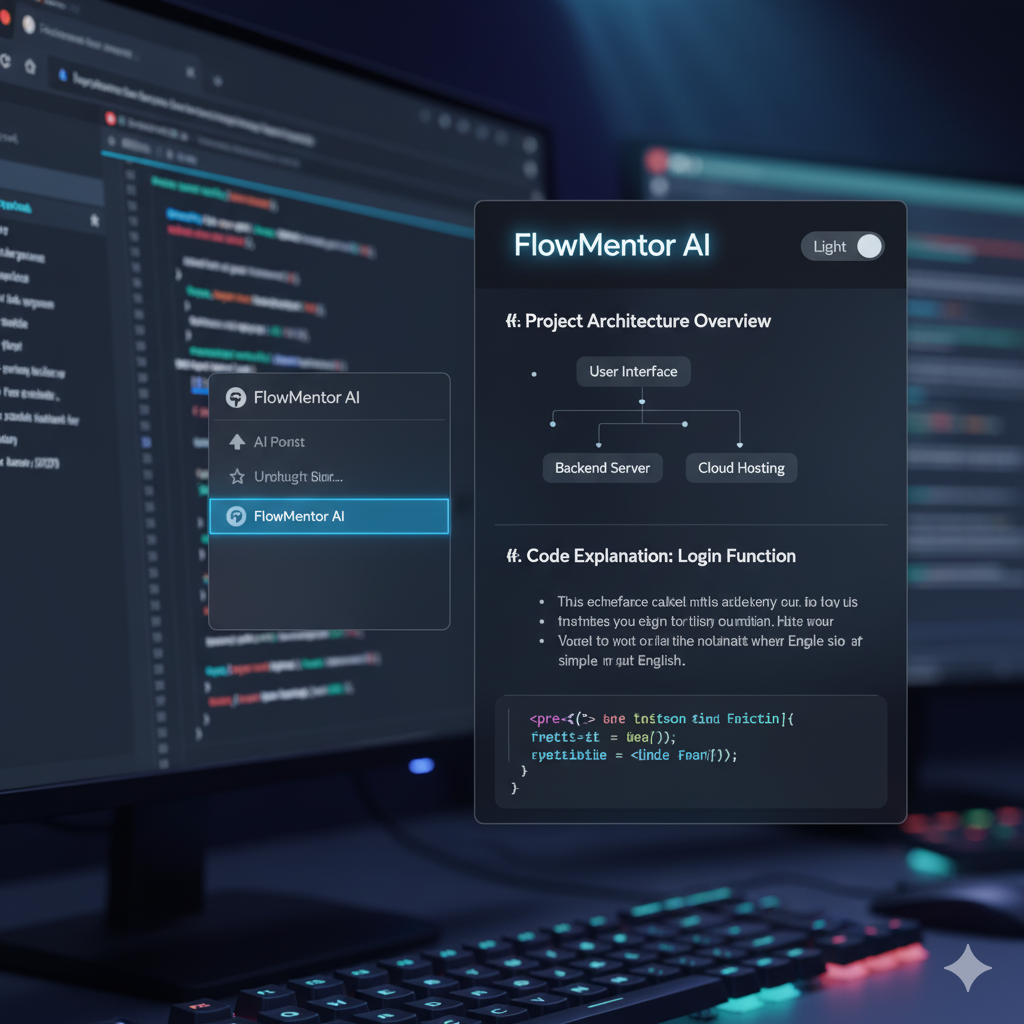
FlowMentor AI is a Chrome Extension that integrates a conversational AI mentor directly into the browser sidebar. It serves multiple functions to aid learning and development:
- Conversational Project Mentor: You can describe a project idea (e.g., "a Python Flask app"). The AI analyzes the stack, provides a high-level architecture overview, generates a text-based flowchart of the components, and creates a step-by-step plan. It remembers the project stack ("Python/Flask") for contextual follow-up questions during the chat session.
- Right-Click Context Menu Tools: Eliminates copy-pasting by providing instant actions on selected text:
- Explain code (with flowchart): Breaks down highlighted code, explains technical terms, and generates a text flowchart of its logic.
- Debug code (with page context): Analyzes highlighted code or errors using the surrounding page text, provides corrected code, pinpoints the fix, and explains the error.
- Get code: Generates HTML/CSS/JS for a highlighted component description.
- Ask about selection (with page context): Answers questions about selected text, using page context (adapts for hackathon ideas, article summaries).
- Translate: Translates selected text into various languages (selected via sidebar dropdown).
- Chat about page: Opens the sidebar chat with the page's content loaded as context, ready for questions.
- Sidebar Action Buttons: Provides page-level analysis on demand:
- Analyze Tech: Guesses the frontend and backend technologies used on the current page.
- Summarize Page: Creates a concise, section-by-section summary of the current page.
- Page Flowchart: Generates a text-based flowchart illustrating the conceptual flow of ideas on the current page.
- Customizable UI: Includes multiple themes (Light, Dark, Purple, Synthwave, Minty) selectable via a dropdown.
How I built it
FlowMentor AI is built as a Hybrid AI Chrome Extension using JavaScript (ES6+ async/await), HTML5, and CSS3, following Manifest V3 guidelines.
The core intelligence comes from the Google Gemini API (gemini-2.5-flash model), accessed via JavaScript fetch requests. The extension architecture uses:
chrome.sidePanelfor the main chat interface (sidebar.html).chrome.contextMenusin the background script (background.js) to create the right-click options.chrome.scripting.executeScriptto inject functions (getPageContent,getPageHtml) into web pages to retrieve text or HTML source when triggered by context menus or sidebar buttons.chrome.storage.localto persistently store the user's selected theme and temporarily store data passed between the background script and the sidebar (taskidentifiers, code snippets, page context).
A significant part of the development was prompt engineering within sidebar.js. I designed specific, detailed prompts for each feature (project planning, debugging, explanation with text-flowchart, summarization, tech analysis) to guide the Gemini API into producing structured, accurate, and user-friendly HTML responses while strictly avoiding markdown symbols.
Challenges I ran into
My biggest challenge was the initial plan to use the on-device Gemini Nano model for maximum privacy. After significant debugging, I realized my development machine (with 8GB RAM) didn't meet the hardware requirements. This felt like a major roadblock.
However, this forced a pivot that ultimately strengthened the project. I adopted the Hybrid AI Strategy, relying solely on the cloud-based Gemini API. While sacrificing the on-device aspect, this made the extension universally accessible, fulfilling my goal of helping all learners.
Another challenge was refining the prompts, especially for the text-based flowcharts. Getting the AI to consistently follow strict formatting rules (using only specific characters, ensuring spatial layout, handling parallel branches correctly) required multiple iterations and very precise instructions. Managing the asynchronous nature of API calls, storage operations, and script execution also required careful use of async/await and robust error handling.
Accomplishments that I'm proud of
My main accomplishment is successfully pivoting from the on-device constraint to create a robust and accessible Hybrid AI application. This ensures FlowMentor AI benefits a wider range of users, aligning perfectly with the goal of helping students and beginners.
I'm also proud of engineering the prompts to leverage a single API endpoint (Google Gemini API) to power over ten distinct features – effectively acting as a project planner, debugger, code explainer, code generator, summarizer, translator, and tech analyst, all within one integrated tool. Finally, implementing the multiple themes and the clean, functional UI enhances the user experience.
What I learned
This project significantly deepened my understanding of Chrome Extension development with Manifest V3, particularly using the sidePanel, contextMenus, storage, and scripting APIs effectively. The core learning experience was in advanced prompt engineering for the Google Gemini API – learning how to constrain the AI to produce specific, structured HTML outputs, text diagrams, and code corrections reliably. Managing asynchronous JavaScript operations (async/await, Promises) across different extension components (background, sidebar, content scripts) was another key skill I honed.
What's next for FlowMentor AI
I believe FlowMentor AI has strong potential for further development:
- Session History: Implement secure saving and loading of chat conversations related to specific projects or pages.
- Prompt Customization: Allow users to tweak the underlying prompts slightly for different explanation styles or code generation preferences.
- Enhanced Code Generation: Expand the "Get Code" feature to handle more complex UI elements or integrate with popular component libraries.
- Richer Visualizations (Exploration): Investigate secure and efficient ways to potentially render more visual diagrams (e.g., using lightweight SVG generation within the sidebar if feasible without violating CSP).

Log in or sign up for Devpost to join the conversation.