-
-
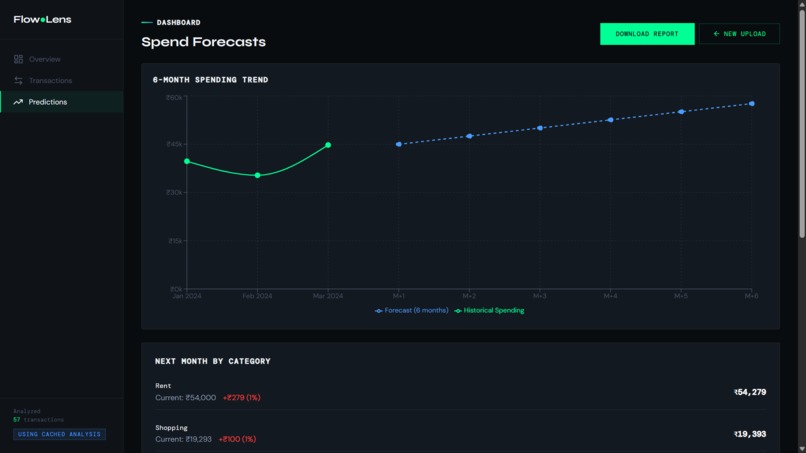
Spend Forecasts
-
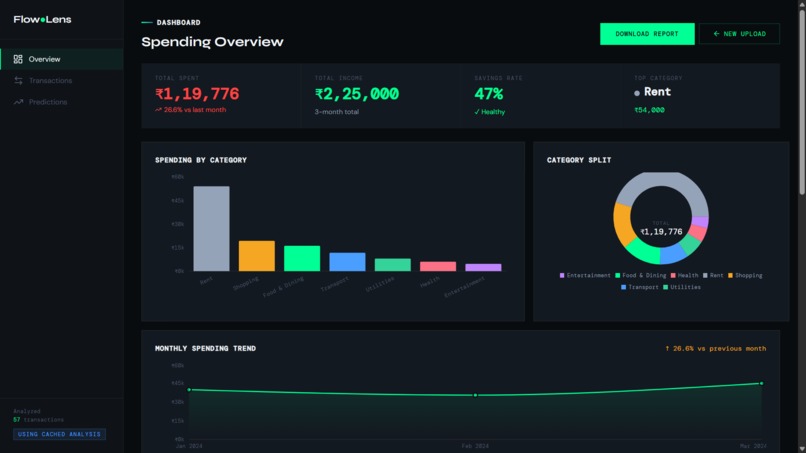
Dashboard
-
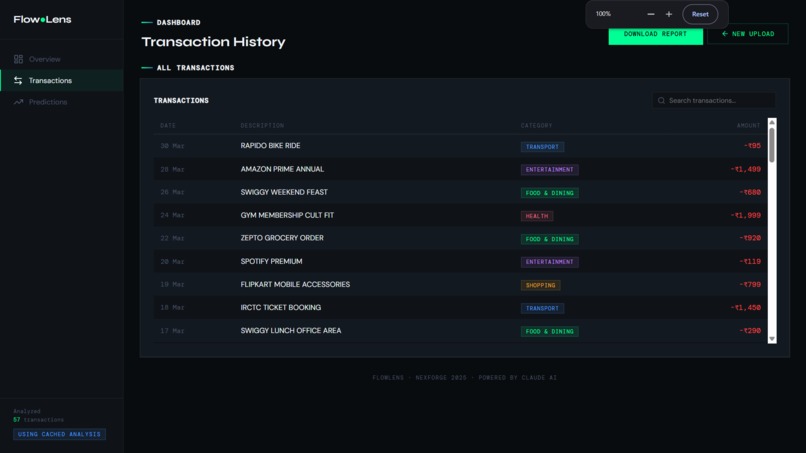
Transactions History
-
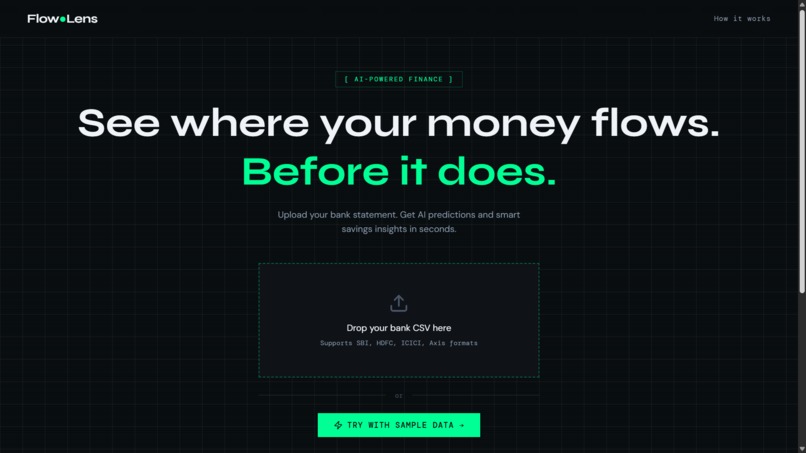
Landing Page
-
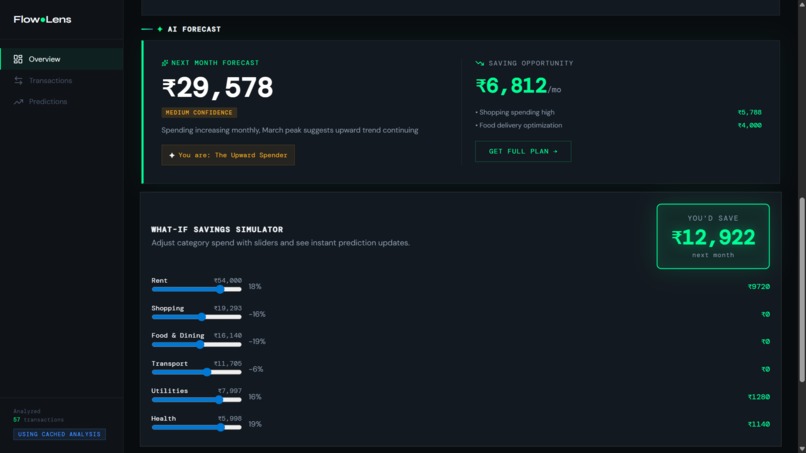
Next Month Forecast
-
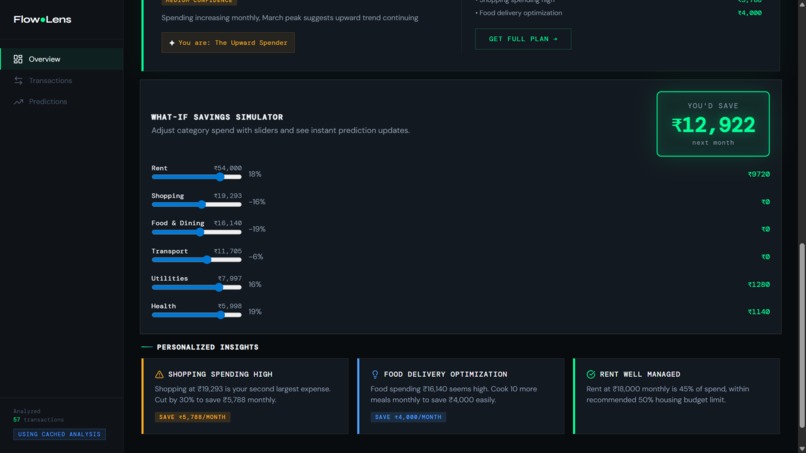
Personalised Insights
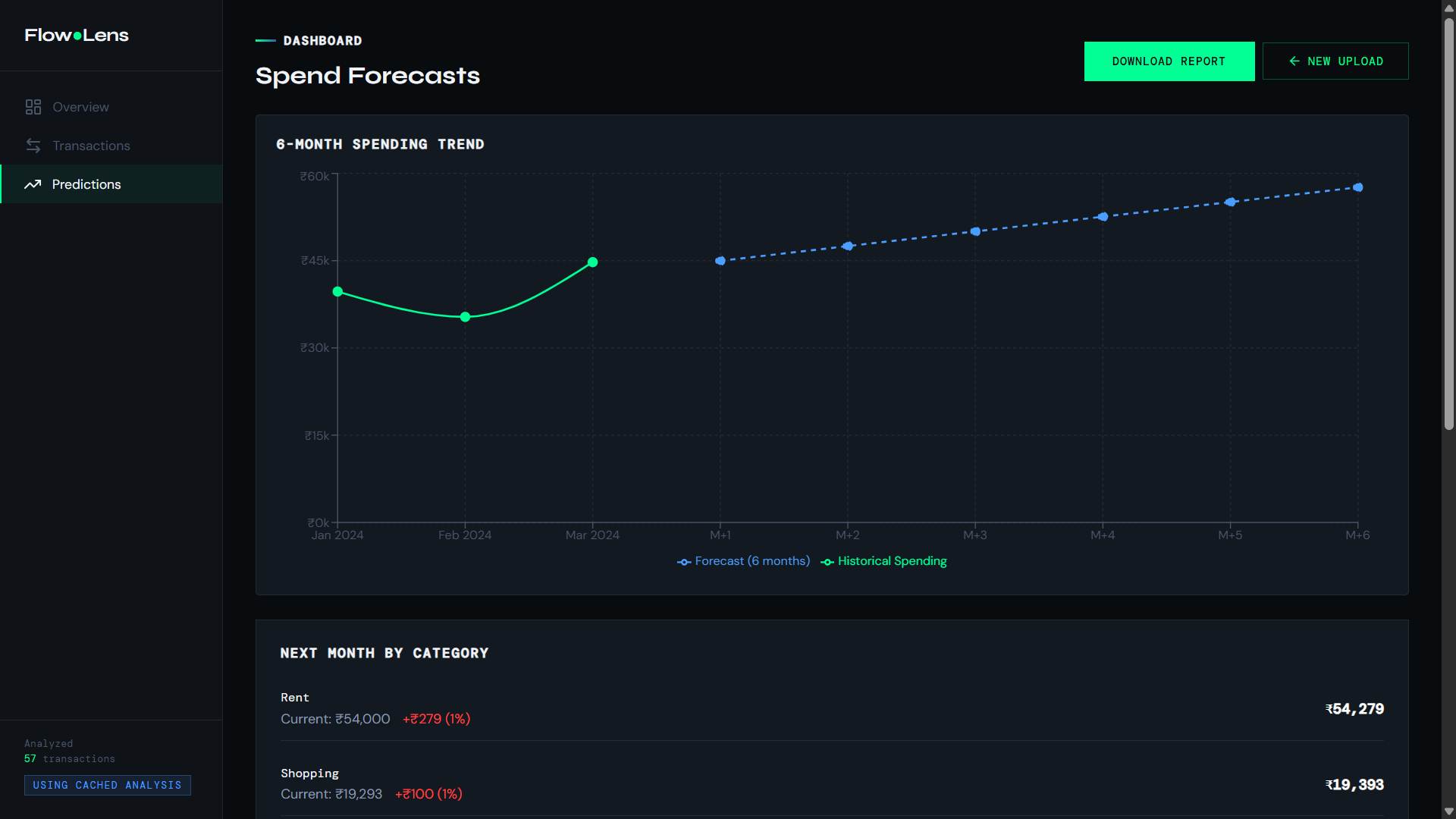
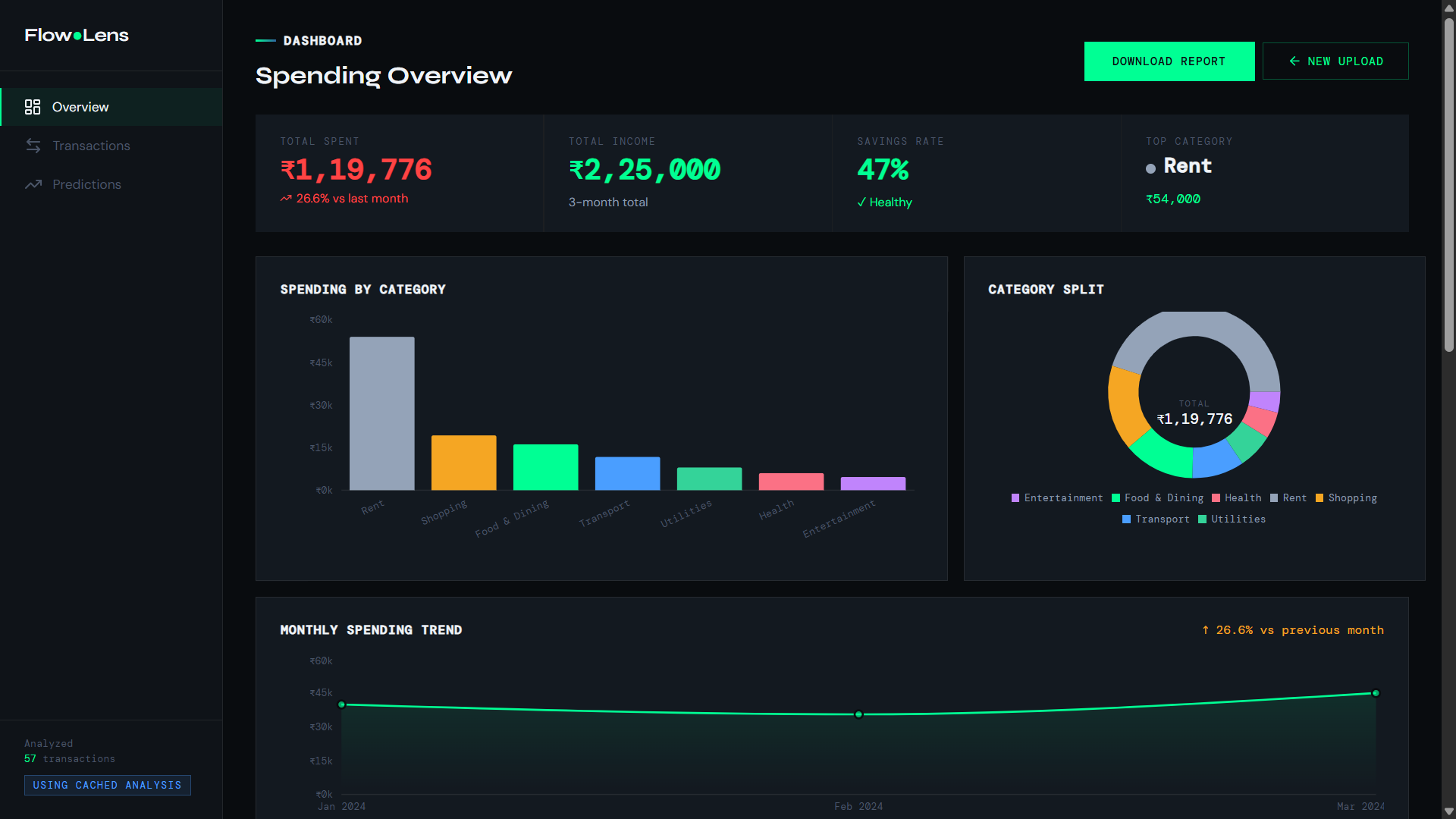
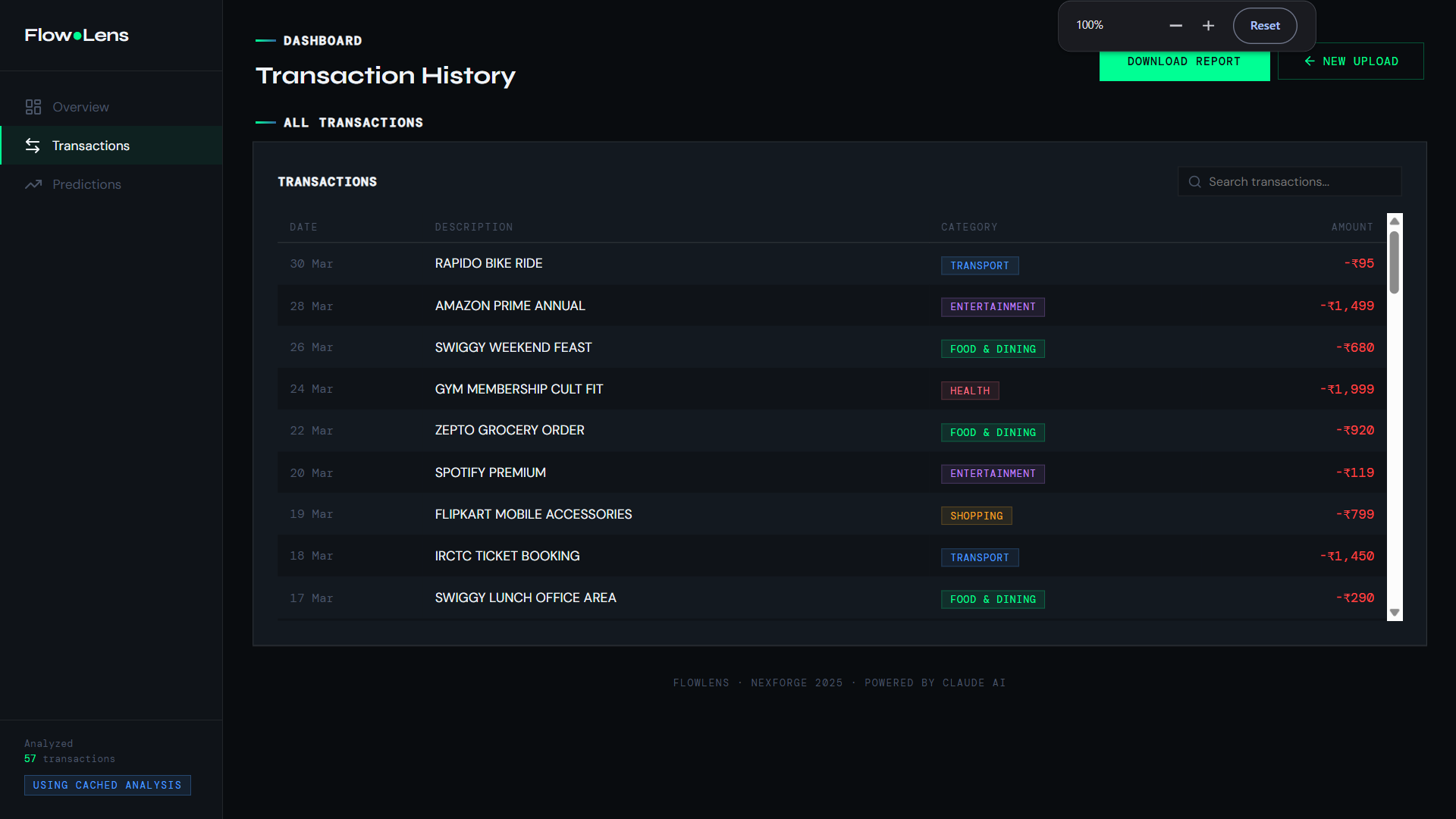
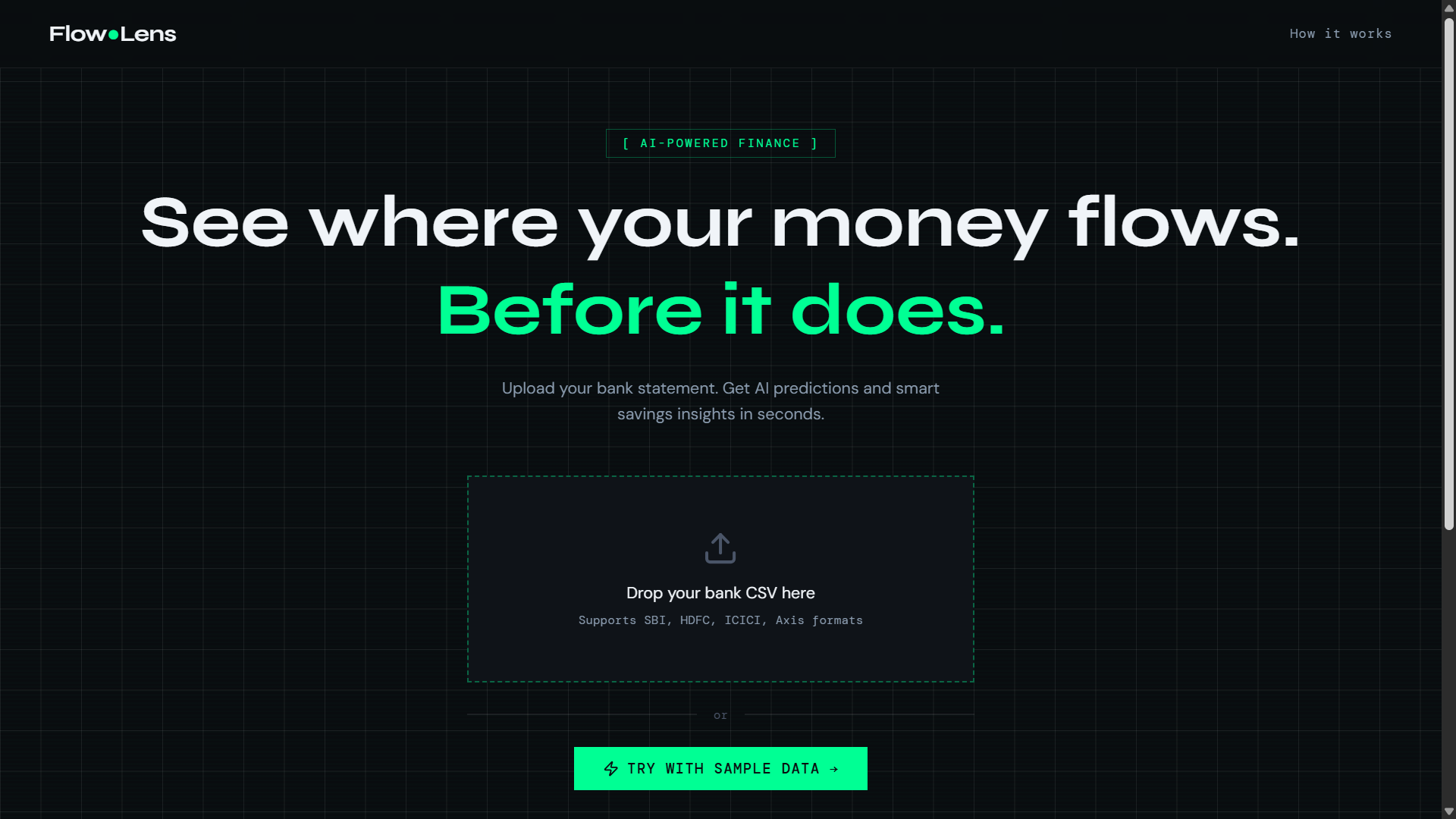
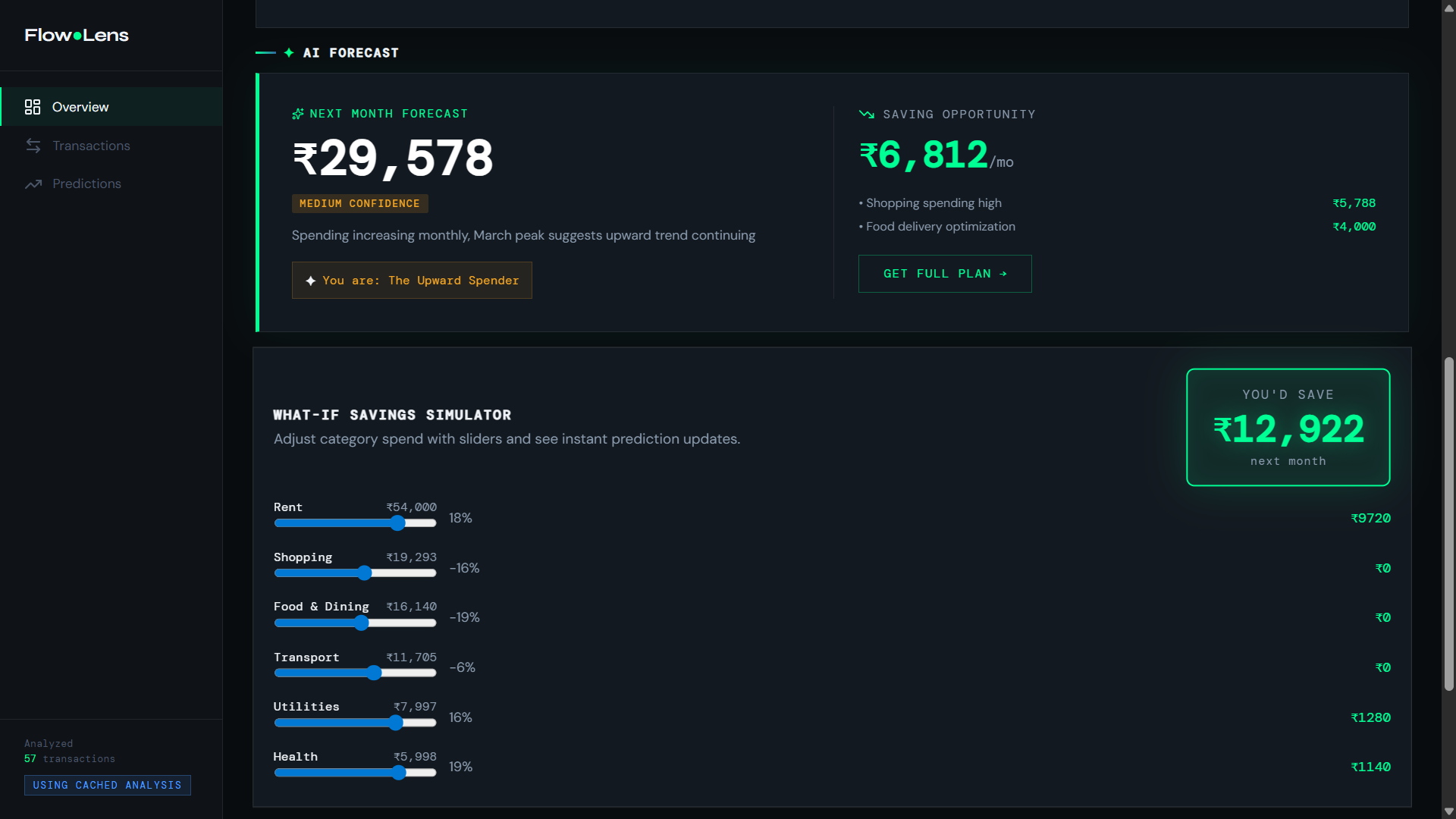
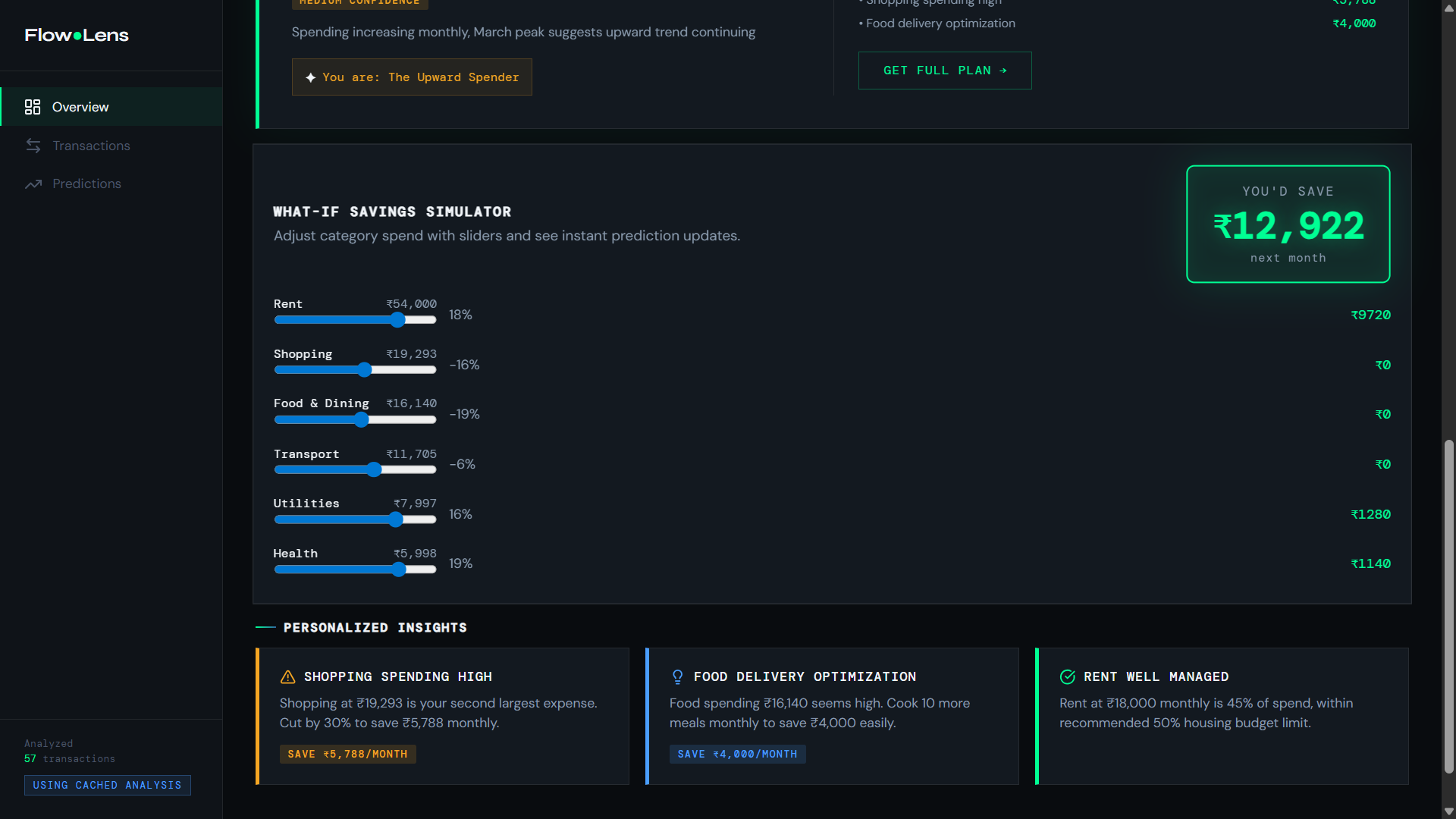
FlowLens turns a raw CSV export into a full spending dashboard — with AI-powered insights, forecasts, and a printable report — entirely in your browser, with zero data ever leaving your device.
📖 About the Project Inspiration Most people have no real idea where their money goes each month. Budgeting apps exist, but they demand account linking, logins, and subscriptions. The average person just has a CSV export sitting in their downloads folder from their bank — and no easy way to make sense of it. FlowLens was born from a simple question: what if you could just drag that file onto a page and instantly see everything? No signup. No server storing your transactions. No friction — just clarity.
What We Built FlowLens is a client-first Next.js application that ingests a bank statement CSV and turns it into a rich financial dashboard. Here's the full picture: User uploads CSV → parse & normalize → sessionStorage ↓ Dashboard: monthly charts, category breakdowns, savings simulator ↓ POST /api/analyze → Claude (Anthropic) → AI insight cards + predictions ↓ Download Report → window.print() → clean printable PDF The key design decision was privacy by architecture. Transaction data never touches a database — it lives only in sessionStorage for the duration of the browser tab. The only thing that ever leaves the client is a summarized aggregate payload sent to the AI analysis endpoint — never raw transactions. Core capabilities shipped:
CSV ingestion — Papa Parse normalizes any bank export into a canonical Transaction shape, inferring merchants and spending categories automatically via keyword matching Aggregation engine — monthly totals and category breakdowns computed entirely on the client via lib/aggregateData.ts Forecasting — an OLS-style linear regression in lib/forecast.ts projects future spending with confidence bounds AI Analysis — a prompt built from monthly + category aggregates is sent to Claude via the Anthropic SDK; the response is strict JSON conforming to an AIAnalysis type, rendered as insight cards and a prediction panel Savings Simulator — interactive what-if tool lets users model how small cuts compound over time Printable Report — window.print() with carefully crafted print CSS produces a clean, shareable PDF from the live dashboard — no extra library needed
How We Built It The stack stayed intentionally lean: LayerTechnologyFrameworkNext.js (App Router)UIReact 19 + Recharts + LucideCSV ParsingPapa ParseAI InsightsAnthropic Claude via @anthropic-ai/sdkStateReact local state + sessionStoragePDFBrowser window.print() The architecture is split cleanly into three layers: a presentation layer of dashboard and upload components, a data layer of pure functions for parsing, categorizing, aggregating, and forecasting, and a thin API layer — a single Next.js route that owns all Claude communication. The fallback strategy was baked in from day one: if the Anthropic API call fails for any reason, the dashboard silently falls back to a static FALLBACK_ANALYSIS object, so the core product always works even without an API key.
Challenges
- CSV normalization in the wild Bank CSV exports are famously inconsistent — different column names, date formats, sign conventions (debits as negative vs. positive), and encodings. Building a normalizer robust enough to handle the most common formats without requiring the user to configure anything took significant iteration.
- Keeping AI responses structurally reliable Claude needed to return strict JSON conforming to the AIAnalysis type every single time. Prompt engineering to enforce this — and writing a fallback for when it doesn't — required careful design. The solution was a tightly constrained system prompt with explicit JSON schema instructions and a robust try/catch on the parse step.
- Print CSS as a design discipline Making window.print() produce a genuinely clean, professional-looking PDF — hiding nav chrome, reflowing cards, controlling page breaks — turned out to be a surprisingly deep rabbit hole. It required treating print styles as a first-class design surface, not an afterthought.
- Stateless by choice, not by accident Keeping everything in sessionStorage with no auth layer is a deliberate trade-off: maximum privacy, minimum complexity. But it means every architectural decision — caching the AI analysis, redirecting on empty state, the demo sample dataset — had to be intentional rather than leaning on a database as a crutch.
What We Learned
Privacy-first architecture is a feature, not a constraint. Designing around not persisting data forced cleaner separation between the ingestion, computation, and presentation layers. LLMs as a structured data API work well when you invest in prompt constraints and parse defensively — don't treat the model as a black box, treat it as a typed endpoint. Forecasting doesn't need to be fancy to be useful. A simple OLS linear model with confidence bounds communicates more actionable information to a real user than a complex ML model would, especially in a demo context. Browser primitives are underrated. sessionStorage + window.print() handled two hard problems (state persistence, PDF export) with zero dependencies.
Built With
- claude
- javascript
- next.js
- node.js
- react
- typescript
