Inspiration
In today's educational landscape, 81% of students primarily engage in self-directed learning—reviewing lecture slides, completing take-home exams, or participating in asynchronous courses. This makes effective self-study skills essential for academic success.
A critical challenge students face is understanding how concepts interconnect. When self-studying, many resort to last-minute cramming and rote memorization, struggling to identify meaningful relationships between topics—yet research shows that making these connections can boost information retention by 74%.
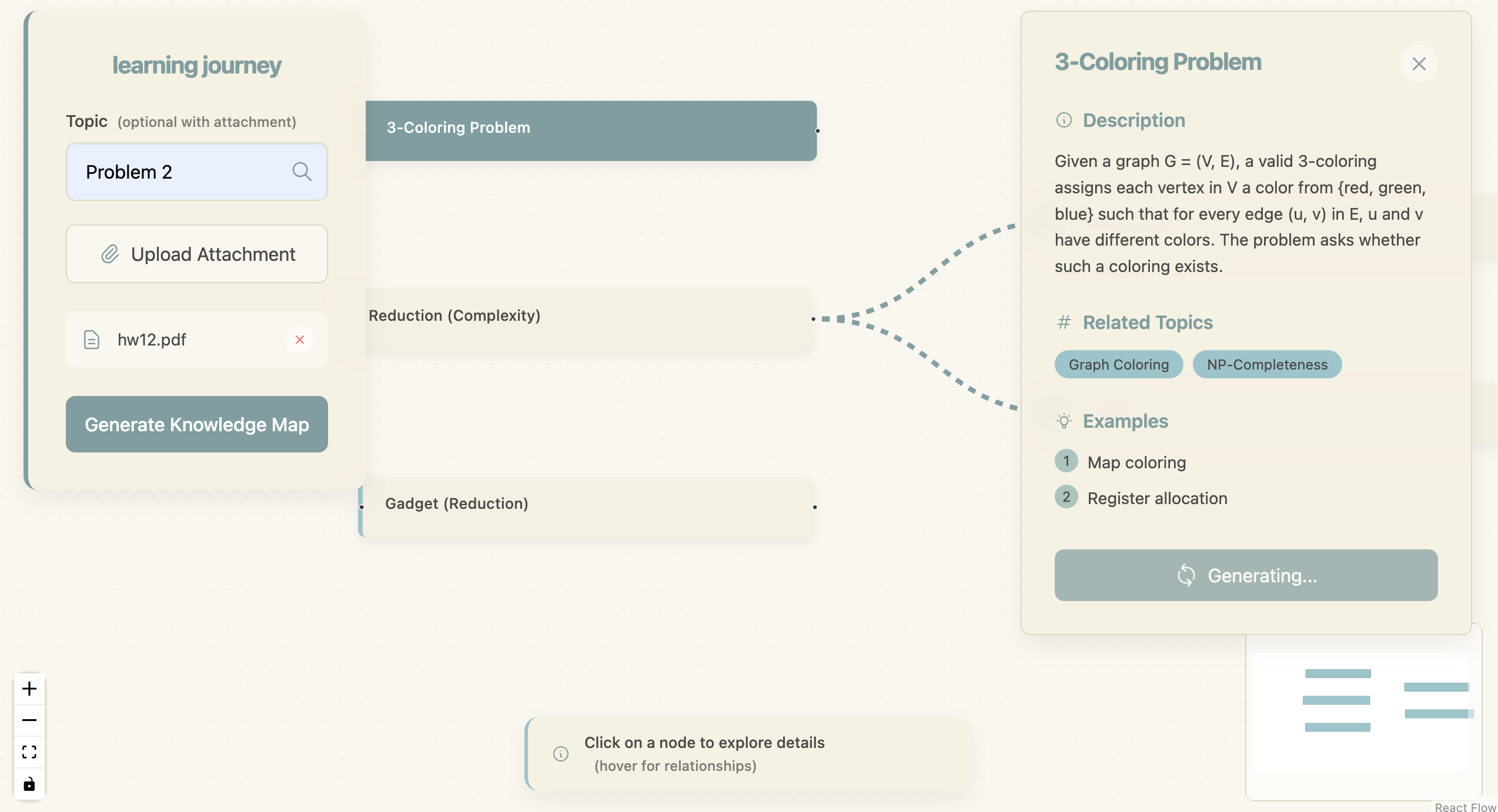
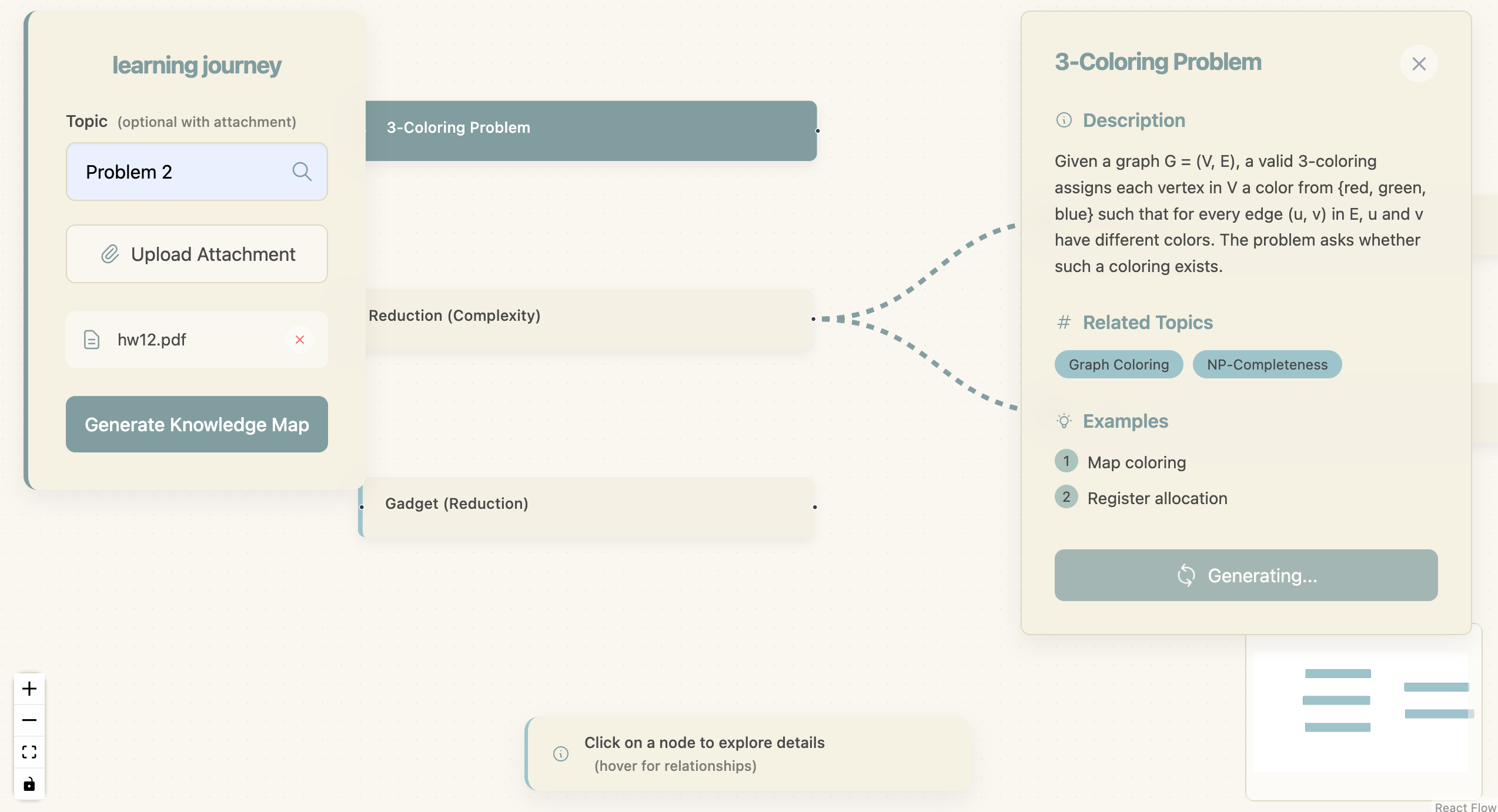
Our solution, Flowlearn, transforms learning materials into interactive knowledge maps. By uploading a PDF, image, or entering a term of interest, students receive an intuitive, organized dependency graph (DAG) where each node represents a key concept and connecting edges show relationships between ideas. This visual representation helps students grasp both individual concepts and their broader context, creating mental maps that fundamentally improve their comprehension and study efficiency.
What it does
Flowlearn generates a learning plan structured as an organized dependency graph (DAG). Each node represents a key concept relevant to the topic the user is trying to learn and can be clicked on to reveal a description, related topics, and examples. Each node has edges going to other related terms, allowing users to build up their understanding in a reasonable order and visualize how the concepts relate to each other.
How we built it
We built Flowlearn with a UX-centric approach. We first developed a mockup of how we wanted our UI to look like: an organized “execution graph” that gave a good, high-level summary of how key concepts worked together to build understanding of a topic. After some research and testing various libraries (ex. D3 or Cytoscape.js), we decided to leverage the React Flow package to display the graphs involved in the front end. For the backend, we leveraged Gemini’s API to generate the content in each node and built surrounding tooling to structure the content correctly. From there, we did some prompt engineering and UI tuning to mold our product into what we envisioned it.
Challenges we ran into
We ran into multiple challenges using the React Flow library. While the library provides a lot of functionality, it proved to be difficult to use at times since the APIs were brand new to us, and there were fewer resources to learn from online. This cost us multiple hours debugging tiny bugs that were very particular to how we were using this particular library incorrectly.
Accomplishments that we're proud of
We approached AI integration cleverly. We limited the LLM’s responsibilities to be as minimal as we could get them to be so that we could reduce variance amongst query responses. We put in the extra work to compute node and edge positions ourselves to reduce uncertainty caused by the LLM and create a consistent format for our queries. The work paid off because our end product reliably generates a well-formatted DAG. We are also proud of the color scheme, simplicity, and visual appeal of our full-stack product.
What we learned
A primary takeaway of ours was that while AI is known to make mistakes, we can achieve reliable behavior by cleverly limiting how much the LLM is responsible for. This was also our first hackathon, so we learned a lot about version control with Git, virtual environments for React, and how to use APIs.
What's next for Flowlearn
While our project supports learning concepts through text. We see much more potential to personalize the learning experience by incorporating exercises for learning. For example, our project could expand to provide coding exercises as part of the learning process. These exercises could be generated not only with the current concept (node) in mind, but also with the overall goal.

Log in or sign up for Devpost to join the conversation.