-
-
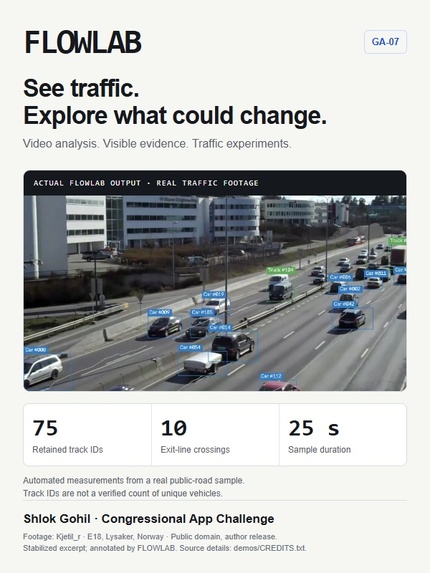
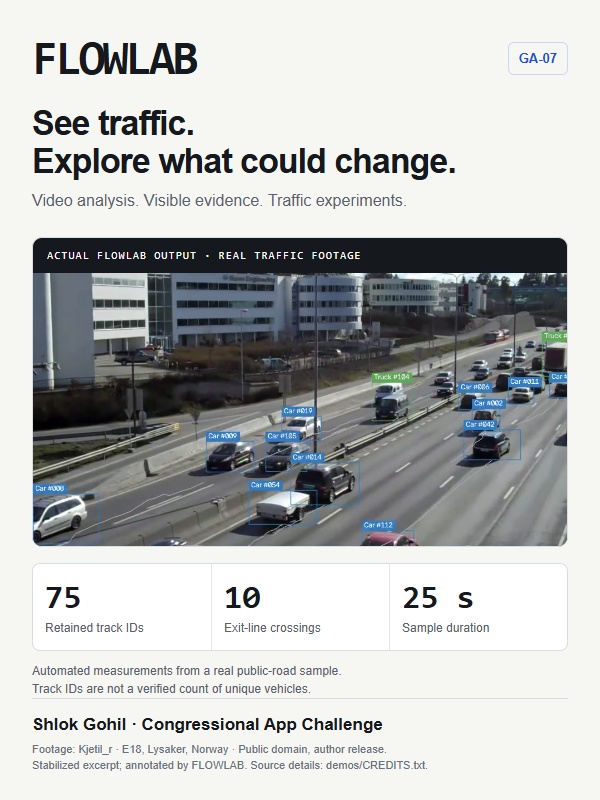
Infographic
-
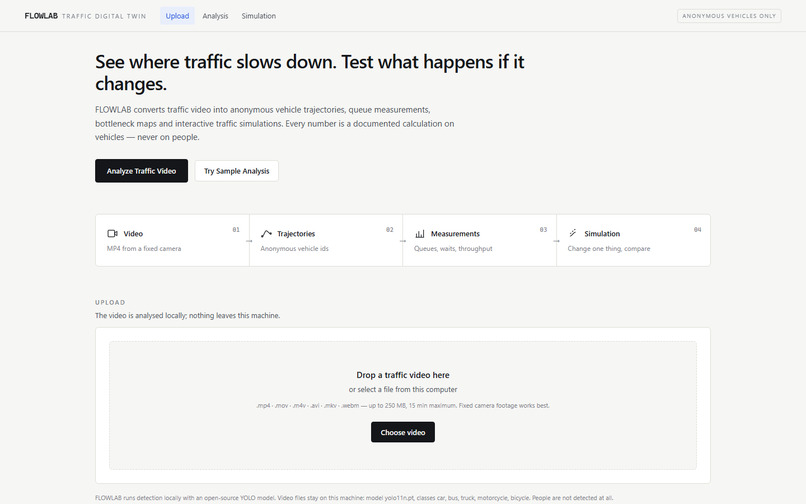
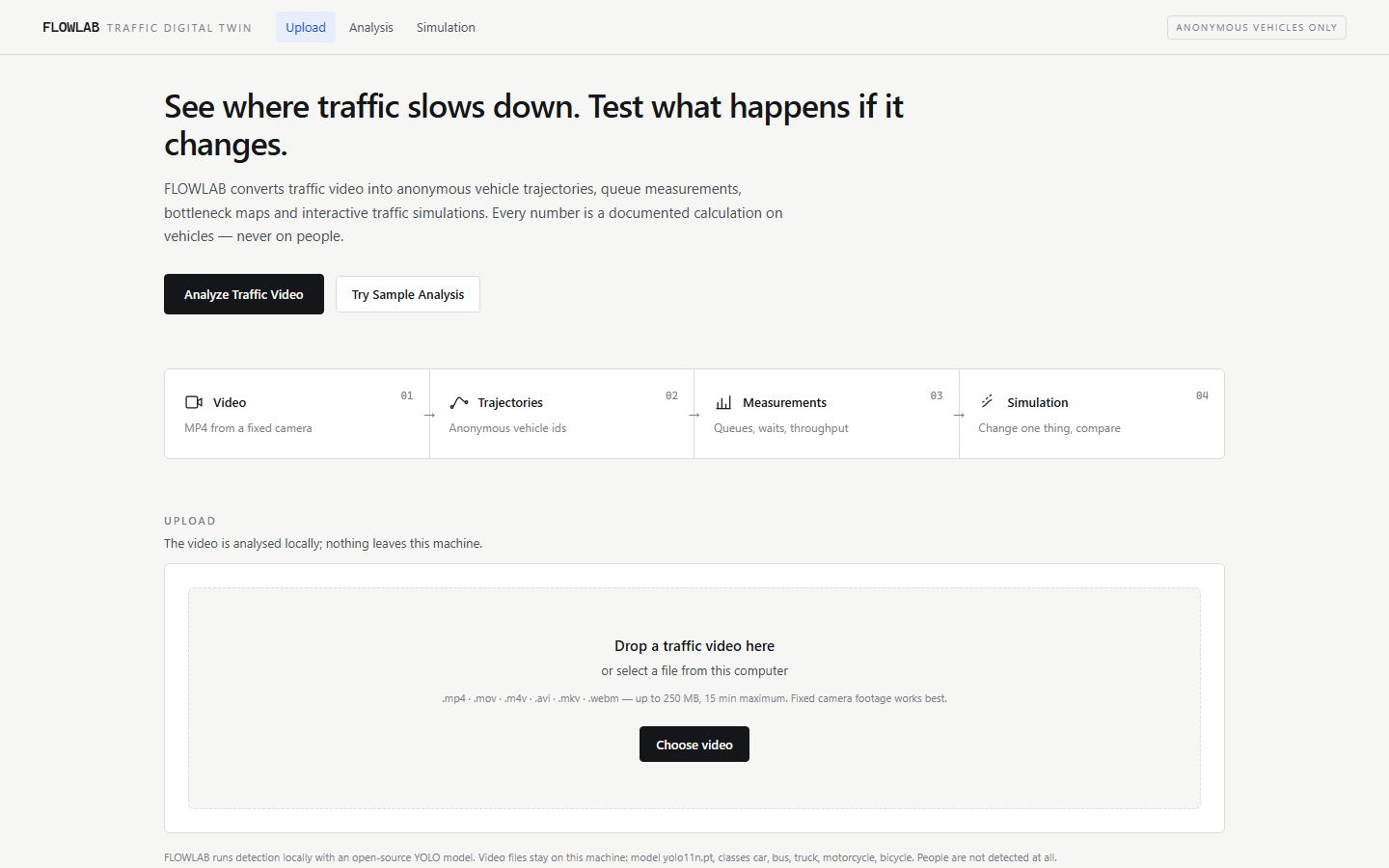
Home Page
-
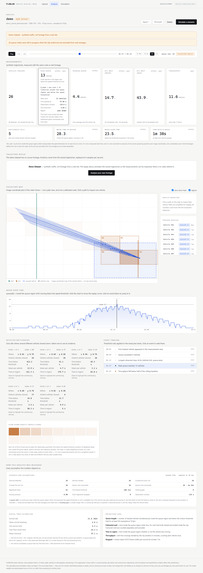
Analysis
-
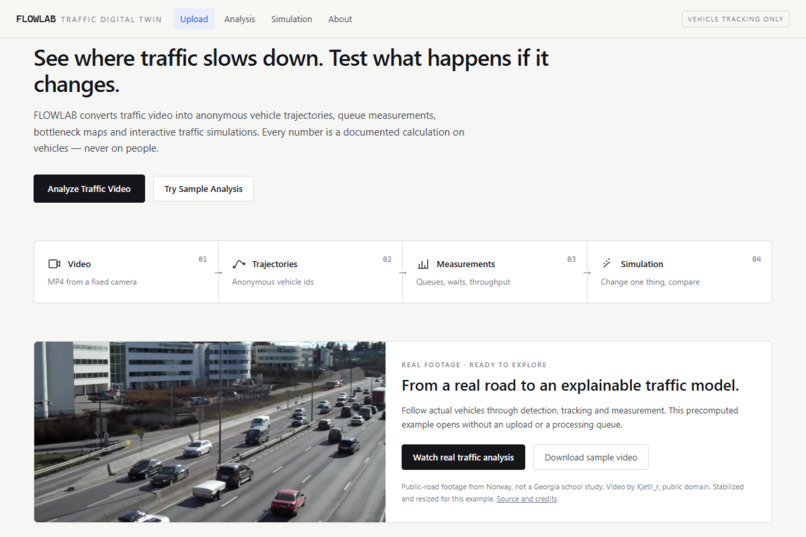
Cover
-
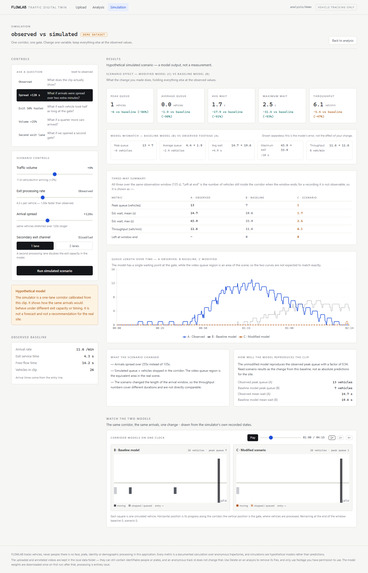
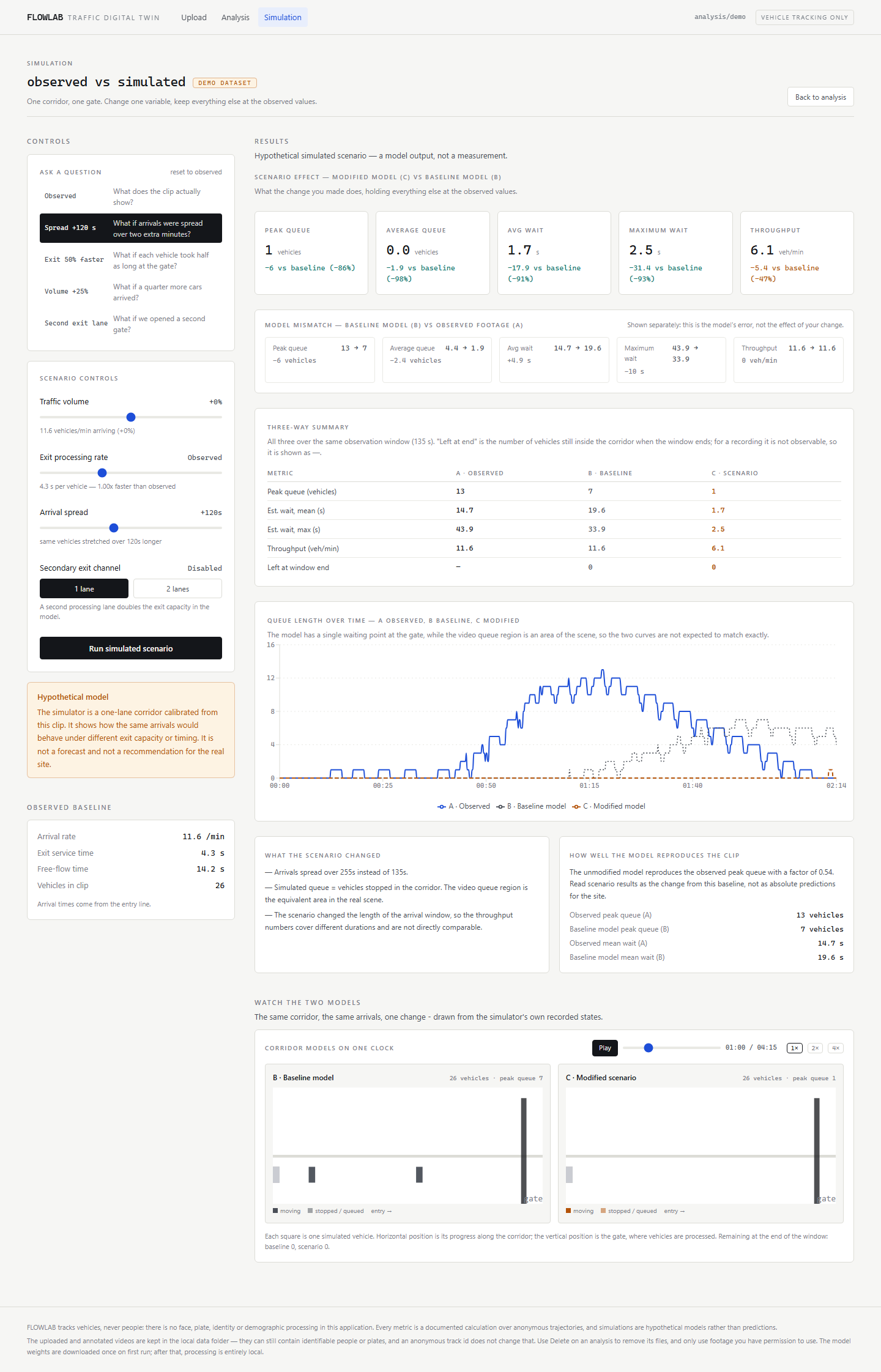
Simulation
Inspiration I was inspired to create FLOWLAB after witnessing an accident one morning before school. That experience made me think more seriously about the traffic around us and how schools and communities understand it. It gave me a personal reason to explore a project involving traffic, technology and evidence. I wanted to turn that motivation into something practical that people could inspect and discuss. The question behind the app became: could ordinary traffic video help people understand where vehicles slow down, how queues develop and what questions to investigate next? A recording contains many movements, but watching it alone does not automatically produce a consistent count or a clear comparison. I wanted an interface that could connect the footage with measurements and make the reasoning behind those measurements accessible. Schools became an intended audience because arrival and dismissal provide examples of recurring traffic situations that people may want to study. Someone examining an entrance might ask whether vehicles are arriving in a short burst or whether exit processing appears to be limiting movement. FLOWLAB provides a way to explore those questions through vehicle paths, crossing lines and queue measurements. These are potential uses, not claims that a school has adopted or validated the app. I also wanted users to explore possible changes while seeing the assumptions involved. That led to the simulation component, where a user can change arrival volume, timing or exit processing and compare the result with an unchanged model. Making the model’s limitations visible became part of the purpose. A useful tool should help someone recognize when more information is needed before making a decision. I want someone to be able to pause, question a definition and take the result away for further discussion. Keeping the project accessible was another priority. I wanted a web app and a free demonstration that people could explore without obtaining their own camera footage first. The bundled real video and separate synthetic example provide a starting point for learning how the software works. Finding and testing data was also part of my contribution to developing the project. The accident is the motivation for FLOWLAB, rather than evidence that its software can establish accident causes or prevent future crashes. My aim is to help people ask clearer traffic questions, inspect the available evidence and identify what should be studied further.
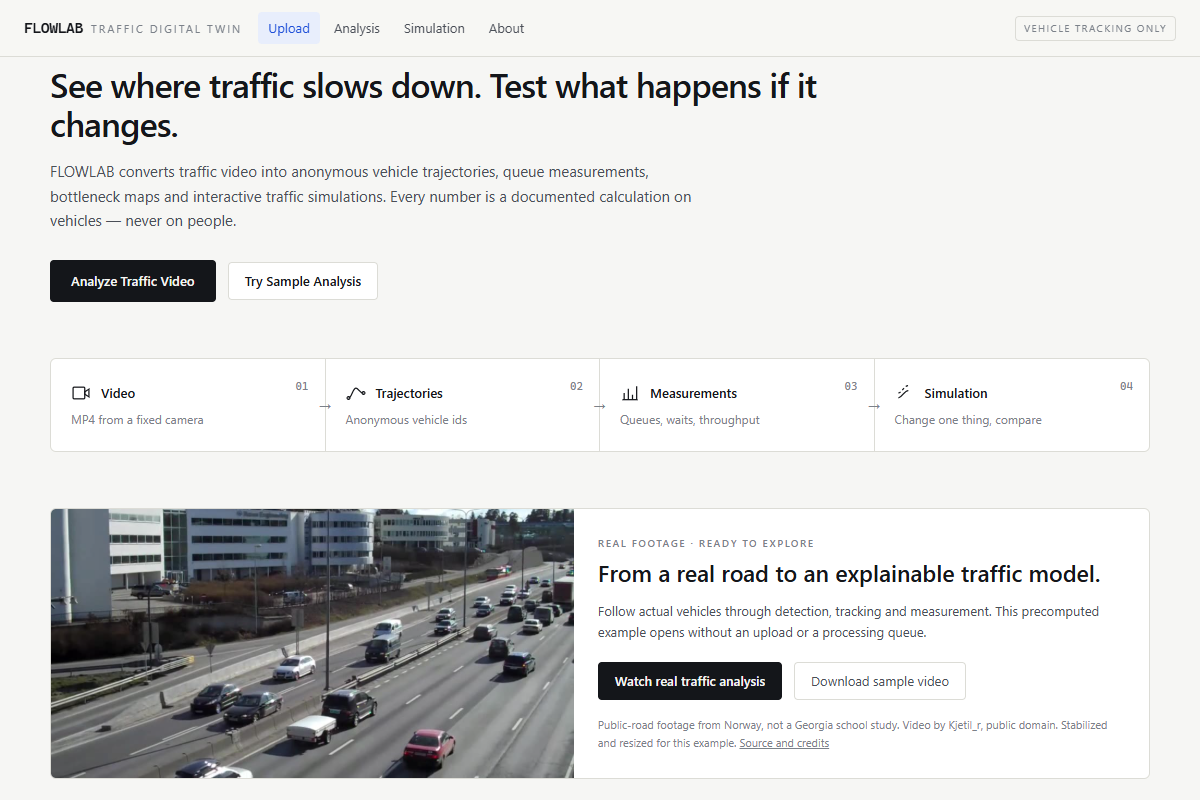
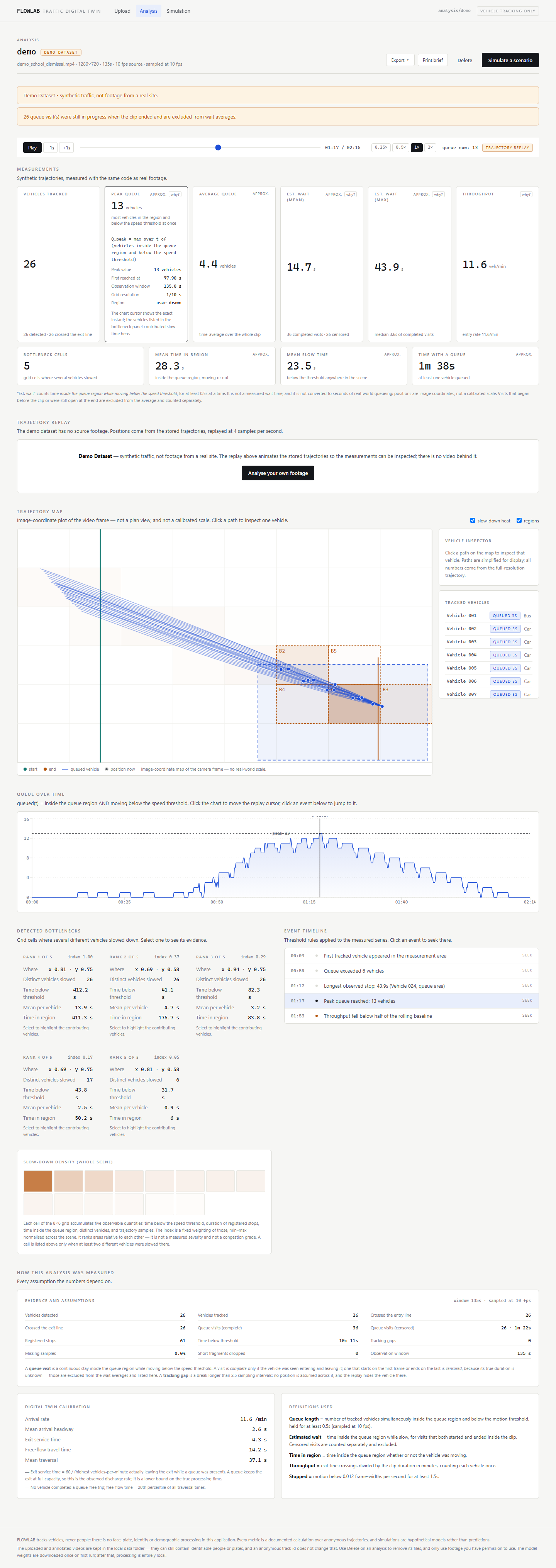
What it does FLOWLAB is a web application that turns traffic video into vehicle trajectories, explainable measurements and interactive traffic experiments. It is intended for school transportation teams, community planners and students who want to investigate how vehicles move through an entrance, exit or roadway. The goal is to make the evidence behind a traffic question visible and understandable. Users can upload permitted footage or open a bundled example. A pretrained Ultralytics YOLO model detects vehicles, and ByteTrack connects detections across frames into temporary track IDs. The app displays an annotated video with boxes and trails alongside a trajectory map, queue chart and event timeline. These views share a playback clock, allowing users to pause at a particular moment and examine the same event from several perspectives. Users can define a measurement region and entry or exit lines. FLOWLAB then calculates quantities such as peak queue length, time spent moving slowly inside the region, crossing rates and areas where vehicles repeatedly slow down. Explanation panels show the definitions and supporting evidence. Incomplete queue visits and tracking gaps are identified, and unavailable measurements remain distinguishable from zero. These details help users understand how recording length, camera placement and detection quality affect the results. The simulation section provides a simplified representation of traffic moving toward an exit. Users can experiment with fewer arrivals, different arrival timing, faster exit processing or an additional exit channel. Results separate the source measurements, the unchanged model and the modified model. This allows users to examine model mismatch before interpreting a scenario’s effect. Sensitivity checks illustrate how assumptions influence outcomes. The app includes a credited public-domain road video with precomputed analysis and a separate, clearly labeled synthetic queue example. Users can explore both without uploading their own footage. Downloadable measurements, experiment notes and a printable brief make the definitions and limitations available outside the interface. Saved analyses can be reopened, and measurement regions can be adjusted on ordinary uploads. Bundled examples remain read only so their stored results stay consistent. FLOWLAB uses Python and FastAPI for the backend, with React and TypeScript for the browser interface. It supports local processing and a hosted storage and worker architecture. The current shared demonstration should use publicly shareable footage because it has no per-user access controls. Its results support exploration and further investigation; independent validation is needed before real traffic decisions.
How we built it Vision & Privacy-First Tracking (Python + YOLO11n)
We built the video processing backend in Python using Ultralytics YOLO11n (yolo11n.pt) to detect vehicles and assign stable, anonymous tracking IDs across frames. By design, the pipeline performs vehicle-only detection with no face, license plate, or identity recognition, turning ordinary traffic footage (such as a school dismissal gate) into anonymized trajectory data.
Queue Measurement & Digital Twin Simulation
On top of those trajectories, our backend computes explainable traffic metrics—queue length over time, estimated wait time, throughput, and spatial bottleneck cells. It then feeds those measurements into a calibrated corridor simulation so users can run what-if scenarios against a baseline, such as changing vehicle volume, arrival spread, exit processing rate, or adding a second exit lane.
Synchronized Frontend & Evidence Exports (TypeScript + Vite)
The frontend is built in TypeScript with Vite, centered around a shared replay clock that keeps the video player, trajectory map, metric charts, and event timeline in sync down to per-vehicle inspection. Users can drill down into the evidence behind every headline number and export results as a JSON summary, three CSV files, or a printable brief—without exporting raw video footage.
Local-First & Hosted Architecture
To make FLOWLAB easy to run both locally and online, we support SQLite for zero-config local execution and PostgreSQL with private video storage and queued processing for hosted Vercel deployments. We also bundled a 25-second public-road clip (/analysis/real-demo) and a synthetic queue sandbox (/analysis/demo) so anyone can test the full workflow immediately, backed by automated checks with pytest, httpx, ruff, and mypy.
Challenges we ran into One major technical difficulty was moving a computer-vision application from a local computer to serverless hosting. The Python environment included large machine-learning dependencies, and deployment logs reported that the function bundle exceeded the platform’s size limit. A successful frontend build did not mean that the backend could deploy. This made dependency management and the separation of application services important parts of the development work. Persistence introduced another challenge. The original application kept its SQLite database, uploaded videos and job state on one machine. Hosted functions needed durable storage and a processing workflow that could survive separate requests. Preparing that version involved managed PostgreSQL for records, Blob storage for footage and queued background processing. Routing also needed to distinguish the browser interface, backend API and upload-token handler. Missing configuration and incorrect routing produced failures that were difficult to understand from a generic error message alone. My role included reporting these failures with deployment logs and screenshots, choosing a free hosting approach and directing the problems to address. AI coding assistance implemented and debugged substantial parts of the changes. The development process therefore needed observable checks to determine whether a change actually worked. Another important difficulty involved the meaning of simulation results. The unchanged baseline was inadvertently stretching recorded arrival timestamps, so it was changing an input before any scenario was applied. Some metrics also counted vehicles completing after the stated observation window. These issues could make comparisons misleading even when the interface looked correct. Corrections preserve arrival times, count completions within the window and ensure that the sensitivity baseline uses consistent inputs. The interface also needed to preserve uncertainty. An unavailable wait measurement should not appear as zero. Tracking gaps, unfinished queue visits and temporary IDs require explanations so that the user does not mistake automated output for a verified count of physical vehicles. I also found and tested data, while the app continued to use a pretrained detector. Regression tests and browser checks exercised calculations, playback, downloads and printing. The current local verification records 427 backend tests and 209 frontend tests passing. Those checks verify software behavior; independent accuracy validation and live hosted verification remain separate requirements. Browser checks also exposed invalid region overlays and a clipped printed diagram. Fixing those defects required inspecting the rendered interface alongside checking the values returned by the API.
Accomplishments that we're proud of Participating in this project taught me that a useful application needs more than an interesting idea and an interface that displays results. Each result needs a definition, supporting evidence and an explanation of what could make it wrong. In FLOWLAB, a queue depends on a selected region, a motion threshold and a duration rule. Understanding those assumptions matters when someone tries to interpret the number on a screen. Finding and testing data helped me appreciate the difference between a model’s output and an independent reference. A detector can miss a vehicle, split its movement into several track IDs or lose it behind another object. A convincing tracking animation therefore does not establish accuracy. I learned why permitted footage, careful annotation and comparisons with reference measurements are important next steps. I also learned that software tests and real-world validation answer different questions. The simulation component showed me why a comparison needs a consistent baseline. The source data and the model can disagree before any intervention is applied. Changing arrival timing unintentionally, or counting vehicles outside the observation window, can distort the conclusion. Separating the source measurements, unchanged model and scenario makes the reasoning easier to examine. Sensitivity checks provide another way to show how much an outcome depends on assumptions. The deployment failures expanded my understanding of what a web application requires. A frontend can build successfully while its backend still fails. File storage, databases, background jobs, configuration and routing all affect whether a user can complete the workflow. Reporting errors through logs and screenshots made the problems concrete. Local success and live deployment readiness also need separate checks. I learned that privacy requires specific implementation choices. Temporary vehicle labels do not remove identifying details from the original video, and private storage does not automatically provide per-user access control. Those distinctions should shape both the product and its claims. Finally, using AI assistance reinforced the importance of testing and honest attribution. Generated code can contain subtle mistakes even when it appears complete. My contributions and the assistants’ work need to be described accurately. My biggest takeaway is to build around questions that can be examined: what was measured, how it was calculated, what remains uncertain and what evidence would make the next version more trustworthy. I want to carry that standard into future projects by making important claims traceable to evidence.
What we learned Participating in this project taught me that a useful application needs more than an interesting idea and an interface that displays results. Each result needs a definition, supporting evidence and an explanation of what could make it wrong. In FLOWLAB, a queue depends on a selected region, a motion threshold and a duration rule. Understanding those assumptions matters when someone tries to interpret the number on a screen. Finding and testing data helped me appreciate the difference between a model’s output and an independent reference. A detector can miss a vehicle, split its movement into several track IDs or lose it behind another object. A convincing tracking animation therefore does not establish accuracy. I learned why permitted footage, careful annotation and comparisons with reference measurements are important next steps. I also learned that software tests and real-world validation answer different questions. The simulation component showed me why a comparison needs a consistent baseline. The source data and the model can disagree before any intervention is applied. Changing arrival timing unintentionally, or counting vehicles outside the observation window, can distort the conclusion. Separating the source measurements, unchanged model and scenario makes the reasoning easier to examine. Sensitivity checks provide another way to show how much an outcome depends on assumptions. The deployment failures expanded my understanding of what a web application requires. A frontend can build successfully while its backend still fails. File storage, databases, background jobs, configuration and routing all affect whether a user can complete the workflow. Reporting errors through logs and screenshots made the problems concrete. Local success and live deployment readiness also need separate checks. I learned that privacy requires specific implementation choices. Temporary vehicle labels do not remove identifying details from the original video, and private storage does not automatically provide per-user access control. Those distinctions should shape both the product and its claims. Finally, using AI assistance reinforced the importance of testing and honest attribution. Generated code can contain subtle mistakes even when it appears complete. My contributions and the assistants’ work need to be described accurately. My biggest takeaway is to build around questions that can be examined: what was measured, how it was calculated, what remains uncertain and what evidence would make the next version more trustworthy. I want to carry that standard into future projects by making important claims traceable to evidence.
What's next for FlowLab My first priority for FLOWLAB 2.0 would be independent validation using permitted traffic footage that represents its intended use. I would create manual reference annotations and compare the app’s vehicle crossings, queue counts and completed queue visits with those references. Testing would cover different camera angles, lighting conditions, traffic densities and occlusions. Reports would identify the conditions where measurements are reliable and where they fail. This would provide evidence for improving the system and help users interpret its outputs appropriately. Privacy and access controls would be another priority. I would add sign-in, per-user authorization and checks on every route that serves analyses or videos. I would also provide configurable automatic deletion, clear retention settings and a way to confirm what has been removed. The current shared demonstration has no account isolation, so private school footage should not be placed there. These protections would be necessary before considering a broader hosted deployment for sensitive recordings. I would improve the measurement pipeline by adding camera calibration using known reference points where they are available. The current app measures movement in image coordinates; calibration could support better interpretation of distances and motion when the necessary information is known. I would also investigate tracking failures when vehicles overlap, move far from the camera or disappear temporarily. Improvements would need comparison against reference annotations, not just more convincing visual output. The simulator could represent more realistic layouts, including turns, multiple entrances and signals. I would first check whether those additions improve agreement with observations. Baseline validation and sensitivity analysis would remain visible, and different observation windows would stay clearly identified. Users should understand which conclusions depend heavily on uncertain assumptions. I would seek feedback from school transportation staff, students and community planners about the questions they need answered and the reports they can actually use. That feedback could guide clearer explanations, more accessible controls and better comparisons between recordings. These would be future consultations, not partnerships that already exist. Finally, I would strengthen hosted processing with clearer job recovery, configuration checks and resource monitoring. I want the next version to be easier to operate and evaluate. Its success would be measured through validated measurements, understandable results and useful feedback, before making claims about real-world traffic improvements. Each stage would include reproducible checks and a plain language account of what improved and what remains unresolved. Did you use AI in the creation, development, or functionality of your app? Using AI is allowed and will not automatically hurt your submission. Nearly 70% of winners last year used AI. Honest disclosure helps judges understand your development process.
