Inspiration
During the hackathon, we kept coming back to the same question: if an AI agent can do more and more work for us, how do we know when to trust it?
Agents can draft code, summarize GitHub activity, and prepare Slack updates, but real teams still hesitate before letting them touch shared code, open PRs, or message other people. The missing piece is not just automation. It is trust, memory, and human judgment.
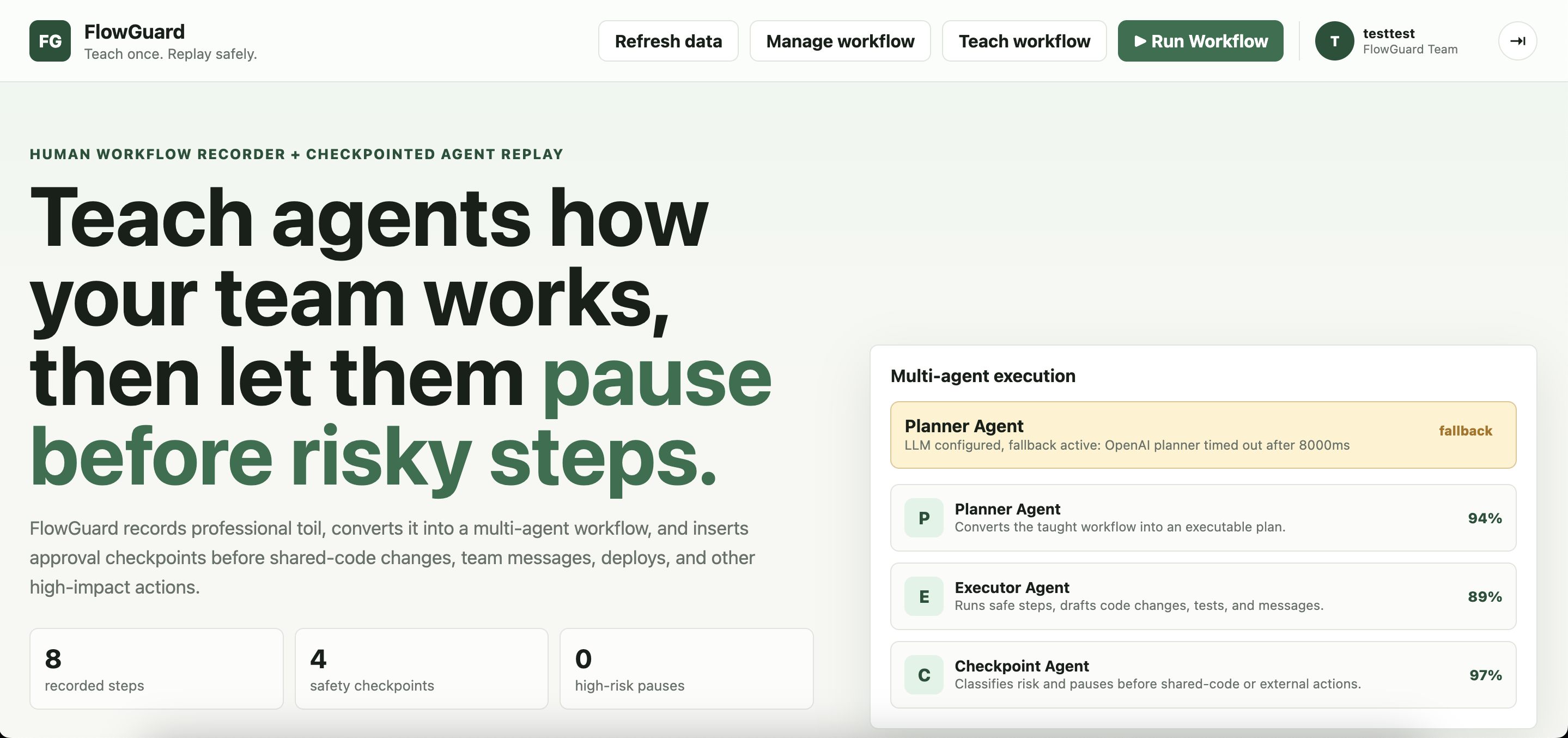
That inspired us to build FlowGuard: a safety and memory layer for AI agents that lets teams teach a workflow once, replay it safely, and pause before anything risky happens.
What it does
FlowGuard helps teams turn repeated professional workflows into guarded agent workflows.
A user can teach or record a workflow, then FlowGuard turns it into a replayable agent plan. When the agent reaches a risky step, such as changing shared code, creating a PR, or sending a Slack update, FlowGuard pauses and asks for human approval.
Each run shows:
- Connected data sources: GitHub, Slack, browser traces, MongoDB memory, and human decisions
- Verification scorecard: what was verified, what was assumed, what context is missing, planned checks, confidence, and risky actions
- Human checkpoints: approve, reject, edit instruction, or ask why
- Learned rejection memory: rejected actions become future safety rules
- Run history: previous executions, decisions, confidence, and learned rules
- Keyboard shortcuts for live control: run, approve, reject, edit instruction, ask why, and switch workflows without leaving the dashboard
Instead of asking users to blindly trust an agent, FlowGuard shows the work behind the workflow.
How we built it
We built FlowGuard as a full-stack JavaScript app with a Node.js backend and a vanilla HTML/CSS/JS frontend.
MongoDB Atlas became the memory layer of the product. It stores workflows, browser traces, executions, decisions, users, workspaces, run history, and learned rejection rules.
We also built a Chrome extension to record browser workflow traces, integrated GitHub for repo and person activity reports, added Slack webhook support for approval-gated sends, and used OpenAI for optional planning and risk classification with a rule-based fallback.
The final product is a dashboard where a team can see not only what the agent wants to do, but also why it paused, what it checked, and what it learned.
Challenges we ran into
A big challenge was making agent behavior understandable without making the UI feel like a giant log file. We wanted the user to quickly answer: “What did the agent verify? What is it assuming? What is risky here?”
Another challenge was making the system feel connected. GitHub, Slack, browser traces, MongoDB memory, and human approvals all needed to show up as part of one workflow instead of separate integrations.
We also spent time making rejection memory feel real. A rejection should not disappear after one run. If a human says “do not send this Slack update until blockers are reviewed,” FlowGuard should remember that and apply it next time.
Accomplishments we're proud of
We are proud that FlowGuard has a complete safety loop:
- Teach or record a workflow
- Run it through an agent plan
- Pause at risky checkpoints
- Show what was verified and what was assumed
- Let the human approve, reject, or edit
- Store the run and decision in MongoDB
- Apply learned rules in future runs
We are especially proud of the verification scorecard and learned rejection memory. They make the product feel less like “agent does task” and more like “agent collaborates with a team and gets safer over time.”
We are also proud that the app brings together real team signals: GitHub activity, Slack destinations, browser-recorded workflows, persistent MongoDB memory, and human approval decisions.
What we learned
We learned that making agents useful is not only about making them more autonomous. It is also about making their actions reviewable, interruptible, and memorable.
The more capable an agent becomes, the more important it is to show:
- what it knows
- what it does not know
- what it plans to check
- what humans previously corrected
That became the core idea behind FlowGuard.
What's next
Next, we would add production-ready recorder pairing, Slack OAuth with channel selection, CI/test result ingestion, visual regression verification, deeper GitHub PR automation, and Agentverse/ASI:One discoverability for FlowGuard agents.
Built With
- and
- chrome-extension-apis
- css
- dotenv
- github-rest/graphql-apis
- html
- javascript
- mongodb
- mongodb-atlas
- node.js
- openai-api
- slack-webhooks
- the


Log in or sign up for Devpost to join the conversation.