-
MeDo No-Code AI Productivity Workflow Management Responsive Web App SaaS UI Natural Language Prompting
Inspiration
Many people repeat the same tasks every week but never turn them into clear systems. Students plan study sessions, freelancers follow up with clients, founders write weekly updates, creators publish content, and small teams send reports. These tasks are often scattered across memory, notes, chats, and documents.
I wanted to build something that helps people move from “I need to do this again” to “I have a reusable workflow for this.”
That became FlowForge.
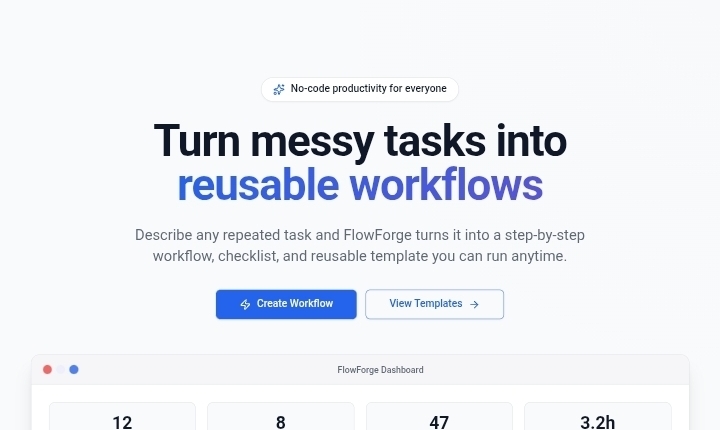
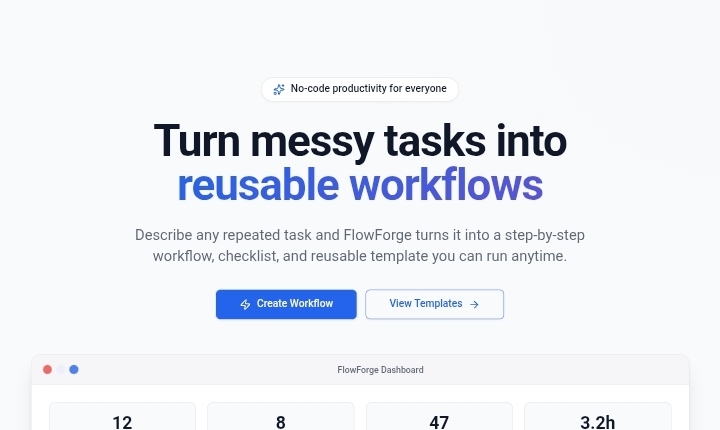
FlowForge is a no-code productivity app that turns messy repetitive tasks into structured workflows, checklists, templates, and step-by-step run modes.
What it does
FlowForge allows users to describe a repetitive task in natural language and convert it into a clear reusable workflow.
A user can enter details like:
- Task name
- Description of the repetitive task
- Goal
- Frequency
- Category
- Tools involved
- Desired final output
FlowForge then helps structure the task into:
- A workflow title
- A short summary
- Step-by-step process
- Required inputs
- Checklist
- Output template
- Estimated time saved
- Automation suggestions
Users can also browse saved workflows, view workflow details, and run a workflow step by step.
How I built it
I built FlowForge using MeDo by describing the full app idea in natural language. I started with the product concept, target users, pages, and main user journey.
The main app flow was:
Landing page → Dashboard → Workflow Generator → Workflow Library → Workflow Detail → Run Mode
I used MeDo to generate the application structure, interface, navigation, workflow forms, cards, sample data, and responsive design. Then I used multi-turn prompting to improve the UI, add realistic workflow examples, polish the dashboard, and make the project feel like a complete productivity tool.
The best part MeDo generated was the workflow creation experience. It helped turn a simple task description into a structured productivity system with steps, checklists, output templates, and automation ideas.
Challenges I ran into
The biggest challenge was keeping the product focused. Productivity apps can easily become too broad, so I focused on one clear workflow:
Describe a task → generate a workflow → save it → run it step by step.
Another challenge was making the app feel useful even in a short hackathon demo. To solve this, I added sample workflows and a clear dashboard so judges can understand the value quickly.
What I learned
I learned that no-code AI app builders like MeDo are strongest when the builder gives them a clear product structure. Instead of only asking for “a productivity app,” I got better results by describing the pages, user flow, fields, data, and expected user experience.
I also learned how important storytelling is in a hackathon. The app is not just a task manager — it is a way to turn repeated work into reusable systems.
What's next for FlowForge
Next, FlowForge could be expanded with:
- Real AI workflow generation
- Calendar integrations
- Team collaboration
- Workflow sharing
- Reminder notifications
- Export to Markdown, PDF, or Notion
- Automation integrations with tools like Slack, Gmail, and Google Docs
The long-term vision is to make FlowForge a lightweight operating system for repeated work.
Built With
- ai-app-generation
- medo
- natural-language-prompting
- no-code-development
- productivity-dashboard
- responsive-web-app
- saas-style
- sample-data
- workflow-management

Log in or sign up for Devpost to join the conversation.