-
-
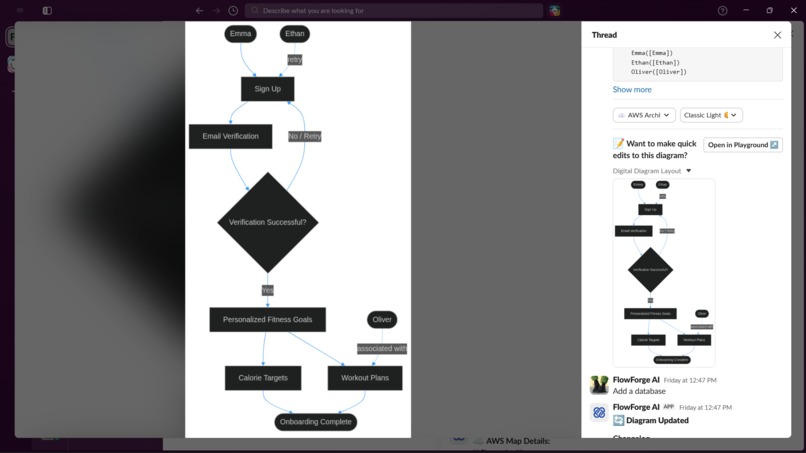
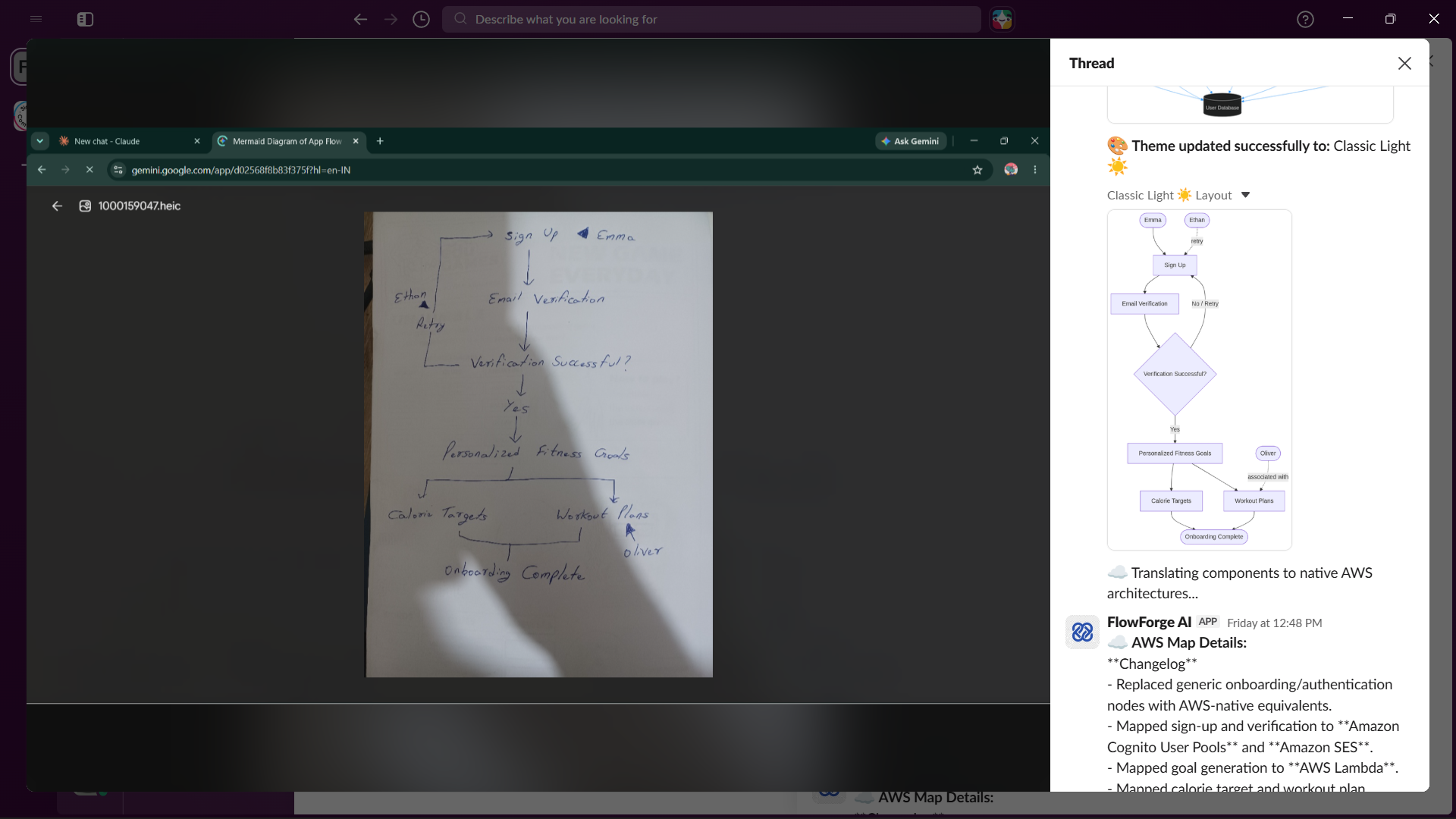
Hand-drawn to Mermaid.js
-
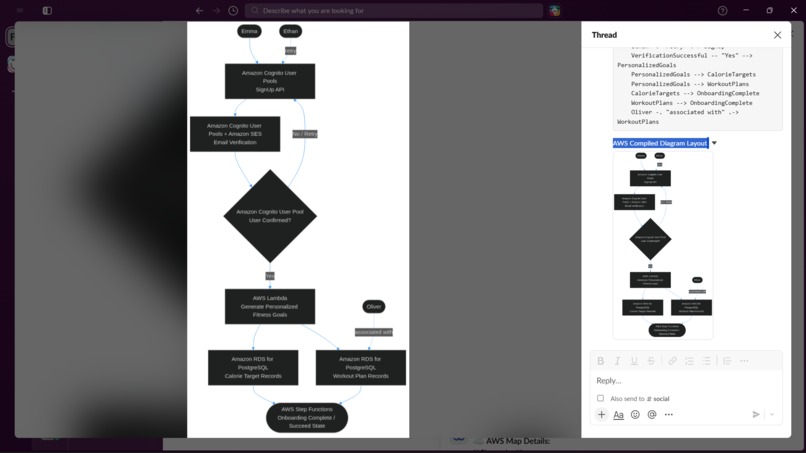
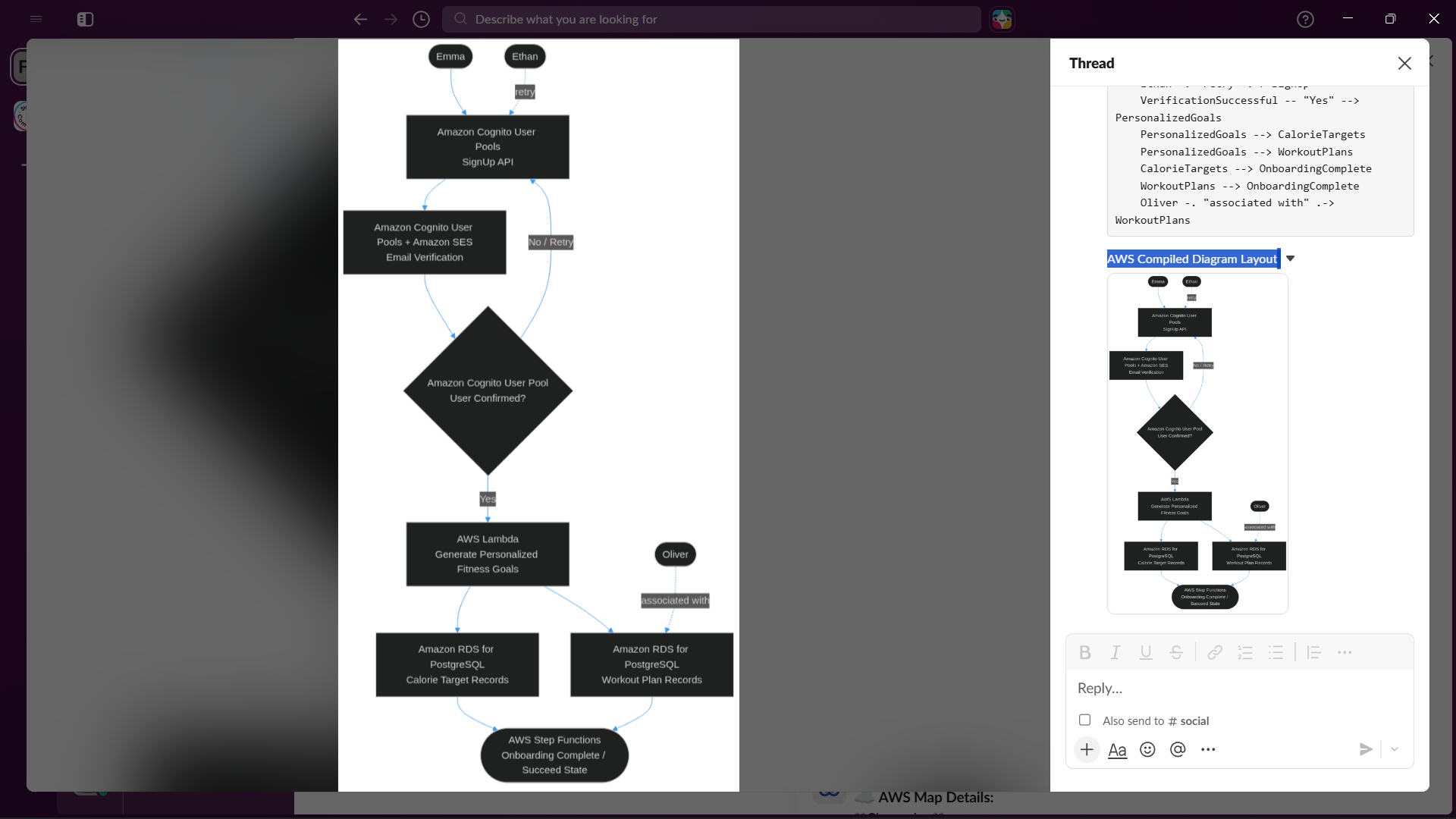
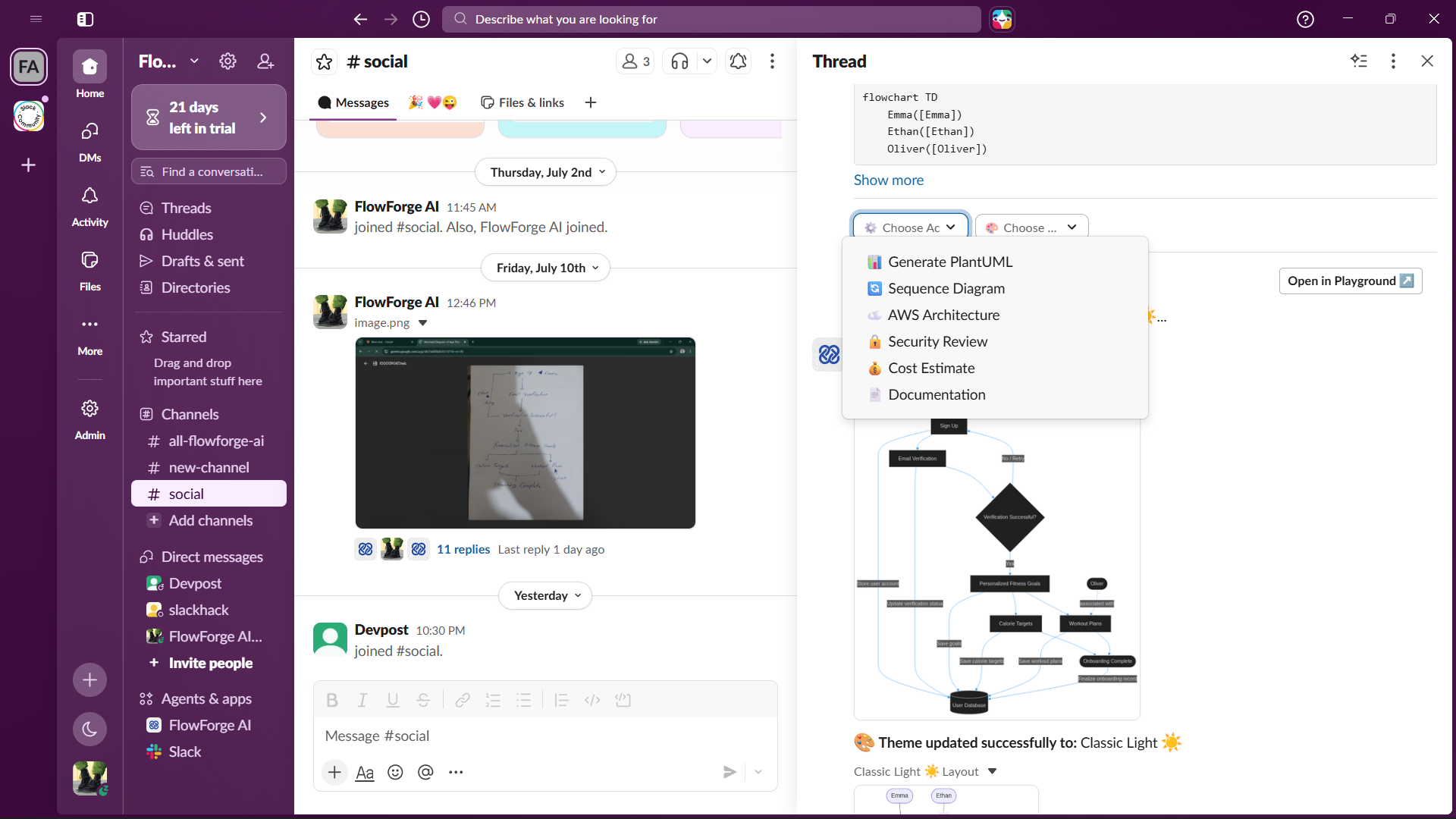
AWS Architecture
-
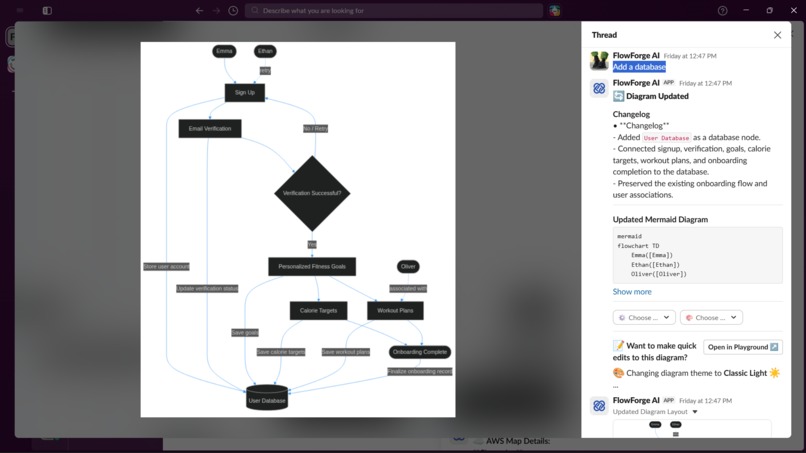
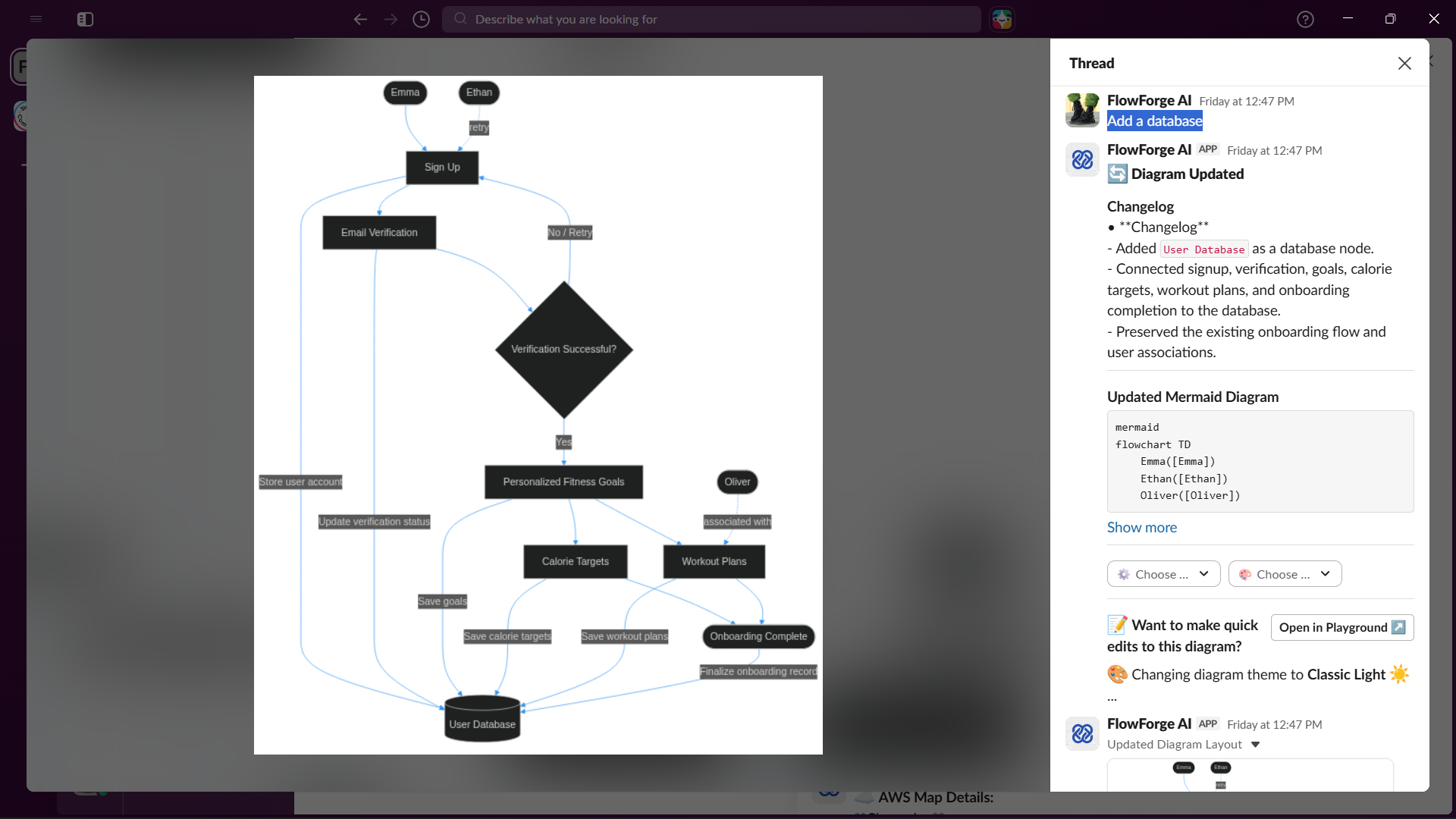
Conversational Modification
-
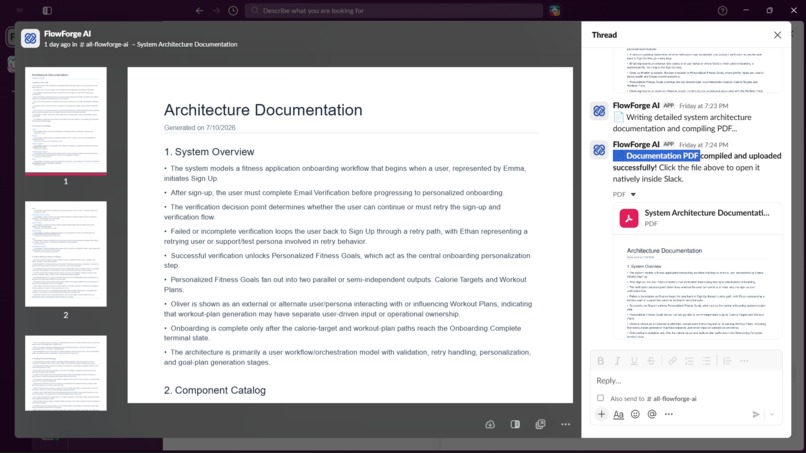
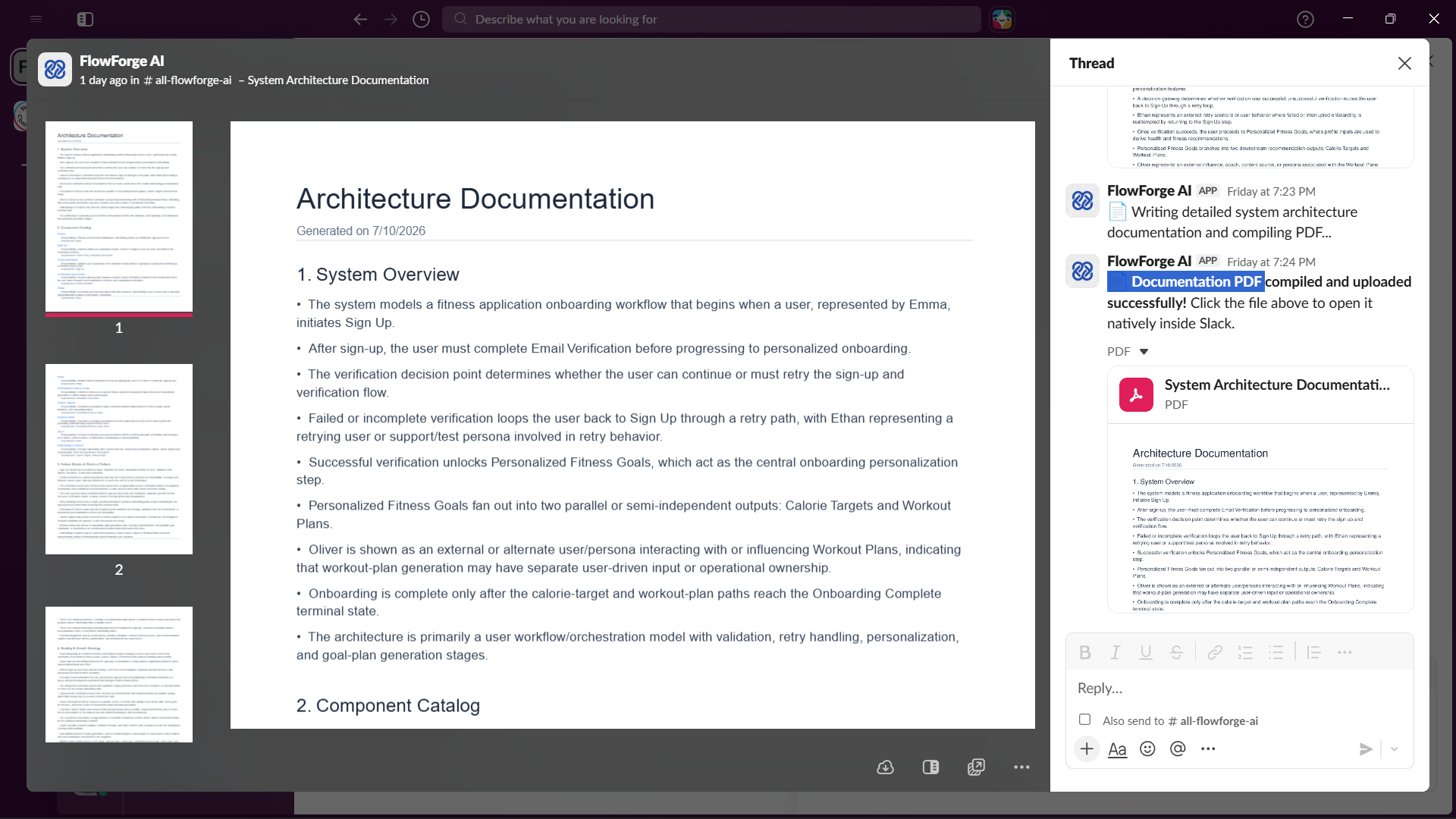
Documentation Pdf
-
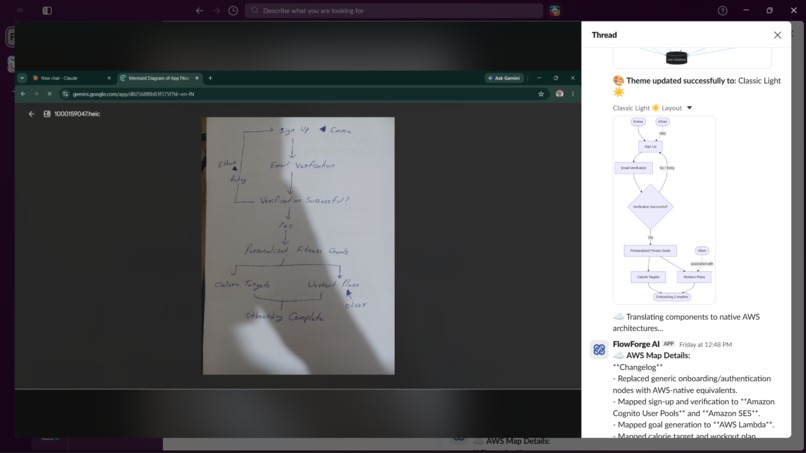
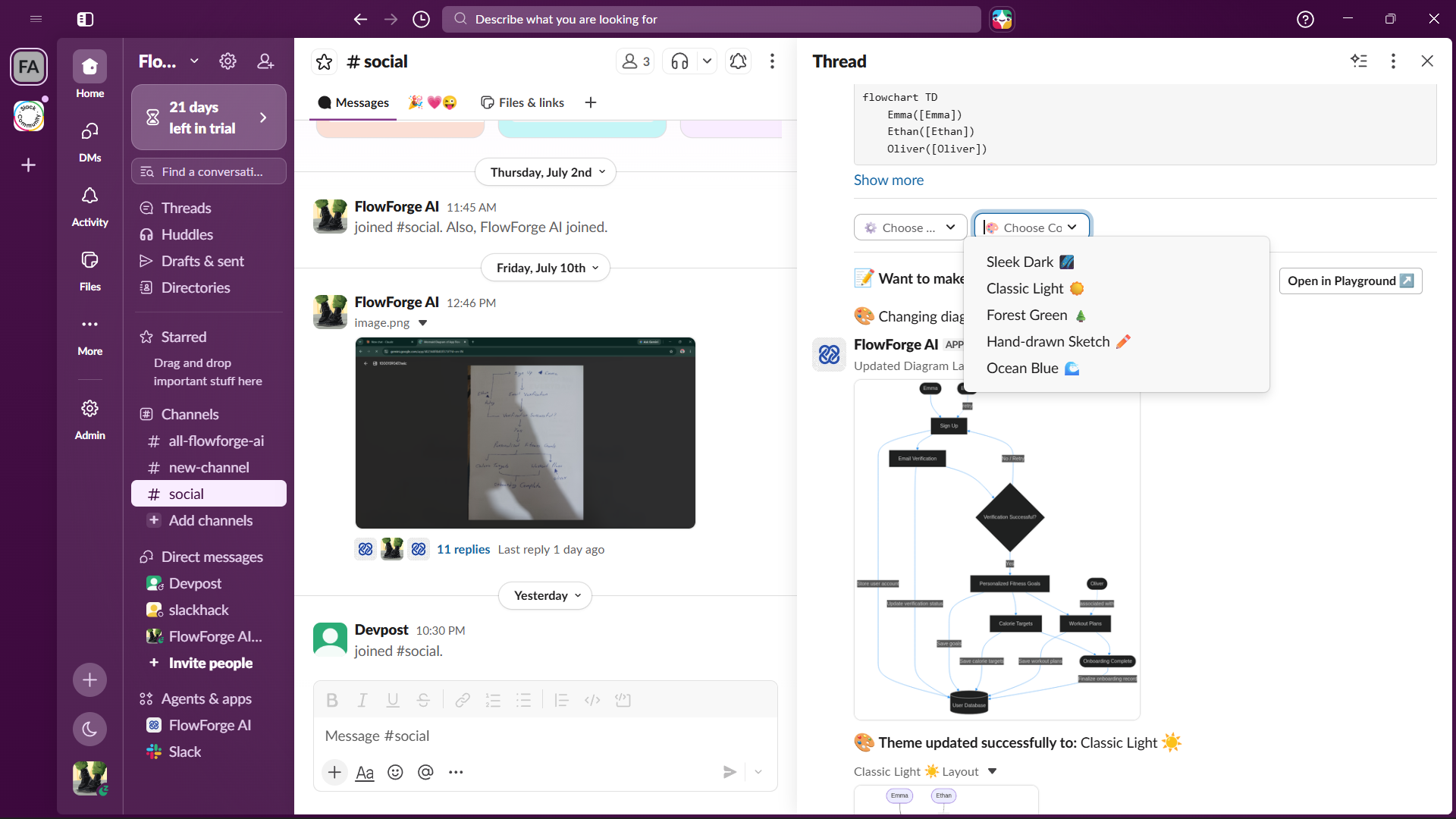
Classic Light Theme
-
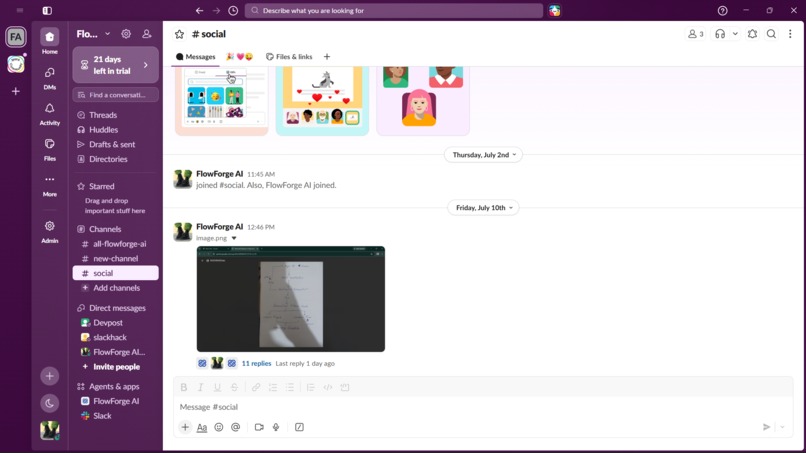
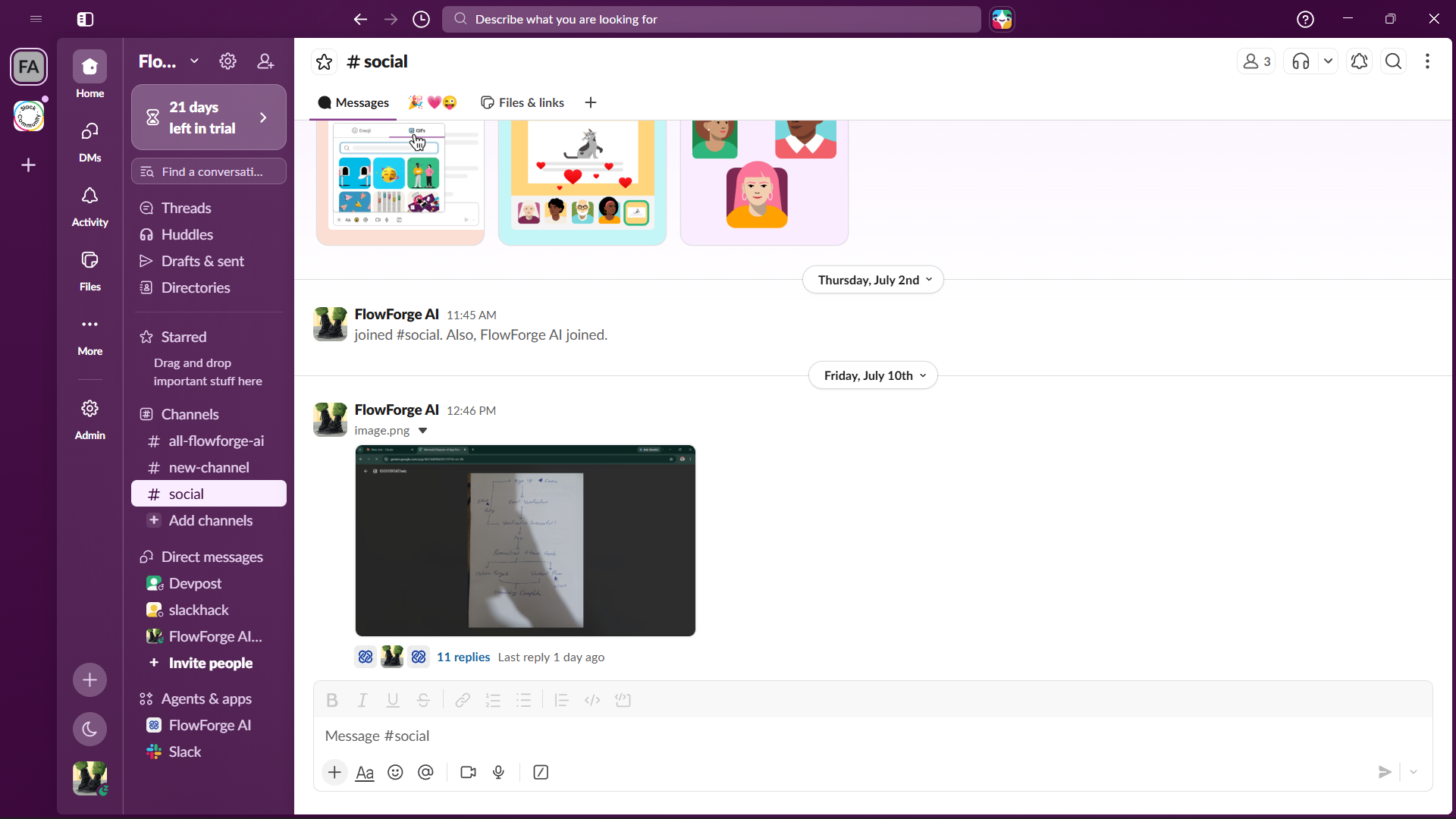
Opening Screen
-
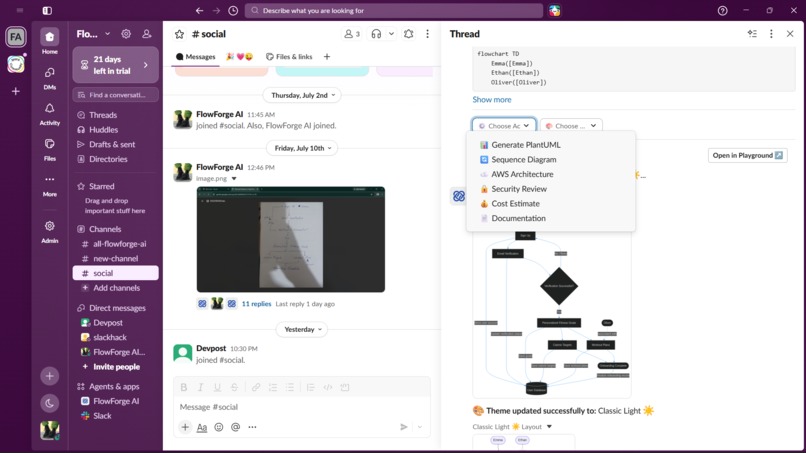
Architectures
-
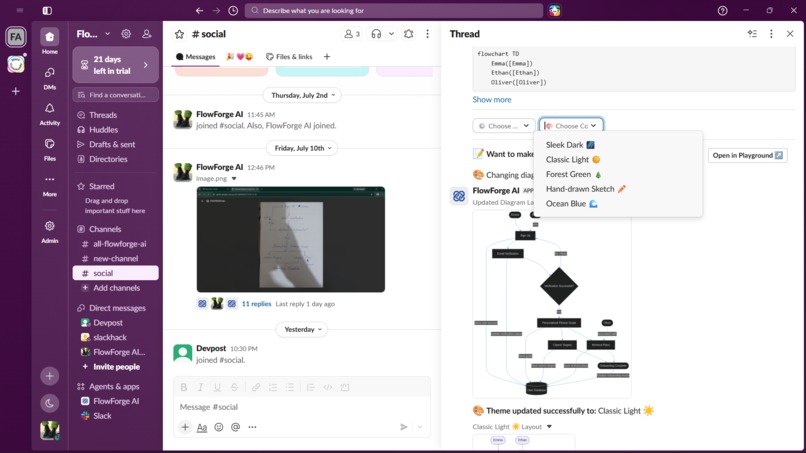
Themes
-
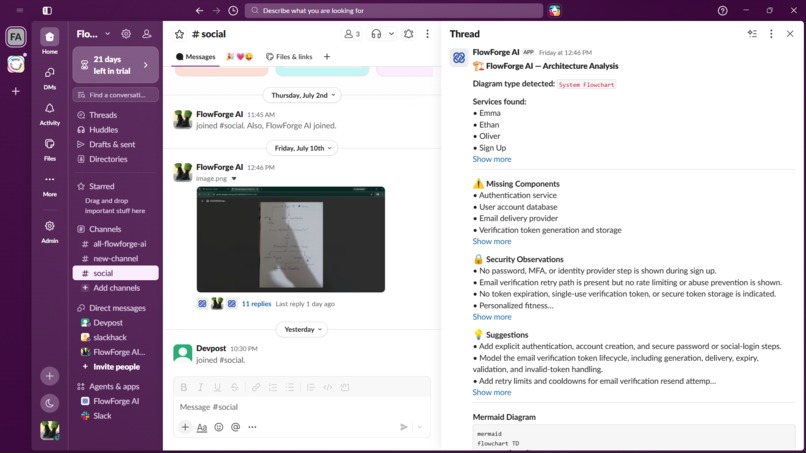
FlowForge AI overview
Inspiration
Every technical team whiteboards architecture in design reviews, onboarding sessions, pairing, incident postmortems. And almost none of it survives the meeting. The board gets erased, the photo sits in a camera roll, and someone eventually has to manually redraw it in a real tool, if they bother at all.
At the same time, we were experimenting with computer vision and wanted to build something that used it for more than a novelty demo. When the Slack Agent Builder Challenge appeared, whiteboard-to-architecture felt like the natural intersection: a real, common workflow problem, solvable with genuine multi-step reasoning, and a perfect fit for Slack, the place where that whiteboard photo already gets shared.
What it does
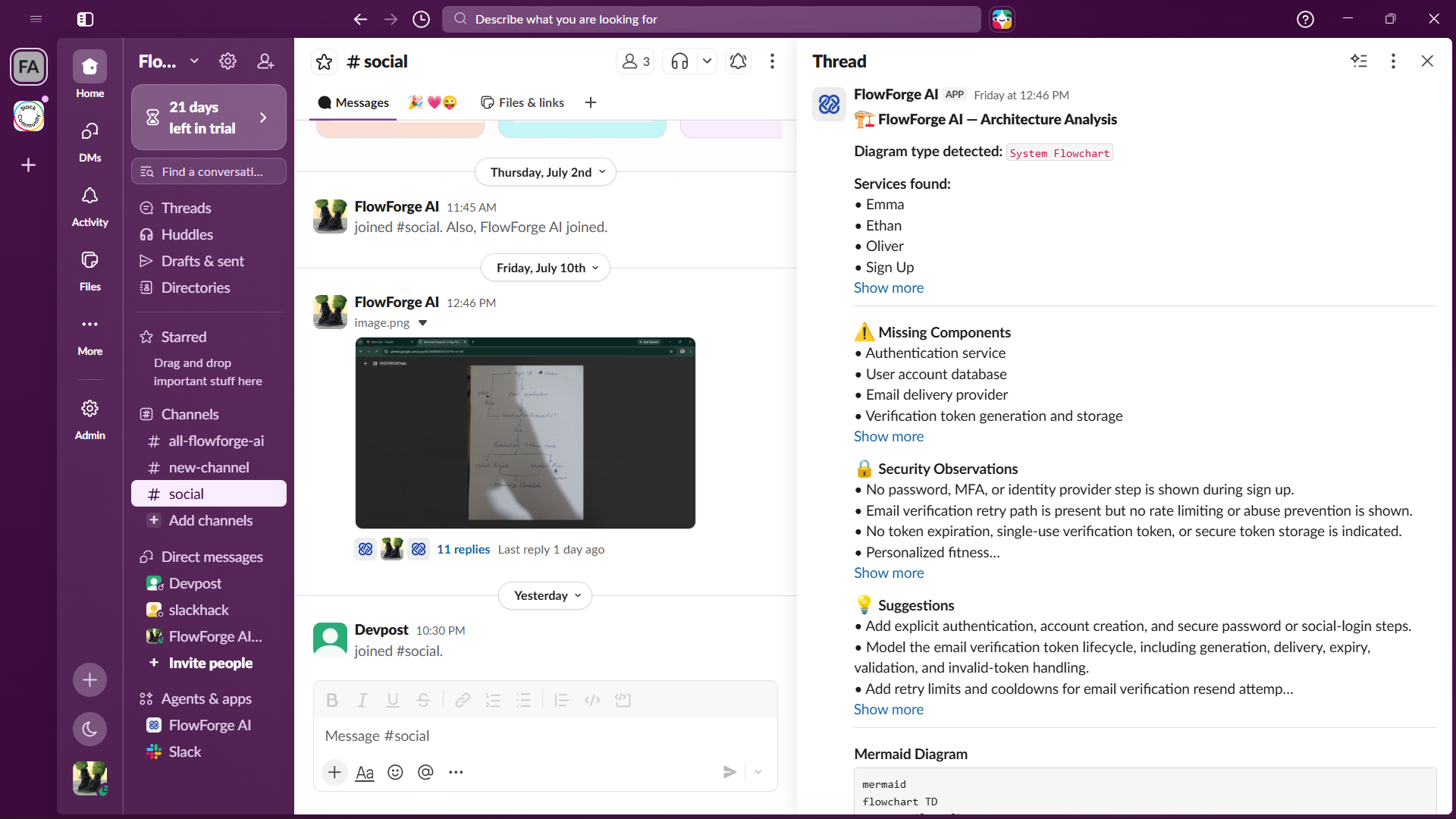
FlowForge AI is an AI systems architect that lives in Slack. Upload a photo of a hand-drawn whiteboard sketch, notebook diagram, or rough architecture doodle with no command, no @mention needed and it:
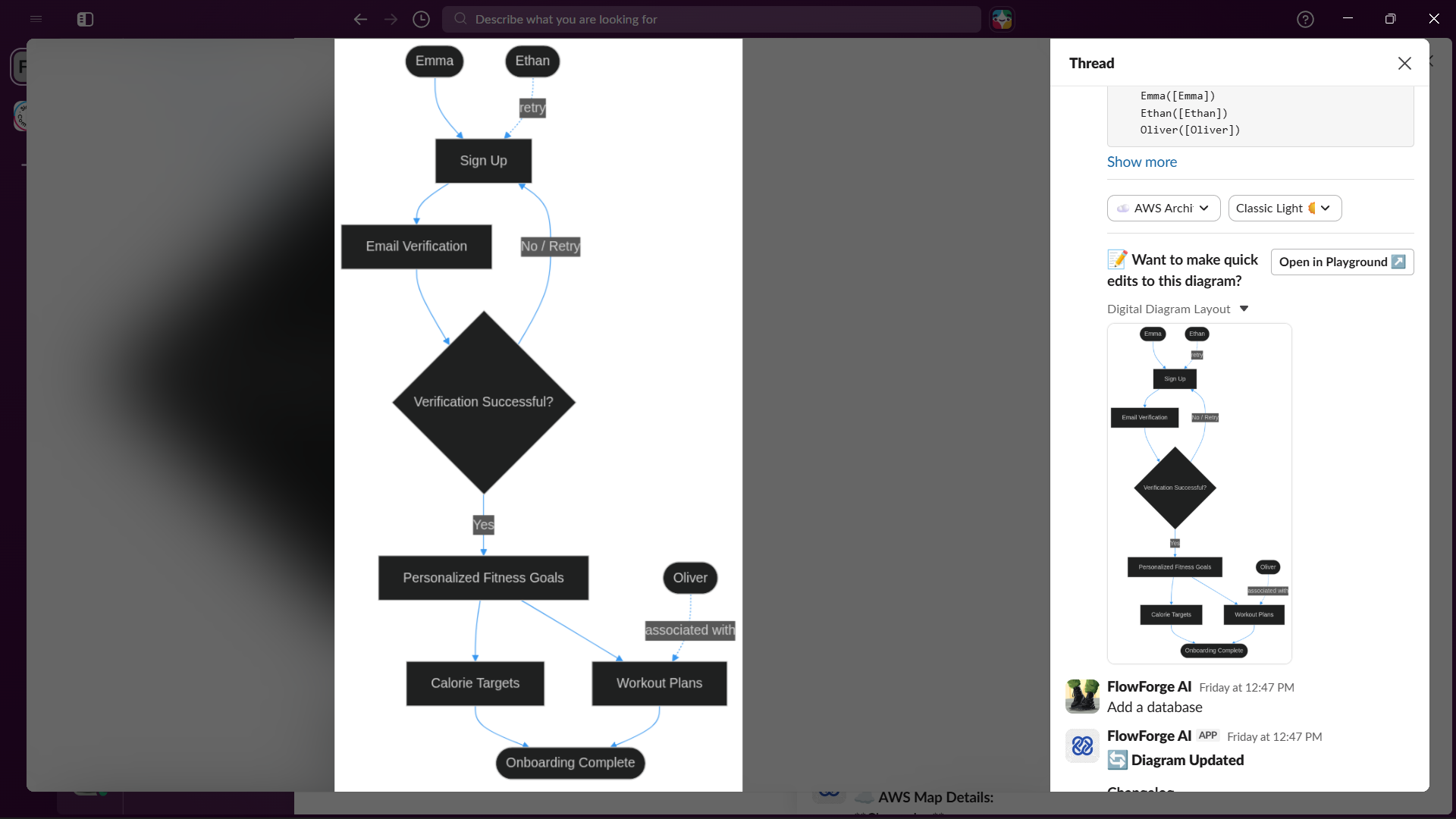
- Extracts the structure: identifies services, components, and connections from messy, imperfect handwriting
- Renders a real diagram: generates valid Mermaid syntax and renders it as an actual diagram with boxes and arrows, not a text summary
- Critiques the architecture: flags missing components, single points of failure, and security gaps — genuine reasoning about the design, not just redrawing it
- Iterates conversationally: reply in-thread with "add Redis cache" or "deploy on AWS" and the diagram updates live, holding session state across the conversation
- Checks institutional memory: ask "didn't we design something like this before?" and it searches workspace history for related past discussions
- Takes action: generate PlantUML, sequence diagrams, AWS-flavored architecture, security reviews, cost estimates, or documentation pdf and all from Block Kit action buttons
How we built it
The pipeline runs in a few real stages:
- Event detection via Slack's Web API (
file_shared), since MCP doesn't cover continuous event monitoring - Reasoning via Azure OpenAI's
gpt-5.5, a single well-structured pass that classifies the diagram type, extracts structure, resolves ambiguity, and generates Mermaid syntax - Rendering via the Mermaid Chart MCP server (
validate_and_render_mermaid_diagram), which validates and renders the diagram server-side, no local headless-browser dependency - Output via the Slack MCP server canvas creation, diagram/file posting, and action buttons are all routed through MCP, since this is the interactive, user-facing layer of the agent, exactly what MCP is built for
- Session state persisted per-thread, so conversational edits ("add a cache," "make it event-driven") apply to the correct diagram and hold context turn to turn
We use two separate MCP integrations end to end, one for rendering, one for the Slack-facing output layer, both genuinely load-bearing rather than added to satisfy a checklist.
Challenges we ran into
- Rendering reliability: we initially rendered locally via the Mermaid CLI, but it depends on a headless Chromium instance that was unreliable in our environment, causing full timeouts on every render. Swapping to the Mermaid Chart MCP server for hosted rendering fixed both the reliability and the latency problem in one change.
- Latency: our first working pipeline took close to 3 minutes end to end. We traced most of that to the CLI timeout compounding with a 4-pass reasoning pipeline, and brought it down to roughly 30 seconds by fixing rendering and consolidating the reasoning into a single well-structured pass.
- API shape mismatches: Azure OpenAI's newer model versions moved several parameters (
response_format→text.format,max_tokens→max_completion_tokens, fixedtemperatureon reasoning models), each requiring a real fix rather than a guess. - Robustness on messy input: our extraction pipeline was validated not just on clean digital exports, but on genuinely messy handwritten sketches including a photo re-photographed off a screen with visible glare and shadow and correctly preserved implicit structure like merge points and conditional branches that weren't explicitly drawn.
What's next
Deeper MCP integrations (Notion, Jira, GitHub) for publishing documentation and creating implementation tasks directly from a diagram, and expanding the critique pass into a fuller security/cost analysis layer.
Built With
- azure-openai-service-(gpt-4o/gpt-5.5-with-vision)
- dotenv
- git
- github
- javascript-(node.js)
- online-cron-job
- pdfkit
- render-cloud-hosting
- sharp
- slackbot
- the-@chinchillaenterprises/mcp-slack-server-(real-time-search-api)
- the-mermaid-chart-mcp-server
- the-openai-sdk

Log in or sign up for Devpost to join the conversation.