-
-

Home para login
-
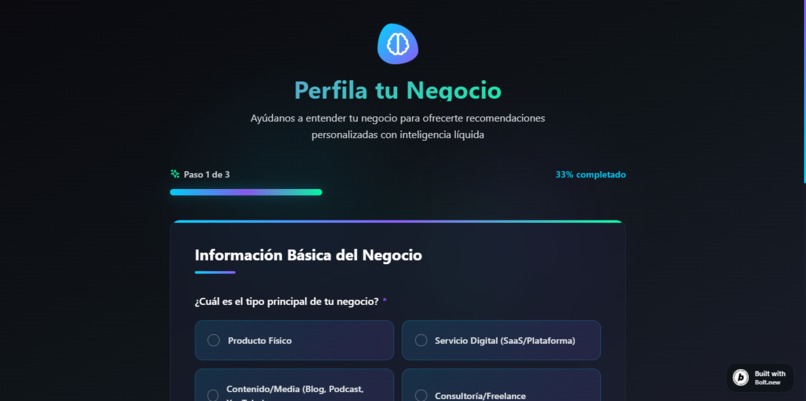
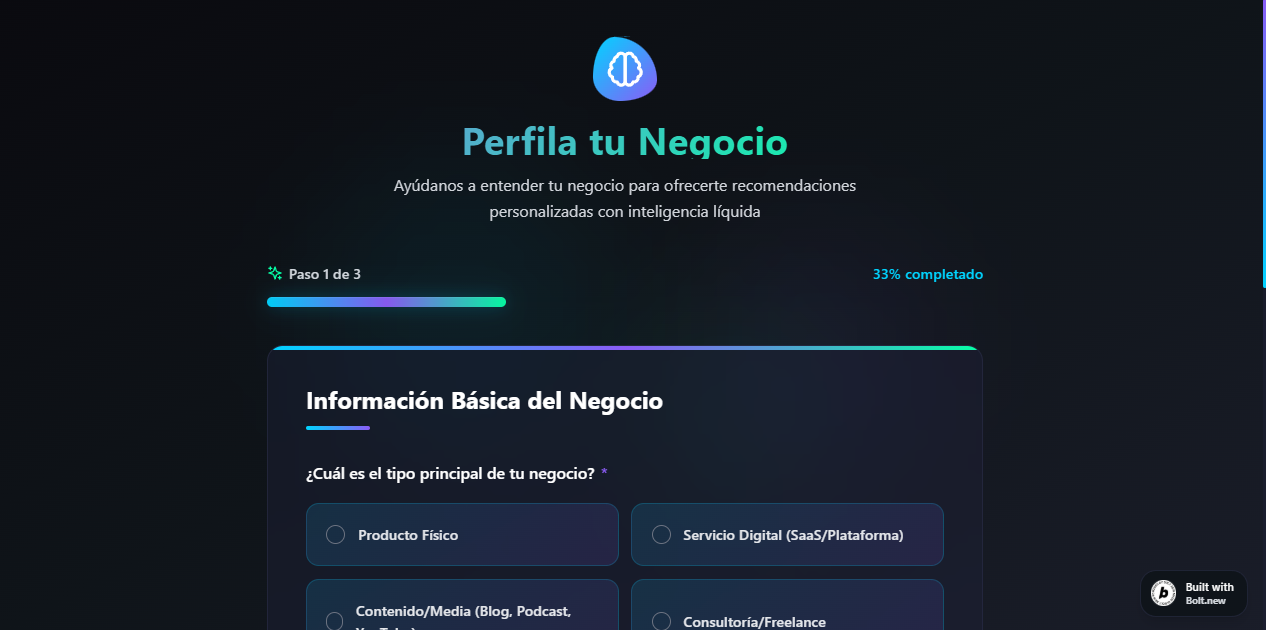
Perfil del negocio (información básica para construir el perfil)
-
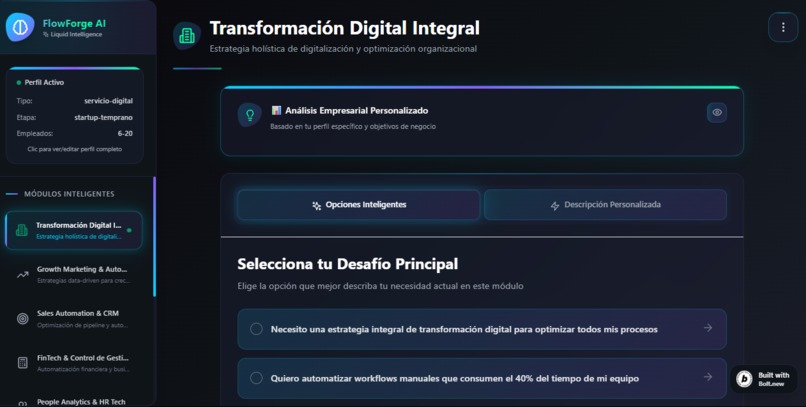
Vista principal de la aplicación
-
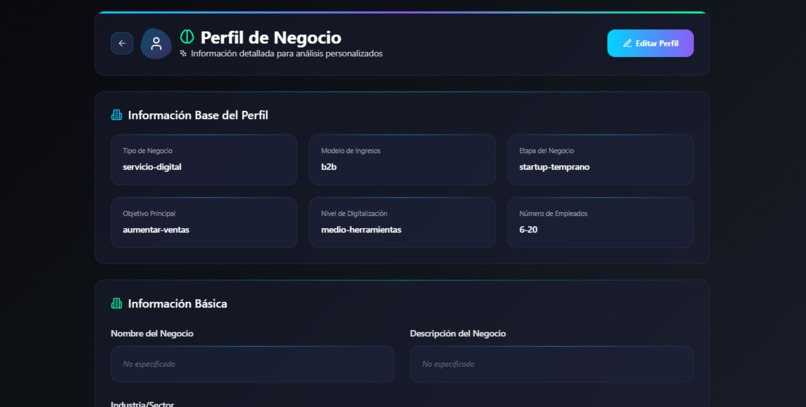
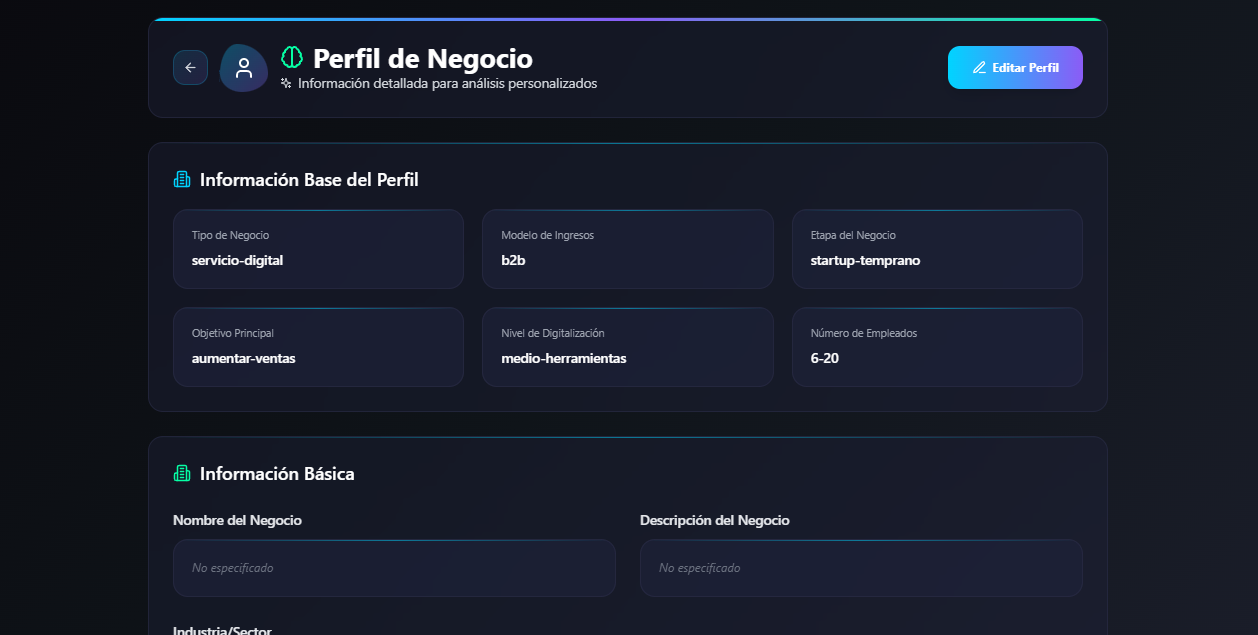
Vista del perfil del usuario donde puede añadir información más concreta
-
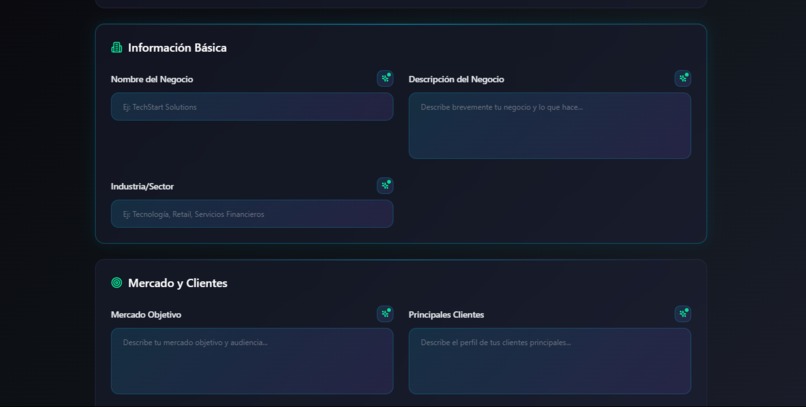
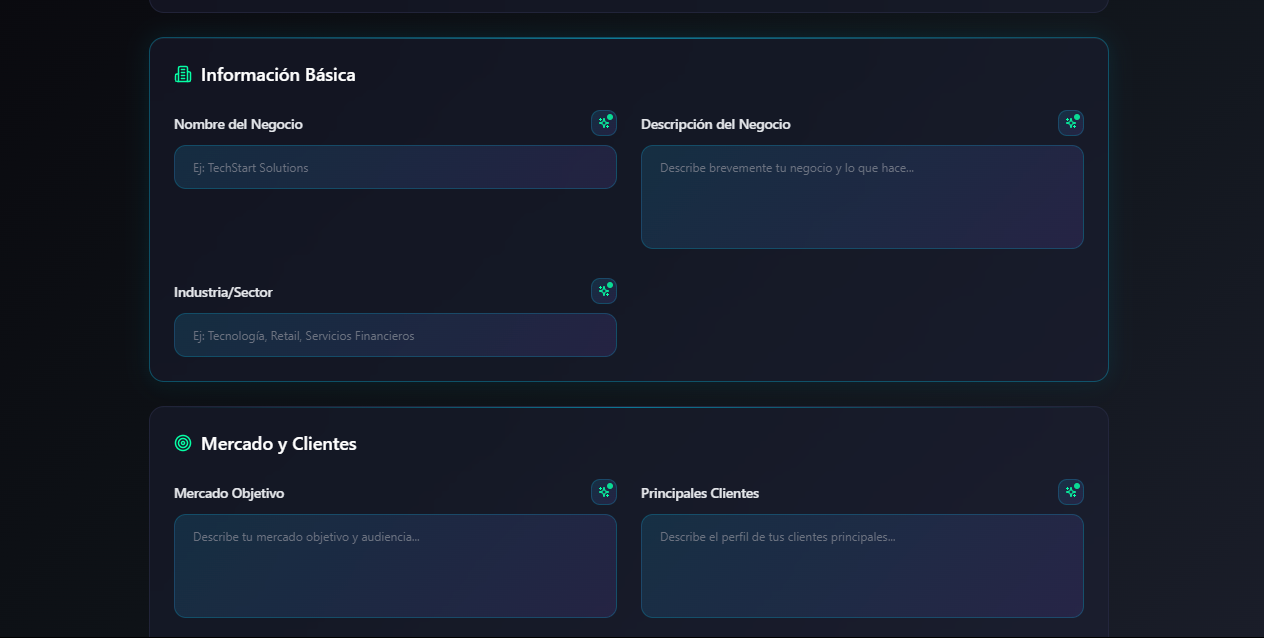
Información editable del usuario que cuenta con un boton para completar con inteligencia artificial
-
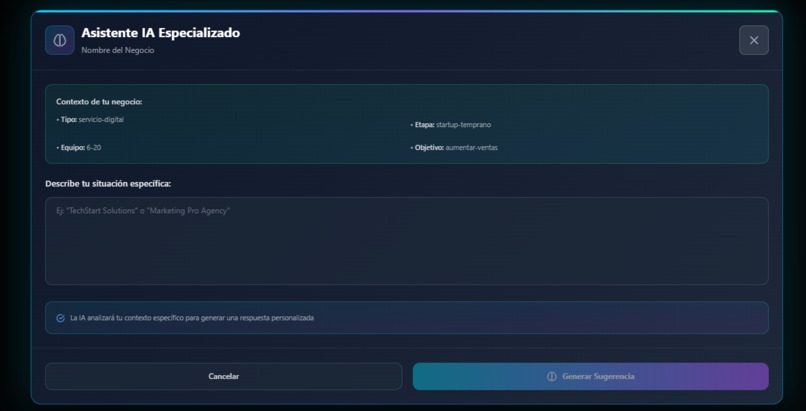
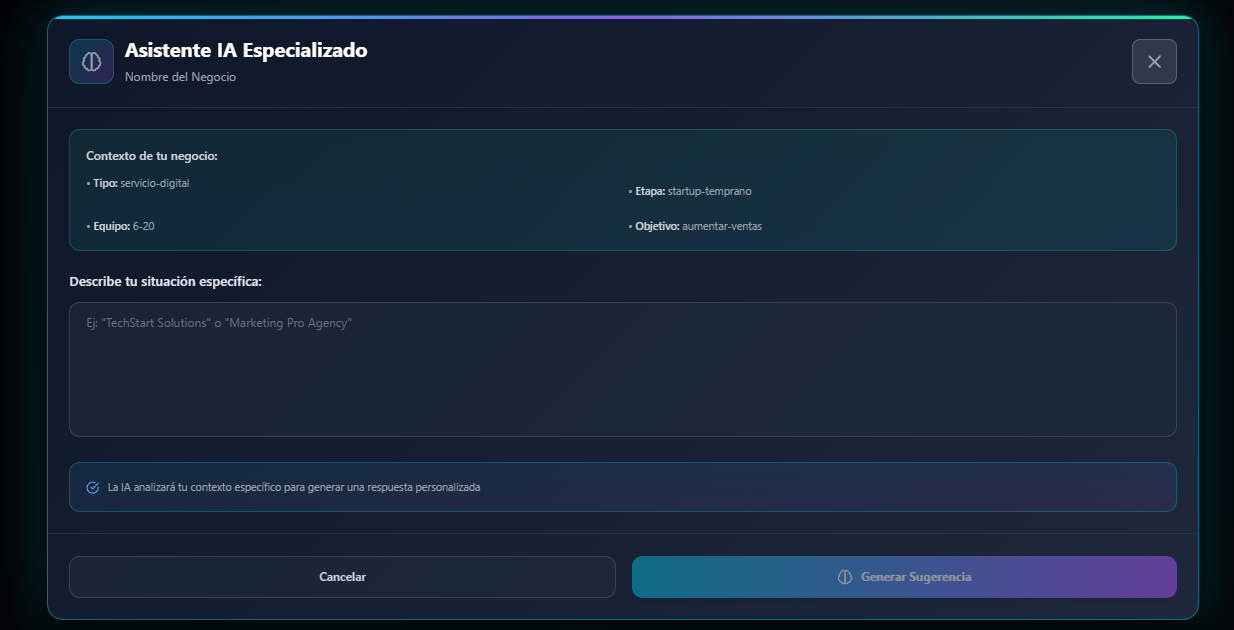
Modal de la información a completar con la IA con el contexto del usuario y un prompt personalizado
-
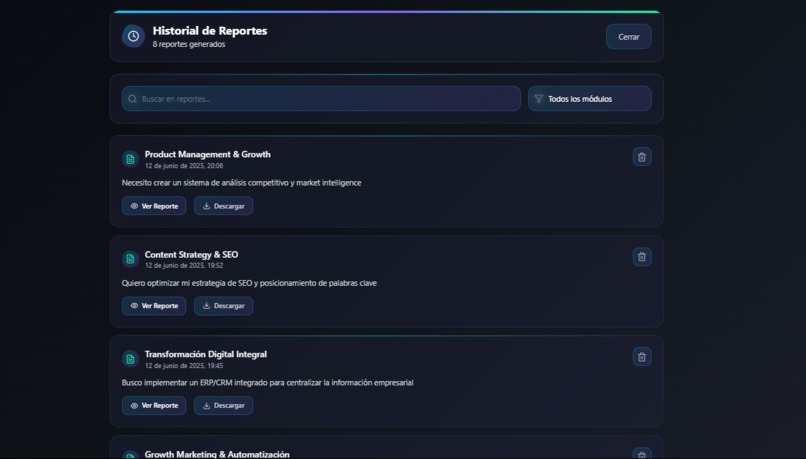
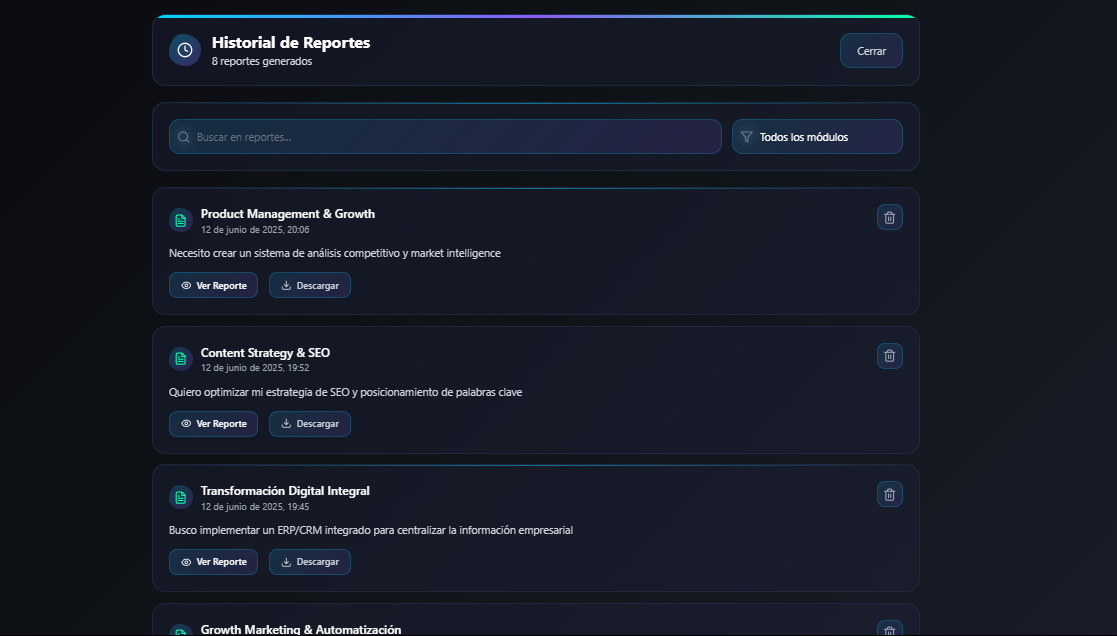
Historial de reportes generados en cada módulo
-
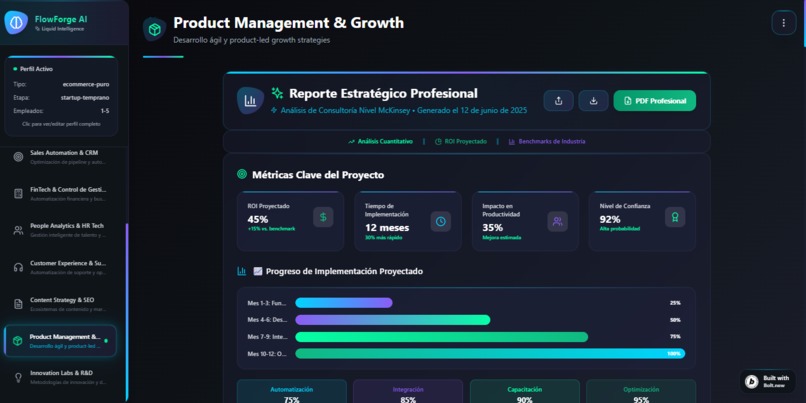
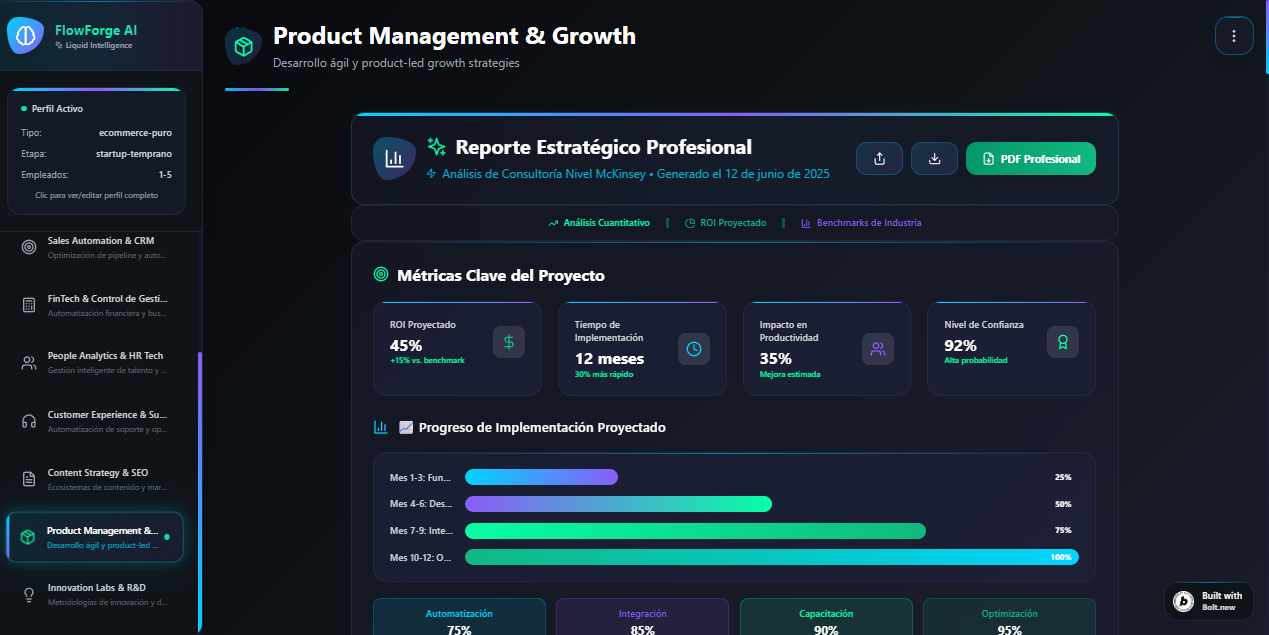
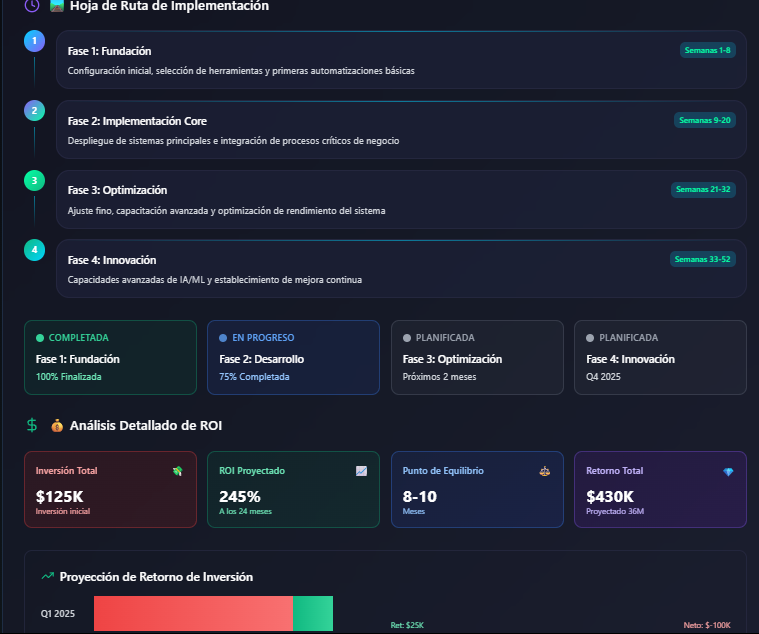
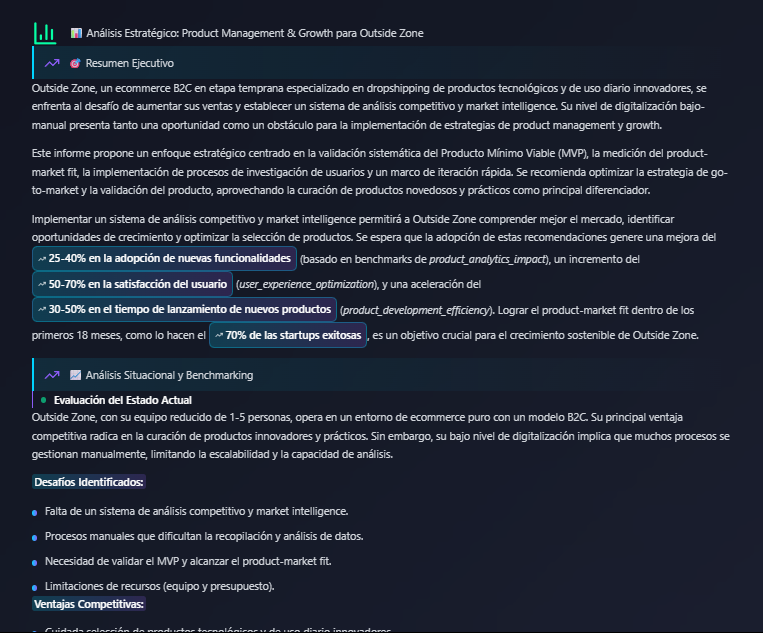
Ejemplo de reporte generado con gráficos e información de calidad para alcanzar los objetivos propuestos
-
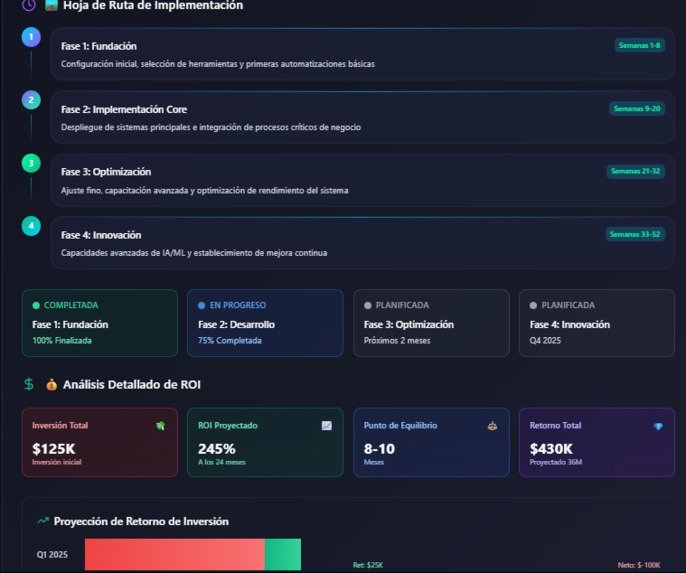
Graficos del reporte generado
-
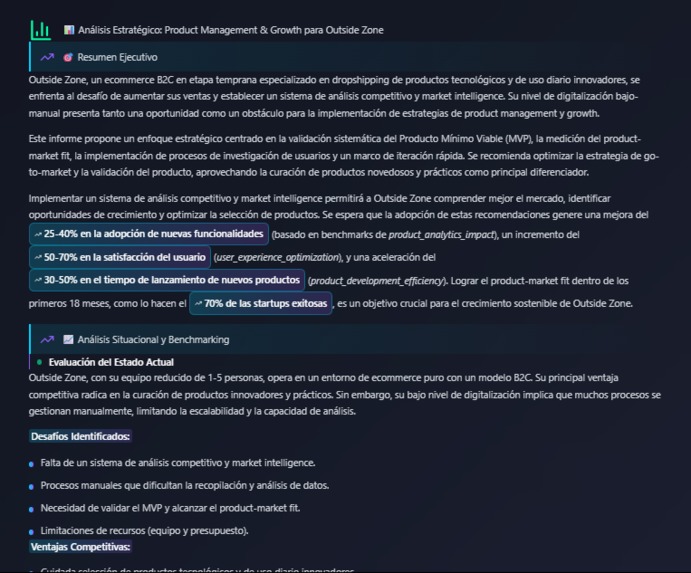
Texto del informe generado


About the Project: FlowForge AI
The inspiration for FlowForge AI was born from a recurring frustration I observed: many companies realize they need to automate and optimize their processes, but they get lost in a sea of generic options or are scared off by the costs of specialized consulting. I thought, what if there was a tool that acted as a personalized AI consultant, capable of understanding the unique details of each business and offering tailor-made, genuinely useful strategies? The idea wasn't just to give vague advice, but concrete steps to digitally improve and make processes more efficient. With the power of Google Gemini Pro, I saw the opportunity to turn this idea into a reality—a platform that truly adapts to each user.
But we didn't stop there. We wanted the experience to be fully immersive and accessible, so we integrated voice assistants and a multi-language interface to break down any barrier between the user and their strategy.
Building FlowForge AI: How We Did It
To bring FlowForge AI to life, we dove deep into technologies that would allow us to be fast and build something robust. We chose React with Vite to have an agile foundation and a web application that loaded super fast. To ensure the code was solid and easy to maintain, TypeScript was our best ally. For the visual side, we wanted something modern and responsive, so Tailwind CSS gave us the flexibility to design an intuitive and stylish interface (including dark mode!). For secure user management and our database, we relied on Supabase, which allowed us to have a robust backend up and running quickly. And for the innovative voice assistant feature, we integrated the ElevenLabs API, making the platform even more accessible.
The project's architecture is based on a clear separation of concerns. Container components are the "brains": they manage business logic, hold important state, and are responsible for communicating with Google Gemini Pro. Presentational components are only concerned with looking good and displaying the information they're given. This makes the code easier to understand and modify in the future.
But the magic of FlowForge AI lies in how it interacts with the AI. We created a system to generate highly intelligent and personalized prompts for Gemini Pro. We combine the detailed business information provided by the user with their specific needs for the module they've chosen. This way, the reports generated by the AI aren't generic; they are custom-made, with a clear diagnosis, specific automation strategies, recommended tools, an initial action plan, and even metrics to measure success—all in Markdown format for easy readability!
Key Learnings During Development
Developing FlowForge AI was an incredible learning experience. Some of the most important lessons were:
- A good structure is everything: The separation of logic (containers) and view (presentational components) wasn't a theoretical whim; it was the key to managing the complexity of the data and application states without losing control.
- TypeScript is your safety net: In a project with multiple data flows between the UI, global state, and APIs, TypeScript was crucial for preventing subtle bugs that would have cost us hours of debugging time.
- Prompt engineering is an art: We discovered that "talking" to Gemini Pro is a discipline in itself. We had to constantly iterate and refine our prompt structures to teach it how to generate complex and coherent analyses in a single call.
- User experience is the priority: No matter how powerful the backend is, value is perceived through the interface. We dedicated time to ensuring that the presentation of complex data, like reports and charts, was intuitive and visually pleasing for the end-user.
Challenges We Overcame
As with any project, there were plenty of challenges:
- Creating truly dynamic and complex prompts: The biggest challenge was designing a prompt system that could generate a complete strategic analysis in a single call. Getting Gemini Pro to consistently deliver a diagnosis, a phased implementation plan, ROI projections, and industry benchmarks—all tailored to the unique combination of the user's profile—required highly advanced prompt engineering.
- Managing application state efficiently: With so much information changing (profile, module, AI loading state, report, errors), coordinating everything to ensure the application ran smoothly was a significant challenge. Managing the loading state during the Gemini API call while the UI remained responsive was a key orchestration challenge.
- Maintaining visual consistency with Tailwind: Although Tailwind is very versatile, ensuring the project's visual identity remained consistent across every component, modal, and screen required creating an internal design system on top of Tailwind's utilities and rigorous discipline.
- Implementing robust error handling: When communication with the APIs (Gemini or ElevenLabs) failed, it was crucial not only to catch the error, but to translate it into a clear and helpful message for the user, allowing them to understand the problem and how to proceed, instead of just showing a broken system.
Despite these obstacles, each one taught us something valuable and helped us create FlowForge AI, a tool that I truly believe can help many companies and entrepreneurs to make the leap to automation intelligently and tailored to their needs.
Built With
- gemini
- postgresql
- react
- supabase
- tailwindcss
- typescript


Log in or sign up for Devpost to join the conversation.