-
-
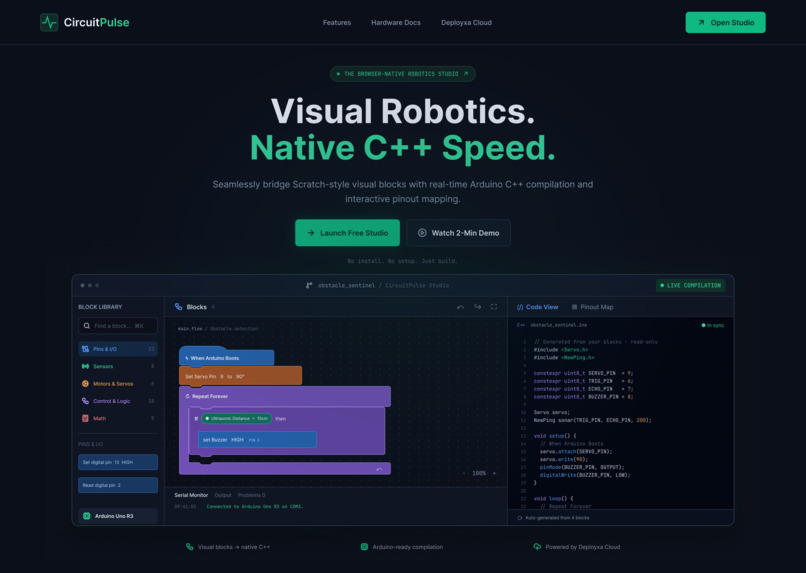
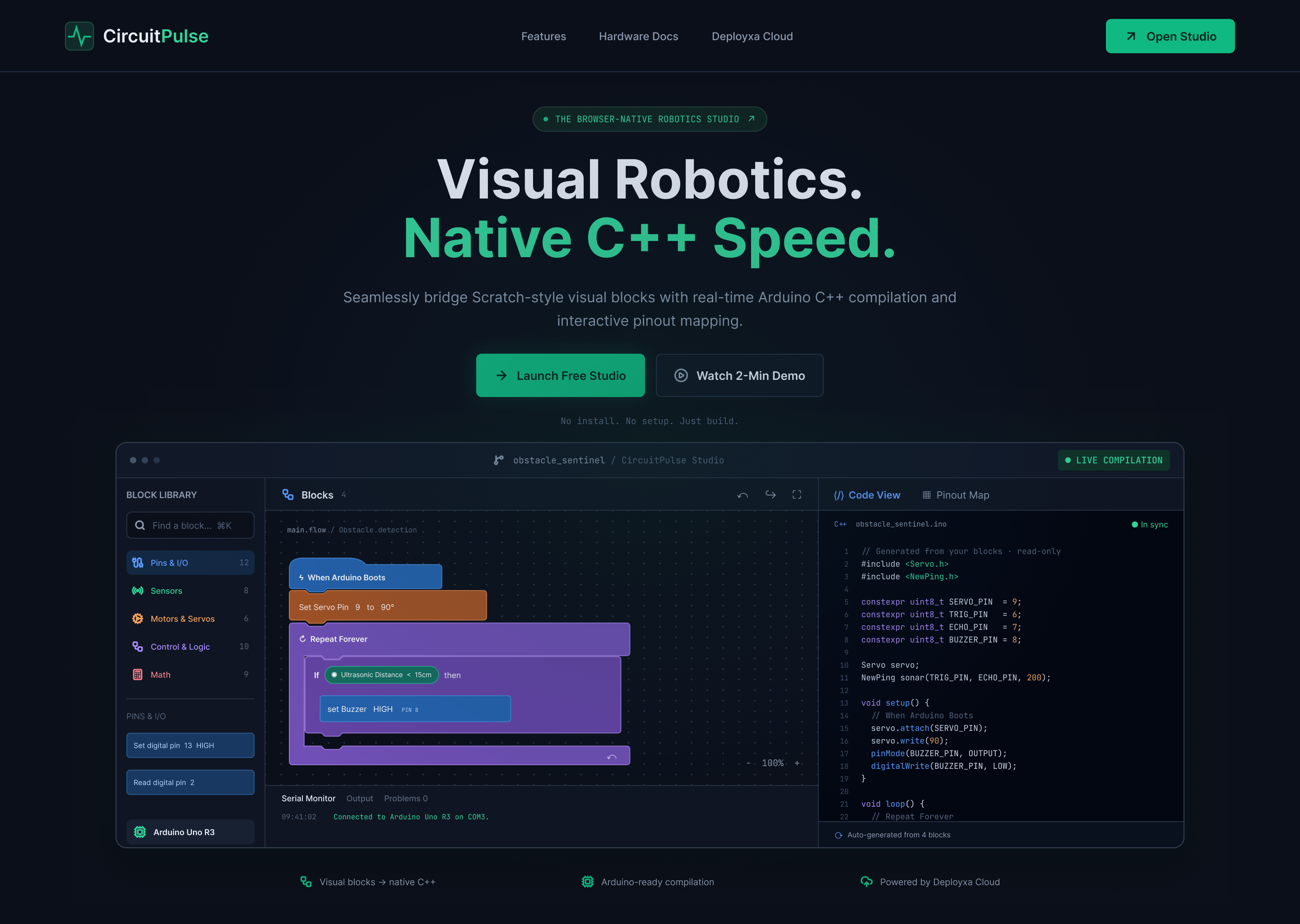
Landing page
-
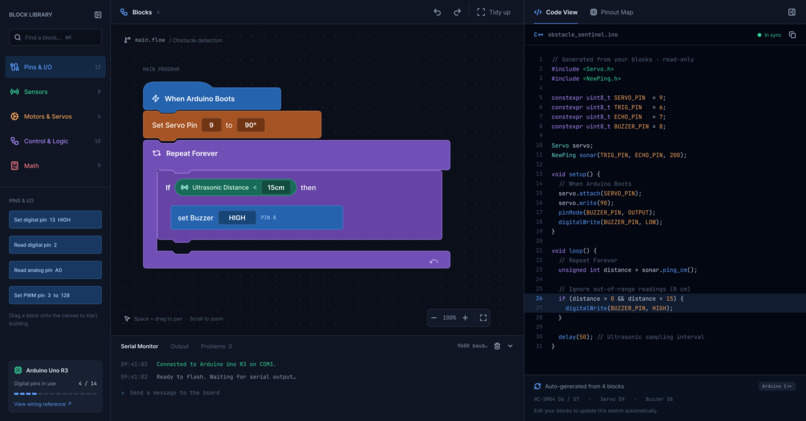
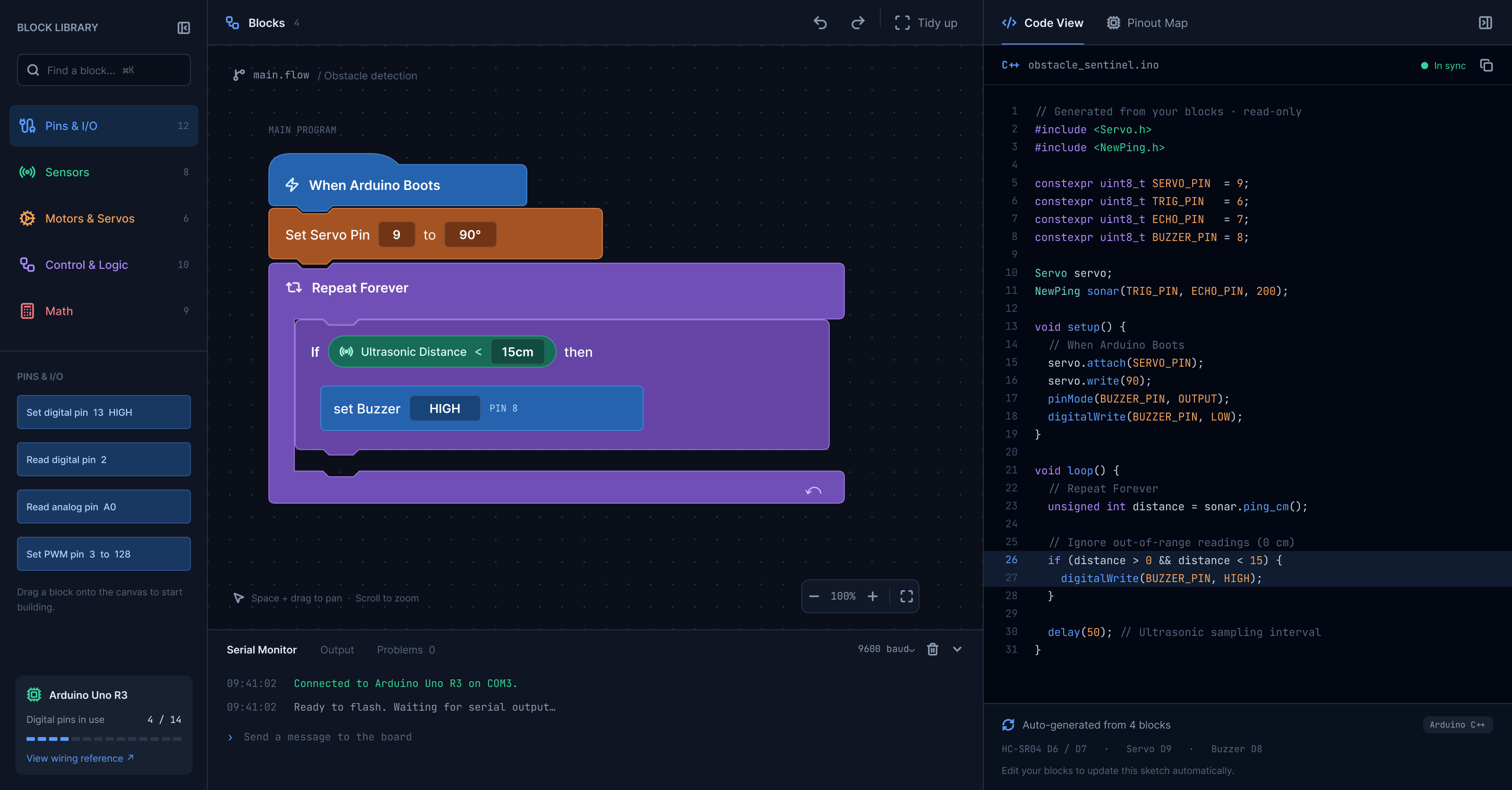
Studio workspace
-
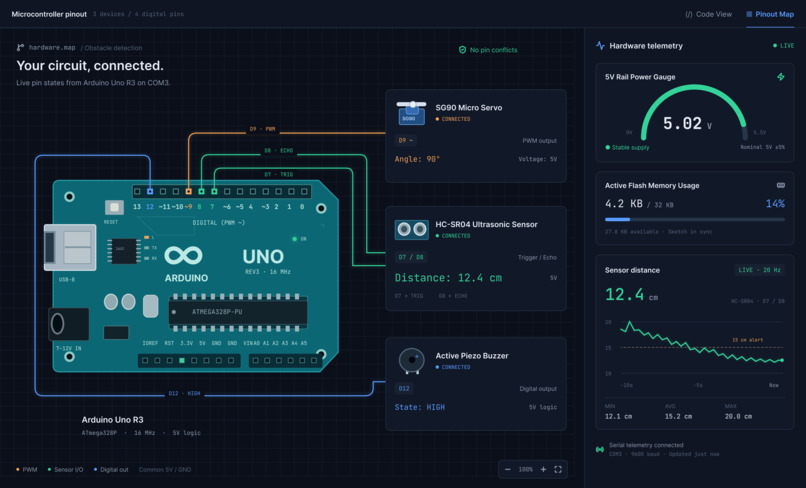
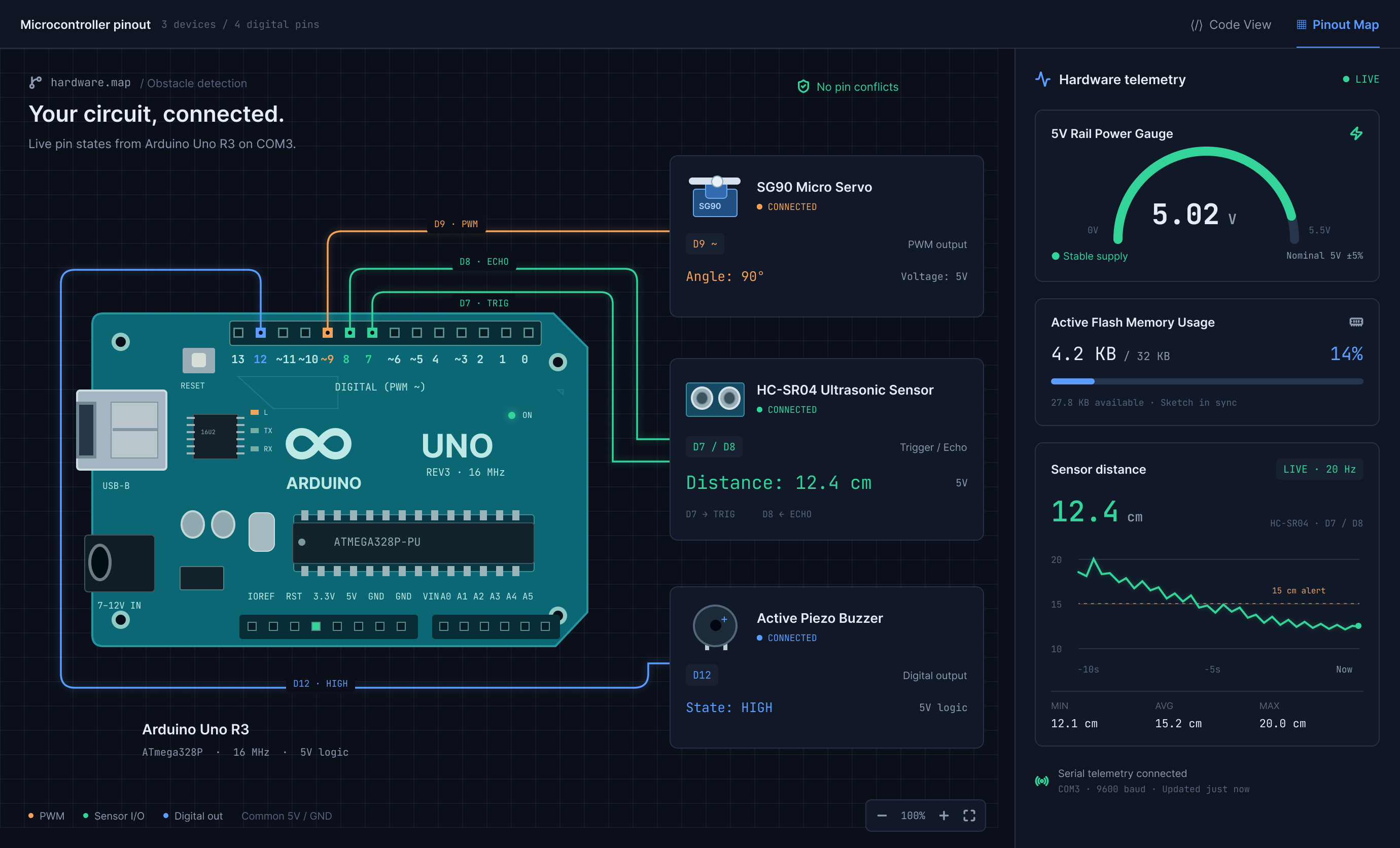
Hardware workspace
-
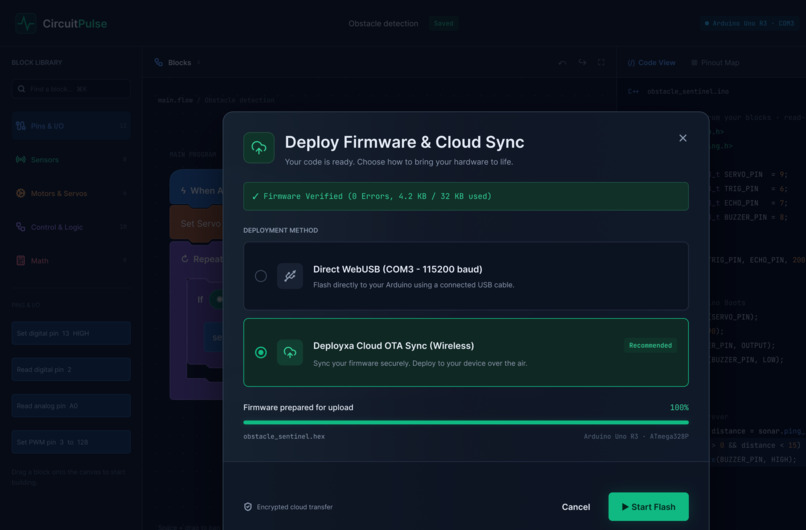
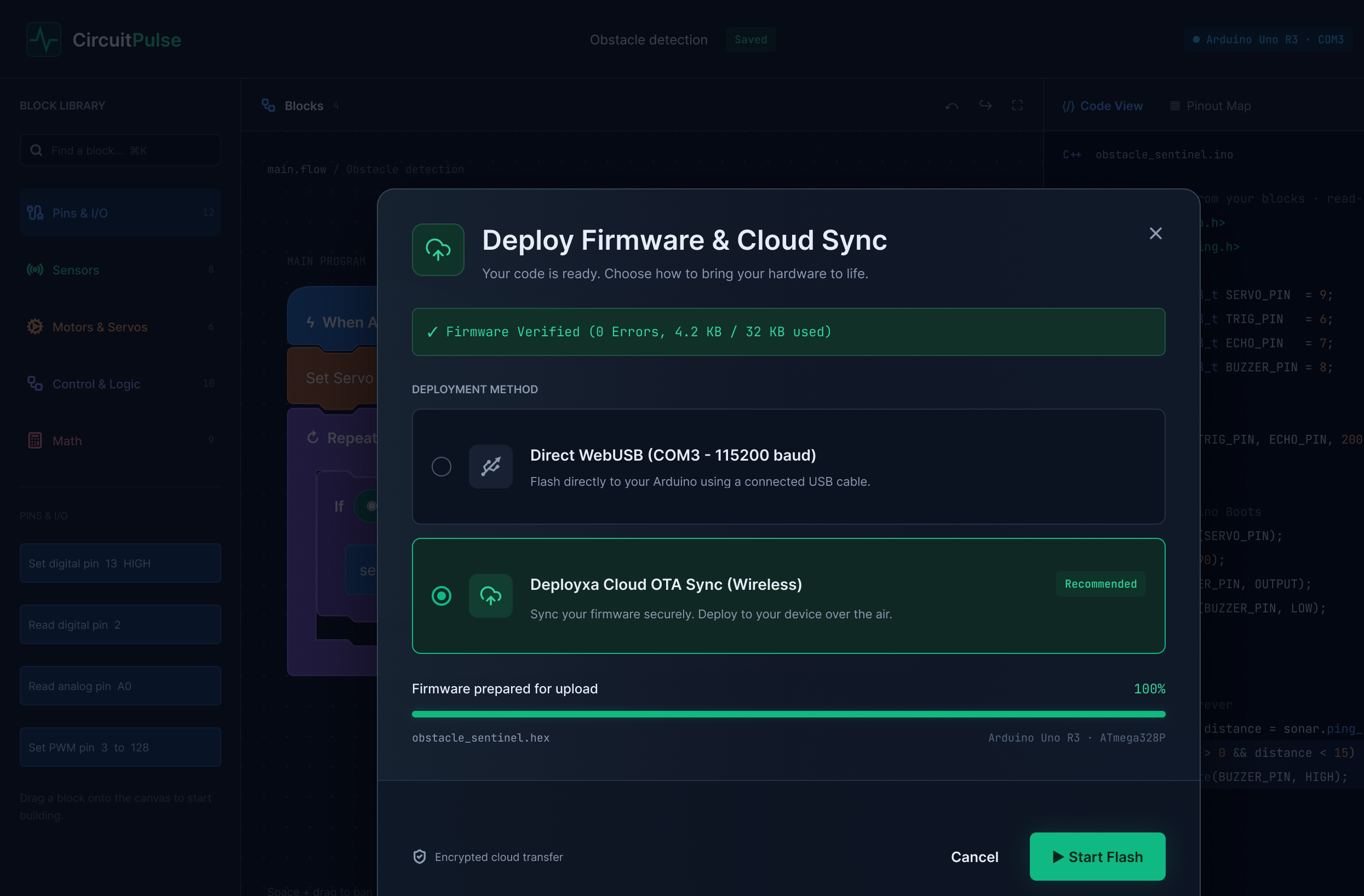
Deploy & Cloud Sync Modal
Inspiration
Modern robotics education is deeply fragmented. Young makers and students love visual block-coding environments like Scratch and PictoBlox because they offer zero-syntax friction. However, moving to real-world embedded hardware requires standard C++ and the traditional Arduino IDE, which presents an intimidating wall of cryptic compiler errors, complex pin registers, and confusing breadboard wiring.
We created CircuitPulse to bridge this divide. It is a web-native robotics studio where beginners assemble hardware logic using intuitive blocks while synchronously observing, learning, and compiling production-ready Arduino C++ with interactive pinout verification.
What it does
CircuitPulse integrates visual block logic, native compilation, and interactive hardware diagnostics into a unified workflow:
- Dual-Engine Workspace: Drag-and-drop color-coded blocks (Pins & I/O, Sensors, Servos, Logic) on the left canvas automatically generate syntax-highlighted, production-ready Arduino C++ in the right panel in real time.
- Interactive Pinout & Telemetry Map: Eliminates wiring mistakes by visually connecting active digital, PWM, and analog pins to hardware components (Ultrasonic sensors, SG90 servos, buzzers) alongside live voltage and memory telemetry.
- Integrated Web Serial Monitor: Streams real-time baud-rate telemetry directly inside the studio workspace to observe sensor feedback without third-party software.
- Deployxa Cloud OTA & WebUSB Flash: A streamlined deployment modal verifies sketch integrity and flashes firmware directly over WebUSB or wirelessly via Deployxa Cloud.
How we built it
We engineered the complete UI/UX design and interaction model in Figma following strict developer ergonomics:
- Design System: Built upon a dark-slate developer theme (
#0B0F19background with#111827containers) complemented by high-contrast emerald (#10B981) and electric blue (#38BDF8) action accents. - Cognitive Block Hierarchy: Structured block categories using semantic color coding (Blue for I/O, Orange for Actuators, Green for Sensors) to reduce cognitive load.
- WCAG AA Compliance: Implemented 4.5:1+ contrast ratios across code typography, active pin tags, and status badges, paired with 40px+ touch targets and soft modal backdrop blurs.
Challenges we ran into
- Balancing Information Density: Showing a visual node canvas, raw C++ code, and serial telemetry simultaneously without cluttering the screen required precise visual hierarchy and balanced panel sizing.
- Hardware Abstraction: Translating physical microcontroller realities (voltage thresholds, baud rates, pin constraints) into visual UI metaphors that remain intuitive for absolute beginners without alienating experienced engineers.
Accomplishments that we're proud of
- Designing a seamless 3-step cognitive flow from block assembly to pin verification and cloud flashing.
- Creating an interactive Hardware Pinout Map that eliminates physical wiring guesswork.
- Maintaining strict visual consistency and dark-mode elegance across all four studio workflows.
What we learned
- How to structure modern design tokens and UI components specifically tailored for technical developer tools.
- How subtle feedback states (live memory gauges, verification checkmarks, and dashed wiring callouts) drastically improve user confidence in hardware engineering.
What's next for CircuitPulse
- Implementing multi-user live collaboration for school robotics classrooms.
- Introducing an interactive drag-and-drop breadboard simulator.
- Expanding board support to Raspberry Pi Pico, ESP32, and STM32 microcontrollers.


Log in or sign up for Devpost to join the conversation.