-
-
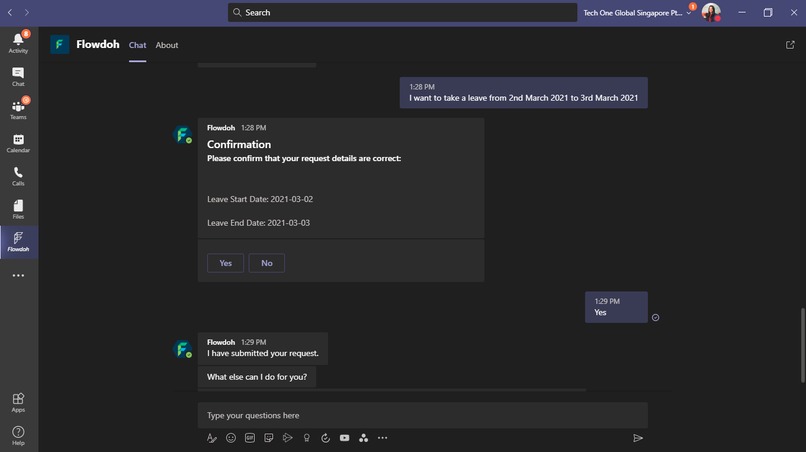
Starting a workflow by key phrase identification
-
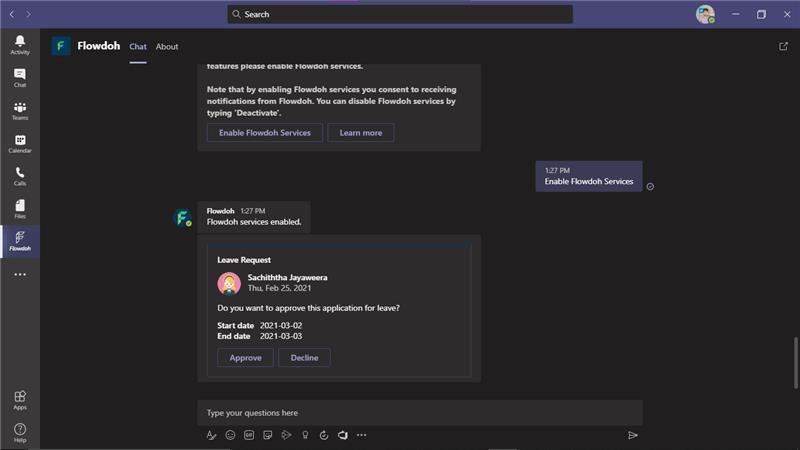
Workflow Request Approval
-
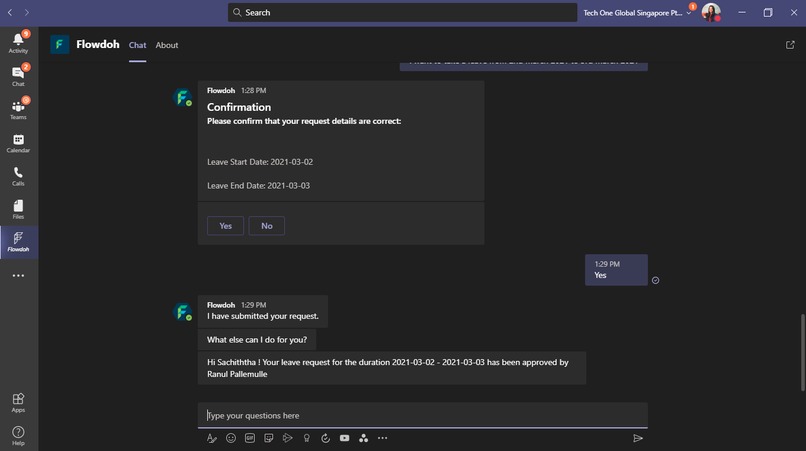
Receiving notifications from Flowdoh
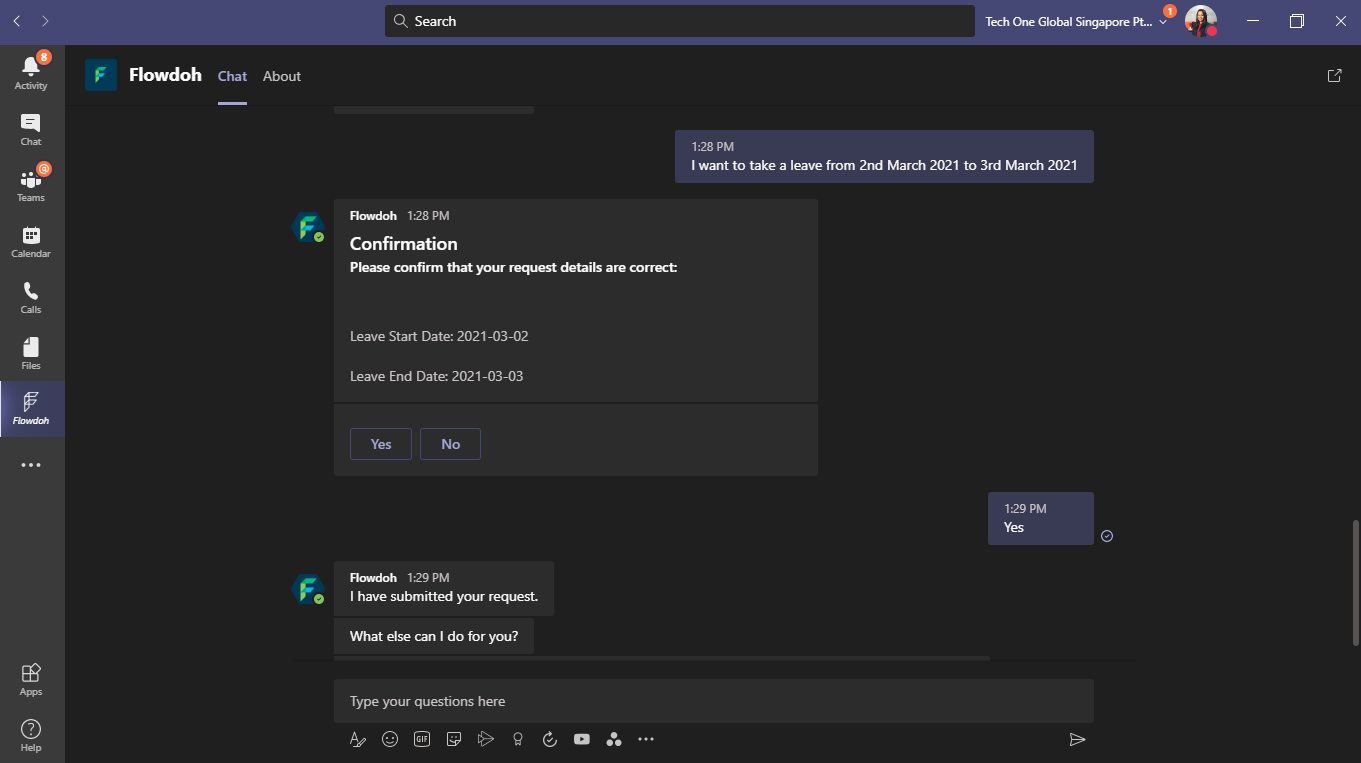
Flowdoh for Teams
Inspiration
The Flowdoh(Business Process Automation and a workflow management platform) product team was looking for ways to simplify end-user experience and to reach more users. Since MS Teams is a rapidly growing platform for collaboration and communication, the product team decided to adapt MS-Teams as the front-end for Flowdoh by developing Flowdoh for Teams so that the users can manage their communication, collaboration as well as their day-to-day business processes through a single application.
What it does
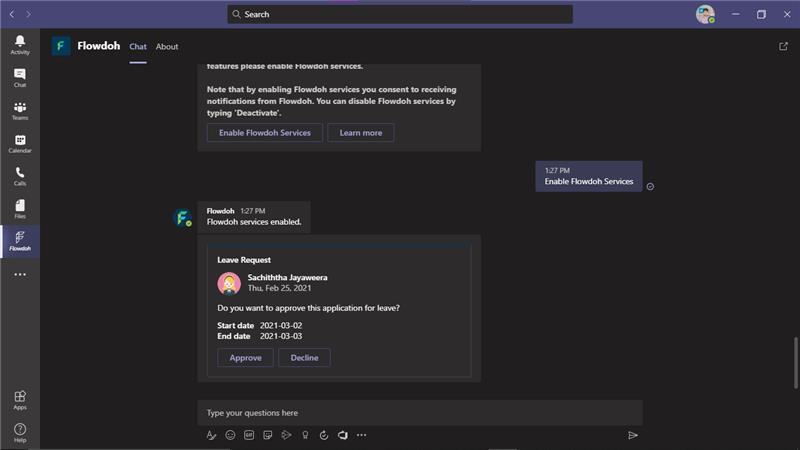
Delivers workflow requests for approval, Delivers notifications from Flowdoh, Start workflows through Teams
How we built it
Phase 01 Flowdoh has the ability to communicate with external services via Swaggers. We used this to send messages and notifications to Teams using the Microsoft Bot Framework.
Phase 02
Flowdoh can define approval processes. In order to improve user experience and capitalize on the existing Teams usage among clients, we implemented approvals through Teams. Flowdoh for Teams uses adaptive cards to send approval requests.
Once the user takes an action upon the approval requests the Flowdoh for Teams bot sends a response back to Flowdoh.
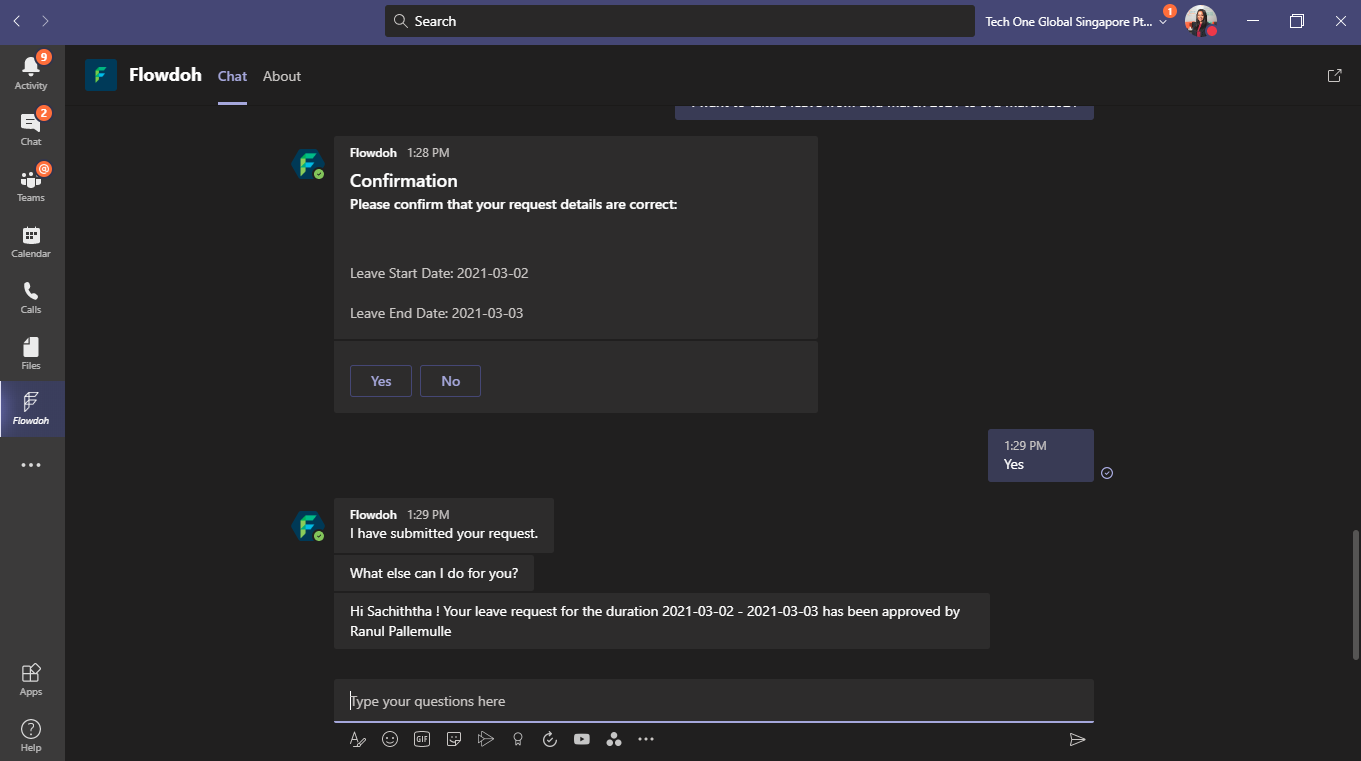
Phase 03 Previously workflows could only be started directly from Flowdoh. Post brainstorming, we introduced a process where Flowdoh workflows can be started via Teams. So the users can start workflows by chatting with the Flowdoh for Teams bot. To understand users' chat messages we used Microsoft Cognitive Services (LUIS). For the MVP, we have decided to go with a single skill (Leave request intent) with the plan to add more skills dynamically in the future.
Challenges we ran into
Adding skills dynamically
Accomplishments that we're proud of
Any system in any industry (ERP, Legacy, etc.) can easily integrate with Flowdoh for Teams bot without having to develop a bot app on its own by using the RPA capabilities of Flowdoh. The Bot was designed to be extensible to multiple skills that may be added in the future and are not hardcoded to support any specific skills.
What we learned
How to leverage AI in teams, Using adaptive cards in teams
What's next for Flowdoh for Teams
Adding more skills for Flowdoh for Teams so that the users can use it with any type of workflows, Enabling to access more services of Flowdoh through Teams, Finding more ways to engage with business as usual, consistently
Built With
- .net
- azure
- c#
- entity-framework
- luis
- microsoft
- msbotframework
- sqlserver

Log in or sign up for Devpost to join the conversation.