-
-
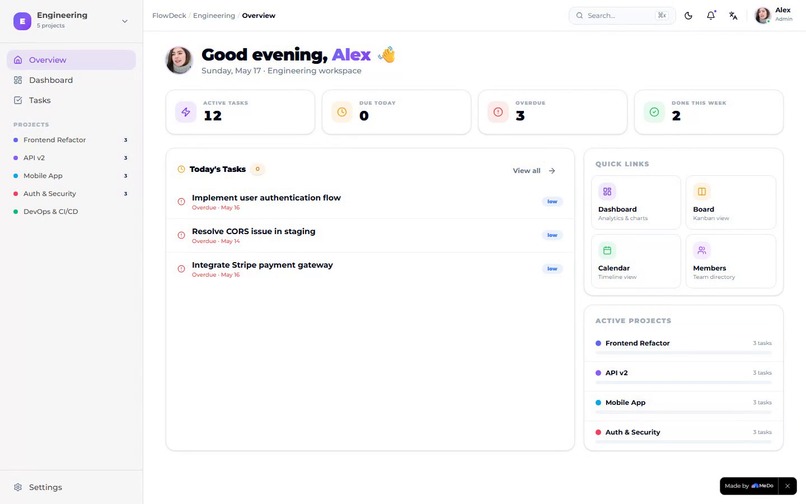
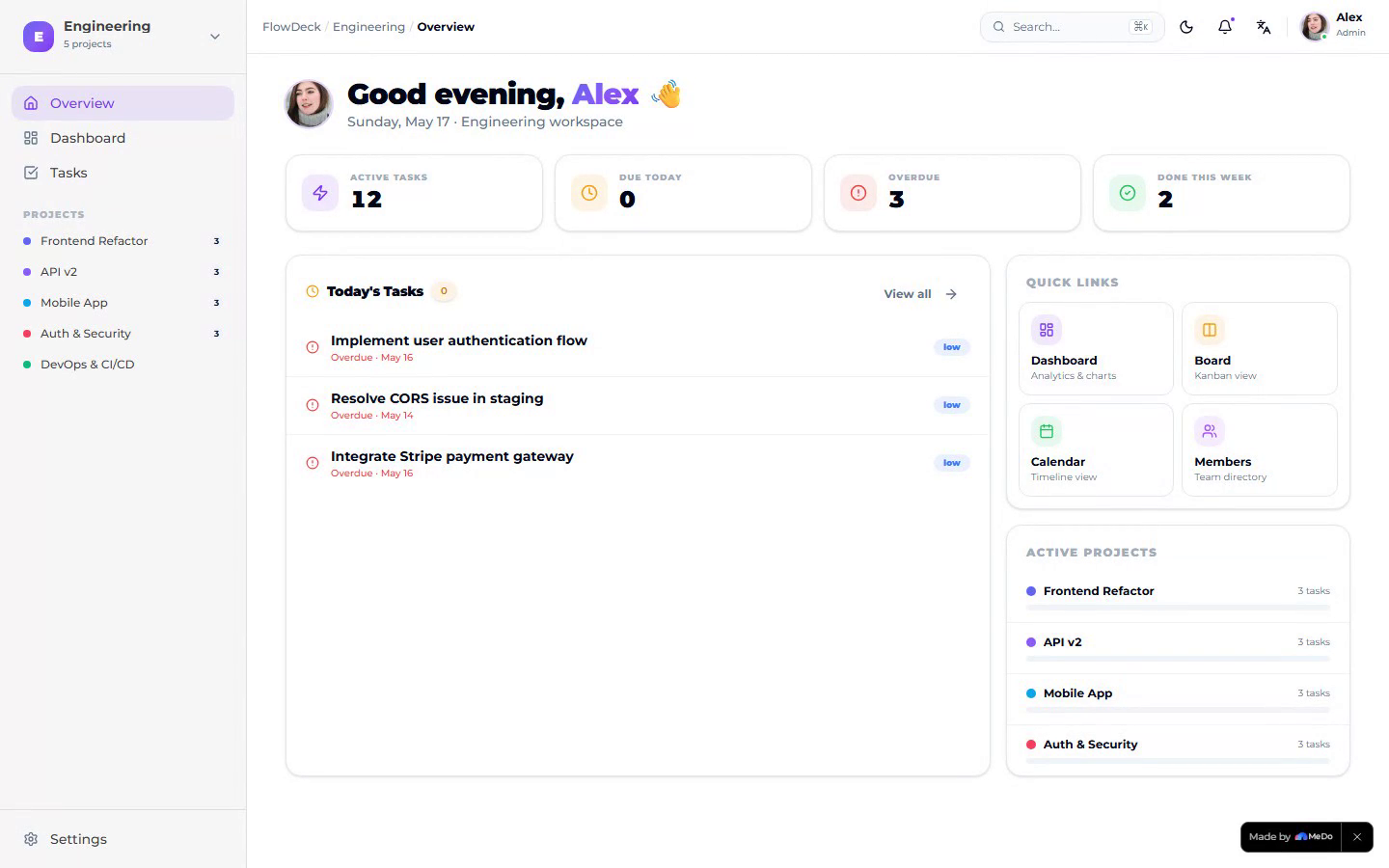
Main page
-
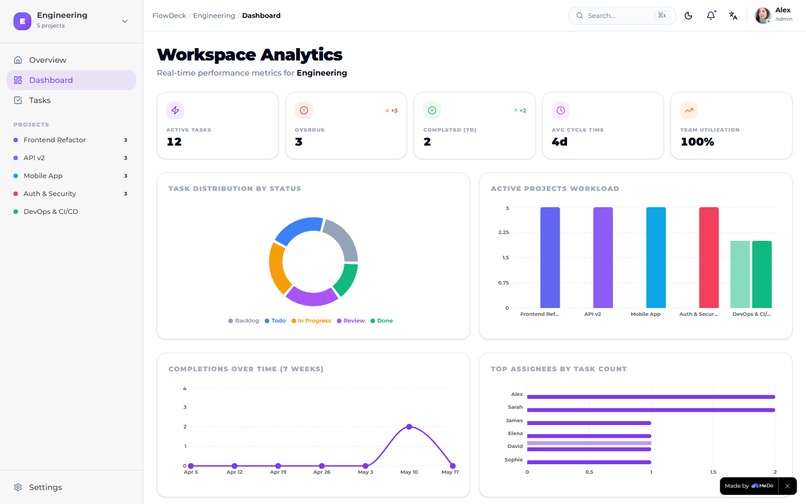
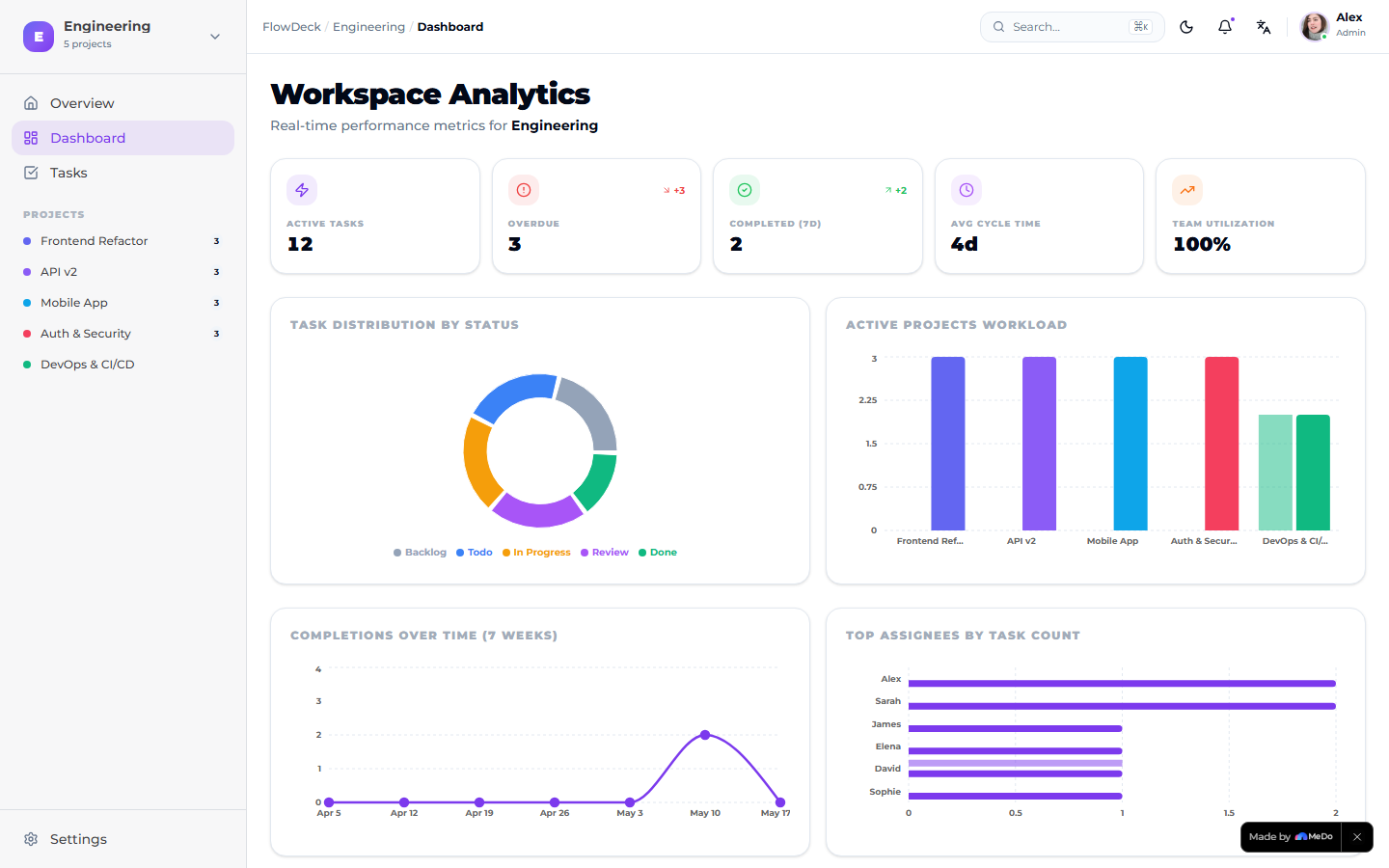
Dashboard
-
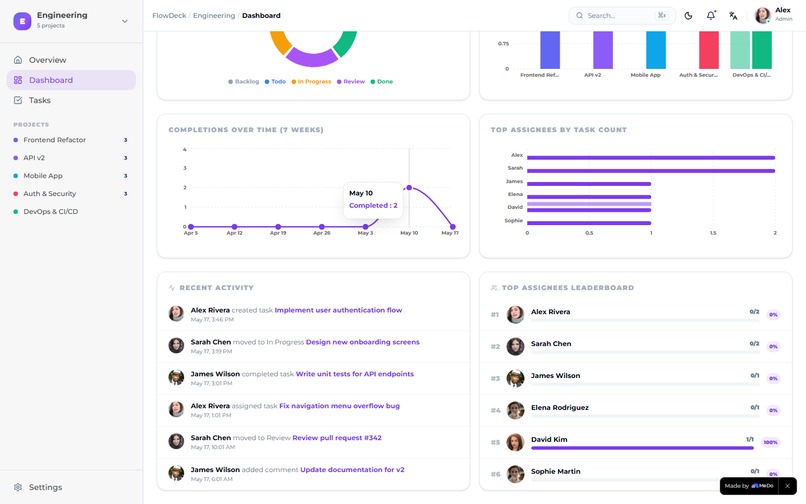
Dashboard(memeber)
-
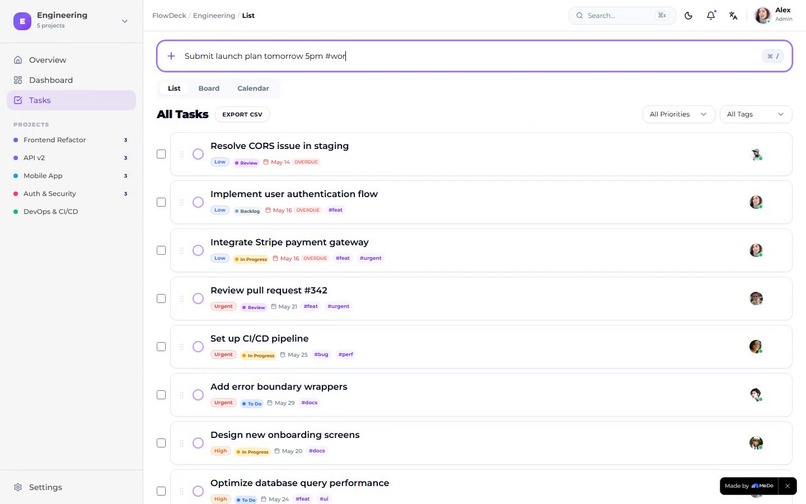
Task page
-
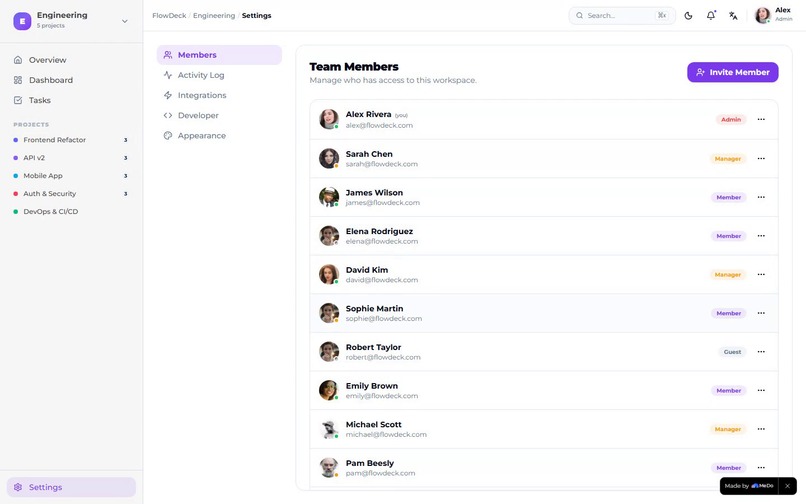
Member manage
-
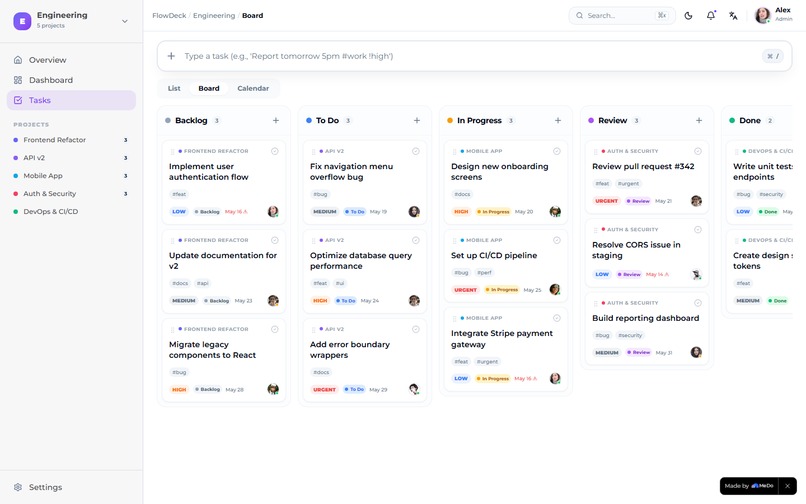
Kanban chart
Inspiration
Knowledge-worker teams juggle tasks across Slack, spreadsheets, and a half-dozen "task apps," yet most enterprise task tools force you to either learn a heavyweight platform or duct-tape lightweight ones together. I wanted to see whether a single MeDo conversation could produce a polished, embeddable enterprise task workspace — with the density and information architecture of Linear or Asana — in one weekend.
What it does
FlowDeck is an enterprise-grade task management subsystem you can drop into any internal platform. It ships with:
- Three workspaces (Engineering, Marketing, Operations), each with its own members, projects, tasks, and tags.
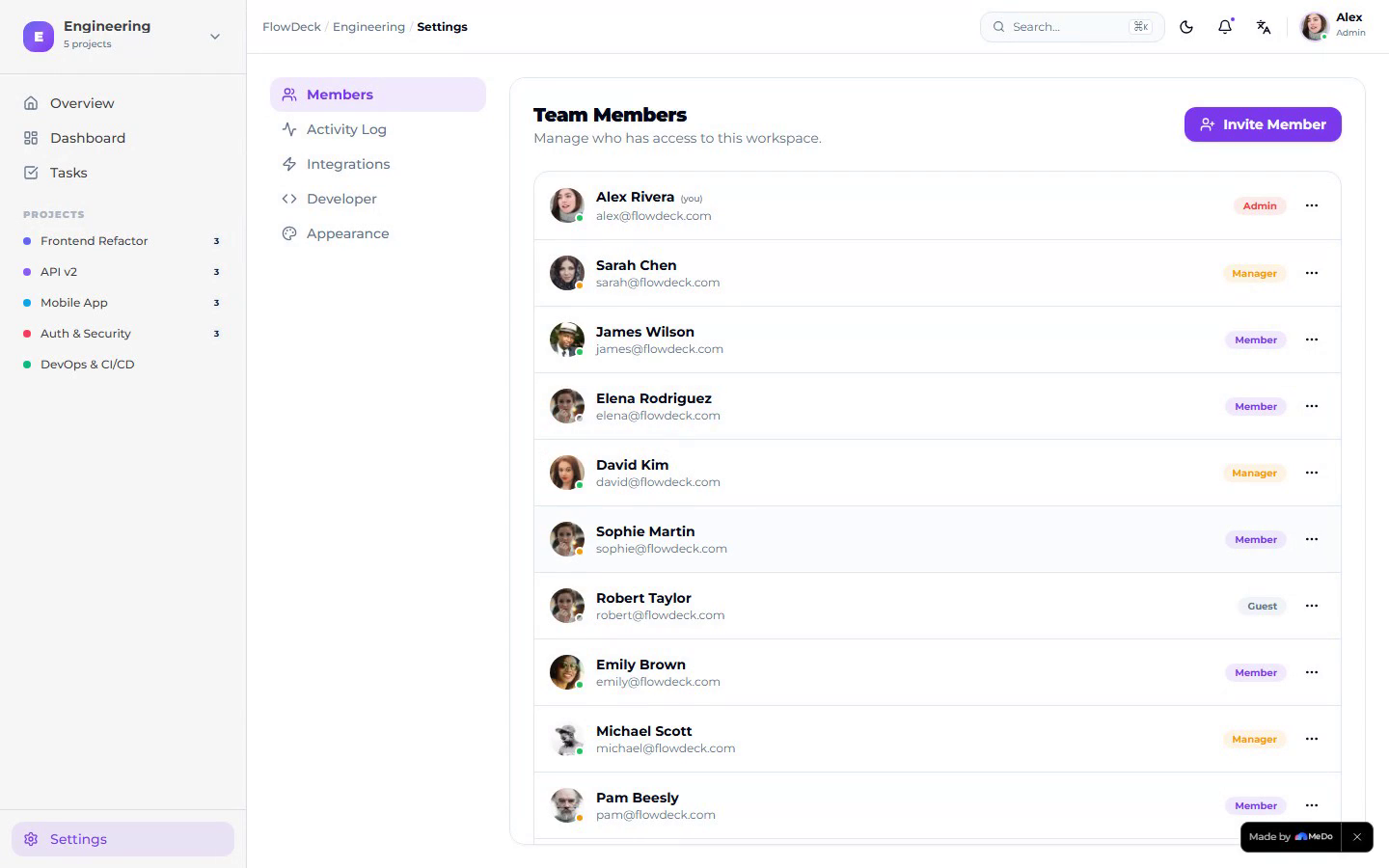
- A 12-person member directory with role badges (Admin / Manager / Member / Guest), presence dots, and a full CRUD modal (Invite, Edit, Remove).
- 15 projects across the workspaces, with color coding, owners, status, and a per-project detail page that includes a 14-day burndown chart.
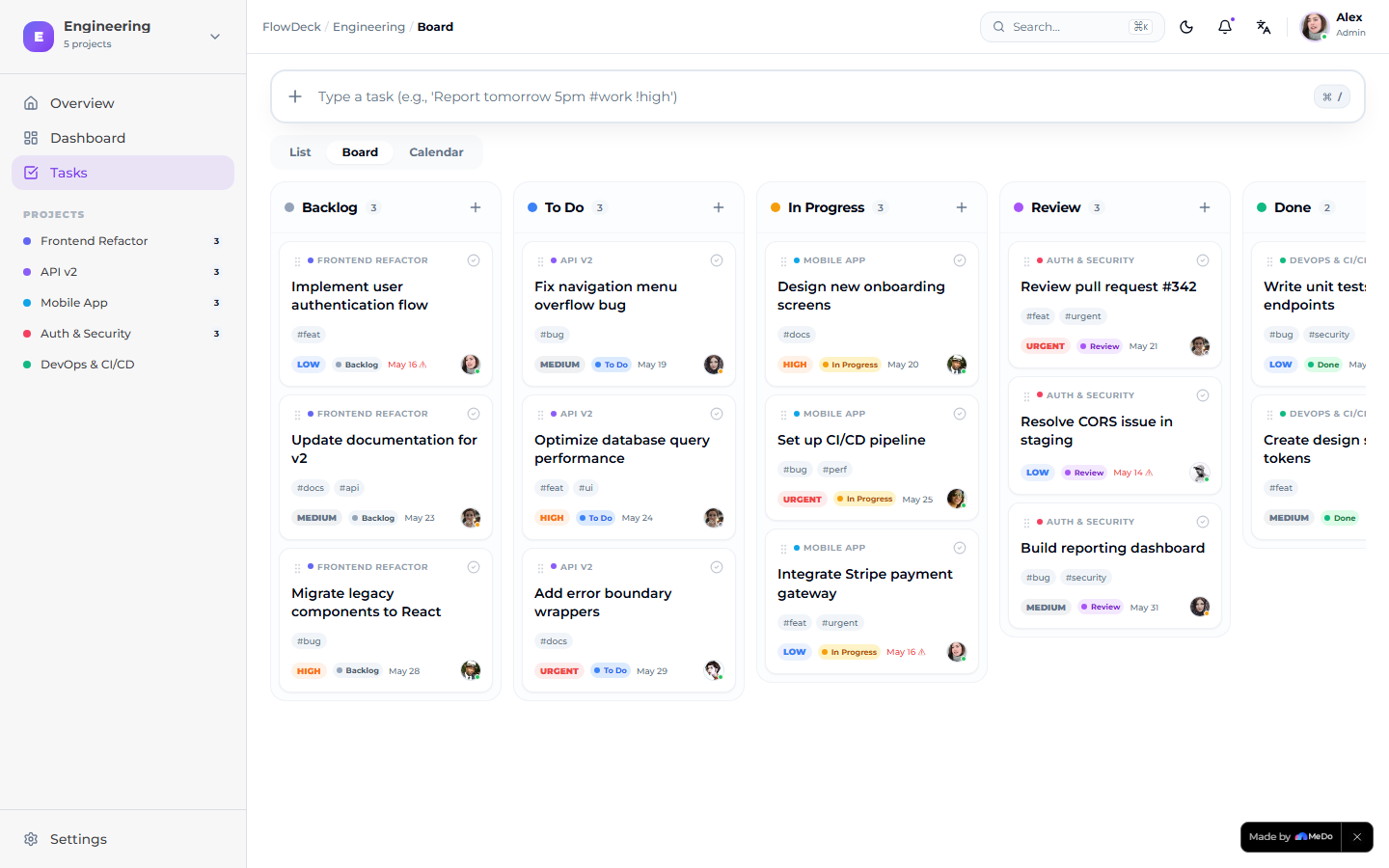
- 40+ seeded tasks across Backlog / To Do / In Progress / Review / Done, complete with priority, due dates, tags, and assignees.
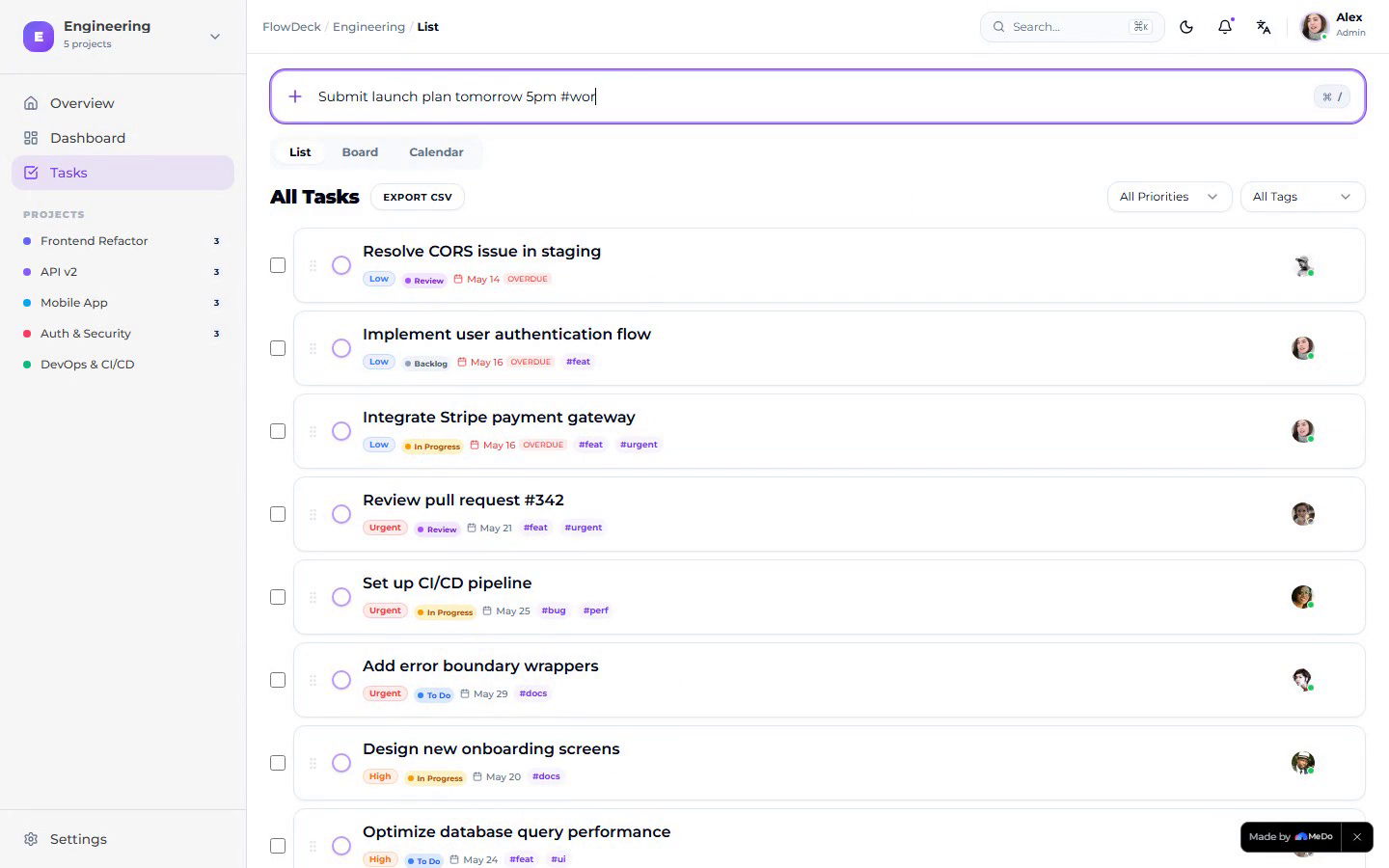
- Three task views — List, Kanban Board, Calendar — all driven from the same data.
- A natural-language quick-add bar that parses dates, priorities (
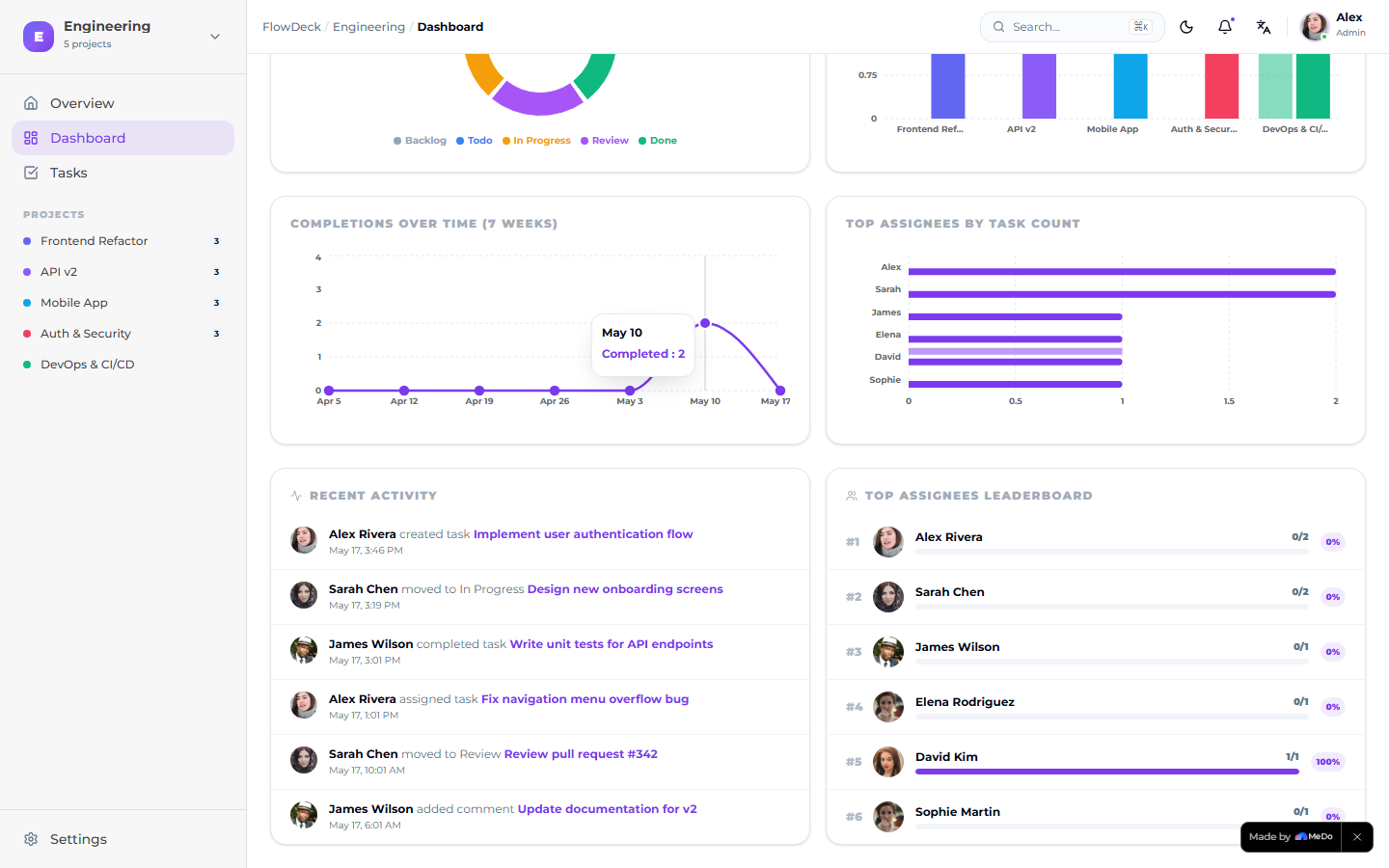
!high), and tags (#work) from one line. - An Admin Dashboard with real Recharts visuals: Completions Over Time, Top Assignees, Recent Activity feed, and a leaderboard.
- A working theme system (Indigo / Slate / Emerald) plus light/dark mode, persisted in localStorage.
- A global Cmd+K command palette for jump-to-anything search.
- A user-avatar menu with an SSO-style account switcher (simulate other team members) and a Replay Tour entry.
- Settings pages for Activity Log, Integrations (Slack, GitHub, Google Calendar, Jira), and a Developer panel with a fake API key and an iframe embed snippet — so FlowDeck can be embedded as a subsystem inside another internal tool.
- An auto-playing 14-step guided demo tour with a welcome splash and
?tour=1deep link, so anyone (judges included) can experience the whole feature set in 60 seconds.
How I built it with MeDo
Everything was built through a sequence of natural-language prompts in the MeDo chat. I never opened a code editor.
- v1 – Scaffolding prompt. "Build a Smart Task Manager called FlowDeck for busy professionals…" MeDo generated the requirements document and the initial single-user app with NLP quick-add, three views, productivity stats, and dark mode.
- v2 – Enterprise upgrade prompt. One long prompt asking MeDo to add workspaces, members, projects, a kanban board, a calendar, an admin dashboard, integrations, an embed panel, an SSO stub, command palette, theming, and seed data — essentially turning a personal to-do into a Linear-style subsystem.
- v3 – Usability review. I walked the v2 app end-to-end, captured 22 specific issues (broken seed data, broken dashboard layout, missing theme switcher, sidebar duplication, etc.), and sent them back as one structured prompt. MeDo fixed all 22 in a single pass.
- v4 – Drag, drawer, and dropdown polish. Another structured pass adding react-beautiful-dnd on the board, calendar drag-to-reschedule, task detail drawers, an avatar dropdown menu, and project click-throughs.
- v5–v9 – Member CRUD, runtime fixes, and visual polish. Iterated on the member edit modal, kebab menus, danger-zone delete, status-dot rendering, and used MeDo's free auto-fix to chase down a
Sparklesimport that was breaking the dashboard. - v10 – Demo tour. Added a 14-step react-joyride-style guided tour with auto-progress, pause/skip/replay, route transitions, and a
?tour=1deep link so judges can see every feature instantly. - v11 – Publish. One click.
The most impressive thing MeDo built for me was the entire enterprise data model in v2 — workspaces, projects, members with roles, status pipeline, seeded relationships — all from a single English prompt. Watching a 200-line requirements doc generate, then become a working multi-page app with charts, drag-and-drop, and a working dashboard, with no manual scaffolding, was the moment the app stopped feeling like a demo and started feeling like a real product.
Challenges I ran into
- Seed data races. Early versions seeded members but missed projects and tasks, so the dashboard rendered with all zeros. Fixed by moving
seedData()into a synchronous top-of-module call and guarding it with aflowdeck_seededflag. - The disappearing layout. The Dashboard route initially rendered without the app shell because a
Sparklesimport collision causedDashboardLayoutto throw. MeDo's auto-fix split the import into its own statement and Vite re-validated the module graph. - Board view crash. The Kanban view rendered the Calendar at one point because of a stale route component. Required two passes to fully wire react-beautiful-dnd plus the column status updates.
What I learned
- Treat MeDo like a senior engineer who never gets tired: structured, numbered feedback gets surgical fixes in one pass, while vague "make it better" prompts waste credits.
- A guided demo tour pays for itself — it's the difference between a judge spending 10 seconds and a judge spending the full minute.
- Embedding affordances (API key + iframe snippet + SSO stub) reframe the project from "another to-do app" into "a subsystem your platform plugs into."
What's next for FlowDeck
- Real auth via OAuth and a hosted backend so the seed data becomes a real multi-tenant store.
- A first-class public REST API to match the Developer panel.
- Slack and GitHub integrations beyond the stub buttons — connect tasks to PRs and incoming Slack messages.
- A workflow engine for recurring tasks and dependencies.
- A mobile native shell so the same workspace works on phones.
Live demo: https://app-boym0p2dgav5.appmedo.com (append ?tour=1 to auto-play the guided tour.)
Built With
- localstorage
- lucide-react
- medo
- react
- react-beautiful-dnd
- react-joyride
- recharts
- tailwind
- typescript
- vite

Log in or sign up for Devpost to join the conversation.