
🎯 What is FlowChart AI?
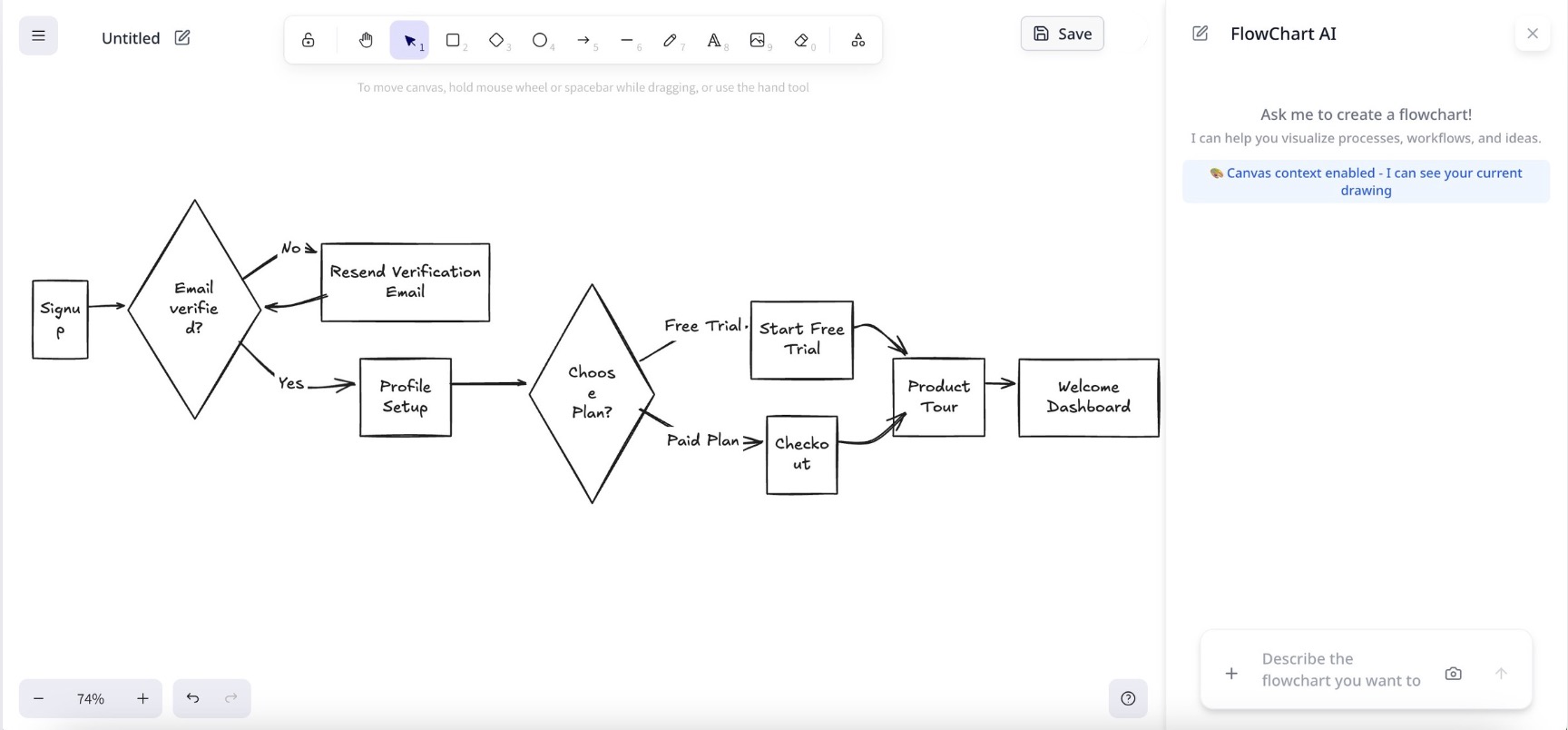
FlowChart AI is an open-source, AI-powered flowchart generator that transforms natural language descriptions into professional, editable diagrams. Built with modern web technologies, it combines the power of AI with an intuitive drag-and-drop interface to make flowchart creation effortless.
✨ Key Features
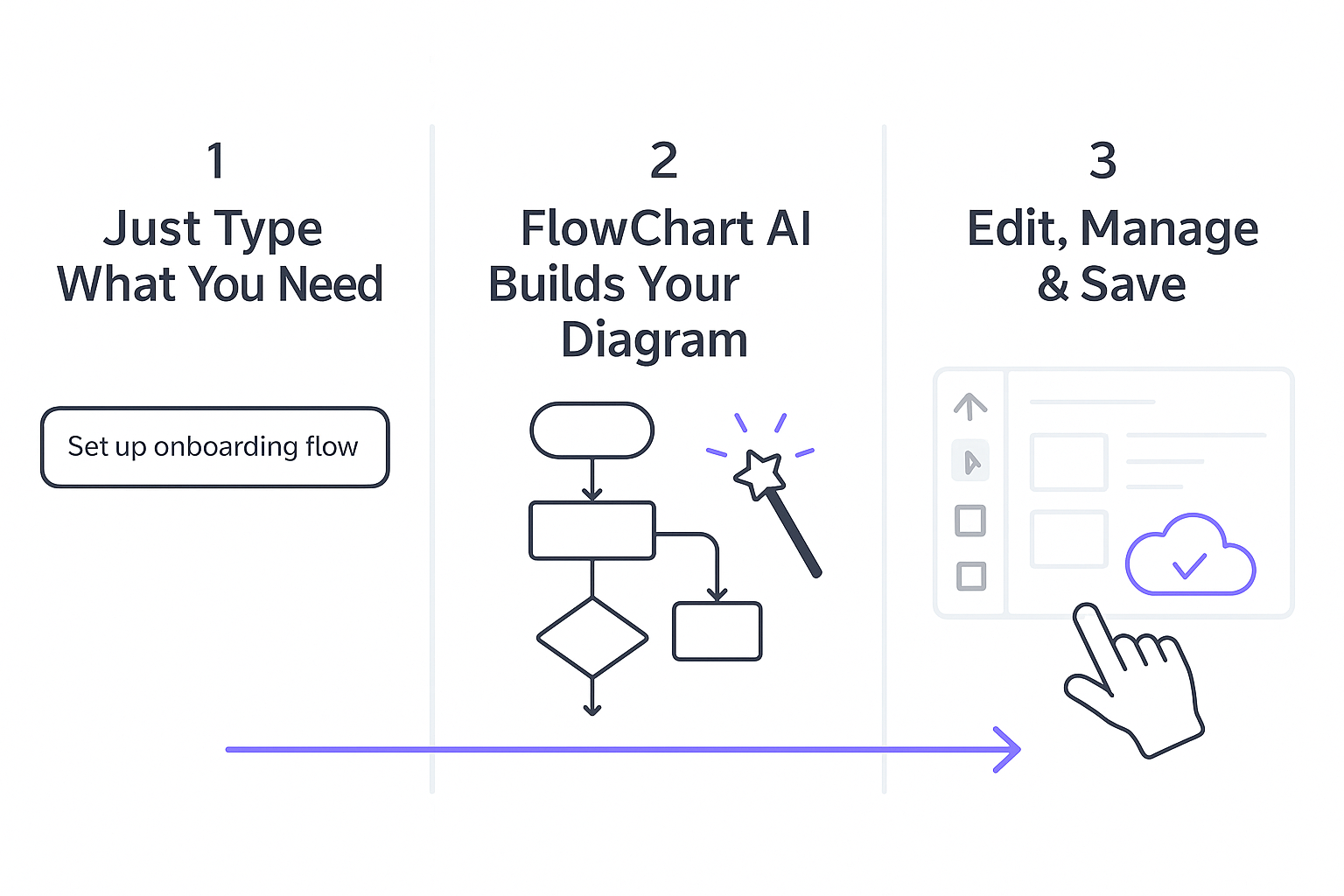
- 🤖 AI-Powered Generation: Describe your process in plain language, get a professional flowchart instantly
- 🎨 Interactive Canvas: Built on Excalidraw for smooth, collaborative editing experience
- 💾 Personal Workspace: Save, organize, and manage all your diagrams in one place
- 🔄 Version Control: Track changes and manage diagram versions
- 📤 Multiple Export Formats: Export to Excalidraw, PNG, SVG, and PDF (coming soon)
- 🌍 Multi-language Support: Create flowcharts in any language you're comfortable with
- 📱 Responsive Design: Works seamlessly on desktop, tablet, and mobile devices
- 🔒 Privacy-First: Self-hostable with complete data control
🎬 See It In Action

From idea to flowchart in seconds - no design skills required
🚀 Quick Start
Option 1: Use Our Hosted Version
Visit flowchartai.org and start creating flowcharts immediately. Free tier includes 1 AI generation per day.
Option 2: Self-Host (Recommended for Privacy)
Follow our Self-Hosting Guide below to run FlowChart AI on your own infrastructure.
🛠️ Technology Stack
FlowChart AI is built with modern, production-ready technologies:
- Frontend: Next.js 15, React 19, TypeScript 5
- Styling: Tailwind CSS 4, Radix UI components
- Canvas: Excalidraw integration with Mermaid support
- AI: OpenRouter API (supports multiple AI models)
- Database: PostgreSQL with Drizzle ORM
- Authentication: Better Auth (Google, GitHub OAuth)
- Payments: Creem integration for subscriptions
- Storage: Cloudflare R2 / AWS S3 compatible
- Deployment: Vercel, Cloudflare Workers, or self-hosted
🎯 Use Cases
FlowChart AI is perfect for:
- 📊 Business Process Mapping: Document workflows, decision trees, and operational procedures
- 💻 Software Architecture: Design system flows, API integrations, and database relationships
- 📚 Education & Training: Create learning materials, concept maps, and curriculum flows
- 🚀 Startup Planning: Visualize business models, user journeys, and go-to-market strategies
- 📋 Project Management: Plan project timelines, resource allocation, and team workflows
- 🔬 Research & Analysis: Map out research processes, data flows, and analytical frameworks
🏠 Self-Hosting Guide
Prerequisites
Before you begin, ensure you have:
- Node.js 18+ and pnpm installed
- PostgreSQL database (local or cloud)
- OpenRouter API key for AI functionality
- Google/GitHub OAuth apps for authentication
- Cloudflare R2 or AWS S3 for file storage (optional)
1. Clone and Install
# Clone the repository
git clone https://github.com/tanchaowen84/flowchartai.git
cd flowchartai

# Install dependencies
pnpm install
2. Environment Setup
# Copy environment template
cp .env.local.example .env.local
Edit .env.local with your configuration:
# Database (Required)
DATABASE_URL="postgresql://username:password@localhost:5432/flowchartai"

# Authentication (Required)
BETTER_AUTH_SECRET="your-random-secret-key"
GOOGLE_CLIENT_ID="your-google-oauth-client-id"
GOOGLE_CLIENT_SECRET="your-google-oauth-client-secret"

# AI Service (Required)
OPENROUTER_API_KEY="your-openrouter-api-key"

# Storage (Optional - for file uploads)
STORAGE_REGION="auto"
STORAGE_ENDPOINT="https://your-account.r2.cloudflarestorage.com"
STORAGE_ACCESS_KEY_ID="your-r2-access-key"
STORAGE_SECRET_ACCESS_KEY="your-r2-secret-key"
STORAGE_BUCKET_NAME="flowchart-ai"
STORAGE_PUBLIC_URL="https://cdn.yourdomain.com"

# Email (Optional - for notifications)
RESEND_API_KEY="your-resend-api-key"

# Base URL
NEXT_PUBLIC_BASE_URL="http://localhost:3000"
3. Database Setup
# Generate database schema
pnpm db:generate

# Run migrations
pnpm db:migrate

# (Optional) Open database studio
pnpm db:studio
4. Configure Services
OpenRouter API (Required for AI)
- Sign up at OpenRouter
- Create an API key
- Add to
OPENROUTER_API_KEYin.env.local
Google OAuth (Required for Authentication)
- Go to Google Cloud Console
- Create a new project or select existing
- Enable Google+ API
- Create OAuth 2.0 credentials
- Add authorized redirect URI:
http://localhost:3000/api/auth/callback/google - Add client ID and secret to
.env.local
Cloudflare R2 (Optional for File Storage)
- Create R2 bucket in Cloudflare dashboard
- Generate R2 API tokens
- Configure custom domain for public access
- Add credentials to
.env.local
5. Run Development Server
# Start development server
pnpm dev
Visit http://localhost:3000 to see your FlowChart AI instance!
6. Production Deployment
Deploy to Vercel (Recommended)
# Install Vercel CLI
npm i -g vercel

# Deploy
vercel

# Set environment variables in Vercel dashboard
# Configure custom domain (optional)
Deploy to Your Own Server
# Build for production
pnpm build

# Start production server
pnpm start
7. Configuration Options
Subscription Plans (Optional)
If you want to offer paid plans, configure Creem:
# Creem Payment (Optional)
CREEM_API_KEY="your-creem-api-key"
CREEM_API_URL="https://api.creem.io"
CREEM_WEBHOOK_SECRET="your-webhook-secret"

# Product IDs for different plans
NEXT_PUBLIC_CREEM_PRODUCT_ID_HOBBY_MONTHLY="prod_xxx"
NEXT_PUBLIC_CREEM_PRODUCT_ID_HOBBY_YEARLY="prod_xxx"
NEXT_PUBLIC_CREEM_PRODUCT_ID_PROFESSIONAL_MONTHLY="prod_xxx"
NEXT_PUBLIC_CREEM_PRODUCT_ID_PROFESSIONAL_YEARLY="prod_xxx"
Feature Toggles
Customize which features are enabled in src/config/website.tsx:
features: {
  enableDocsPage: false,        // Documentation pages
  enableAIPages: false,         // AI showcase pages
  enableUpgradeCard: true,      // Upgrade prompts
  enableDiscordWidget: false,   // Discord integration
}
🔧 Customization
Branding
- Replace
public/logo.pngwith your logo - Update
src/config/website.tsxfor site metadata - Modify
messages/en.jsonfor text content
AI Models
FlowChart AI supports multiple AI providers through OpenRouter:
- Google Gemini (default)
- OpenAI GPT models
- Anthropic Claude
- And many more
Change the model in src/app/api/ai/chat/flowchart/route.ts:
const model = 'google/gemini-2.5-flash'; // Change to your preferred model
Styling
- Built with Tailwind CSS 4
- Customize themes in
tailwind.config.js - Component styles in
src/components/ui/
📊 Usage Limits
Free Tier (Self-Hosted)
- Unlimited flowchart creation and editing
- 1 AI generation per day per user (configurable)
- Unlimited exports and sharing
Paid Tiers (If Enabled)
- Hobby: 500 AI generations/month
- Professional: 1000 AI generations/month
Limits are configurable in src/lib/ai-usage.ts:
export const AI_USAGE_LIMITS = {
  FREE_USER_DAILY: 1,           // Change daily limit
  HOBBY_USER_MONTHLY: 500,      // Change hobby limit
  PROFESSIONAL_USER_MONTHLY: 1000, // Change pro limit
} as const;
🤝 Contributing
We welcome contributions from the community! Here's how you can help:
Ways to Contribute
- 🐛 Report Bugs: Open an issue with detailed reproduction steps
- 💡 Feature Requests: Share your ideas for new features or improvements
- 🔧 Code Contributions: Submit pull requests for bug fixes or new features
- 📖 Documentation: Help improve our documentation and guides
- 🌍 Translations: Add support for new languages
Development Setup
# Fork the repository and clone your fork
git clone https://github.com/YOUR_USERNAME/flowchartai.git
cd flowchartai

# Install dependencies
pnpm install

# Create a feature branch
git checkout -b feature/your-feature-name

# Make your changes and test thoroughly
pnpm dev

# Commit your changes
git commit -m "feat: add your feature description"

# Push to your fork and create a pull request
git push origin feature/your-feature-name
Code Style
- Use TypeScript for all new code
- Follow ESLint and Prettier configurations
- Write meaningful commit messages following conventional commits
- Add JSDoc comments for public functions
- Ensure responsive design for UI changes
🐛 Troubleshooting
Common Issues
Database Connection Issues
# Check if PostgreSQL is running
pg_isready

# Verify connection string format
DATABASE_URL="postgresql://username:password@host:port/database"
AI Generation Not Working
- Verify OpenRouter API key is valid
- Check API quota and billing status
- Ensure model is available (try
google/gemini-2.5-flash)
Authentication Issues
- Verify OAuth redirect URIs match exactly
- Check client ID and secret are correct
- Ensure OAuth apps are enabled and published
Build Errors
# Clear Next.js cache
rm -rf .next

# Clear node modules and reinstall
rm -rf node_modules pnpm-lock.yaml
pnpm install

# Regenerate database types
pnpm db:generate
Getting Help
- 📖 Check our documentation
- 💬 Join our Discord community
- 🐛 Open an issue on GitHub
- 📧 Email us at support@flowchartai.org
🔒 Security
Reporting Security Issues
If you discover a security vulnerability, please email us at support@flowchartai.org instead of opening a public issue.
Security Features
- Authentication: Secure OAuth integration with major providers
- Data Encryption: All data encrypted in transit and at rest
- API Security: Rate limiting and request validation
- Privacy: No tracking, minimal data collection
- Self-Hosting: Complete data control and privacy
📄 License
FlowChart AI is open source software licensed under the MIT License.
MIT License

Copyright (c) 2025 FlowChart AI

Permission is hereby granted, free of charge, to any person obtaining a copy
of this software and associated documentation files (the "Software"), to deal
in the Software without restriction, including without limitation the rights
to use, copy, modify, merge, publish, distribute, sublicense, and/or sell
copies of the Software, and to permit persons to whom the Software is
furnished to do so, subject to the following conditions:

The above copyright notice and this permission notice shall be included in all
copies or substantial portions of the Software.

THE SOFTWARE IS PROVIDED "AS IS", WITHOUT WARRANTY OF ANY KIND, EXPRESS OR
IMPLIED, INCLUDING BUT NOT LIMITED TO THE WARRANTIES OF MERCHANTABILITY,
FITNESS FOR A PARTICULAR PURPOSE AND NONINFRINGEMENT. IN NO EVENT SHALL THE
AUTHORS OR COPYRIGHT HOLDERS BE LIABLE FOR ANY CLAIM, DAMAGES OR OTHER
LIABILITY, WHETHER IN AN ACTION OF CONTRACT, TORT OR OTHERWISE, ARISING FROM,
OUT OF OR IN CONNECTION WITH THE SOFTWARE OR THE USE OR OTHER DEALINGS IN THE
SOFTWARE.
🙏 Acknowledgments
FlowChart AI is built on the shoulders of amazing open source projects:
- Excalidraw - The amazing drawing canvas that powers our editor
- Next.js - The React framework for production
- Tailwind CSS - The utility-first CSS framework
- Radix UI - Low-level UI primitives
- Drizzle ORM - TypeScript ORM for SQL databases
- Better Auth - Modern authentication library
Special thanks to the MkSaaS template that provided the foundation for this project.
🌟 Star History
Made with ❤️ by the FlowChart AI team


Log in or sign up for Devpost to join the conversation.