Inspiration
I built Flow because attention has become one of the hardest resources to protect.
Most timer apps solve only the countdown. They help you start a session, then disappear with no memory of what the time was for. On the other side, many productivity tools become large systems with too many boards, tags, dashboards, and settings. I wanted something calmer and more direct: a place where a user can choose one task, start one focused session, and see that effort quietly accumulate.
Flow is built around a simple belief: deep work becomes easier when time has structure and progress has memory.
What Flow does
Flow is a calm, local first focus timer for deep work.
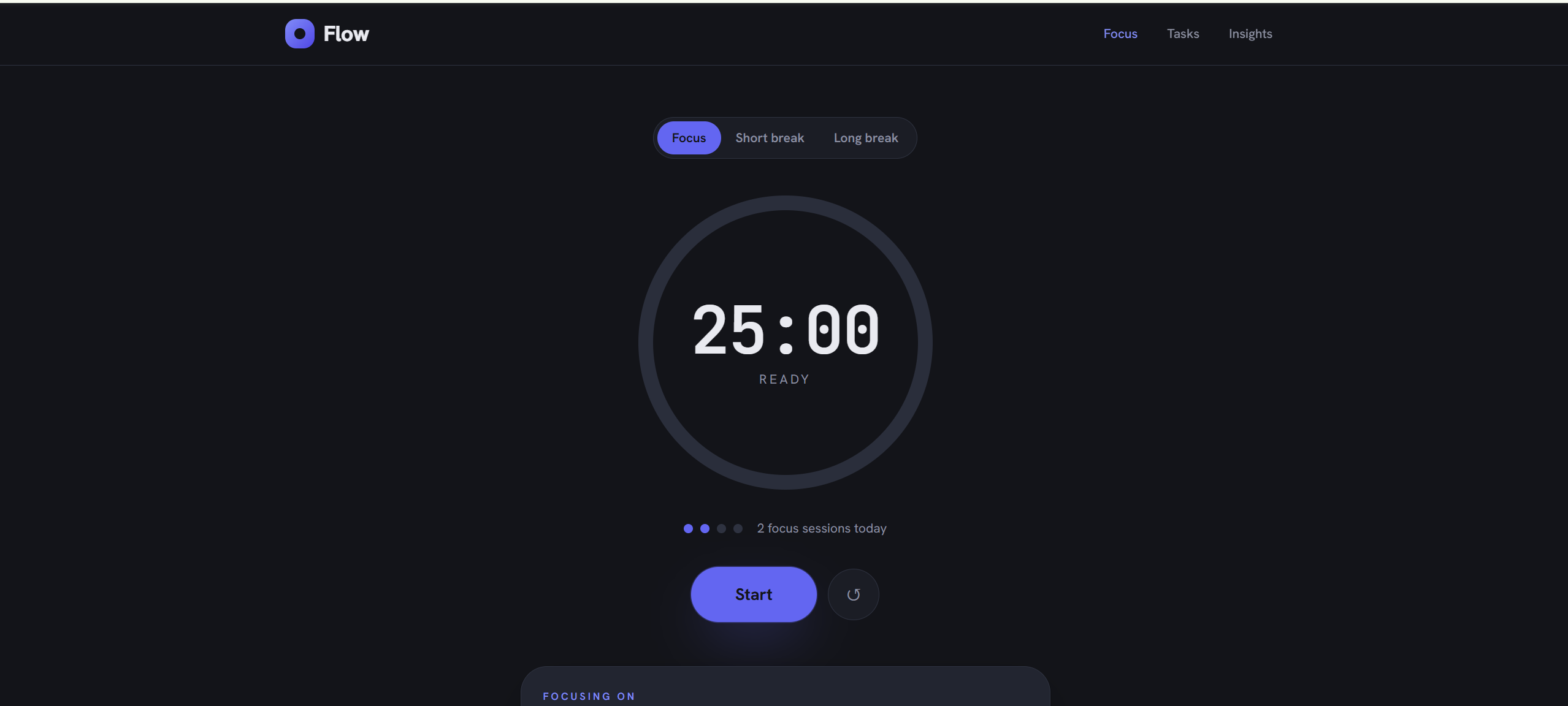
Users can start a focus session, switch between focus and break modes, attach the current session to a task, and track how much focused time they have completed. The timer uses a clean circular progress ring, a large mono countdown, and a focused dark interface designed to stay out of the way while the user works.
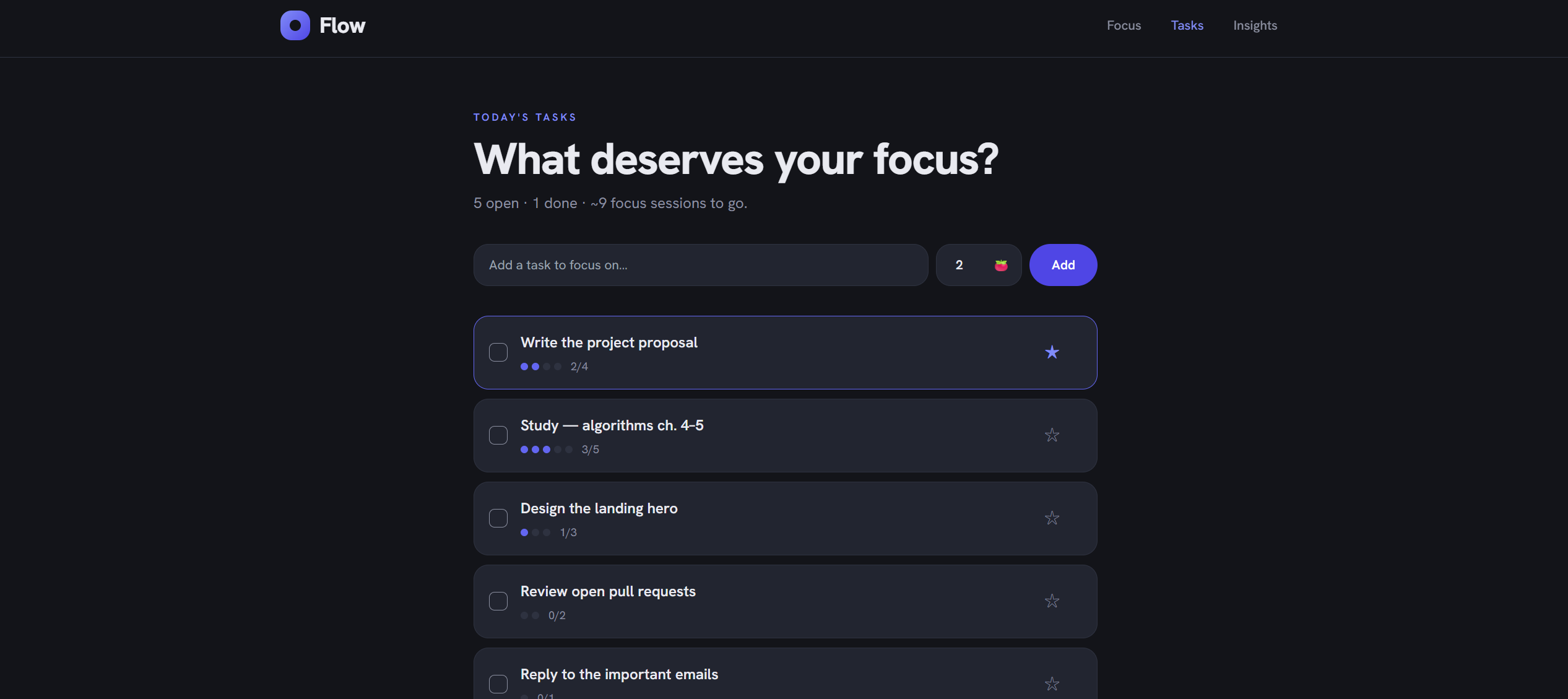
Flow also connects focus sessions to tasks. When a focus session is completed, the selected task receives progress automatically. This turns the timer from a passive countdown into a small execution system. The user is not only spending time. The user is moving a task forward.
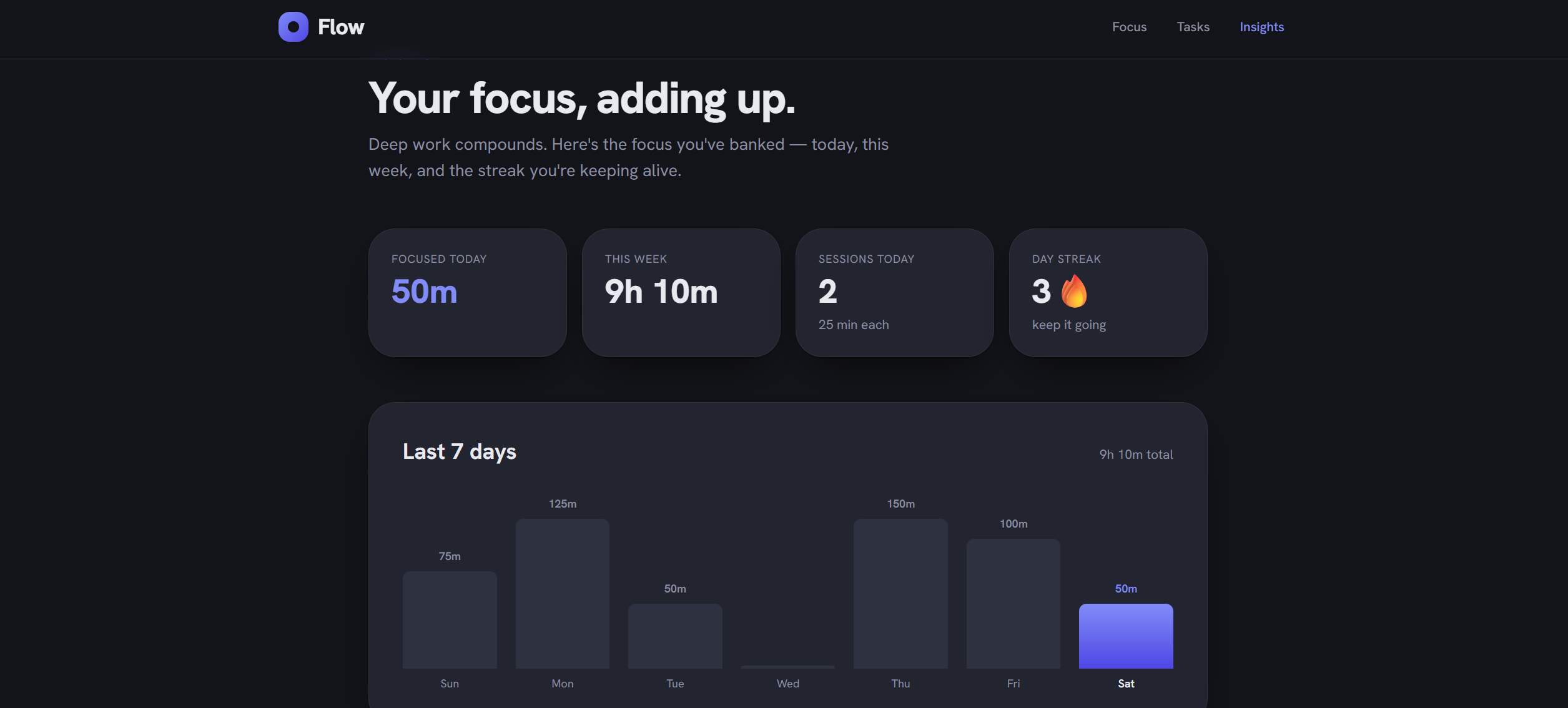
The app also includes insights for today, this week, total sessions, a seven day chart, and a day streak. These stats are built from the local session log, so the user can see focus time adding up without creating an account or sending data to a server.
How it works
Flow is powered by a small timer and session engine.
The timer has three modes: Focus, Short break, and Long break. A focus session runs for twenty five minutes, a short break runs for five minutes, and a long break runs for fifteen minutes. After every completed focus session, Flow increments the focus cycle count. Every fourth focus session triggers a long break.
The timer progress is calculated from the remaining time:
[ progress = 1 - \frac{secondsLeft}{totalSeconds} ]
That value drives the circular SVG progress ring, so the visual timer always stays synchronized with the actual countdown.
When a focus session reaches zero, Flow creates a session record with an id, date, and minute value. If a task is selected, the app also advances that task by one pomodoro unit. This creates a clean link between time and output.
The task progress model can be expressed as:
[ taskProgress = \frac{completedPomodoros}{estimatedPomodoros} ]
For insights, Flow groups session records by date. From that log, the app calculates focus minutes today, focus minutes this week, total sessions, the last seven days chart, and the current streak.
The core data flow is simple:
User starts a session. The timer counts down every second. The progress ring updates from remaining time. A completed focus session creates a local session record. The selected task receives progress. The insights engine recalculates today, week, chart, and streak.
This gives Flow the feeling of a real productivity system while keeping the architecture lightweight and private.
How I built it
Flow was built as a static React web app.
I used React 19 for the interface, Vite 8 for development and production builds, and Tailwind CSS 3 for styling. The app stores tasks, sessions, and the selected task in browser localStorage, which allows it to run entirely on the client without a backend or account system.
The circular timer was built with SVG so the progress ring could respond directly to the timer state. The insights chart was built with CSS bars, which kept the visualization fast and flexible. I also added a browser tab title timer, so the countdown remains visible even when the user switches away from the app.
The design uses a dark, focused interface with an indigo accent and mono countdown typography. The goal was to make the app feel serious enough for deep work while still feeling calm enough to use every day.
Challenges
The biggest challenge was making the timer reliable across different states.
A focus timer has more logic than a visible countdown. It has to handle start, pause, resume, reset, mode switching, automatic breaks, long break scheduling, session completion, task progress, and persistent storage. If any part of that state becomes inconsistent, the user loses trust in the app.
Another challenge was connecting tasks to time in a way that felt natural. I wanted task progress to happen automatically when a focus session is completed. That required the app to track the current task, update its completed pomodoro count, and save the session log at the exact moment the timer reaches zero.
The insights engine also required careful date logic. The app needs to group sessions by day, calculate today and week totals, build a seven day series, and detect streaks from the session history. These calculations all come from a small local log, so the raw data stays simple while the dashboard still feels meaningful.
The final challenge was product restraint. Flow needed to feel powerful without becoming another distraction. Every feature had to support the same core loop: choose a task, focus, complete a session, see the time add up.
What I learned
Building Flow taught me that a timer can become much more useful when it remembers context.
A countdown is temporary. A session log creates momentum. Once time is connected to a task, the user can see focused work as progress instead of just elapsed minutes.
I also learned how important derived state is in a productivity product. The app stores simple records, then computes the experience on top of them: progress ring value, task progress, completed sessions, weekly minutes, chart bars, and streak.
On the engineering side, Flow helped me think through timer state, local persistence, SVG visualization, and date based analytics in one focused product.
What is next
The next version of Flow could add custom session lengths, sound options, keyboard shortcuts, PWA support, editable focus goals, project based task grouping, exportable session history, and optional encrypted sync across devices.
The long term goal is to make Flow a focused work companion that stays calm, private, and useful. It should help users start faster, protect their attention, and leave each session with visible proof that the work moved forward.
Built With
- css
- css-bar-chart
- github
- hanken-grotesk
- html
- javascript
- jetbrains-mono
- localstorage
- react-19
- svg
- tailwind-css-3
- vite-8

Log in or sign up for Devpost to join the conversation.