-
-
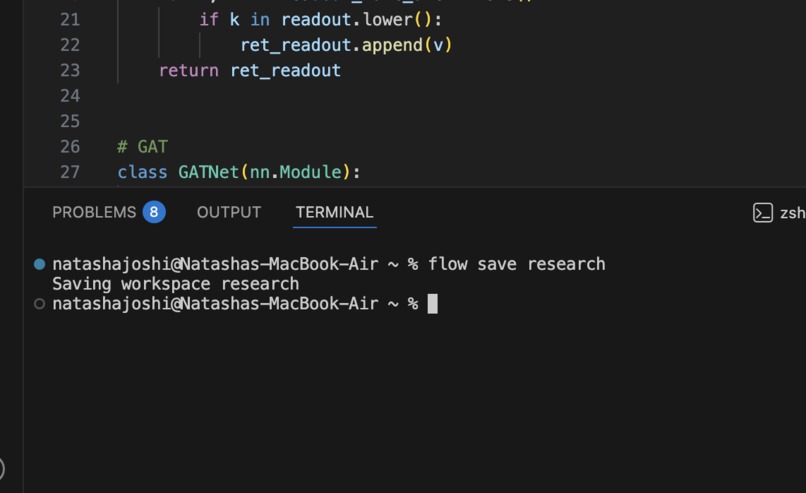
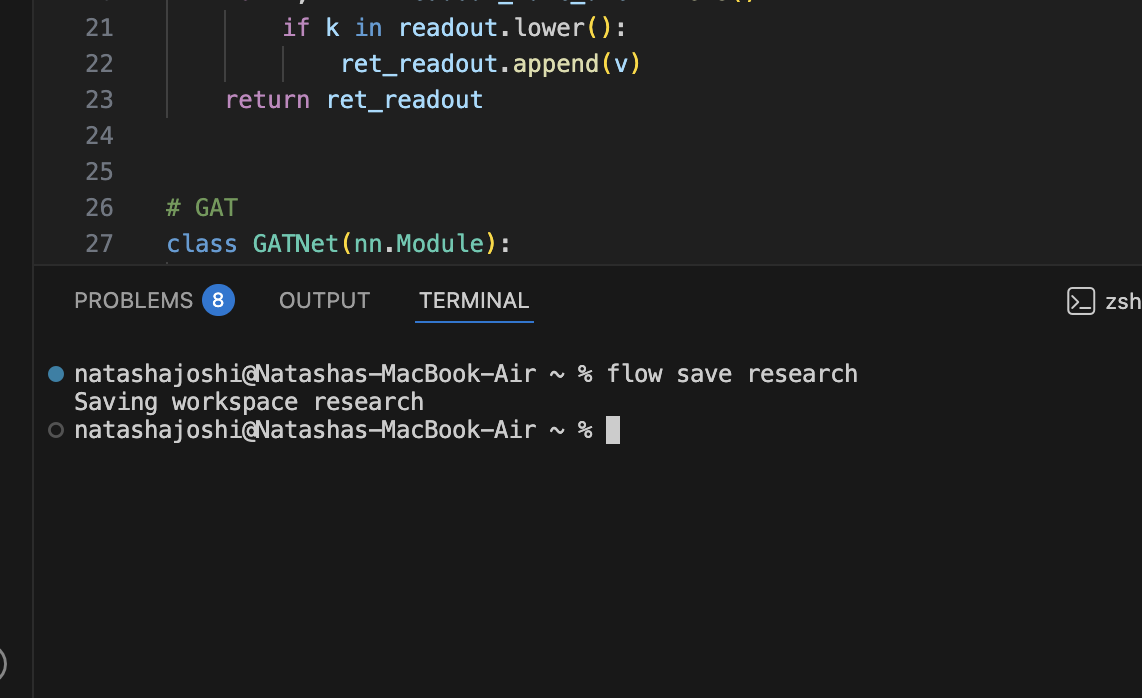
Saving a workspace with Flow
-
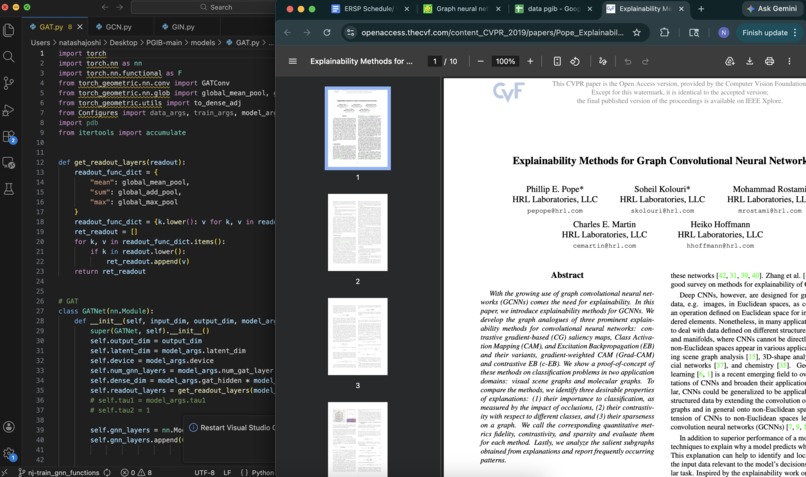
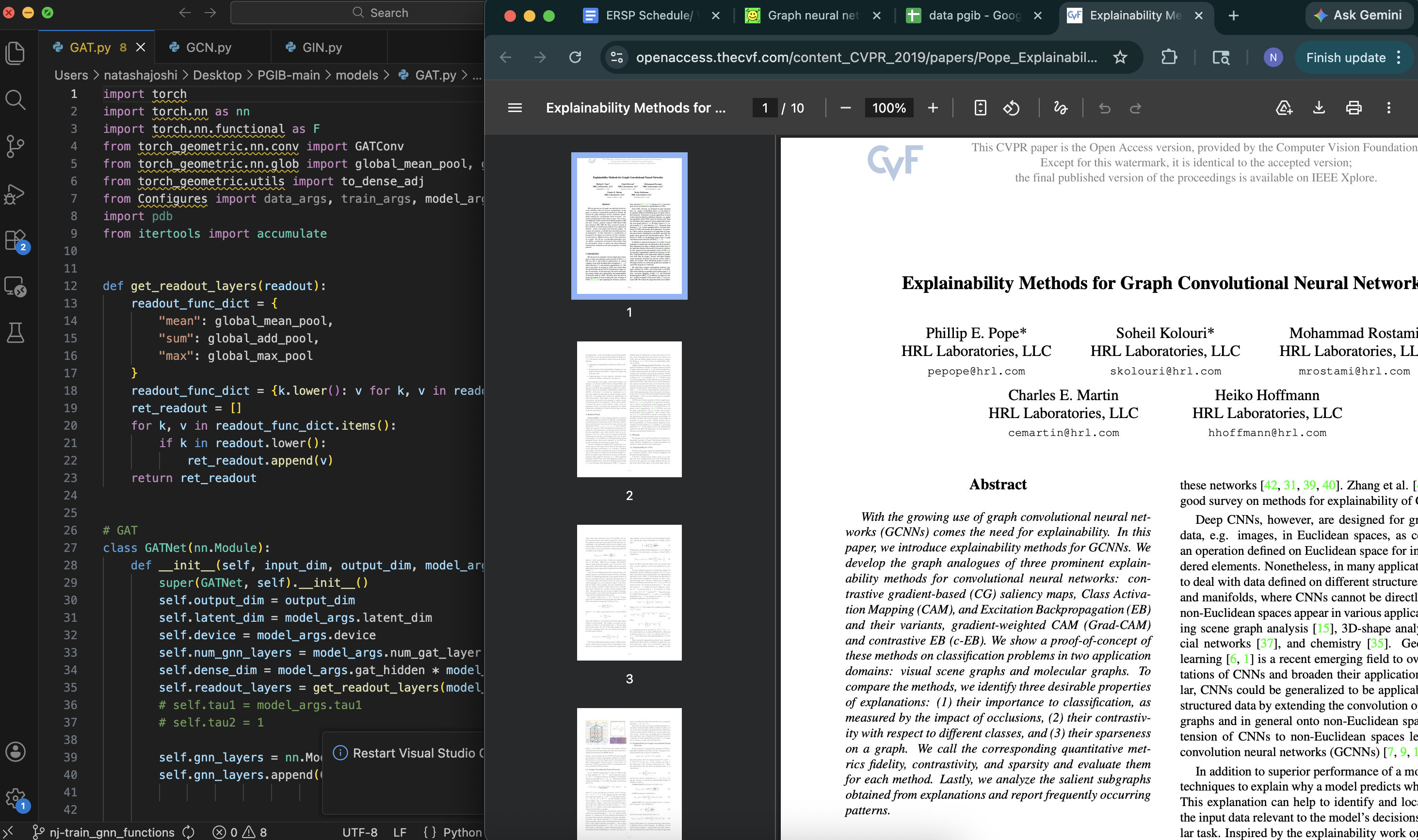
Workspace opened with "flow load"
-
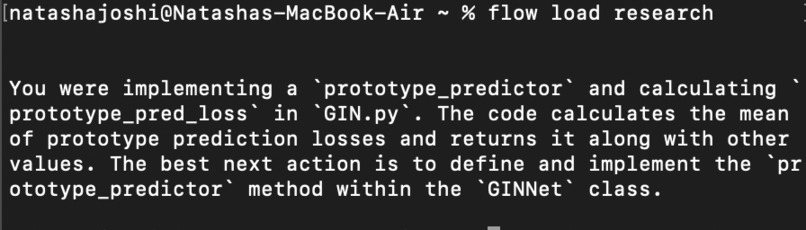
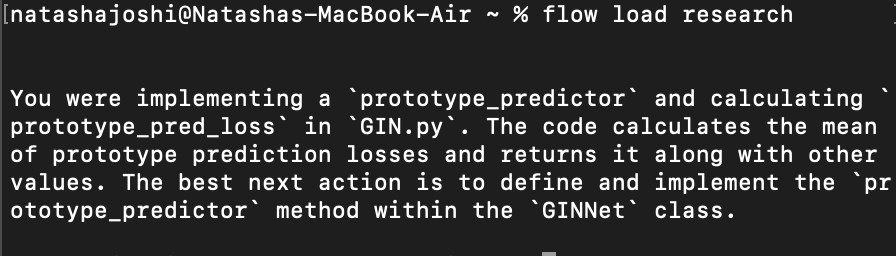
Summary and next steps of opened workspace
-
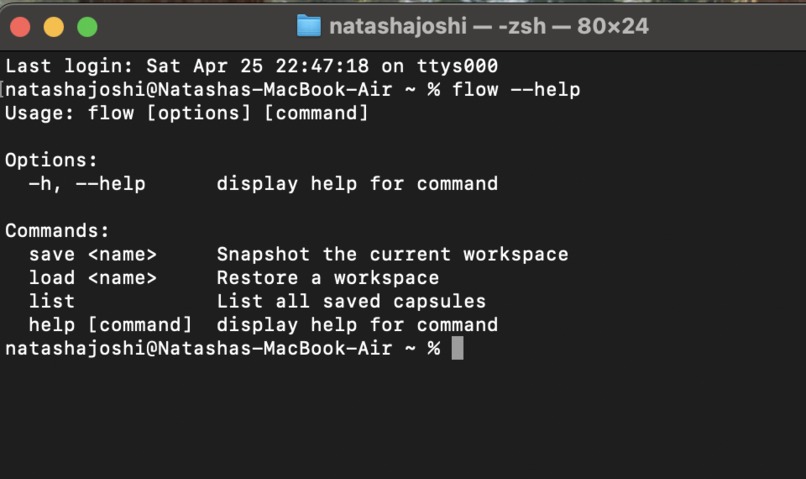
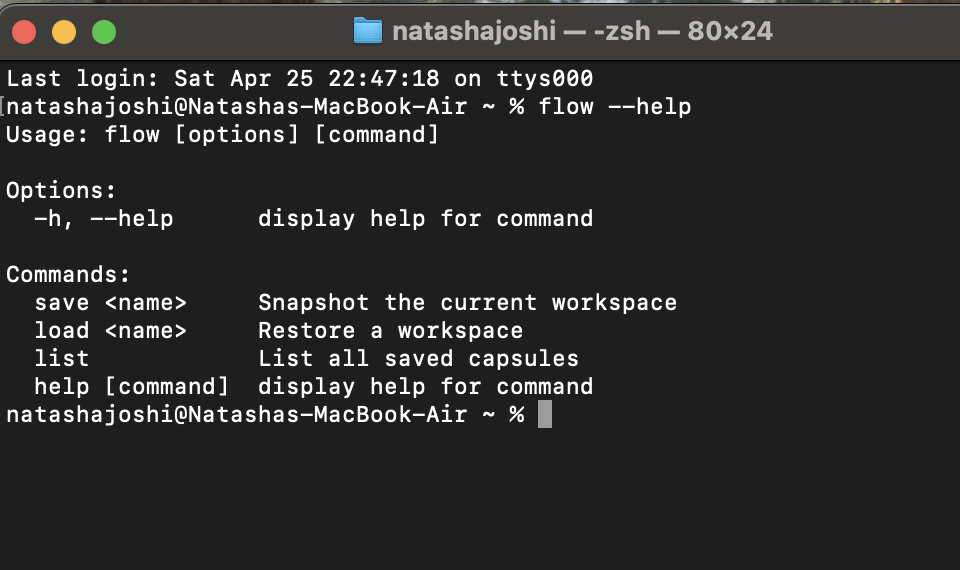
Flow commands
Inspiration
Two coding assignments and a research project due — setting up all three sounds like a nightmare. Finding that specific line of code you were working on weeks before seems almost impossible, not to mention remembering which online resources you were referencing.
That’s why we built Flow — a CLI tool to take a snapshot of your entire workspace, ready to reload at any time.
What it does
Flow save: saves your entire workspace — open VS Code files and Chrome tabs — and stores lightweight JSON data, ready to restore at any moment.
Flow load: loads your chosen project by restoring the exact environment you had open and providing helpful context to remind you what file and line you were working on and suggested next steps.
Flow list: lists all saved projects and timestamps in case you forget the exact name.
Flow saves hours of frustration from switching between projects by restoring your workspace to exactly what it was before, so you can spend time on what matters.
How we built it
We built a Node.js server that acts as a coordination hub between a CLI tool, a VS Code extension, and Chrome's remote debugging protocol (CDP). Running flow save <project-name> triggers the hub to capture Chrome tabs directly via CDP, while the VS Code extension detects the signal and submits open files and terminal history. Everything is written to a local snapshot file that flow load <project-name> uses to restore the full environment. We then send all data, including previous terminal commands and contents of the currently open file to the GeminiAPI, which returns a summary of what the user was working on and suggested steps to take.
Challenges we ran into
Our team members each worked on a separate component (GeminiAPI, CLI, VSCode, Chrome), so combining all four components proved challenging. We learned to make our code modular and all rely on the same index.js file so all components ran with the same terminal command and saved JSON data to the same file.
We also ran into a race condition with Chrome and VSCode, where one would save too fast and shut the other down without saving. We had to add several conditions to both files to ensure they would wait for each other, along with robust error checking to ensure both did not crash if one stopped working.
Accomplishments that we're proud of
Flow is the first ever tool that can save the entire device environment, as all other tools only store and organize within one application. Our tool skyrockets productivity with a simple 3 word terminal command. Its ease of use is unbeatable, and while it appears simple, it processes several background tasks instantly for a highly applicable and user-friendly experience.
What we learned
We learned how to program our own command-line application. As students, we use the terminal regularly, so building our own CLI tool felt like pulling back the curtain on tools we use every day. It gave us a deeper appreciation for how developer tooling works under the hood — from parsing commands to coordinating multiple processes communicating over a local server.
What's next for Flow
We want to bring Flow to the world. We hope to integrate Flow so it can be installed as a terminal package, making anyone able to install and run flow with minimal setup. We will also add compatibility with other browsers and IDEs.
Built With
- geminiapi
- javascript
- node.js
- typescript


Log in or sign up for Devpost to join the conversation.