FlowProof AI — From Browser Automation to Evidence-Driven Testing
Inspiration 💡
Building a website is only half the challenge. Making sure everything actually works is another story.
A modern web application can contain dozens of pages, forms, buttons, authentication flows, and unexpected edge cases. Testing every interaction manually is repetitive, time-consuming, and easy to get wrong.
As a developer, I wanted something more useful than a chatbot that simply suggests test cases. I wanted an AI agent that could open a real browser, interact with an application, investigate potential problems, and show me what actually happened.
That idea became FlowProof AI.
My goal was to make website testing more accessible, transparent, and practical, while keeping developers in control of sensitive actions.
What It Does 🚀
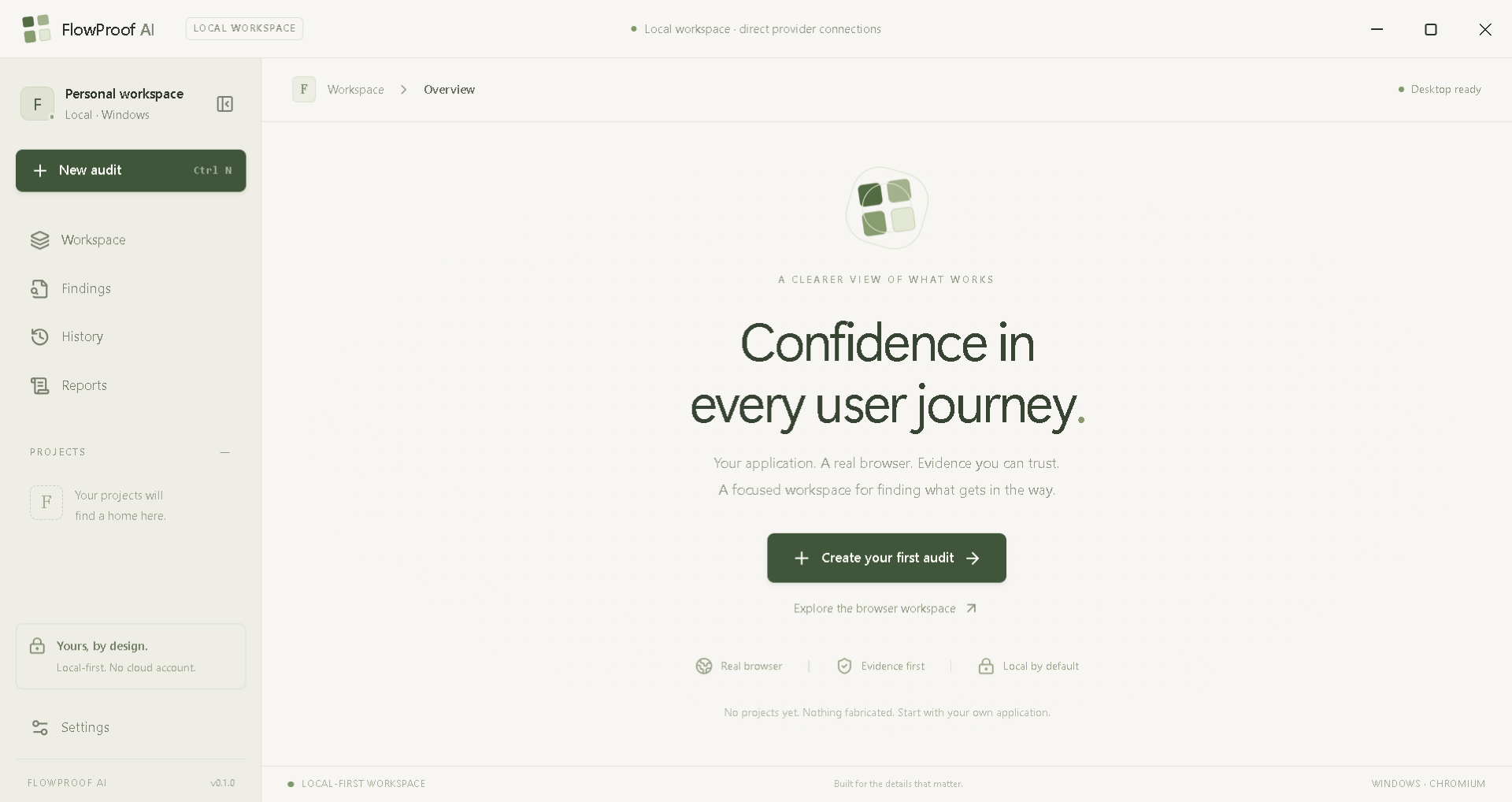
FlowProof AI is a local-first, AI-powered desktop agent for autonomous website testing.
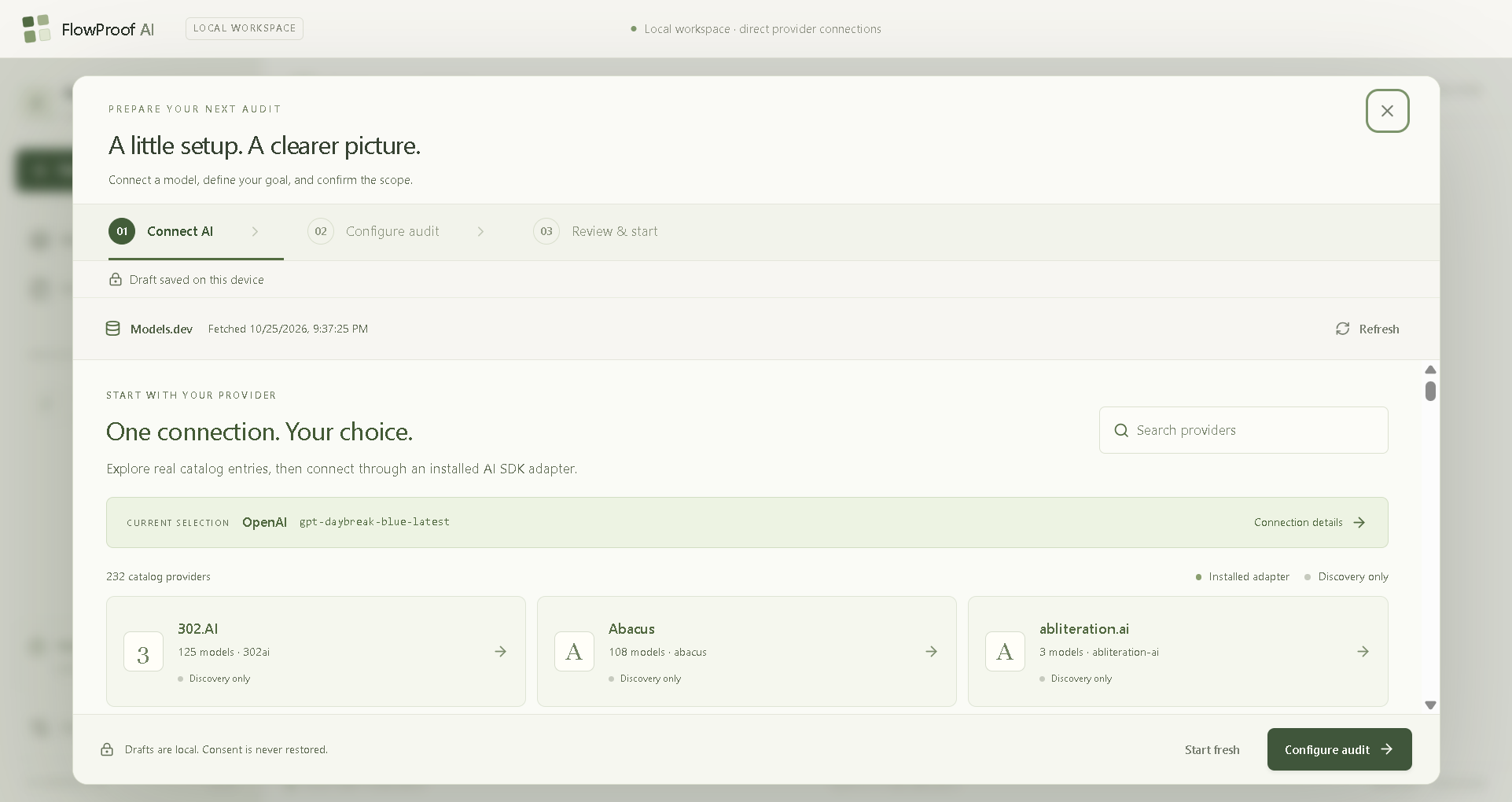
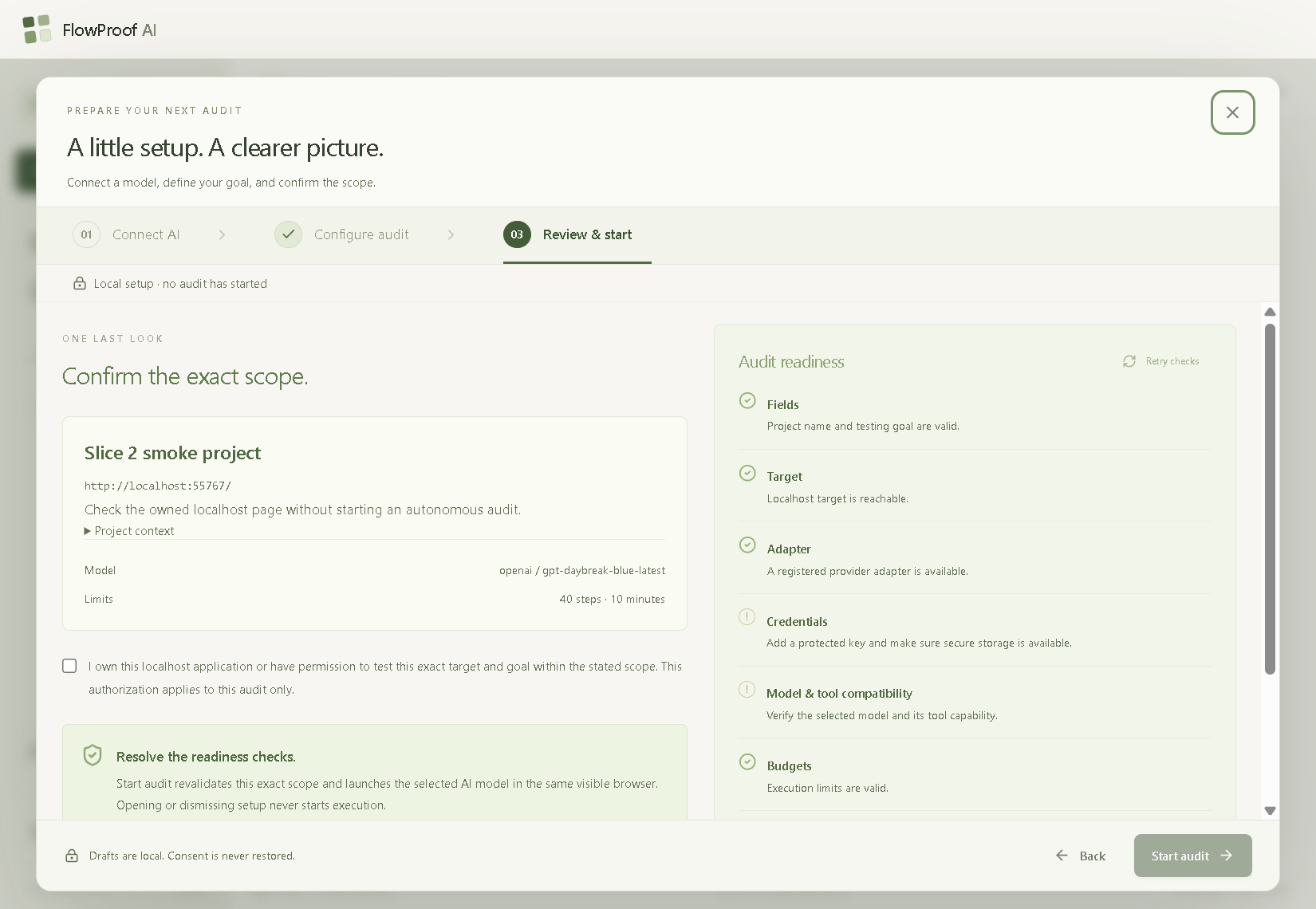
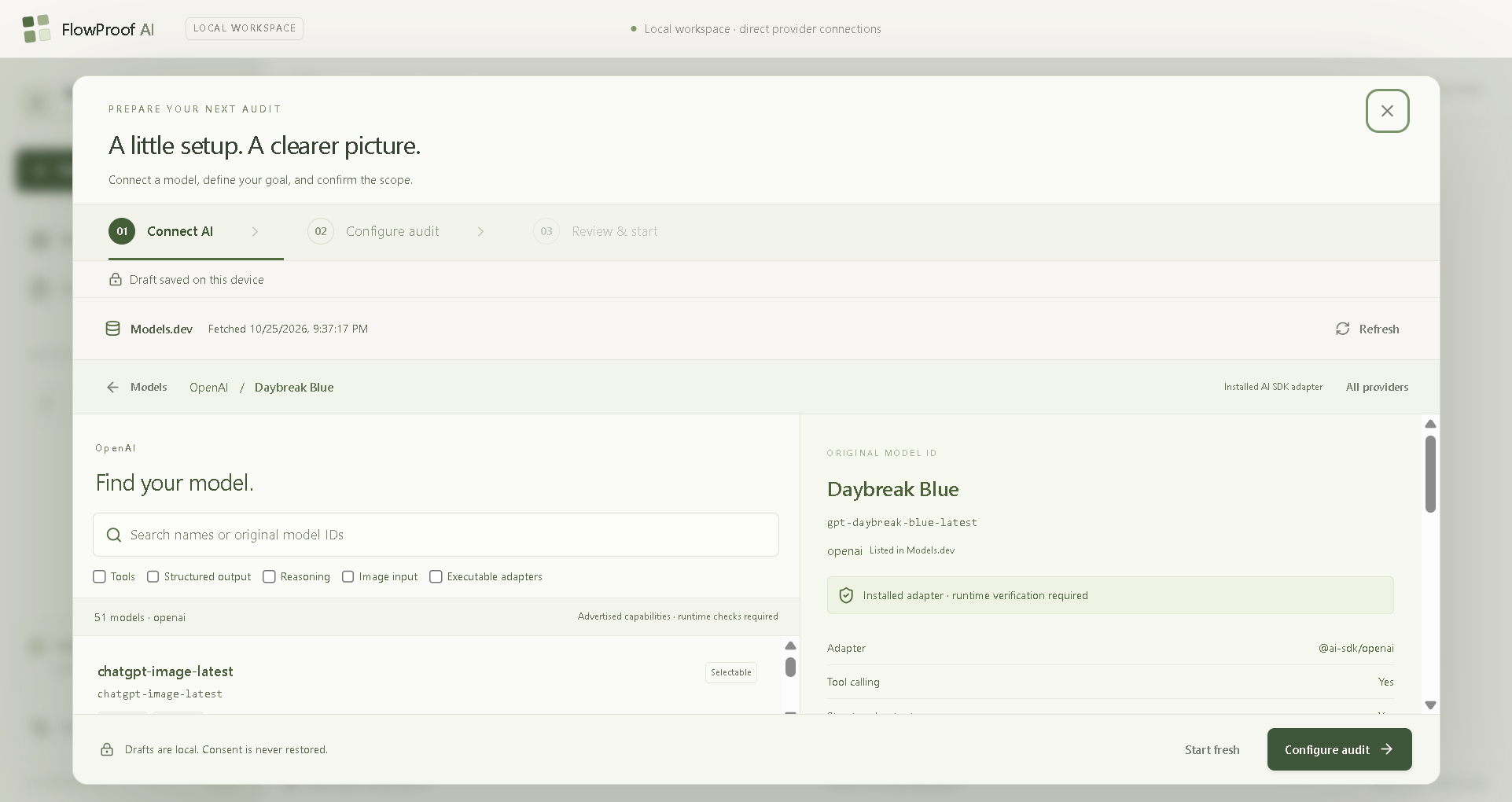
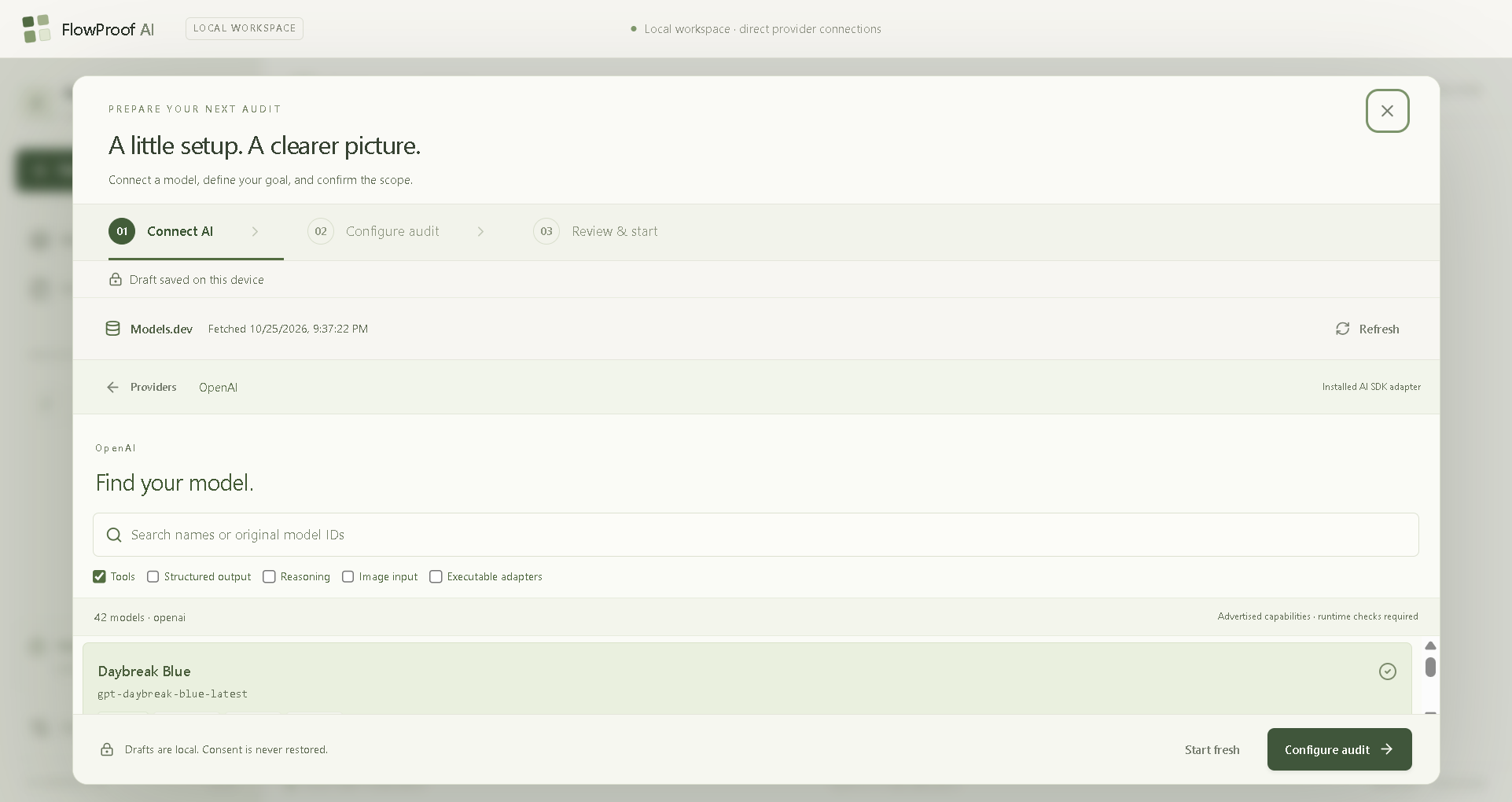
Users provide a local website URL, describe what they want to test, and select their preferred AI provider and model.
FlowProof AI then uses a real Chromium-based browser to inspect pages, navigate through interfaces, interact with buttons and forms, and explore relevant user journeys.
Its key capabilities include:
- Autonomous Browser Testing: Translates natural-language objectives into actual browser interactions.
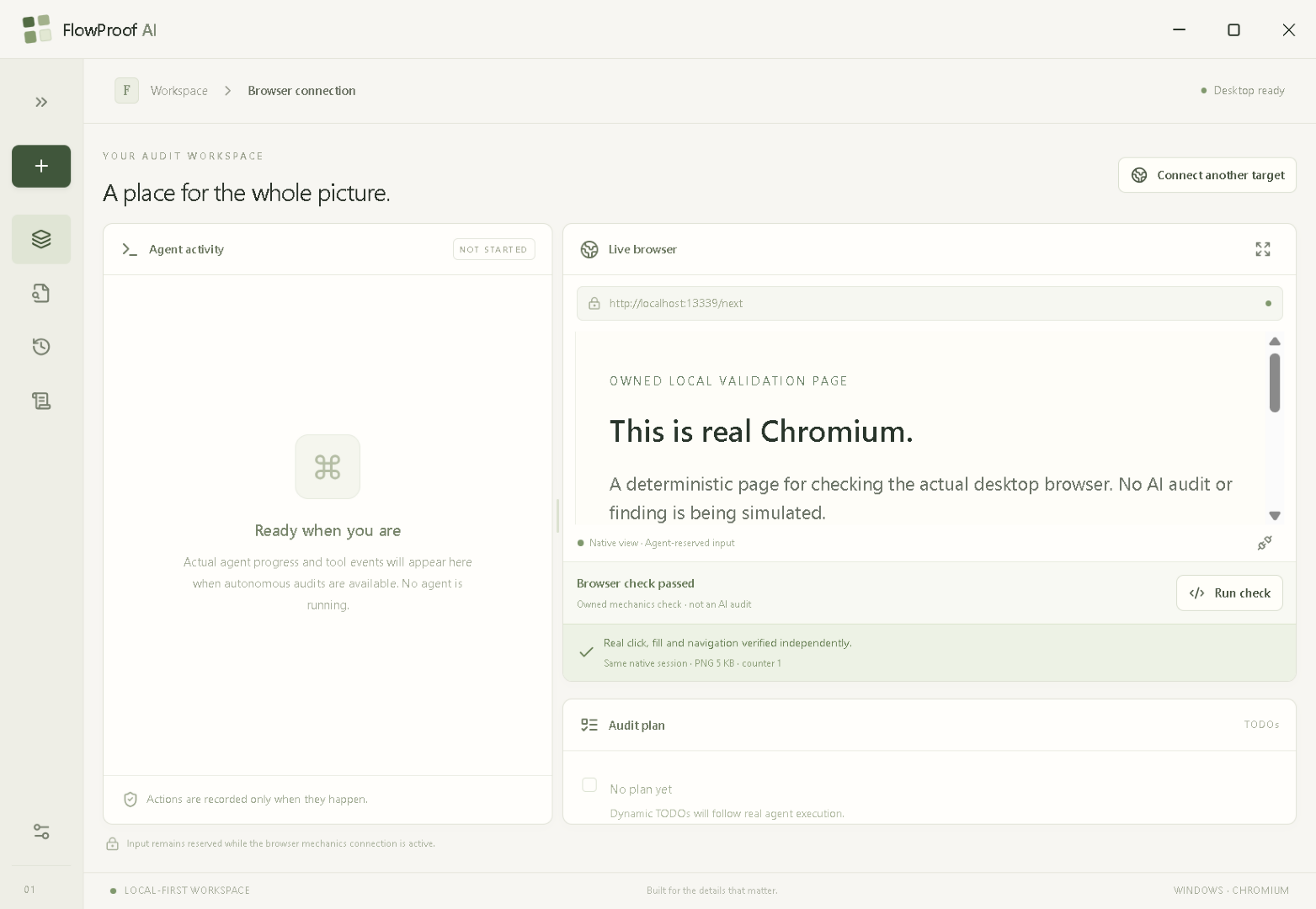
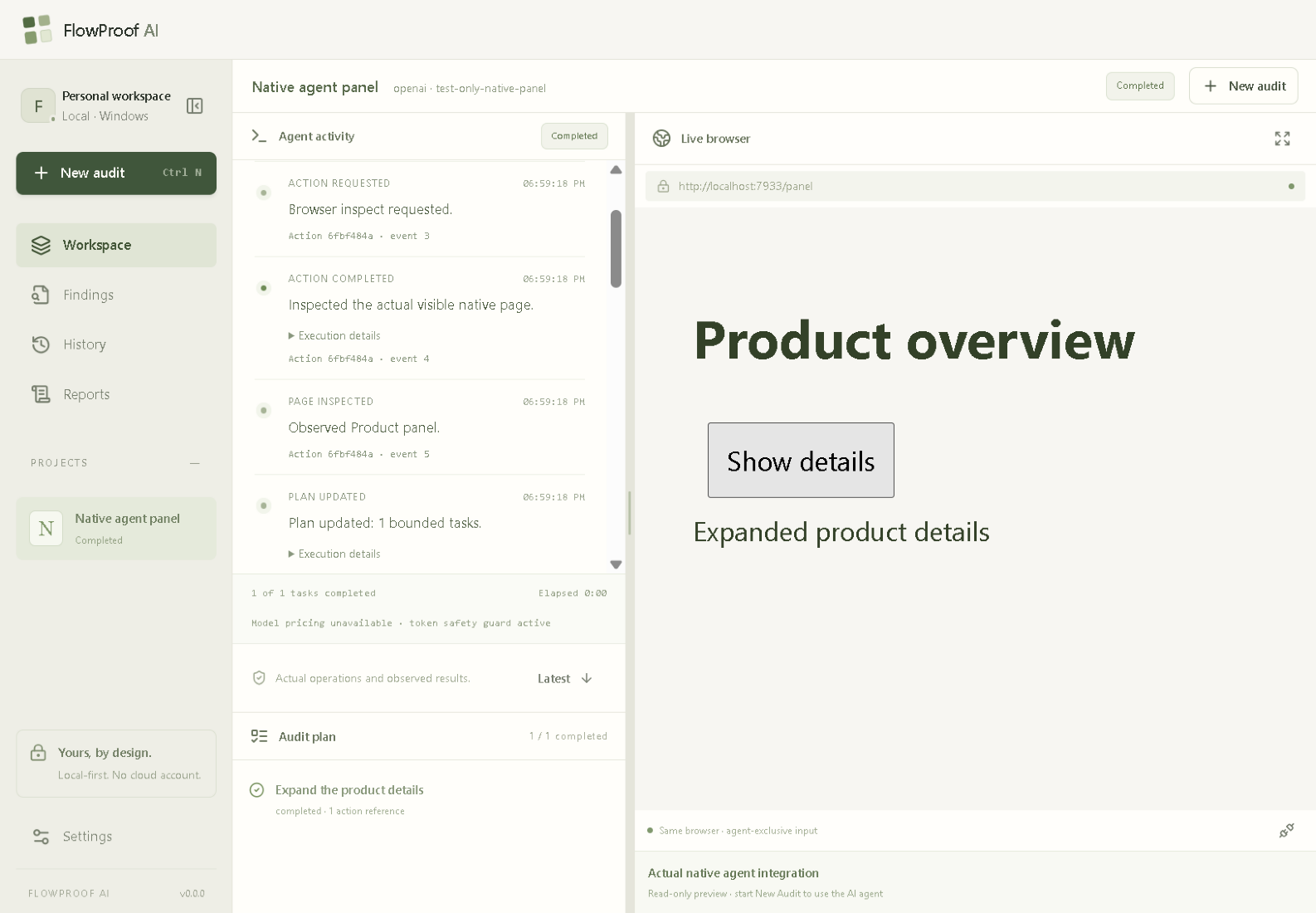
- Live Browser Workspace: Displays the AI agent's activity alongside the browser it controls.
- Human-in-the-Loop Approvals: Requests permission before sensitive operations.
- User Control: Allows users to temporarily take control of the browser and return it to the agent.
- Evidence Capture: Records browser actions and masked screenshots to support observations.
- Local Audit History: Stores audit records locally for later inspection.
- Structured Reports: Produces evidence-linked JSON reports.
- Bring Your Own Key: Supports configurable AI providers without requiring a FlowProof AI account.
FlowProof AI distinguishes between recorded observations and independently verified findings. An AI-generated claim is not automatically treated as a confirmed bug.
The current implementation preserves observations as unverified when sufficient independent reproduction evidence is unavailable.
How I Built It 🛠️
I built FlowProof AI as a Windows desktop application using a combination of modern web technologies, desktop APIs, browser automation, and large language models.
Technology Stack
- Electron: Desktop application architecture and native browser integration.
- React, Next.js, and TypeScript: User interface and application development.
- Tailwind CSS: Styling and responsive interface components.
- Playwright: Browser automation and interaction.
- AI SDK: Agent execution and AI provider integration.
- SQLite: Local audit history and persistence.
- Node.js: Runtime services and application logic.
- Chromium: Real browser execution and inspection.
Architecture
Rather than giving the AI unrestricted access to the computer, I designed FlowProof AI around controlled execution.
The Electron Main process enforces important security boundaries, including authorized localhost origins, browser session ownership, and action approvals.
The AI agent runs through an isolated Utility process and communicates with the browser using restricted tools.
The desktop workspace presents two synchronized areas:
Agent Workspace: A live, scrollable timeline of activities, questions, approvals, and progress.
Browser Workspace: The real browser session where the AI performs its actions.
The interface also supports adjustable pane sizes, allowing users to balance the agent's activity and the browser preview.
Development Process
I followed a structured, milestone-based development workflow, separating product planning, technical architecture, autonomous agent implementation, reliability improvements, evidence handling, and application testing.
I used AI-assisted development to accelerate implementation, debug failures, review technical decisions, and build regression tests.
However, generated code and automated claims were not treated as proof of correctness. I relied on reproducible tests, packaged application checks, and real browser execution to evaluate the implementation.
Challenges I Faced 🧩
1. Building a Real Autonomous Browser Agent
Connecting an AI model to a browser is much more complicated than generating text.
The agent needs to understand page state, select appropriate tools, handle navigation, recover from failures, and maintain a consistent execution history.
I implemented controlled browser operations and recovery mechanisms to make execution more reliable.
2. Balancing Autonomy and Security
An autonomous agent needs enough freedom to complete tasks, but unrestricted browser actions introduce risks.
I implemented authorization boundaries, approval requests, controlled browser access, and sensitive-input masking.
One particularly interesting challenge involved authentication redirects. A local application redirected to an external authentication domain, and FlowProof AI correctly blocked the navigation because it exceeded the authorized localhost origin.
This reinforced an important lesson: a reliable AI agent must know when not to act.
3. Preventing Premature Agent Termination
Early versions used fixed limits on model calls and browser actions.
During a real audit, the agent reached its execution budget before completing the objective.
I improved the execution system to support bounded continuation while meaningful progress is being made, with safeguards against repeated actions, stalled execution, and uncontrolled spending.
4. Building a Professional Desktop Workspace
My initial interface looked more like a traditional dashboard than a dedicated testing environment.
I redesigned the Audit workspace into a compact, full-height split layout, with the agent on the left and a live native browser on the right.
Synchronizing the native browser's geometry during resizing, maximizing, and control handoffs required careful integration.
5. Making AI Findings Trustworthy
A model can identify a potential problem without proving that it exists.
This became one of the most important challenges in the project.
I implemented action-linked evidence capture, local audit history, and structured reporting, while preserving the distinction between unverified observations and confirmed results.
The complete independent finding-verification workflow remains an area for further development.
What I Learned 📚
Building FlowProof AI changed how I think about AI agents.
I learned that:
- Autonomy requires boundaries. A useful agent must respect authorization and user control.
- Evidence matters more than confidence. AI-generated explanations cannot replace observable results.
- Reliability is a system-level problem. Browser execution, model behavior, persistence, and the desktop interface must work together.
- User experience is essential. A powerful agent is much more valuable when users can clearly understand what it is doing.
- Testing real applications reveals problems that isolated automated tests may miss.
Most importantly, I learned to treat AI not just as a tool for generating answers, but as a component of a larger, observable, testable software system.
Accomplishments I'm Proud Of 🏆
I'm especially proud of building a working desktop application where an AI model can interact with a real browser while keeping the user involved in important decisions.
Other accomplishments include:
- A functional autonomous browser execution workflow.
- Configurable AI provider and model selection.
- Human approval and browser control handoff.
- A polished desktop workspace.
- Evidence capture with sensitive-data protections.
- Local history and structured JSON reporting.
- Automated regression testing and packaged Windows application validation.
What's Next 🔮
I want to expand FlowProof AI into a more complete evidence-driven testing platform.
My next priorities are:
- Independent reproduction and verification of potential bugs.
- Better test coverage and audit summaries.
- More comprehensive reporting and export options.
- Improved handling of complex authentication flows.
- Stronger reliability testing across different web applications.
The long-term vision is a testing agent that doesn't simply claim to find problems, but provides developers with clear, traceable evidence they can inspect and trust.
Final Thoughts
FlowProof AI started with a simple question: What if testing a website could be as easy as describing what you want to check?
Building it taught me that the real challenge isn't just making AI perform actions. It's making those actions safe, observable, reliable, and useful.
FlowProof AI is my step toward making that possible.
Built With
- ai-agents
- ai-sdk
- chromium
- electron
- html5
- javascript
- llms
- next.js
- node.js
- playwright
- react
- sqlite
- tailwind-css
- typescript

Log in or sign up for Devpost to join the conversation.