Inspiration
Moving machines around a factory floor looks easy on a drawing. But one small move can cause real trouble. A new machine can block the only path a worker has to the exit. An aisle can get too narrow to walk through. A drop box can get overloaded, or the panel above it, or the main breaker above that.
We noticed that every one of these problems is about connections: who can walk where, what is plugged into what, and what feeds what. That sounded like a job for a graph.
At the same time, AI models are getting good at suggesting layouts. But they don't reliably check these connections, and a confident wrong answer on a factory floor is dangerous. So we asked: what if the AI suggests, and a graph proves the layout is safe before anyone can save it?
What it does
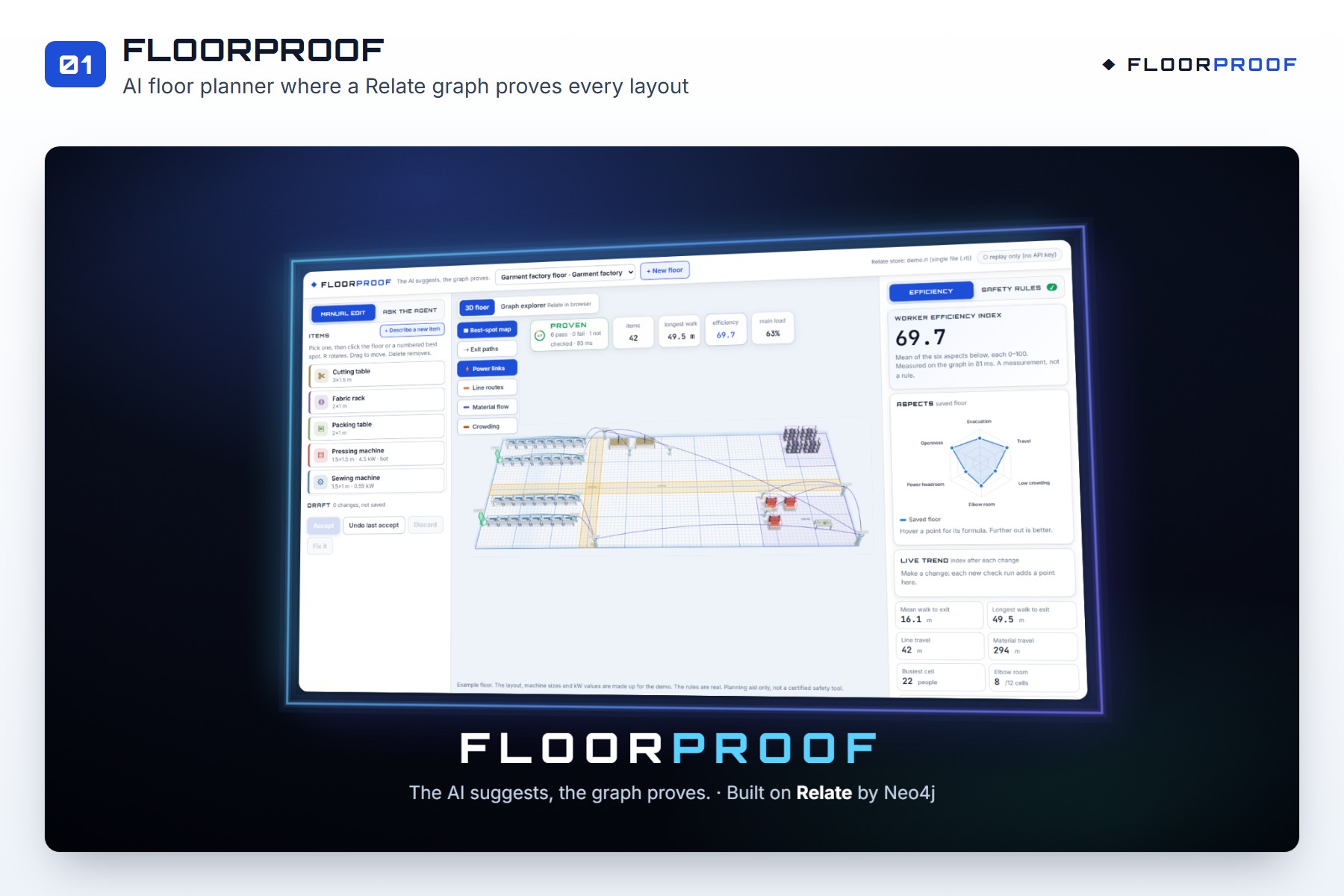
FloorProof is a 3D floor planner for factories and warehouses, where every layout is checked by a graph.
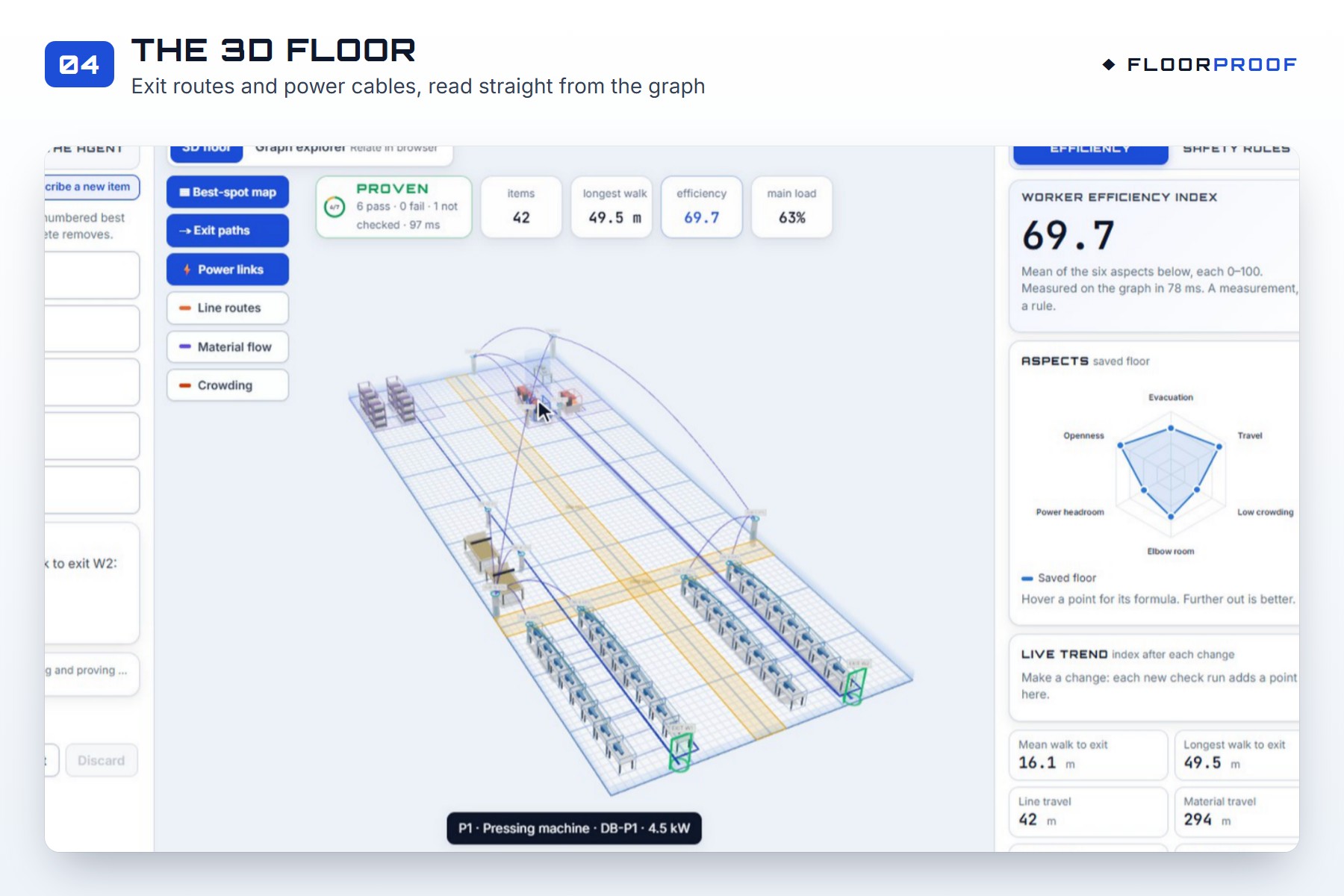
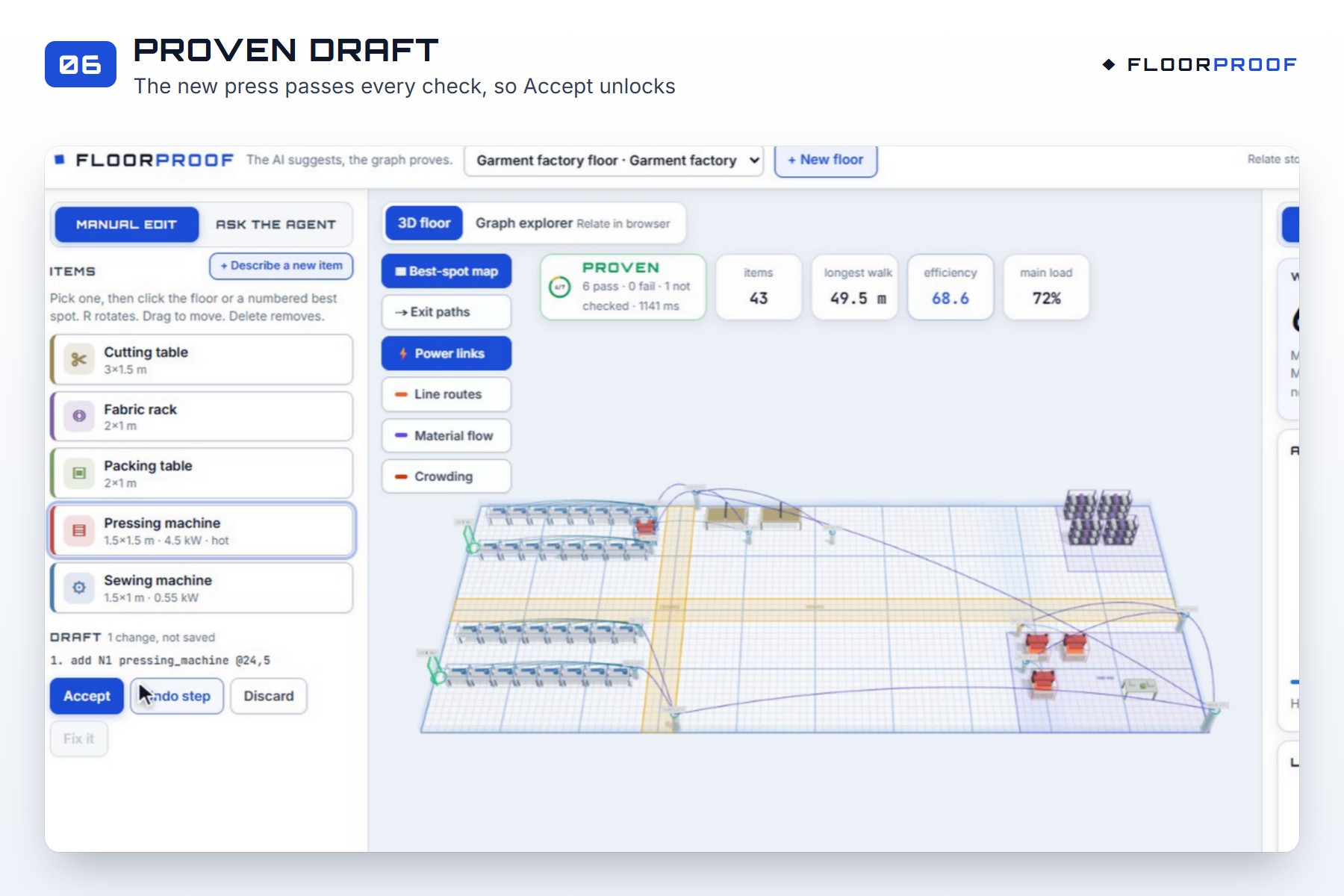
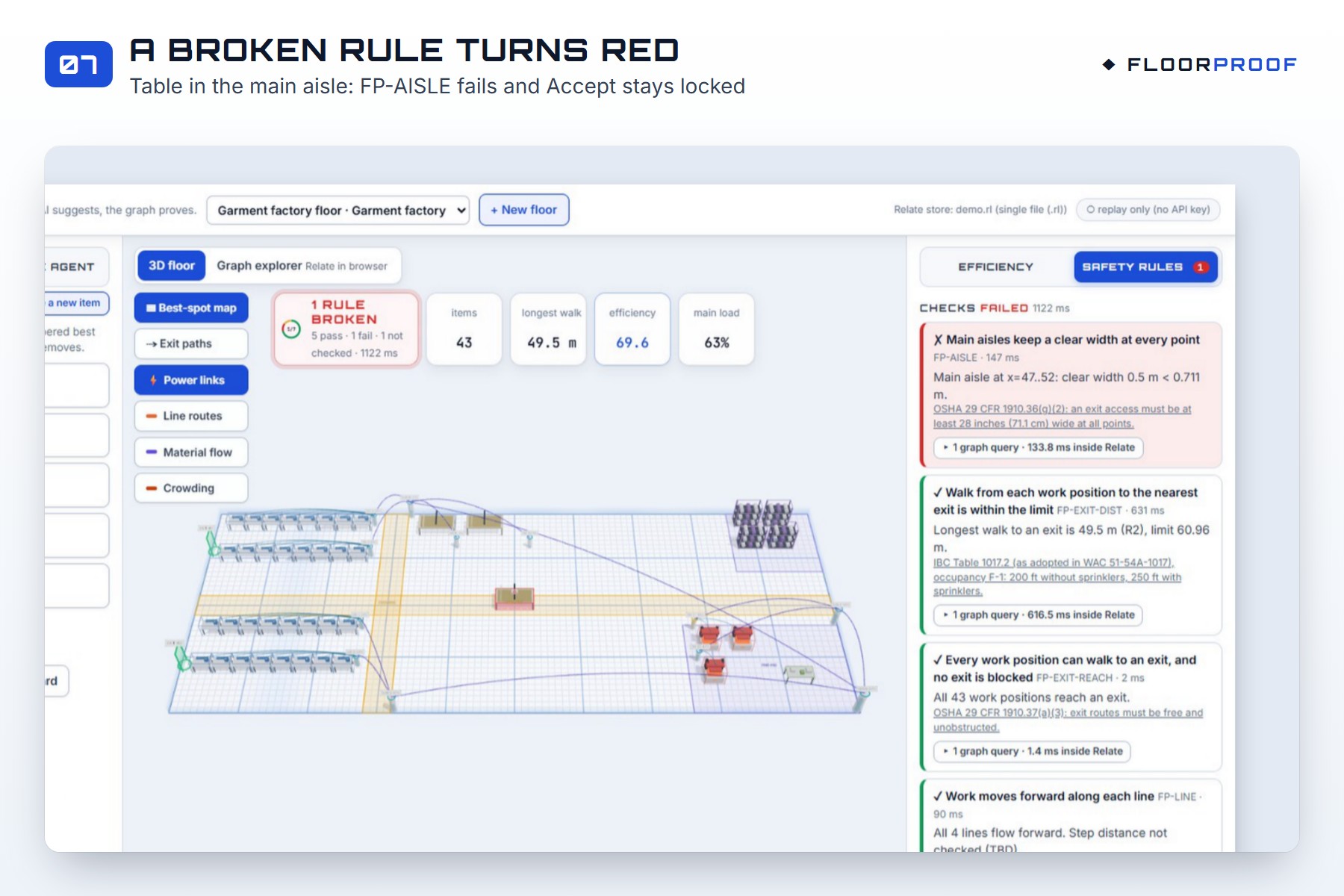
- Edit by hand. Move machines in 3D. Every change is checked straight away. If a rule breaks, the cells turn red and the rule tells you why.
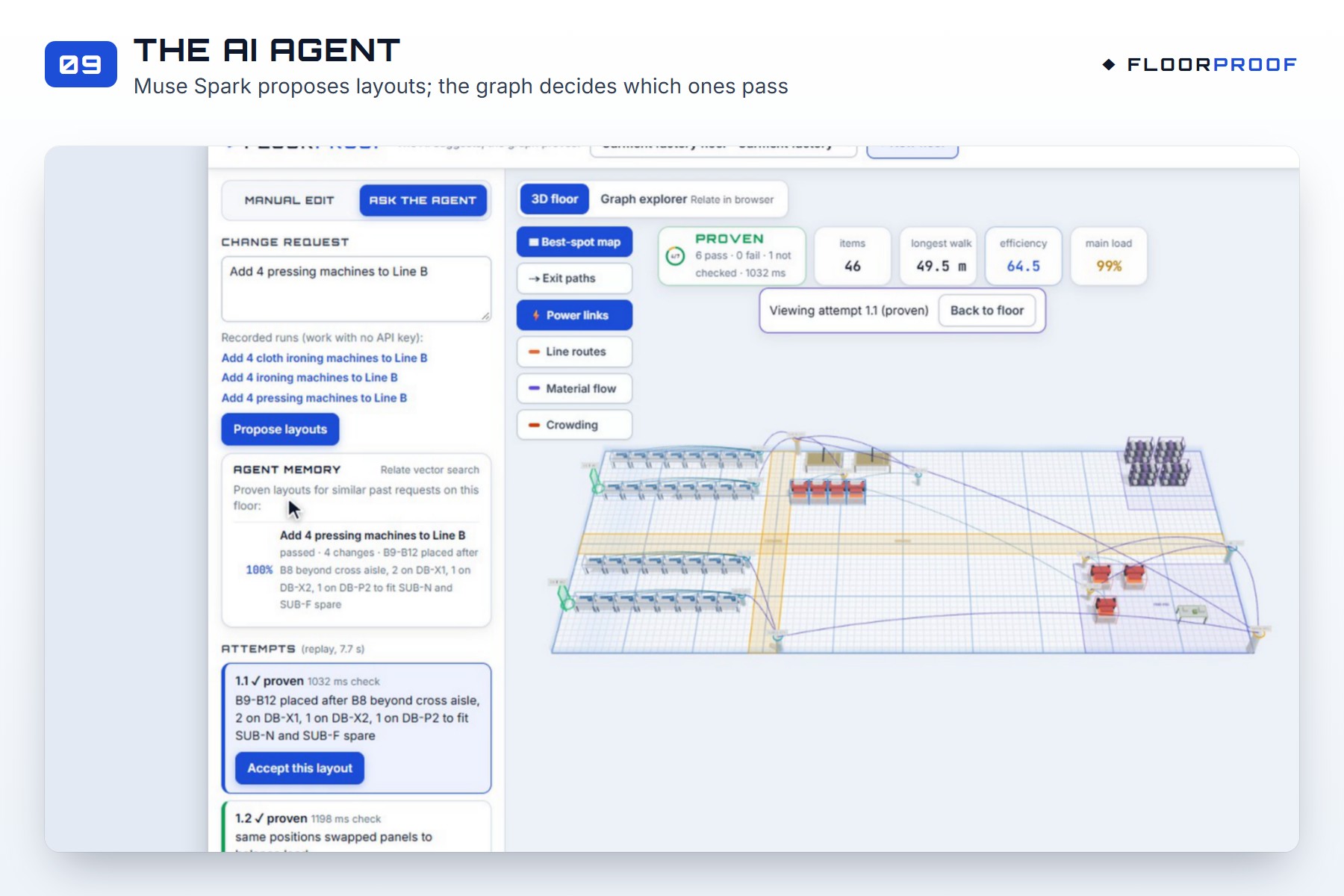
- Ask the AI agent. Type something like "Add 4 pressing machines to Line B". The agent proposes layouts, the graph checks them, and failed layouts go back to the agent with the reasons, so it can try again.
- Only proven layouts can be saved. The Accept button stays locked until every check passes.
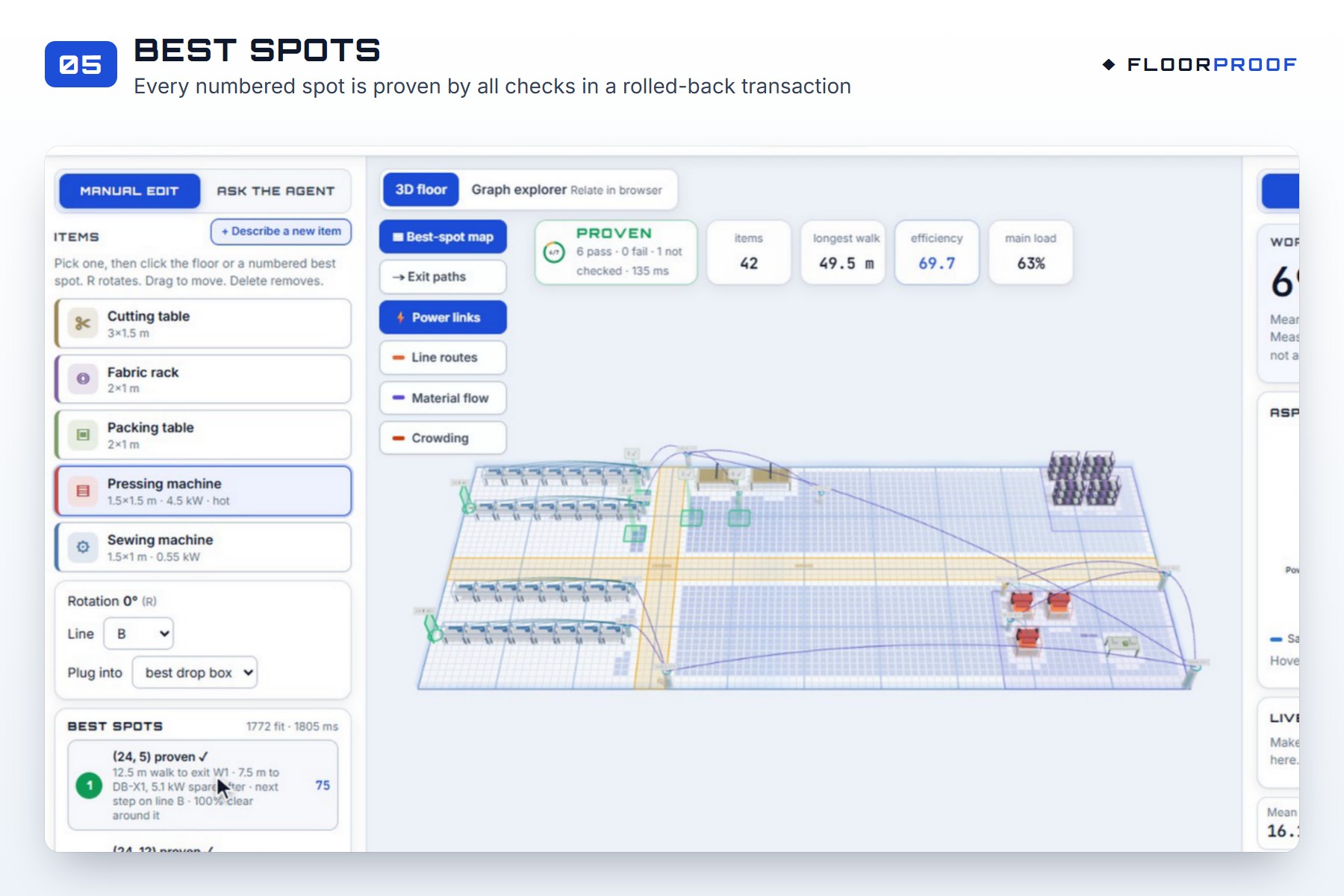
- Best spots. Pick a machine, and FloorProof shows where it fits. Every suggested spot has already passed all the checks.
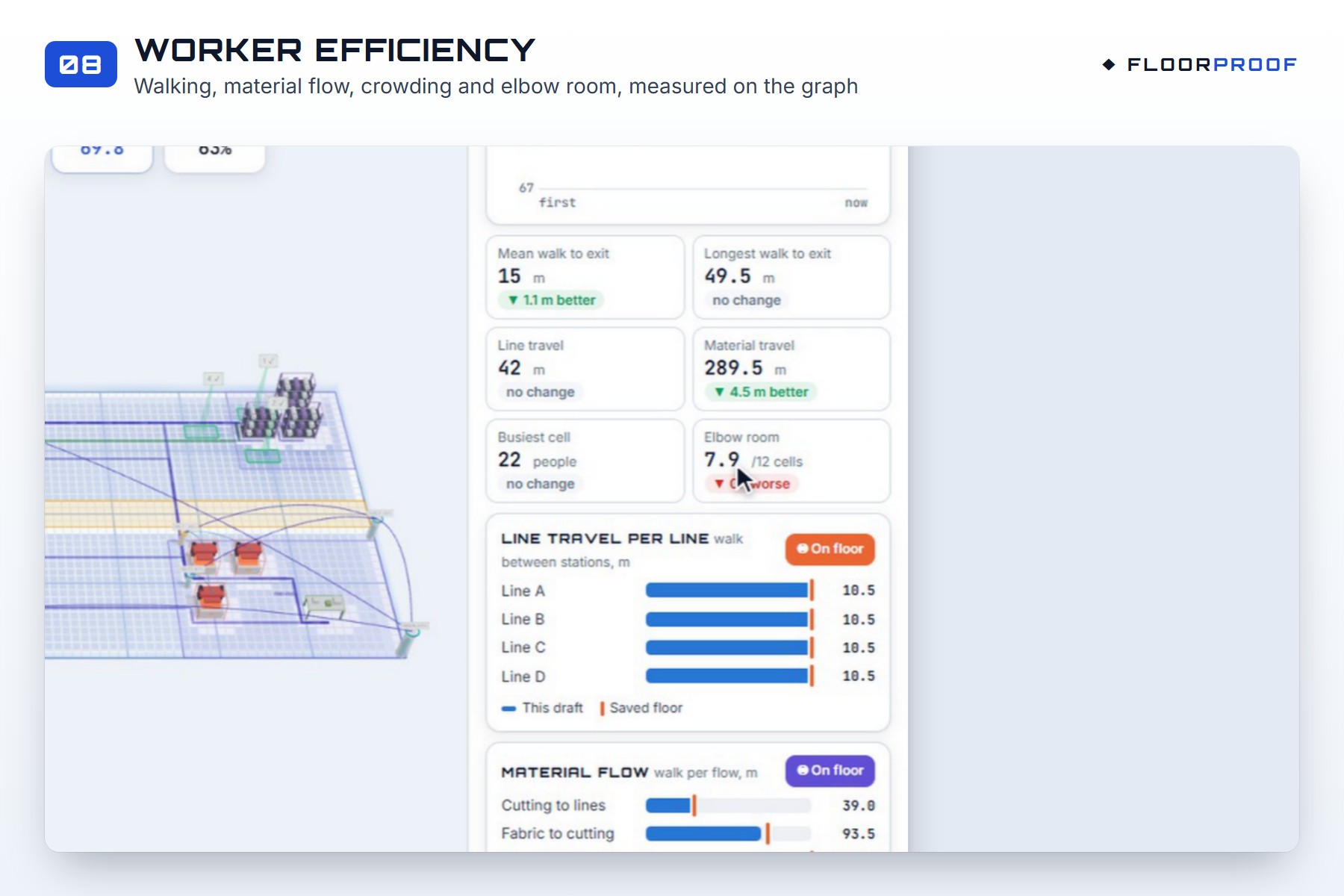
- Worker efficiency. Walking distance, material flow, crowding and elbow room are measured on the graph and shown as live charts.
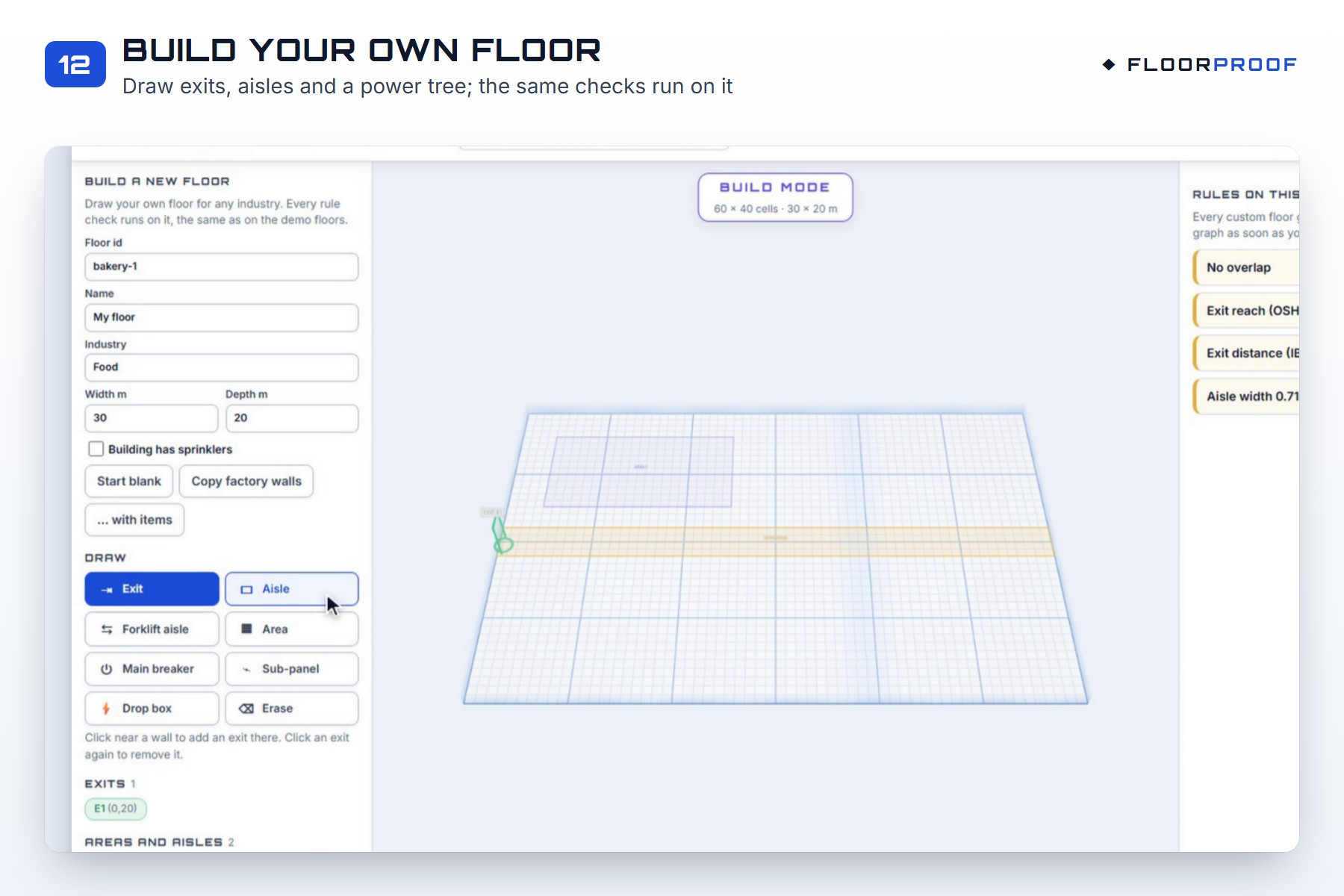
- Any industry. Draw your own floor, or describe a new machine in plain words, and the same checks run on it.
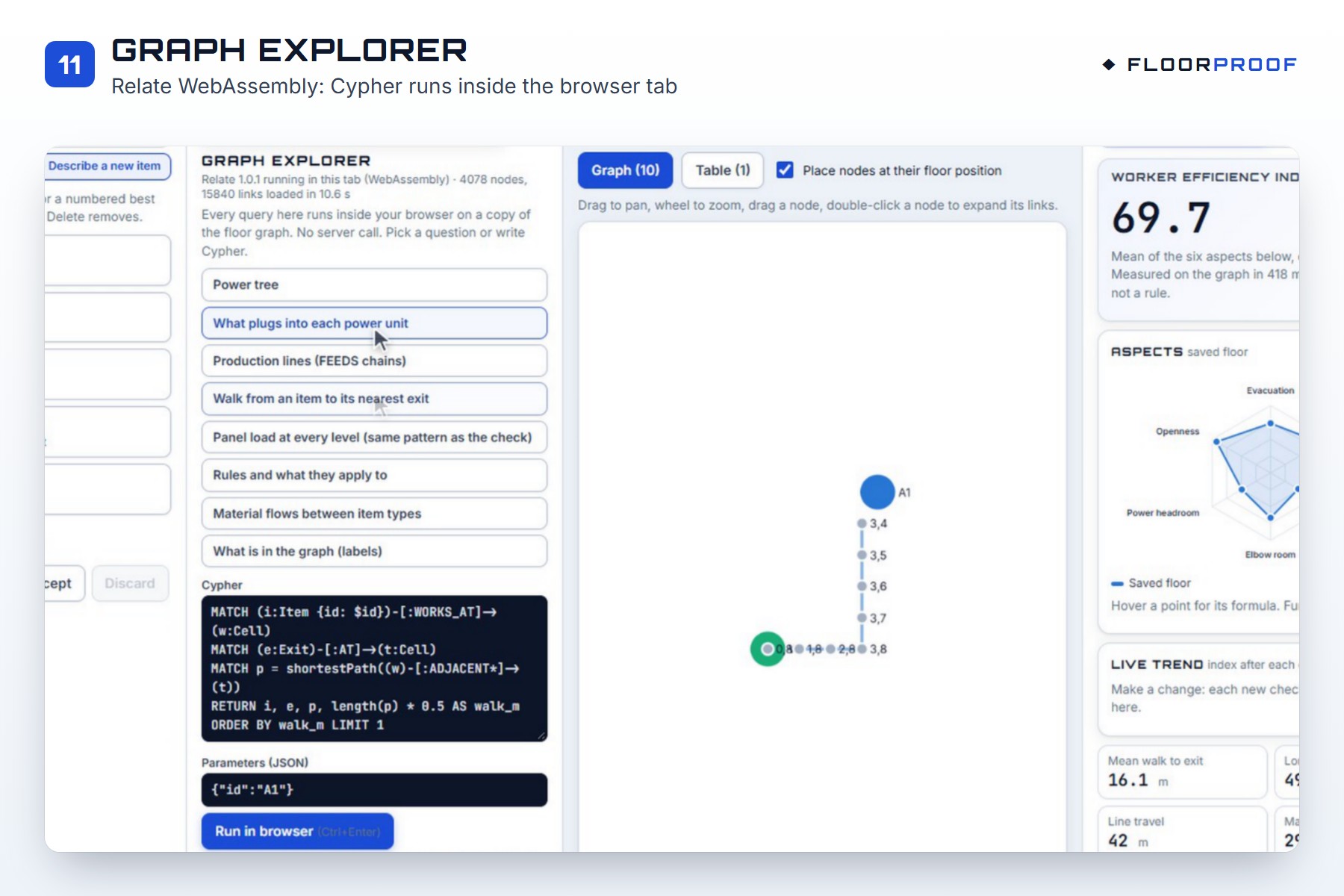
- Graph explorer. Look inside the floor graph with Cypher, right in your browser.
The checks cover six rules:
- every worker can reach an exit;
- the walk to the exit is short enough;
- aisles stay wide enough;
- no power unit is overloaded, at any level;
- production lines flow forward;
- nothing overlaps.
The numbers come from real codes (OSHA, the IBC and the NEC). For example, a continuous load may use at most 80% of a breaker's rating:
$$\text{load} \le \frac{\text{rating}}{1.25} = 0.8 \times \text{rating}$$
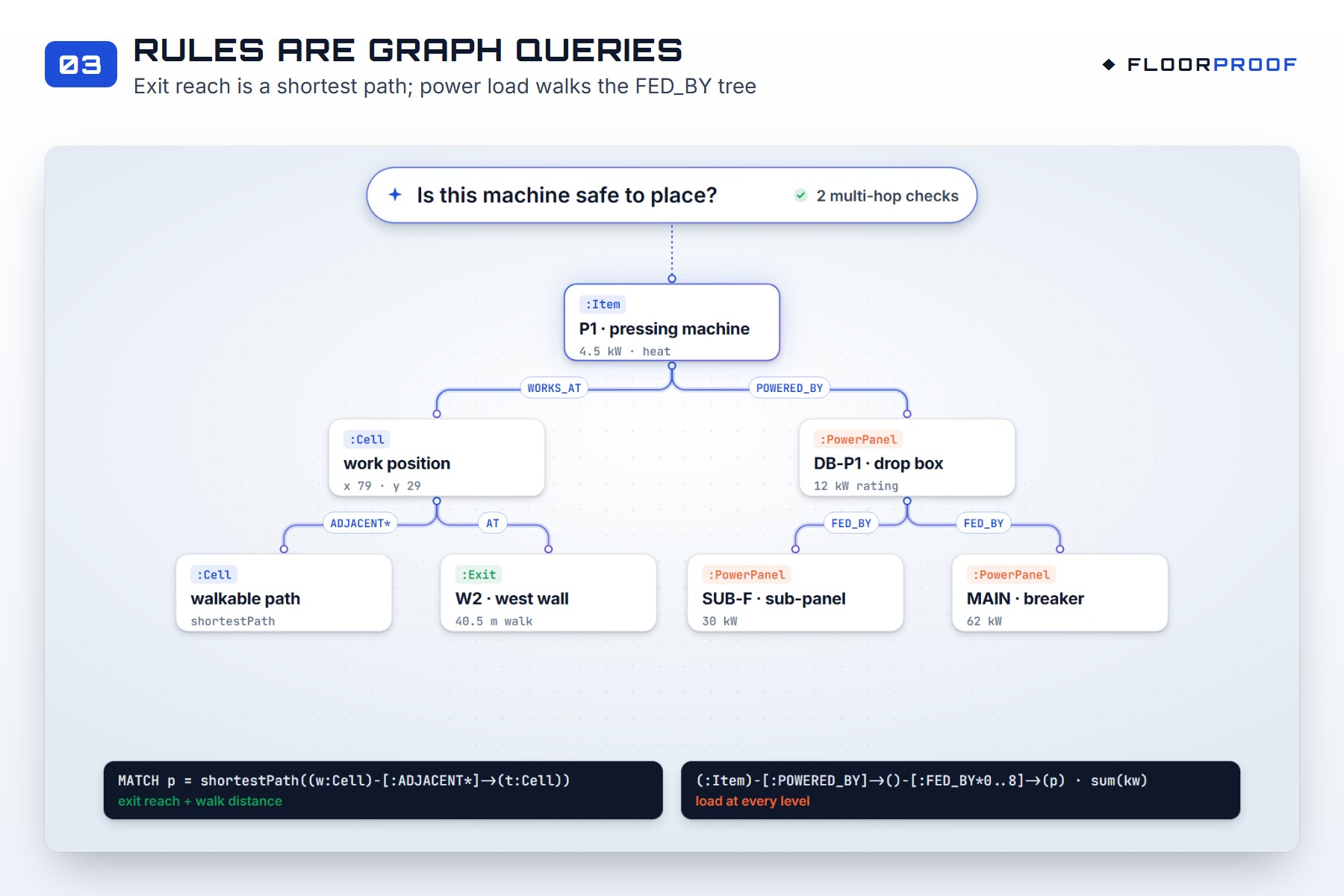
FloorProof checks this at the drop box, the sub-panel and the main breaker, in one graph query.
How we built it
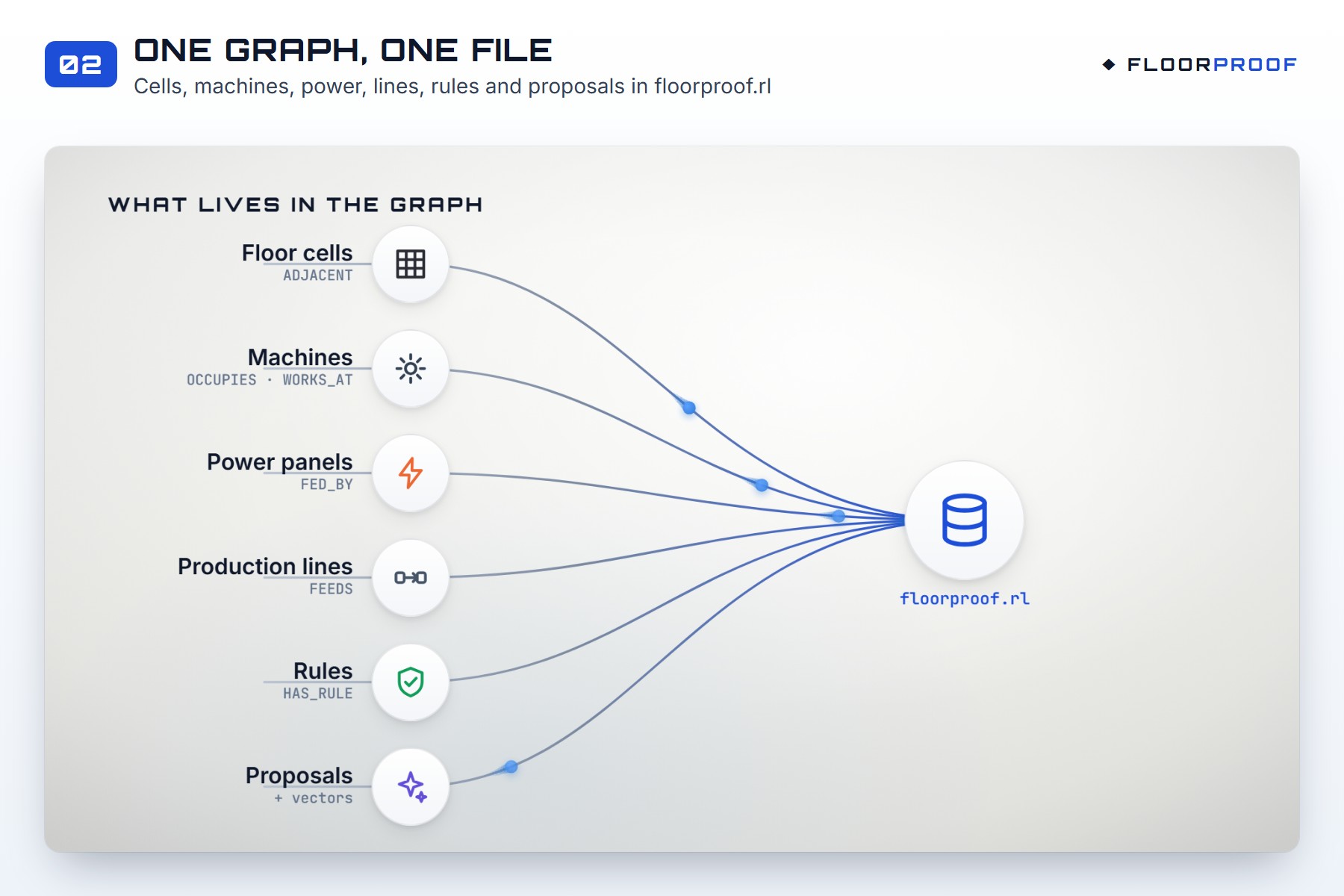
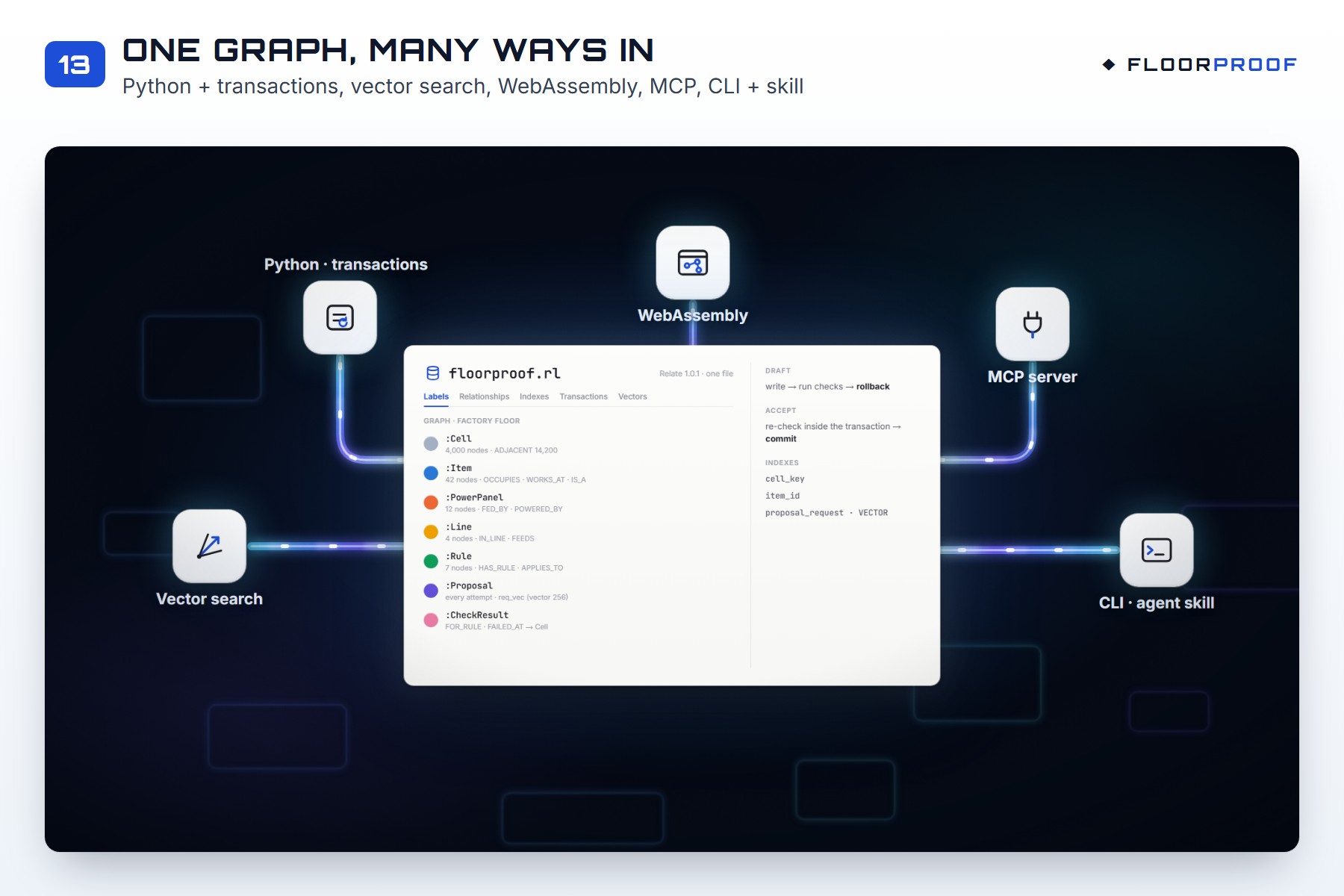
Everything lives in one Relate file, floorproof.rl. Relate runs inside our Python app, so there is no
database server to set up. A floor plan is something you hand to someone, so a single file felt right.
- The floor is a grid of cells. Cells you can walk between are linked by
ADJACENT. When a machine is placed, its cells lose those links. So "can this worker reach an exit?" becomes ashortestPathquery from the worker's spot to an exit. - The power tree is a chain of links: machine
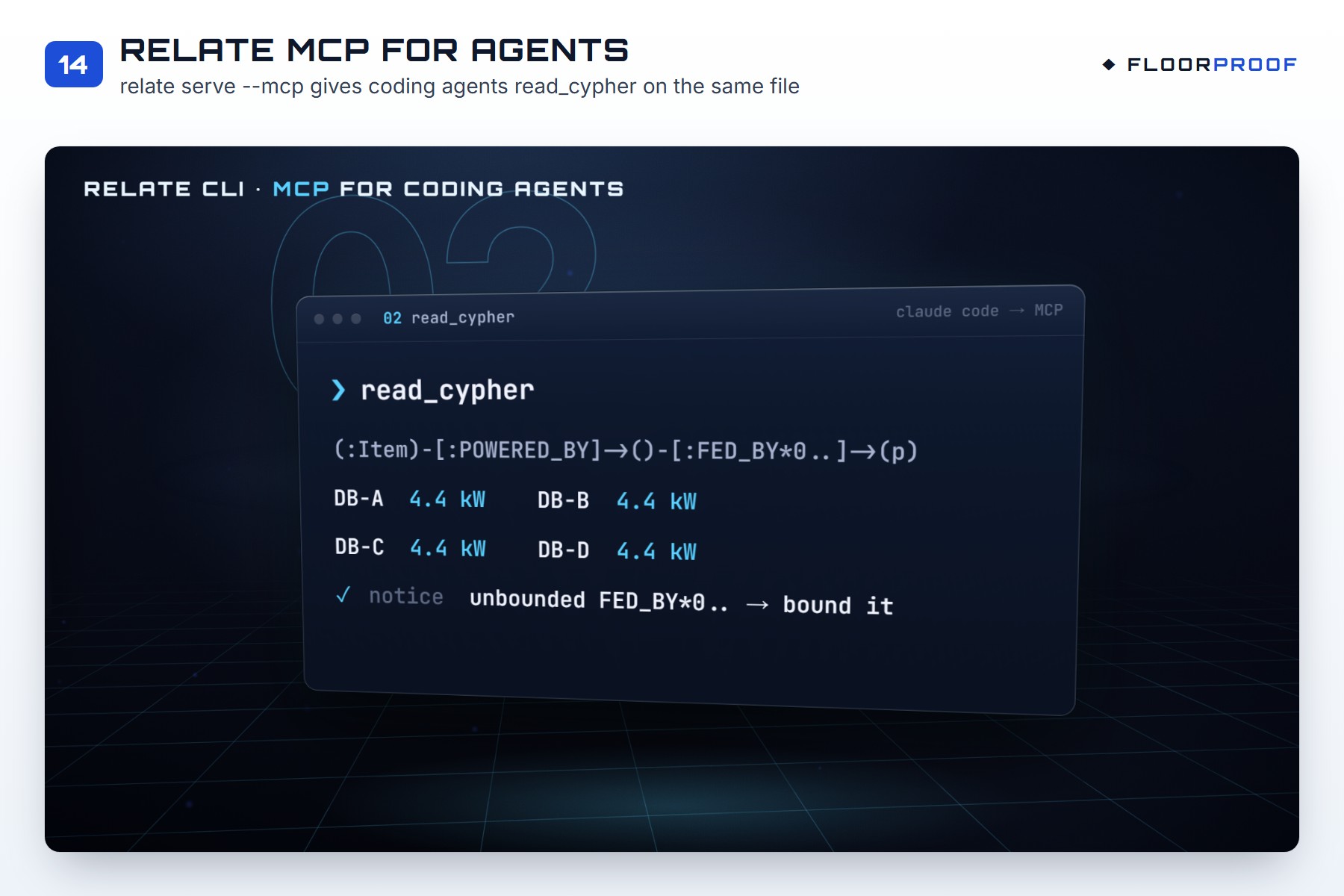
POWERED_BYdrop box,FED_BYsub-panel,FED_BYmain breaker. One query adds up the load at every level. - Production lines are machines linked by
FEEDS. - The rules are data in the graph too, with their numbers and sources. Adding a warehouse floor needed new data, not new code.
- Drafts never touch the saved floor. Every draft is written inside a Relate transaction, checked, then rolled back. Saving checks again inside the transaction and only commits if everything passes.
We also used more of Relate:
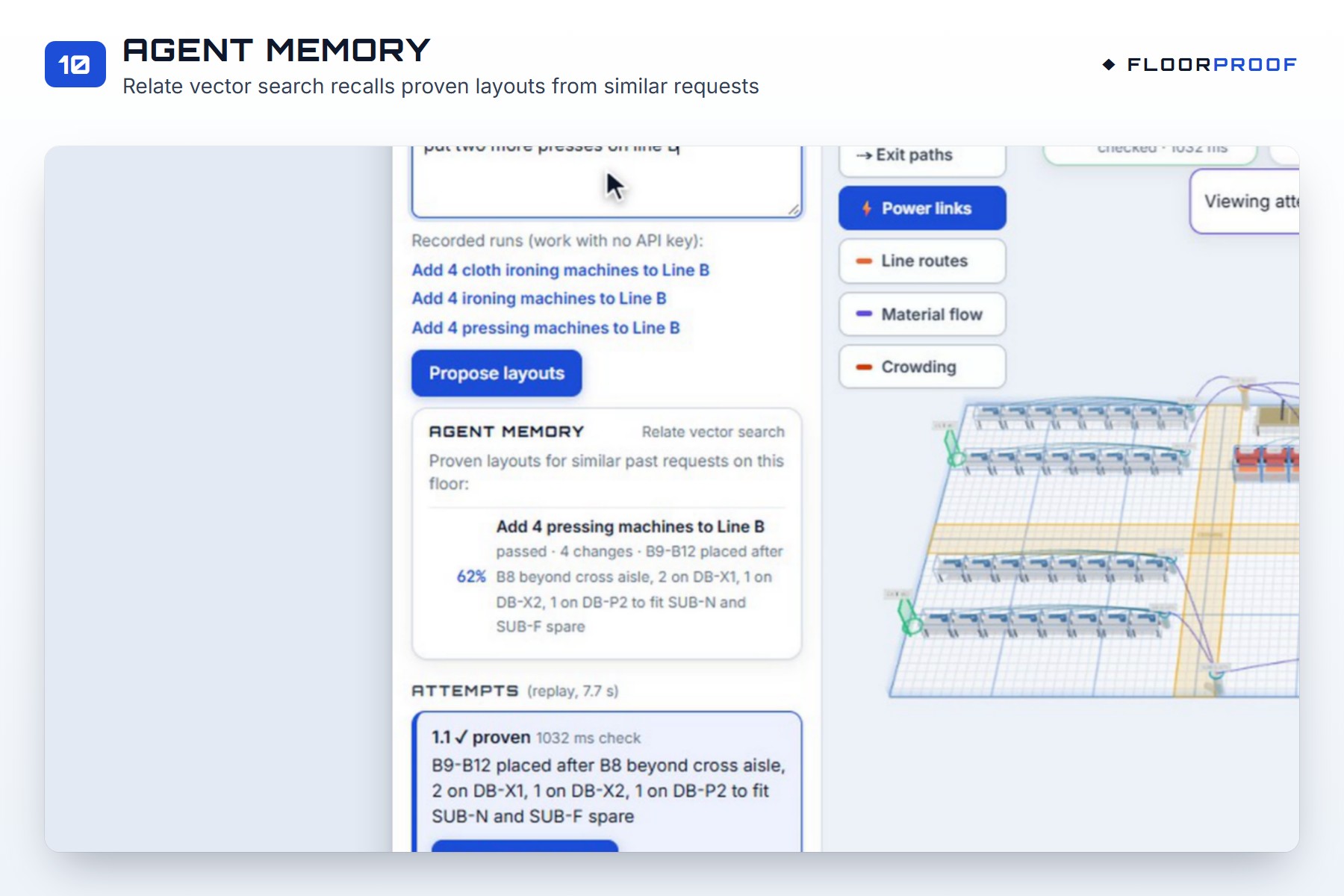
- Vector search gives the agent a memory of proven layouts from similar past requests.
- The WebAssembly build runs the whole floor graph (about 4,000 nodes and 16,000 links) inside the browser tab.
- Relate's MCP server lets coding agents query the same file.
The rest of the stack:
- The backend is Python with FastAPI.
- The agent loop uses LangGraph and Meta's Muse Spark model.
- The 3D app is React with React Three Fiber.
There is a replay mode too, so anyone can run it without an API key, and the graph checks still run for real.
Challenges we ran into
- Windows security blocked Relate. Smart App Control blocked Relate's unsigned files on our laptop. We moved to WSL2 for those parts, and the scripts now switch automatically.
- We found a bug in Relate 1.0.1. Deleting something you created earlier in the same transaction crashed. We worked around it by merging changes before writing them, and wrote down how to reproduce it.
- Building the floor was slow. Creating the grid links took 26 seconds, because our index wasn't being used. A simpler one-property key brought it down to 1.4 seconds.
- Keeping the AI honest. At first, the agent "solved" an impossible request by quietly removing 8 machines nobody asked to remove. We changed the scoring and the prompt so that this counts as a failure.
- Keeping ourselves honest. We only used rule numbers with a real source. Anything without one is marked TBD and never counted as a pass.
Accomplishments that we're proud of
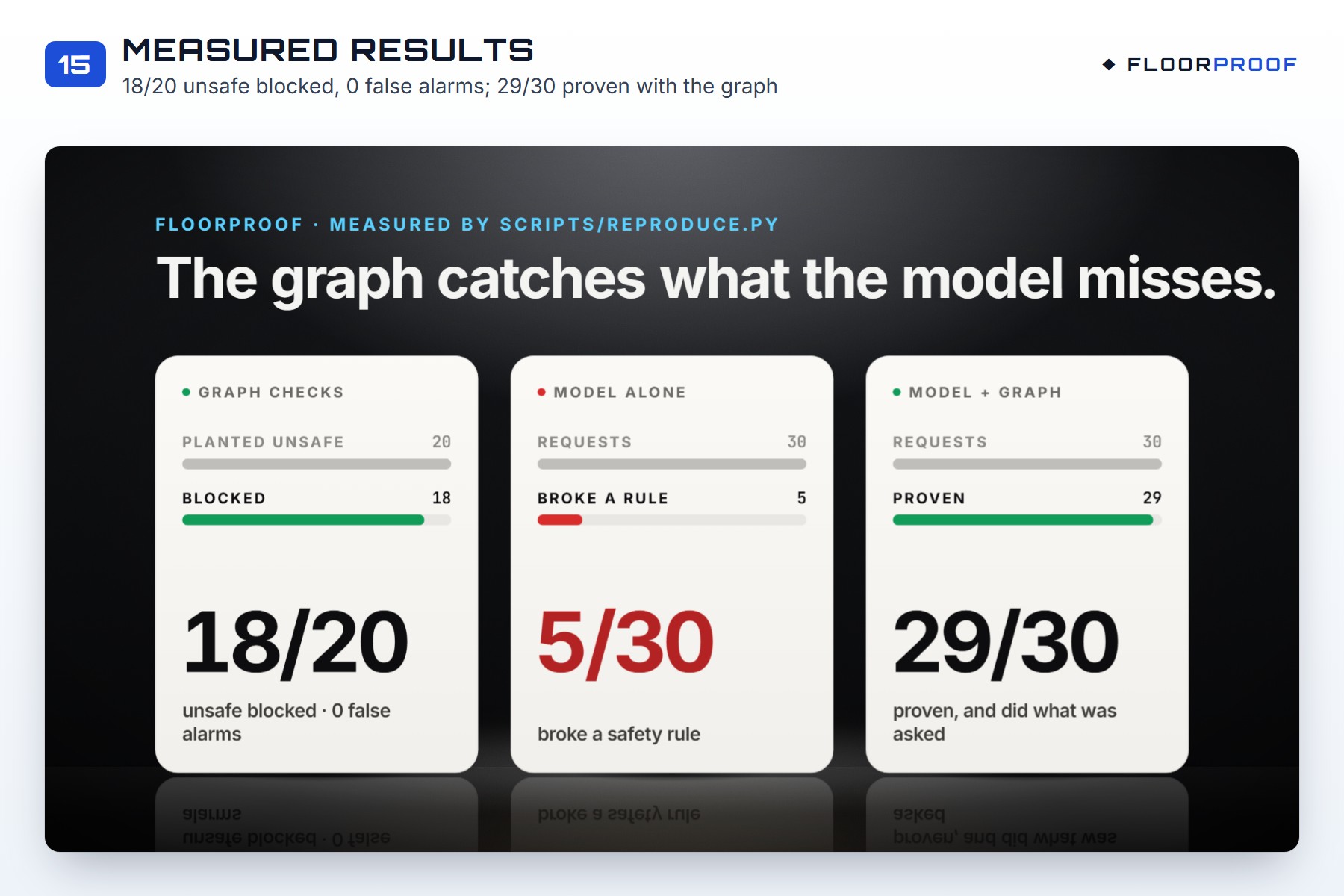
- The graph catches what the model misses. On the same 30 requests, the model alone broke a safety rule 5 times. With the graph checks in the loop, 29 of 30 layouts were proven. The last one asked for more machines than the power tree could carry, and it was correctly handed back to the user.
- The checks caught 18 of 20 planted mistakes, with 0 false alarms on 10 safe layouts. The other 2 break a rule whose distance still has no source, so we don't count them as caught.
- Every check is a real graph query, and you can see its Cypher and timing in the app.
- A judge can open the exact graph the app used: it's one file in the repo.
What we learned
- Spatial safety questions are graph questions. "Can someone still get out?" is a path. "Is this panel overloaded?" is a walk up a tree. Once the floor was a graph, the hard checks became short queries.
- An AI model works much better with a checker that can say no. Giving the model clear reasons when it fails let it fix most mistakes on the next try.
- Transactions are a great fit for "what if". Writing a draft, checking it and rolling it back is simple and safe.
- Small, honest numbers beat big claims. Marking unknown rules as TBD made the results easier to trust.
What's next for FloorProof
- Import real floor plans from CAD files or a photo.
- Find sourced numbers for the rules still marked TBD.
- Pull an existing plant graph from Neo4j into Relate, and push approved layouts back.
- Add more rule packs: food plants, labs and retail back rooms.
Built With
- cypher
- fastapi
- graph-database
- httpx
- langgraph
- mcp
- meta-muse-spark
- neo4j
- openai
- puppeteer
- pydantic
- pytest
- python
- react
- react-three-fiber
- relate
- remotion
- three.js
- typescript
- uvicorn
- vector-search
- vite
- webassembly
- wsl
