-
-
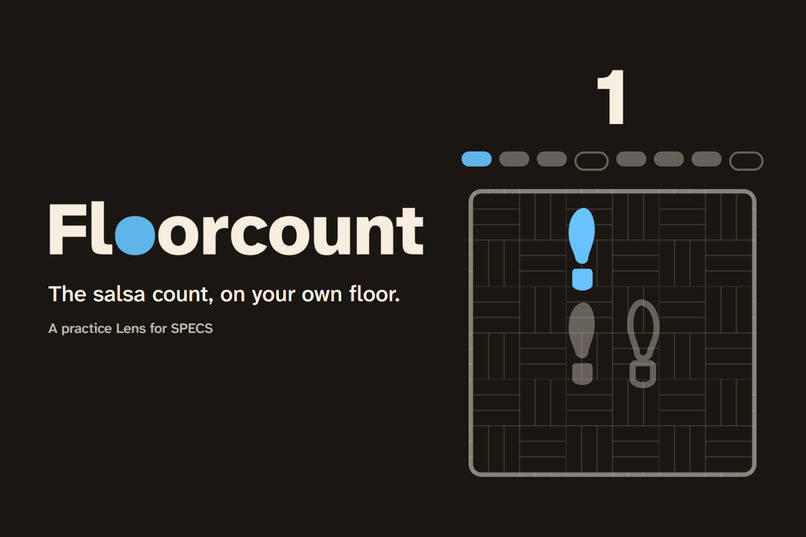
Floorcount: the salsa count, on your own floor. A practice Lens for SPECS.
-
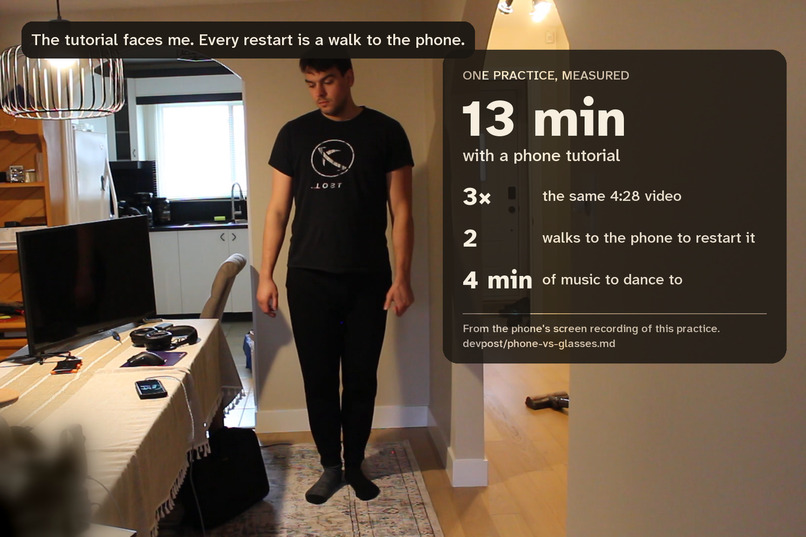
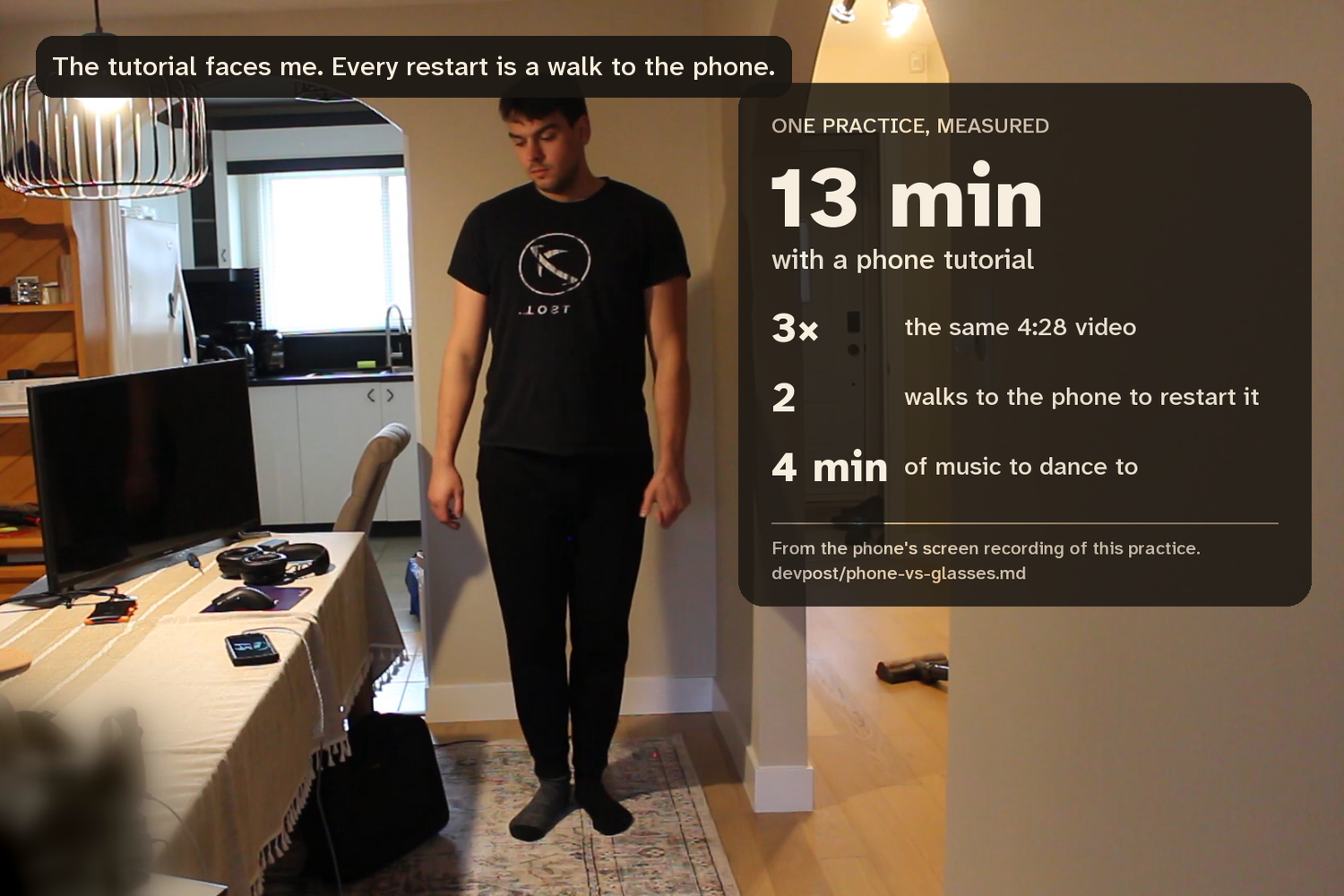
One real practice with a phone tutorial, measured: 13 minutes, the same 4:28 video 3 times, 2 walks to the phone, 4 minutes of music.
-
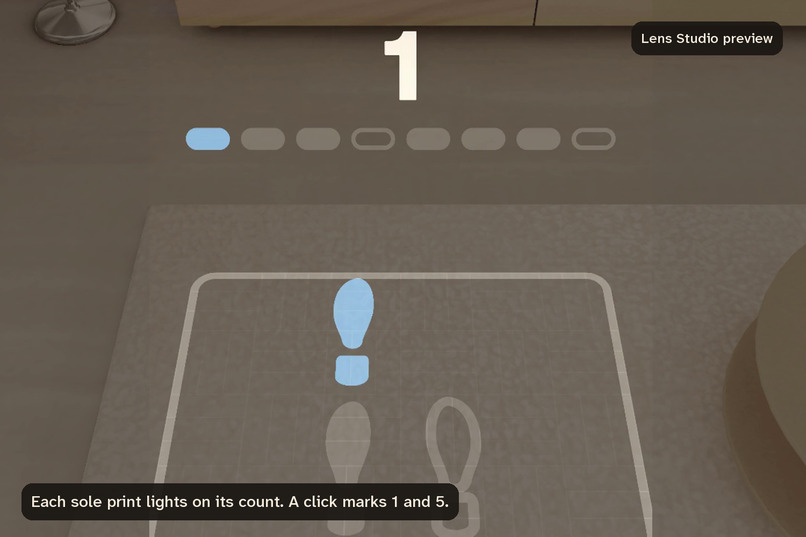
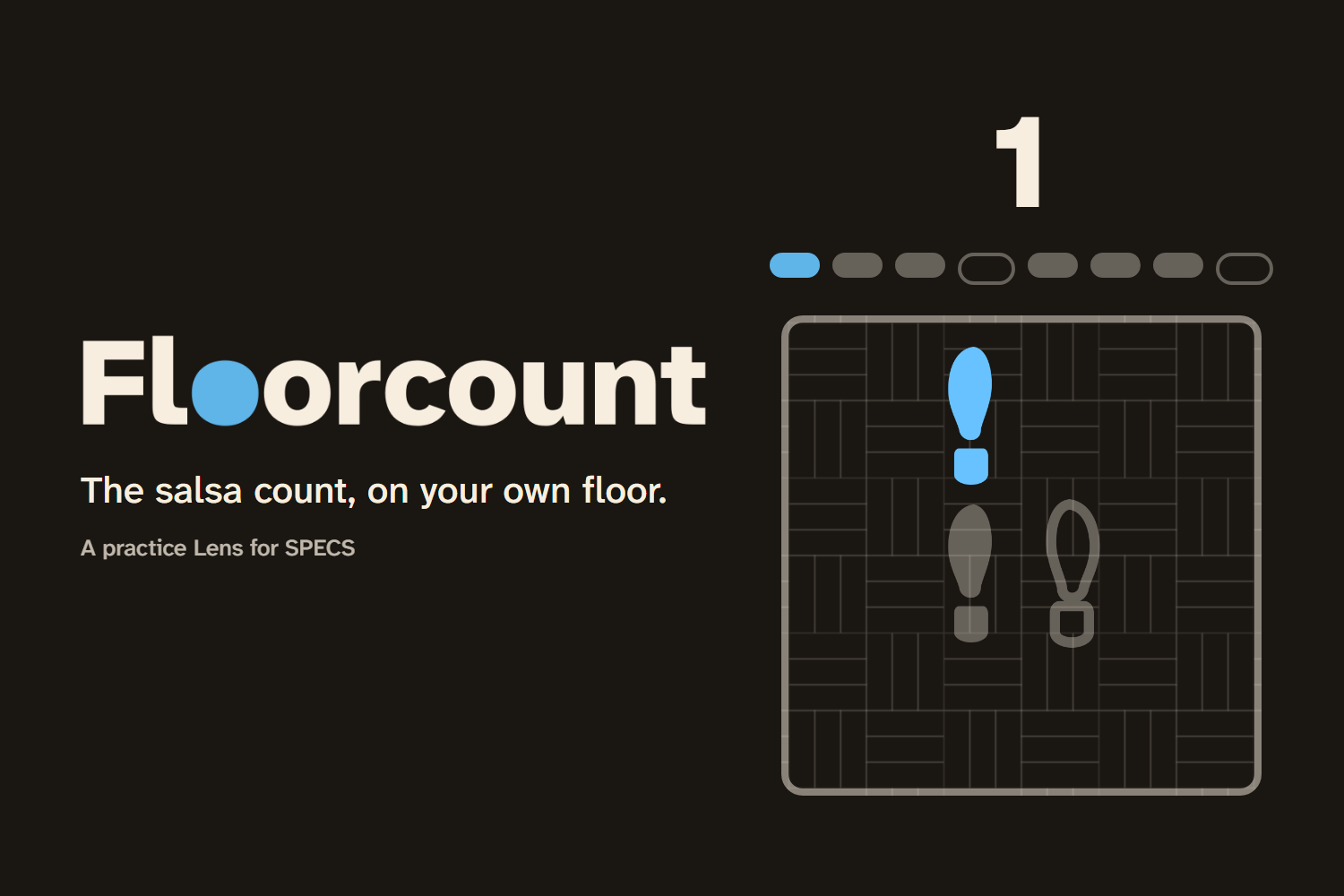
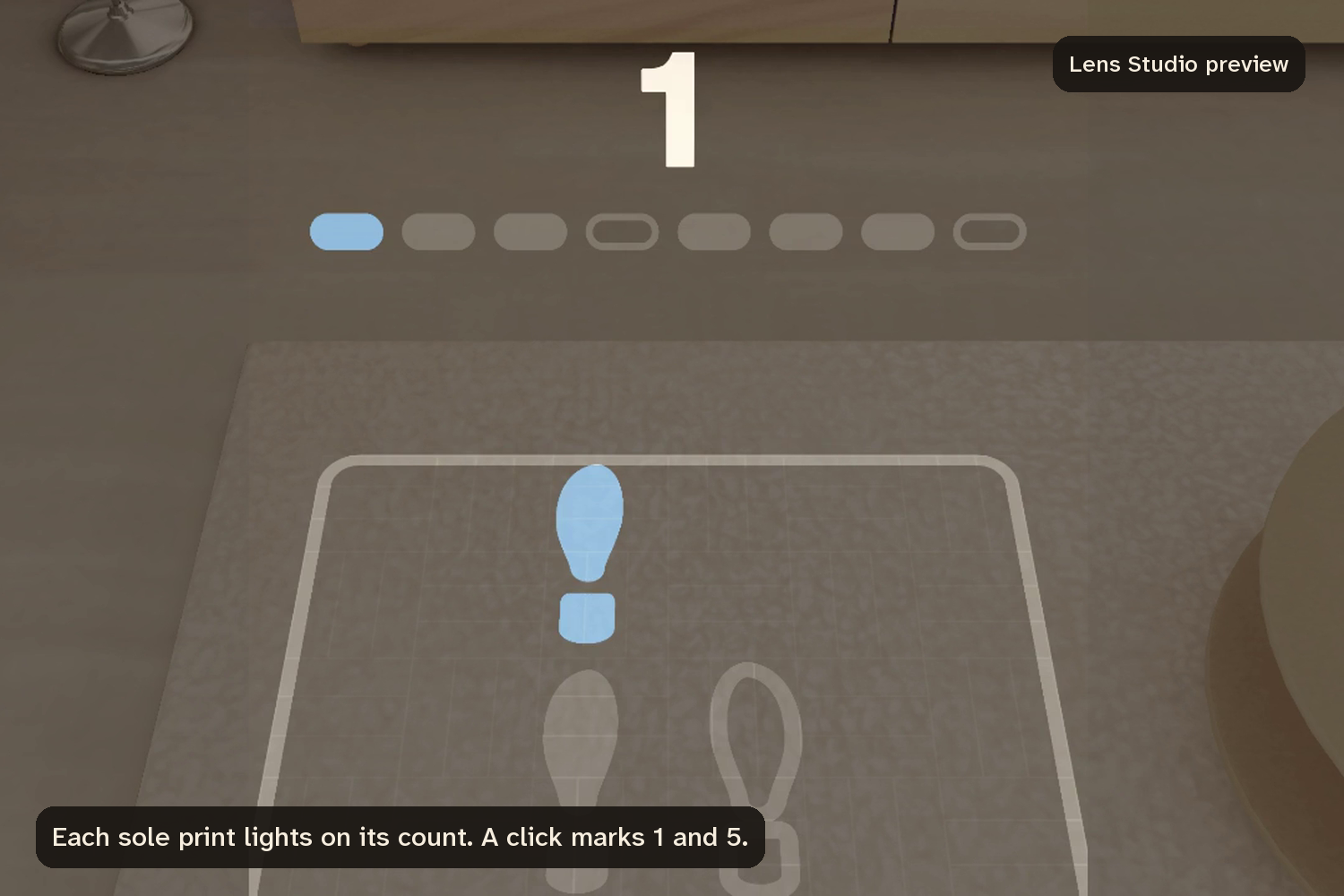
Count 1. Each sole print lights on its count, the holds on 4 and 8 stay dark, and the 1 is the only blue. Lens Studio preview.
-
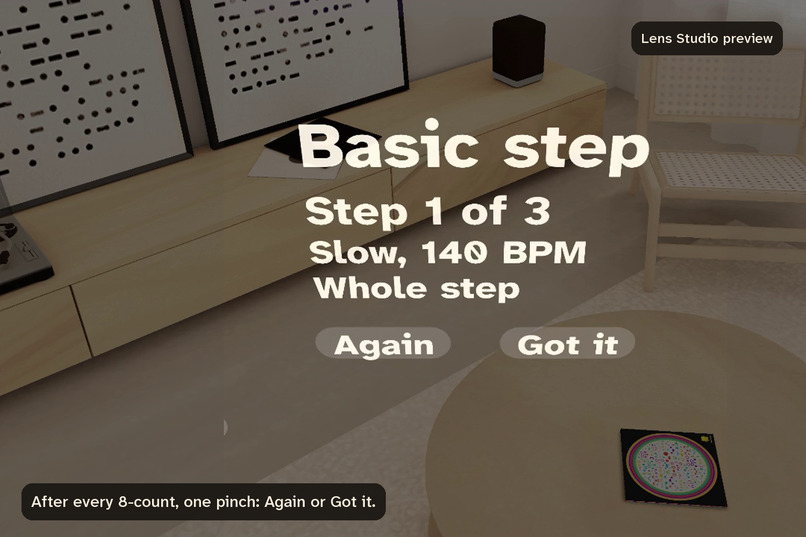
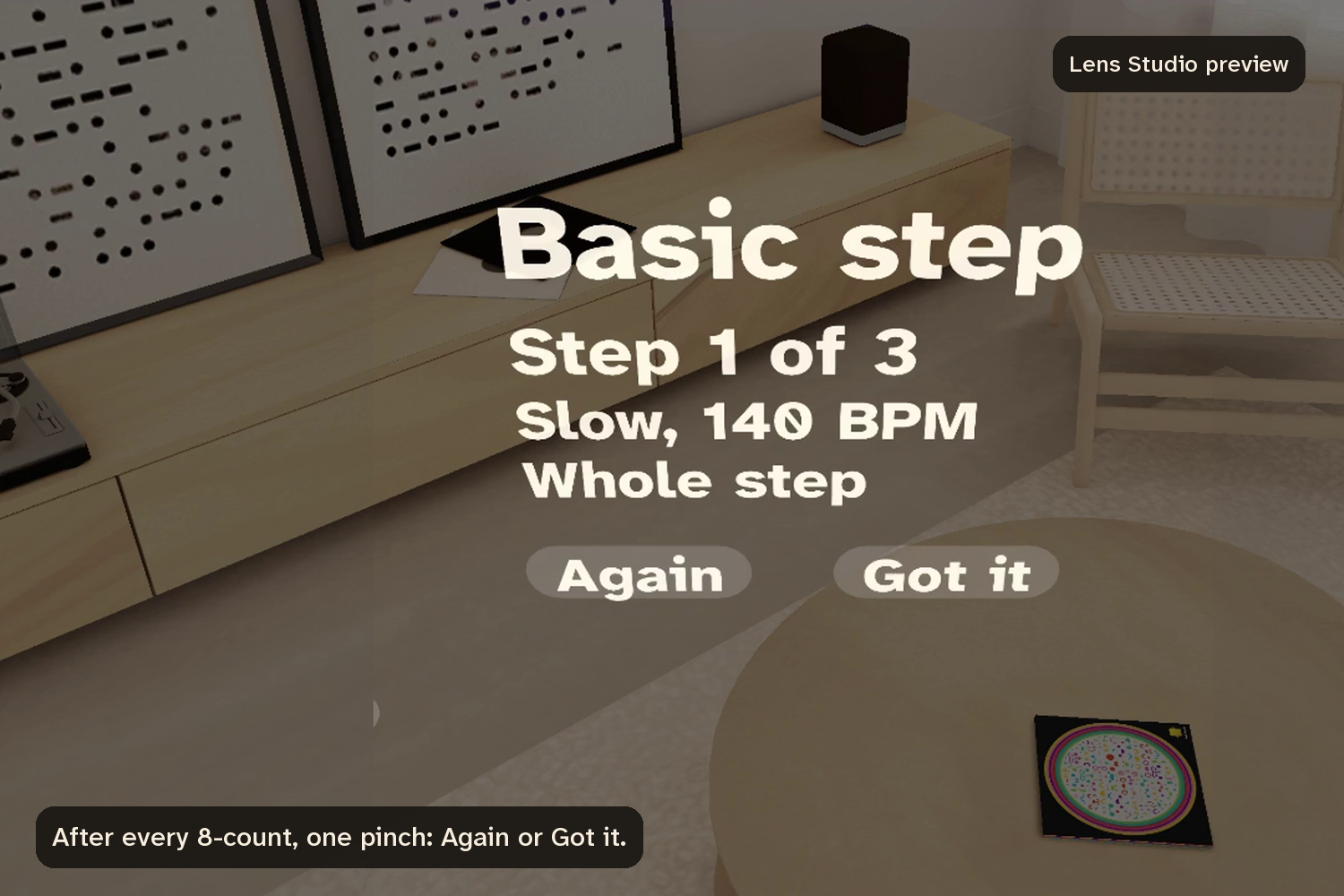
The step card at hip height. After every 8-count you pinch Again or Got it, and the lesson changes with your answers. Lens Studio preview.
-
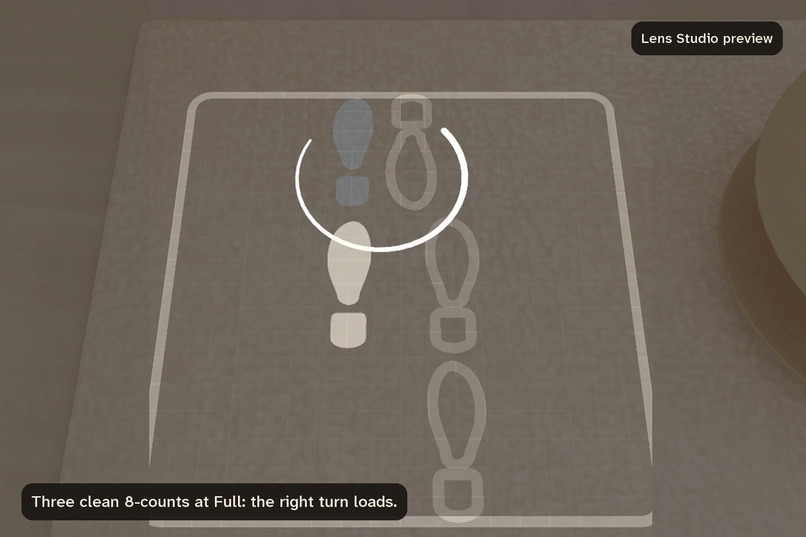
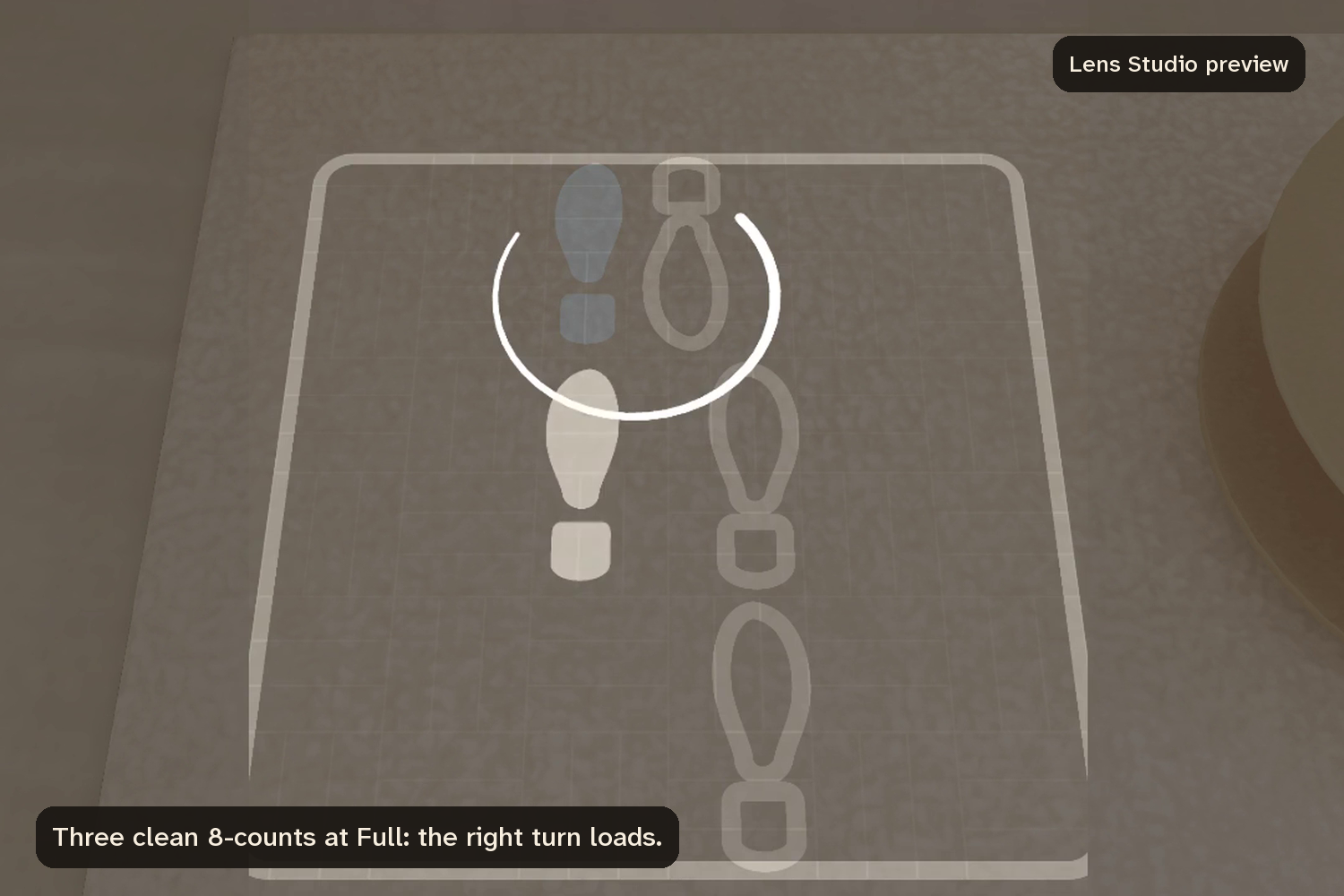
Three clean 8-counts at Full and the right turn loads, with an arc on the floor for the turn. Lens Studio preview.
-
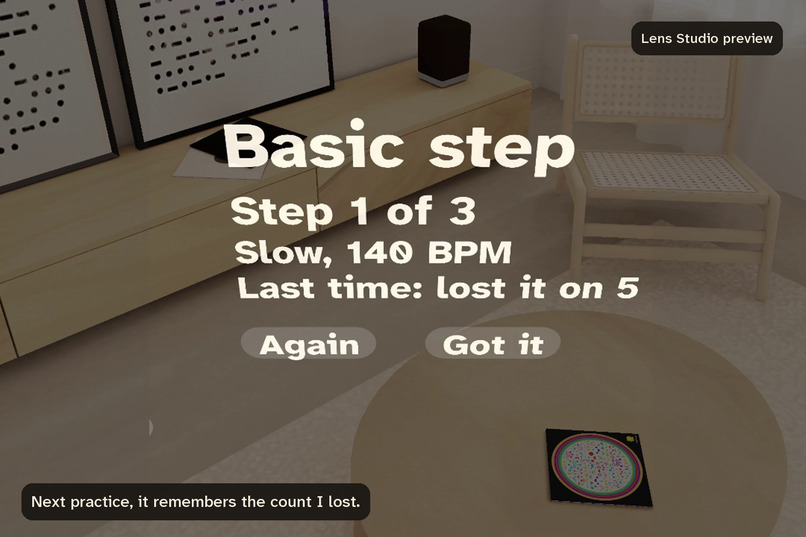
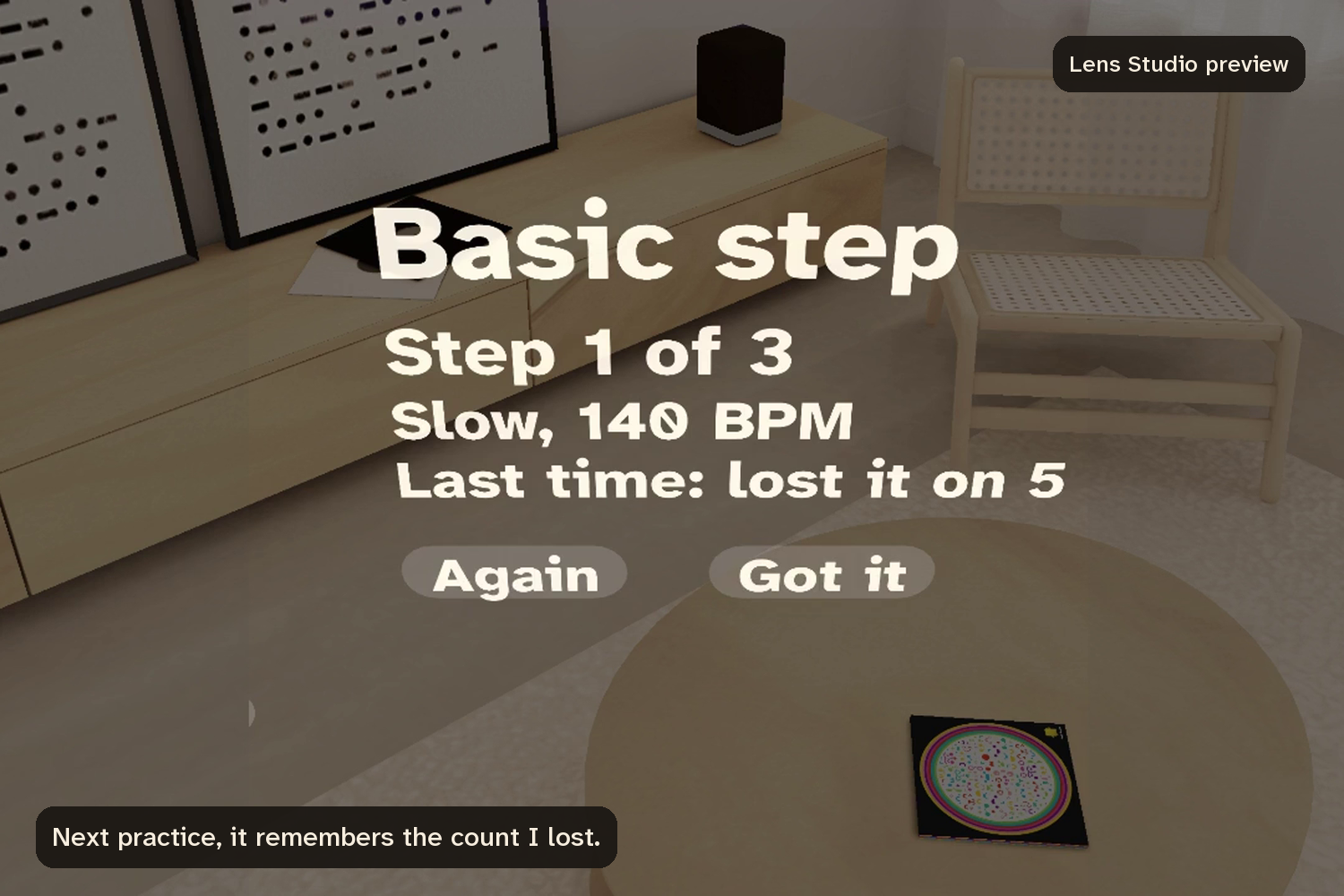
The next practice opens with the count you lost last time named on the card and ringed on the pad. Lens Studio preview.
-
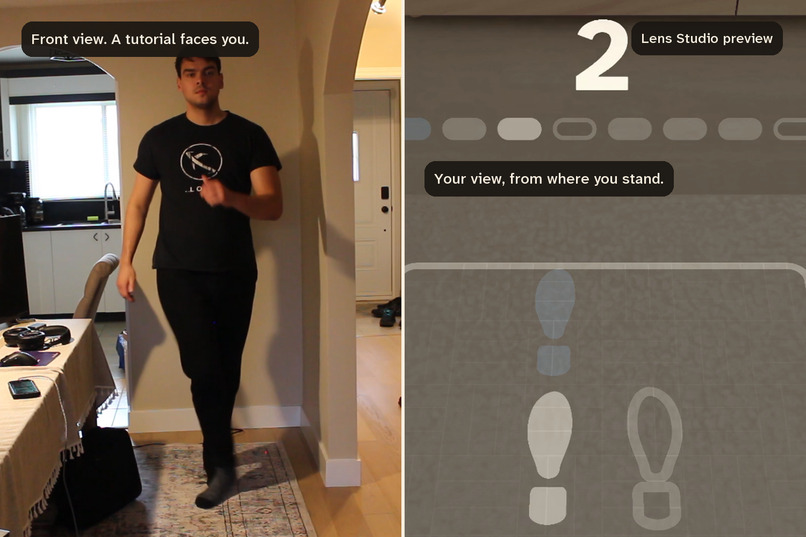
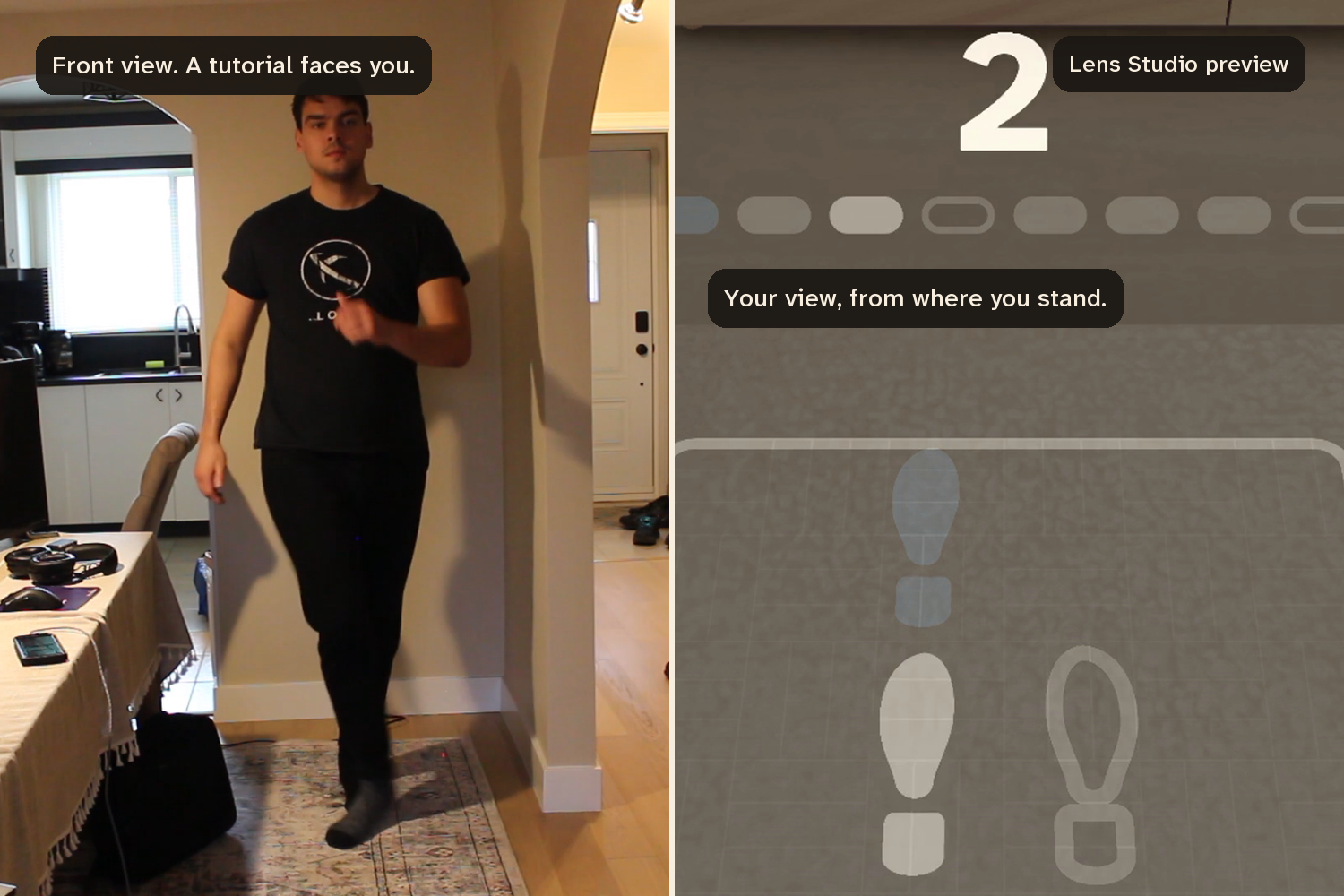
A tutorial gives you the front view. Floorcount gives you the step from where you stand, hands free. Lens Studio preview on the right.
-
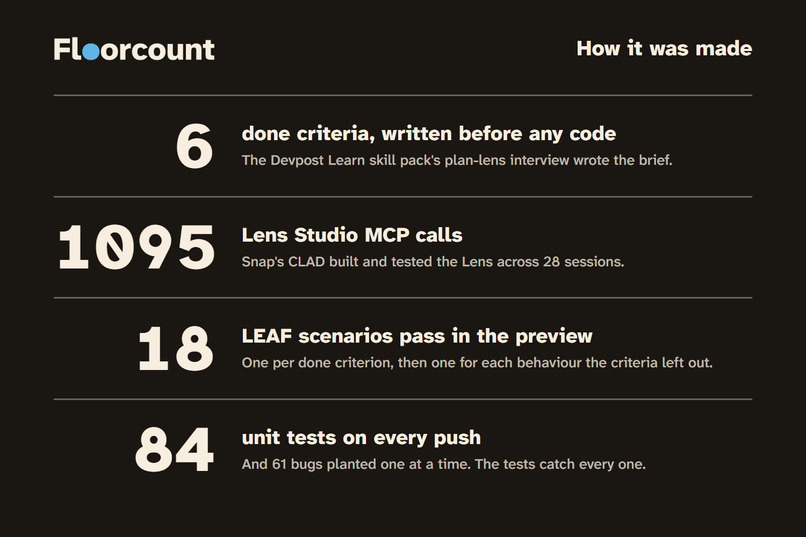
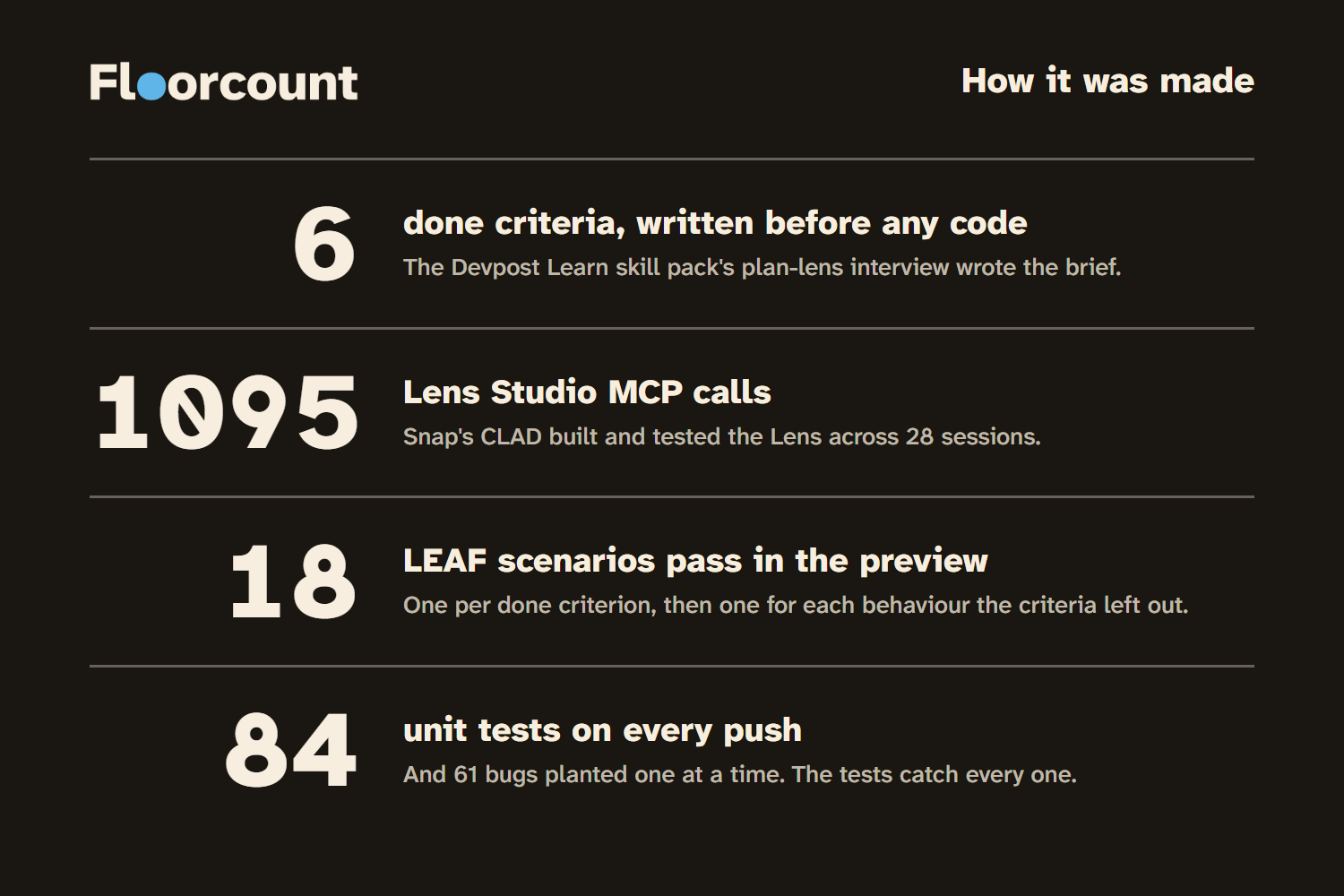
Six done criteria from the plan-lens brief, 1095 Lens Studio MCP calls across 28 CLAD sessions, 18 LEAF scenarios, 84 unit tests.
Floorcount is a salsa practice Lens for Specs. It draws a step's footprints on the floor in front of you at real size and lights each one on its beat, so you practise from where you stand, not from a video that faces you.
It's for salsa learners practising alone between classes: the hours when a tutorial on a phone is the only teacher in the room.
Inspiration
I've done salsa for a few years: several classes a week for a while, then a phase of going out to social dance nights. At home my practice list is short: left turn, right turn, the basic, and "understanding salsa music beats", which has been on that list for a long time.
A class shows you a step once a week. The rest of the week it's me and a tutorial on my phone. The video faces me, so every step is mirrored and I flip it in my head. I lose the count, walk over, scrub back and start again.
I measured one of those practices for the video: 13 minutes with a 4:28 right-turn tutorial, played three times through, two walks to the phone to restart it, and 4 minutes of music to actually dance to. The rest was the instructor talking, watched three times over (how it was measured).
Who it's for
Salsa learners who practise alone between classes, with a 90 cm square of clear floor in front of them. I'm one of them, and the three steps in it are my own practice list. It teaches the leader's part in On1, the style I learned. Nothing to hold and nothing to face: the step is on the floor, facing the way you face.
What it does
One practice, start to finish: the pad settles on your floor, the basic starts slow, and after every 8-count you pinch Again or Got it. The lesson slows down, cuts the step in half, speeds up or moves on from what you answer, and after the last step you see which counts you lost. The next practice opens with those counts marked.
Salsa is counted in eights. In the On1 style you step on 1, 2, 3, hold on 4, step on 5, 6, 7 and hold on 8. Floorcount puts that count where your feet go: a 90 cm square pad on the floor, 70 cm in front of you, with the step's sole prints at real size, left feet solid and right feet outlined. Each print lights on its count and nothing lights on the holds. A wooden click marks 1 and 5 from the floor, the two counts a teacher calls to the class. Robin Campbell, who runs the online salsa school The Dance Dojo, calls hearing where the 1 falls "the single biggest hurdle new dancers face" (The Dance Dojo, 2026), so the click marks it rather than playing the clave pattern, which is syncopated and is what beginners lose the count to. Above the far edge a large numeral and a strip of eight cells show where you are, with the 1 in blue.
To your right at hip height, a step card names the step and holds two buttons, Again and Got it. They light up for the first two counts after each 8-count, and you pinch one: Got it if you danced that 8-count cleanly, Again if you didn't. What you answer changes the lesson:
- Every step starts Slow, 140 BPM. Each Got it on the whole step raises the tempo, to Medium (170) and then Full (190). Three clean 8-counts in a row at Full move you to the next step.
- Two Agains in a row drop the tempo one level (Slow stays Slow) and cut the step to counts 1 to 4. From there each Got it brings back the next half, counts 5 to 8, then the whole step.
- A Got it hides the numeral and the strip, an Again brings them back. The aim is dancing to the music with your eyes up.
- Pinch the print for a count you lost and it keeps a ring.
- At the end, the step you answered Again to most comes back once (if you had any), then you see your Agains per step.
The Lens remembers your last practice. Next time the counts you lost carry a fainter ring, the step card names them until your first answer, and the summary at the end puts each step beside last time. It remembers which counts you lost, not just how many.
Three steps so far: the basic and the right and left turns, where an arc on the floor shows the turn. All three are On1, the salsa style where the first step lands on count 1, and the leader's part: the partner who steps forward on that 1. The Lens's practice music is generated with CLAD's build-music skill, so the Lens needs no licensed track.
The view from where you stand
A phone has nowhere to go when you're dancing. It sits on a shelf facing you, and you walk back to it. On glasses the step is on the floor in front of you, facing the way you face, and both hands are free.
The angle matters. In a preregistered PLOS ONE study this year, 32 dancers learned a routine from video filmed behind the dancer, in front, and in front mirrored. The view from behind did best, most of all for less trained dancers (Versace et al., 2026). Most home tutorials face the viewer, which is the front view. My reasoning, not the study's: footprints at your feet give you the step from your own position, which is closer to the behind view than to a video facing you.
The display is about 37 by 32 degrees and a pad 70 cm ahead on the floor sits about 65 degrees below a level gaze, so the pad, the numeral and the card never fit in view together. The Lens is built around that: the click comes from the floor, the count hides once you don't need it, and if you look away from everything an arrow points back to the pad.
It also uses the one thing glasses have that a phone on a shelf doesn't: they see the room. The pad is placed 150 cm below the eye to begin with, then the Lens reads the depth under it through Snap's WorldQueryModule and, once three readings agree and face up, settles the whole layout onto the floor it found, card included. A wall is ignored and a sofa seat is refused. The preview has no depth to read, so there the pad keeps its fixed height, and a scenario feeds the readings by hand to prove the rule.
So for this job the glasses do three things a laptop or a phone can't: see the floor and settle on it, draw the step at real size where your feet go, and leave your hands and eyes free, with two pinches and a count that comes from the floor. The event's own description of good AR is that it shares your view, draws in the world and leaves your body free. A dance step needs all three at once, which is why this is a Lens and not another video.
What's new about it
Three things, which neither paper footprints nor a video do. The prints keep time: each one lights on its count, the holds stay dark, and a click on 1 and 5 comes from the floor, so the count is under your feet and not in your head. The lesson changes after every 8-count on your own answer: it slows down, cuts the step to half, speeds up or moves on. And it remembers which counts you lost, so the next practice starts there.
The footprints themselves are about a century old as a teaching tool. Arthur Murray mailed numbered paper footprints to students from around 1920, and in 2017 an iPhone app, Dance Reality, drew animated footprints through the phone's camera (I know it from launch coverage; it has left the App Store and I haven't used it). Paper can't keep time, and a phone has to be held up between you and your feet. Floorcount is meant to be worn.
How I built it
The plan came first. I answered the Devpost Learn skill pack's plan-lens questions, and the design brief it wrote fixed one moment, where everything sits, and six done criteria that a test in the preview could check.
Snap's CLAD built it from that brief in Lens Studio 5.23.2 through the Lens Studio MCP: 28 sessions, 597 minutes and 2,691 tool calls, 1,095 of them to the Lens Studio MCP, counted from the sessions' own transcripts in the build log, with every prompt in PROMPTS.md. Of the MCP calls, 345 ran LEAF scenarios (Snap's test framework for Lenses), 140 drove the preview panel and 120 moved its camera, 130 read the preview's logs, 111 ran Editor API code and 68 recompiled the TypeScript; the full table is in the build log. CLAD's specs-experience-builder agent did the first build; the CLAD skills it used are scene-construction, editor-api and materials for the scene, the LEAF skills for the tests, and build-music and build-sfx for the audio. Spectacles Interaction Kit's Interactable takes every pinch, and the sound plays from the pad's position. Two more Snap pieces carry the parts only glasses can do: WorldQueryModule reads the floor for the settle, and the device's persistent storage holds the memory of the last practice.
My brief contradicted itself, and the first build found it. I'd asked for the count to float "40 cm above the far edge of the pad, a little below eye level". 40 cm off the floor is about 110 cm below a standing eye, so CLAD kept the measurement and flagged the conflict in its build report.
LEAF runs one scenario per done criterion plus twelve for what the criteria miss, such as the memory of the last practice and the rule that the blue is only ever on the 1. All 18 pass on a fresh clone of the repository, and the clean-clone test records it: 238 files, no Git LFS pointers, one trust prompt, a clean compile, 18 of 18 with no retries. On that clone the beat test sampled the Lens 130 times over 8 seconds and found no wrong print, nothing lit on a hold, and 140.4 BPM against the 140 BPM loop. The session rules and the footwork data also run without Lens Studio: 84 unit tests on every push. The tests are tested too, by a script rather than by me: it plants 61 bugs in that code one at a time, runs the suite against each, and fails the build if a single one gets through. On the submitted commit all 61 are caught (the run).
How it looks, and why
Nothing on the pad is decoration: the brightness steps are a struck clave and its decay, the dark cells on 4 and 8 are its rests, and blue is kept for the one count a beginner has to find.
The first build worked and looked generic: blue and orange cartoon feet, a frosted panel, stock icons. I wrote design rules and CLAD applied them. The look comes from the clave, the two wooden sticks that keep time in salsa. The pad is laid out like a percussion part written in boxes, one per count: a print flares on its beat and dims over the next one, like a struck clave, and the holds on 4 and 8 are its rests. On this display black is see-through and brightness is opacity, so everything is one ivory at a few set brightnesses, with blue only for the 1.
Challenges
The preview reports a stale audio position for about a second after the music starts, and the first beat clock read that as the loop restarting. The count ran at up to 620 BPM against a 140 BPM track until CLAD rewrote the clock.
The first build was never saved and its scene was lost, so every session since saves at each milestone.
One scenario failed on every run while the Lens was fine. At Full, the fade between steps lasts 0.63 seconds and a simulated pinch takes about 0.95, so the fade started and ended inside the pinch, and the test looked only once, afterwards. It now watches every frame.
What I learned
On glasses, nothing is ever all in view, so I stopped designing a screen and started deciding what each place in the room is for: the floor for the step, the card at hip height for answers, sound from the pad, and an arrow only when everything is out of view.
On this display black is see-through. The first build's dark frosted panel would have been a hole in the room, so the step card became text on the air with two buttons.
Tests have to be specific. The brief said you answer "after an 8-count", and nothing enforced it until a scenario pinched twice in a row and both counted. And preview scenarios miss things a plain unit test catches. A unit test on the footwork data found both turn arcs running 5 cm past the pad's edge, which the eight scenarios that existed then had passed over.
What's next
Trying it on real glasses first: I've posted it in the Devpost Discord's feedback channel for anyone with a pair to try. Then the other dances I take classes in. Bachata counts in eights like salsa but steps on 1, 2, 3 and taps on 4, so the dark hold cells become tap cells. West Coast swing is danced in a slot, in six-count and eight-count patterns (a sugar push is six counts, a whip is eight), so the square pad becomes a long strip along the floor and the count strip has to change length from one pattern to the next, which it can't yet. The footwork lives in a data table and the music comes from CLAD's build-music skill, so a new dance is mostly a new table and a new loop. After that, salsa shines (solo footwork like the Suzie Q) and the follower's parts.
What it can't do yet
I haven't had Specs hardware, so every test and every shot is Lens Studio's preview, where a mouse click or a LEAF scenario stands in for a pinch. Nobody has danced with it on glasses yet. Comfort, real hand tracking and the switch from looking down at the pad to dancing eyes up are untested. It doesn't see your feet: Again and Got it are your word, so it can't tell you you're wrong. The floor settle has only run on readings a test fed in, since the preview has no depth.
Video and code
The video is 2:58. The first half-minute is not the Lens: a class, then me at home practising the right turn from a phone tutorial the way I always have, with that practice measured. Then one session in Lens Studio's preview: the count on the floor (0:47), Again or Got it (1:04), the memory of last time (1:28), why glasses (1:36), how it was built (2:06), the limits and the right turn (2:41). Every Lens shot is labelled as preview.
Video: https://www.youtube.com/watch?v=n4pGnXYn0ys Repository, with the Lens Studio project, the tests, the build log and every prompt: https://github.com/JonathanSolvesProblems/floorcount
Who did what
I chose the idea and the steps (my own practice list), set the design rules and decided what stayed. I worked with AI coding agents throughout, directing each session: they helped me answer the planning interview, write the design rules and write the prompts, and Snap's CLAD did the building and testing in Lens Studio, through the MCP.
Built With
- clad
- ffmpeg
- github-actions
- javascript
- leaf
- lens-studio
- lens-studio-mcp
- node.js
- playwright
- python
- snap-specs
- spectacles-interaction-kit
- typescript
- worldquerymodule
