-
-
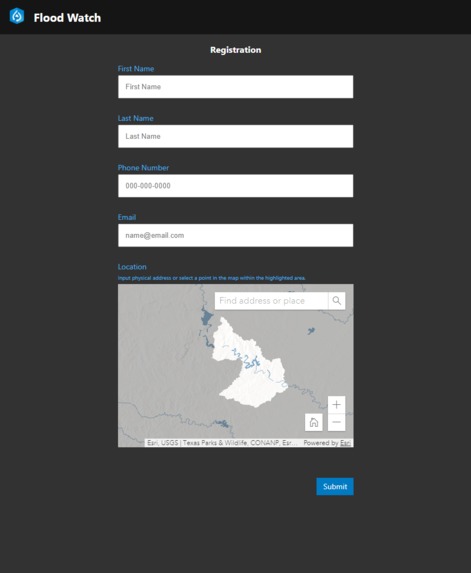
Flood Watch App Interface
-
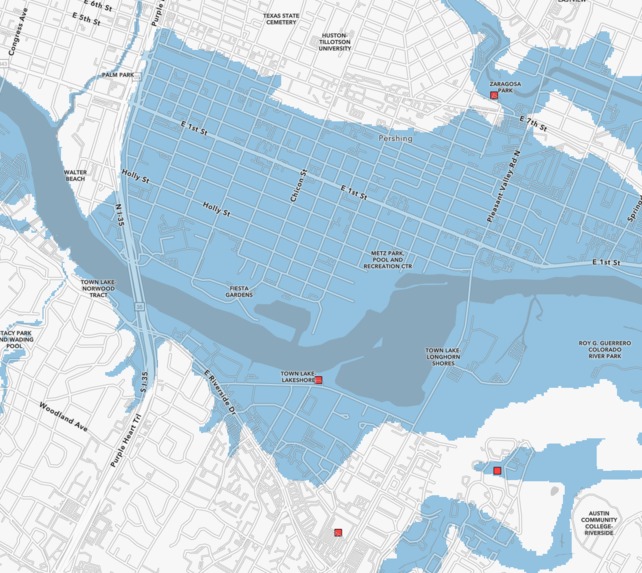
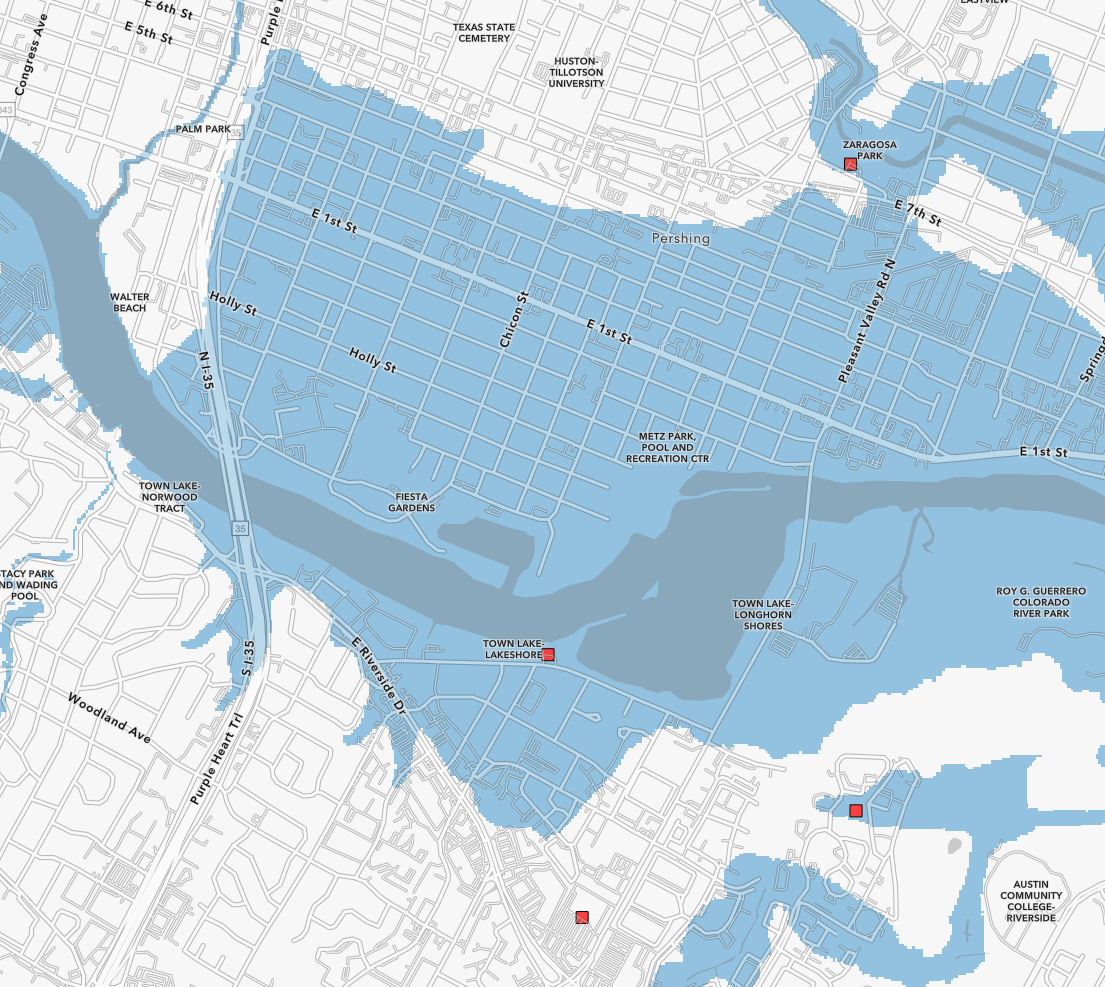
Flood Extent Map
-
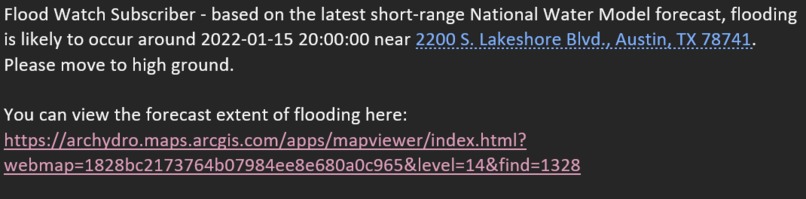
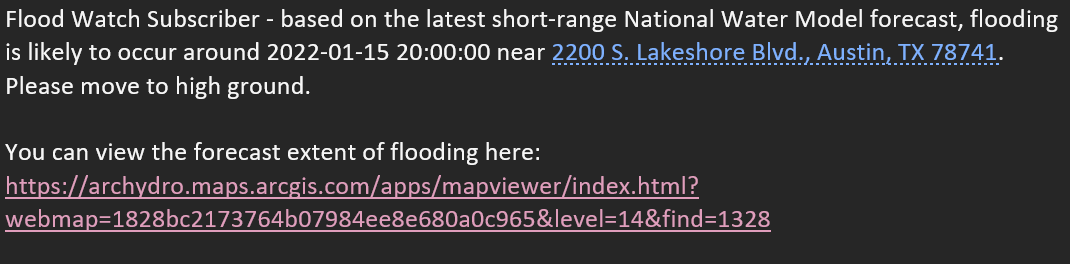
Sample Email Flood Warning
-
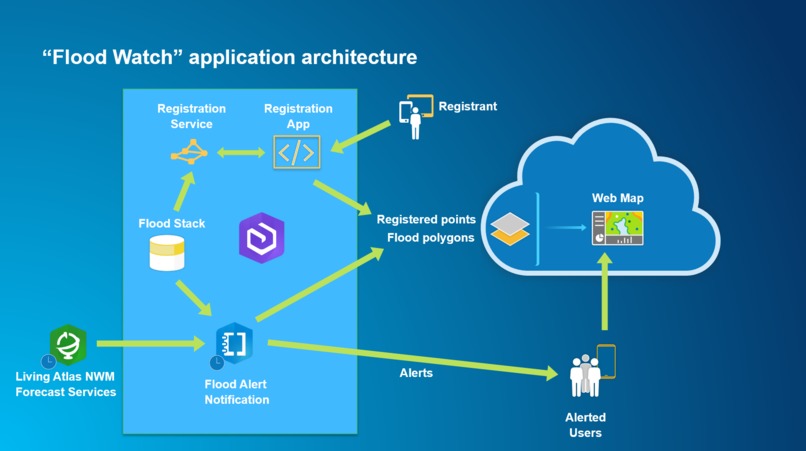
Flood Watch Solution Architecture


Inspiration
During the most recent heavy rain spell in Redlands, CA, my associates and I received a flash flood notification from the National Weather Service on our mobile devices. I clicked on the view areas of flooding link and was directed to a page that said "Flash Flood Warning: San Bernardino County" - no other details.
Since San Bernardino County makes up almost 10% of California, the National Weather Service Flood Warning is not an effective resource for anyone trying to understand where flooding is occurring and whether it presents a risk. After voicing these complaints to the Esri Water Resources team, we decided that a better solution is to downscale the National Weather Service warnings to specific neighborhoods affected using elevation data and flow forecasts from the National Water Model (Living Atlas service).
What it does
Flood Watch is a simple web application that allows a user to register their address to be monitored for flood events. Once a user inputs their address, a geoprocessing script runs hourly, taking the latest National Water Model short-range stream flow forecasts and determines if flooding will occur and if so, how high the water level will be. If the height of flooding exceeds the elevation of the user's address, Flood Watch immediately notifies the user via email that they may experience flooding. In addition to the warning, a web map is linked to the email where a user can view the flood extent around their address.
How we built it
- Registration web app developed in Java Script using React and Calcite components. It performs the following: a. Gets from the user basic information about the location (address or location on the map) and email. b. Executes a service call to the “Registration Service” that for the given point returns the NWM reach relevant for the location and the ground flood level. c. Stores the finalized location information into AGOL-hosted feature service (“Registrant Repository”).
- Registration Services developed in Python and published as a geoprocessing service hosted in ArcGIS Enterprise. For a provided input point, it returns NWM reach and the ground flood level relevant for the location.
- Registrant Repository feature service hosted in AGOL.
- Flood Extent feature service hosted in AGOL.
- Flood Web Map for display of floodplain extents (Flood Extent FS) and registered points (Registrant Repository FS) hosted in AGOL.
- Flood Alert notification script implemented as a Jupyter Notebook that does: a. Download NWM short-range flow forecasts from Living Atlas service for the region of interest. b. Calculate depth from forecasted flows using rating curves from “Flood Stack”. c. Calculate maximum flood depth for the forecast period per reach and created a flood extent polygon for the forecast and refresh “Flood Extent” feature service in AGOL. d. Correlate maximum depth of flooding with ground flood elevation for registered points and identify flooded points. e. Send alert email to the flooded points referencing the point location and the “Flood Web Map”.
Flood Alert notification script uses “Flood Stack”, which is a terrain preprocessed geodatabase for a specific region. Existence of a “Flood Stack” is a requirement for implementation of Flood Watch for a specific region. Note that “Flood Stack” is used by the Living Atlas team to support their Pin2Flood sample app.
Challenges we ran into
Limiting the scope of the application to what could reasonably be achieved during the Hackathon time period.
Accomplishments that we're proud of
In the span of four days, our team managed to create an application that brings immediate value to real world problems.
What we learned
Existing technology/methodology can be leveraged to quickly produce meaningful consumer solutions that can warn local communities of flooding events.
What's next for Flood Watch
- Inclusion of “flood threshold”. This is additional elevation above the ground for a specified location (for example actual first floor elevation). So the actual flooding at a location will not happened at the ground level, but rather at the “ground” + “flood threshold” level. This can also be used for inclusion of a “safety” factor if we want to be alerted sooner than the ground level is flooded (use negative flood threshold).
- Inclusion of medium range NWM flow forecast. This will extend the forecast horizon to 10 days (instead of current 18 hours). possibly only few initial days would be included due to significant reduction of forecast accuracy as the forecast horizon is extended.
- Implement Flood Alert app within AGOL Notebook environment and run it on predetermined schedule.
- Develop a detailed web app with rich core capabilities that will be referenced in the notification. That can be “dashboard” style app that summarizes critical information for the user – information like when will the facility be flooded first, how long it will be flooded, what is the maximum expected depth of flooding. In addition, it can have capabilities to present available open shelters and other relevant information, vehicle routing, relevant public announcements, etc.
- Include use of text messaging in addition to email address.
- Improve time to flood calculation. That will help the user with estimation of how much lead time they have before their location floods. Currently, the reported time is of the maximum flood within the forecast period. We want to calculate FIRST time within the forecast period when flooding at a location will occur.
- Inclusion of “dry” time calculation. This is the time within the forecast (if any) at which the flood waters will recede and the location will be “dry” again. That will help the user with understanding of when they might be able to return to the property.
- Inclusion of forecasted flooded duration (time from initial flooding to the end of flooding).
- Provide necessary security infrastructure to limit visibility of registered data.
- Extending area of processed data so the app can be implemented across the country.
- User management app (for editing user information).
Built With
- agol
- arcpy
- calcite
- enterprise
- esri
- javascript
- python
- react


Log in or sign up for Devpost to join the conversation.