-
-
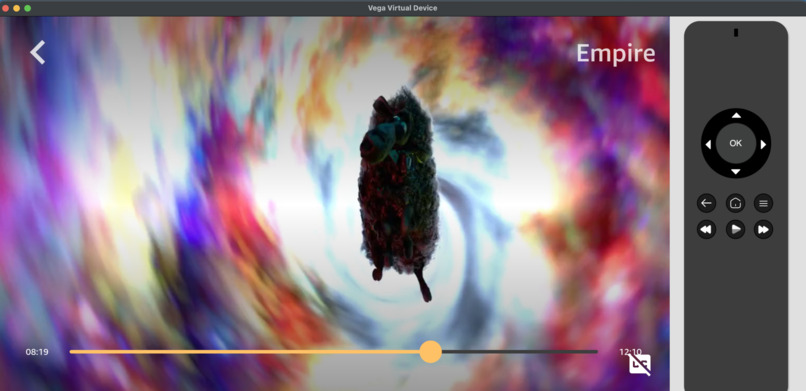
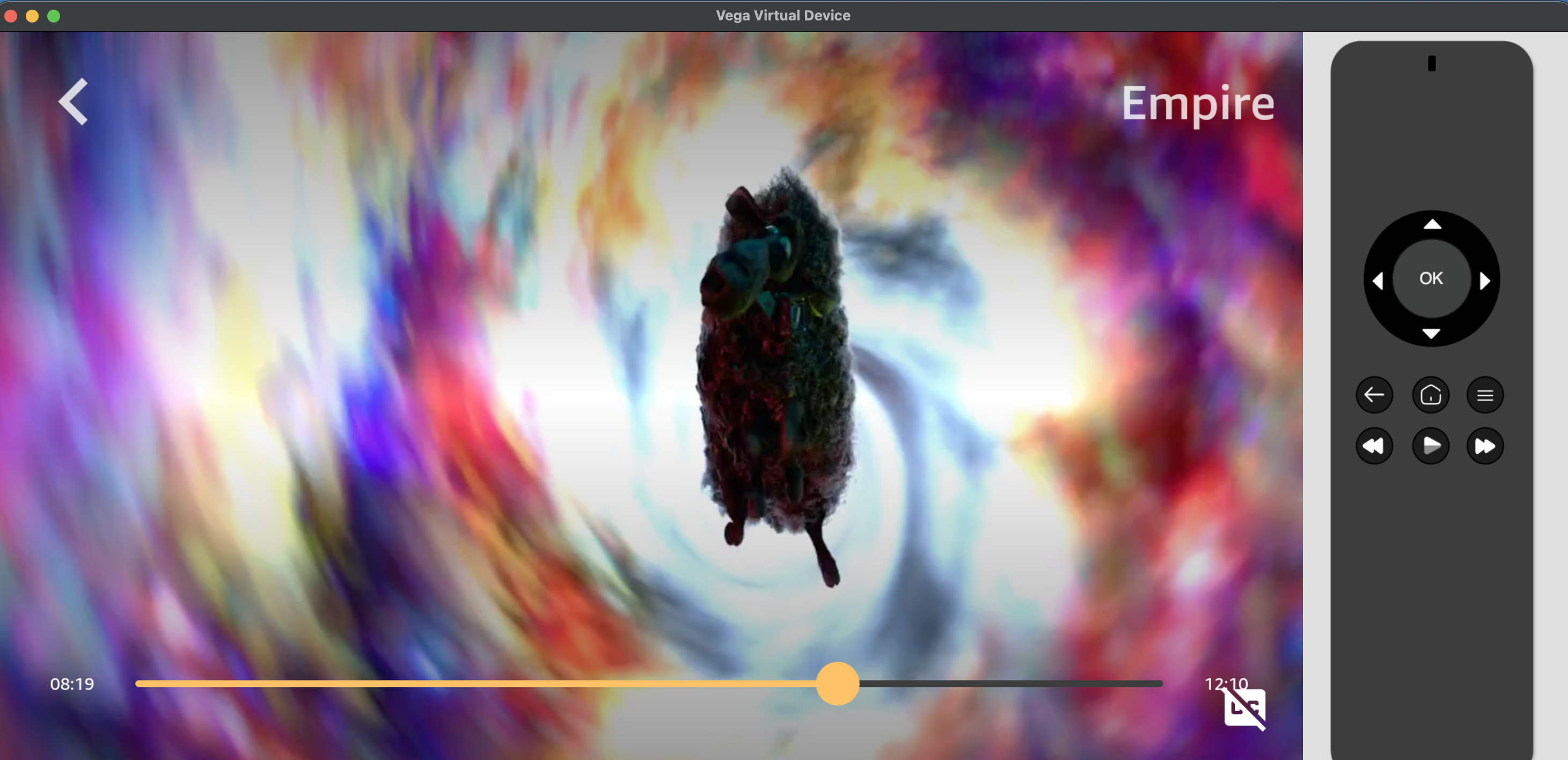
Demonstrates video playback in the Flinch-enabled Vega app.
-
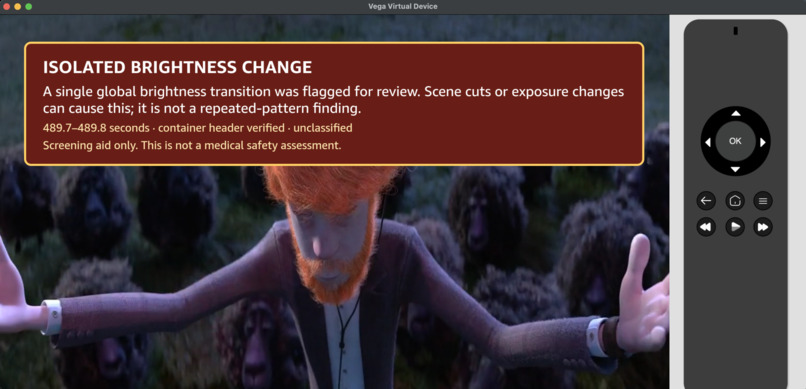
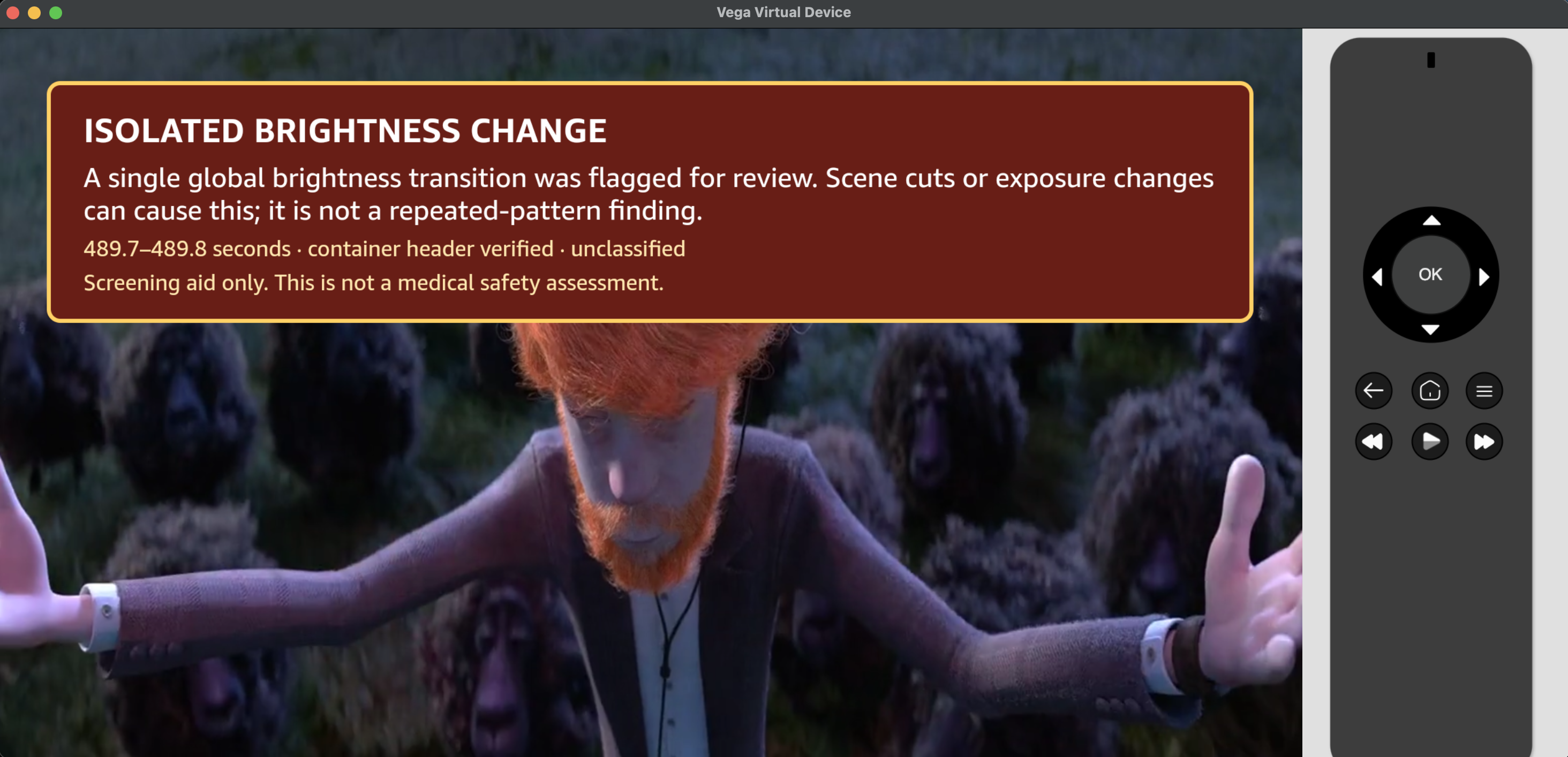
Shows an in-player warning for a candidate brightness change.
-
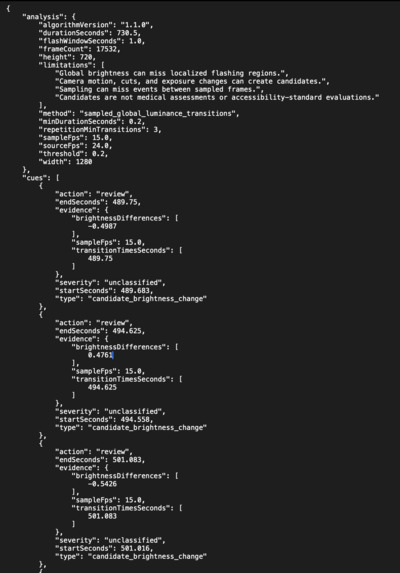
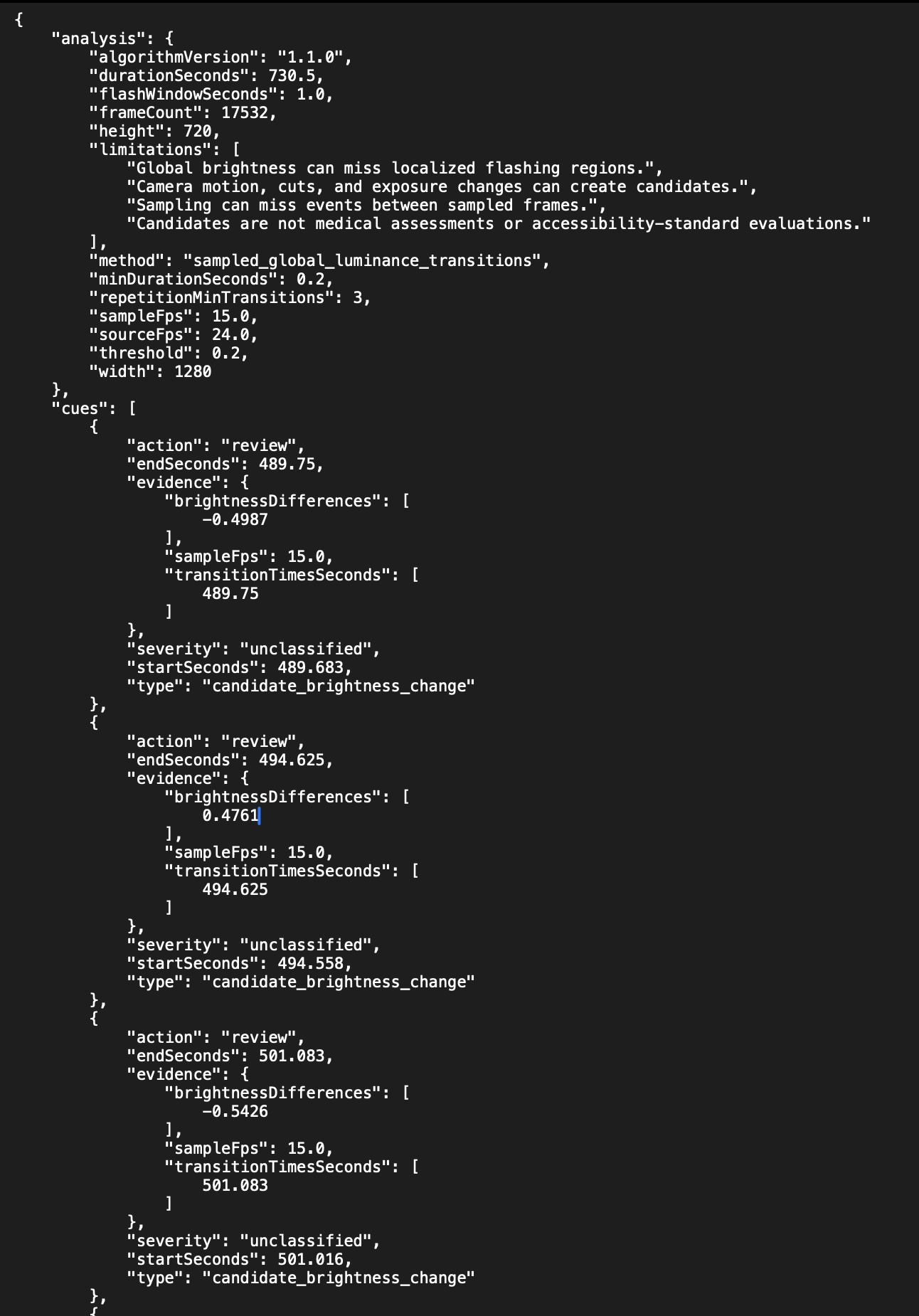
Flinch’s JSON manifest records 9 candidate brightness changes, timestamps, luminance differences, source hashes, and screening metadata.
-
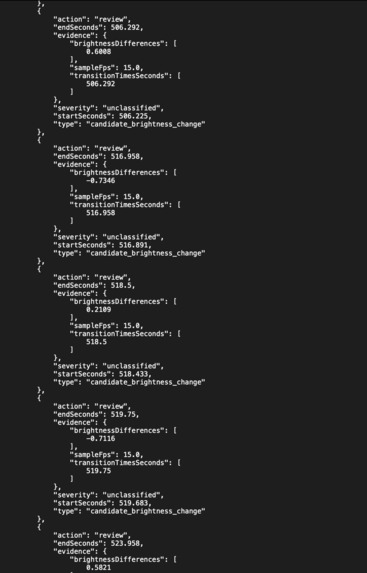
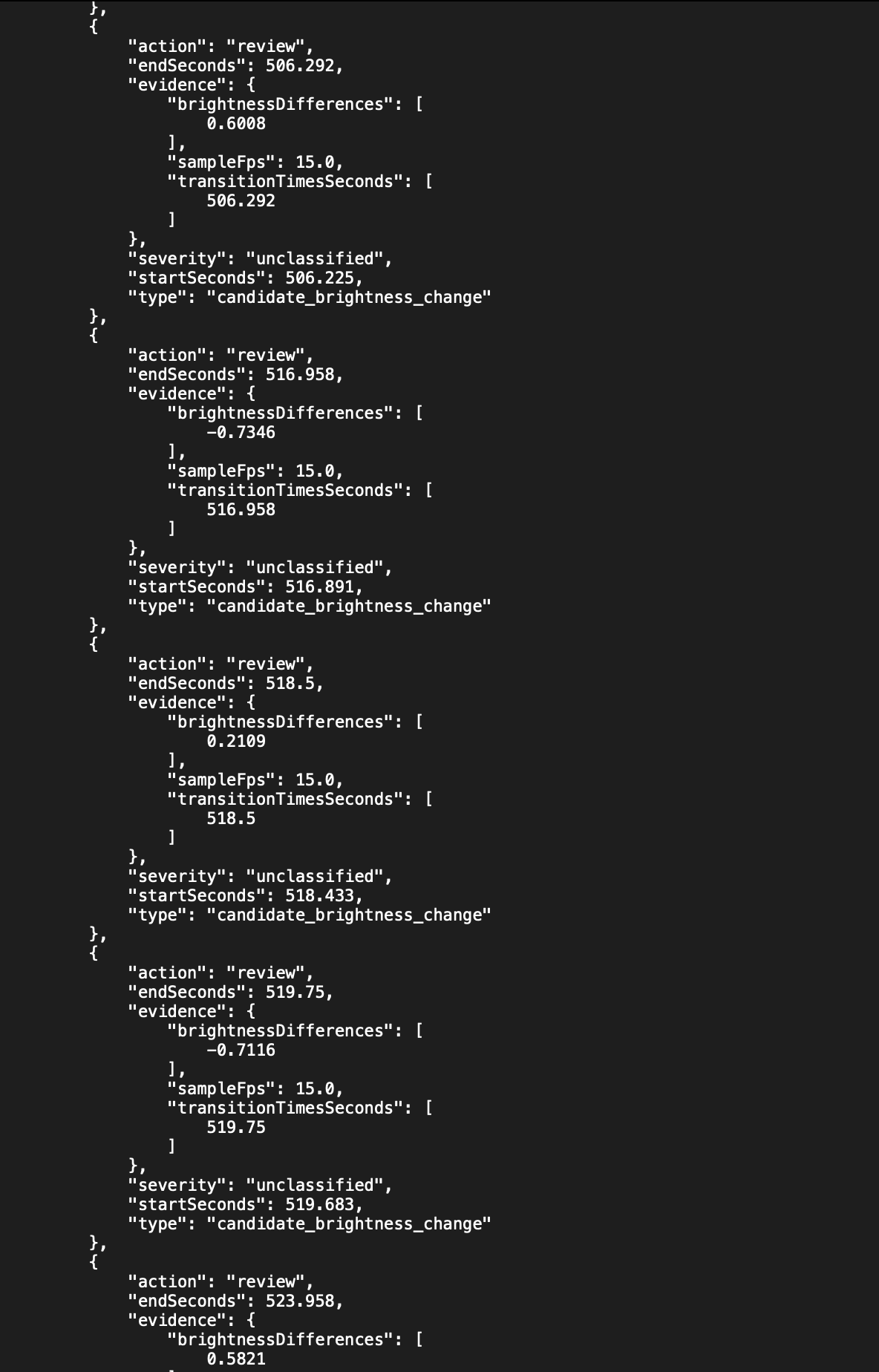
Flinch’s JSON manifest records 9 candidate brightness changes, timestamps, luminance differences, source hashes, and screening metadata.
-
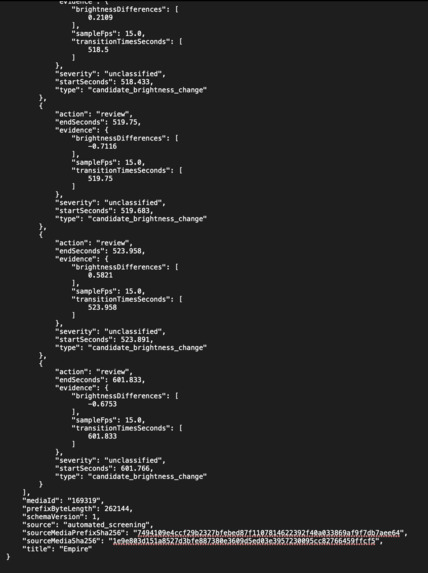
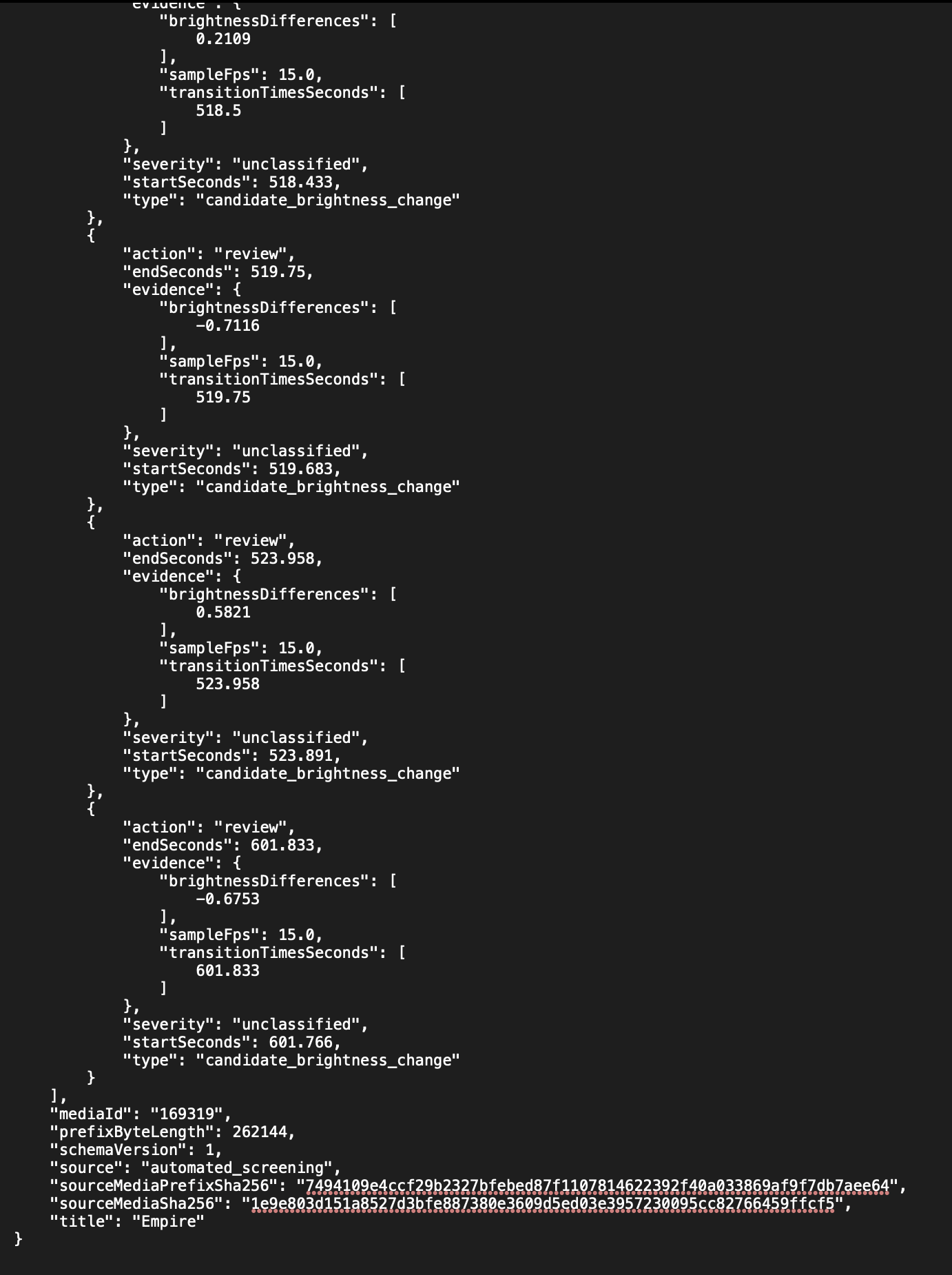
Flinch’s JSON manifest records 9 candidate brightness changes, timestamps, luminance differences, source hashes, and screening metadata.
-
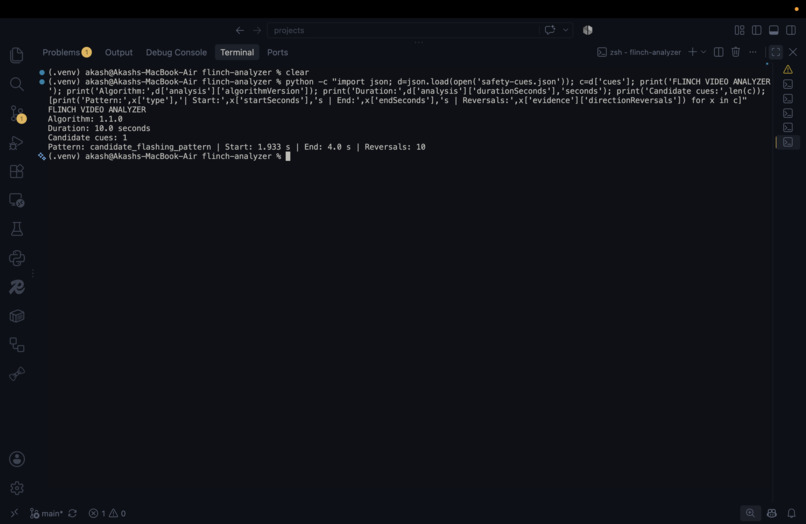
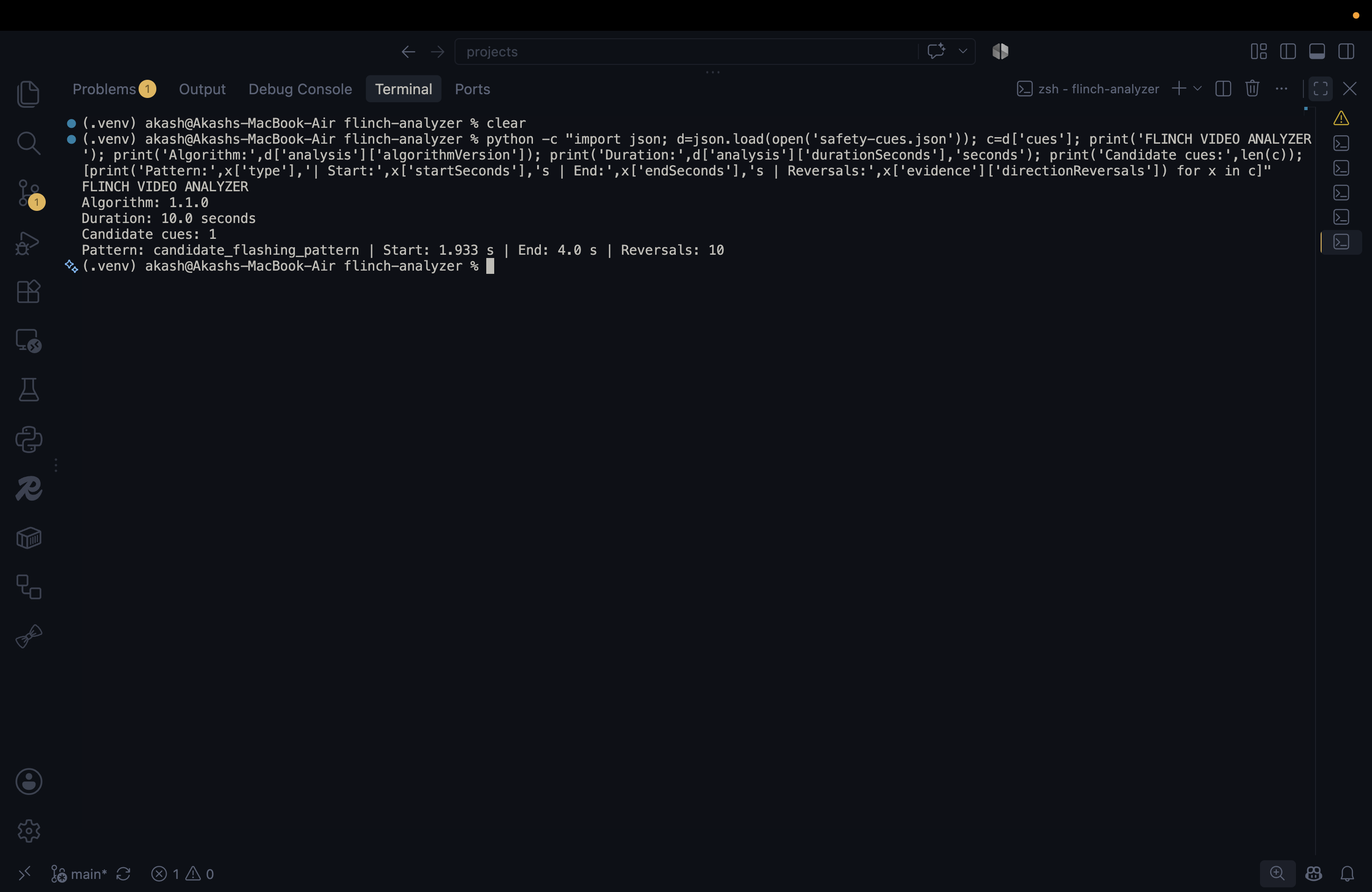
Flinch detected 1 candidate flashing pattern in a 10-second test video, with 10 direction reversals between 1.933s and 4.0s.
-
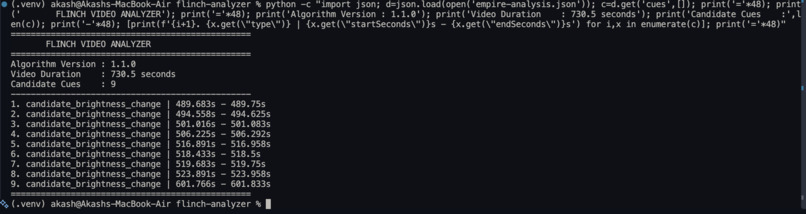
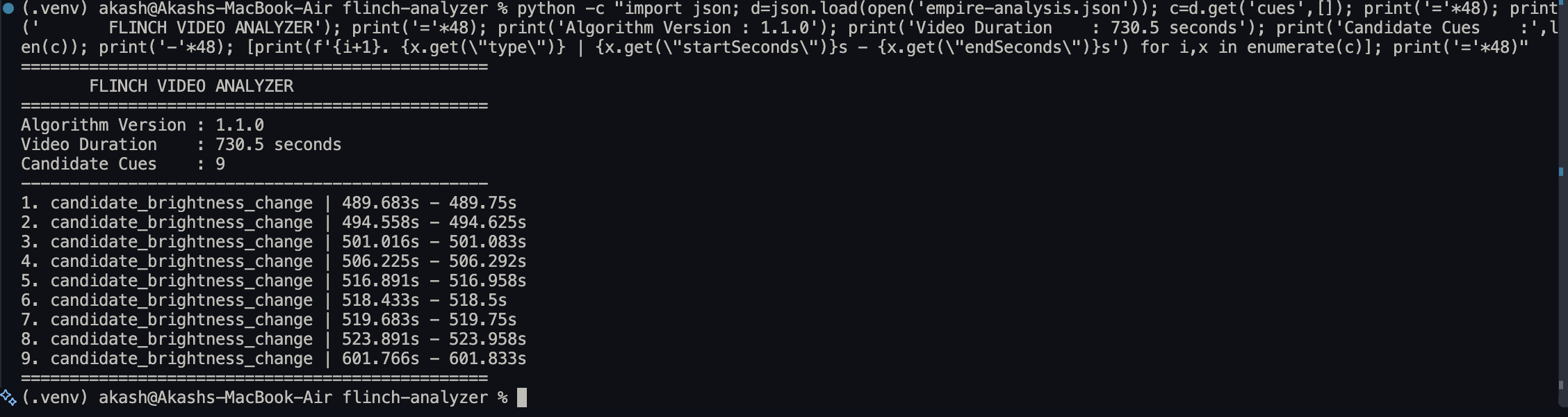
Flinch’s Python analyzer screened Empire (730.5s) and identified 9 candidate brightness changes using algorithm v1.1.0.
Inspiration
Videos are an essential part of everyday life, but flashing patterns and sudden changes in brightness can be uncomfortable or potentially concerning for some viewers. We wanted to explore whether software could help viewers anticipate these visual patterns instead of discovering them unexpectedly during playback.
That idea inspired Flinch: a video screening aid that analyzes visual changes before playback and provides timestamped warnings while a video is playing. Our goal was to make potentially concerning visual patterns easier to identify while being transparent about the limitations of automated detection.
What it does
Flinch analyzes video frames to identify candidate flashing patterns and significant brightness changes. It generates a structured JSON manifest containing timestamped candidate cues and media-integrity metadata.
During playback, Flinch verifies registered media against its manifest and coordinates the detected cues with playback timestamps. When a relevant cue becomes active, the player displays a contextual warning that viewers can dismiss.
Flinch also handles cases where screening information is missing or verification fails. In these situations, it marks screening as unavailable rather than treating the video as verified or displaying unverified cues.
Flinch is a screening aid, not a medical safety assessment. A detected cue does not establish that a video is harmful, and the absence of a cue does not guarantee that a video is safe.
How we built it
We built Flinch using Python, OpenCV, TypeScript, and React, integrating the screening workflow into an Amazon Vega video application.
- Offline video analysis
We created a Python-based analyzer that samples video frames, converts them to grayscale, and calculates normalized luminance. It compares consecutive samples to identify significant brightness changes, groups nearby transitions, and flags repeated alternating changes as candidate flashing patterns.
- Structured screening manifests
The analyzer generates JSON manifests containing cue timestamps, classification labels, and source-media integrity metadata. This separates the computationally intensive analysis process from runtime video playback.
- Runtime verification
We implemented a media manifest registry and verification logic to check whether a registered video matches its expected identity. The verifier supports bounded prefix hashing and full-file hashing, with strict validation of HTTP range responses and streamed data.
- Playback integration
A TypeScript screening coordinator manages verification states and cue scheduling. We integrated it into the Vega video player so that verified cues can be presented at their corresponding playback times, while unavailable screening data does not produce warnings.
- Regression testing
We added tests for verification edge cases, including malformed range responses, missing Content-Range headers, and streams that return more data than the requested prefix length.
Challenges we ran into
Verifying large media files efficiently: Downloading an entire video simply to check its identity can be expensive. We implemented bounded prefix hashing and strict response validation to limit the amount of data read during prefix verification.
Coordinating asynchronous verification and playback: The player must handle media selection, verification, and cue scheduling without showing stale or unverified warnings. We addressed this with an explicit screening state and a dedicated coordinator.
Handling failure safely: Missing manifests and failed verification must not be interpreted as evidence that a video has no concerning patterns. Flinch therefore disables screening cues when verification cannot establish the required association.
Working within real-world video limitations: Frame sampling can miss brief flashes, and video containers can place important metadata outside the sampled prefix. Additionally, the JavaScript verifier and native player may fetch the media independently, so successful prefix verification does not prove that every byte decoded by the player is identical to the verified content.
These challenges taught us that reliable screening requires not only a detection algorithm, but also careful integrity checks, failure handling, and clear communication of uncertainty.
Accomplishments that we're proud of
- Built an end-to-end workflow from offline video analysis to timestamped warnings during playback.
- Integrated a Python/OpenCV screening pipeline with a TypeScript-based Amazon Vega video application.
- Created structured JSON manifests that connect detected visual patterns with playback timestamps.
- Implemented media verification with bounded streaming and strict HTTP range-response validation.
- Added regression tests for important integrity-checking edge cases.
- Designed failure handling so that unavailable screening data is not misrepresented as a clean screening result.
- Developed a working prototype that demonstrates how offline video analysis can support a real-time playback experience.
Most importantly, we built Flinch with an emphasis on being transparent about what automated screening can-and cannot-establish.
What we learned
We learned that detecting visual patterns is only one part of building a dependable video-screening experience. The surrounding system must also identify media correctly, coordinate timestamps, handle network and verification failures, and communicate uncertainty to users.
We gained practical experience with computer vision, streaming data, HTTP range requests, media integrity checks, asynchronous state management, automated testing, and native video playback integration.
We also learned an important product lesson: a missing warning must never be presented as proof of safety. Automated detection can assist viewers, but it cannot guarantee that every potentially concerning visual pattern has been identified.
What's next for Flinch — A Safer Video-Watching Experience
We see Flinch as a foundation for a more transparent and accessible video-watching experience.
Our next steps include:
- Improve detection accuracy: Evaluate different sampling rates and detection thresholds against a broader set of videos and known visual patterns.
- Strengthen media integrity: Explore stronger ways to bind verified media identity to the content actually decoded by the native player.
- Expand format coverage: Test videos with different container layouts, durations, resolutions, and metadata arrangements.
- Improve viewer controls: Explore configurable warning timing, clearer cue explanations, and accessibility-focused playback options.
- Make results easier to understand: Provide a screening summary that distinguishes detected candidate patterns, successfully verified media, and unavailable or incomplete screening.
- Validate with real users: Gather feedback on warning visibility, timing, usefulness, and the potential for false positives or missed patterns.
Our long-term vision is to make video screening more understandable and useful without overstating what automation can guarantee. Flinch is a step toward helping viewers make more informed decisions about their viewing experience.
Built With
- amazon-vega
- automated
- json
- media-playback
- opencv
- python
- react
- testing
- typescript
- video-processing

Log in or sign up for Devpost to join the conversation.