-
-
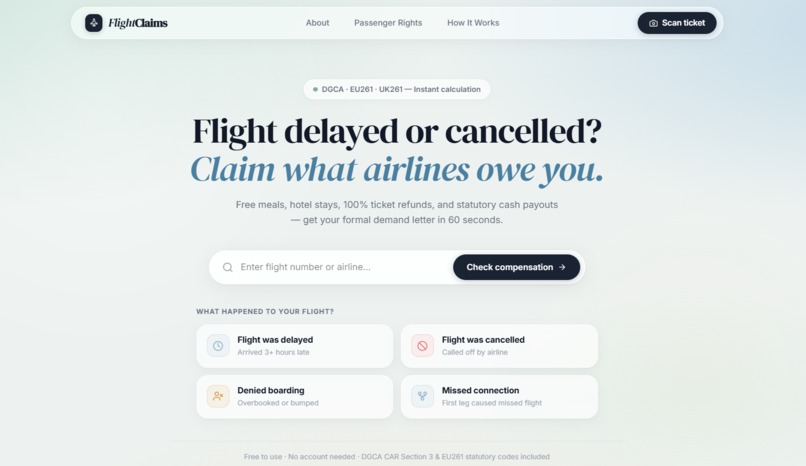
Home Page
-
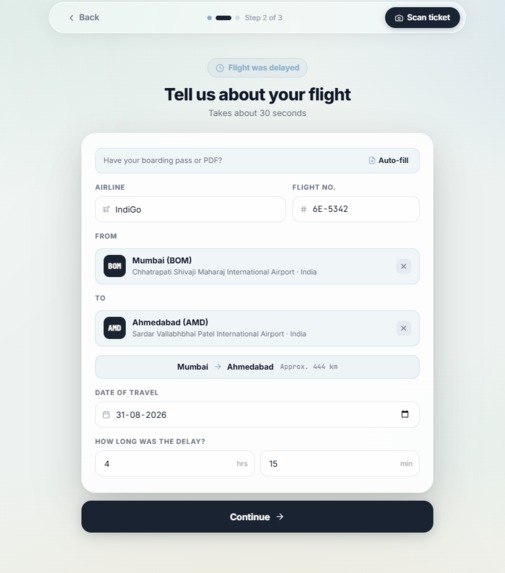
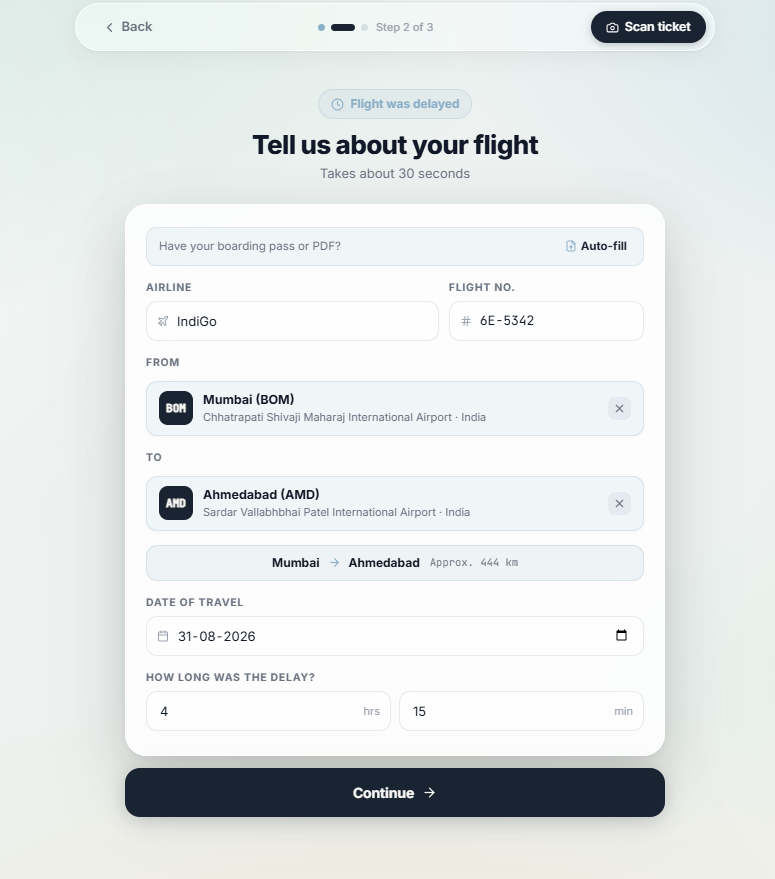
Tell us about Flight
-
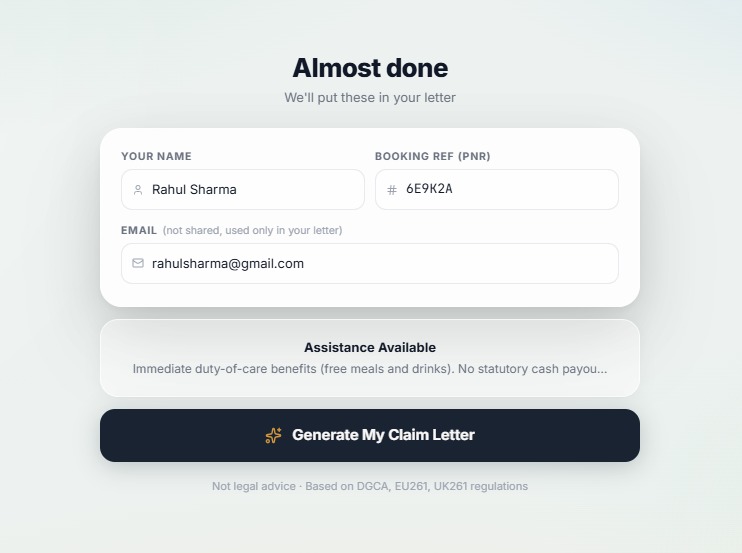
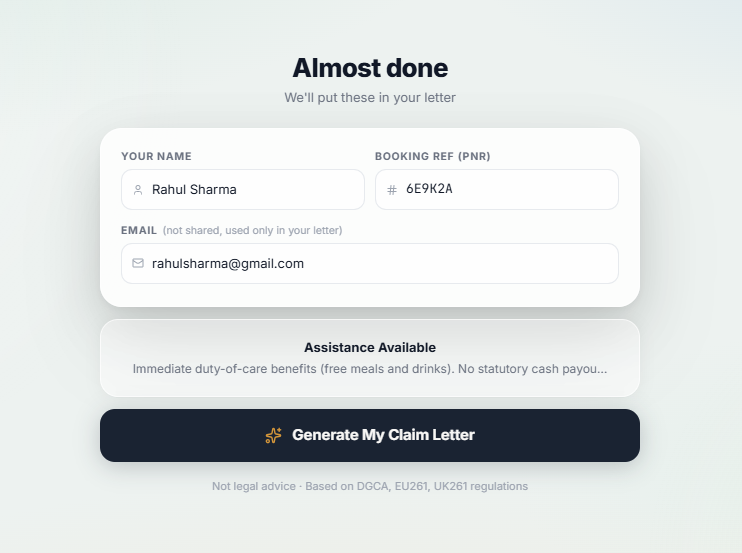
Generate Letter
-
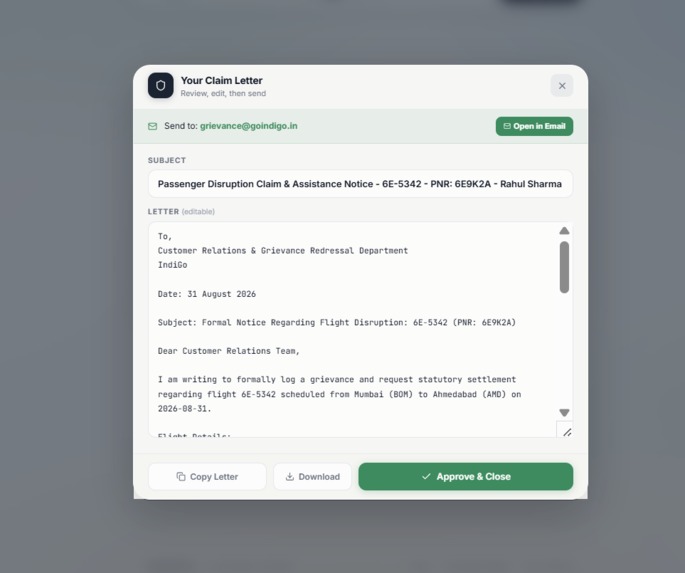
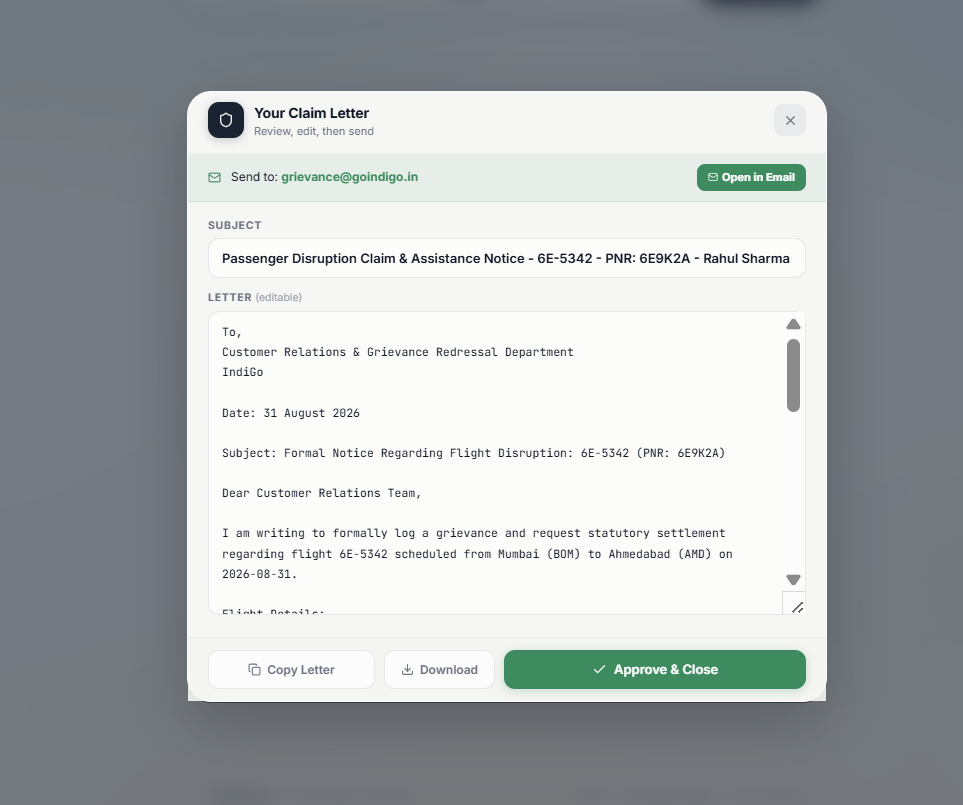
Drafted Letter
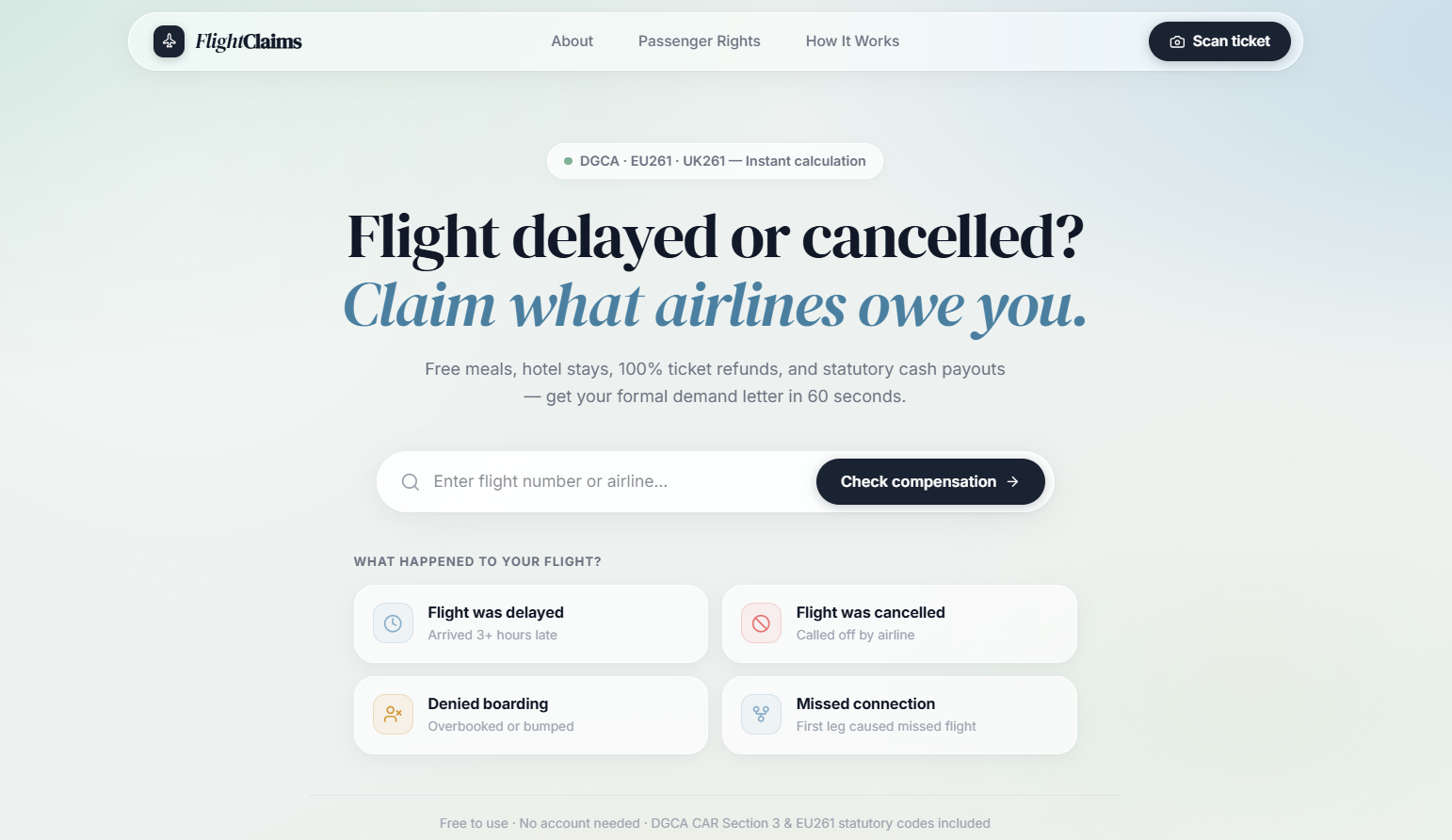
✈️ FlightClaims — Instant Statutory Flight Compensation
💡 Inspiration
When a flight is delayed, cancelled, or overbooked, most passengers don't know what to do.
They may not know:
- Whether they can get a refund
- Whether they can receive compensation
- Whether the airline should provide meals or accommodation
- How to contact the airline
- How to write a proper complaint or claim
Passenger rights are often written in complicated regulations and spread across different websites.
FlightClaims makes this process simpler.
A passenger enters their flight details, tells us what happened, and FlightClaims helps them understand their possible options and prepare a professional request to the airline.
🛠️ What It Does
FlightClaims helps passengers in three simple steps:
1️⃣ Enter Your Flight Details
Enter your:
- Airline
- Flight number
- Origin and destination
- Flight date
- What happened
The user can select:
- ✈️ Flight delayed
- ❌ Flight cancelled
- 🚫 Denied boarding
The app can also support uploading a boarding pass or ticket to extract flight details automatically.
2️⃣ Understand Your Possible Rights
FlightClaims:
- Identifies the flight route
- Calculates the route distance
- Detects the relevant passenger-rights framework
- Analyzes the disruption details
- Shows possible passenger options
- Estimates potential compensation when enough information is available
The app supports passenger-rights frameworks such as:
- 🇮🇳 India — DGCA
- 🇪🇺 Europe — EU261
- 🇬🇧 United Kingdom — UK261
Note: Results are presented as guidance or estimates and are not guaranteed compensation.
3️⃣ Prepare Your Airline Request
FlightClaims generates a professional request based on the passenger's case.
The passenger can:
- Review the request
- Edit the request
- Approve the request
Then they can copy and send it through the appropriate airline channel.
🤖 How WebMCP Is Used
FlightClaims demonstrates how WebMCP allows AI agents to interact with a live web application.
Normally, an AI assistant may need to guess what information is currently available on a website.
With WebMCP, FlightClaims exposes structured tools that allow an AI agent to safely interact with the real application.
Example Tools
query_disruption_rights
Allows an AI agent to analyze the current flight case and its possible passenger options.
prepare_passenger_request
Allows an AI agent to prepare a passenger request using the flight details currently available in the application.
The important part: The AI works with the application's actual live state, not fake or hardcoded data.
📐 How It Works
FlightClaims uses airport coordinates to calculate the approximate distance between airports using the Haversine formula.
This helps the application analyze routes where distance is relevant to the passenger-rights framework.
Example
Delhi → Mumbai
Airport coordinates
        ↓
Distance calculation
        ↓
Route analysis
        ↓
Applicable passenger-rights framework
        ↓
Possible passenger options
Built With
- ai
- chatgpt
- react
- tailwind
- typescript
- vercel

Log in or sign up for Devpost to join the conversation.