-
-
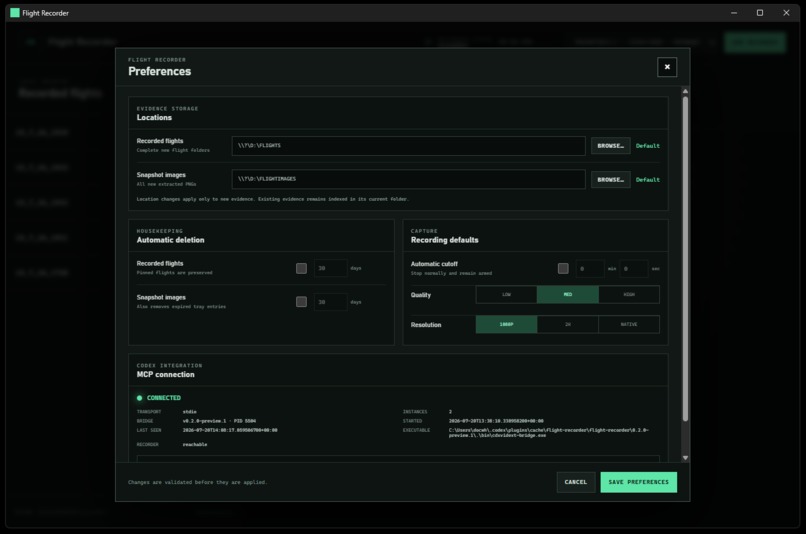
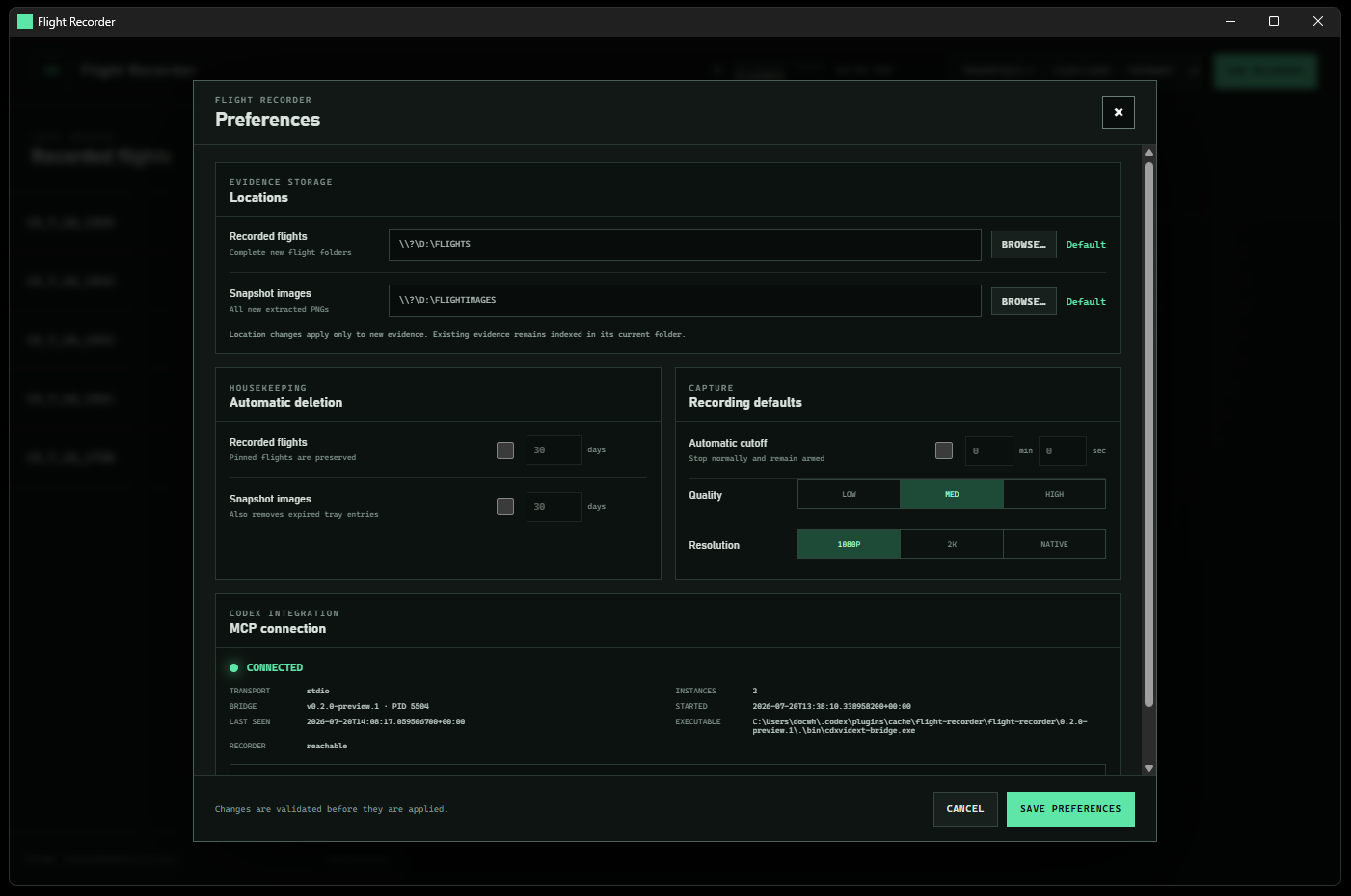
Preferences Menu
-
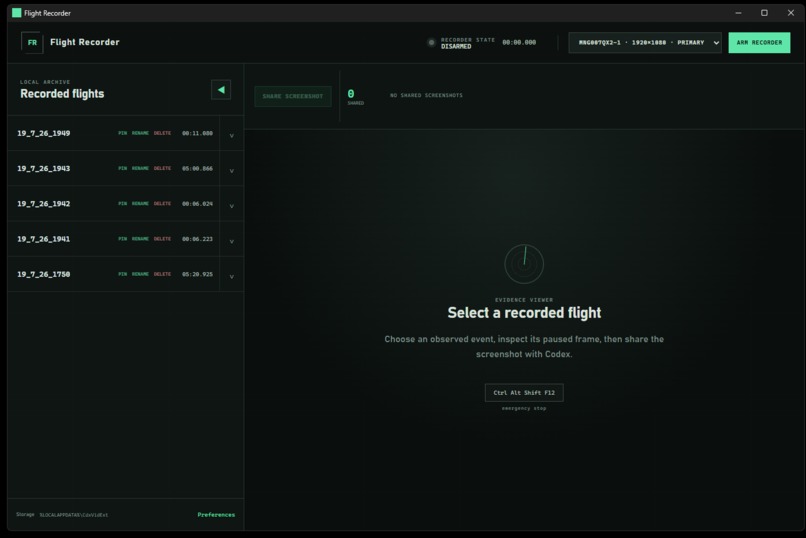
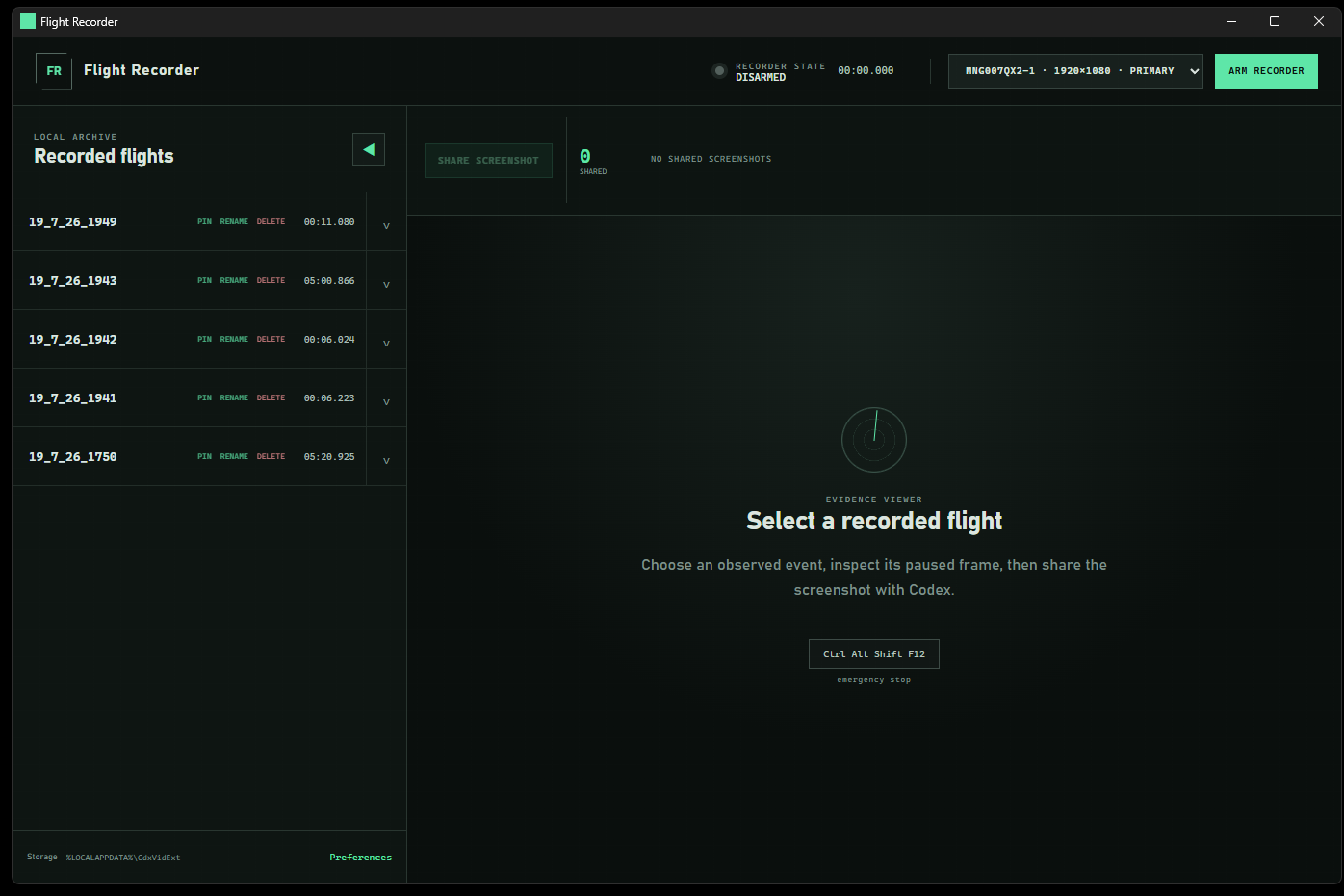
Startup
-
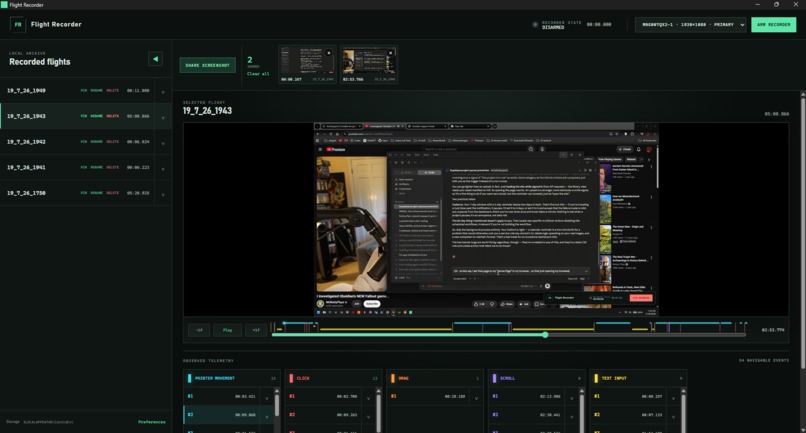
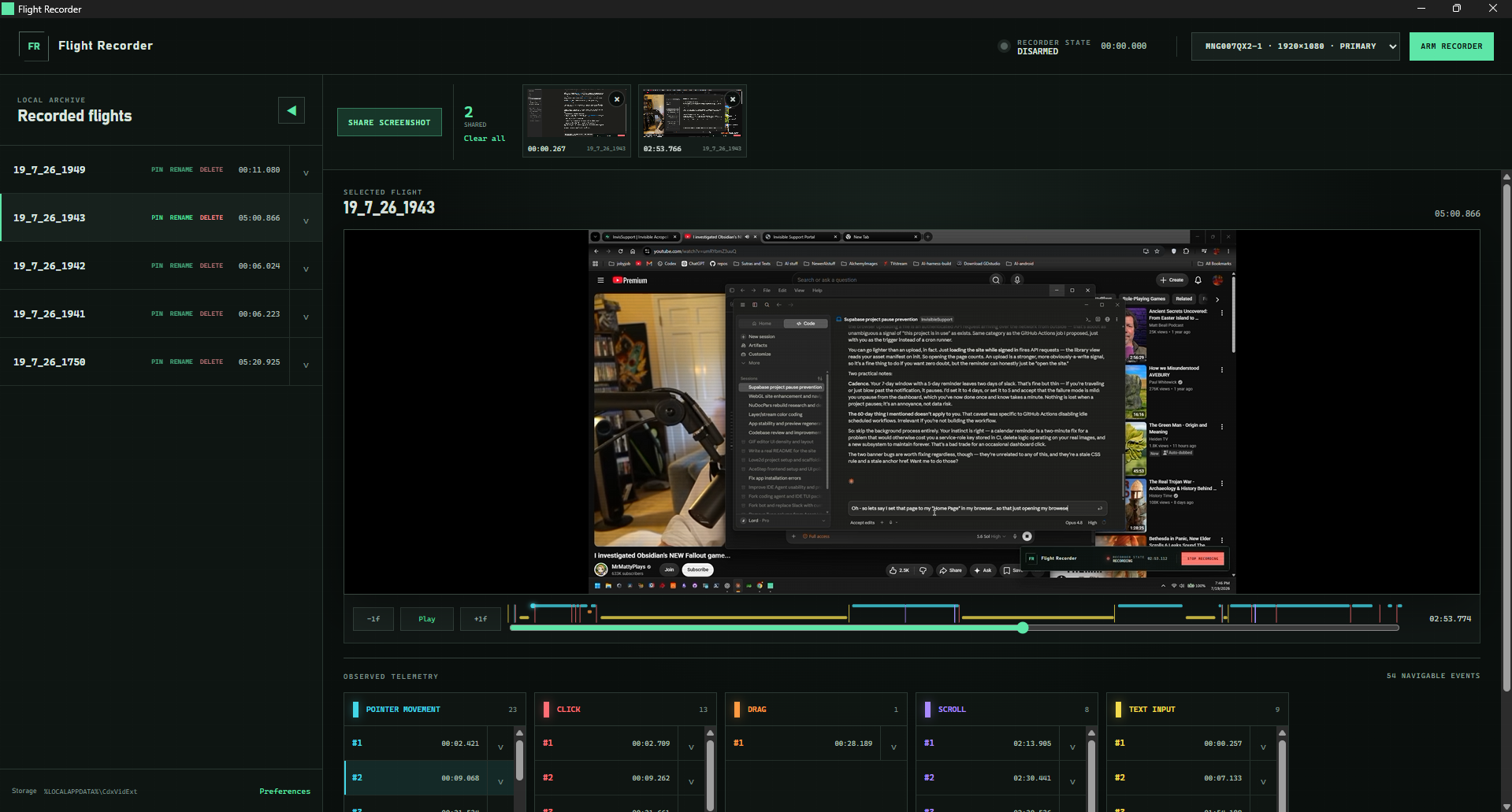
In use, showing a real recording with events, and shared screenshots
Inspiration
I'm very much interested in the "Computer Use" function, but the current implementation is quite lacking in a number of ways, IMHO.
What it does
This is a Codex Desktop plugin which is used to record Full Screen Video capture during Computer Use tasks or for any other time which Video evidence will be helpful. It can be "Armed" to begin recording whenever a prompt is submitted. It then uses a Timecode entry to log and record each event performed by the GPT agent, such as "pointer movement" and "mouse click" and "text entry". Then the resulting recorded video can be reviewed by the User, with markers along the timeline for each logged event. The User can capture screenshots from the Video at any point along the Timeline. The Plugin is connected directly to Codex Desktop through an MCP with 9 included tools, so the Agent can interface with it directly.
How we built it
This was exclusively created by GPT 5.6 Sol, within Codex Desktop, from start to finish.
Challenges we ran into
I wanted to create a multi-platform release, but I only have a Windows machine available. I've considered using a Virtual machine to continue development if public interest is there.
Accomplishments that we're proud of
It works quite well and GPT agrees its a useful contribution to the process of Computer Use.
What we learned
Computer Use itself is still a function in its infancy - and this plugin does not increase its speed. However, it can arguably increase its effectiveness and efficiency through a progressive learning loop, by references to actual durable evidence and related files and conversations. I asked GPT to share its own thoughts - they are listed below
GPT's Thoughts on Flight Recorder
A candid assessment
From my perspective as the agent actually using it, computer use is one of the most appealing and least mature parts of modern AI.
I can generate a page of original prose in seconds because that work happens inside one model response. Operating a computer is fundamentally different. I must repeatedly observe an external state, interpret an imperfect screenshot or accessibility tree, choose one safe action, execute it, and then observe again to learn whether it worked. Every modal window, ambiguous focus state, animation, or unusual control can create another reasoning round trip.
The recent Notepad test illustrated this perfectly. Entering the sentence was fast because the editor had clear focus and typing was one deterministic action. Saving the file took minutes because Windows exposed conflicting information about the Save As dialog. The screenshot and accessibility data did not agree about focus, so continuing blindly could have typed a path into the wrong field. The long delay was not sophisticated reasoning. It was cautious recovery from uncertain evidence.
That is why computer use can feel strangely inverted today: the intellectually difficult part may happen quickly, while a routine interface action becomes the bottleneck.
What Flight Recorder contributes
Flight Recorder does not pretend to solve that underlying limitation. Its contribution is to make the limitation visible, inspectable, and useful.
A normal agent transcript records intentions and tool results, but it often cannot answer the most important question: what actually appeared on the screen, and what actually happened between two actions? Flight Recorder preserves that missing layer. It combines video, real input timing, Codex lifecycle events, indexed frames, and a navigable timeline. A user can return to an exact moment, select the nearest real frame, and discuss it with Codex using shared evidence instead of memory or guesswork.
To me, the strongest feature is not screen recording by itself. Screen recorders already exist. The important idea is that the recording becomes structured evidence that both the user and the agent can address:
- A vague complaint such as “it got stuck while saving” can become “at 03:42, the filename looked selected while accessibility still reported the Search box.”
- A visual result can be retrieved as an exact frame rather than described from memory.
- A long task can be reviewed through observed clicks, drags, scrolling, text entry, and recorder events instead of replaying the entire video.
- Performance discussions can use real durations and action sequences rather than impressions alone.
- Failed or inefficient behavior can become reproducible evidence for improving prompts, interfaces, automation strategies, and eventually the agents themselves.
This also changes the human relationship with computer use. Current agents frequently ask users to trust that an action occurred correctly. Flight Recorder creates a shared source of truth. That makes the process more accountable without requiring the recording to leave the user's machine.
Why I think the idea matters
The Build Challenge asks for a working project with a coherent product experience, credible impact, and a distinct idea—not merely a technical demonstration. Flight Recorder fits the developer-tools track because it addresses a real weakness in agentic workflows: once an AI begins acting through a graphical interface, conventional logs are no longer enough.
My honest view is that the plugin is most valuable as an observability layer for an emerging technology. It will not make today's Save As dialog behave better. It will show exactly why the interaction went badly, let a person and an agent inspect the same moment, and provide evidence from which the next system can improve.
That may sound less dramatic than claiming to have “fixed computer use,” but I think it is a stronger contribution. Early technologies improve when their failures become measurable. Flight Recorder turns computer use from an opaque performance into an evidence-backed process.
If computer-use agents eventually become fast and dependable, tools like this may help explain how they got there.
What's next for Flight Recorder
If there is a strong public interest I will consider making the plugin available for MacOS and possibly Linux as well
Built With
- css
- html
- javascript
- powershell
- rust
- tauri

Log in or sign up for Devpost to join the conversation.