


Inspiration
Welcome to FlickyPlots!!
🗺️ Project Overview
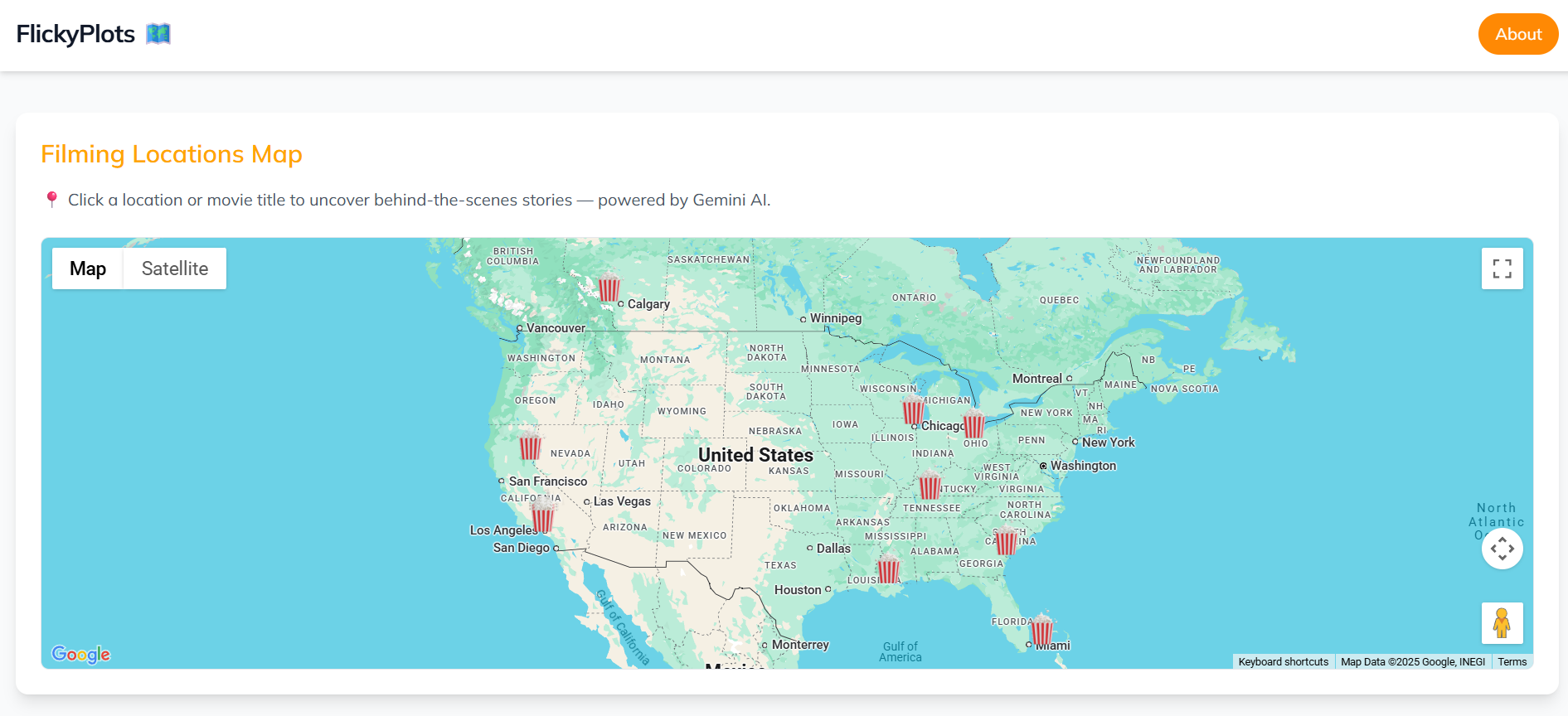
FlickyPlots is an innovative hackathon project that seamlessly blends AI, culture, and travel by connecting the world of cinema with real-world locations. Leveraging the power of Google Maps Platform and Gemini AI, FlickyPlots transforms a simple map into a dynamic discovery tool for movie enthusiasts and curious travelers alike.
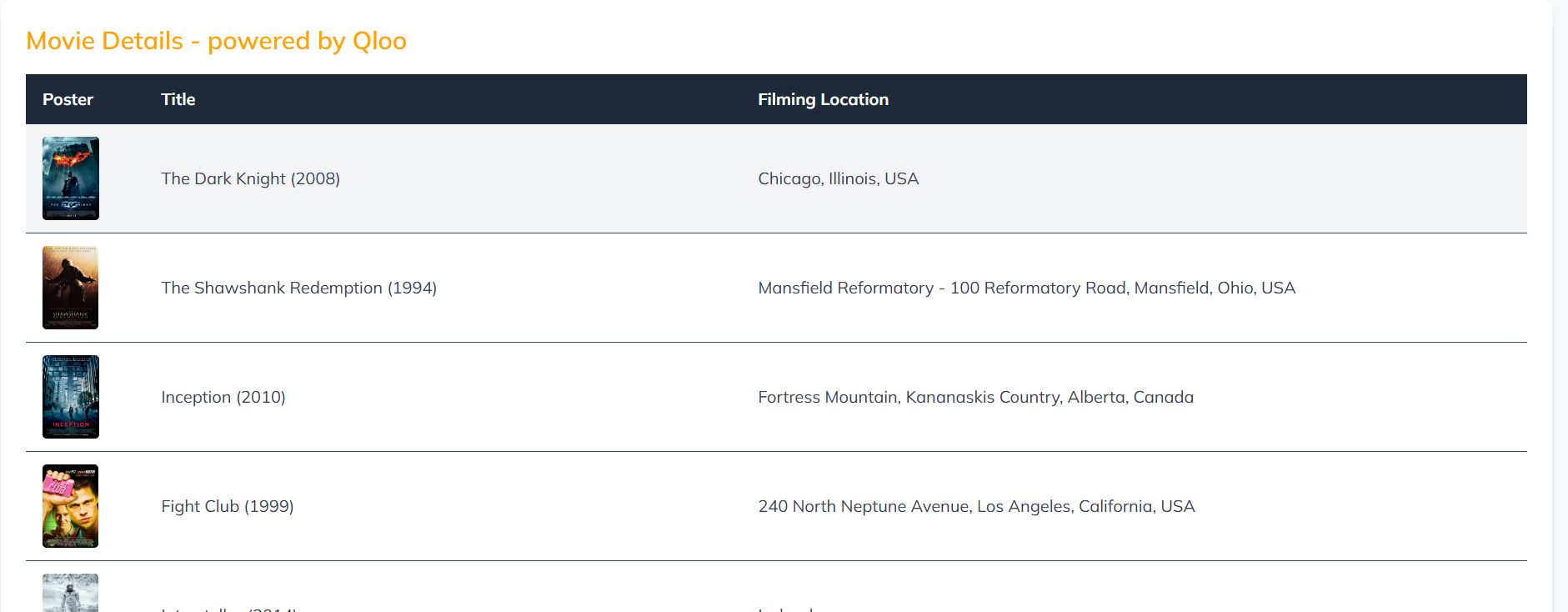
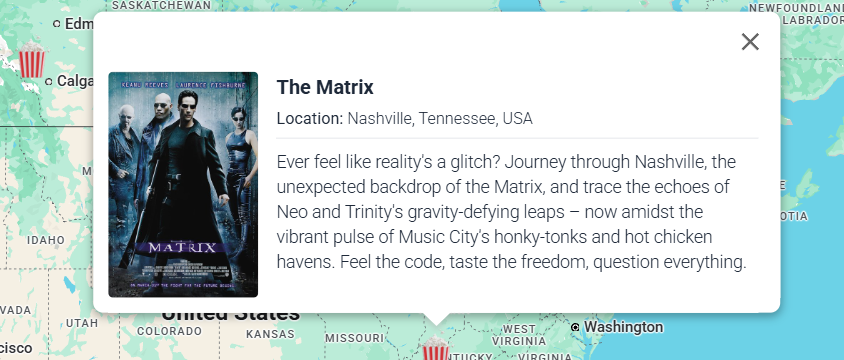
I identify movies and their actual filming locations using Qloo's cultural data API, then plot these points on an interactive map. The real magic unfolds when you click on a location: Google's Gemini 1.5 Pro AI generates a unique, cinematic "traveler's experience," inviting you to "imagine" being right there on set.
Deployed Application: flickyplots.firebaseapp.com
Project Links
✨ Features
Interactive Movie Map: Discover film locations plotted on a Google Map.
-Powered Travel Experiences: Click on a location to generate a unique, imaginative narrative by Gemini 1.5 Pro, inviting you to visualize being at the filming site.
Cultural Data Integration: Utilizes Qloo's API to source movie and location data.
User-Friendly Interface: Designed for easy navigation and engaging exploration.
💡 Inspiration & Problem Solved
Inspiration
My inspiration stemmed from a desire to bridge the gap between virtual entertainment and tangible exploration. I wanted to move beyond just listing filming locations and instead create an immersive experience that sparks imagination and encourages discovery. The idea of "imagining" yourself in a movie scene at its actual location felt like a powerful way to engage users with both film culture and global geography.
Problem Solved
FlickyPlots addresses the need amongst movie goers (and travelers!) to connect with their favorite films on a deeper level. Traditional location lists can be static and uninspiring.
We solve this by:
Enhancing Discovery: Providing an interactive and engaging way to find movie filming locations worldwide.
Creating Immersive Experiences: Using AI to generate rich, descriptive narratives that make locations come alive, going beyond simple facts.
Encouraging Exploration: Inspiring users to virtually (and perhaps physically!) visit these cinematic landmarks, transforming passive viewing into active engagement.
🛠️ Technologies Used
FlickyPlots is built upon a robust stack of Google and third-party technologies:
Google Maps Platform: The core mapping engine for visualizing film locations.
Google Firebase: Our hosting platform for web application deployment and backend functions.
Google Gemini 1.5 Pro: Powers the AI-generated "traveler's experience" narratives.
Qloo API: Provides rich cultural data, specifically movie and location information.
Canva: Used for creating compelling imagery for the project.
Google Storage: For storing project imagery and assets.
GitHub: For version control and collaborative development.
Node.js 22: Runtime environment for Firebase Functions.
Tailwind CSS v4 CLI: For efficient and modern styling.
⚙️ Technical Implementation
Google Maps Platform Utilization
I leveraged the power of Google Maps Platform to create an intuitive and informative (simple) geographic interface.
Key aspects include:
Map Initialization and Customization: Setting up the interactive map with custom styling for an optimal user experience.
Marker Placement: Dynamically plotting film locations as markers on the map, allowing for precise geographical representation. (Popcorn anyone?!)
Event Handling: Implementing click listeners on markers to trigger the AI-generated content, seamlessly integrating the map with our core feature.
Integrations & Data Flow
- Qloo API Integration: Our backend (Firebase Functions) makes secure calls to the Qloo API to fetch movie-related cultural data, including filming locations. This data is then processed.

 - Firebase Functions as Middleware: Serverless functions handle API requests, process data, and orchestrate interactions between the frontend, Qloo, and Gemini AI. This ensures scalability and efficient resource usage.

 - Gemini 1.5 Pro Integration: Upon a user selecting a location on the map, a request is sent to a Firebase Function, which then calls the Gemini 1.5 Pro API. Gemini, powered by the location and movie context, generates the unique "traveler's experience" narrative.

 - Frontend (React/Vanilla JS with Tailwind CSS): The user interface displays the map, markers, and the AI-generated content, providing a smooth and engaging user experience.
Project Structure (relevant package.json snippets)
{
  "name": "functions",
  "description": "Cloud Functions for Firebase",
  "scripts": {
    "dev": "firebase emulators:start --only functions,hosting",
    "serve": "firebase emulators:start --only functions",
    "shell": "firebase functions:shell",
    "start": "npm run shell",
    "deploy": "firebase deploy --only hosting,functions",
    "logs": "firebase functions:log"
  },
  "engines": {
    "node": "22"
  },
  "main": "index.js",
  "dependencies": {
    "@google/generative-ai": "^0.24.1",
    "axios": "^1.11.0",
    "cors": "^2.8.5",
    "dotenv": "^17.2.1",
    "firebase-admin": "^12.6.0",
    "firebase-functions": "^6.0.1"
  },
  "devDependencies": {
    "firebase-functions-test": "^3.1.0"
  },
  "private": true
}
root/package.json (Frontend)
{
  "dependencies": {
    "@api/qloo": "file:.api/apis/qloo",
    "@tailwindcss/cli": "^4.1.11",
    "tailwindcss": "^4.1.11"
  },
  "scripts": {
    "tails": "npx @tailwindcss/cli -i ./src/input.css -o ./public/output.css --watch"
  }
}
🚀 Getting Started (for local development/testing)
To set up FlickyPlots locally:
Clone the Repository:
git clone [your-github-repo-link]
cd flickyplots
Install Dependencies:
npm install # in the root directory
cd functions
npm install
cd ..
Set up Environment Variables:
Create a .env file in your functions directory with your API keys (e.g., Qloo API key, Gemini API key if not handled directly by Firebase).
Run Firebase Emulators:
npm run dev # from the functions directory
This will start the Firebase emulators for both functions and hosting, allowing you to test the application locally.
Compile Tailwind CSS:
npm run tails # from the root directory
This will compile your CSS. Tada! Youi've got FlickyPlots!
Challenges
The biggest challenge I had with this was the video because I don't like being on video and I didn't have time to create the animations that I wanted and then I didn't have a space to upload the videos that I did create other than on YouTube and enough time to edit them together so there are other videos for this I just couldn't upload them to directly to DevPost and I didn't have them in a way where I could link them to the project in the markdown so that was an issue as usual Gemini caused a couple of problems but got through it (and yes ChatGPT and Gemini) did help out so I want to acknowledge that also.
🏆 Google Maps Platform Awards Category
FlickyPlots best fits into the AI and Travel categories of categories for the Google Maps Platform Awards.
AI - My core innovation lies in the integration of Google Gemini 1.5 Pro to generate dynamic and creative "traveler's experience" narratives, showcasing how AI can enhance location-based interactions. Though simple, FlickyPlots creates an experience that really resonates with someone looking just to quickly jump in and discover a little bit more about the location in one of their favorite movies.
Travel - FlickyPlots directly enhances the travel experience by inspiring virtual and potential physical journeys to cinematic locations, making discovery more engaging and personalized.
📚 Discoveries & Future Enhancements
Discoveries
Developing FlickyPlots provided valuable insights into:
Orchestrating Multiple APIs: Successfully integrating Google Maps Platform, Qloo, and Gemini AI required careful data flow management and error handling across different services.
Prompt Engineering for AI: Crafting effective prompts for Gemini 1.5 Pro was crucial to generate the desired creative and cinematic narratives.
Optimizing Serverless Functions: Understanding the nuances of Firebase Functions for efficient and cost-effective backend operations.
Future Enhancements
User Contributions: Creating a user community to discuss the nuances of their favorite filming locations and AI-generated descriptions.
Thematic Journeys: Create curated "traveler's paths" based on movie genres, directors, or actors.
Augmented Reality (AR) Integration: Explore AR features to overlay movie scenes onto real-world locations through a mobile device.
Personalized Recommendations: Leverage user preferences to suggest new movies and locations based on their past interactions.
Expanded Cultural Data: Integrate more cultural data points beyond movies, such as music, art, or historical events linked to locations.
📞 Contact (I'm Available!) For any inquiries, please contact:
NiKole "Technikole" Maxwell [email protected]
Built With
- axios":-"^1.11.0
- cors":-"^2.8.5
- dependencies":-{-"@google/generative-ai":-"^0.24.1
- deploy":-"firebase-deploy-only-hosting,functions
- description":-"cloud-functions-for-firebase
- devdependencies":-{-"firebase-functions-test":-"^3.1.0"-}
- dotenv":-"^17.2.1
- firebase-admin":-"^12.6.0
- firebase-functions":-"^6.0.1"-}
- logs":-"firebase-functions:log"-},"engines":-{-"node":-"22"-},"main":-"index.js
- name":-"functions"
- private":
- scripts":-{-"dev":-"firebase-emulators:start-only-functions,hosting
- serve":-"firebase-emulators:start-only-functions
- shell":-"firebase-functions:shell
- start":-"npm-run-shell
- true


Log in or sign up for Devpost to join the conversation.