-
-
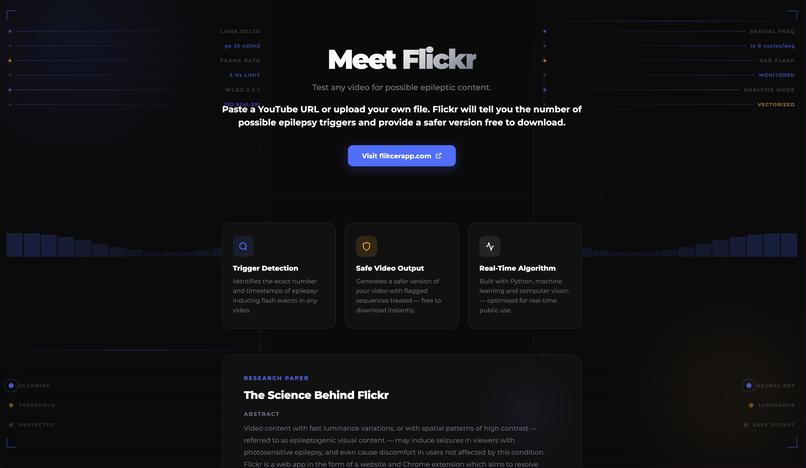
About Us
-
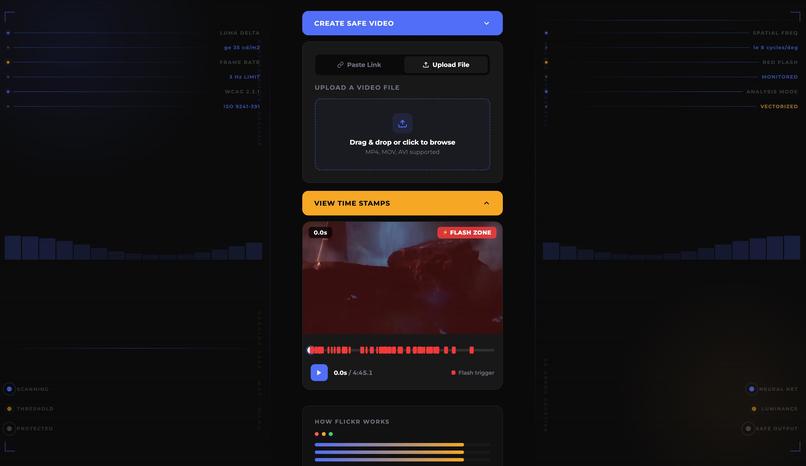
Video Analysis
-
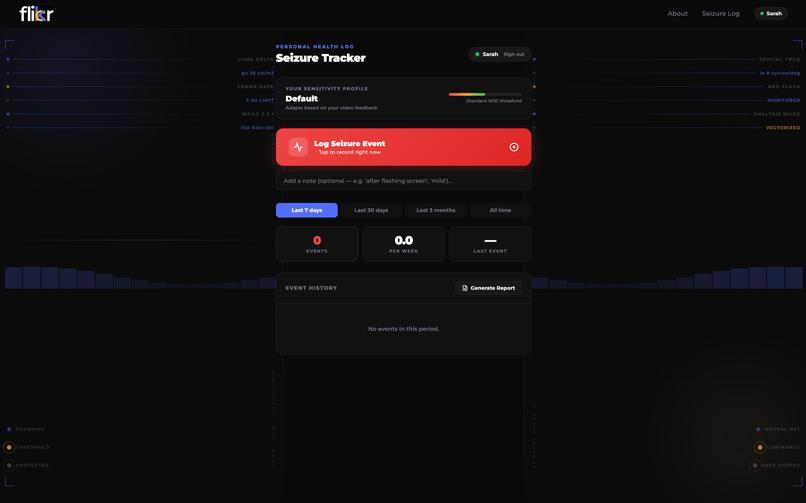
Seizure Logging
-
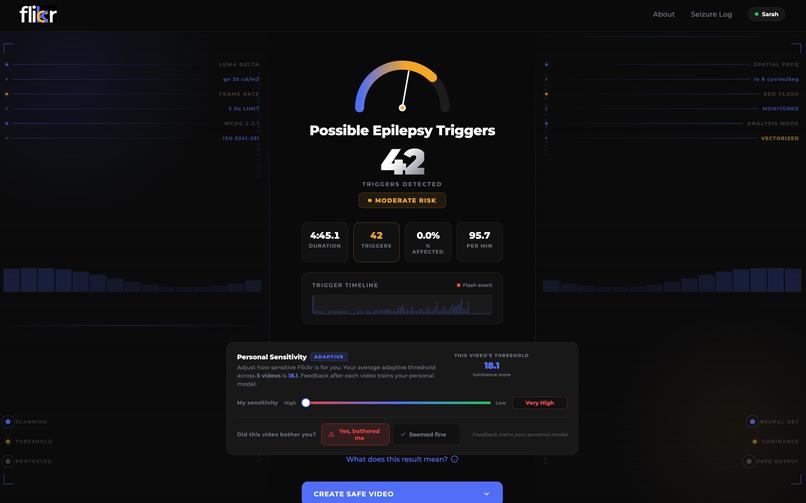
Personalized Threshold
What Flickred us? (Inspiration)
Epilepsy affects ~50 million people worldwide, and 3–5% of them live with photosensitive epilepsy (PSE), where seizures can be triggered by flashing lights or high-contrast patterns. That means every day video content (gaming clips, edits, ads, social media, and even educational videos) can unintentionally become harmful. At the same time, video consumption is exploding: in 2021, an estimated 4.56B people had internet access (nearly 60% of the world), and over 90% of them consume video daily. Screen time is rising fast, too. A U.S. survey reported kids ages 8–12 jumped from 4.5 hours/day to ~6 hours/day (a 25% increase). With more video everywhere and less filtering, people, especially kids, are increasingly exposed to epileptogenic visual content: rapid brightness changes and intense contrast patterns that can trigger seizures or cause discomfort even in people without PSE. We built Flickr to detect risky sequences before they’re posted or played, and to make the internet safer without killing creativity.
What does Flickr do?
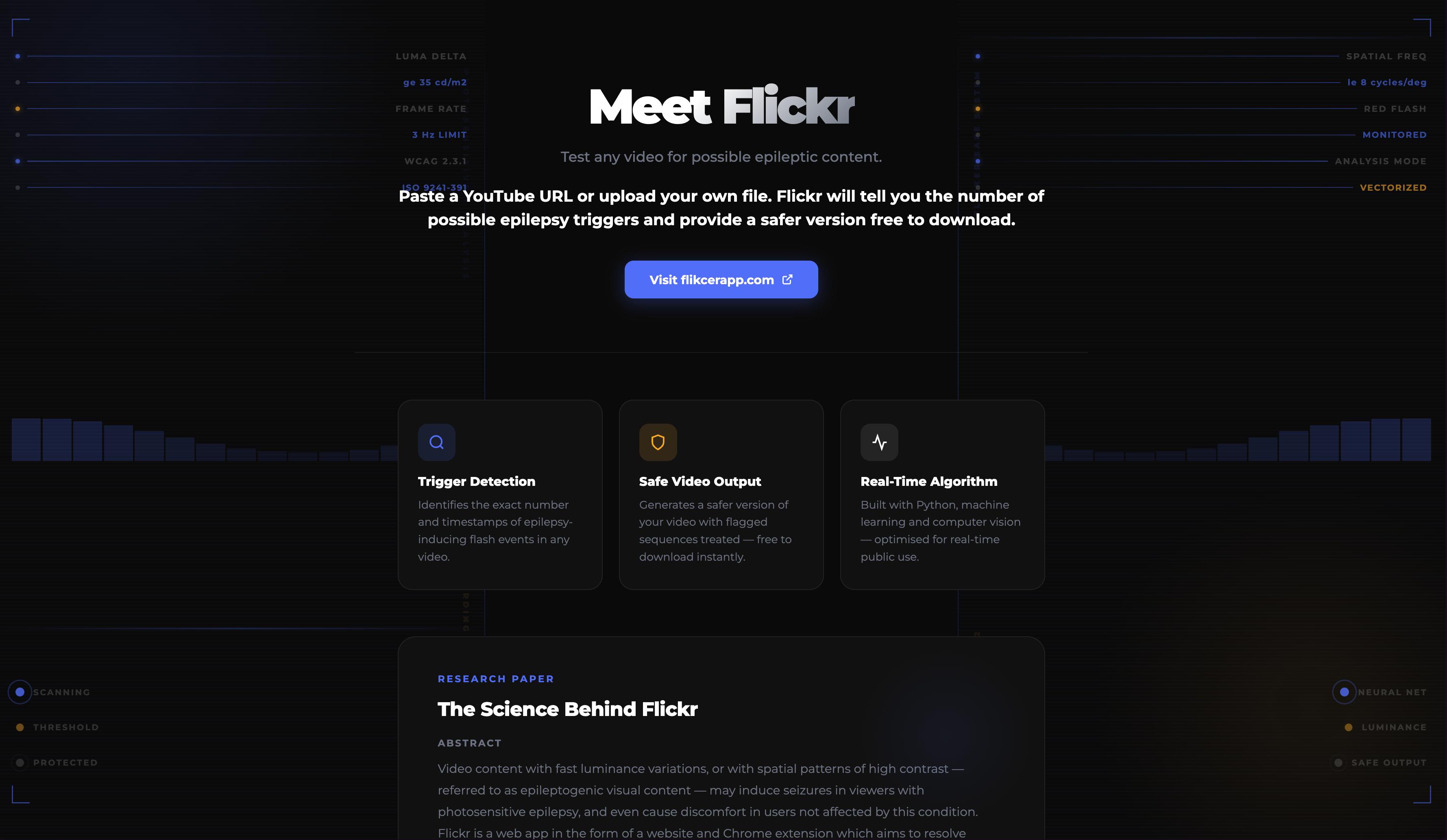
Our project, Flickr, is a web app that resolves online epileptogenic visual content with real-time luminance frequency analysis. Upload a video (or paste a link), choose your tolerance setting, and Flickr scans for seizure-risk patterns like rapid flashes, high-contrast edges, and intense color shifts. When risk is detected, it automatically applies spatiotemporal risk-aware filtering tuned to your selected threshold so the output is safer and still visually true to the original. Preview the result, then download or share the safer cut.
Key Features
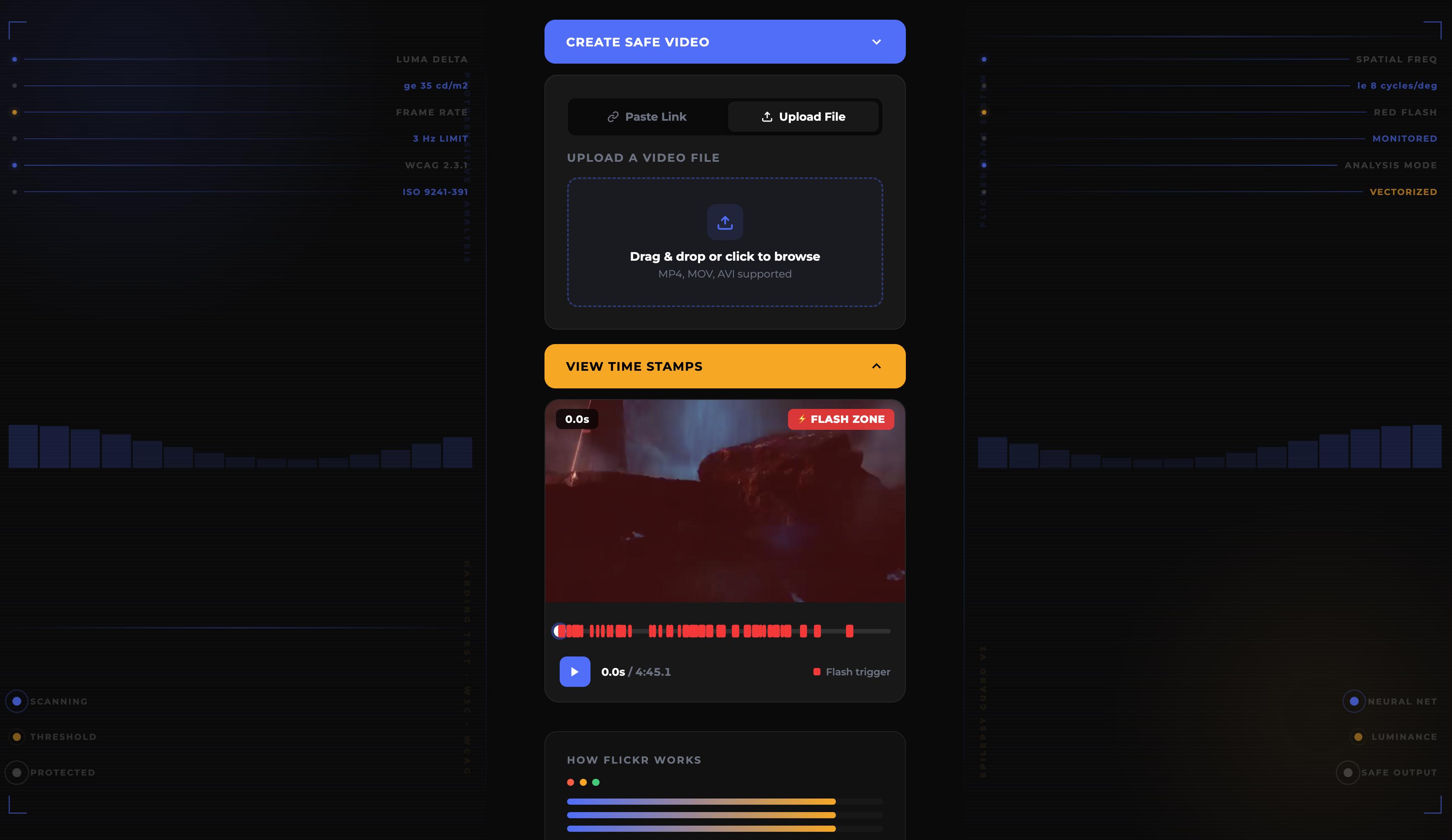
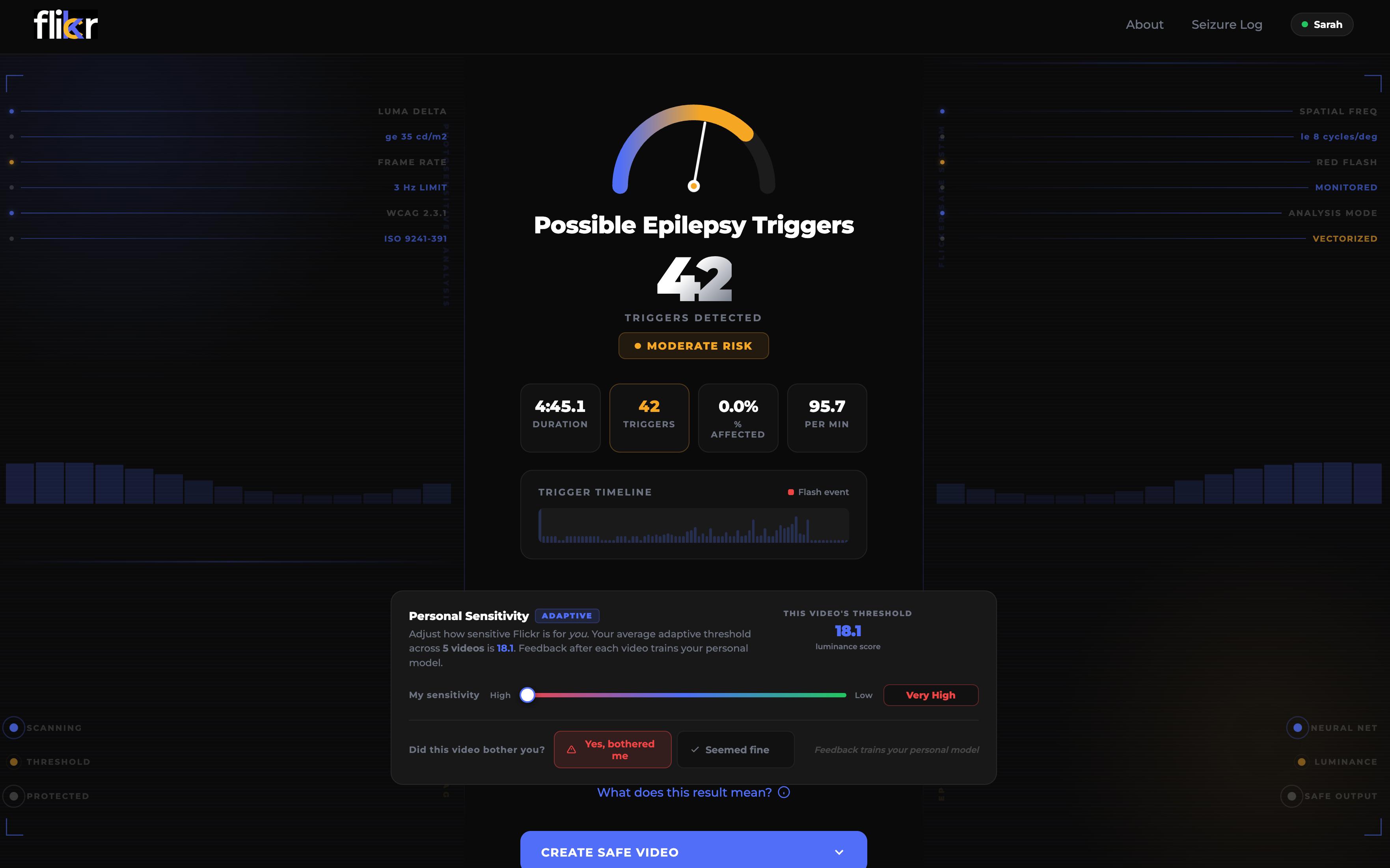
- Trigger Timestamps: Scan any video and instantly get a list of potential seizure-trigger moments with exact timestamps flagged for flashes, harsh contrast edges, and risky patterns.
- Auto-Safe Cut: Don’t even want to take the risk? Tap once and we’ll cut out the flagged segments and hand you back a safe-to-watch download. Clean. Simple. No jumpscares for your brain.
- Safe Render (No Cuts): If you don’t want to lose the scene, Flickr can spatiotemporally edit it instead localized dimming, contrast smoothing, and saturation dampening so it stays looking good without blasting your eyes.
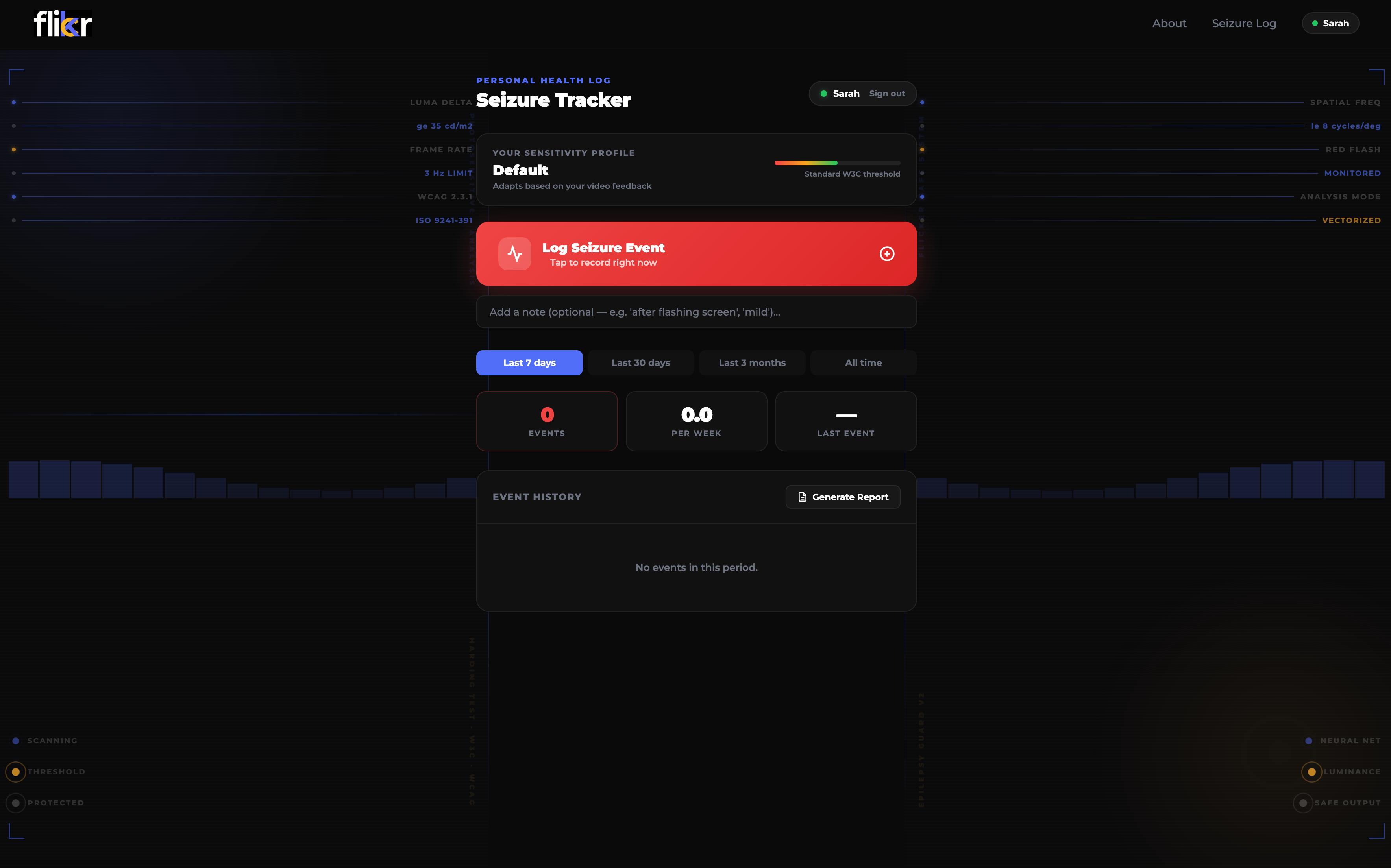
- Tolerance + Trigger Log: Log in to save your tolerance level and keep a trigger log of what was flagged and why so every new upload gets safer and more personalized over time.
How We Built It
- Real-Time Trigger Detection (Luminance Frequency Analysis) At the core of Flickr is a scanning pipeline that reads videos frame-by-frame, measures rapid luminance changes (the “flash/flicker” risk), and flags high-risk sequences when brightness oscillations and contrast spikes cross our thresholds. That’s what powers our timestamp list—a clean “risk map” of where epileptogenic visuals likely occur.
- Timestamps: Safe Actions (Cut or Fix) Once we have risky intervals, we branch into two outputs: Auto-Safe Cut: we surgically remove the flagged segments and stitch the rest back together into a safe-to-watch export. Safe Render (No Cuts): instead of deleting content, we apply spatiotemporal edits, meaning the changes track where and when the risk happens, not just “dim the whole screen.”
- Spatiotemporal Safe Rendering (Localised Dimming and Smoothing) This is the “looks good and feels safe” part. We generate dynamic masks around risky regions and apply localised luminance attenuation, contrast smoothing, and saturation dampening over time, so the video doesn’t become flat or grey, and we avoid harsh edges that can actually increase perceived contrast.
- User-Controlled Tolerance (Adaptive Thresholding) We built a tolerance slider that controls how aggressive the filtering is (light touch or maximum protection). Under the hood, that setting adapts our detection thresholds and the strength of the rendering/cut decisions, so two users can run the same video and get outputs tuned to their comfort level.
- Accounts + Safety History (Trigger Log) Users can log in to save a Safety Profile: past scans, flagged timestamps, what triggered the flags (flash/contrast/pattern), and the tolerance level used. Basically, a trigger log and edit history, so you can stay consistent across videos and track what kinds of content tend to set things off.
Challenges We Ran Into
- Shrithan: Backend video processing was way harder than expected. OpenCV randomly wrote only one frame, ffmpeg codecs fought us on our MacBook while developing, and fixing one artifact always created another.
- Yagya: Tuning the masking logic was painful. Dimming made it grey, blurring made outlines, and fixing edges caused flicker. Every “fix” broke something else.
- Prithwiraj: Connecting frontend and backend wasn’t plug-and-play. Handling video uploads, processing delays, and output syncing required more iteration than we expected.
- Nitesh: Making heavy video processing feel smooth on the frontend was tough. Managing loading states and previews without freezing the UI was the main challenge.
Accomplishments that we are proud of
- Shrithan: I’m really proud of Prithwiraj for integrating everything so cleanly. Watching all the moving parts finally work end-to-end felt unreal.
- Prithwiraj: I’m proud of Yagya for building the high-tolerance video pipeline and being the absolute terminal wizard of the team. If something broke, he already had the fix typed.
- Yagya: I’m proud of Nitesh for turning our “please wait while 10,000 frames process” backend into something that actually looked intentional and beautiful. The UI carried our emotional stability.
- Nitesh: I’m proud of Shrithan for building the entire backend from scratch and running the Avengers clip through it approximately 47,000 times. The persistence was crazy.
What We learnt
24 hours is NOT a lot of time. And yet somehow, we decided to build one of the most technically complex things we’ve attempted so far; full-stack doesn’t even begin to describe it. Video processing, masking, backend pipelines, frontend integration, performance tuning… it was chaos in the best way possible. We learned the art of compromise fast. We had ambitious ideas: GPU acceleration, AI-based frame generation, adaptive edge smoothing but with the clock ticking, we had to prioritize what actually mattered. That meant healthy arguments, cutting features we liked, and choosing “good and stable” over “perfect and unfinished.” We weren’t just thinking about code, we were thinking about usability, safety, technical feasibility, and what would actually make sense in the real world. And somewhere between debugging ffmpeg at 3AM and running the Avengers clip through our pipeline for the hundredth time, we gained a newfound appreciation for each other. There’s something about building under pressure and having heart-to-heart conversations on two hours of sleep that bonds a team in a way nothing else does.
What’s next for Flickr?
Next for Flickr is leaning into DLSS-style technology using AI-driven super-resolution and frame generation to intelligently reconstruct and enhance video instead of just modifying it. Rather than dimming or blurring risky frames, DLSS-like models can generate smoother intermediate frames, upscale detail, and stabilise motion so the final output looks even better than the original. The idea is to move from reactive editing to smart reconstruction where safety improvements happen invisibly, without sacrificing visual quality.
Built With
- cielab-color-space-processing
- css
- deep-learning
- distance-transform
- edge-detection-&-morphological-operations
- ffmpeg
- h.264-(videotoolbox-hardware-acceleration)
- hsv-color-space-processing
- html
- machine-learning-(adaptive-threshold-model)
- mjpeg
- numpy
- opencv
- python
- rest-apis
- temporal-smoothing-algorithms
- user-authentication-&-profile-management


Log in or sign up for Devpost to join the conversation.