-
-
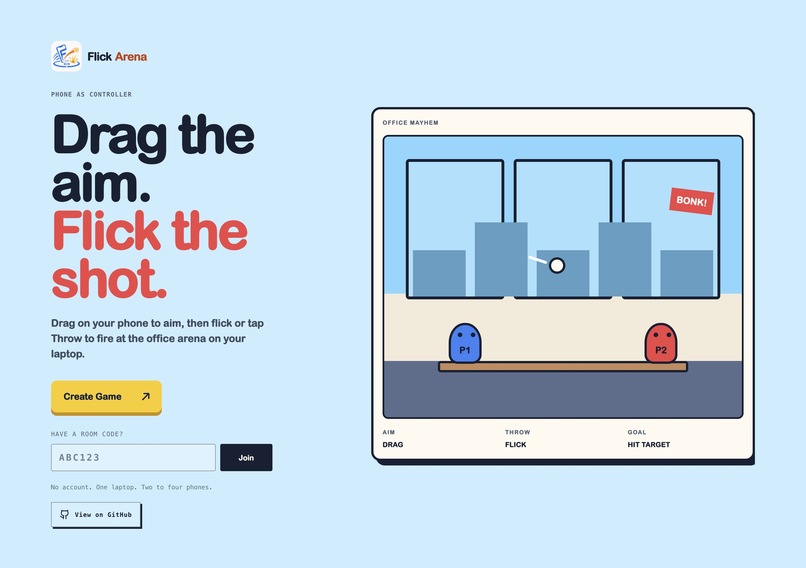
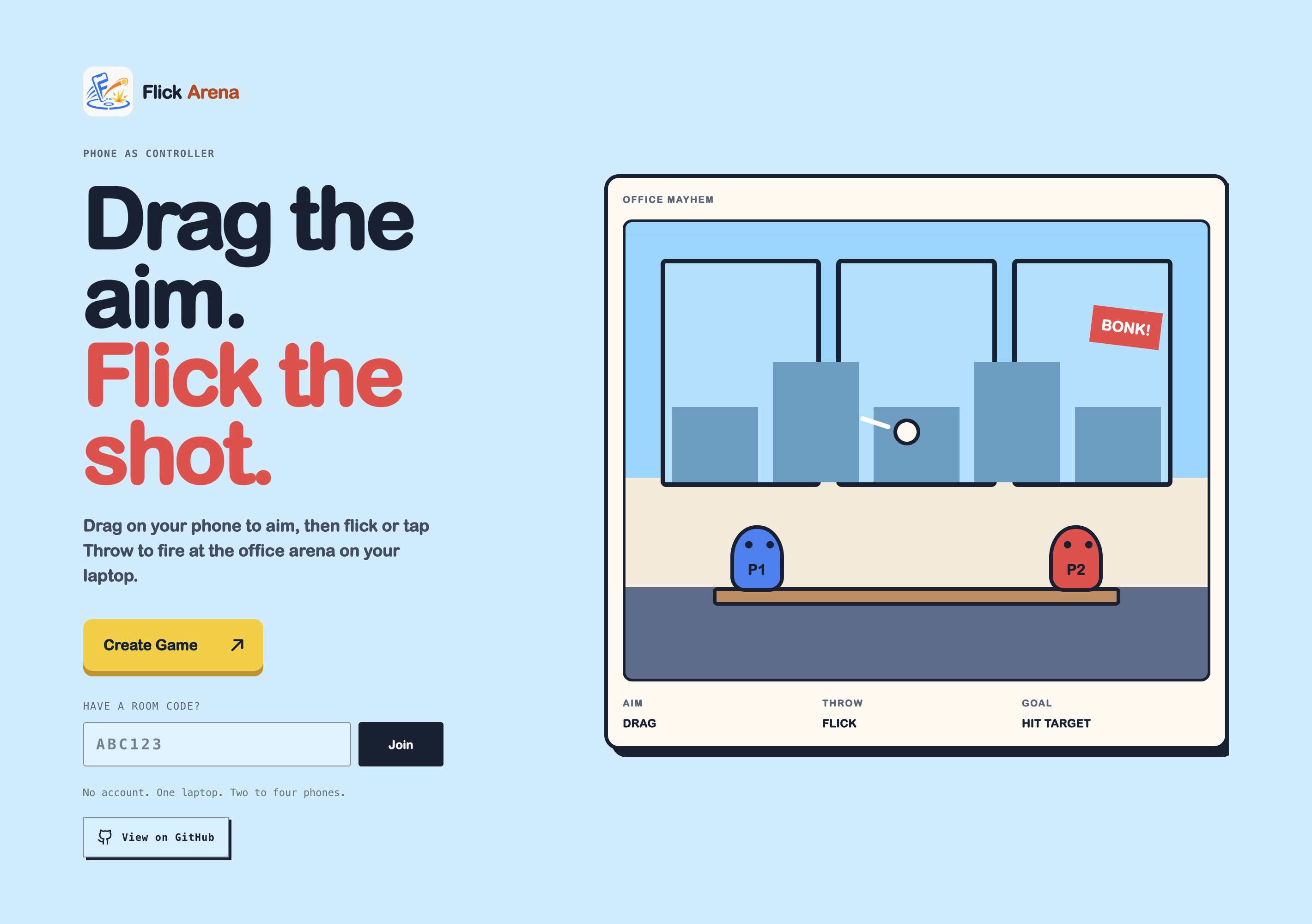
The home page
-
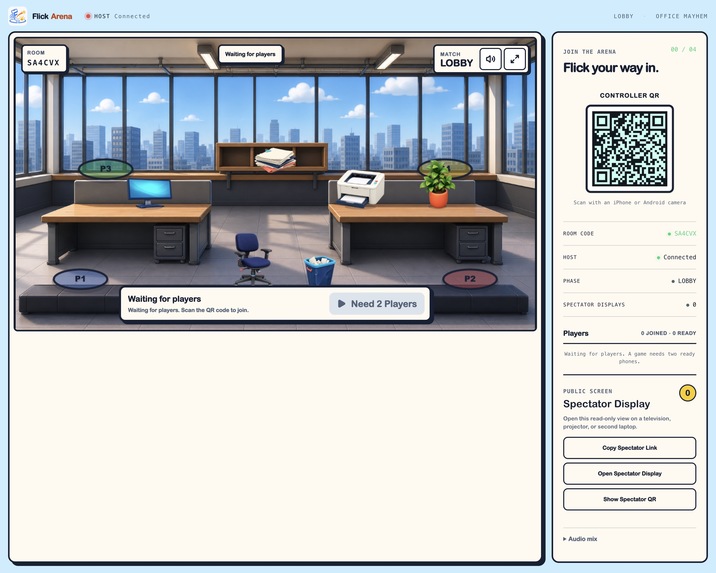
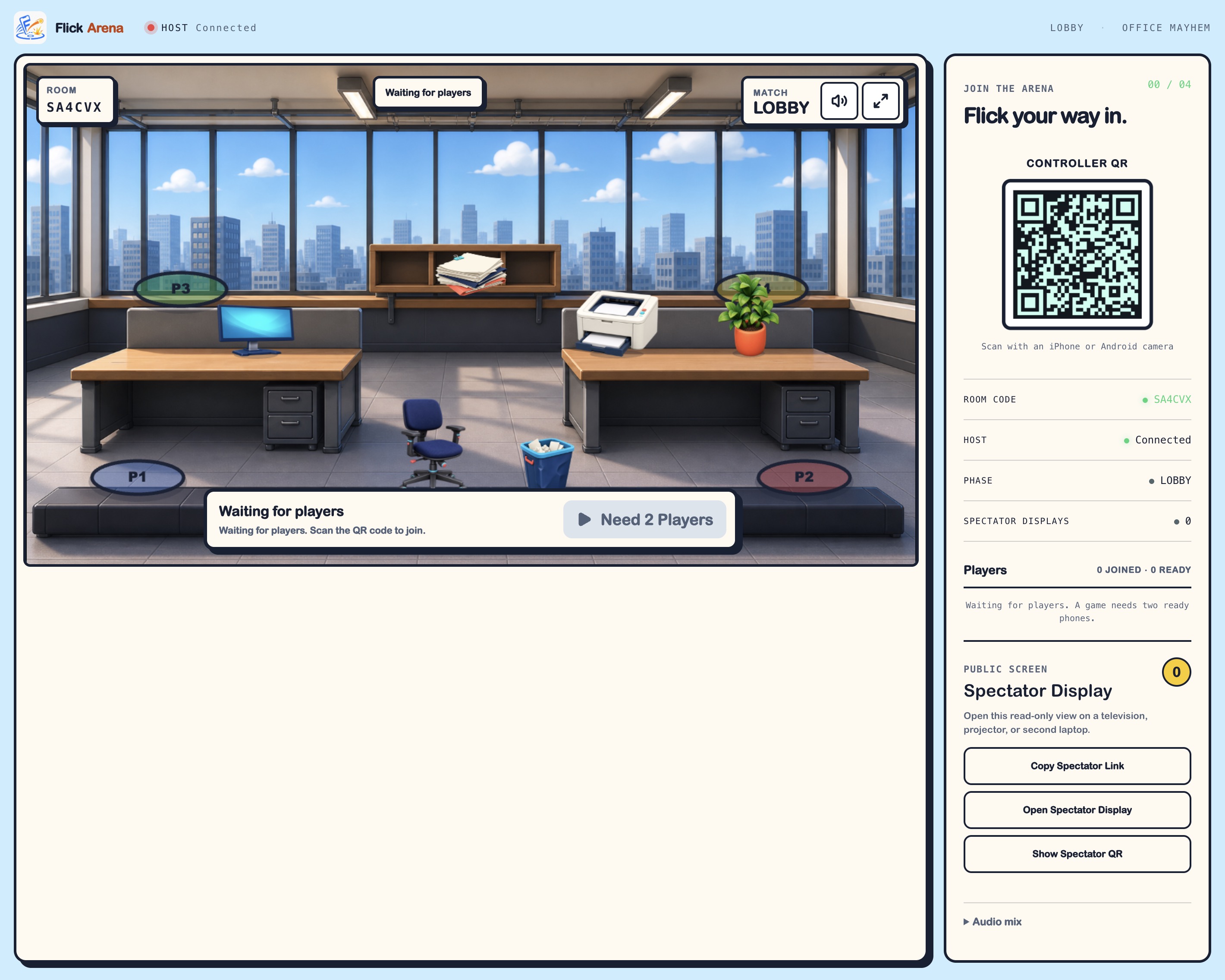
Empty game room
-
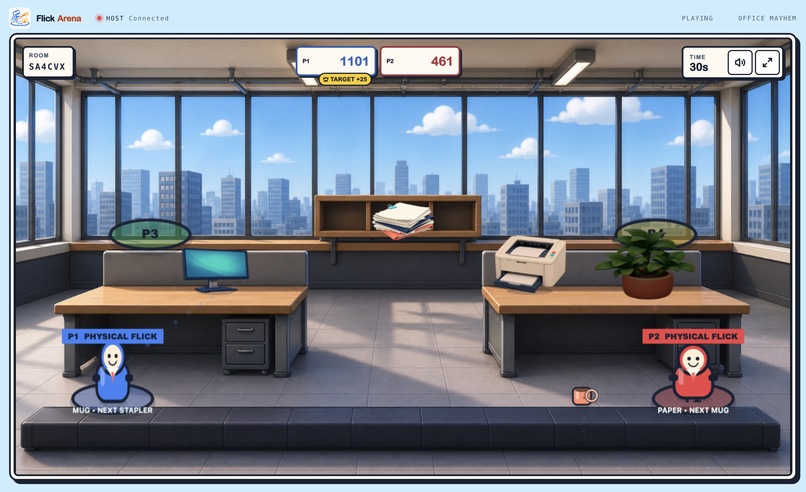
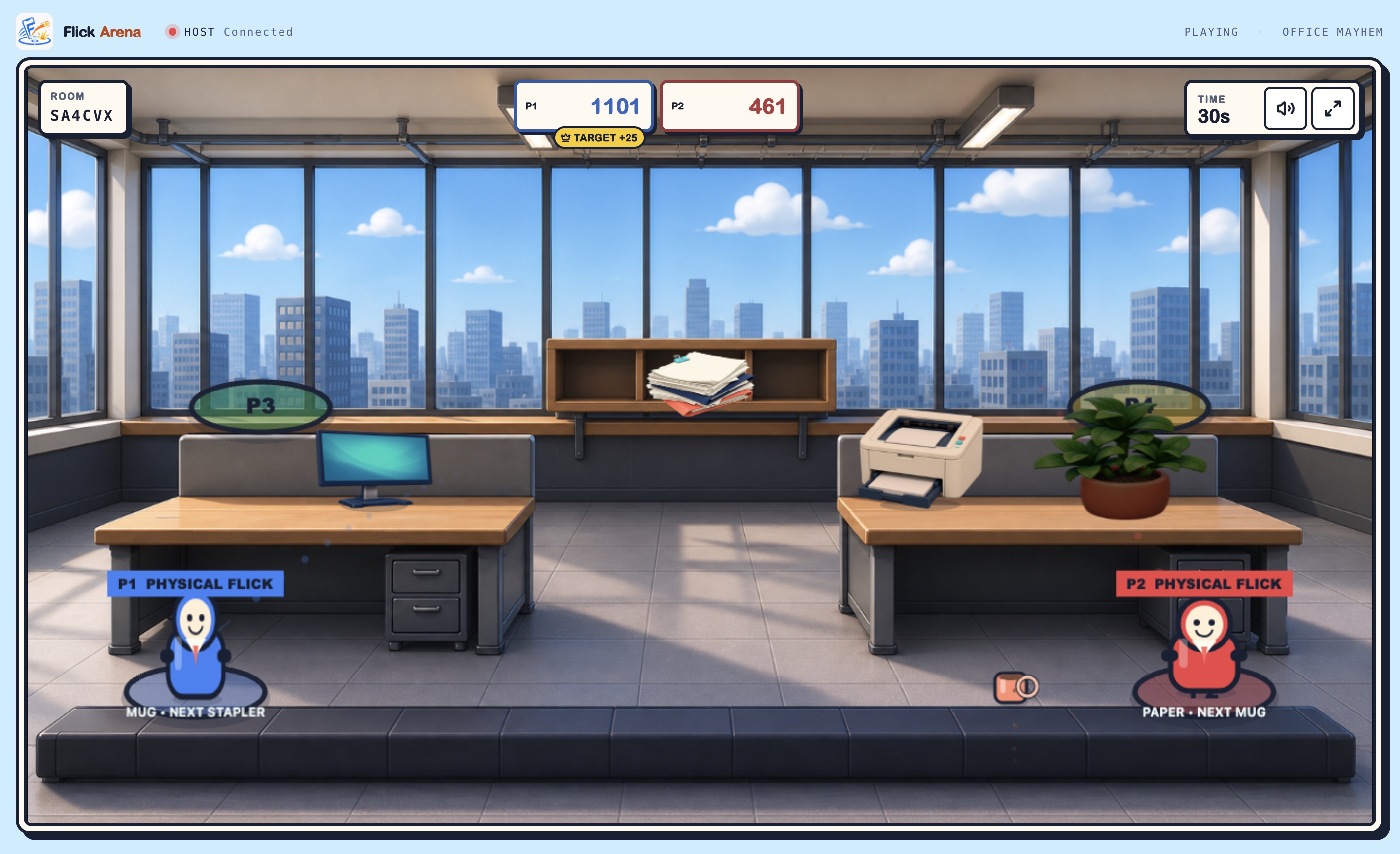
Gameplay
-
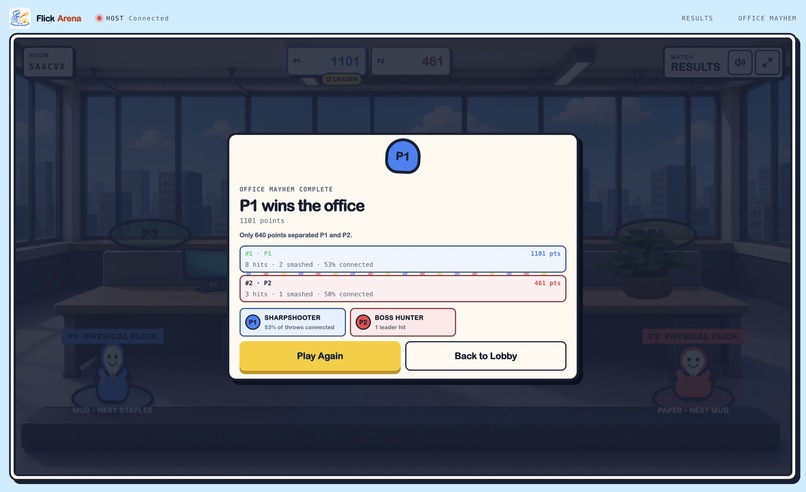
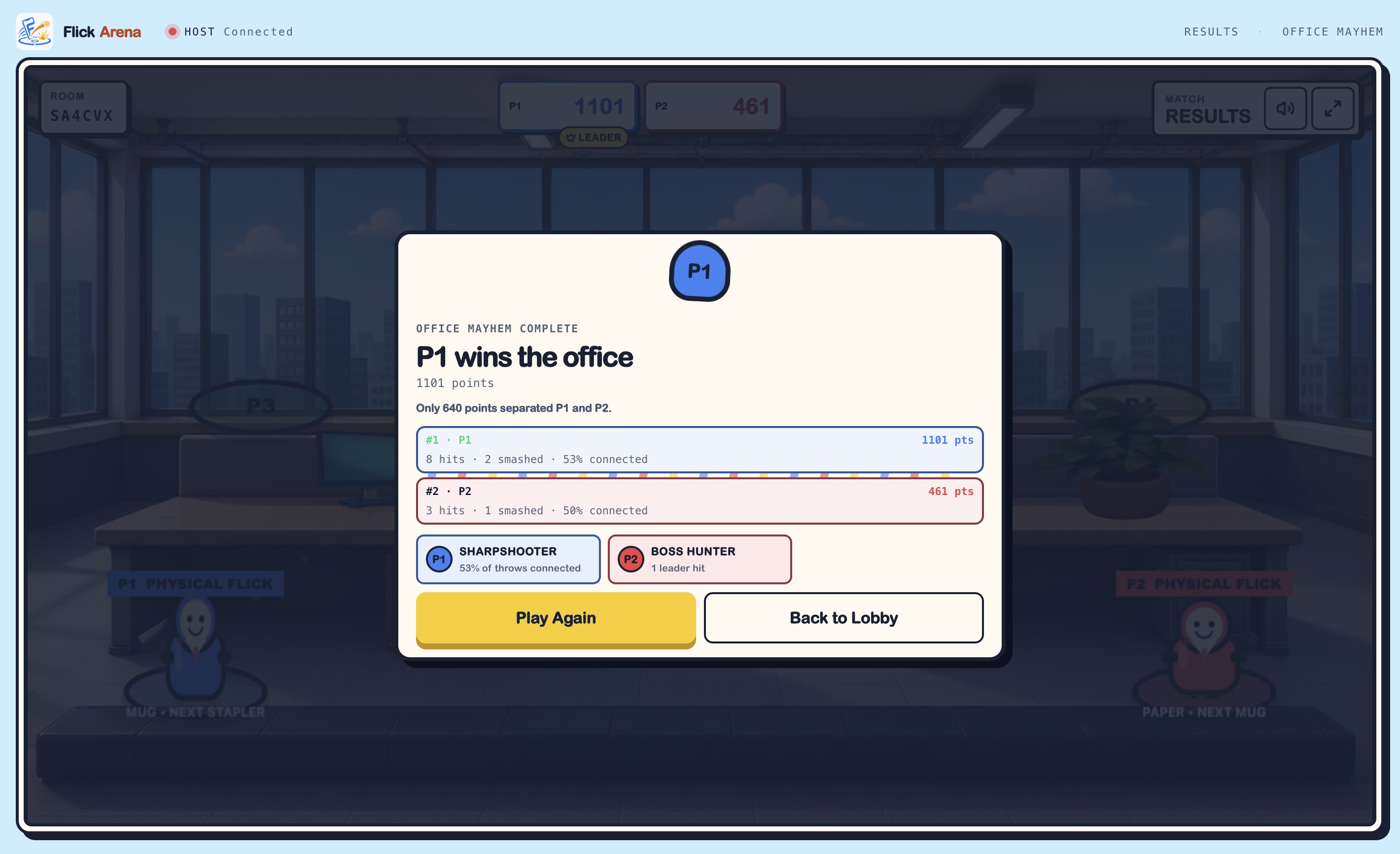
Game result
Flick Arena
Inspiration
We wanted to create a party game that feels physical and social without asking a group to buy controllers, install an app, create accounts, or configure complicated device pairing. In a shared room, the laptop becomes the arena, while the phones people already have become the controllers.
The idea came from the energy of couch multiplayer and arcade game nights. The best moments are quick to understand, visible to everyone, and easy to laugh about, even for people who do not usually play games. Flick Arena brings that energy into the browser through a playful office battle where a paper ball, coffee mug, stapler, or desk bomb can become the winning shot.
Our goal was to make the journey from opening the game to landing the first hit feel almost immediate:
Create a room, scan the QR code, aim, flick, and play.
What it does
Flick Arena is a browser-based local multiplayer party game for two to four players.
- A host opens the game on a laptop or shared display and creates a temporary room.
- Players scan the room’s QR code with their phones, no account or app installation is required.
- Each phone becomes a controller: drag to aim, then physically flick the phone forward to throw. A large THROW button is always available as a fallback.
- Players complete a short interactive tutorial, receive a color and player number, and mark themselves ready.
- The host starts a 60-second Office Mayhem round.
- Players bounce office objects through a physics-driven arena, hit opponents, destroy props, and compete for the highest score.
- Results show the final rankings, match statistics, and round awards. Play Again starts another match without requiring everyone to reconnect.
The host screen carries the action, drama, and shared game state, while each phone remains a simple, glanceable controller. Players can focus on the arena and each other instead of staring at separate screens.
A read-only Spectator Display can also be opened on a television, projector, tablet, or second laptop. It renders a synchronized version of the match while the original host remains authoritative and available for room management.
Flick Arena also avoids making enhanced browser capabilities mandatory. If motion access is denied, blocked, or unsupported, the player can still compete using the on-screen Throw button. Motion sensing, haptics, audio, fullscreen, and wake lock improve the experience but are not required for the core game to function.
How we built it
- React, TanStack Start, and TanStack Router handle the landing page, host lobby, QR joining flow, phone controller, results, settings, spectator route, and user-facing error states.
- Phaser 4 renders the host-side game. Phaser Matter Physics handles thrown-object movement, rotation, bouncing, platforms, collisions, destructible props, and player hits at a fixed logical resolution.
- Cloudflare Workers serve the application and its HTTP and WebSocket routes from one deployment.
- Cloudflare Durable Objects coordinate temporary rooms, one host connection, up to four controller connections, player assignment, ready states, reconnection grace periods, spectator connections, and validated realtime message relay.
- Native WebSockets carry low-latency aim input, throw events, lobby state, connection updates, host feedback, and spectator synchronization.
- TypeScript and Zod keep the controller protocol, room messages, game bridge, spectator snapshots, and domain events typed and validated at trust boundaries.
- Procedural textures, local SVG-style assets, and generated WAV effects keep the core visual and audio assets local, original, and reproducible instead of depending on remote asset or font CDNs.
- Codex and GPT-5.6 were used throughout development to scaffold systems, implement gameplay features, migrate the prototype to Phaser, generate tests and sound effects, audit the product against its manifesto, debug browser-specific behavior, and iterate on the controller and visual experience.
The architecture deliberately keeps responsibilities separated:
- React owns the product interface and browser networking.
- Phones own input capture, aim control, flick detection, and haptic feedback.
- Phaser owns gameplay simulation, rendering, audio, physics, effects, and match presentation.
- The host browser remains authoritative for collisions, scoring, timers, prop damage, and results.
- The Durable Object coordinates connections and relays validated messages; it does not run the game loop or physics.
- Spectator displays render synchronized snapshots and presentation events but cannot control or authoritatively change the match.
This separation allowed us to redesign major interactions without replacing the multiplayer foundation.
Challenges we ran into
The hardest problem was making a phone motion controller feel understandable and consistent across devices.
Our first implementation used phone orientation for aiming. In practice, players were unsure whether they should tilt, rotate, point, or swing their phones, and different devices and browsers reported sensor axes differently. We replaced that interaction with a clearer hybrid control scheme: players drag directly on the phone screen to aim and use a short forward phone flick only for throwing.
The new approach preserves the physical identity of Flick Arena while making aiming precise and immediately understandable. The trajectory on the shared screen reacts directly to the phone’s aim surface, and the Throw button ensures that denied or unsupported motion access never prevents someone from playing.
We also had to make a realtime browser game feel reliable in a room. Player identity must survive an accidental refresh, a temporary disconnect should not immediately surrender a player slot, and malformed or stale input must never reach the host simulation. Durable Object sessions, server-assigned identities, a short reconnection grace period, Zod schemas, input timestamps, role-specific permissions, and strict room boundaries handle those cases.
The spectator display introduced a different synchronization challenge. The host remains the only authoritative simulation, while spectator screens receive periodic snapshots and discrete presentation events. Interpolation keeps projectile and character movement smooth without video streaming, duplicating the physics simulation, or allowing spectators to influence gameplay.
Another challenge was balancing readable chaos with satisfying physics. Multiple bouncing projectiles, destructible office props, particles, character reactions, floating scores, audio, camera shake, and a 60-second timer all need to feel energetic without hiding the arena or making it difficult to identify players and scores.
Finally, mobile-browser behavior varies widely. Motion permissions, vibration, audio autoplay, wake lock, fullscreen support, background-tab behavior, and sensor availability differ across iPhone Safari, Android Chrome, Brave, and individual devices. We treated these capabilities as progressive enhancements and built explicit fallbacks rather than assuming every browser behaves identically.
Accomplishments that we’re proud of
- A complete room-to-round experience with no accounts, downloads, Bluetooth pairing, or dedicated gaming hardware.
- A polished two-to-four-player office arena running on one authoritative host display.
- A clear hybrid controller: drag to aim, flick to throw, and tap THROW if motion is unavailable.
- A short onboarding flow that teaches the controls through interaction instead of long instructions.
- Stable player colors and numbers across the controller, host arena, lobby, scoreboard, spectator display, and results screen.
- Matter-powered projectiles with different weight, speed, rotation, bounce, impact, and scoring characteristics.
- Destructible office props with damage reactions, particles, debris, score feedback, and object-specific sound effects.
- Immediate action feedback through trajectory previews, character anticipation, projectile trails, hit-stop, camera shake, floating scores, audio, particles, and haptics where supported.
- A read-only spectator display that can show the match on another laptop, television, tablet, or projector without transferring authority away from the host.
- Fast replay flow that resets the round without forcing players to scan the QR code or reconnect.
- Graceful degradation through touch and keyboard fallbacks, optional motion permission, reconnection recovery, wake-lock recovery, muted-by-default spectator audio, and clear browser error states.
- A typed and validated realtime protocol that keeps controller, host, and spectator permissions separate.
- A reproducible local asset pipeline for procedural textures and generated WAV sound effects.
- A public browser-first experience that works without a custom native application.
We are also proud of the development process itself. Codex allowed us to move quickly across networking, Phaser gameplay, visual systems, sound generation, automated testing, and browser debugging, while we retained responsibility for the product decisions: simplifying the controls, limiting the first release to one game mode, prioritizing fallbacks, and focusing on replayability instead of adding unnecessary scope.
What we learned
The most important lesson was that “using a phone as a controller” is not the same as “putting game controls on a phone.”
The phone interface should remain simple and glanceable. The shared screen should carry the game state, spectacle, competition, and emotional feedback. If players spend the entire match studying their phones, the social experience has failed.
We also learned that physical controls must be designed around clear intent rather than raw sensor availability. A technically impressive motion system is not useful when players cannot understand what movement the game expects. Separating direct touch aiming from physical throwing made both actions easier to learn and more reliable.
Browser capabilities are best treated as optional layers. Motion sensors, vibration, audio autoplay, wake lock, fullscreen, and stable network conditions vary by browser and device. A signature interaction can use those capabilities, but the game still needs to function when one of them is unavailable.
On the engineering side, separating the React interface, typed game bridge, host-authoritative Phaser simulation, Durable Object relay, and read-only spectator renderer made iteration much safer. We could replace orientation aiming, redesign the controller, introduce spectators, and improve presentation without rewriting the room system or allowing multiple sources of gameplay truth.
We also learned that game feel is a chain rather than a single effect. A throw only feels satisfying when the controller responds, the character anticipates, the projectile launches clearly, the sound matches its weight, the collision is readable, the target reacts, and the score confirms the result. Missing one part can make an otherwise correct mechanic feel weak.
Finally, using Codex effectively required more than asking it to generate code. The best results came from giving it clear product constraints, breaking work into verifiable milestones, asking it to inspect rendered output, preserving known-good architecture, and combining its implementation speed with real human playtesting and product judgment.
What’s next for Flick Arena
The immediate next step is broader real-world playtesting with groups using the phones and browsers we intend to support, especially iPhone Safari and Android Chrome over HTTPS.
We want to measure:
- How long it takes a new player to join and land their first throw
- Whether the controls are understood without verbal explanation
- How reliable physical flick detection feels across devices
- Whether players look primarily at the shared screen
- Whether scoring and projectile differences are obvious
- Whether the arena remains readable with four active players
- Whether players voluntarily choose Play Again
Based on those sessions, we will tune flick sensitivity, projectile balance, aim ranges, round pacing, audio levels, visual hierarchy, destruction effects, and the final countdown.
We also want to continue replacing procedural placeholder artwork with stronger authored visuals while preserving the cohesive office-arcade style and gameplay readability.
After the first mode is consistently fun, reliable, and easy to understand, we would explore carefully selected additions that preserve its immediacy:
- More interactions inside the Office Mayhem arena
- Additional projectile and prop behaviors
- Stronger round-to-round variation
- Improved spectator presentation for events and larger displays
- More accessibility settings and control alternatives
- Additional local party arenas and modes
- Event and venue-focused presentation tools
We would keep the focus on one excellent local multiplayer experience before considering persistent progression, public matchmaking, remote online play, or a broader game platform.
Built With
- cloudflare-durable-objects
- cloudflare-workers
- devicemotion-api
- html5
- matter-physics
- phaser.js
- qr-code
- react
- screen-wake-lock-api
- tanstack-router
- tanstack-start
- typescript
- vite
- web-apis
- websockets
- zod


