-
-
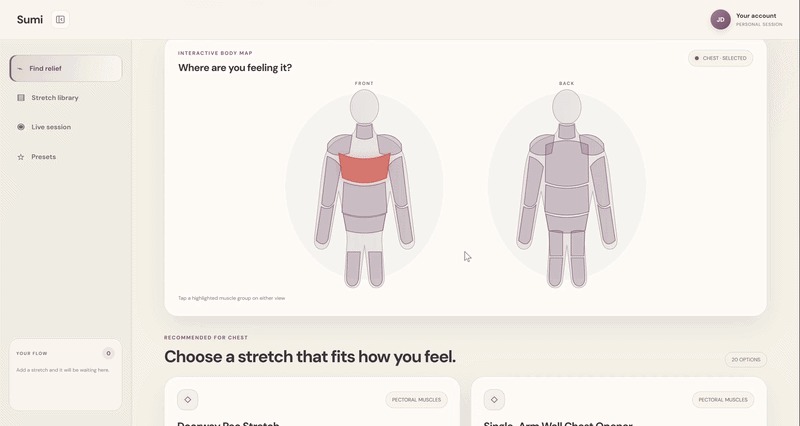 GIF
GIF
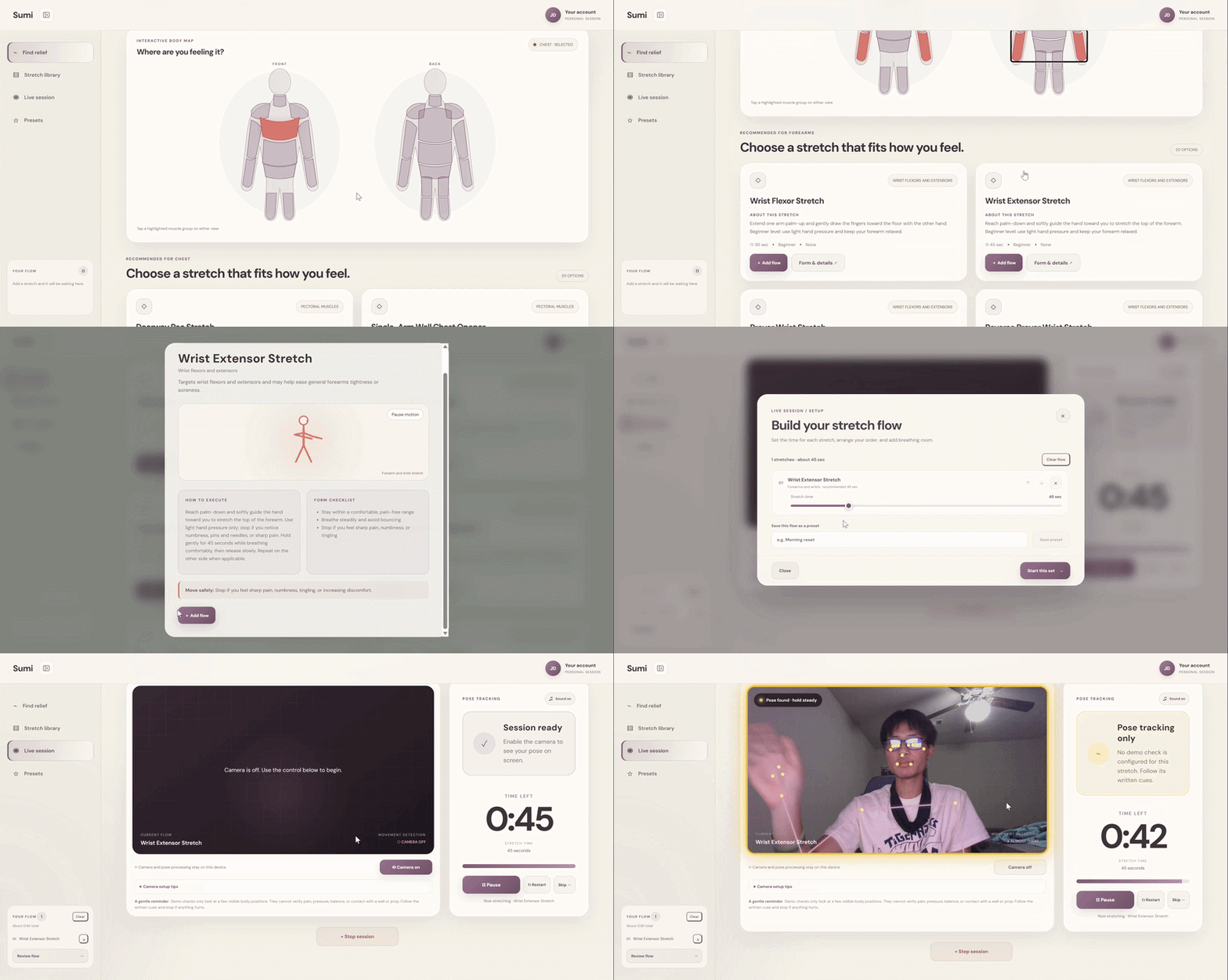
Try out our demo!
-
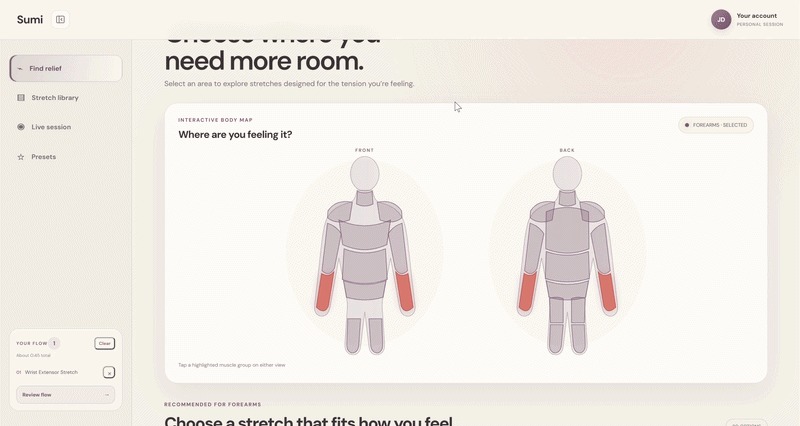 GIF
GIF
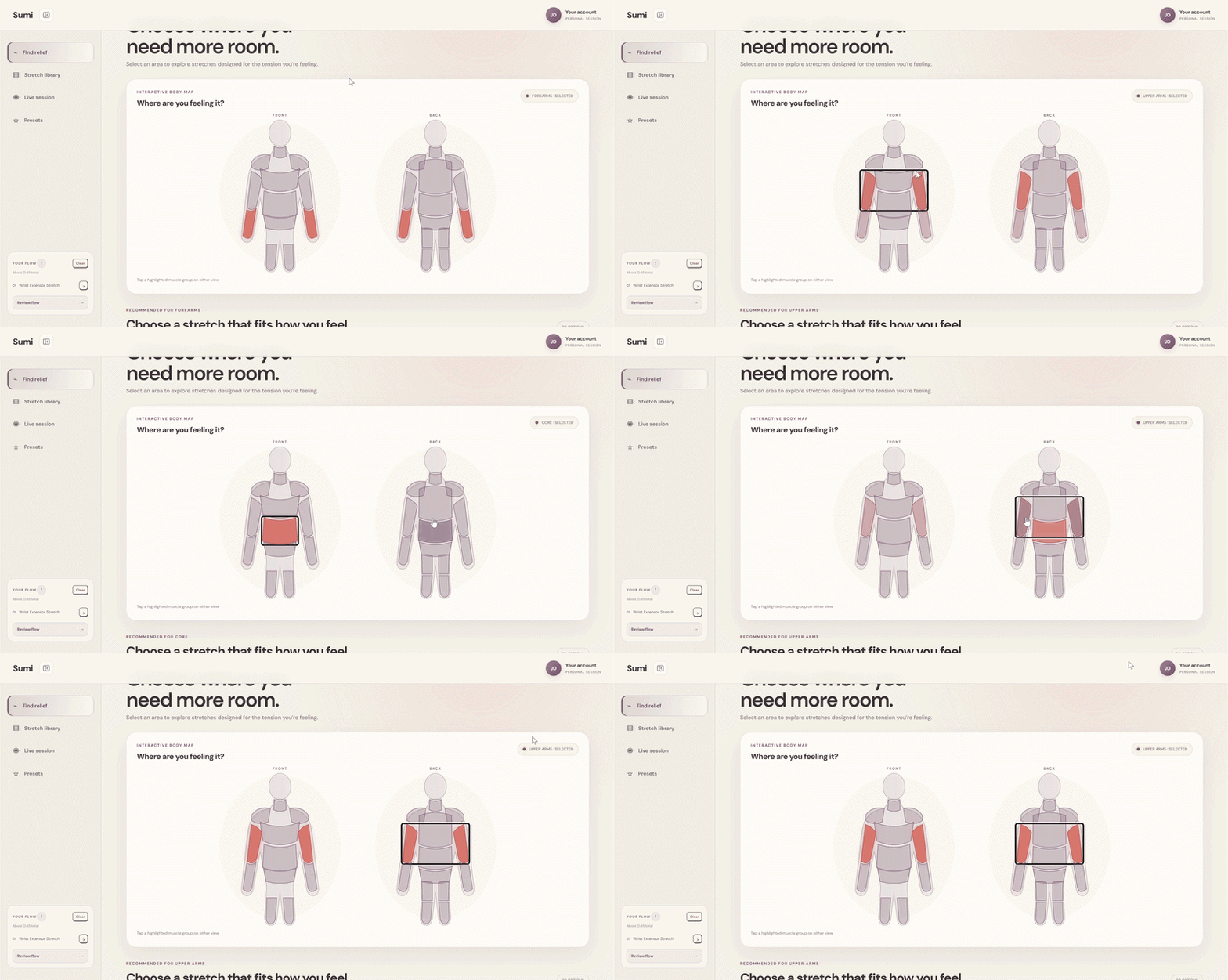
search smartly with our clickable diagram to find the perfect stretch for your needs!
-
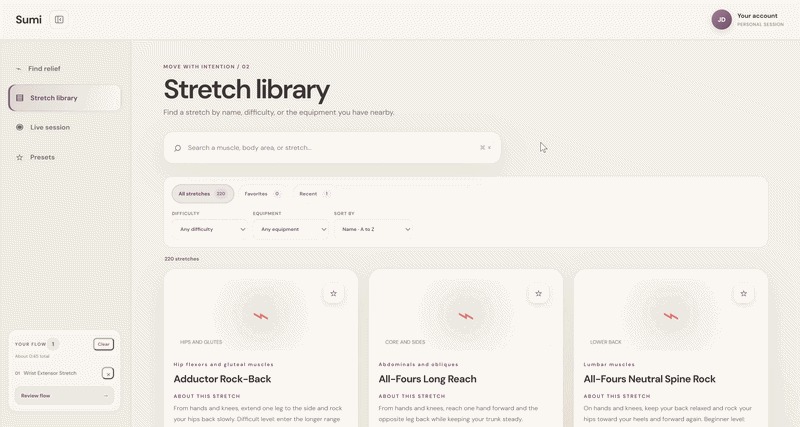 GIF
GIF
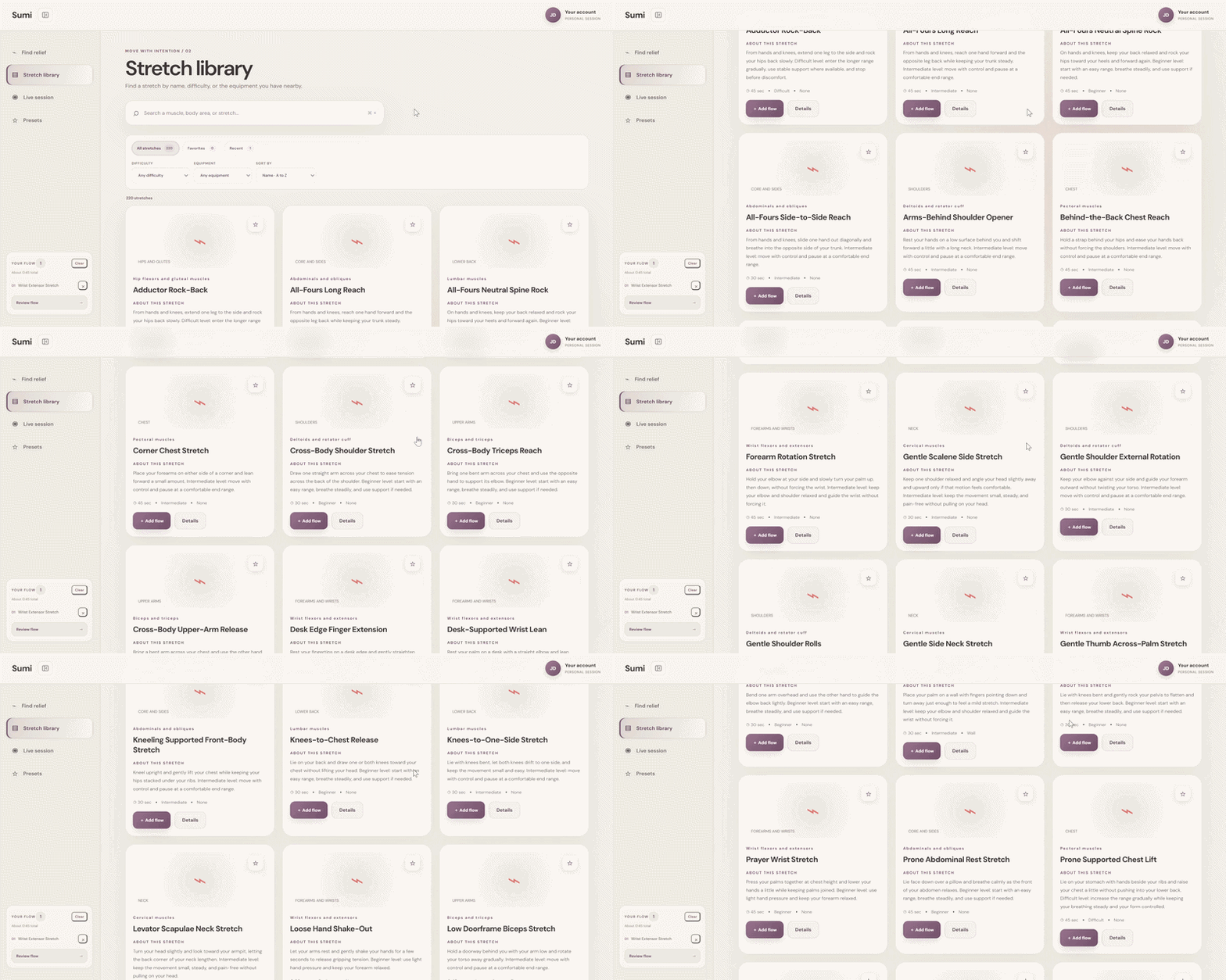
200+ logged stretches/mobility exercises sorted by muscle and difficulty!
-
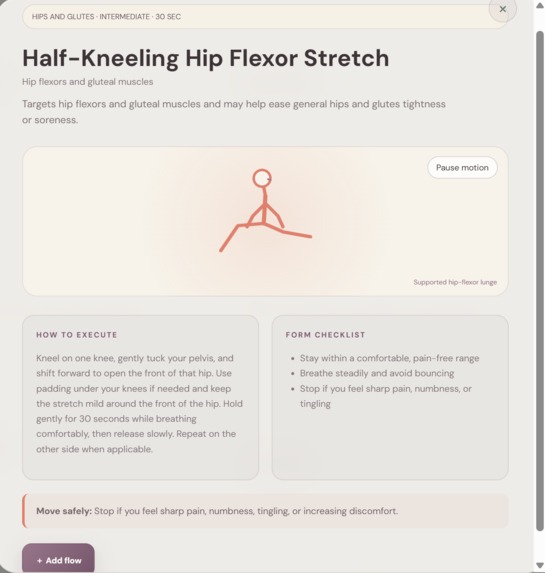
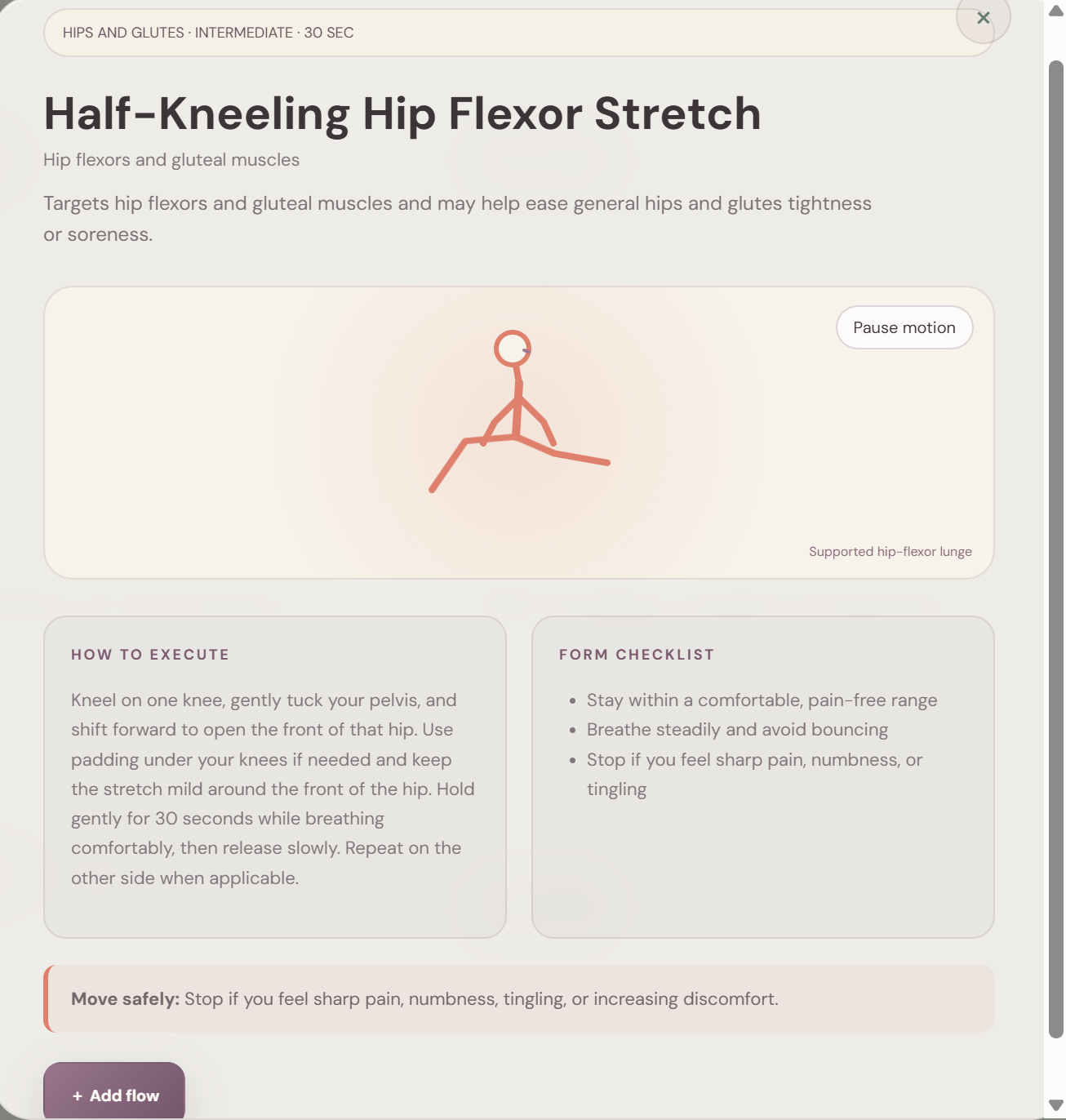
detailed stretch information, form details, tips, and animations!
-
 GIF
GIF
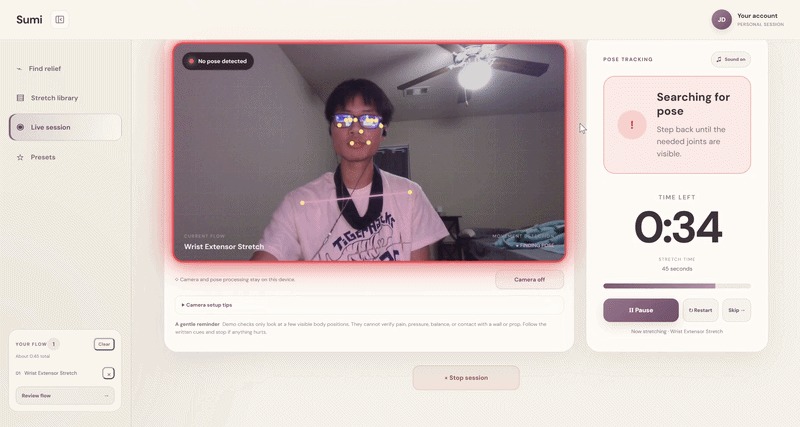
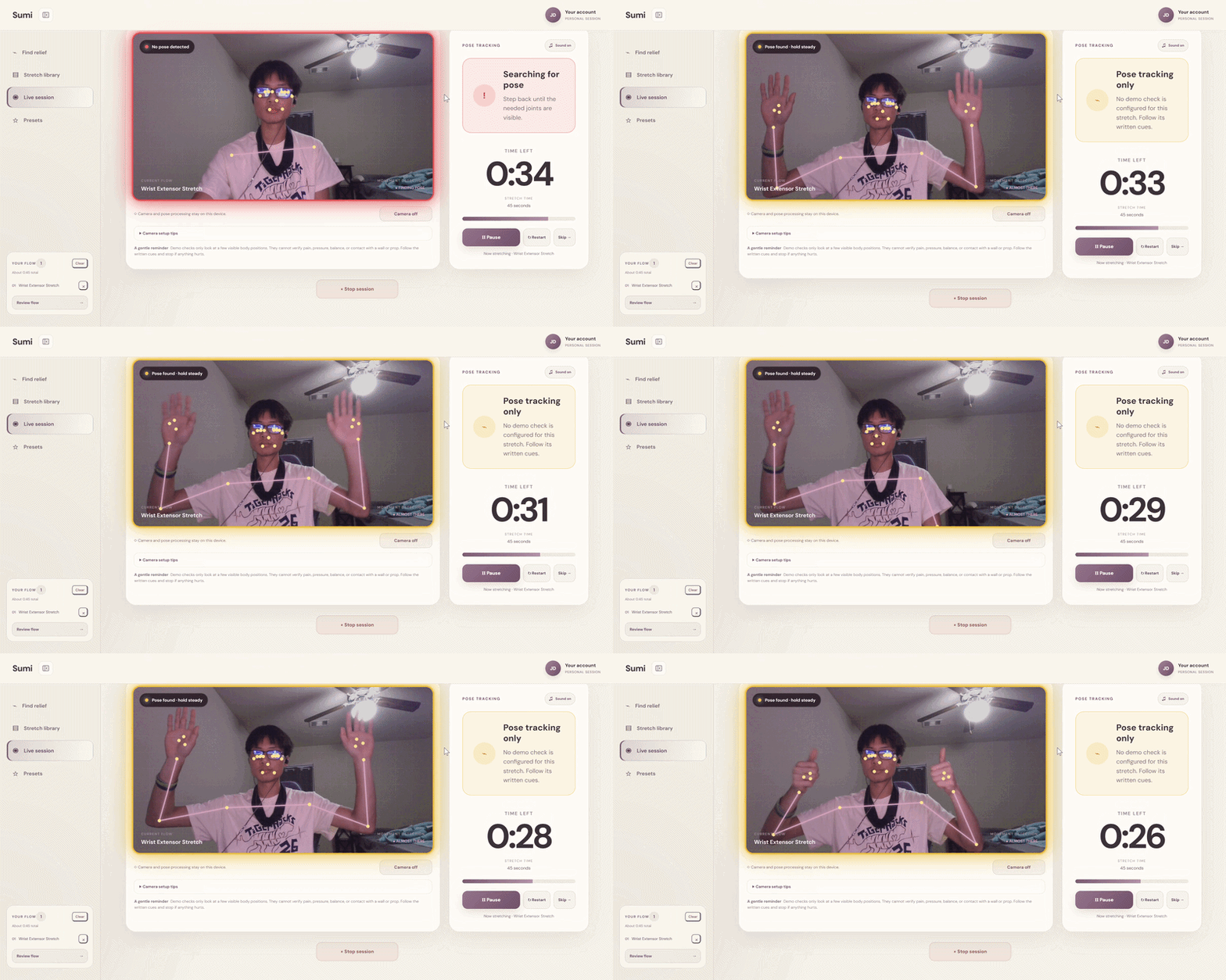
Tracking through MediaPipe provides concise guidance for perfect form every time!
-
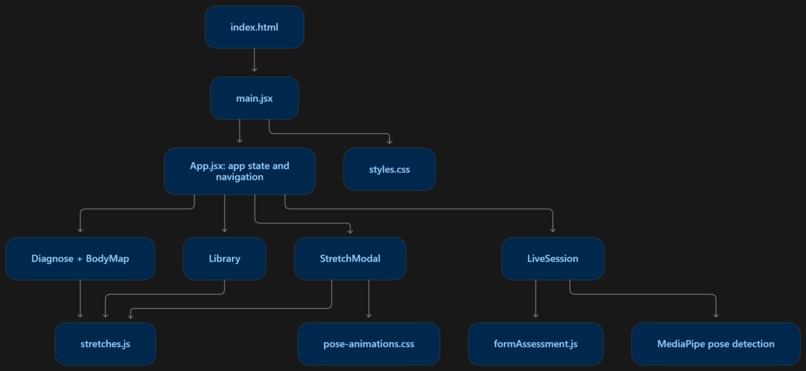
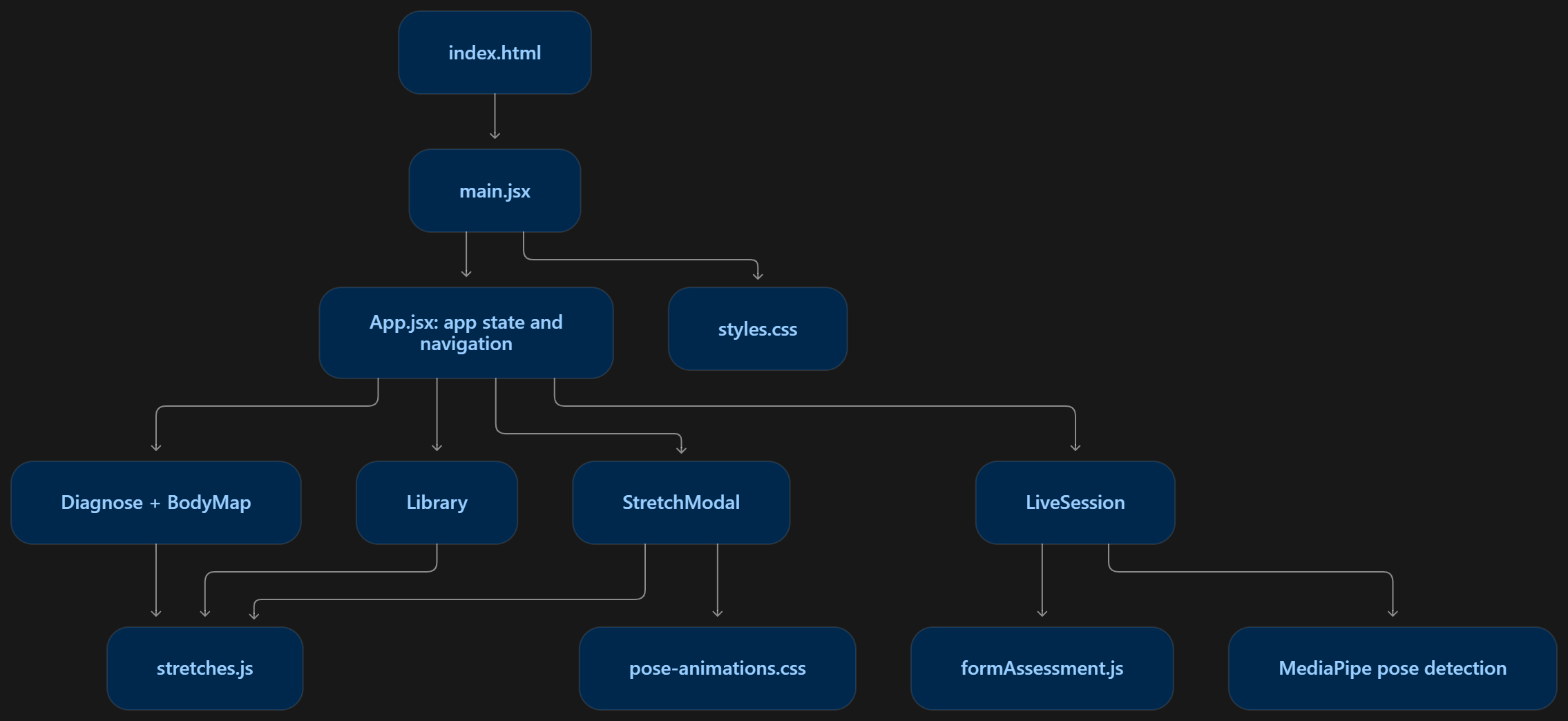
flowchart of how each component was used in our overall project
Inspiration
We were inspired by AI apps popularized during the early days of the AI revolution. A common app was an AI cooking assistant where you could tell it your ingredients and it would make recipes on the fly with the ingredients you had available. This app is similar, but adapted for stretches and mobility to make sure that anyone is able to remain healthy and able to do the things that they enjoy in everyday life.
What it does
Our app is a smart database of over 200+ different stretches and mobility exercises spread out across 11 different muscle groups with multiple features including a live session, comprehensive stretch library, and diagram search for easier navigation.
How we built it
Our initial prototype build started with the diagram search option, which we originally wanted to do through a highly detailed anatomical SVG on Wikimedia Commons. Regrouping that SVG into the proper trackable categories on our project through Figma turned out to be quite the challenge though, so we quickly pivoted to simplifying our diagram search into main muscle groups through our own custom anatomical SVG. The first draft was done on Codex from which we added on more muscle groups and exercises to build a more complete, practical model. Our layout and design was first decided using basic sketches and a color combination library and then fed into codex again to arrange neatly using CSS. After the frame of our website was completed, we moved onto the live tracking. This was achieved through integration of Google's MediaPipe Pose Landmarker through Gemini and Codex, which uses 33 keypoint 3D landmarkers placed on inference based on Regions of Interest (ROI). Live form guidance was based on the joint angle between three consecutive landmarks as 2D spatial vectors. This result was set to a variable that can be set to true or false, triggering certain key events. JavaScript was used to make all our components work. It filters all our stretches, requests camera permissions, and decides on what feedback to show. Vite was used so we could run the project on our computer while we worked to see live previews and demo our own project to test for flaws and improve design.
Challenges we ran into
A challenge that we had was properly integrating the Google MediaPipe Pose Landmarker into our project. Initially we could get it to track and place its landmarkers, but we could not figure out how to do anything with them at first. It took some thinking to figure out how best to score stretches based upon the landmarkers, and to sync it with correct feedback from JavaScript. Another challenge we had was adjusting our project scope to fit the timeline of the project itself. We had some ambitions to include fully fleshed-out animations detailing the correct form of each stretch, but we were only able to develop partially helpful animations. We also wanted to implement account features, daily streak features, history features, and some other miscellaneous, but due to timing constraints, we had to sacrifice those to refine the features we already had.
Accomplishments that we're proud of
We are quite proud of our successful integration of the Google MediaPipe Pose Landmarker into our final project. From the stretches that we have tested, it seems to be functioning as expected and is useful and powerful to have while also being surprisingly fast and responsive. We are also proud of the design considerations we incorporated into our design that might go unnoticed. For example, when testing, we realized that some users might have difficulty seeing the feedback on the screen if they were too far away, so we implemented a color border feedback system so users are still able to know if their form is correct while doing the exercise. Another example is the collapsible dashboard to give you more space on your screen for the camera. There are plenty other small things that hopefully you are able to notice while you demo the project!
What we learned
We learned how to optimize our workflow for multiple AI agents running multiple tasks across different parts of our project. Making sure that the agents had the same variables in their calculations and similar logic in their coding flow was important in creating a successful website. Also, incorporating many different types of code such as HTML5, CSS, Java, React, and Vite into one complete project was also interesting and helped us learn how each part interacts with one pieces of code to work towards the full website. We also learned about project collaboration, as we had to learn how to work independently but as a unit, since we were all literally working from different states (Missouri, Texas, Massachusetts).
What's next for Sumi?
We want to continue to add features and quality of life updates for this project as we want to fully incorporate helpful and accurate stretch animations as well as the ability to fully define custom stretch parameters and track growth over days, weeks, and months. We would also like to revamp some of the visual style and add custom animations and transitions to give the user a sleek, modern experience. We hope that everyone enjoys our current demo while we work on the next steps for Sumi!


Log in or sign up for Devpost to join the conversation.