Inspiration
What it does
How we built it
Challenges we ran into
Accomplishments that we're proud of
What we learned
What's next for Flatpack Coach
Inspiration
Flat-pack furniture is a hands-busy, eyes-down job. Your hands are full of panels and screws, and every step you put everything down to flip through a booklet of tiny drawings, and you still put a panel in backwards. Glasses can put the instruction where your eyes already are: on the parts themselves.
What it does
Flatpack Coach guides you through building a bedside table, one step at a time, with the instructions drawn on the parts.
- Anchor. "Anchor table here" drops the half-built table (40 x 35 x 55 cm) on the floor about 80 cm in front of you; the parts pile is about 1 m to your right. On real glasses you would pinch two front corners of your real table; in the preview this one button is the stand-in.
- Find the next part. Only the current step is ever visible. The next part glows in the pile and a chime plays from the pile's position. When the pile is out of view, a small arrow at the bottom of your view points to it and disappears once you look at it.
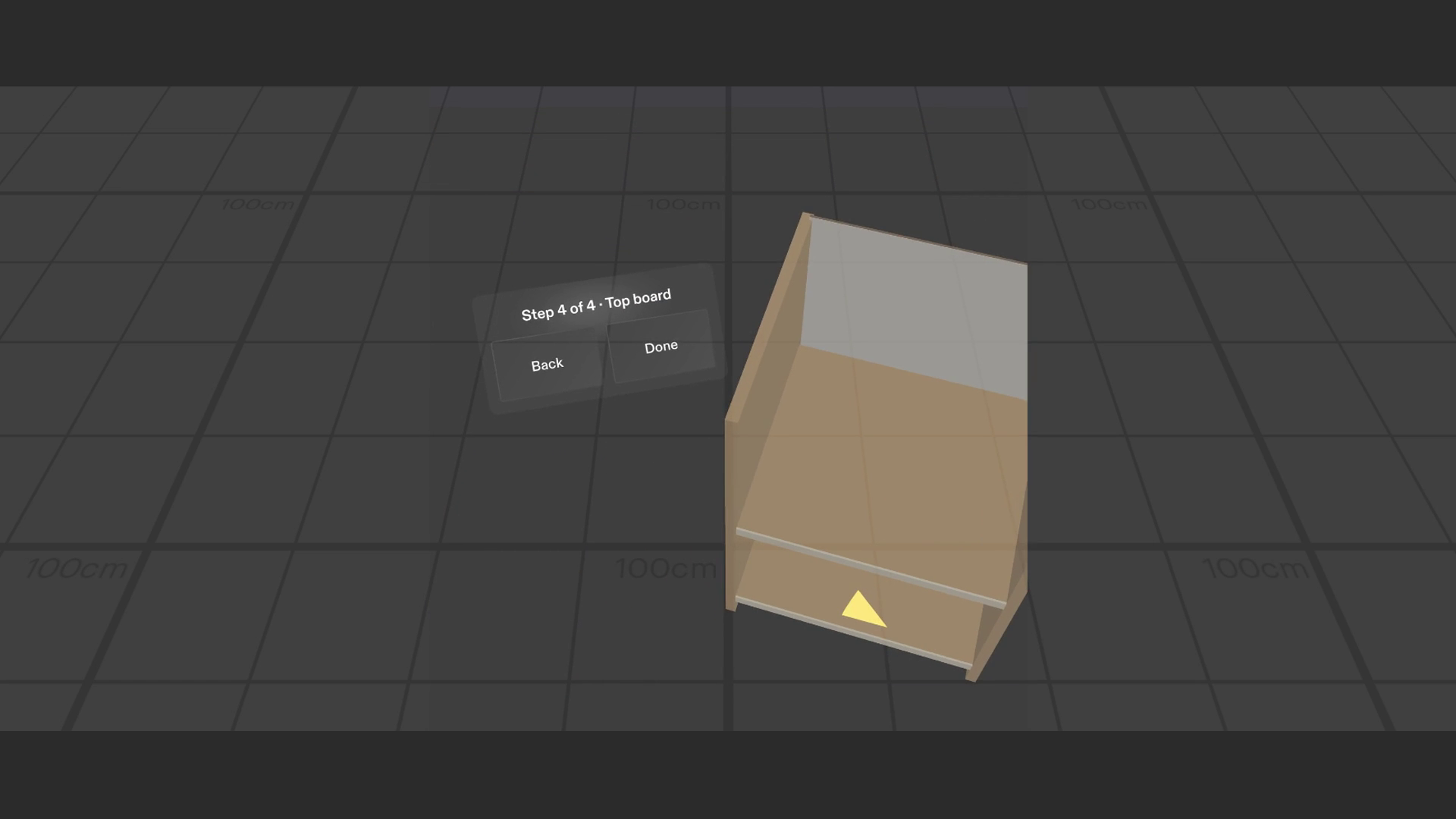
- Put it in. When you grab a part, its ghost appears in the exact slot with an arrow on the front edge. Drop it near the ghost the right way round and it snaps in with a click. Drop it the wrong way round and it does not snap: it shakes and says "flip it, front edge forward". Backwards panels were the real problem, so the Lens catches them.
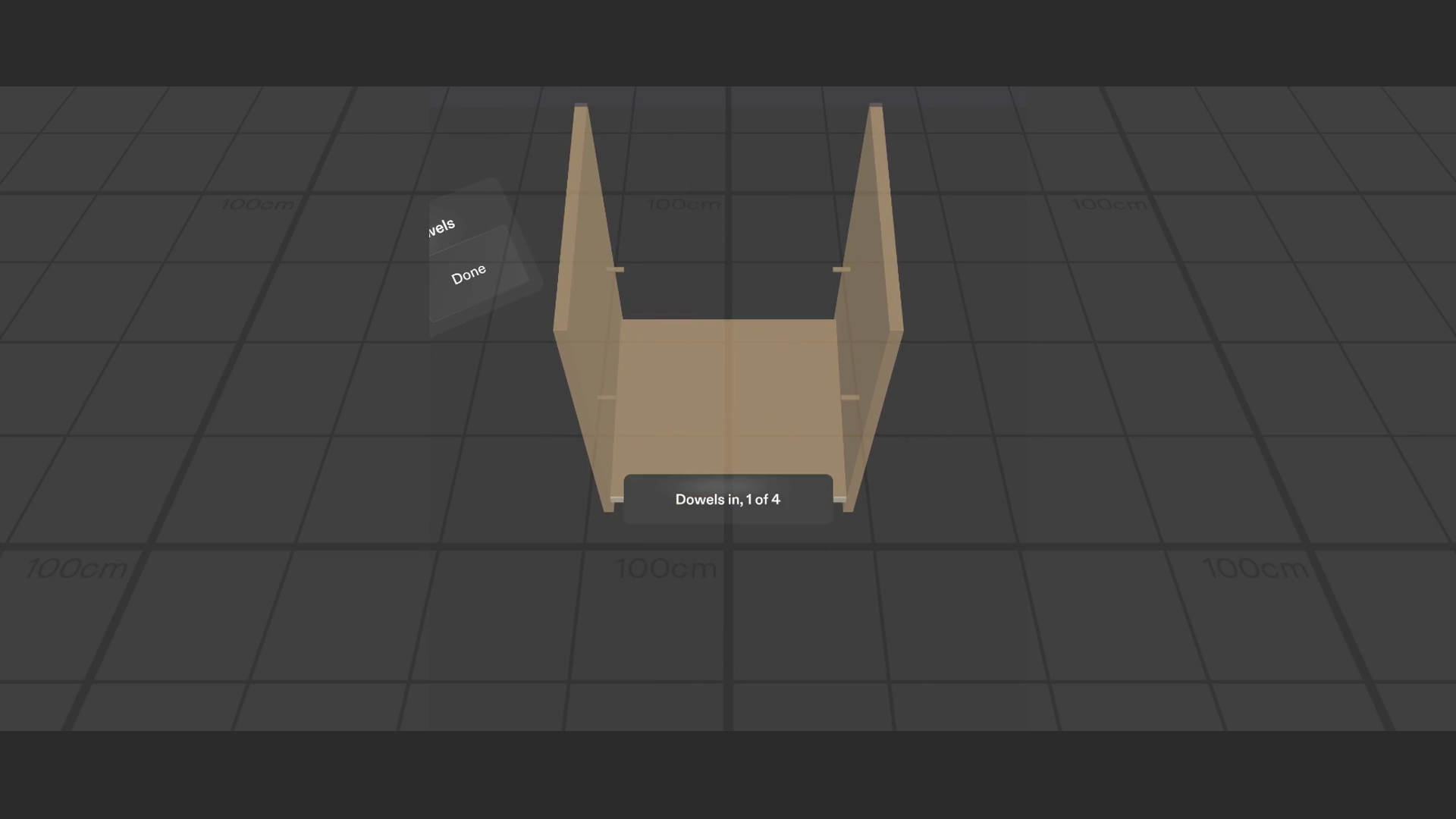
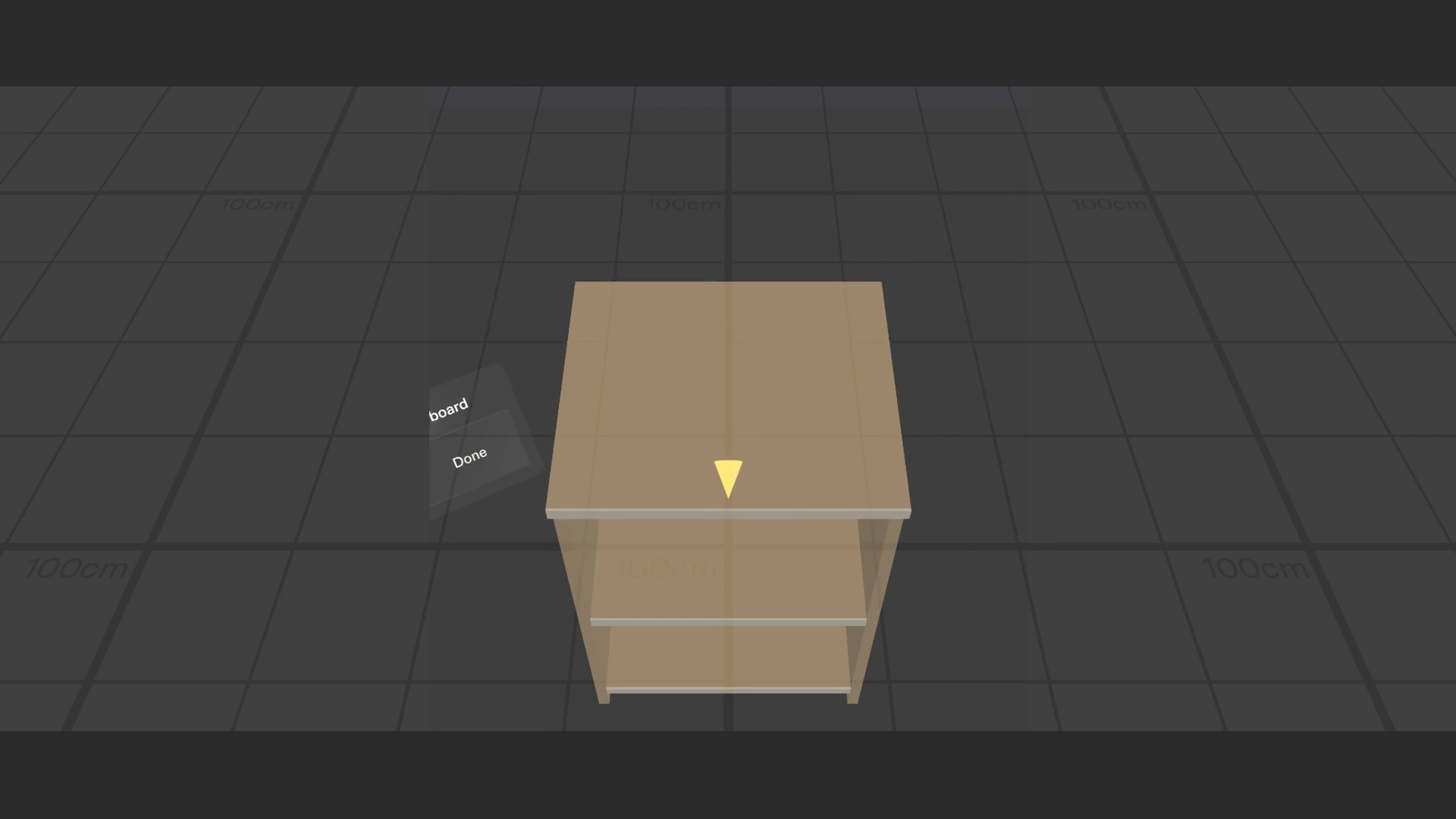
- Move on. Two big buttons (12 x 7 cm) stay low at the side of the table: Back undoes a step, Done moves on. A short card confirms each step ("Back panel in, 3 of 4"), then gets out of the way. At the end: "Table assembled", with Restart.
Four steps: dowels into the glowing holes, shelf, back panel, top board.
Who it's for: anyone assembling furniture alone at home, especially first-timers who get lost in paper instructions.
How we built it
- Planned with the Devpost Learn skill pack (
plan-lens): the interview turned the idea into one spatial moment, a preview stand-in for recognition, placement, hands, timing and five done criteria (devpost/design-brief.md). - Built by Claude Code with Snap's CLAD plugin through the Lens Studio MCP, in Lens Studio 5.24.1, using the Spectacles Interaction Kit for grab and pinch and UI Kit for the panels.
- LEAF tests for every done criterion: anchor placement (measured 80 cm ahead, pile 98 cm to the right), glow + chime + off-view arrow at all four steps, ghost and snap, wrong-way drop and "flip it", Back/Done and the finish card. All five pass in the preview. A
demo-walkthroughscenario plays the whole experience for the video. - Spatial sound needed an Audio Listener on the camera; the chime, click and wrong-way sounds are generated tones.
Challenges we ran into
- Turning a part with a mouse. The preview can't rotate a held part, so a quick pinch (under 0.35 s) turns it 180 degrees where it lies. The top board starts reversed in the pile, so the demo meets the wrong-way check naturally.
- Out-of-view parts. The SPECS view is narrow, so a part glowing 1 m to your right is invisible while you look at the table. Sound from the pile plus a small arrow only while the pile is out of view solved it without a floating panel.
- No real floor in the preview. The floor is assumed 155 cm below the eyes (adjustable in the Inspector).
- Tooling versions. The newest LEAF needs Lens Studio 5.25, so LEAF 2.0.2 is used on 5.24.1.
Accomplishments that we're proud of
The whole build is one clear loop: glow, grab, ghost, snap, next. The wrong-way check targets the real mistake people make, and every done criterion is backed by a passing test.
What we learned
The design questions mattered more than the code: where the instruction lives (on the part, not in a panel), when it shows (only the current step), and how to point to something behind you (sound and a small arrow). Faking only the recognition and building everything after it for real kept the scope to one moment done well.
What's next
- Anchoring a real table with two corner pinches on SPECS, and checking how well the ghost lines up.
- Loading other furniture from the manufacturer's step list.
- Screw and tool hints for each step.
Built With
- clad
- claude-code
- leaflet.js
- lens-studio
- specs
- spectacles-interaction-kit
- typescript
