-
-
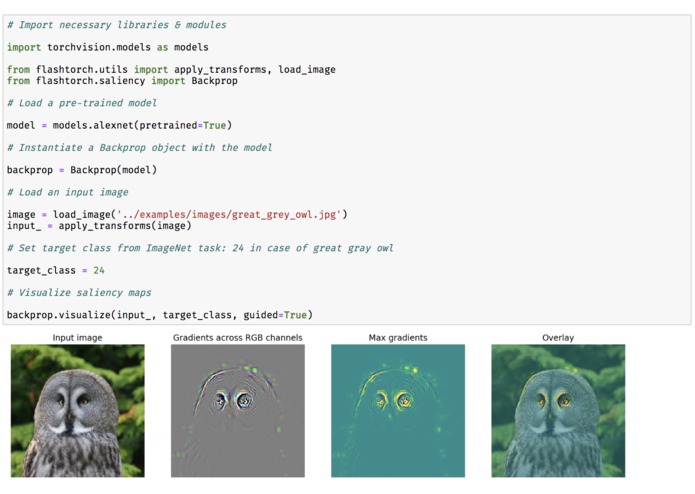
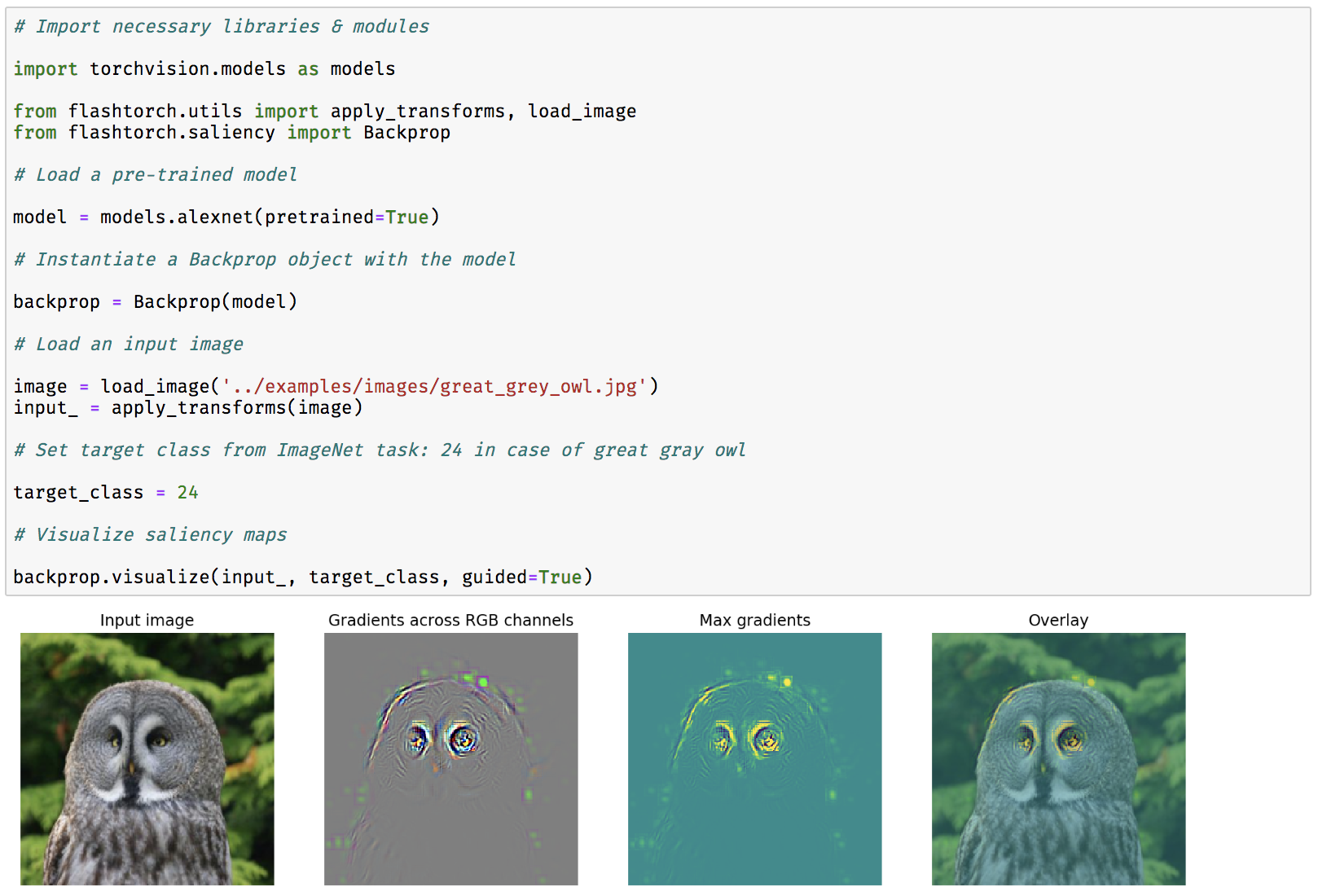
Fig 1. Demo: saliency maps with AlexNet
-
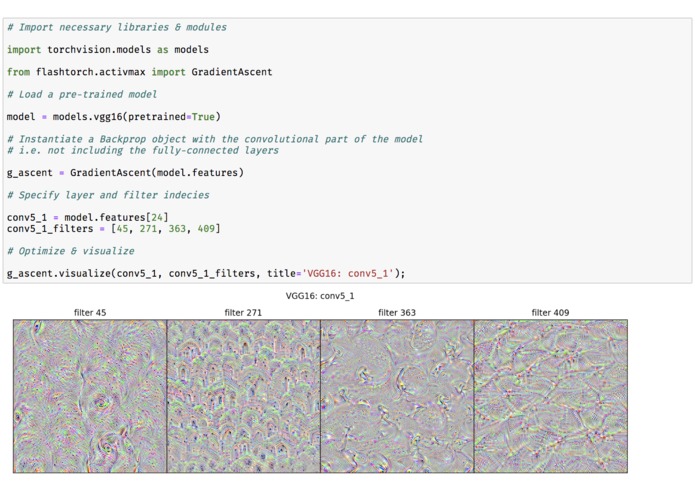
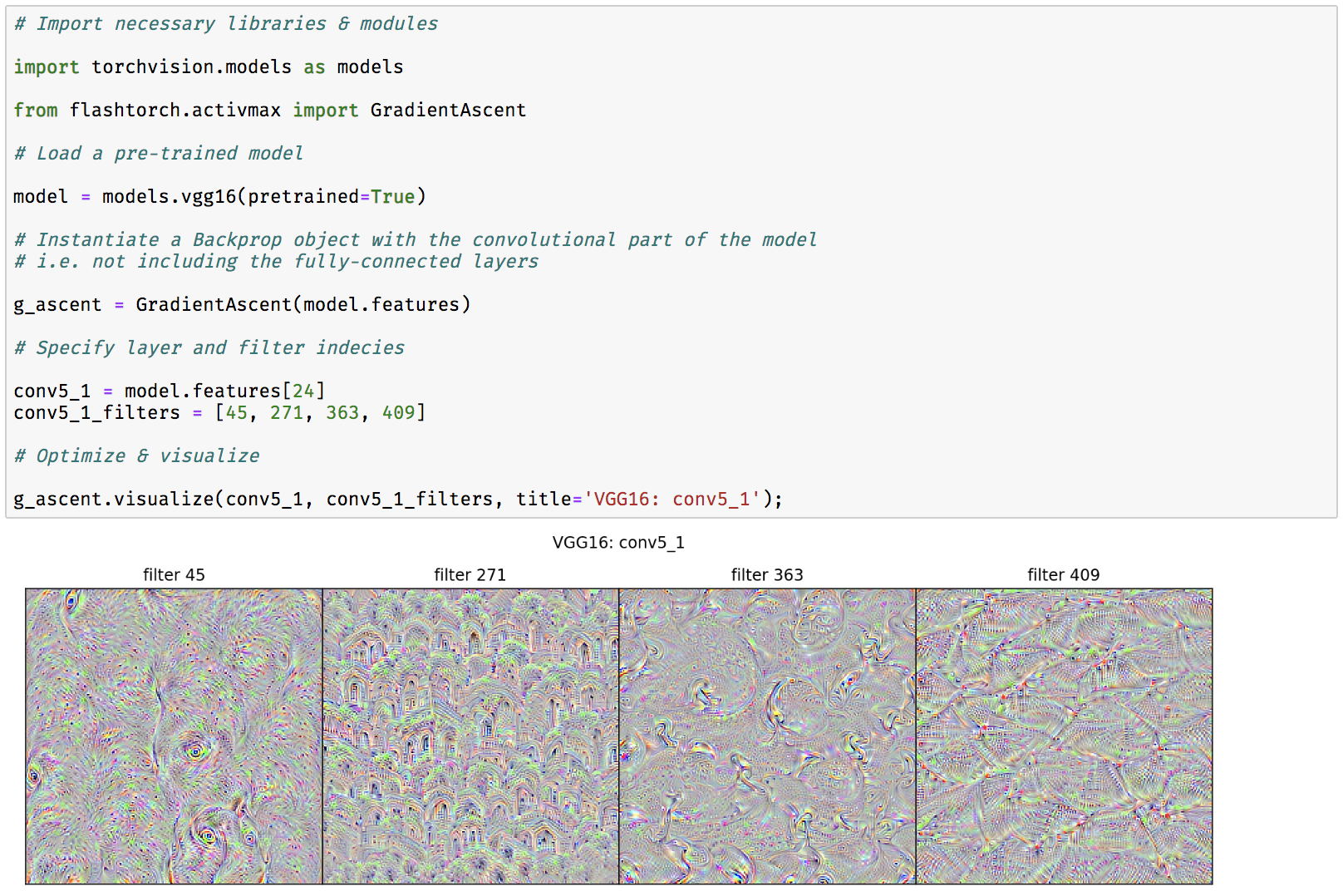
Fig 2. Demo: activation maximization with VGG16
-
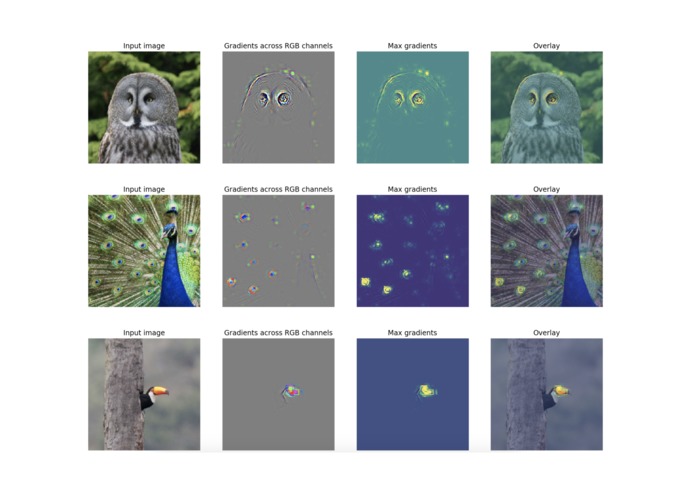
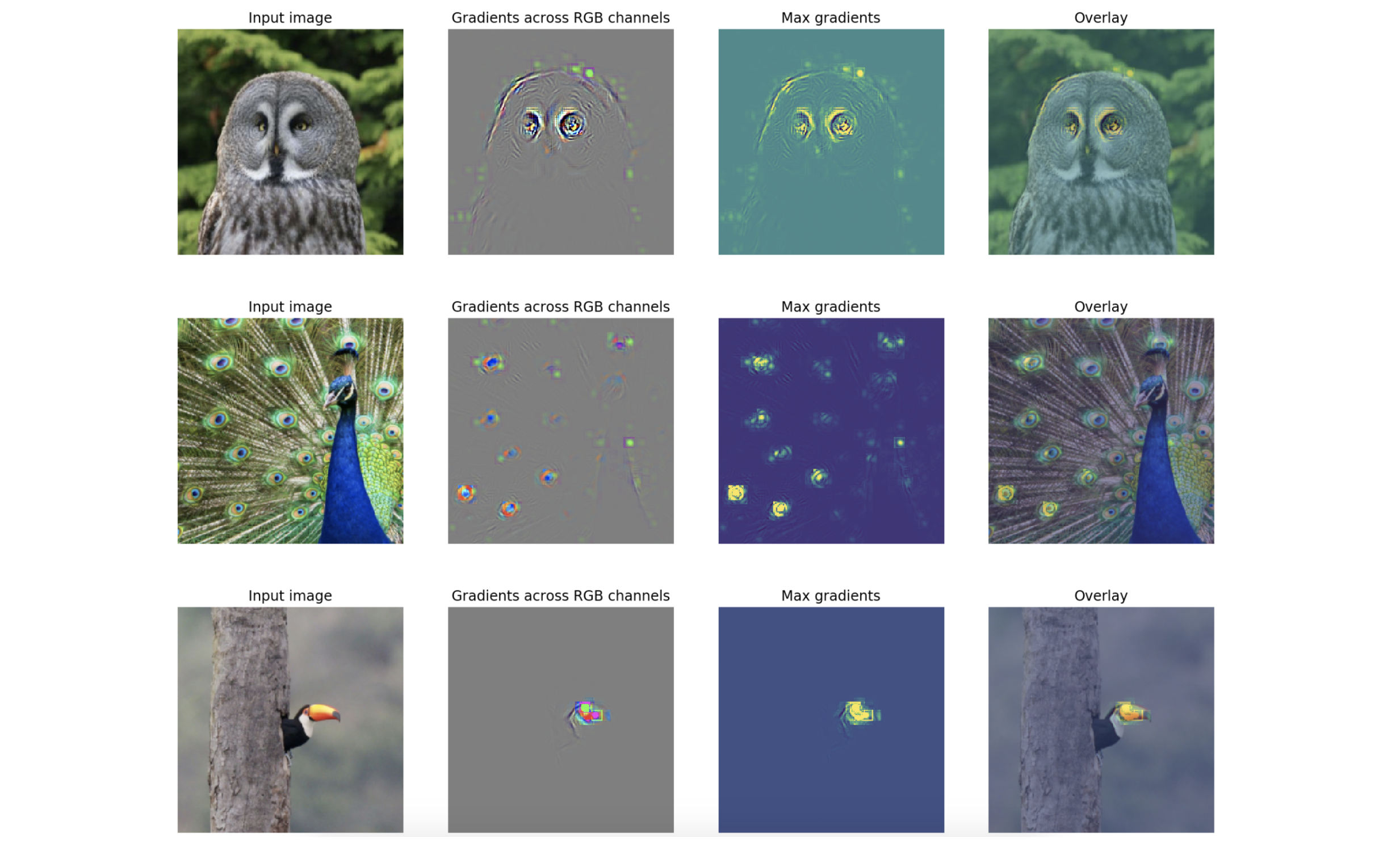
Fig 3. Saliency maps: visualizing what the pre-trained AlexNet is paying attention to within input images.
-
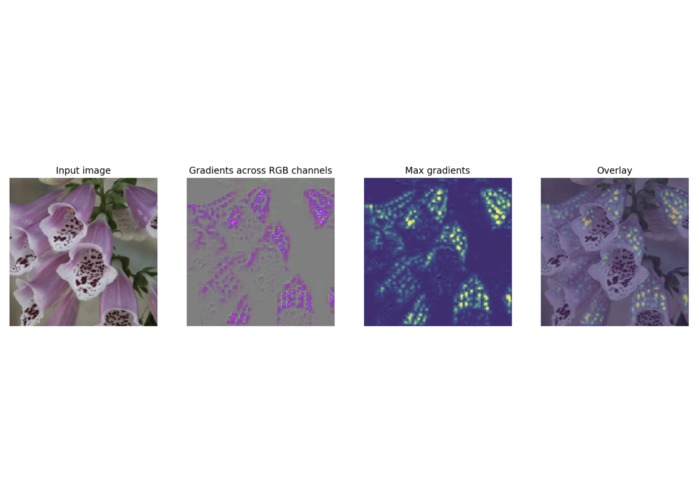
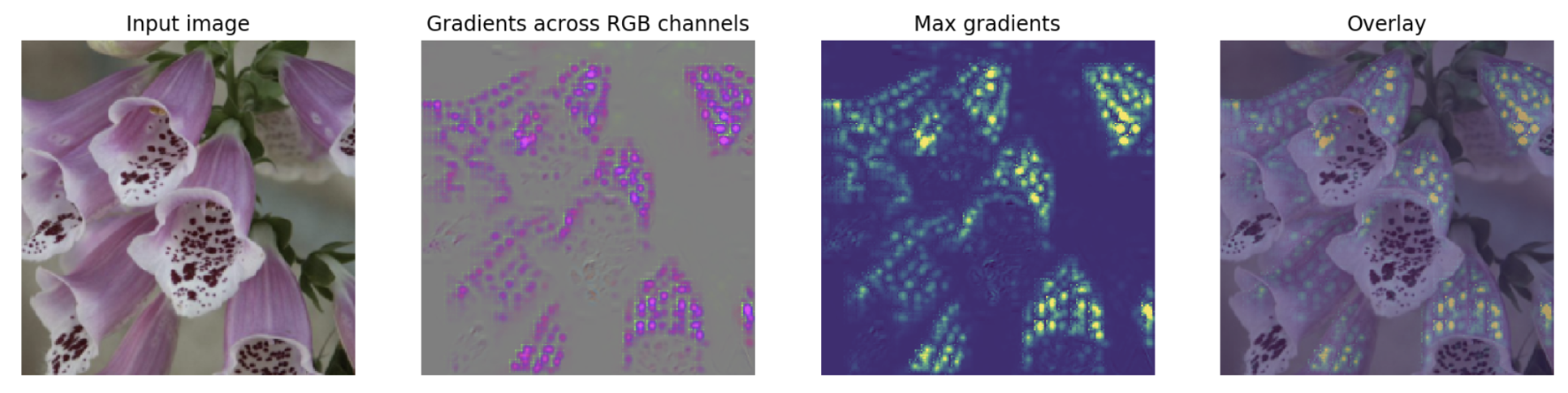
Fig 4. Transfer learning (before additional training): the pre-trained network does not know where to focus in this flower.
-
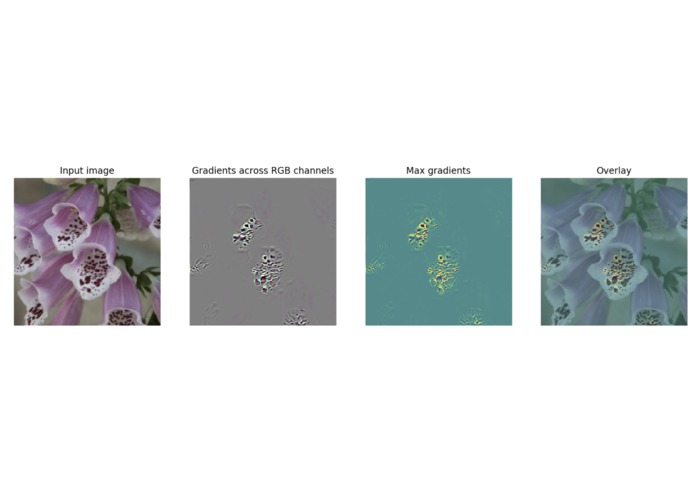
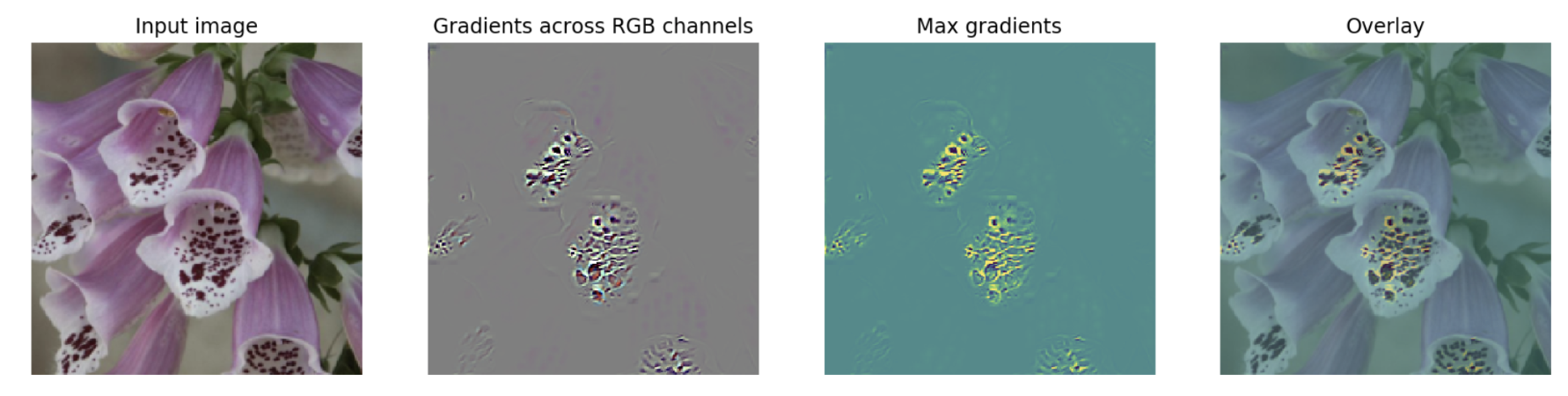
Fig 5. Transfer learning (after additional training): the network has learnt to focus on the mottled pattern!
FlashTorch
A Python visualization toolkit, built with PyTorch, for neural networks in PyTorch.
Neural networks are often described as "black box". The lack of understanding on how neural networks make predictions enables unpredictable/biased models, causing real harm to society and a loss of trust in AI-assisted systems.
Feature visualization is an area of research, which aims to understand how neural networks perceive images. However, implementing such techniques is often complicated.
FlashTorch was created to solve this problem!
You can apply feature visualization techniques (such as saliency maps and activation maximization) on your model, with as little as a few lines of code. It is compatible with pre-trained models that come with torchvision, and seamlessly integrates with other custom models built in PyTorch.
Installation
If you are installing FlashTorch for the first time:
$ pip install flashtorch
Or to upgrade:
$ pip install flashtorch -U
How to use
Below, you can find demo notebooks to get you started, with additional examples of using FlashTorch.
Image handling (flashtorch.utils)
- Image handling notebook
Saliency maps (flashtorch.saliency)
- Saliency map with backpropagation notebook
- Google Colab version - best for trying it out
Saliency in human visual perception is a subjective quality that makes certain things within the field of view stand out from the rest and grabs our attention.
Saliency maps in computer vision provide indications of the most salient regions within images. By creating a saliency map for neural networks, we can gain some intuition on "where the network is paying the most attention to" in an input image.
See Fig 1. (from the image gallery) for the demonstration of how to create saliency maps with AlexNet.
Activation maximization (flashtorch.activmax)
- Activation maximization notebook
- Google Colab version - best for trying it out
Activation maximization is one form of feature visualization that allows us to visualize what CNN filters are "looking for", by applying each filter to an input image and updating the input image to maximize the activation of the filter of interest (i.e. treating it as a gradient ascent task with filter activation values as the loss).
Using flashtorch.activmax module, let's visualize images optimized with filters
from VGG16 pre-trained on ImageNet classification tasks.
See Fig 2. (from the image gallery) for the demonstration of how to perform activation maximization with VGG16.
Concepts such as 'eyes' (filter 45) and 'entrances (?)' (filter 271) seem to appear in the conv5_1 layer of VGG16.
Visit the notebook above to see what earlier layers do!


Log in or sign up for Devpost to join the conversation.