-
-
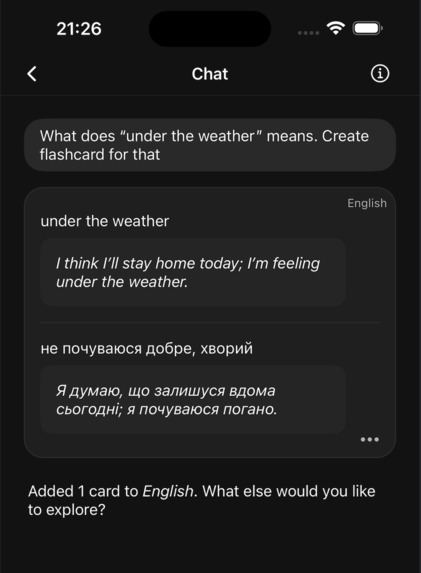
Create instant flashcards with AI
-
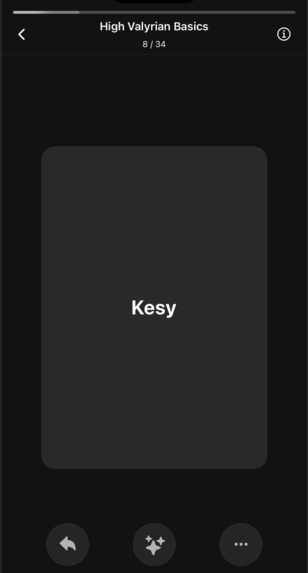
Learn faster with spaced repetition
-
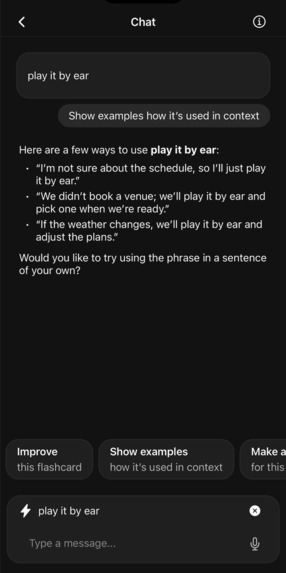
AI-assisted flashcard repetition
Inspiration
I’ve been a language learner for many years (English since school, Spanish for a few years now). Along the way I tried many tools, but the one that stuck with me is spaced repetition with flashcards. Reviewing a few minutes daily really works — but making flashcards by hand is slow and discouraging. I believe that language learning can be truly simple and personal, no extra work.
When ChatGPT was released, I did integration that allowed me creating flashcards through ChatGPT interface to my app of choice back then.
Simple systems produce great results and I had one. It felt like I nailed it. That was like my superpower.
Unfortunately, that superpower was only mine because integration requires being tech-savvy. People in my close circle were really interested in having similar workflow. I think everyone should benefit from simple systems.
So I built an app: Flashcards Space. It makes the flashcard workflow seamless, and personal.
What it does
By deeply integrating AI (particularly LLMs) with traditional interfaces, I designed a workflow that makes the language learning experience seamless. Specifically, but not limited to, discovering new vocabulary and retaining it.
Good flashcards are powerful, but creating them feels like work. That friction kills consistency.
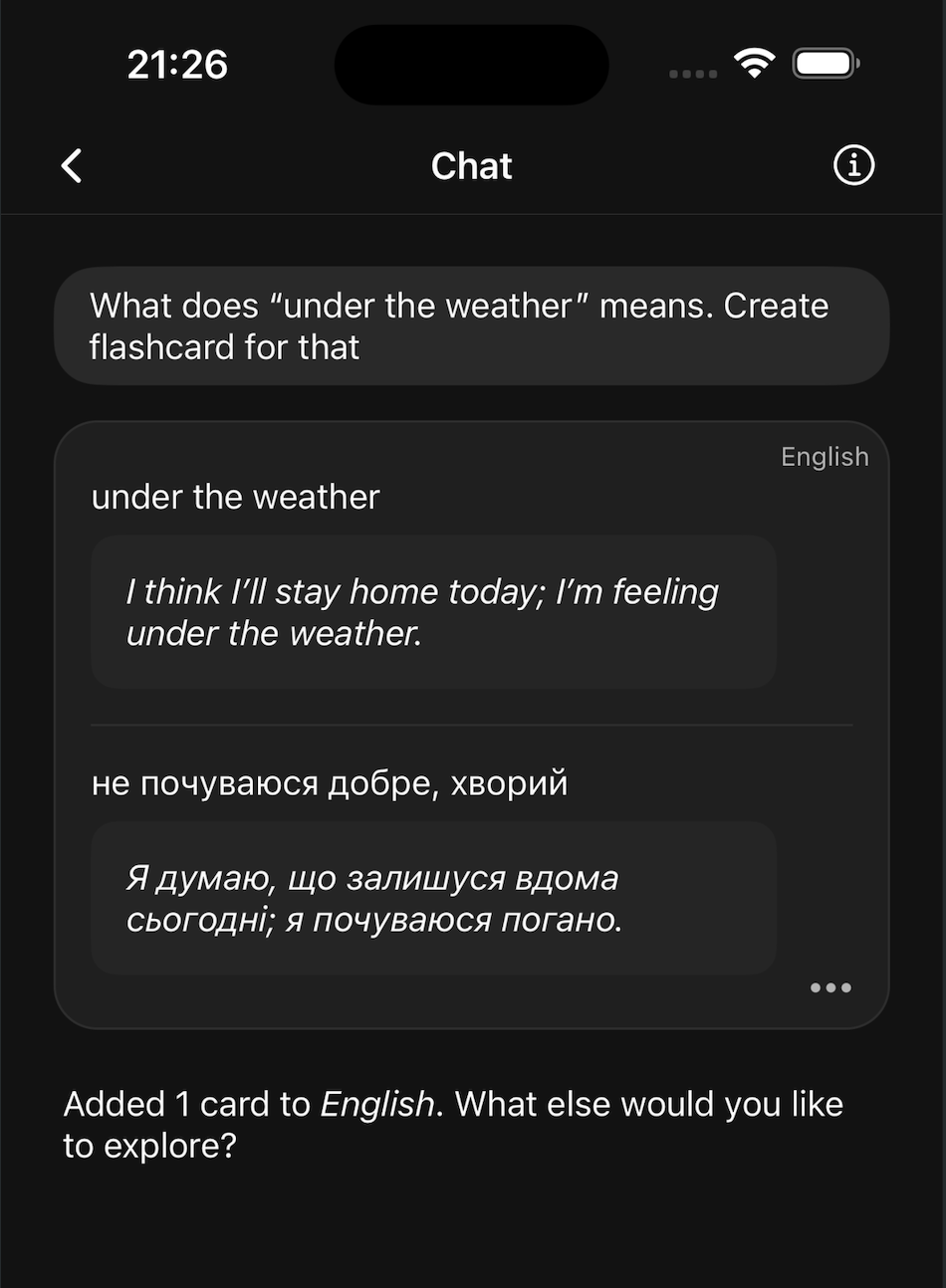
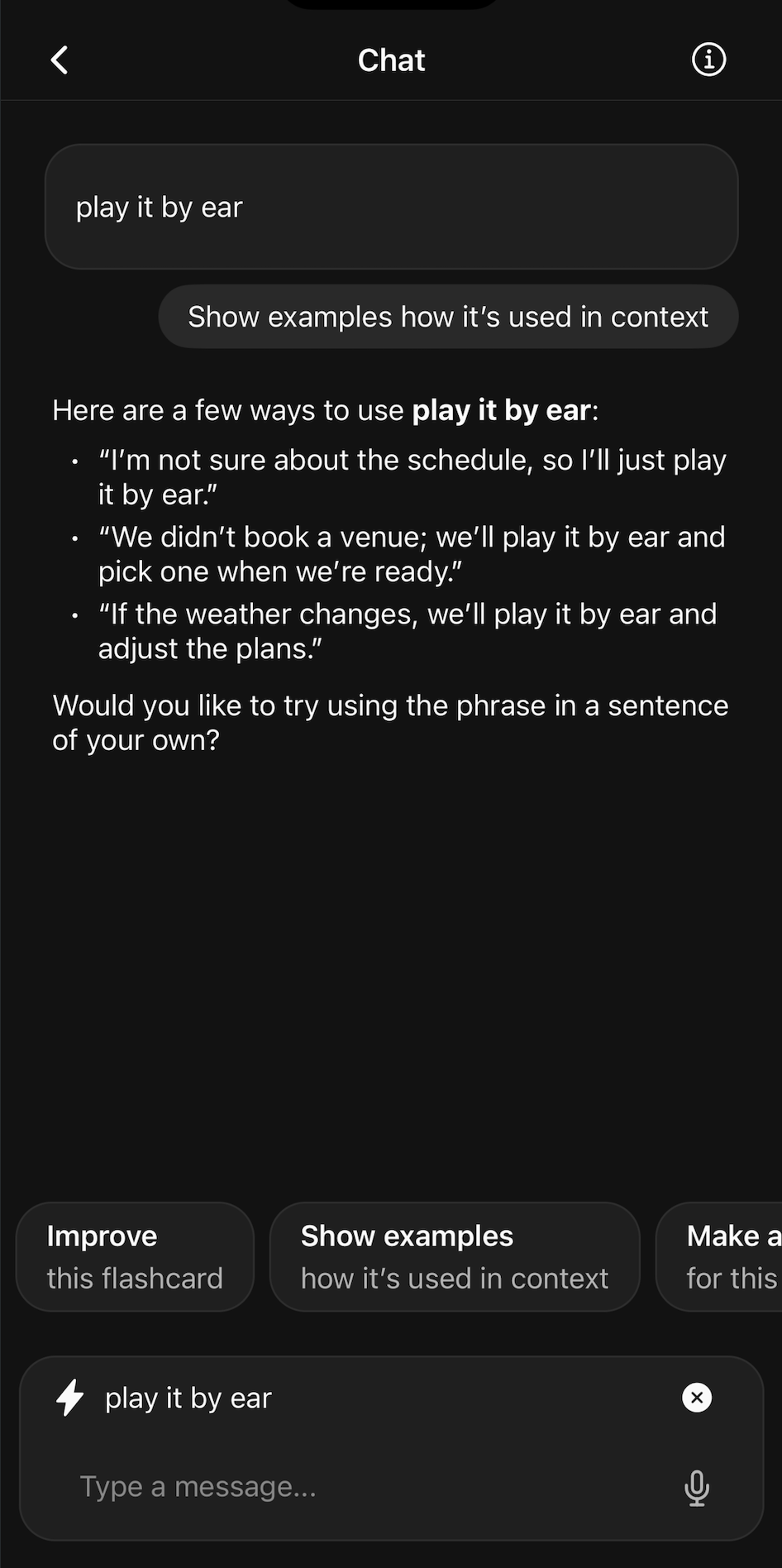
The solution to this is a simple chat interface. You ask about unknown words, and you get an explanation and flashcard(s) created. Zero mental overhead; you just ask, and you already have it.
Your flashcards are personal and are the outcome of your own life experience. You can ask: “I am starting padel lessons in Spain. Give me 10 words related to this topic.” and you will have flashcards created instantly, and more importantly, they will be the most relevant to you.
Once you have discovered and added your new vocabulary, the learning and repeating part is the most important; show up every day (ideally twice per day).
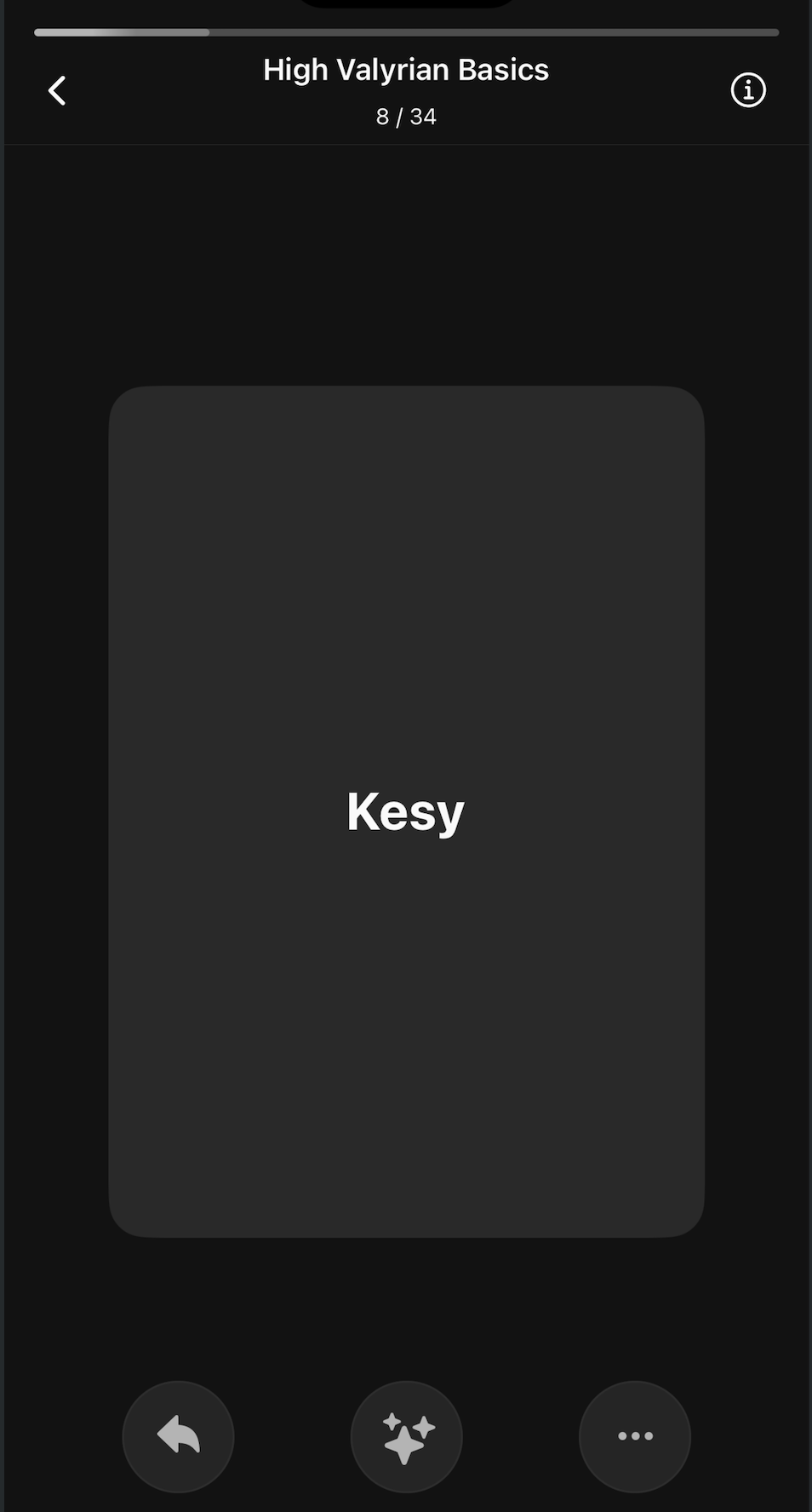
Powered by spaced repetition algorithms, this method strengthens learning by scheduling reviews just before forgetting occurs, transferring new vocabulary into long-term memory and maximizing retention efficiency.
The AI part is crucial during the repetition step as well. AI-assisted repetition allows you to attach any flashcard and ask something, for example, creating a dialogue using the flashcard.
Other features are designed to support interaction with the application, personalize and enhance learning:
- Onboarding screens and walkthroughs to guide and teach how the app works
- Ability to reset the walkthrough guide in Account settings.
- Instead of typing, users can use voice input for faster interaction with the AI chat.
- Simple notifications with customizable times to build a habit of repeating flashcards on a daily basis.
- Dark/white theme selection.
- Some essentials like importing from other apps (currently supporting Mochi).
- User profile management, such as changing passwords, exporting all data, and deleting accounts.
- Search and manage your flashcards manually for better control over your flashcard content.
- Ability to limit the number of flashcards to repeat per day. One of the side effects of AI is that it allows the creation of many flashcards, which can be quite overwhelming to repeat each day. The ability to limit the number of flashcards allows for a more digestible learning pace.
How we built it
I have certain principles on apps that I use and what I appreciate in my life. I love great high quality products and software. I love simplicity and minimalism. I appreciate having a phone as a utility tool rather than a toy for social media. All those apps on our phones they should serve a purpose and help us be better people.
So I deeply care about what I build:
- with craft and care, using React Native (with Expo SDK) and Supabase as backend/data storage
- offline-first. Core functionality should be accessible without internet. The network is optional, so the app feels incredibly fast and responsive.
- data sync via Supabase backend with Legend state as state management.
- analytics & instrumentation to track app and feature usage; powered by Posthog.
- Vibe-coded landing page made by a girlfriend with no tech expertise (by v0 from Vercel). Hosted on Vercel.
- comprehensive observability and logging to react and improve on tech issues fast (powered by Vercel/Supabase/Posthog)
- Simplicity and minimalism were always a priority, so a simple monthly plan with a clear and simple paywall was seamlessly integrated thanks to RevenueCat.
Challenges we ran into
Having such a high bar for the apps I enjoy using makes creating one by myself a real challenge, and those expectations are in conflict with the reality of solo building. Facing reality is rough and eye opening.
I have to cut corners and "build in public" posts helps me to be honest and transparent in that regard. It is self-reflection moment when you put something out in the public.
An overwhelmingly huge amount of vectors to work on is another challenge.
I know how to build apps but not great products that will be used by people and will be loved. It is easy enough to build an app for myself, targeting my own needs but reality is that people needs sometimes are different. Cust Dev is hard.
Accomplishments that we're proud of
It is great MVP that delivers on its promise by staying simple in functionality and design.
There are a few customers who have a perfect match with my ICP, and there is strong traction with the app. It is actually working, and people are deriving great value from it.
Great fundamentals are built from a tech stack standpoint. Building was never as easy as it is today, thanks to the grown ecosystem of tools and frameworks.
What we learned
Learning is hard on its own, and it's even harder to make it a habit. So, the priority is to find ways of making it stick without sacrificing the learning itself. Learning should be hard, but tools should support it and make it as efficient as possible.
"Building in public" forced me to be honest and transparent—to be obsessive about delivering real value for the end user and to have clarity on why I am doing this. This definitely made my journey more conscious and more customer-focused. This ultimately led to a (really) small customer base that derives great value from the app and provides excellent feedback, which I was able to iterate on during the last month and share with the community.
I've learned mobile app development. I knew how to build web apps, but I hadn't done mobile app development before this project.
Building was never as easy as it is today, but still so incredibly hard. I am pumped to continue and this is something I learned about myself.
What's next for Flashcards Space
Import
Import from other apps such as Anki. Those users are the ones who already know the power of SRS and can benefit from Flashcards Space in case they follow similar workflows for learning languages as me. Import from Anki is must have feature for that cohort of users.
To grow user base
I want to experiment with different paywalls, promotions and marketing. I am considering integrating with teachers to have a referral program so that students can have better terms joining the app and learning. I think it may be win-win for all parties.
I also want to optimise with ASO and SEO to get more organic traffic. Adding localisation to the app and to App Store may be significant enabler for that.
Better and more focused social media presence. I have an assumption that Threads should be better fit if I want to reach my Ukrainian audience so changing posts' language to my native language may be better fit.
Have my app more sticky to promote building a habit of repeating every day.
I want to find a way for people to better stick to the habit. How to make people notice their accomplishments so it encourages them even more to keep doing it.
Desktop
Currently app is only limited to mobile devices, but having access to at least creating flashcards via desktop is important.
Other features
There are some important ones to have in the app:
- better AI integration to support bulk flashcard creation (from any CSV file, large text etc). This could be as part of import feature for some less popular apps when some structured data is pasted to AI chat and then it is converted to flashcards.
- Photo/files support. When you are on the go, you want to paste photo of the thing you don't know. This will have greater coverage of real-world scenarios when user encounters something new.
There are many use-cases when people encounter new words. I was thinking of integrating with music streaming apps to propose flashcards from lyrics of the songs users are listening to. Youtube can be another source of flashcards. TV shows, movies etc. I want to optimise on that so that new material flows into the app easily from real-world scenarios of users.
Ideal ICP is someone like me. But it doesn't stop there. I need to educate and recruit more users into this opinionated app with spaced repetition. Showcase and demonstrate the power of this. Since it was never that easy to build personalised list of vocabulary and flashcards to learn and apply in real life.
Built With
- ai
- expo.dev
- nextjs
- posthog
- react
- react-native
- revenuecat
- supabase
- v0.dev
- vercel

Log in or sign up for Devpost to join the conversation.