Inspiration
As students and lifelong learners, we've all experienced the frustration of watching a long educational video and struggling to retain the key information. Traditional note-taking is time-consuming, and finding the right moments to pause and write down important points breaks the learning flow.
We asked ourselves: What if AI could watch the video for you and automatically create study materials?
That's how Flashcard Lab was born — a tool that bridges the gap between passive video watching and active learning through flashcards, the gold standard of memory retention techniques.
What it does
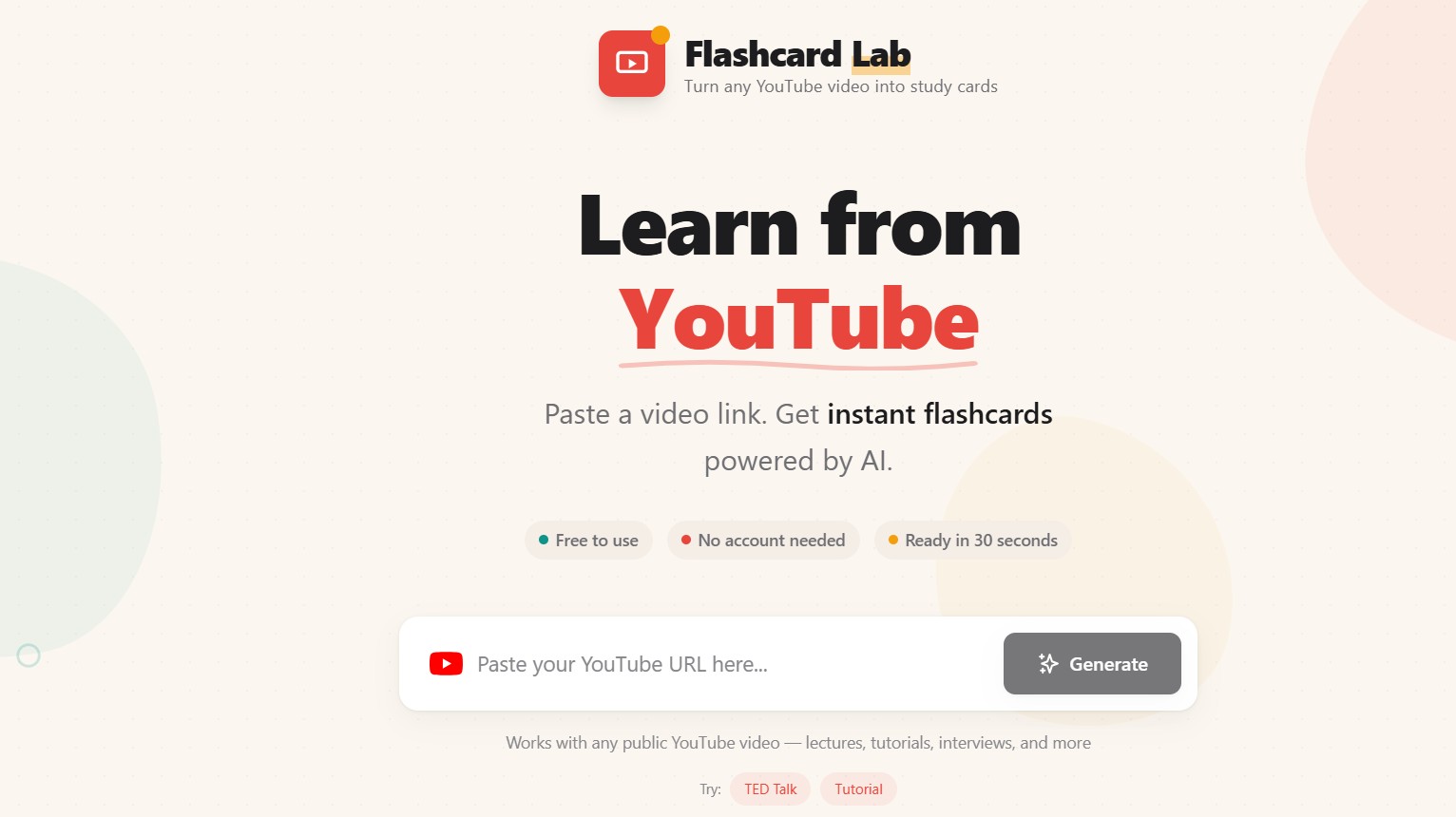
Flashcard Lab transforms any public YouTube video into interactive study flashcards:
- Paste a YouTube URL — Any educational video, lecture, tutorial, or interview
- AI extracts key concepts — Google's AI analyzes the video content and identifies the most important information
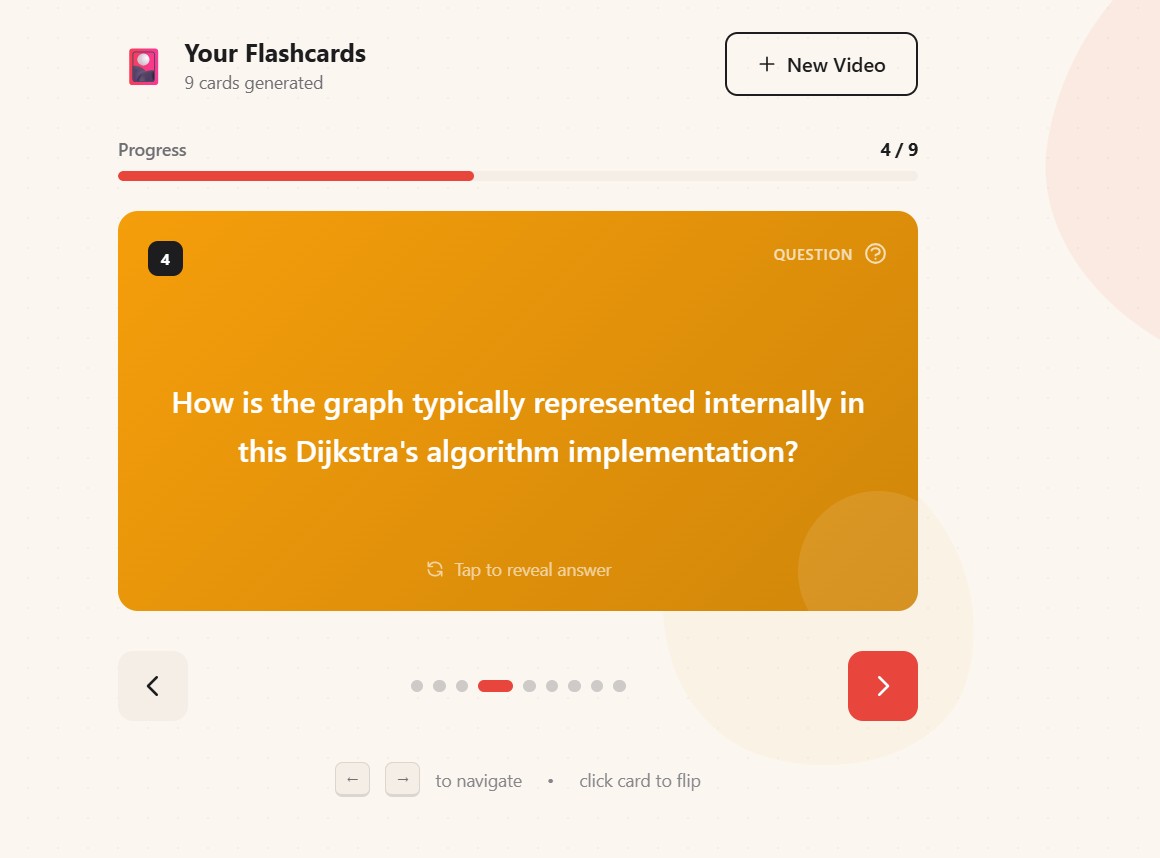
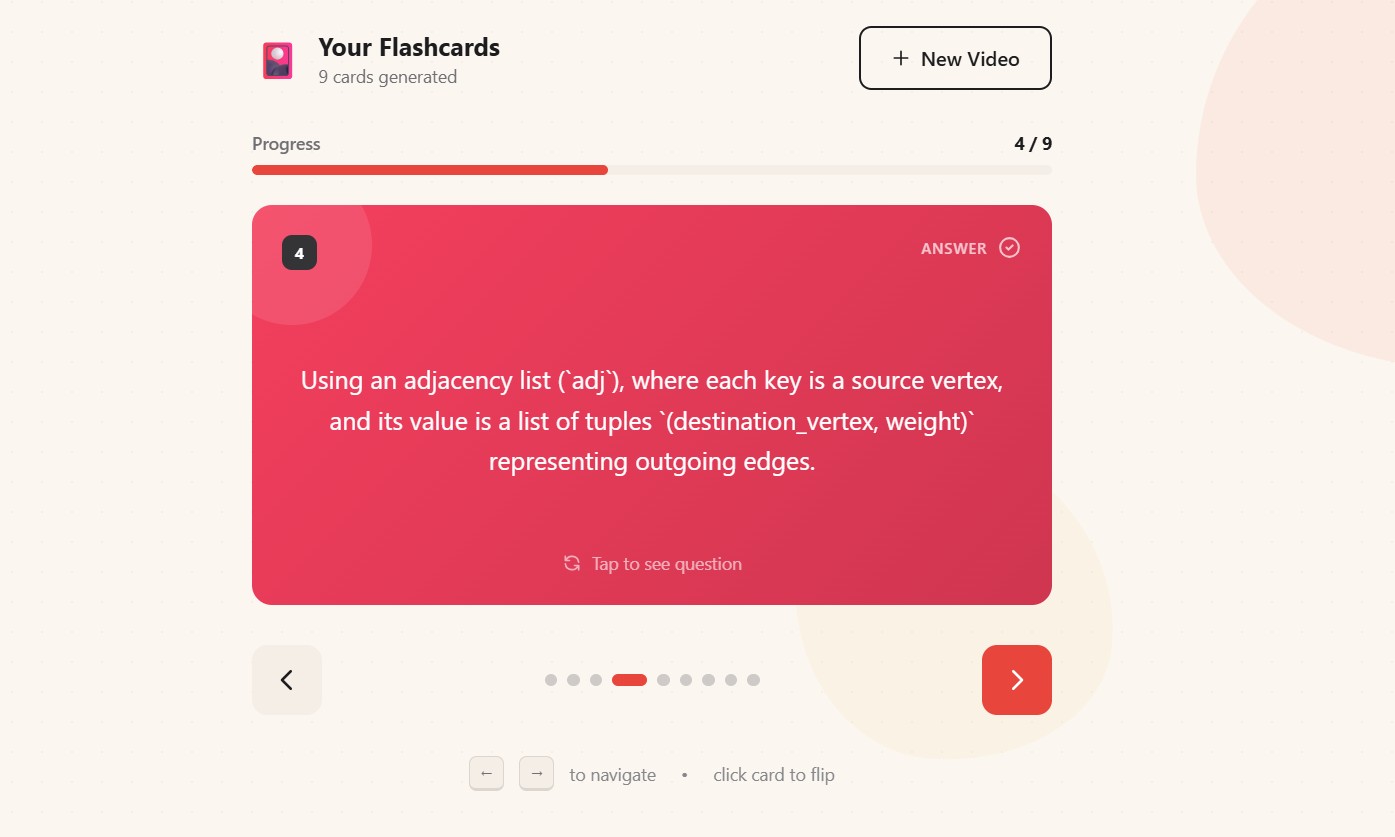
- Get instant flashcards — Question-and-answer pairs ready for active recall study
- Interactive flip cards — Beautiful 3D animations make studying engaging
- Navigate with ease — Keyboard shortcuts, progress tracking, and smooth transitions
How we built it
Frontend Architecture:
- Next.js 16 with App Router for server-side rendering and optimal performance
- TypeScript for type safety and better developer experience
- Tailwind CSS 4 for rapid, utility-first styling
- Framer Motion for smooth, physics-based animations
Backend & AI:
- Next.js API Routes for serverless backend functions
- Google AI SDK for video understanding and content extraction
- Gemini 2.5 Flash model optimized for multimodal (video) understanding
Design Philosophy: We intentionally avoided the generic "dark mode + neon gradients" aesthetic that dominates AI applications. Instead, we created a warm, stationery-inspired design that feels like a real study desk:
- Warm paper background (#FBF7F0)
- Bold accent colors (vermillion, teal, amber, violet)
- Dot grid pattern reminiscent of graph paper
- Cards that feel like physical index cards
- Playful micro-interactions and spring animations
Challenges we faced
Video Processing Latency — AI video analysis takes 30-60 seconds. We solved this with engaging loading states that show progress through different stages.
Prompt Engineering — Getting consistent, well-structured JSON output from the AI required extensive prompt refinement and error handling.
3D Card Animations — Implementing smooth flip animations with proper backface visibility across different browsers was tricky. We used CSS
transform-style: preserve-3dwith Framer Motion for physics-based springs.Standing Out Visually — Every AI app looks the same. We spent significant effort on a unique visual identity that reflects our target users (students) rather than following trends.
What we learned
- Multimodal AI is powerful — The ability to understand video content opens up countless applications
- UX matters for learning tools — A beautiful, intuitive interface encourages consistent use
- Design differentiation is crucial — In a sea of AI apps, visual identity helps users remember and return
- Active recall works — Flashcards remain one of the most effective study techniques, and automating their creation removes the biggest barrier to using them
What's next for Flashcard Lab
- Spaced Repetition System (SRS) — Track which cards users struggle with and resurface them at optimal intervals
- Export Options — Download cards as Anki decks, PDF, or share links
- Playlist Support — Process entire YouTube playlists into comprehensive study sets
- Custom Prompts — Let users specify what aspects of the video to focus on
- Collaboration — Share flashcard decks with classmates
Built With
- next.js
- react
- typescript


Log in or sign up for Devpost to join the conversation.