-
-
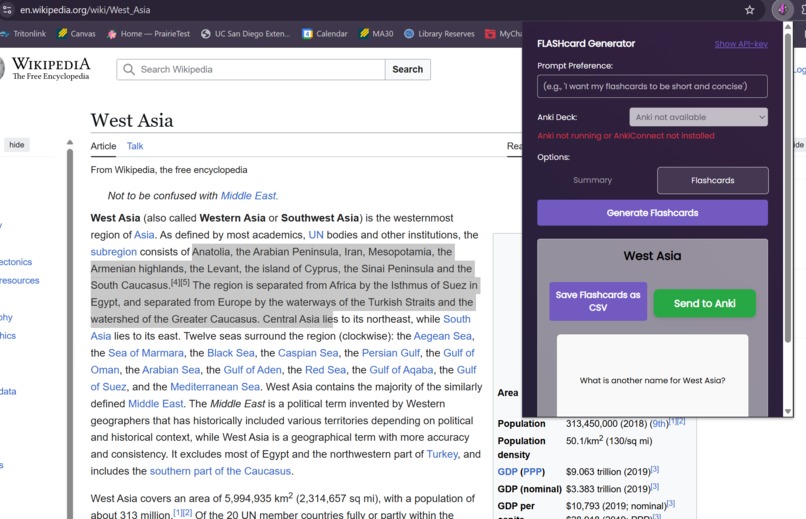
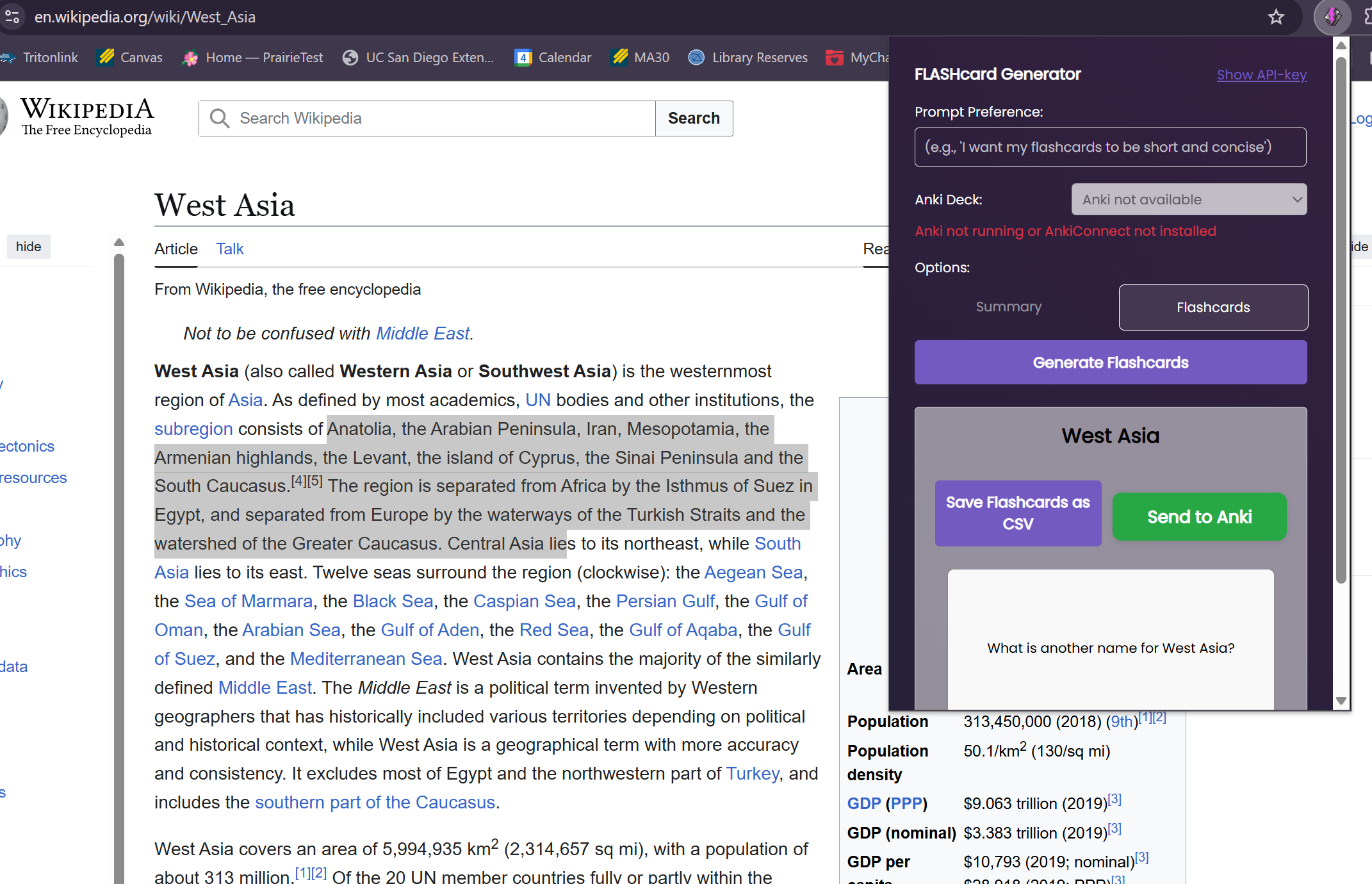
Our extension working on wikipedia!
Inspiration
As well-rounded college students, we all have to take in immense amounts information on the daily. But have you ever taken an hour to read through a dense paper just to realize you remember nothing at the end of it all? We created a Chrome extension that generates custom summaries and flashcards for your readings!
What it does
FLASHcard extracts article body text and converts main ideas into summaries and flashcards straight from your browser. We have added extra customization by allowing users to add their own custom prompts for the summaries and flashcards. The flashcards can then be clicked through and studied right in the Chrome Extension. The flashcards can also then be exported via CSV for use in your favorite study software like Quizlet or Anki and then imported in with one click through our extension. Additionally, we added a feature where users can highlight specific sections of the text with their cursor, save them in one click, and then generate flashcards for those selected areas in another click.
How we built it
We used Javascript for the majority of our development, with a bit of HTML and CSS. We used the Google Gemini API for the summary and flashcard generation, as well as the Chrome Extension API to host our features.
Challenges we ran into
Most of our challenges came from trying to understand the Chrome Extension API, figuring out how the browser stores and manages information, how to engineer prompts to give us the format we want, and converting flashcard LLM output to .csv files.
Accomplishments that we're proud of
We are proud to have created cool features such as a method for users to highlight article text to focus on specific passages and concepts to curate their flashcard set, user preferences for LLM generation, and a flashcard play-through on the Chrome Extension for fast revision. Moreover, we are proud of our team-working and communication abilities in this high-pressure environment.
What we learned
We learned technical skills such as navigating Chrome Extension development, using the Google Gemini API, debugging issues, and handling version control in a fast-paced environment. We also grew our soft skills as we overcame constant hurdles while developing.
What's next for FLASHcard
Our next big step is to deploy FLASHcard as a public Chrome Extension for general use. For technical features, we are looking to store previously created flashcards on the Chrome Extension for future access and add personalized studying tips for the provided content.
Built With
- css
- geminiapi
- html
- javascript

Log in or sign up for Devpost to join the conversation.