-
-
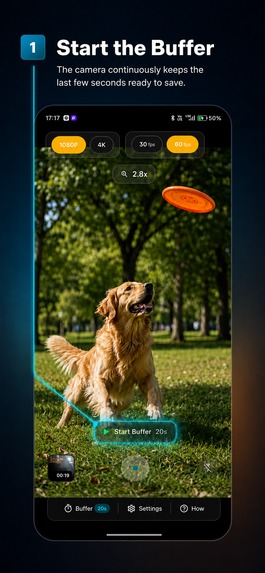
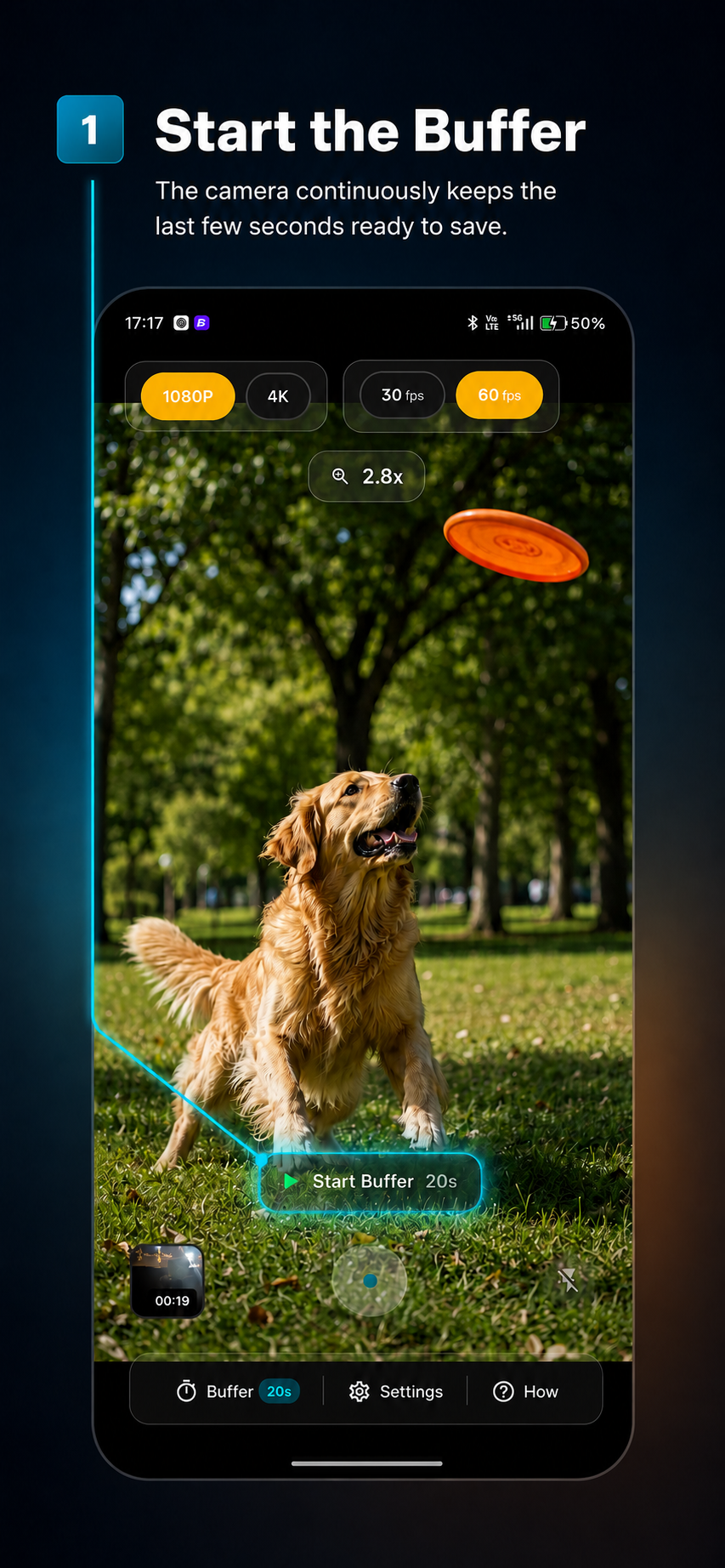
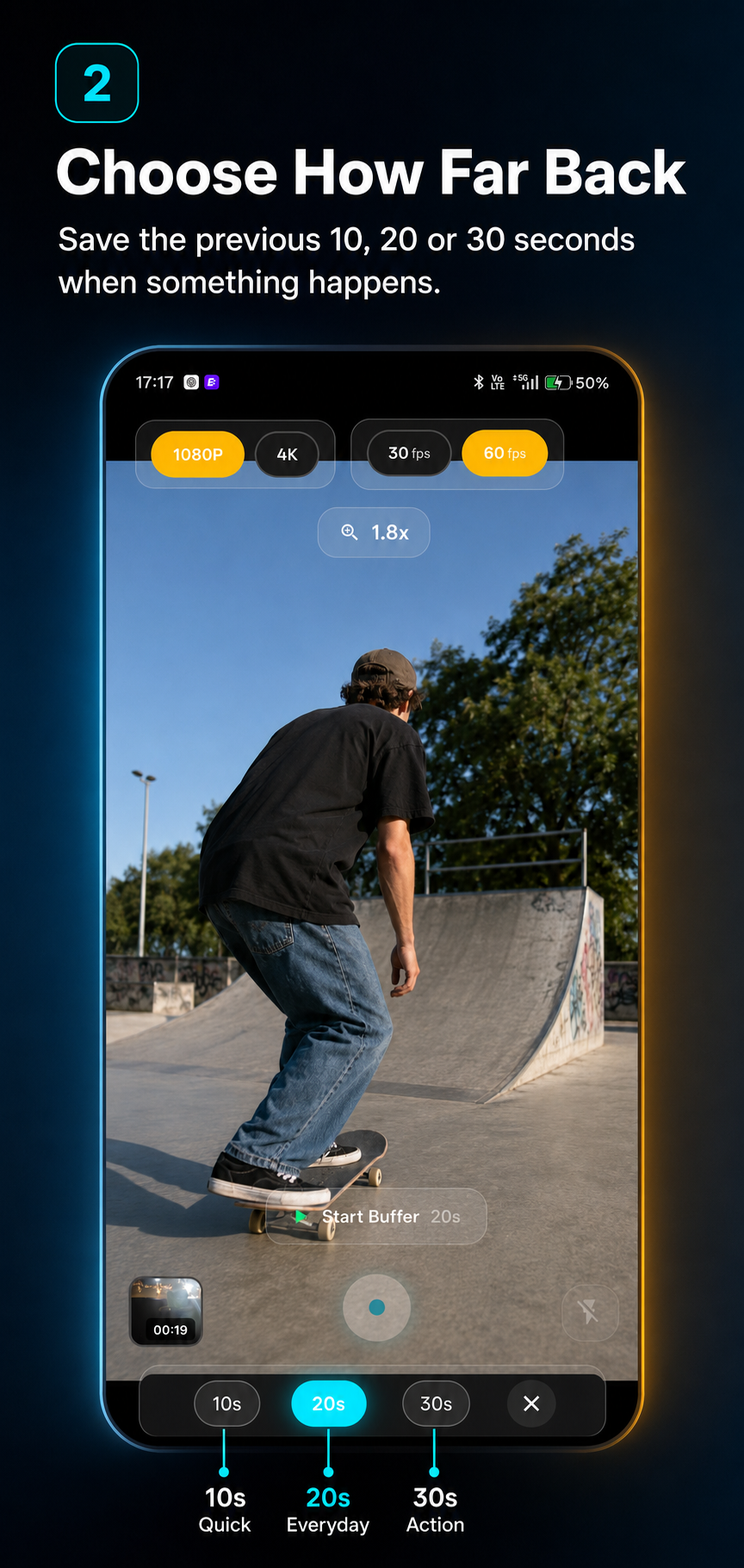
Tap on the buffer by selecting the duration
-
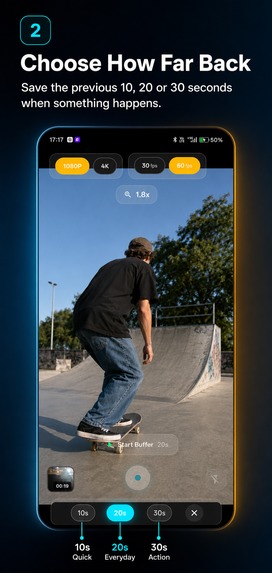
Once buffer is active, tap on record whenever you want
-
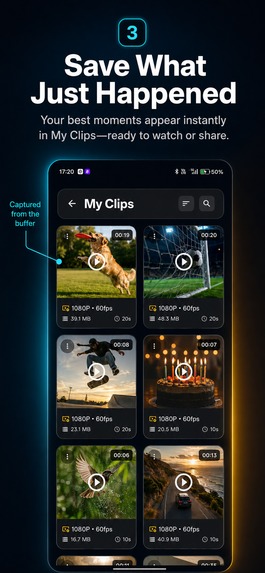
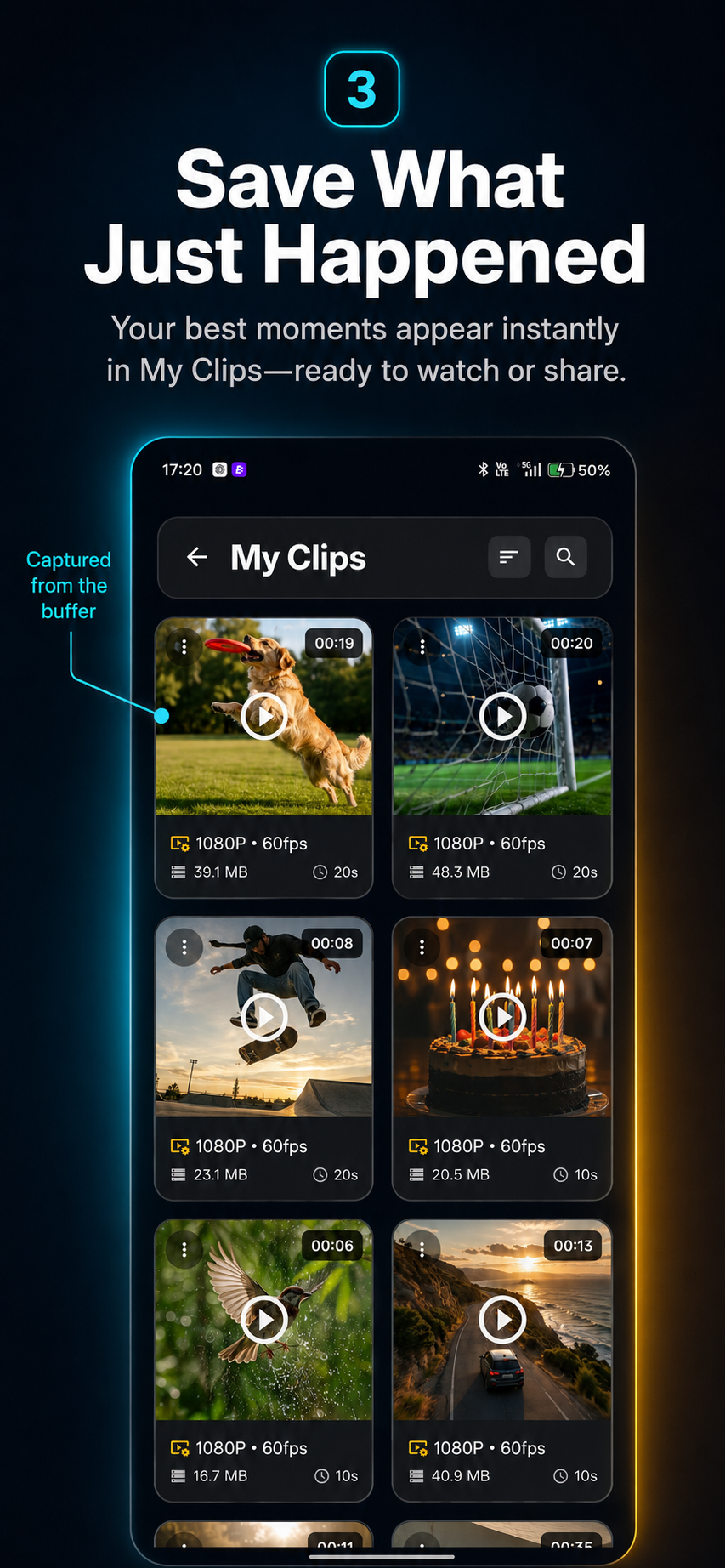
Find the clip in the gallery
-
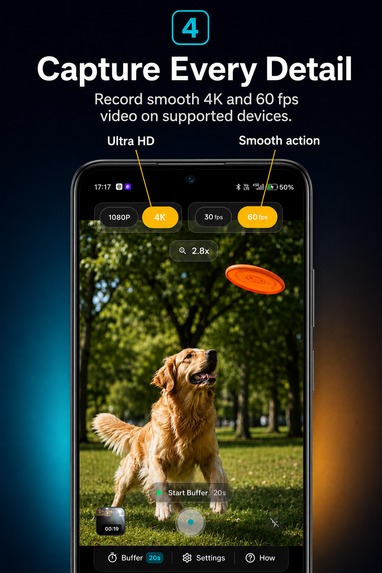
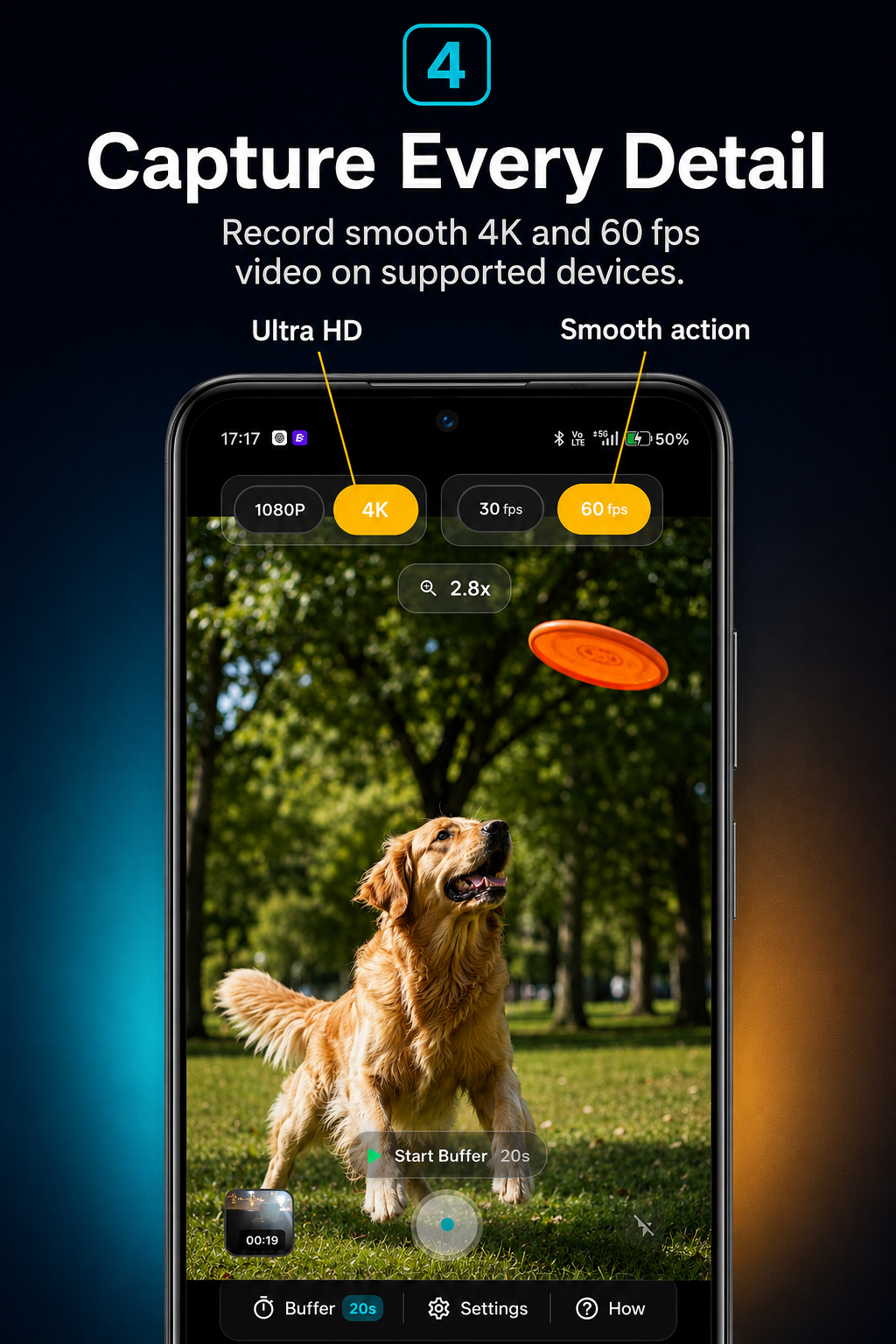
Choose from the resolutions.
-

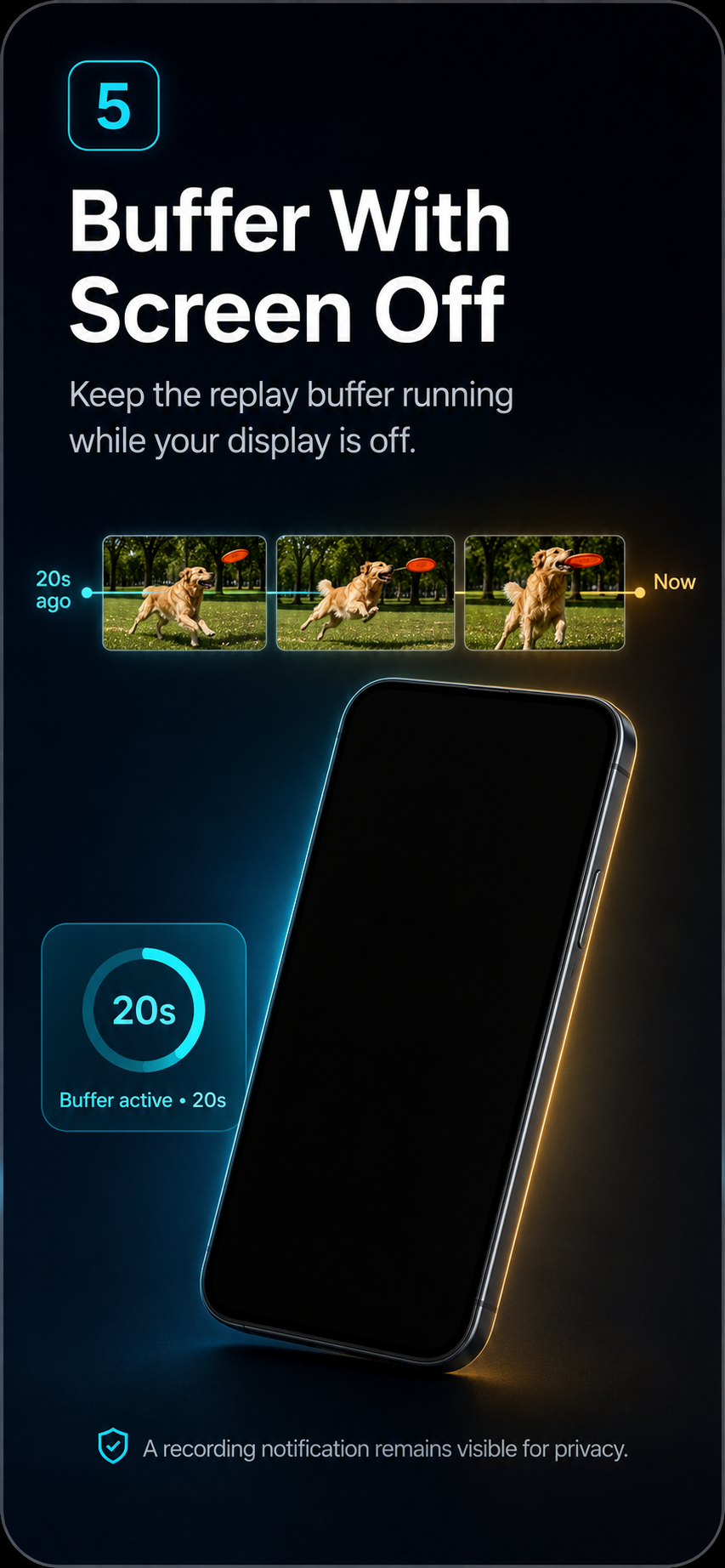
You can record in the background as well
Inspiration
The idea for Flashback Cam came from a simple problem: some of the best moments happen before you realize you should have been recording.
A funny reaction, an unexpected event, a sports moment, a pet doing something unusual, or something important happening around you can be gone before you manage to open the camera.
I wanted to build a camera that works differently: instead of asking you to predict the moment, Flashback Cam continuously keeps a short rolling video buffer and lets you save what already happened.
Think of it like an instant replay camera for everyday life.
What it does
Flashback Cam continuously records into a temporary rolling buffer while buffering is active.
When something happens, the user simply taps Save Flashback, and the app preserves the previous few seconds of video instead of starting a new recording from that moment.
Users can choose different buffer durations depending on their plan and device capabilities.
The app also supports features such as:
- Rolling video buffering
- Saving previously captured moments
- Background recording
- Screen-off recording
- Multiple buffer durations
- High-resolution video recording
- Built-in recording gallery
- Pro features unlocked through subscriptions and purchases
The goal was to make the experience feel simple: start the buffer once and capture the unexpected later.
How I built it
Flashback Cam is built as a native mobile camera experience with a custom video buffering system.
Instead of keeping an unlimited recording, the app continuously manages short video segments and removes older footage as new footage arrives. When the user requests a flashback, the relevant buffered segments are finalized and saved as a normal video.
A significant amount of work went into camera lifecycle management, storage, video encoding, orientation handling, background operation, device compatibility, and keeping the buffer efficient enough for real-world use.
For monetization, I integrated RevenueCat to manage subscriptions, entitlements, purchases, and Pro access without having to build a complete subscription infrastructure from scratch.
RevenueCat allows Flashback Cam to determine whether a user has Pro access and unlock features such as longer recording buffers and premium recording options.
Challenges
The biggest challenge was that continuous video buffering sounds simple but becomes complicated very quickly on mobile devices.
I had to deal with:
- Camera availability while the app moves between foreground and background
- Keeping recording stable when the screen is turned off
- Video segment creation and merging
- Audio and video synchronization
- Portrait and landscape orientation
- Different camera capabilities across Android devices
- Storage and memory usage during continuous buffering
- Recording resolution and codec compatibility
- Preventing corrupted or unplayable recordings
- Handling subscription state reliably across purchases and restores
Different phones also behave differently with camera hardware, background restrictions, memory limits, and supported video configurations, which made device compatibility one of the largest engineering challenges.
What I learned
Building Flashback Cam taught me that camera applications are much more than displaying a camera preview and pressing record.
Reliable video capture requires careful management of camera hardware, encoders, storage, application lifecycle, background execution, and device-specific behavior.
I also learned how important entitlement management is when building a paid app. RevenueCat made it much easier to separate the product experience from the complexity of subscription infrastructure.
Instead of manually maintaining purchase states across different scenarios, the app can use RevenueCat entitlements as the source of truth for premium access.
What's next
My next goal is to make Flashback Cam faster, more reliable, and useful in more situations.
Planned improvements include longer configurable flashback durations, faster saving, better device compatibility, improved audio support, additional recording modes, and more ways to trigger a flashback without navigating through the app.
The long-term vision is simple:
You shouldn't have to know that something important is about to happen before you can record it.

Log in or sign up for Devpost to join the conversation.