-
-
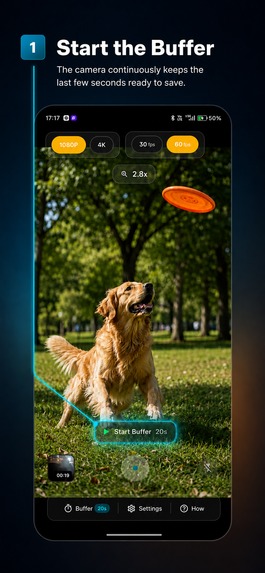
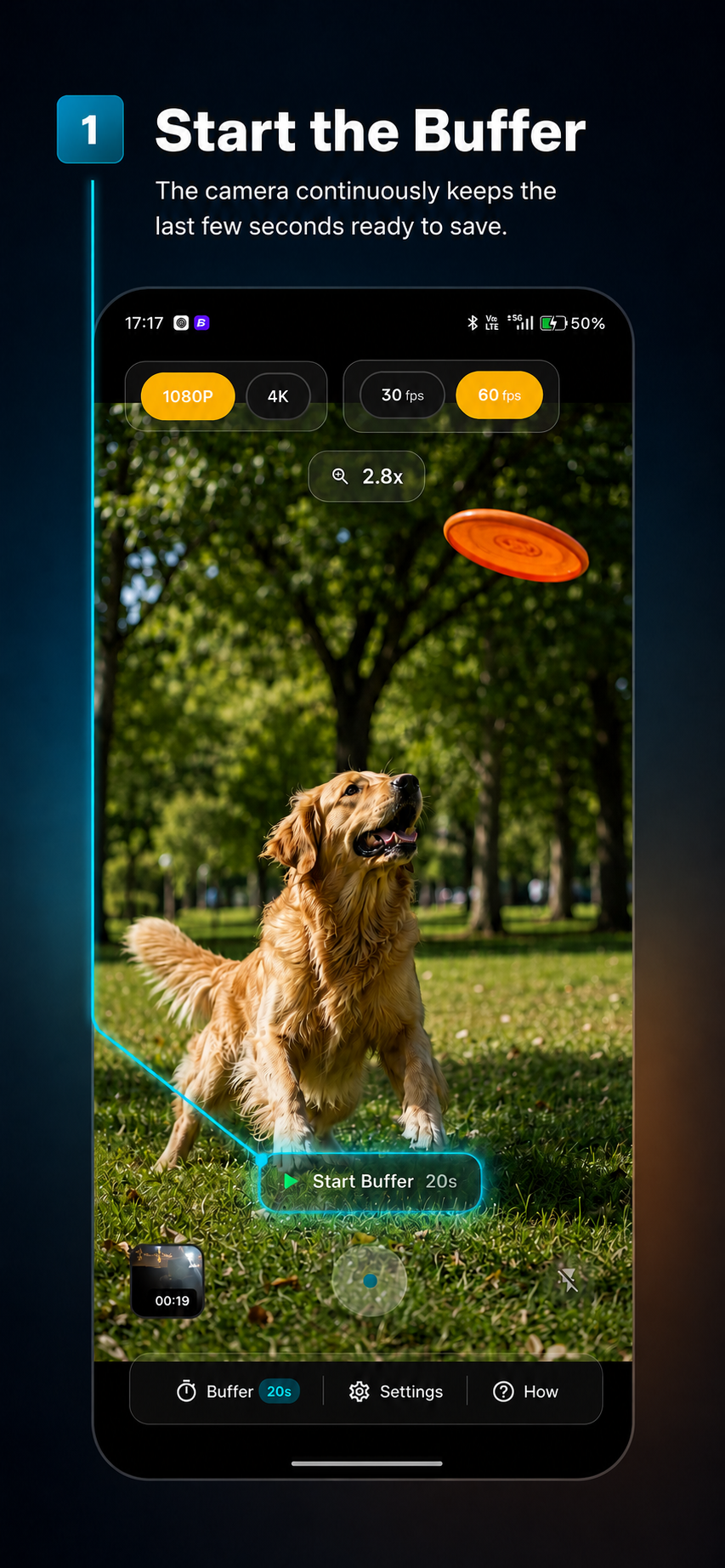
Press on Start the buffer
-
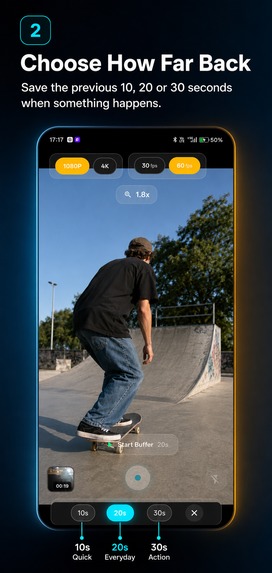
The rolling buffer will keep segments in the memory
-
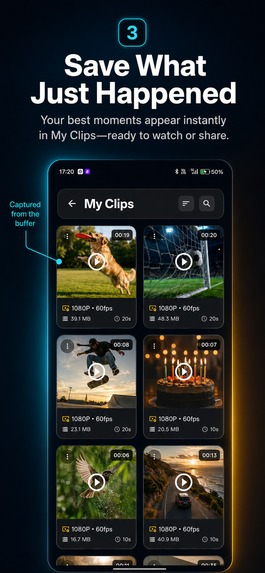
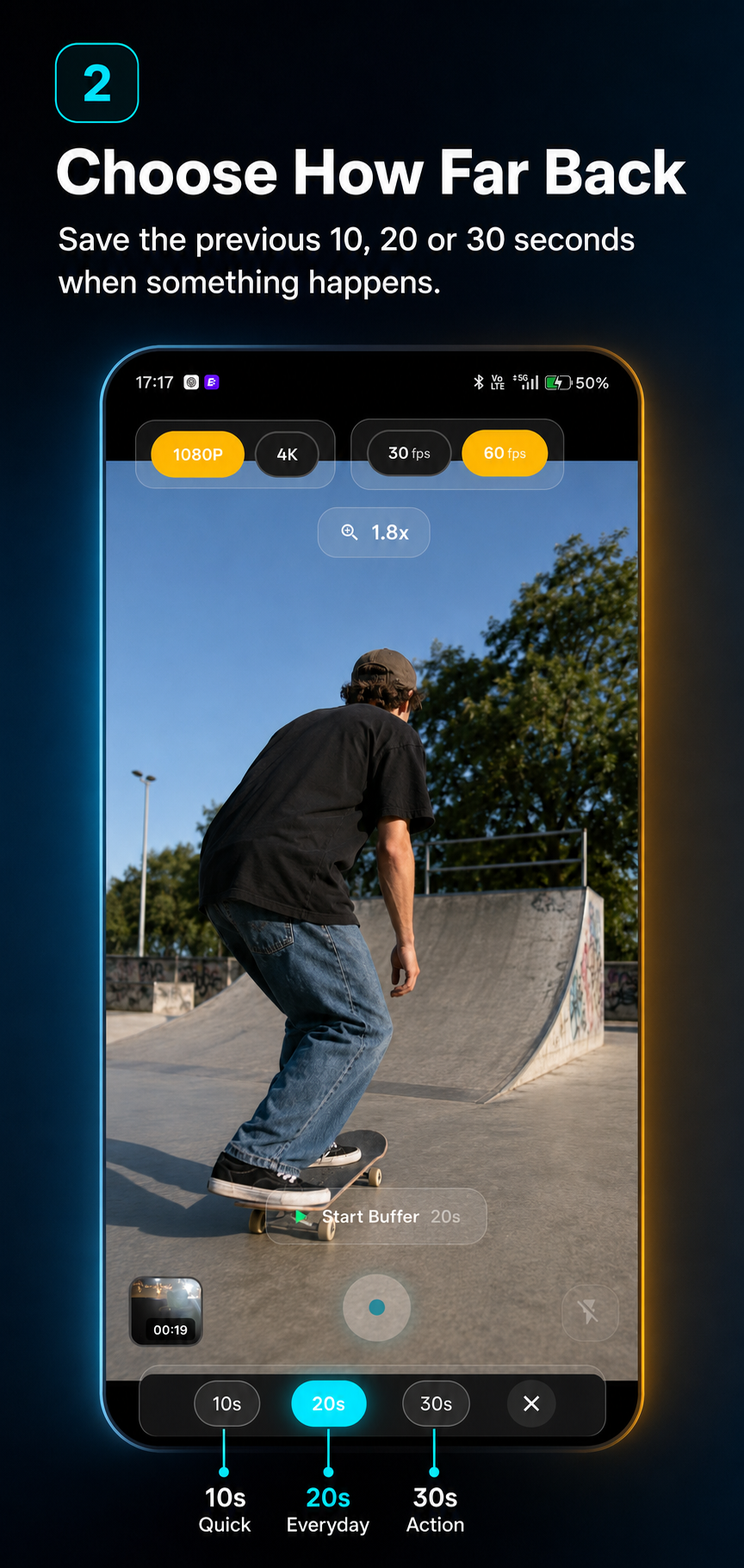
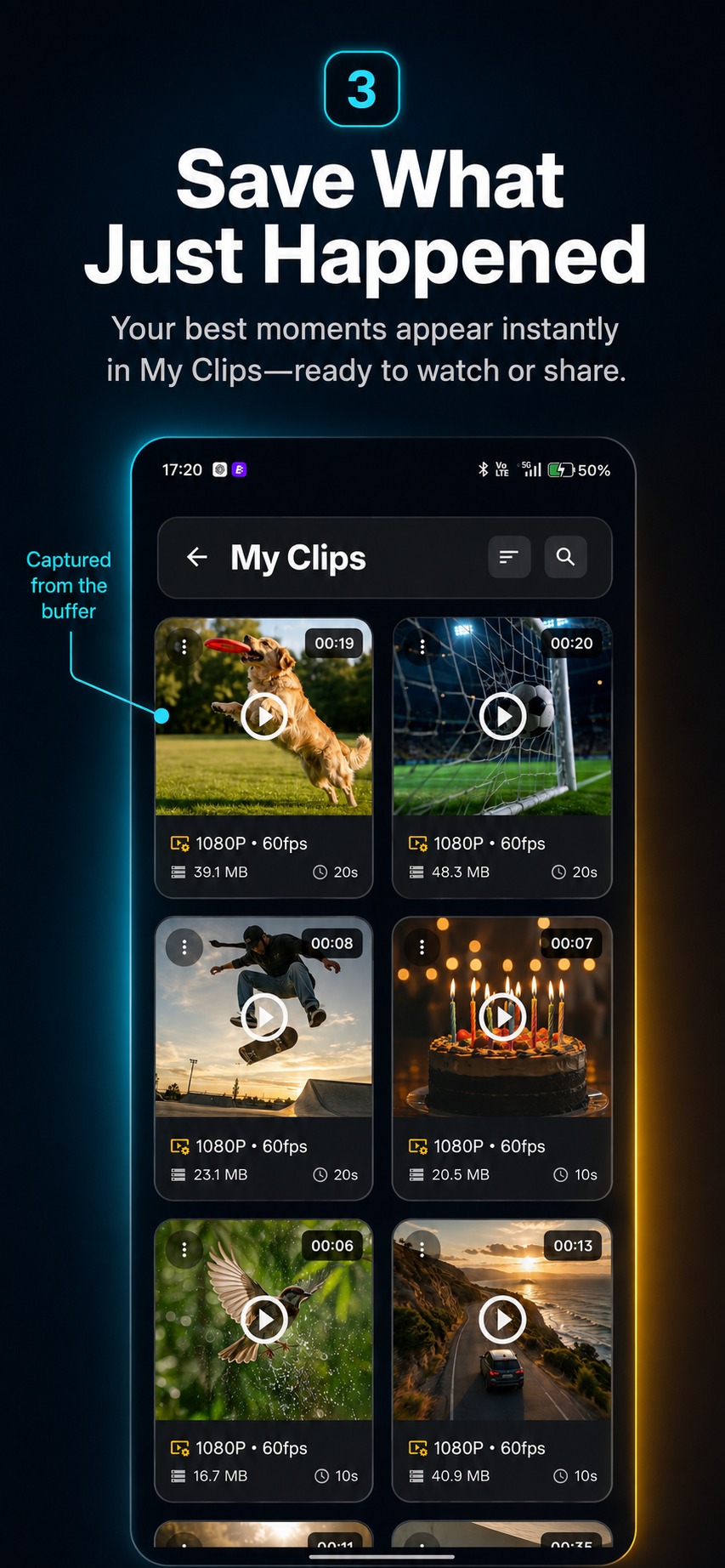
Once anything happens, tap on record and it will keep upto last 30 seconds and whatever happens next, it shows in gallary
-
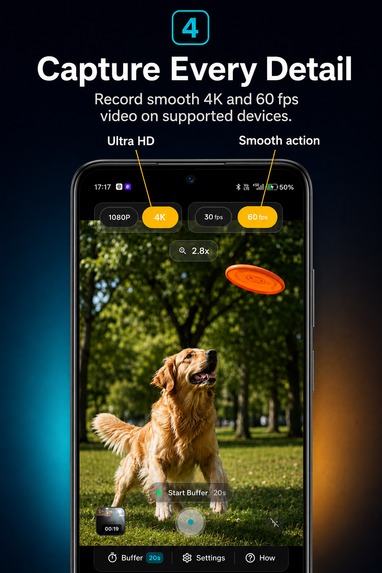
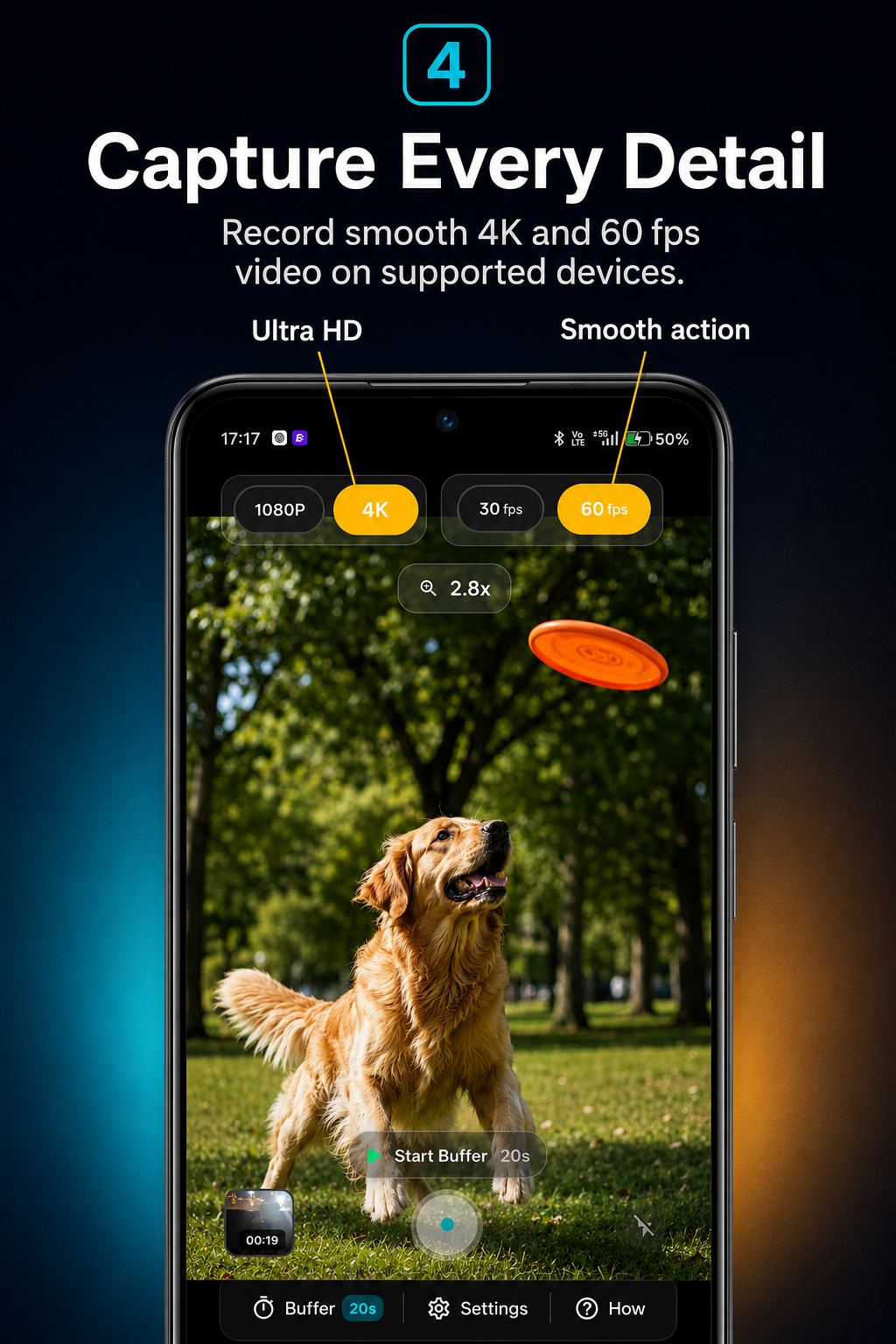
Can record upto 4k at 60 fps, if the device supports it.
-

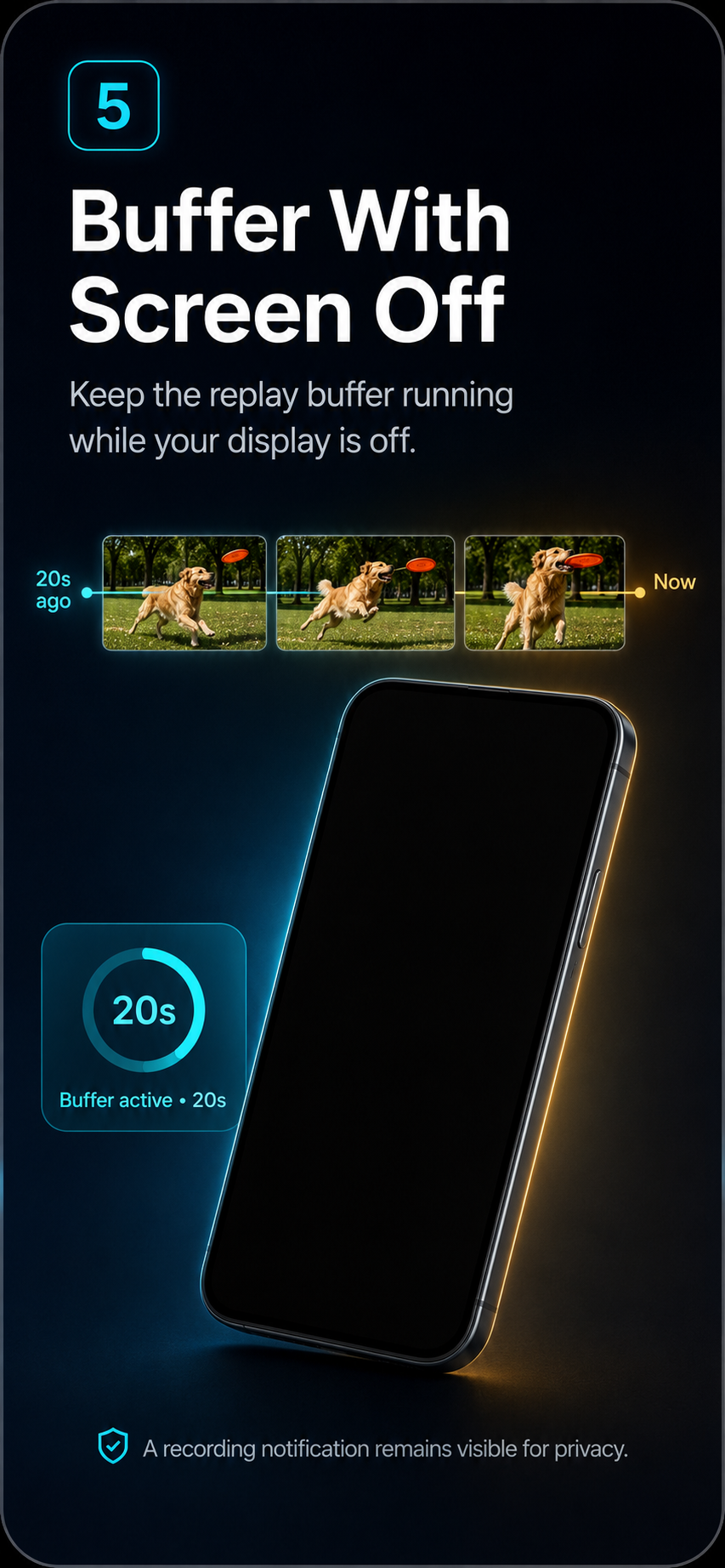
Can run while keeping the screen off to save some battery.
Inspiration
The best moments rarely wait for us to press the record button. A sudden goal, a funny reaction, a road incident, a pet doing something unexpected, or a child’s first memorable action may be over before the camera is opened. Flashback Camera was created to solve this simple problem: letting users save a moment after it has already happened.
What it does
Flashback Camera continuously maintains a short, temporary video buffer while the camera is active.
When something worth saving happens, the user taps the record button and the app preserves the previous few seconds of footage. Depending on the selected recording mode, it can also continue capturing what happens next.
The temporary footage is automatically replaced unless the user chooses to save it. This provides a practical, privacy-focused way to capture unexpected moments without permanently recording everything.
Potential use cases include:
- Sports and gaming highlights
- Road incidents and dashcam-style recording
- Children, pets and family moments
- Reactions and social-media content
- Experiments, demonstrations and live events
How we built it
Flashback Camera was developed as a mobile camera application using VS code and ChatGPT using Flutter and native Android camera capabilities.
The main recording system continuously creates short video segments and maintains them as a rolling buffer. When the user presses the save button, the required segments are preserved and combined into a playable video.
The app also includes:
- Selectable flashback durations
- Portrait and landscape recording
- Background and screen-off recording support
- Video gallery and playback
- Resolution and frame-rate controls
- Device capability detection
- A simple one-tap recording interface
All video processing takes place on the user’s device. Temporary footage is not uploaded to an external server.
Challenges we ran into
The largest challenge was maintaining a continuous recording buffer without consuming excessive memory, storage or battery.
Mobile devices behave differently depending on their available RAM, camera hardware, supported codecs and Android version. A system that worked correctly on a powerful device could produce a blank preview, recording failure or application restart on a lower-memory device.
Other major challenges included:
- Keeping audio and video synchronized across multiple segments
- Correctly handling portrait and landscape orientation
- Preventing stretched or incorrectly cropped camera previews
- Joining temporary segments without visible playback interruptions
- Supporting different resolutions and frame rates across devices
- Managing storage safely when the buffer runs continuously
- Continuing recording when the screen is turned off
- Recovering gracefully when Android stops the camera process
The recording architecture was redesigned several times, including moving from a memory-heavy buffer to a storage-based rolling buffer for better reliability.
What I learned
This project showed me that building a camera application involves much more than displaying a camera preview and saving a video file.
I learned how camera sessions, video encoders, storage systems, background services and device-specific hardware limitations interact. I also learned the importance of testing on low-memory devices rather than relying only on high-end development phones.
Most importantly, I learned to design around failure. Camera access may be interrupted, storage may become limited, a codec may not be supported, or the operating system may terminate a background process. The app must detect these situations and recover without losing the user’s saved footage.
Accomplishments that we're proud of
We built a working mobile camera that can save video from before the user presses the record button.
Flashback Cam maintains a rolling video buffer and automatically replaces unsaved footage, allowing users to capture unexpected moments without permanently recording everything.
We are especially proud of:
- Building a reliable pre-recording system on Android
- Supporting selectable flashback durations
- Moving from a memory-based system to a storage-based rolling buffer for improved stability
- Maintaining audio and video synchronization across recorded segments
- Supporting portrait and landscape recording
- Adding background and screen-off recording
- Detecting device capabilities for resolution and frame-rate support
- Creating a built-in gallery for viewing and managing saved recordings
- Keeping recording and processing on the user’s device
The biggest accomplishment was turning a technically complex recording process into a simple experience: activate the buffer, wait for something to happen, and tap once to save it.
What we learned
We learned that camera development is highly dependent on the device.
Different Android phones support different codecs, resolutions, frame rates and camera behaviours. A recording setup that works on one phone may fail, overheat or produce a blank preview on another.
We also learned how to:
- Manage continuous video recording without filling the device’s storage
- Reduce memory usage on lower-end devices
- Join multiple video segments while preserving playback compatibility
- Keep audio and video synchronized
- Correctly handle camera orientation and metadata
- Run recording through Android background services
- Recover when the operating system interrupts the camera
- Balance video quality, battery usage, memory and reliability
- Design a camera interface that remains understandable during a technically complex process
Most importantly, we learned that reliability matters more than adding more features. A pre-record camera is useful only when users can trust it to save the moment every time.
What’s Next for Flashback Cam – Pre Record Camera
Planned improvements include:
- Lower battery and storage consumption
- Smoother transitions between buffered video segments
- Improved support for low-memory devices
- Longer selectable pre-recording durations
- Better background-recording stability
- Additional resolution and frame-rate controls
- Faster saving and video processing
- Automatic storage cleanup and capacity warnings
- Custom recording presets for sports, driving, pets and family moments
- Easier exporting and sharing of saved clips
Our long-term vision is to make pre-recording a standard camera feature rather than a specialised tool.

Log in or sign up for Devpost to join the conversation.