✨ About the Project: Flash⚡️Learn
Tagline: From learning to revising — all in a flash.
🚀 Inspiration
The idea for Flash⚡️Learn came from a real-world problem — revisiting your own work before an interview or exam. Imagine having to quickly brush up on a project you completed months ago. Reading lengthy reports or notes isn’t practical when time is short. What truly helps is answering flashcard-style questions, which let you absorb the core concepts and refresh your memory fast.
We also saw an opportunity to help learn new topics on-the-go. Whether it's brushing up on machine learning, DevOps, or even world history — why not get the key takeaways instantly in a flashcard format?
Flash⚡️Learn was born from this dual need:
Revisit old knowledge or learn something new — instantly.
💡 What it does
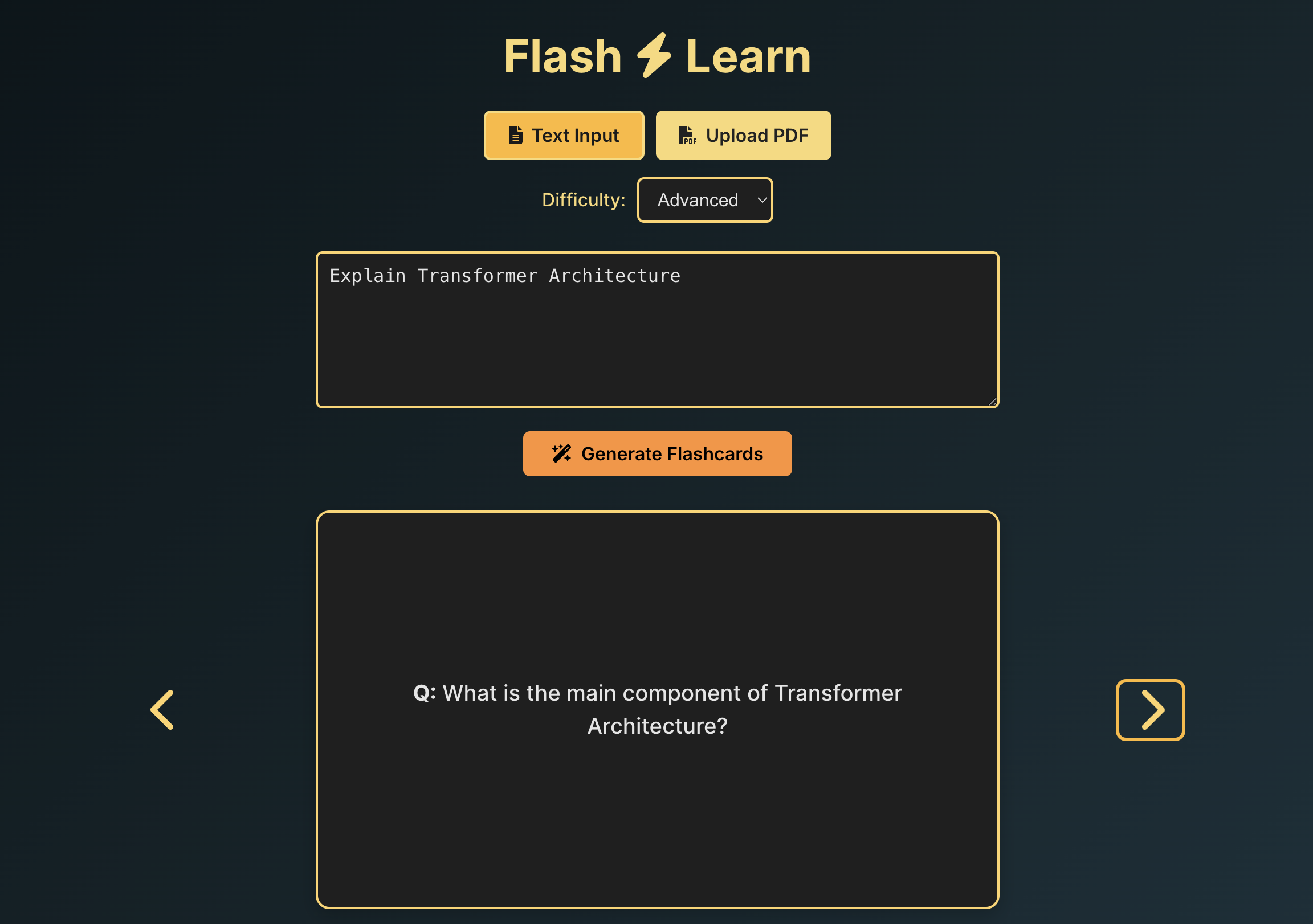
Flash⚡️Learn is an AI-powered flashcard generator that offers two core modes:
Revise from your notes or documents — Upload a PDF or paste your notes, and Flash⚡️Learn will instantly generate intelligent flashcards to help you recall key points.
Learn a brand-new topic — Just enter a topic like “Blockchain” or “Kubernetes” and get AI-generated Q&A flashcards to quickly get up to speed.
All flashcards are beautifully presented with a flip-card UI for smooth, interactive studying.
🛠️ How we built it
Frontend:
Built with React + Vite, styled using Tailwind CSS, and enhanced with Font Awesome icons for a modern and accessible UI. Interactive flip-cards provide an intuitive flashcard experience.Backend:
Developed using FastAPI (Python).- PDF files are processed using PyPDF2 to extract raw text.
- The text or user-given topic is sent to OpenAI’s GPT API, which returns flashcards in structured JSON format.
- PDF files are processed using PyPDF2 to extract raw text.
APIs & Integration:
- OpenAI GPT-3.5 Turbo (for generating flashcards)
- Render is used to host and deploy the backend server.
- OpenAI GPT-3.5 Turbo (for generating flashcards)
🧩 Challenges we ran into
Crafting the right prompt:
Getting consistently structured and relevant output from the GPT API required careful prompt engineering.PDF text extraction quirks:
Not all documents are well-formatted, which made it challenging to extract clean, usable text.GPT formatting inconsistencies: Getting consistent JSON output from the GPT API was tricky. We had to parse and validate responses properly on the backend to ensure our frontend didn’t crash.
🏆 Accomplishments that we're proud of
Solving a real-life problem:
We tackled a situation that many students and professionals face — revisiting knowledge efficiently — and delivered a practical solution.Full-stack integration:
Successfully connected frontend, backend, and AI into a smooth, end-to-end experience within a limited timeframe.Dual-mode functionality:
Supporting both learning and revision workflows while keeping the UI intuitive and clean.
📚 What we learned
- The importance of prompt design in LLM-based applications.
- Full-stack web app building with React, Tailwind, FastAPI, and external APIs.
- Deploying backend services using Render, and managing cross-origin frontend/backend communication.
🚀 What's next for Flash⚡️Learn
- Enable editing and saving flashcards to personalize learning.
- Introduce user accounts and saved decks to build a personal library.
- Optimize for mobile and add offline access for on-the-go revision.
- Recommend related topics and trending subjects for exploration.


Log in or sign up for Devpost to join the conversation.