-
-
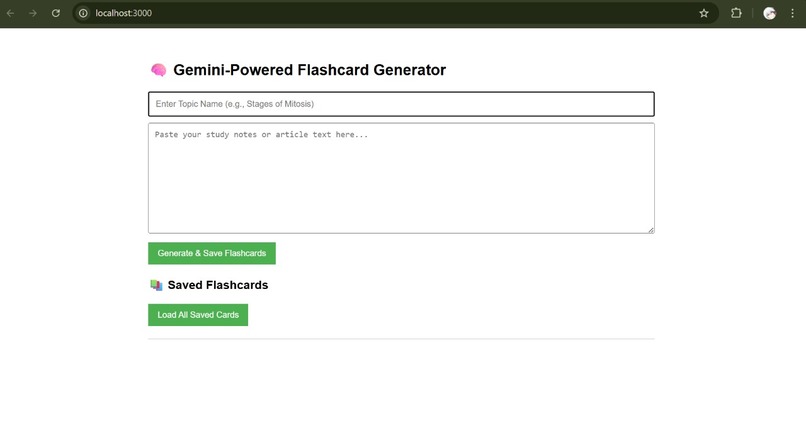
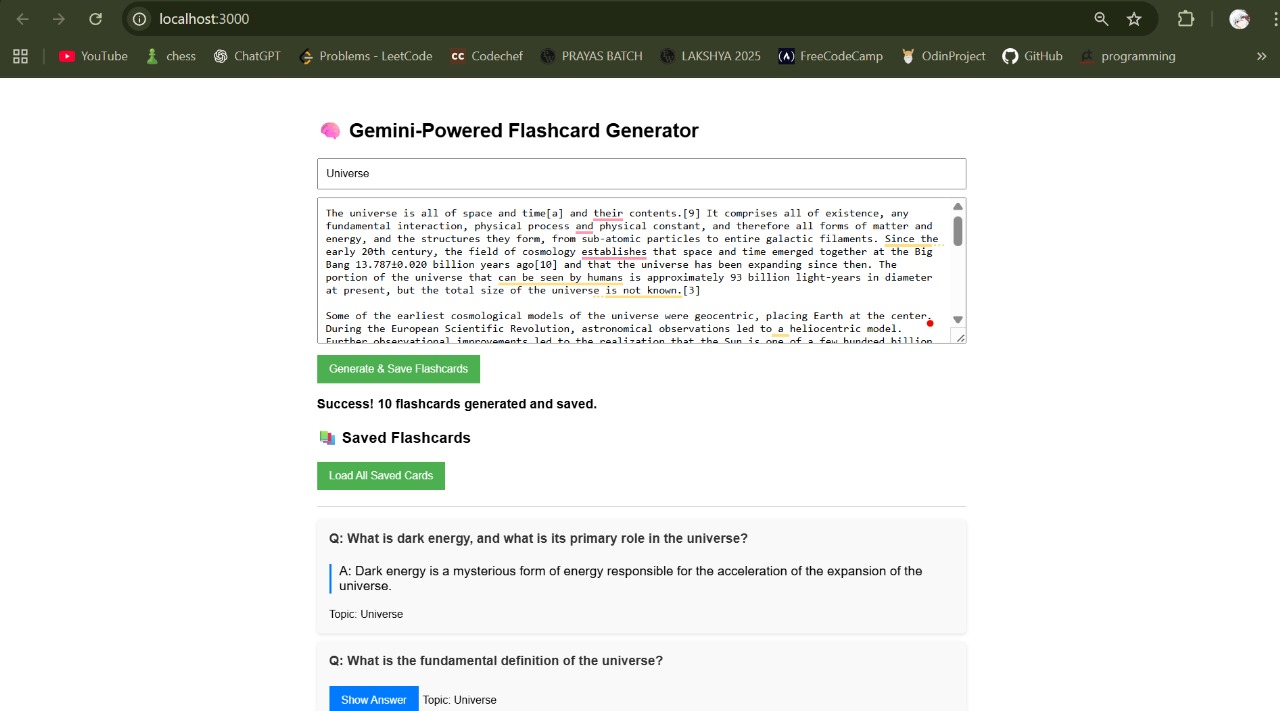
FrontEnd of the Webpage
-
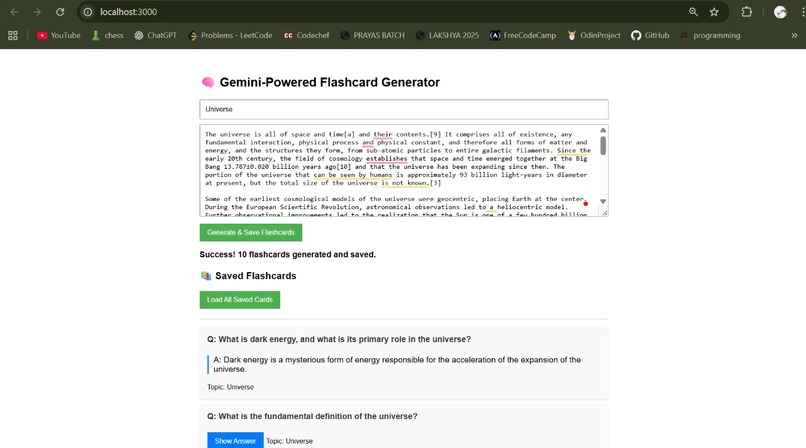
Flash Cards Generation
-
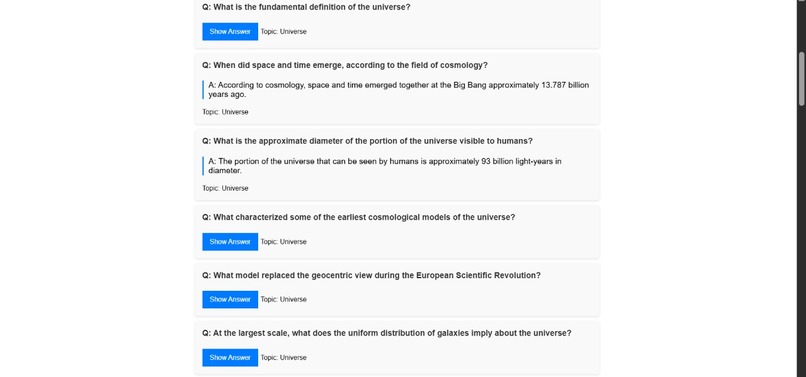
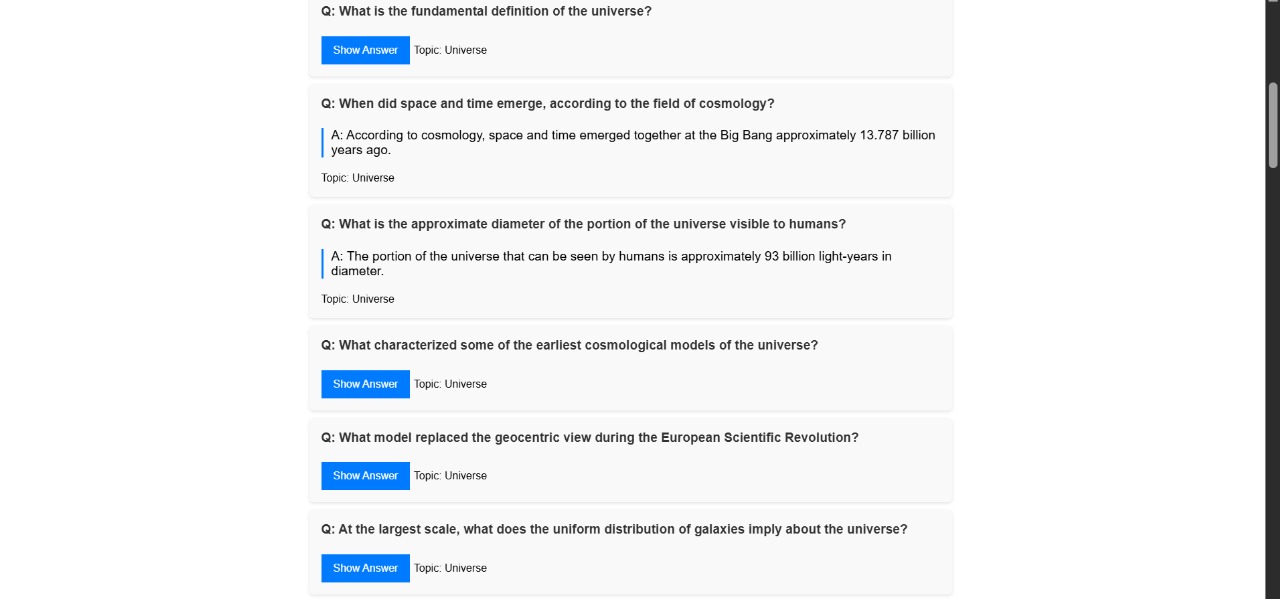
More Flash Cards
Inspiration
The problem that the Gemini Flashcard Generator solved is part of a larger set of frustrations that come with learning via the existing, more “conventional” studying process. The problem that proponents of the product see with studying is that a lot of time is spent on preparing educational material. This is a process wherein a student spends a lot of hours figuring out the essential points from notes, picking out what is most significant, and preparing them in a question-and-answer (Q&A) format.
Our aim was to develop a system that could instantly take a block of text—a lecturescript, a research paper, or a thick textbook chapter—and convert it into a high-quality digital flashcard set, thus optimizing learning time.
What it does
The Flashcard Generator is a web application that provides a smooth workflow for creating learning aids such as:
Input: The user enters a topic of choice in the first text box, then enters the source text, such as notes, articles, and so on, in a text box inscription.
Generation: The application transmits the text message together with a highly structured query to the Gemini API.
Extraction & Structuring: The tool identifies essential notions, definitions, and connections in the text, producing a set of 10 questions and answers.
Storage: The produced flashcards are stored in a MongoDB database with a structured document that is saved and displayed on the frontend.
The user is immediately displayed the new set of flashcards to be reviewed.
It essentially means that it takes minutes of tedious summarization tasks to produce seconds of automated summarization.
How We Built It
It uses a common contemporary web architecture:
1.The initial component is Backend API whose technologies are Node.js/Express, which is responsible for handling all incoming requests, interacting with the Gemini API, as well as database interactions.
The second component is AI Engine whose technology is Gemini 2.5. It is the brain that identifies the questions within the text, analyzes them, and provides structured responses to the questions identified, which are dependent on a systems-level prompt.
The third component is Database who's technology is MongoDB, which is a NoSQL database, which is used for the permanent storage of the flashcard sets, as well as accompanying metadata.
The fourth component is Frontend, which is responsible for handling user input and displaying text as well as flashcards.
The most important part in this is the Prompt Engineering: We designed a system prompt that directly instructed the Gemini model to only produce a JSON array of objects that had two keys, namely the "question" and "answer" keys.
Challenges we ran into
- The Output Reliability Problem
The most problematic part of the project was ensuring that the return from the Gemini API always produced a clean, easy-to-parse JSON object. This return value is "dirty" in that it sometimes has a greeting ("Here are your flashcards:") that precedes the JSON-delimited object, which is a problem because our back-end parser doesn't know how to handle this.
Solution: This problem was solved by tightening the system prompt with rigorous rules, as well as a simple regex pre-processing on the server side that removes all non-JSON characters from the string before trying to parse it.
- Context Window & Scale
In the case of very large inputs (for instance, text that is thousands of words), the text would come close to the context window size limit set by the Gemini model.
Initial Solution: For our hackathon, we introduced a character constraint on the frontend, which prompted the user to analyze a smaller, more concentrated chunk of text.
- Failed to connect to database or start server.
Achievements that we are proud of
Obtaining Structured Output: The success in prompting the Gemini API to produce clean JSON responses on a consistent basis is a significant achievement that demonstrates the applicability of generative models for structured data retrieval.
Fast Development Cycle: The development of a full-fledged prototype involving a UI, a full-blown back end, and a database implementation (MongoDB), within the realms of a hackathon.
Real-World Usefulness: Building a tool which solves a real, involved problem that students face, taking the project past the proof-of-concept stage.
What we learned
We obtained a profound insight into a number of key domains:
The Power of Prompt Engineering: We have realized that what differentiates an untrustworthy generative utility from a trustworthy data extraction tool is purely a function of the design of the system prompt.
Data Validation is King. Backend validation of data from AI systems is a non-negotiable requirement. It is essential that validation occurs before putting the data into the database.
NoSQL Flexibility: The use of MongoDB enabled us to quickly iterate on our dataset (the structure of the document that represents a flashcard set), which is ideal for a hackathon environment where things proceed rapidly.
What's Next for Flash Card Generator
User Authentication and Persistence: Provide user accounts in order to support user storage, management, and return sessions to generated flashcard collections.
Advanced Generation Modes: Include options such as "Definition Mode" (for generation of definition-based cards only) or "Analytical Mode" (for generation of analytical questions).
Context Chunking: The system should have a mechanism to divide lengthy input texts into manageable chunks, prepare a card for every chunk, and finally combine the resulting sets to overcome the limitation imposed by the context window.
Built With
- css
- dotenv
- express.js
- gemini2.5flash
- google/genai
- html
- javascript
- mongodbatlas
- mongoose(npm)
- node.js

Log in or sign up for Devpost to join the conversation.