-
-
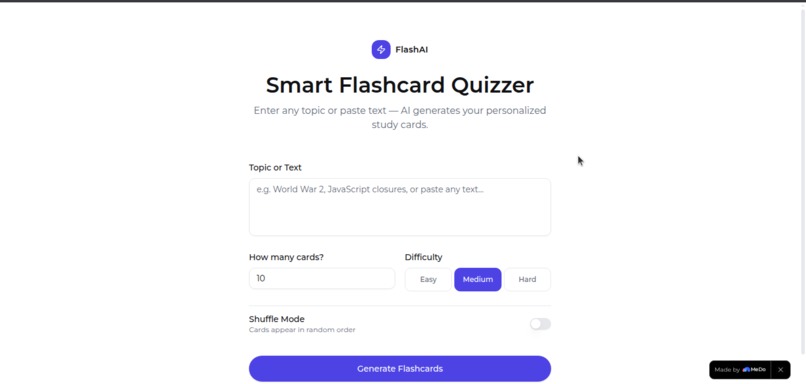
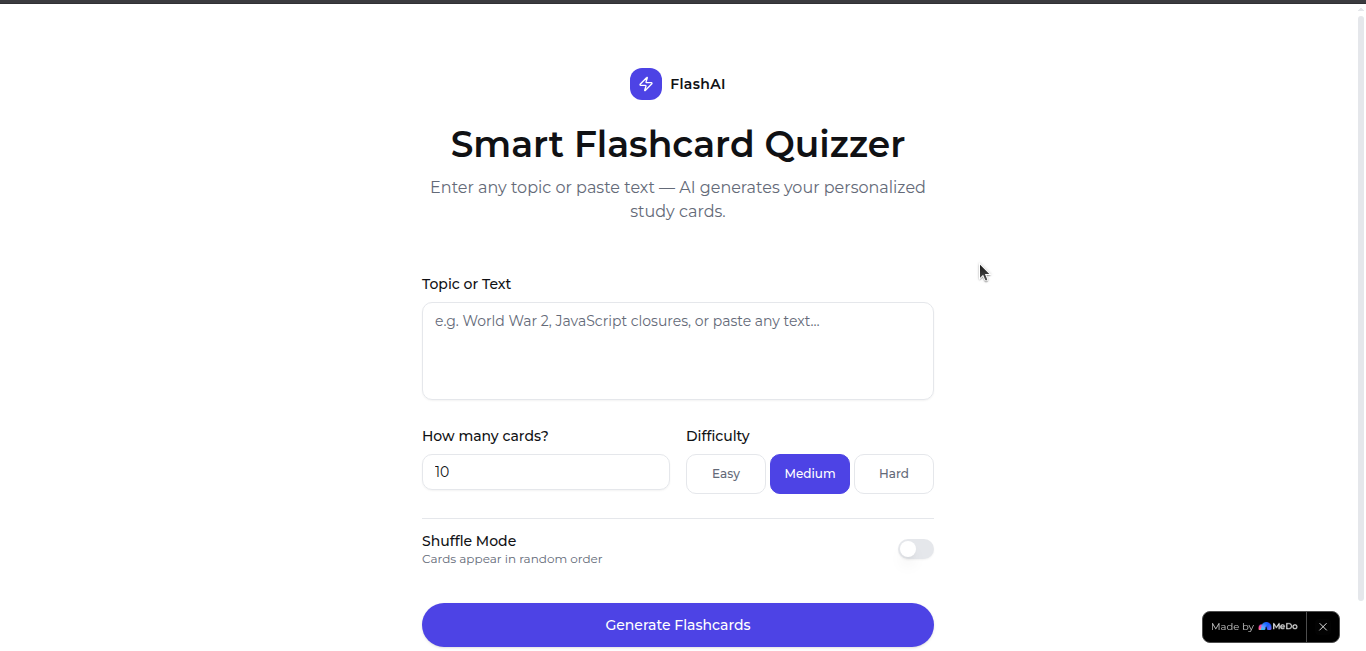
Landing page for Flash AI
Inspiration
We've all been there — staring at a wall of notes the night before an exam, unsure what to focus on or how to test ourselves effectively. Traditional flashcard tools like Quizlet require you to manually create every card, which is tedious and time-consuming. We asked ourselves: what if you could just type a topic and instantly get a quiz?
That spark led to Flash AI — a tool that removes the busywork from studying and lets learners focus entirely on learning.
What it does
Flash AI is an AI-powered flashcard quiz generator. Users simply type any topic — from Photosynthesis to World War II to Python loops — and the app instantly generates multiple-choice questions complete with four answer options and instant feedback.
- Type a topic → get multiple AI-generated questions in seconds
- Select an answer → see immediate correct/incorrect feedback
- Review your final score with a percentage breakdown at the end
- Retry with a new topic anytime
No sign-ups. No manual card creation. Just type and learn.
How we built it
Flash AI is built as a lightweight single-page web application powered by the **gpt-5.4 model. Here's the core flow:
- The user inputs a topic into the text field
- A structured prompt is sent to the OpenAI API requesting a JSON array of quiz questions, each with 4 options and a correct answer
- The API response is parsed and rendered dynamically as interactive quiz cards
- Answer selections trigger instant UI feedback — no page reloads, no server round-trips
The frontend is built with vanilla ReactJS, keeping the stack intentionally minimal so the AI capability stays front and center.
Challenges we ran into
- Structured output reliability — Getting the OpenAI API to return clean, parseable JSON every time required careful prompt engineering. We had to explicitly instruct the model to return raw JSON with no markdown fences or preamble.
- Answer accuracy — Ensuring the correct answer always matched one of the four options exactly (same string) took several prompt iterations to get right.
- UX for async calls — Designing a smooth loading experience while the API call resolves was important so users didn't feel like the app had frozen.
Accomplishments that we're proud of
- The entire quiz — questions, options, and answers — is generated from a single user input in under 3 seconds
- The prompt engineering produces consistently well-structured, educationally sound questions across wildly different topics
- The app works for virtually any subject imaginable, making it universally useful for students, professionals, and curious minds alike
- Clean, distraction-free UI that gets out of the way and lets the learning happen
What we learned
- Prompt engineering is product design. How you phrase a request to an LLM directly determines the quality and reliability of the output. Small wording changes had outsized effects on consistency.
- AI can dramatically compress the gap between idea and learning. What used to take 20 minutes of manual flashcard creation now takes 2 seconds.
- Simplicity wins. Keeping the interface minimal forced us to make the AI output do the heavy lifting — and that turned out to be the right call.
What's next for Flash AI
- Topic history — Save and revisit past quizzes
- Explanation mode — After answering, show a brief AI-generated explanation of why the correct answer is right
- Subject-specific modes — Tailored prompts for medicine, law, coding, and standardized tests like SAT or GMAT
- Spaced repetition — Track weak areas and resurface difficult questions automatically using a formula like the SM-2 algorithm: $I_n = I_{n-1} \times EF$, where $EF$ is the ease factor adjusted by performance
Built With
- freemodel
- medo
- react
- supabase
- vite


Log in or sign up for Devpost to join the conversation.