-
-
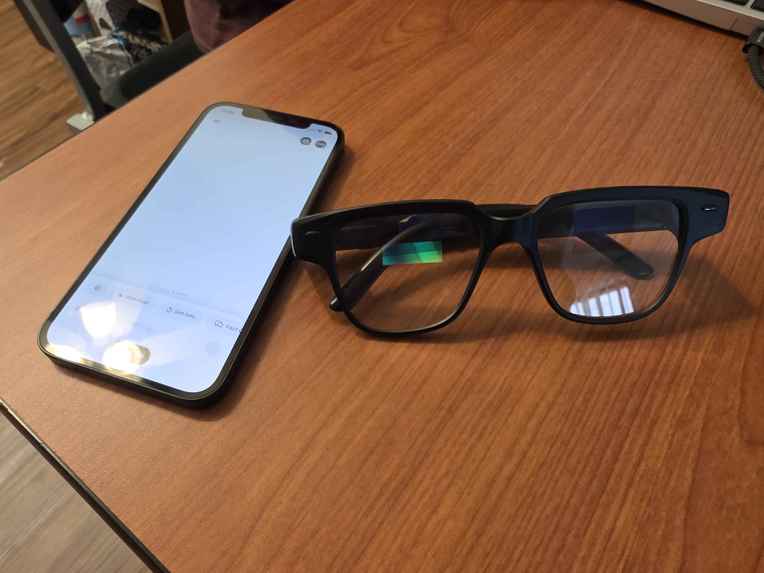
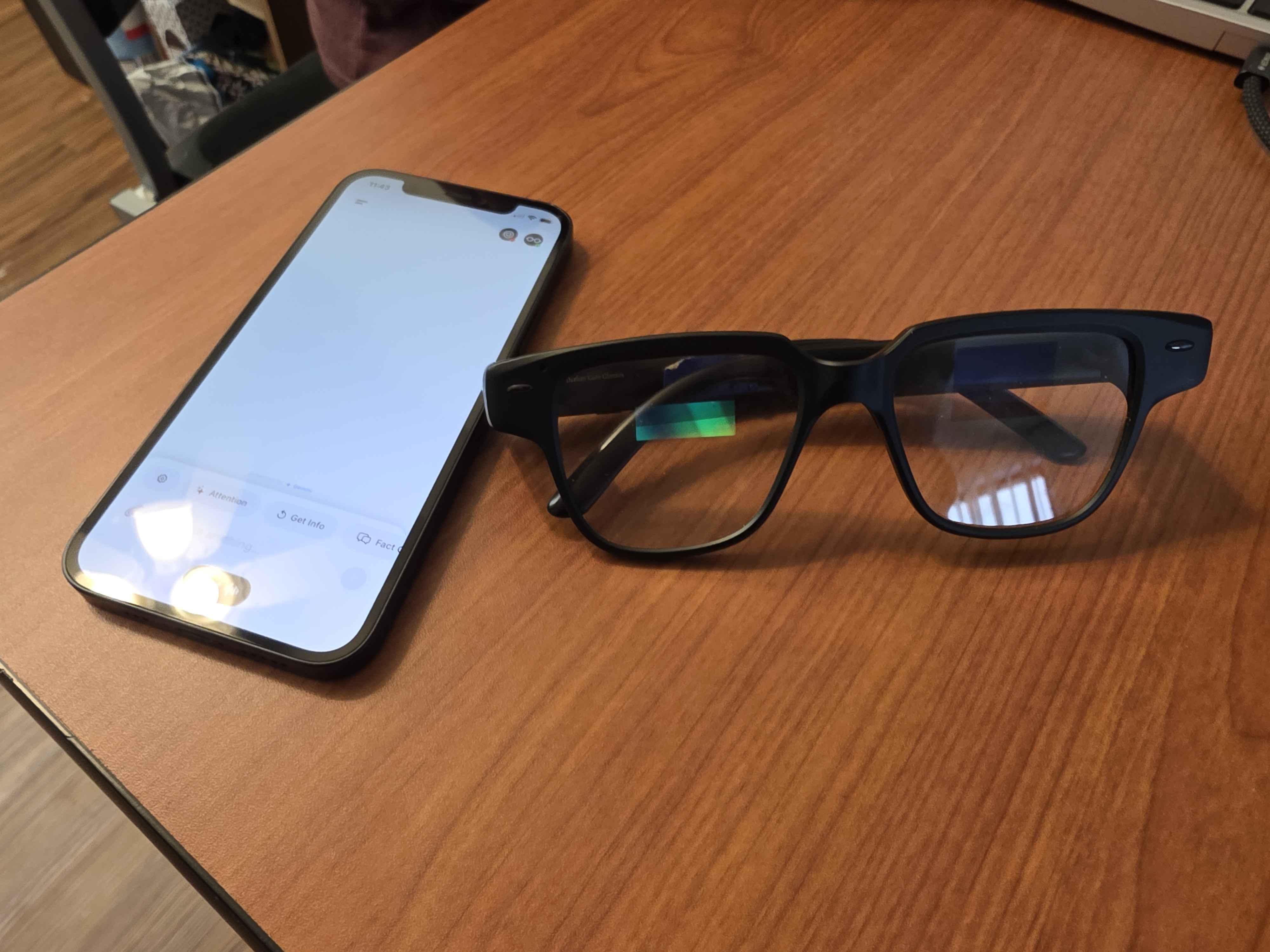
Hardware used: Mira AR Glasses
-
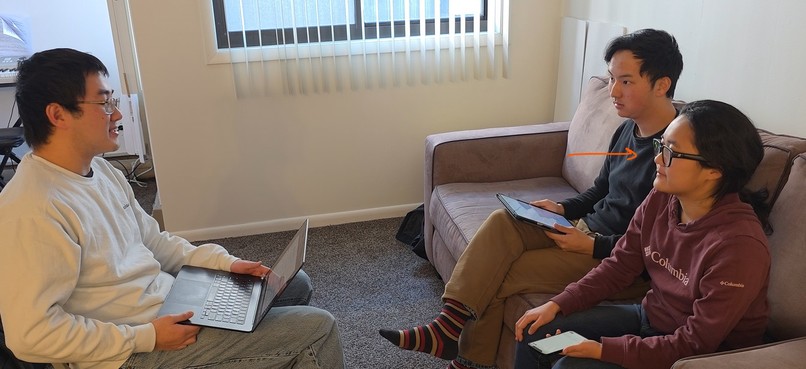
System in Action!
-
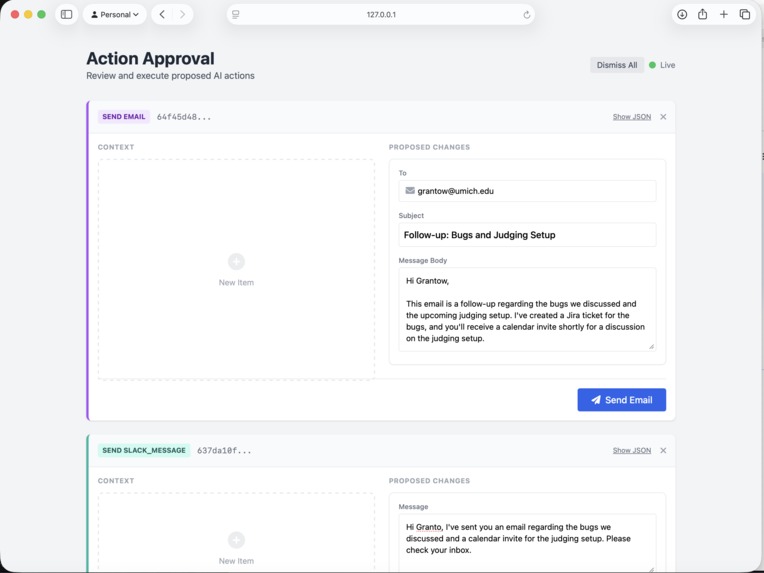
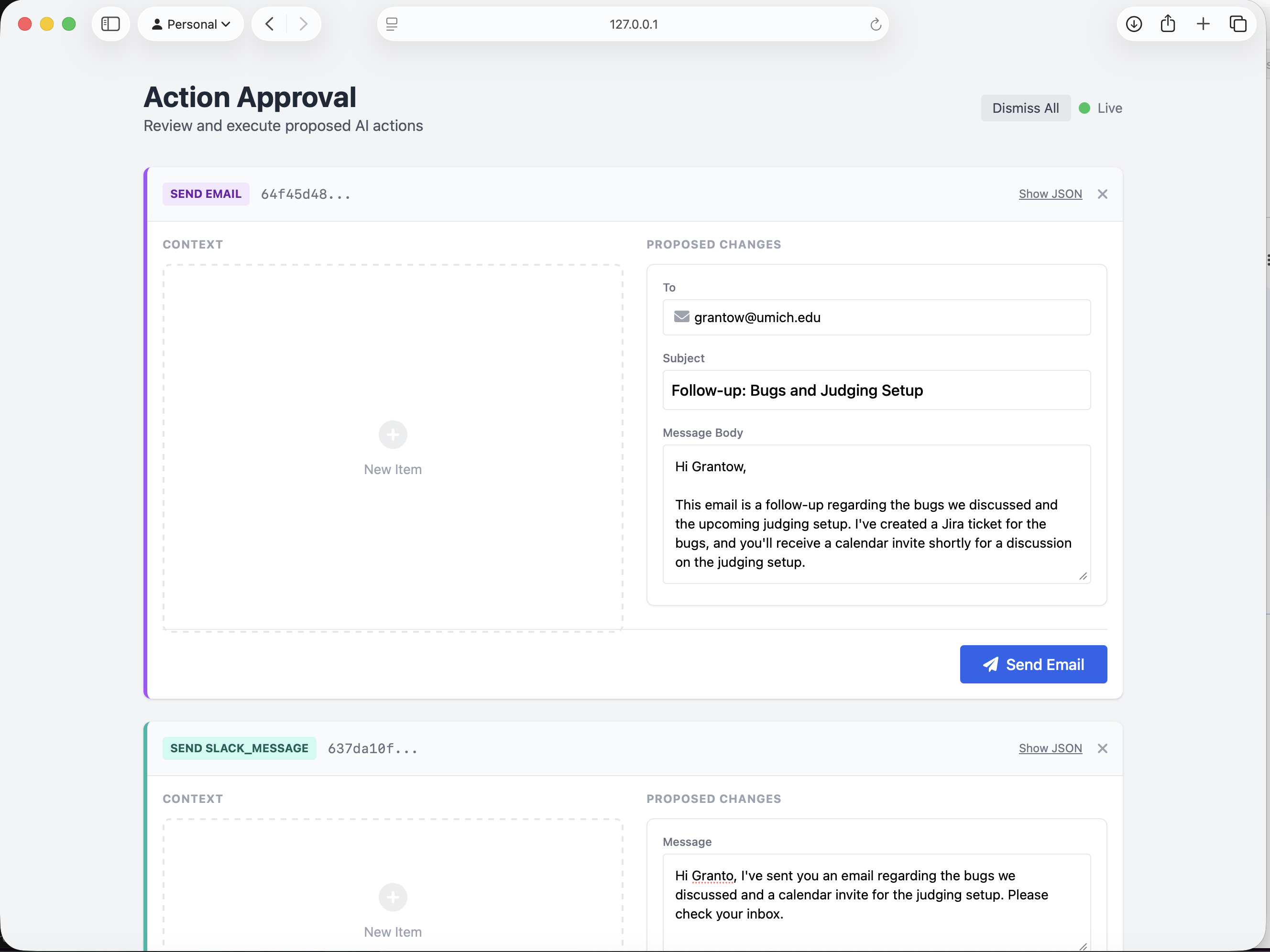
User Interface: edit and send your tasks!
-
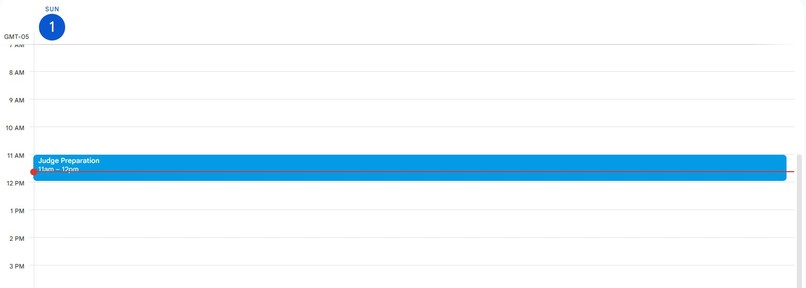
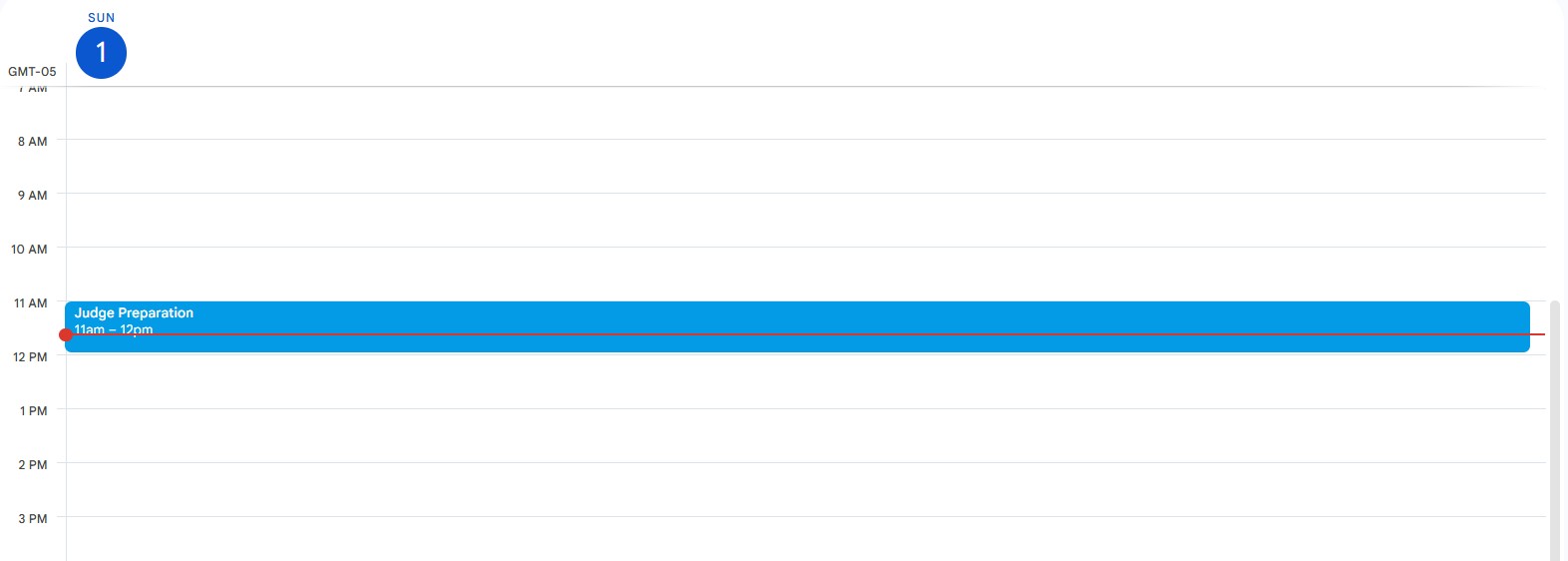
Calendar Task Complete
-
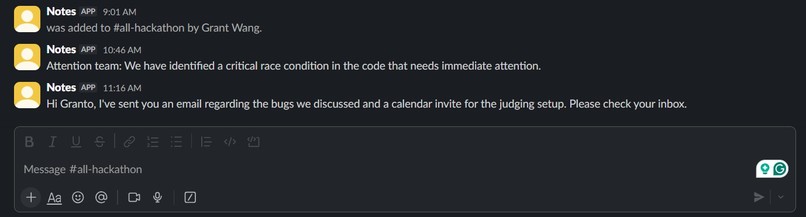
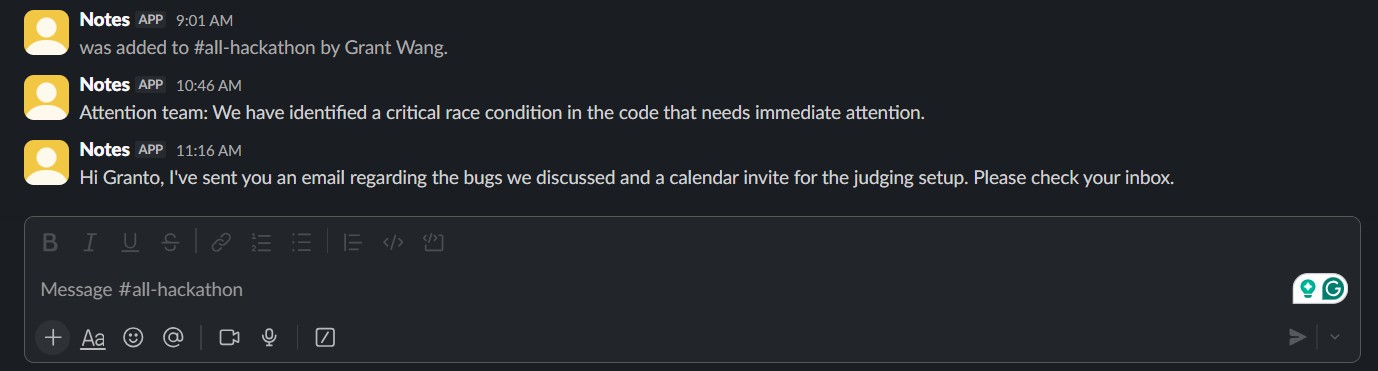
Slack Message Sent!
-
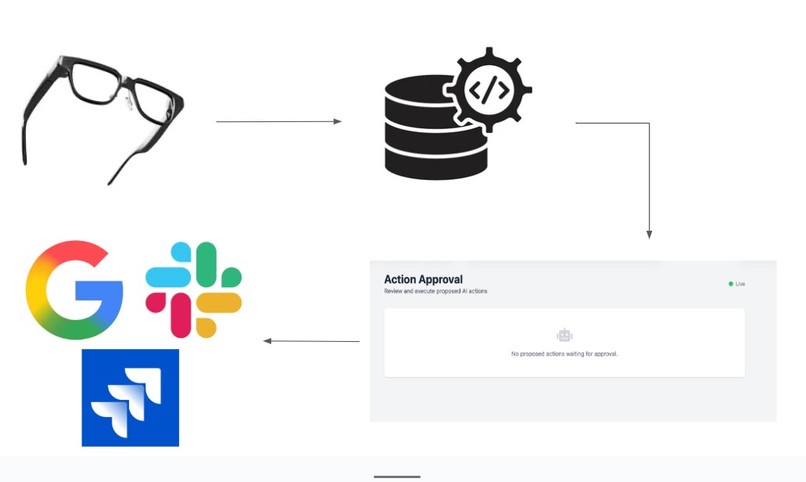
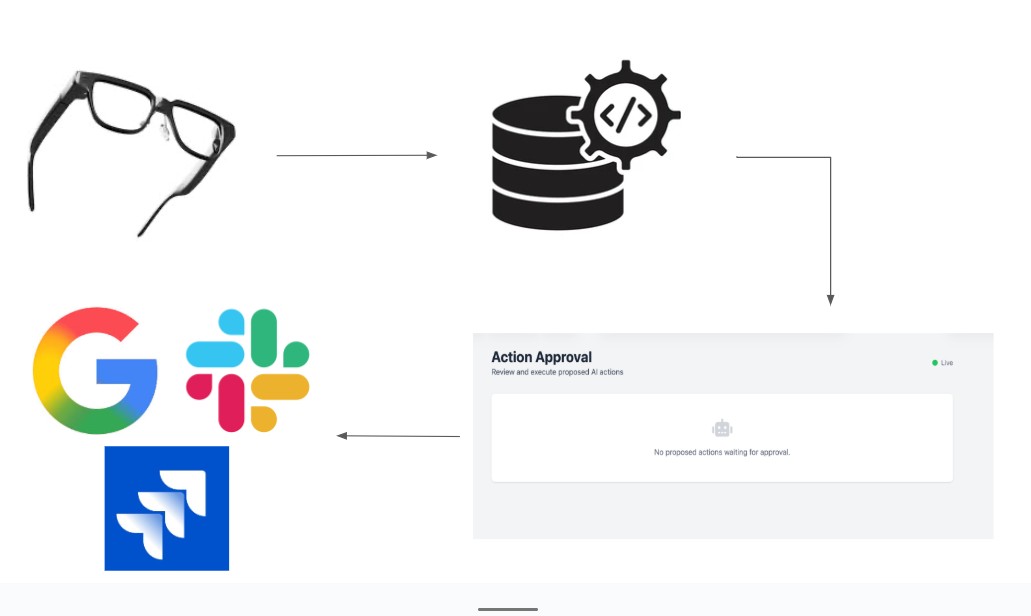
System Diagram
Inspiration
As interactive hardware such as smart watches and smart glasses permeate into everyday societal use, the demand for killer applications, software that is so desirable that it boosts the value proposition of its associated technology, grows heavily. While applications such as biometric sensing for health monitoring have proven effective in these fields, a highly desirable application for these devices concerns productivity and workflow improvement tools.
In the fast-paced world we live in today, time is of the most importance. Tools that help us save time and effort are paramount to daily efficiency. As such, many folks may be reminded of JARVIS, the software tool assistant used by Iron Man in the Marvel films. Wouldn’t it be nice to have a software tool that helps you keep track of what you need to do? After all, we all have many things to do and keep track of during the day.
The project intends to create a digital assistant that helps users keep track of tasks to do. These tasks should be displayed on a simple frontend and users should be able to either delete the task or complete the task directly on the UI. The tasks will be productivity and professional tools such as Slack messaging and workflow management that are directly interfaced with the UI.
With that said, how is the word FLAI pronounced in your opinion? We see three different pronunciations:
Fly (ˈflī): Our system intends to be the fly on the wall, listening in on your conversation. While many systems may have privacy concerns, we work just like an average fruitfly: harmless.
Flay (ˈflā): Our system intends to strip your conversations to the bare bones, identifying the core structure of what needs to be done and providing you a set of tasks to complete.
Fl.ai (ˈfl-a-i): AI will play a pivotal role in our system, decoding and providing valid output for the associated tasks that you need to complete.
What it does
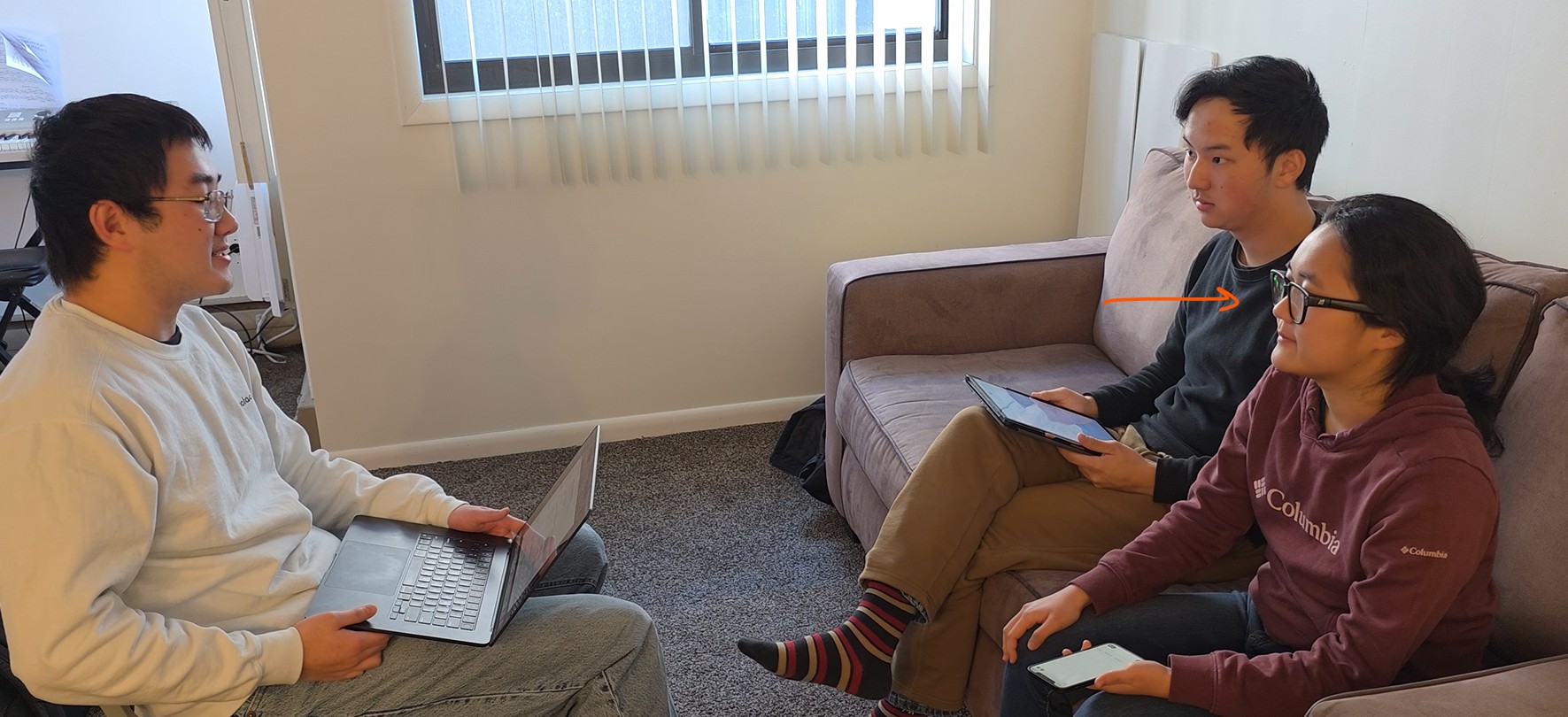
FLAI is a productivity tool built on the Mira Augmented Reality Glass platform. The glasses have speaker hardware with touch input on the side. On user tap, the system denotes a specific segment of transcribed speech as needing attention. This segment will be evaluated for processing through the Gemini pro 3 in the following step.
Upon reaching maximum output or ending the conversation, the system provides the transcribed text for Gemini pro 3 to process. The AI will provide valid output based on the transcribed text, such as dates for a calendar event and a summary of the event. The results of these event logs will be uploaded to a simple UI for the user to either confirm or reject. The user can also edit the output as they see fit.
Upon confirmation, the system communicates with an array of APIs. The current system works with Jira, Slack, Google Calendar, and Google Email. Messages can be sent, read, or deleted with the system for Email and Slack Calendar events can be created, edited, or deleted Jira issues can be created and deleted
How we built it
FLAI uses the Mira glasses to assist the user via recording and performing actions through a combination of Flask, Gemini models, and integration with google calendar, gmail, google contacts, and Jira APIs, all hosted with a Flask server that is port forwarded via ngrok. The Mira glasses record the conversation and perform a POST request to our Flask server backend that will parse highlighted sections of the conversation that will then be generated into actionable items leveraging the structured response Gemini feature to ensure that the output is formatted in the exact JSON schema we specified. We then process this JSON schema of todo list items into a carefully crafted Gemini prompt that will transform the todo list into actionable insights that are mapped directly into function calls that are configured to allow the server to create a calendar event, update a calendar event, delete a calendar event, retrieve contacts, read emails, send emails, create Jira issues, delete Jira issues, and send and delete Slack messages to channels.
Challenges we ran into
Over the span of two days, we performed extensive testing and oftentimes encountered Gemini token API limits. To circumvent this, multiple Google accounts were utilized to provide an adequate amount of tokens. We also made sure to address potential API key security concerns, as we maintained the secrecy of our API keys (since we worked on integrating services such as google calendar, gmail, contacts, Jira, and Slack) via using a .env file and making sure to hide the .env file from the Git history. Additionally, since our team were using a combination of WIndows and MacOS computers, we encountered difficulty importing custom Python packages in a different Python directory. With some file restructuring and refactoring, we were able to get the imports working successfully across all development platforms.
Accomplishments that we're proud of
We performed unit testing to avoid any significant roadblocks during integration. As we split up work between teammates, we observed that establishing the responsibilities of the client vs server, clearing up the boundaries across the two processes, and being deliberate with the structure and formatting of the inputs and outputs of the service prior to writing any code helped to identify any potential discrepancies and enabled faster development cycles when testing specific sections of code.
While browsing through the Gemini documentation, we learned about a variety of different functionalities and were able to adopt it into our project. In particular, we used the structured response to transform the conversation messages into relevant action items structured in JSON and were later on able to leverage this structured response into a function calling prompt that would then interact with Google calendar, gmail, contacts, Slack, and Jira.
Some of our team members were not heavily software-focused in their academic careers. As such, this project was able to introduce them to the process of API calling and gave more practice in Python development.
What we learned
We learned how to work with APIs in Python, and got acquainted with Gemini API by performing normal, structured format, and function calling queries that culminated in our final project being able to transform conversations carried across multiple people, generating todo list items, and then interacting with common google suite services and also features some support for Slack and Jira.
In the process of developing and keeping track of our progress through Git, we discovered that Git has a check built-in to avoid sending any sensitive information to a repository. This led us to investigate methods of storing sensitive information and we learned about how to use environment variable files (the .env file which is not included in the git repository) to make sure that no sensitive data is exposed to the public.
What's next for FLAI
During this hackathon we have demonstrated integration between communication services and marking calendar events through making API calls across multiple services, but are looking forward to integrating more workflows centering notetaking and adding a memory system. We foresee a high demand for notetaking systems such as Notion and Google Drive as live transcription technology improves and AI proves to be more effective at processing information at fast rates.
Additionally, a natural next step is to record a database of conversations so that the FLAI can be better tailored for niche use cases, keep a history of common conversations and common people, and develop a better understanding of common use cases from users. By adding a memory system we will also observe performance gains since it’s likely that an email conversation you have with a person will be a recurring event. Ultimately, we seek to create a compact productivity platform housed inside smart glasses that is resilient, maintainable, and extensible for any new platforms.

Log in or sign up for Devpost to join the conversation.