About the project
The Problem
As a content creator, I've spent countless hours on repetitive video editing tasks: arranging dozens of clips, cutting out "ums" and pauses from talking-head footage, manually switching between podcast cameras every time someone speaks, and adding captions in multiple languages. These tasks are... tedious. I wanted to spend my time on storytelling, not timeline busywork.
The Vision
What if you could just "talk" to your video editor? What if you could say "arrange these clips like my storyboard" or "remove all the pauses"?
With this vision, I built Fizz: an AI-native video editor where natural conversation replaces menus and manual labor.
What It Does
Fizz is a browser-based multi-track video editor powered by Google Gemini. Instead of clicking through endless menus, you just describe what you want:
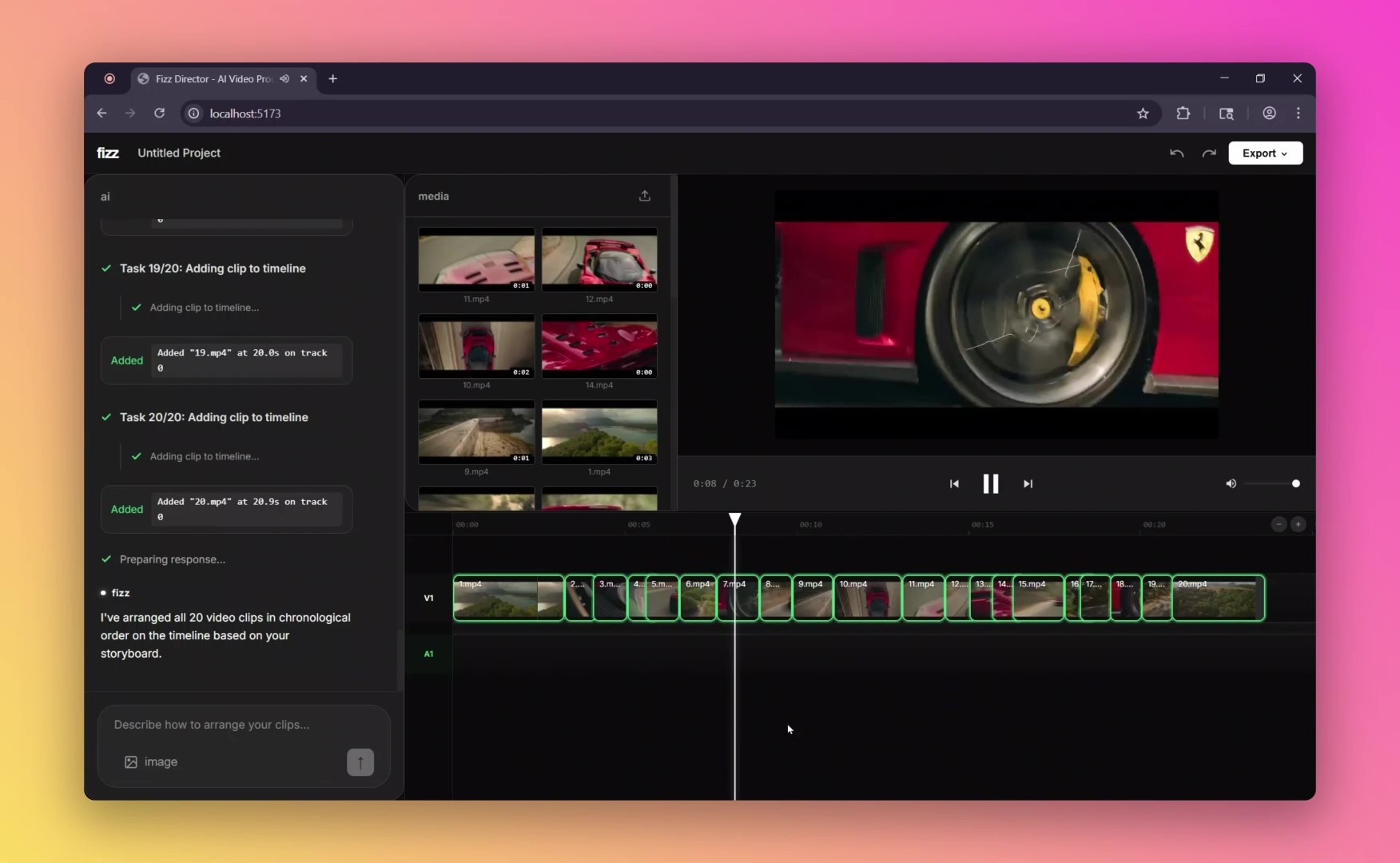
- "Arrange these clips to match my storyboard" → Gemini's vision analyzes your storyboard image and automatically sequences all clips
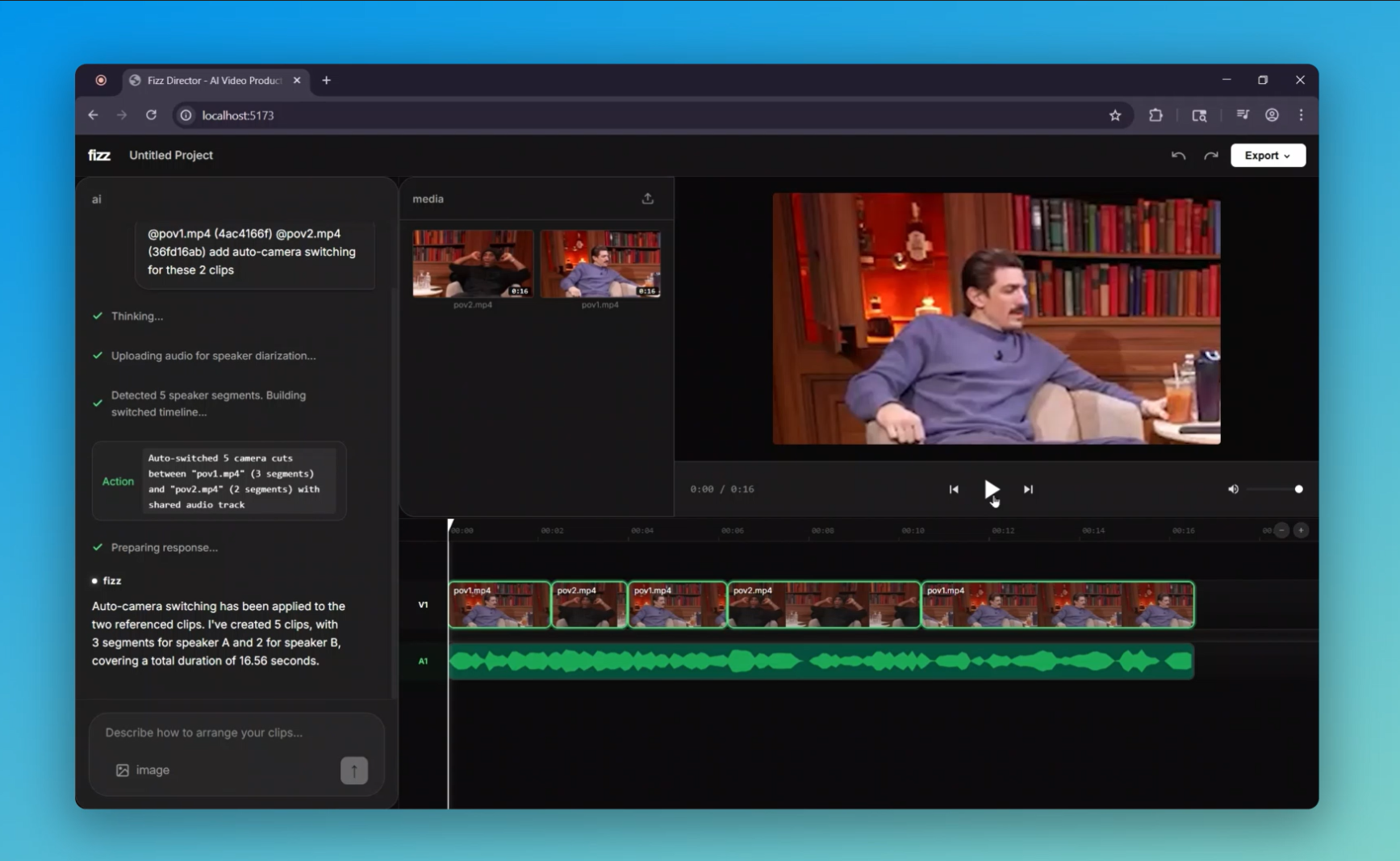
- "Auto-switch cameras based on who's speaking" → Gemini performs audio diarization to identify speakers and cuts between podcast cameras
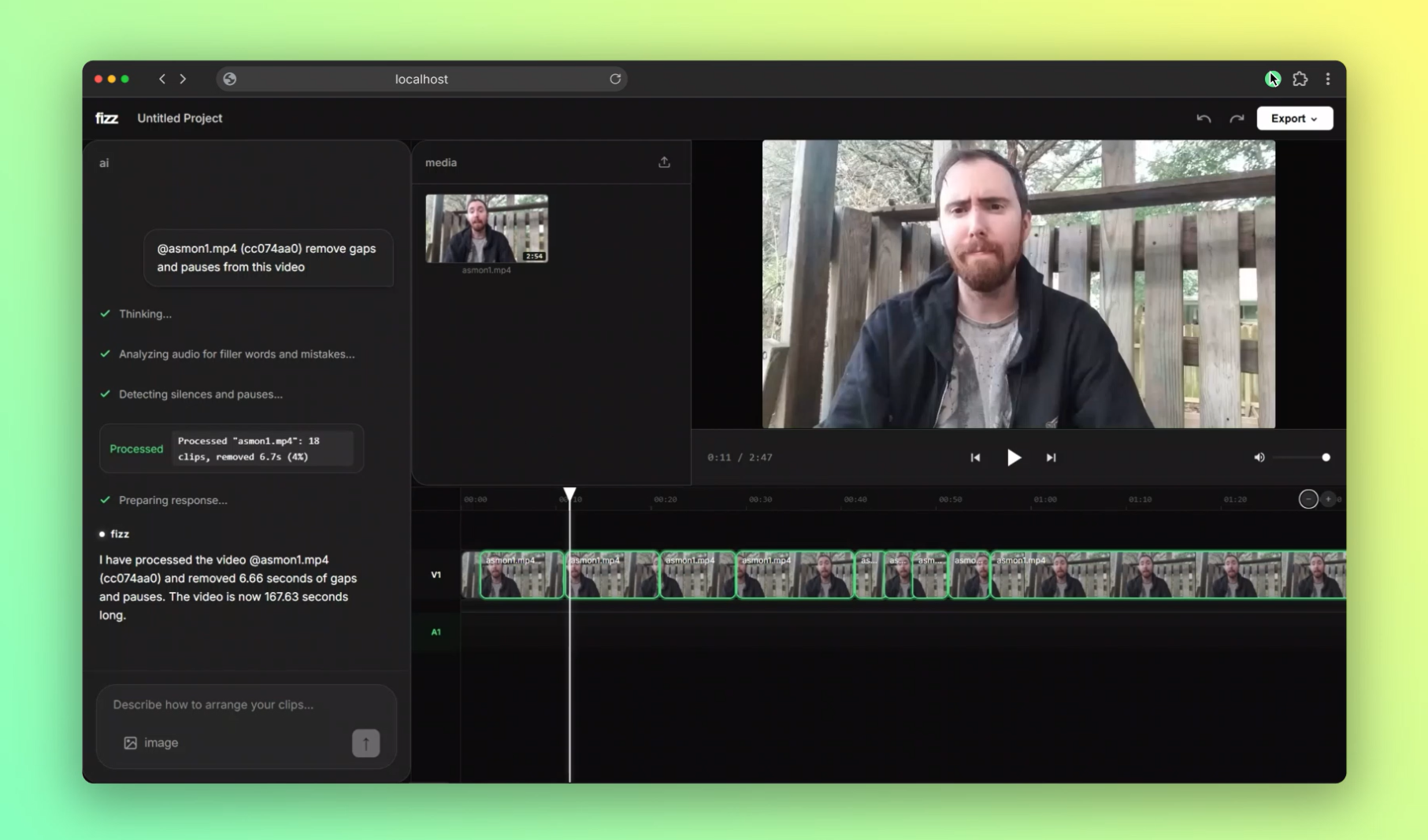
- "Remove all pauses and filler words" → Gemini watches the video to detect "ums," false starts, and mistakes, then auto-edits them out
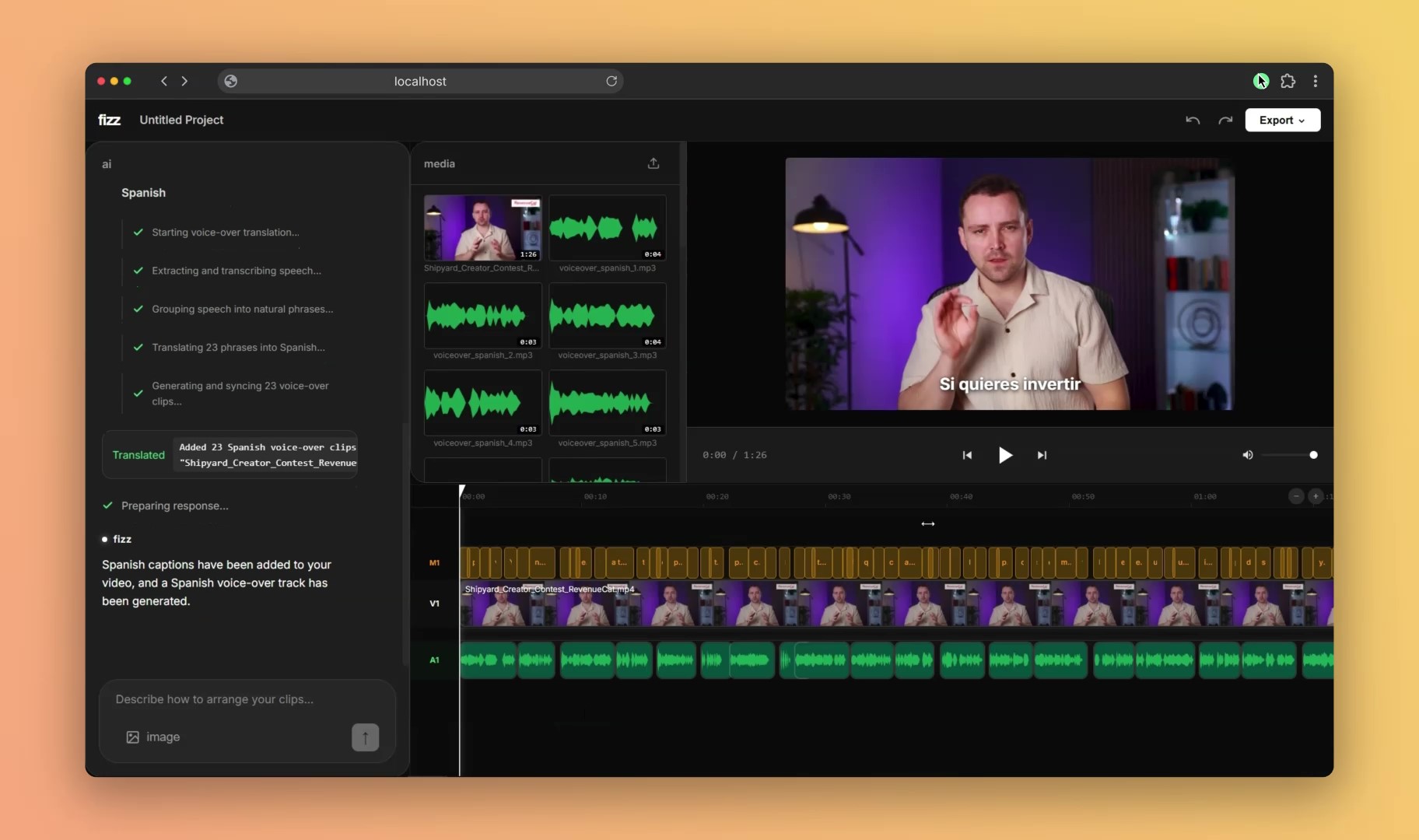
- "Add Spanish captions and dubbing" → Google Speech-to-Text transcribes, Google Translate converts, Google Text-to-Speech generates voice-over
All edits happen on a professional multi-track timeline. You can export to MP4 or as an XML project file for Premiere Pro/Final Cut Pro.
How I Built It
Architecture
Frontend: React 18 + Vite for a responsive timeline UI with drag-and-drop editing, real-time playback, and AI chat interface
Backend: Python Flask server handling all video processing, AI orchestration, and rendering
Key Technologies
Google Gemini 2.5 Flash is the brain:
- Function calling for tool execution (9 tools: add clips, remove clips, generate captions, translate voiceover, auto-switch cameras, etc.)
- Vision analysis for understanding storyboard layouts
- Audio analysis for speaker diarization in podcasts
- Video + audio multimodal analysis for detecting filler words and pauses
Google Cloud APIs:
- Speech-to-Text API for transcription with word-level timestamps
- Translate API for 40+ language support
- Text-to-Speech API for natural voice-over generation
Video Processing:
- FFmpeg for all video operations: extraction, compositing, silence detection, speed adjustment, H.265 encoding
- faster-whisper (optimized Whisper) for high-quality transcription with CTranslate2
- Custom rendering pipeline that builds complex FFmpeg filter graphs for multi-track compositing with caption overlays
Technical Highlights
1. Conversational AI with Context
Every user message includes full conversation history, so Gemini maintains context across turns. The system prompt (2000+ words) provides Gemini with the current timeline state as JSON and explicit rules for each tool.
2. Real-Time Streaming
All AI operations stream progress via Server-Sent Events. When Gemini calls a function like translate_voiceover, the backend yields granular status updates ("Transcribing audio...", "Translating 42 segments...", "Generating speech...") so users see live progress.
3. Smart Caption Generation
Captions use a smart word-grouping algorithm that respects natural speech boundaries—it never breaks phrases after articles, prepositions, or conjunctions, and flushes at silence gaps >150ms. This produces readable, naturally-phrased captions.
4. Speed-Matched Voice Dubbing
When generating translated voice-overs, each TTS segment is automatically speed-adjusted using FFmpeg's atempo filter to match the original speaker's pacing. Segments are merged intelligently (combining phrases <0.6s apart) for natural speech flow.
5. Multi-Reference System
Users can right-click timeline clips to "reference" them in chat. The AI distinguishes between single-clip tools (captions, voiceover) and multi-clip tools (auto-switch cameras requires exactly 2 references).
Challenges I Faced
1. Gemini Function Calling Disambiguation
Initially, I had one generate_captions tool with an optional target_language parameter. Gemini frequently got confused about when to translate vs. not translate.
Solution: Split into two separate tools (generate_captions and generate_translated_captions). Gemini now chooses correctly 100% of the time.
2. Audio-Video Sync in Playback
Using the <video> element's timeupdate event for the playhead caused stuttering and drift.
Solution: Implemented a master clock architecture using requestAnimationFrame with Date.now() deltas. The video element syncs to the clock (not vice versa), eliminating all playback issues.
3. FFmpeg Command-Line Length Limits
Complex timelines with 50+ clips generated FFmpeg filter graphs that exceeded shell command limits.
Solution: Write filter graphs to temporary files and pass via -filter_complex_script flag.
4. Transcription Performance
Running Whisper on every caption/voiceover request was slow for long videos.
Solution: Implemented a transcription cache keyed by (media_path, in_point, out_point). Multiple tools reuse the same Whisper output, and re-grouping with different max_words is instant.
5. Caption Timing Precision
Initial captions felt "late" compared to speech. Research showed human perception of speech onset is ~120ms before actual acoustic onset.
Solution: Added a -0.12s offset to all caption start times, making them feel perfectly synced.
What's Next
- Motion graphics generation (b-roll, transitions, animated text)
- Audio enhancement (noise removal, EQ, compression)
- Collaborative editing (real-time multi-user timelines)
- Custom Gemini fine-tuning on video editing terminology

Log in or sign up for Devpost to join the conversation.