-
-
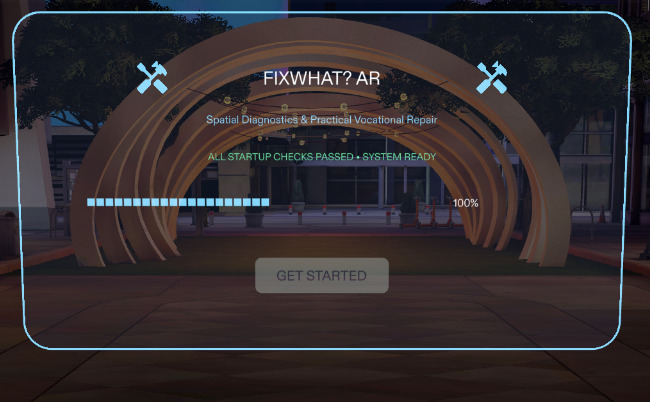
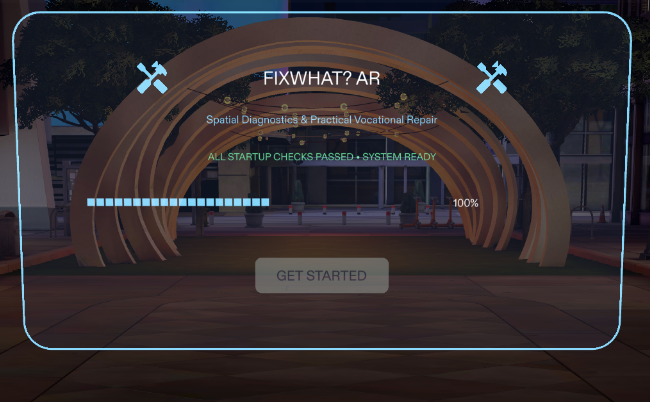
Initialization
-
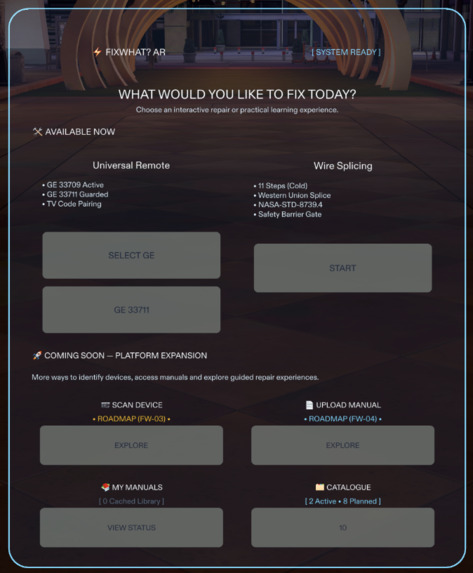
main Menu
-
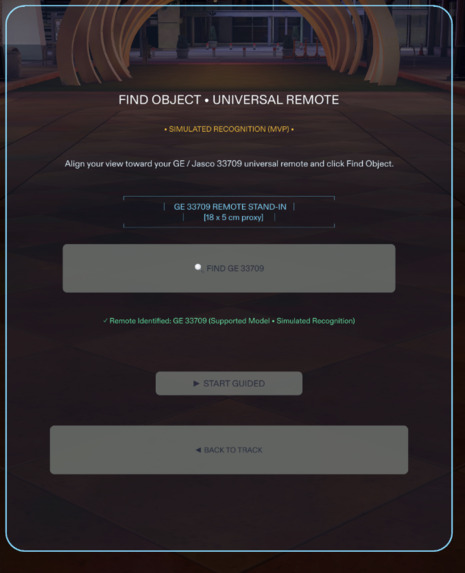
Job 1
-
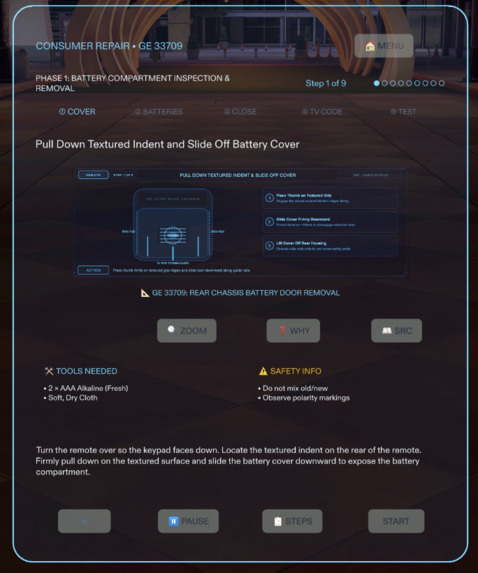
Job 2
-
Job 3
-
Image
-
Job 4
-
Image
-
Job 5
FixWhat? AR---Understand it. Learn it. Fix it.
Inspiration
Most of us have experienced that moment when something at home stops working.
It might be a remote control that suddenly stops responding, a wire that needs attention, or a device we've never tried to repair before. We search for the manual, look up instructions, watch a video, and then look back at the object in front of us.
The information may be available, but applying it to the thing we're actually trying to fix isn't always easy.
We started wondering: what if the instructions could stay in our field of view while we worked? What if we could understand a procedure one step at a time, without constantly switching between the real world and a phone or computer?
That question became FixWhat? AR.
Our goal is to make practical technical knowledge easier to access and understand through augmented reality. We wanted to explore how AR glasses could help people learn by doing, rather than simply reading about how something works.
What it does
FixWhat? AR is a guided repair and practical learning experience built for Snap Spectacles.
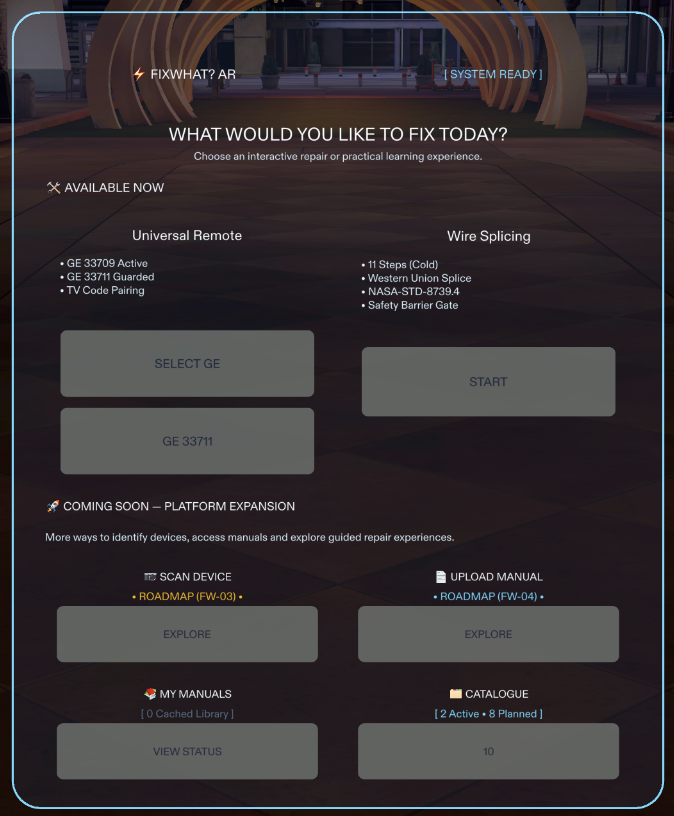
The current version includes two complete guided journeys:
- Consumer Electronics — GE/Jasco 33709 Universal Remote
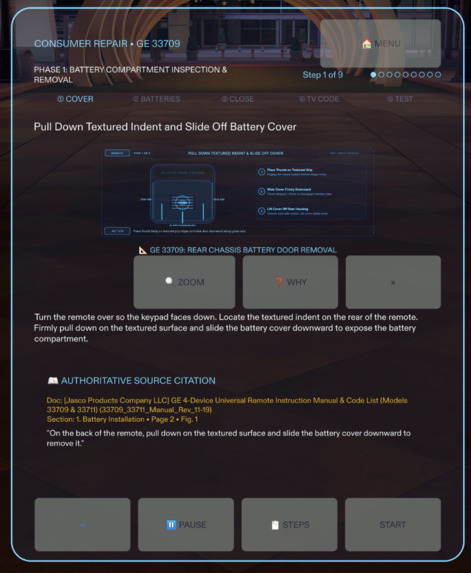
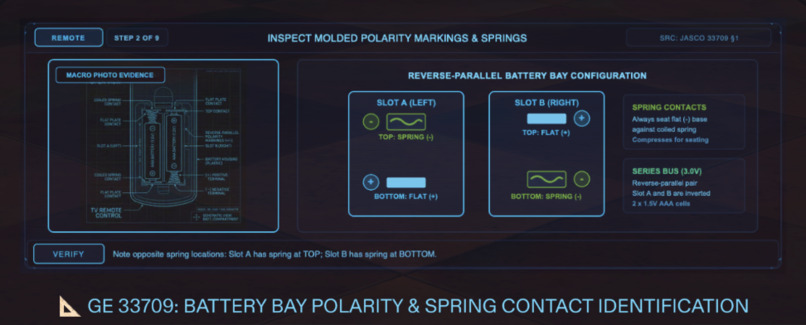
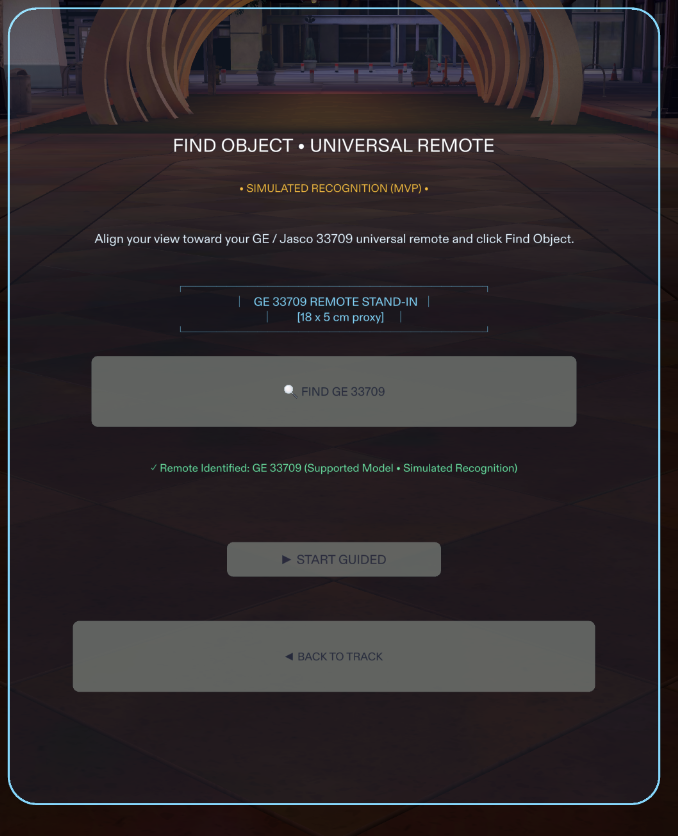
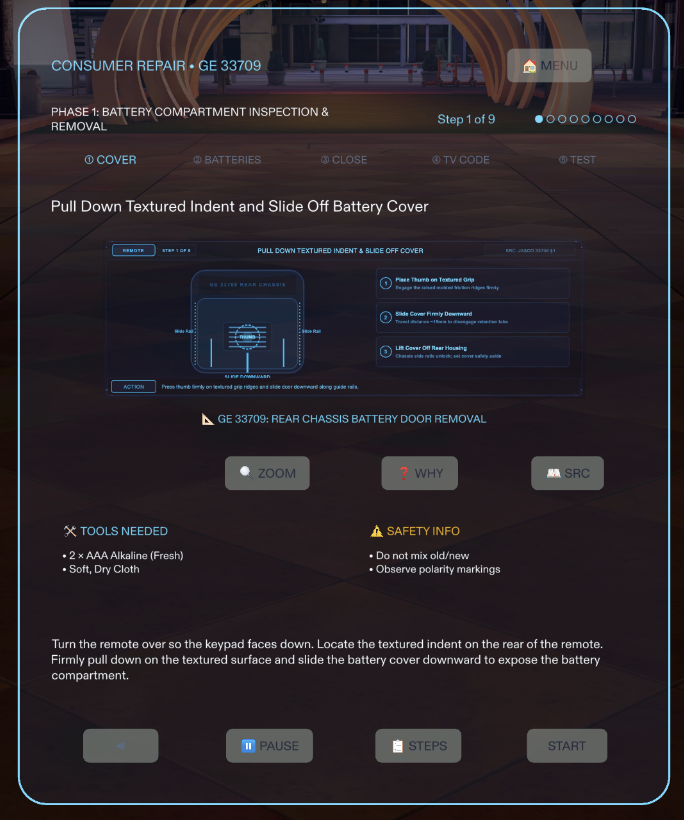
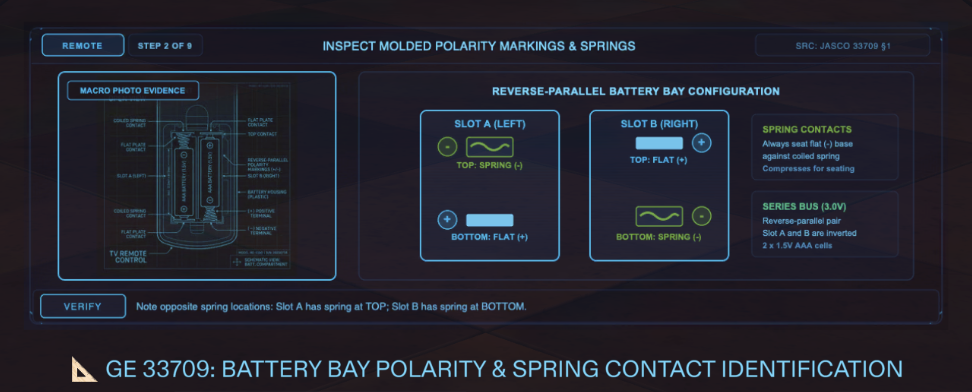
A nine-step experience covering battery replacement and preparation for TV setup using the remote's documented instructions. It guides the user through the procedure with visual references and step-by-step explanations. The experience also handles the unsupported GE 33711 model separately, rather than pretending that every similar-looking remote is supported.
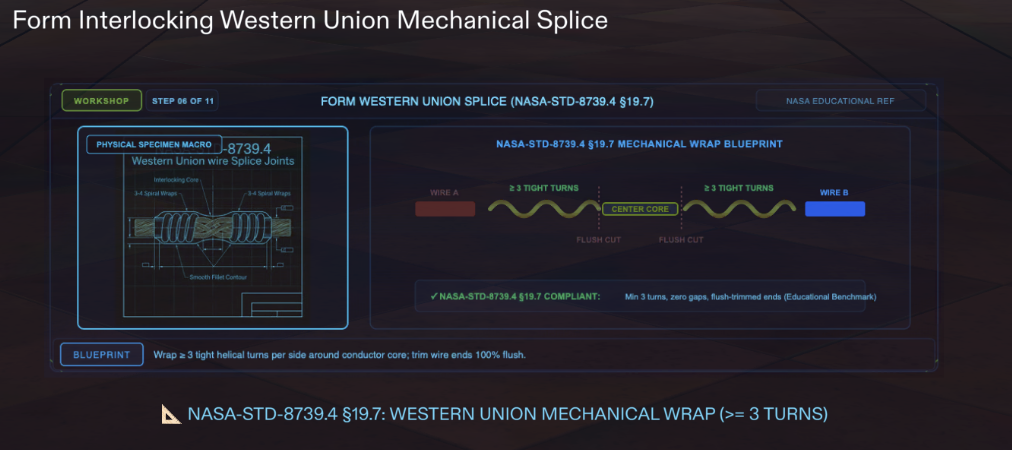
- Workshop Learning — Western Union Wire Splicing
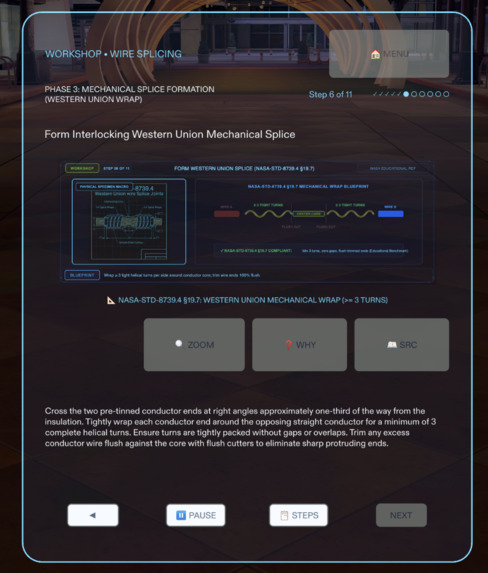
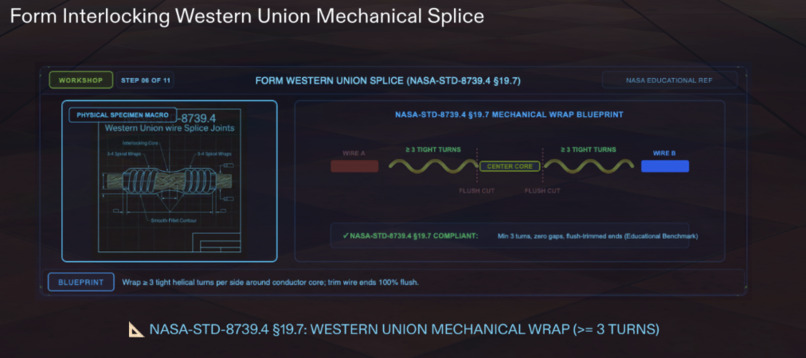
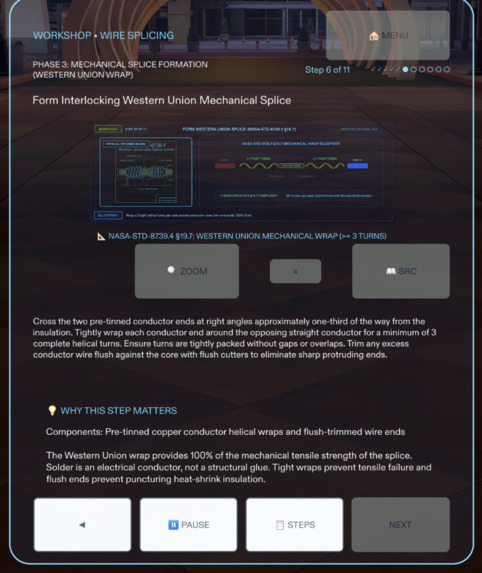
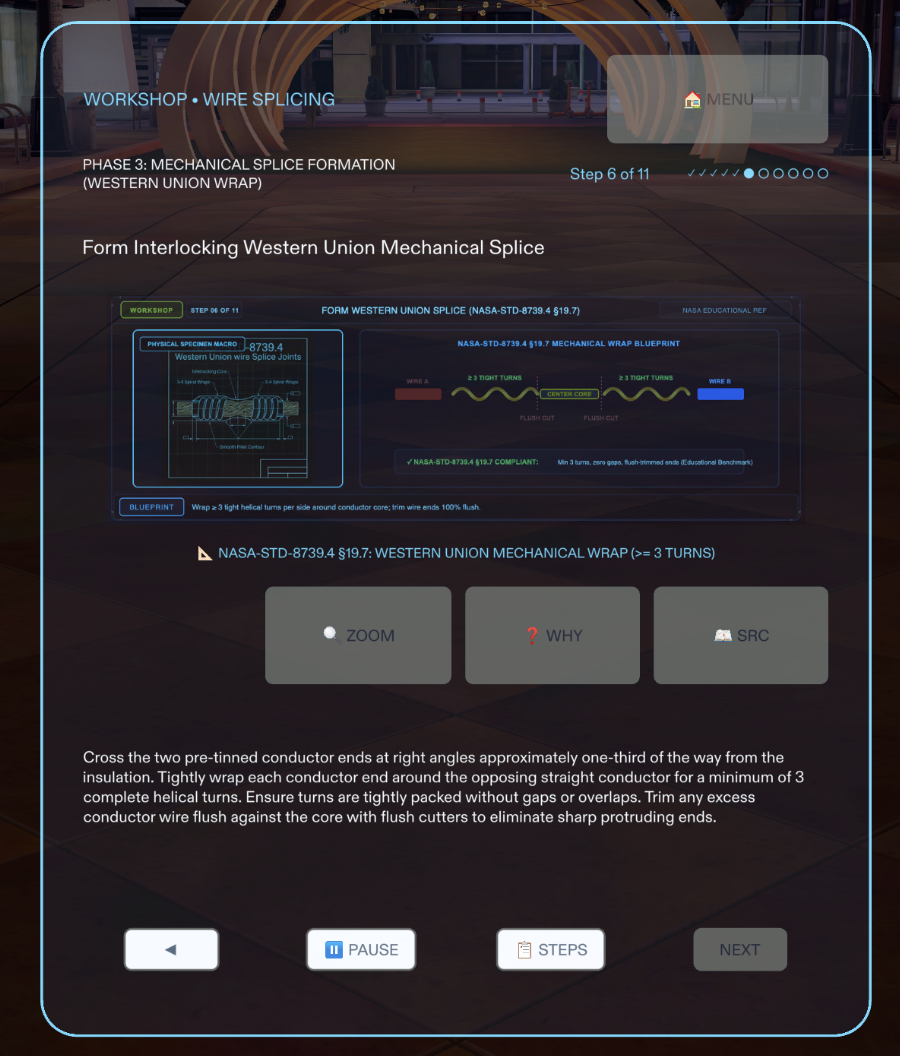
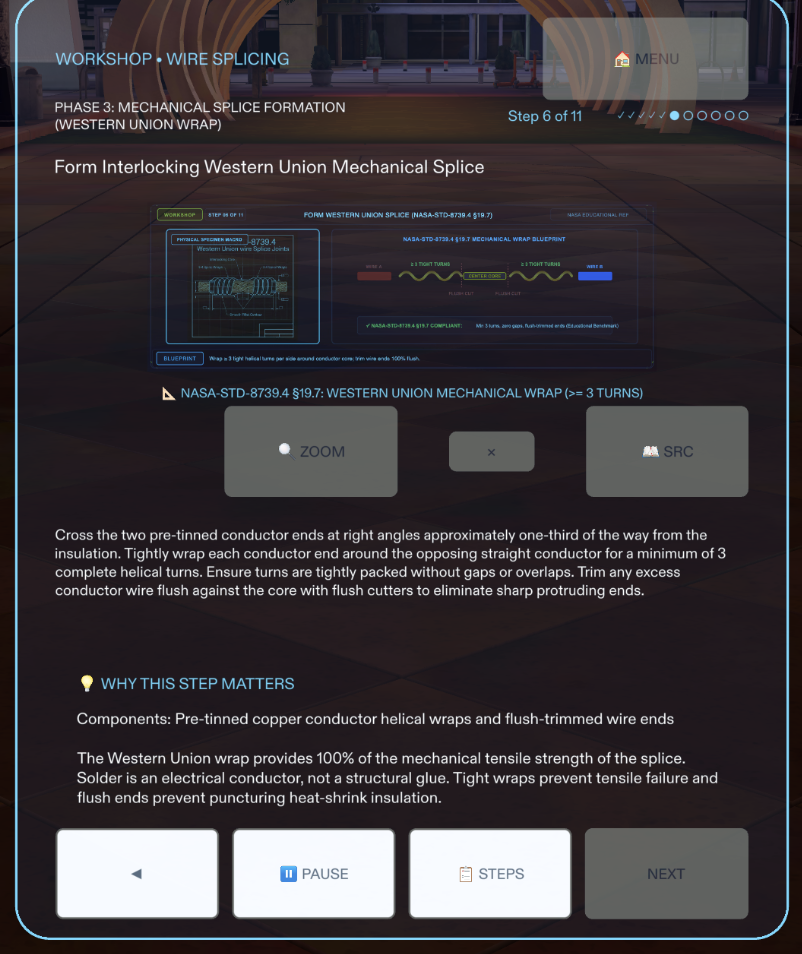
An eleven-step practical learning experience covering low-voltage, non-energized 20–24 AWG stranded copper wire joining and soldering. It begins with a mandatory safety checkpoint before the learner can proceed, followed by visual guidance through the different stages of the process.
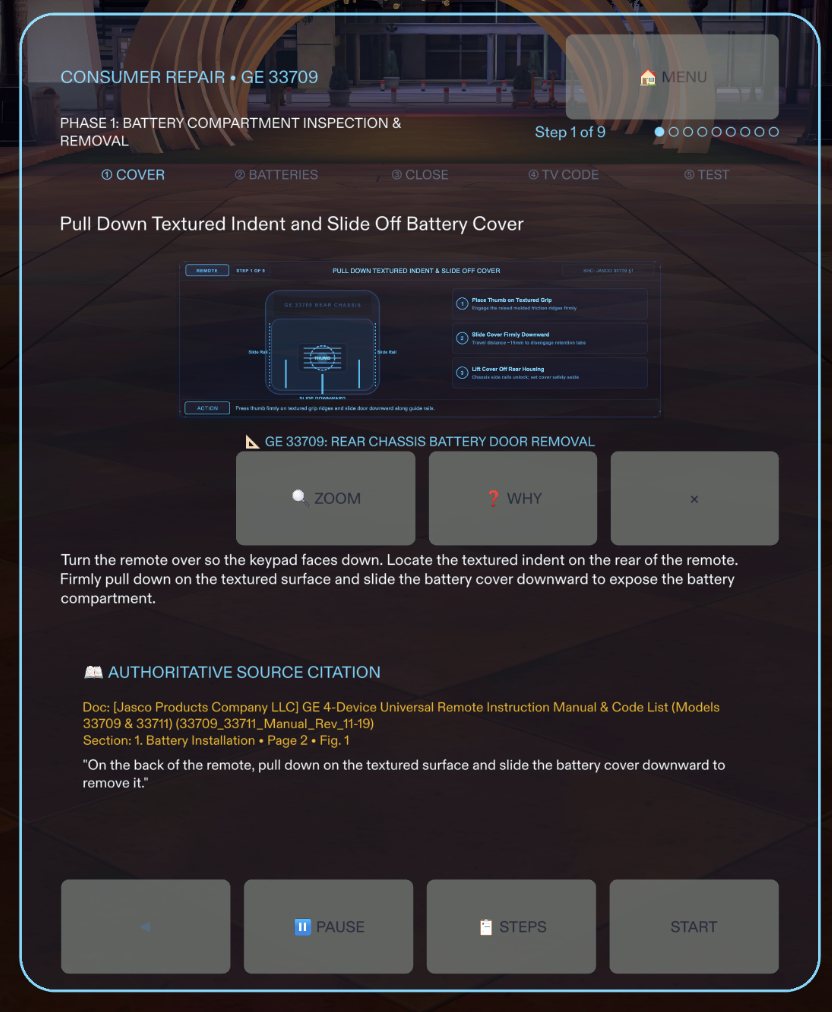
Both journeys use structured instructions, visual diagrams, contextual explanations and source references. The idea is to help users understand not only what a step asks them to do, but also why that step matters.
The current experience uses predefined procedures for these two supported journeys. It does not yet automatically recognize arbitrary devices or generate repair instructions from a live camera feed.
Challenges we ran into
Our biggest challenge was learning that a spatial interface cannot simply be designed like a phone screen and placed in front of someone's eyes.
Getting the scale right was harder than expected.
Some layouts that appeared reasonable in a desktop Preview were too large or poorly proportioned for the intended wearable experience. We had to revisit frame dimensions, camera-relative positioning, content density, text sizes, and button targets. This led to several rounds of spatial design reviews and a more compact, consistent interface.
Navigation needed more thought than adding buttons.
We initially explored a crowded navigation row with too many controls. It became clear that users should not have to work through a complicated interface while performing a physical task. We moved towards four primary navigation controls and separated contextual actions, such as explanations and source references, into dedicated views.
Interaction and layout had to work together.
We encountered issues with overlapping interface elements, expanding content, and interactions reaching controls behind an open view. We had to rethink how individual views open, close, and preserve the user's current position in a procedure.
Continuous development-environment crashes disrupted our workflow.
One of our most frustrating challenges was dealing with recurring system crashes during development. These interruptions affected development sessions, broke the continuity of ongoing tasks, and forced us to repeatedly recover our working context before continuing.
The difficulty was not simply restarting the tools. We also had to ensure that previously completed implementation work, architectural decisions, design specifications, and testing progress were not lost or accidentally overwritten. This made project-state tracking, structured documentation, version control, and recovery checkpoints essential parts of our development process.
Instead of assuming that a restarted environment represented a clean continuation, we learned to verify the repository state, inspect changes, re-establish the current milestone, and validate completed work before proceeding. This experience reinforced the importance of building resilient development workflows, especially when working with complex AI-assisted tools.
We had to decide where AI should not be used.
It would have been easy to make the experience appear more intelligent by generating instructions dynamically. But repair guidance can have real-world consequences. We chose structured, reviewed procedures and source-grounded explanations instead. More advanced AI-assisted manual understanding is something we want to explore carefully in the future.
Testing without the physical glasses was another limitation.
We developed and tested using Lens Studio's SPECS Preview simulation. This allowed us to inspect the interface, exercise interactions, and run automated scenarios. However, we did not have physical Spectacles hardware, so optical clarity, real-world comfort, physical hand-tracking behavior, and visibility during actual workshop tasks remain to be validated on the device.
That distinction has influenced how we approach testing: we report what we have verified in Preview without claiming that it proves the physical wearable experience.
Working across AI development environments
Another unexpected challenge was coordinating our AI-assisted development workflow.
Our primary development environment was Google Antigravity, but CLAD, our specialized creative and spatial design authority, was most effective when working through environments such as OpenAI Codex and Claude. This meant that design decisions, technical investigations, and implementation work did not always happen within the same environment.
Combined with recurring system crashes and interrupted sessions, maintaining continuity across these environments became particularly demanding. We had to establish a disciplined workflow for transferring context, preserving project architecture, maintaining consistent design decisions, and ensuring that implementation agents followed the specifications produced by the design authority.
It taught us that using multiple AI agents is not simply about having more tools. Each environment needs the right context, clearly defined responsibilities, and a shared understanding of the project's current state. Without that coordination, different agents can make conflicting assumptions or repeat work that has already been completed.
We gradually moved towards a workflow where CLAD guides design decisions, Antigravity handles implementation and integration, and structured documentation, version control, recovery checkpoints, and testing help maintain continuity between them.
Accomplishments that we're proud of
We're proud that FixWhat? AR has moved beyond a concept into a working, structured Lens with two distinct guided experiences.
We brought together consumer electronics guidance and practical workshop learning within a shared spatial interface. Both journeys have their own procedures, visual references, and interaction requirements, while following a consistent design language.
We're also proud of the work behind the experience that users may not immediately notice: the structured procedure architecture, source references, unsupported-device handling, workshop safety checkpoint, and automated regression scenarios.
Beyond the application itself, we're proud that we managed to maintain development continuity through recurring system crashes, interrupted sessions, and multiple AI-assisted development environments. Establishing documentation, recovery procedures, and clear responsibilities helped us preserve the work and continue moving towards a coherent product.
Most importantly, we have a clearer understanding of what it takes to make AR useful for an actual task, rather than simply making something look impressive in a headset or pair of glasses.
What we learned
We learned that designing for glasses changes the way we think about interfaces.
The available viewing area, distance, text size, interaction targets, and surrounding physical environment all influence the experience. A design that looks good in a screenshot is not necessarily a good wearable interface.
We also learned to treat safety and trust as part of the product architecture. Instructions need to be understandable, their sources need to be traceable, and the application must be clear about what it does and does not support.
Recurring system crashes taught us another important lesson: building a complex product requires more than writing code. Development continuity, recoverability, documentation, version control, and verification are equally important. A project should be able to recover from interrupted sessions without losing its architectural direction or previously verified progress.
Finally, working with CLAD, Lens Studio MCP, and LEAF gave us a different development workflow. Instead of treating AI coding agents simply as code generators, we used them alongside design reviews, structured specifications, implementation checks, and repeatable tests.
We learned that successful AI-assisted development depends not on how many agents are involved, but on how effectively their responsibilities, context, and outputs are coordinated.
What's next for FixWhat? AR
The two guided journeys are our starting point, not the limit of the idea.
We want to move towards a system where users can look at a device, have it identified, access the correct manual and receive guidance relevant to the exact model they own.
Our planned next steps include:
Real-world object recognition: identifying devices and helping users find the right supported guidance.
Upload Your Manual: allowing users to provide their own product documentation.
Cloud-based OCR and manual processing: extracting and organizing information from uploaded documents.
My Manuals: a personal library of manuals that users can access when needed.
Broader device coverage: expanding beyond our initial remote-control and workshop examples into more everyday electronics and appliances.
These are planned capabilities, not features currently available in the Lens.
Our longer-term vision is to make technical knowledge feel less intimidating and more accessible. We want people to be able to understand what they are looking at, learn how something works and approach practical tasks with greater confidence.
Because sometimes, people don't need someone else to fix something for them. They just need the right guidance, at the right moment, to do it themselves.
FixWhat? AR — Understand it. Learn it. Fix it.
Built With
- 3d-user-interface
- ar-ux
- augmented-reality
- clad
- computer-vision
- consumer-electronics
- device-recognition
- digital-manuals
- human-computer-interaction
- interactive-learning
- leaf
- lens-studio
- procedural-guidance
- repair-technology
- safety-training
- snap-spectacles
- spatial-computing
- spectacles-interaction-kit
- spectacles-ui-kit
- technical-education
- typescript
- visual-guidance
- vocational-training
- wearable-technology
