Inspiration
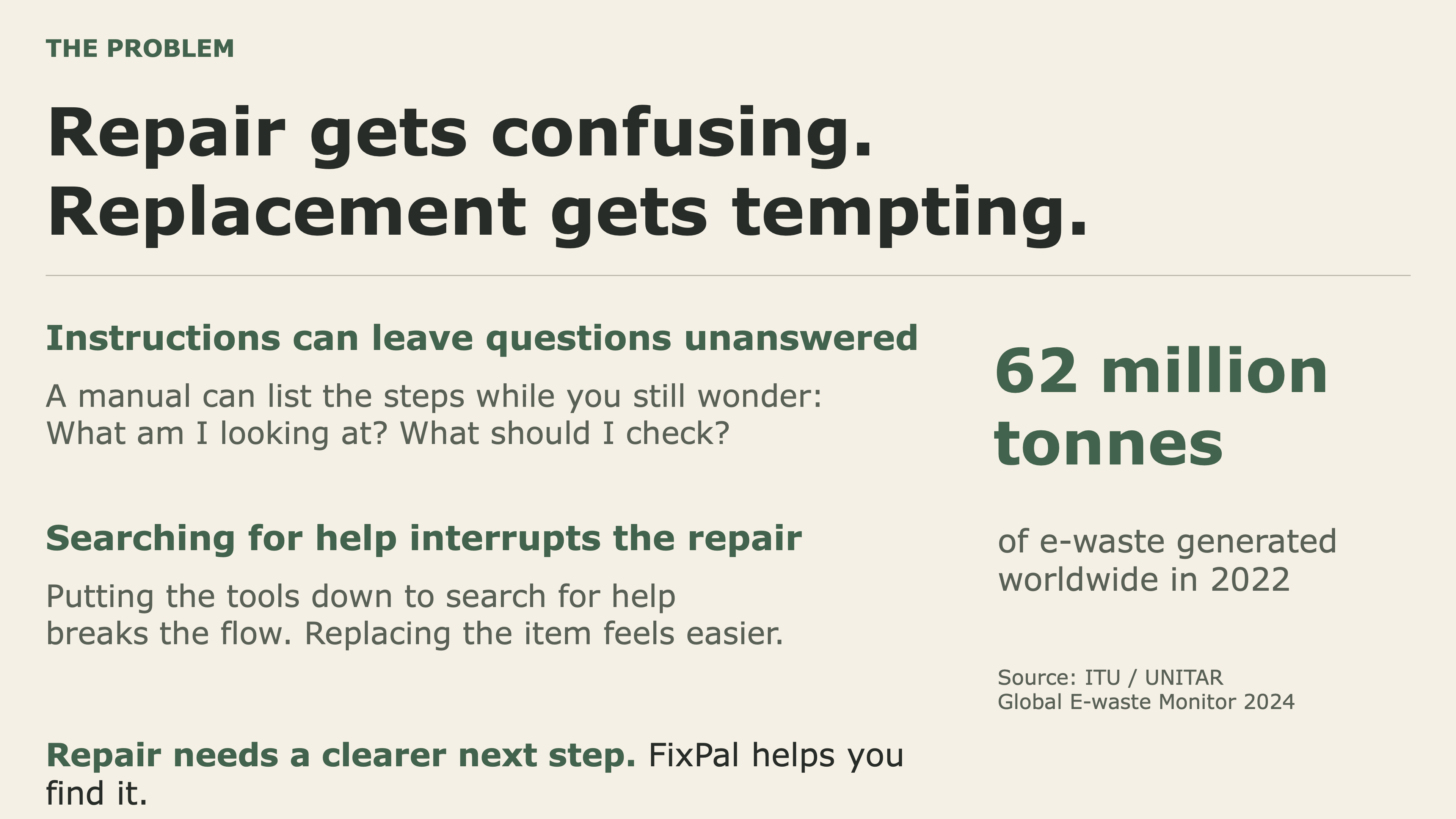
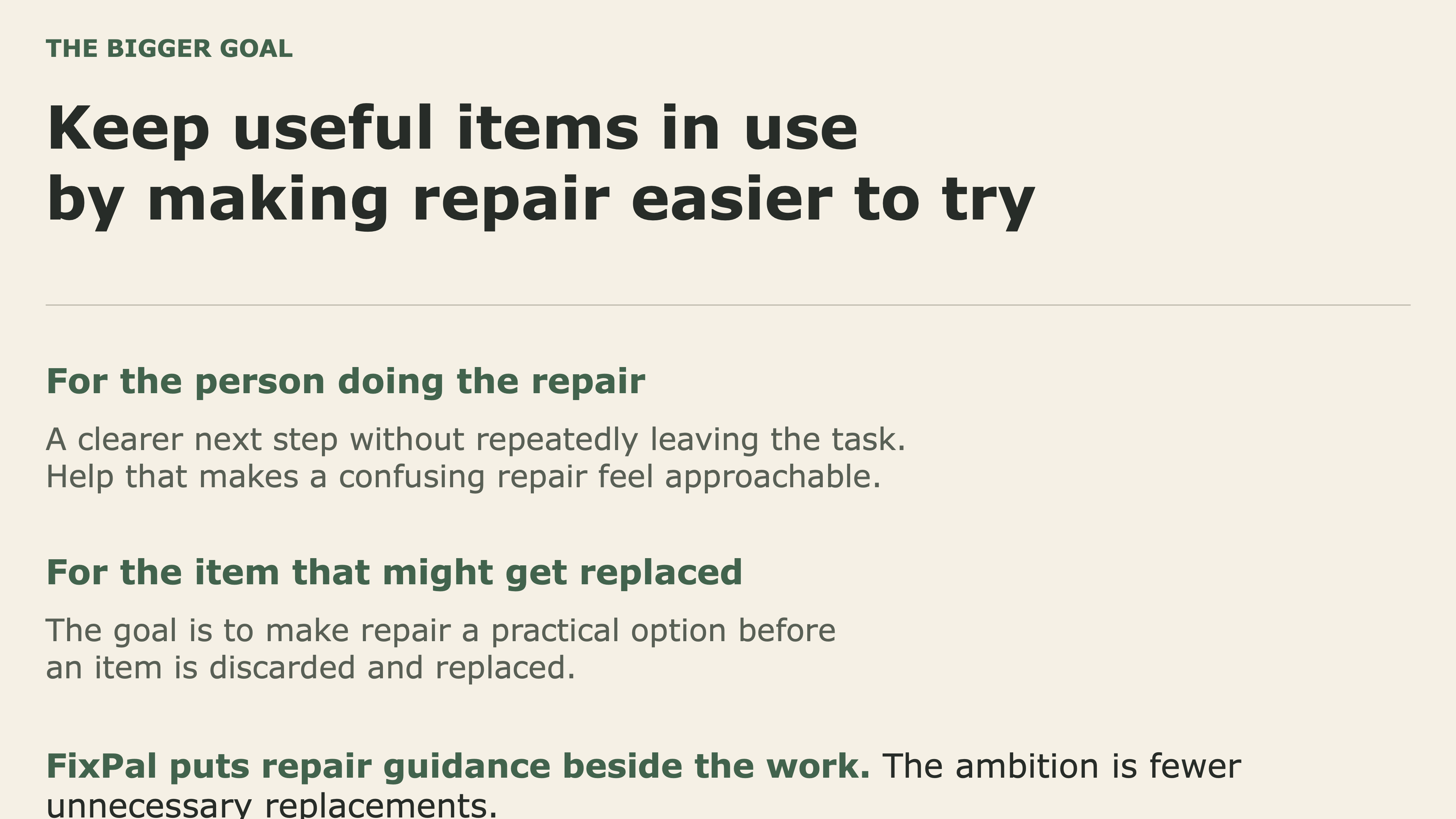
Most people do not throw something away because they want to replace it. They throw it away because fixing it feels harder than replacing it.
Repair information already exists everywhere: manuals, PDFs, tutorials, forum posts, and videos. But finding the right information is only the beginning. Once you are actually standing over a broken device, instructions like “connect the resistor to GP15” or a dense wiring diagram can quickly become intimidating—especially if you are a beginner.
And when your hands are occupied with wires, tools, screws, or components, constantly stopping to search Google, scroll through a PDF, or replay a video makes the experience even worse.
We built FixPal around a simple idea:
What if repair instructions could work with you while you repair?
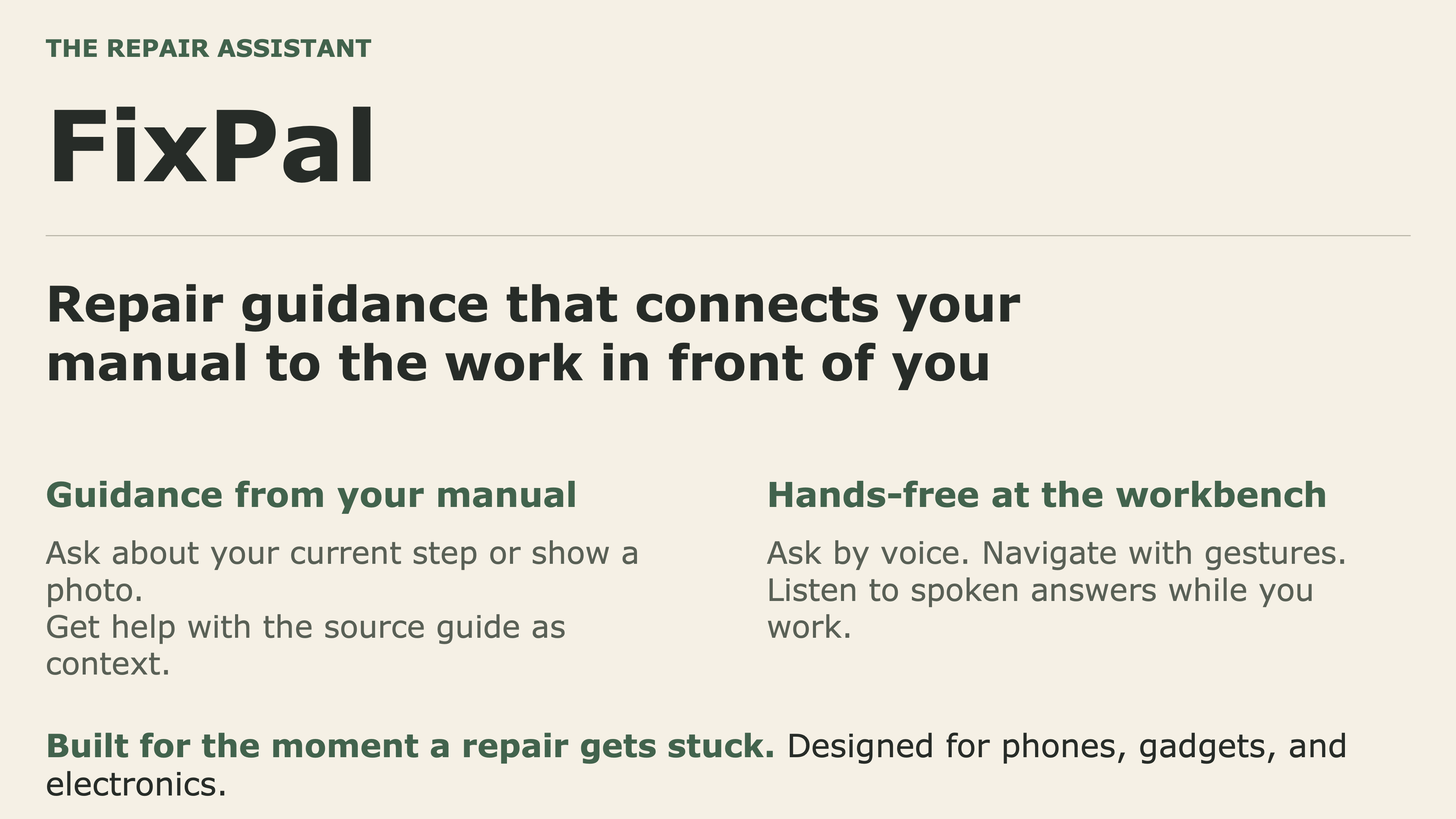
FixPal turns existing repair knowledge into an interactive AI-guided workspace designed for the moment when you are actually doing the work.
Our goal is to make fixing something feel achievable before replacing it feels inevitable.
What it does
FixPal is an AI repair assistant for electronics, gadgets, and other hands-on projects.
A user can describe what they are trying to fix, and FixPal uses Google Gemini with Google Search grounding to find relevant documentation and source material. Instead of simply returning links or generating a generic AI answer, FixPal turns that information into a step-by-step workspace.
Users can:
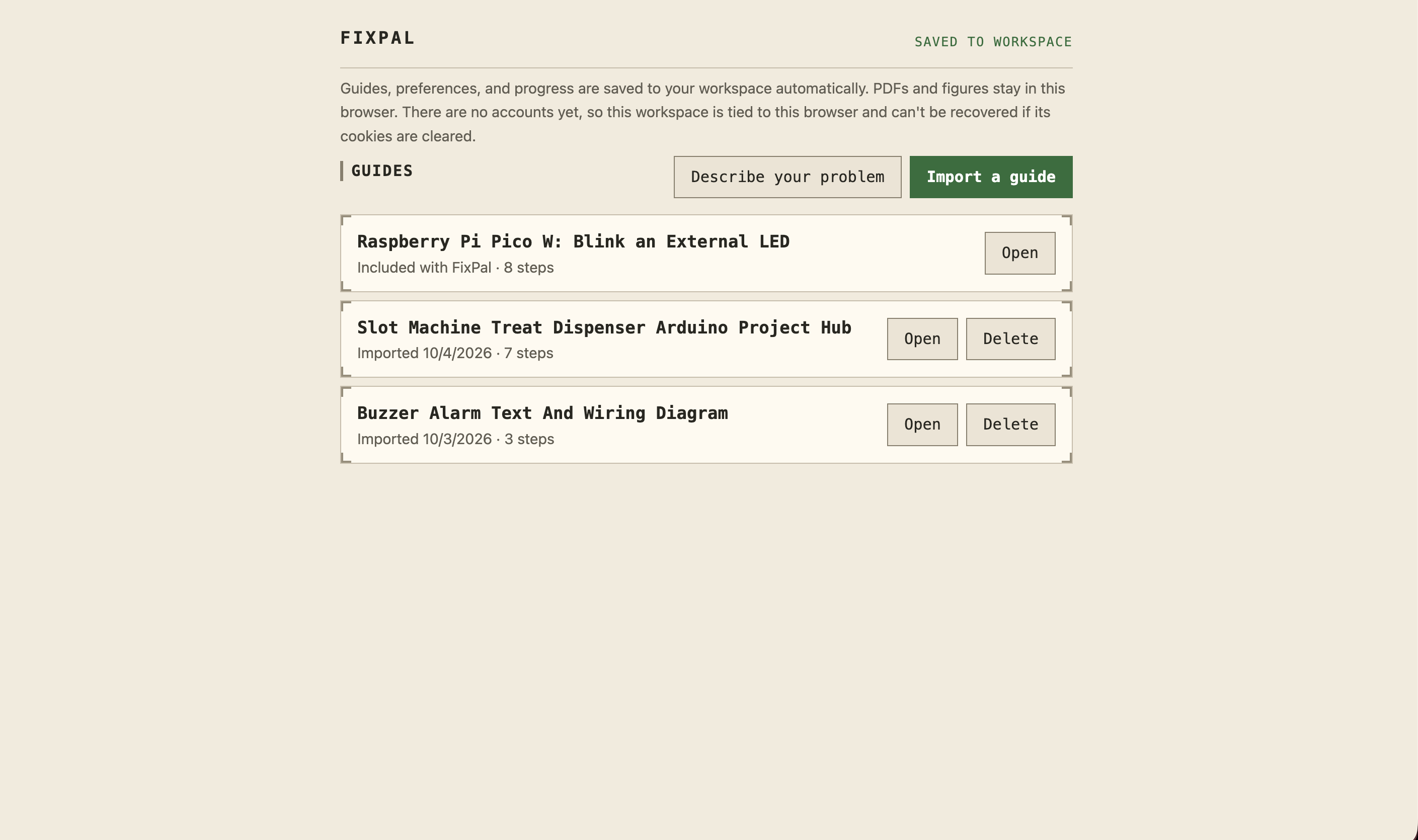
- Describe a problem in plain language and have FixPal search for relevant repair information.
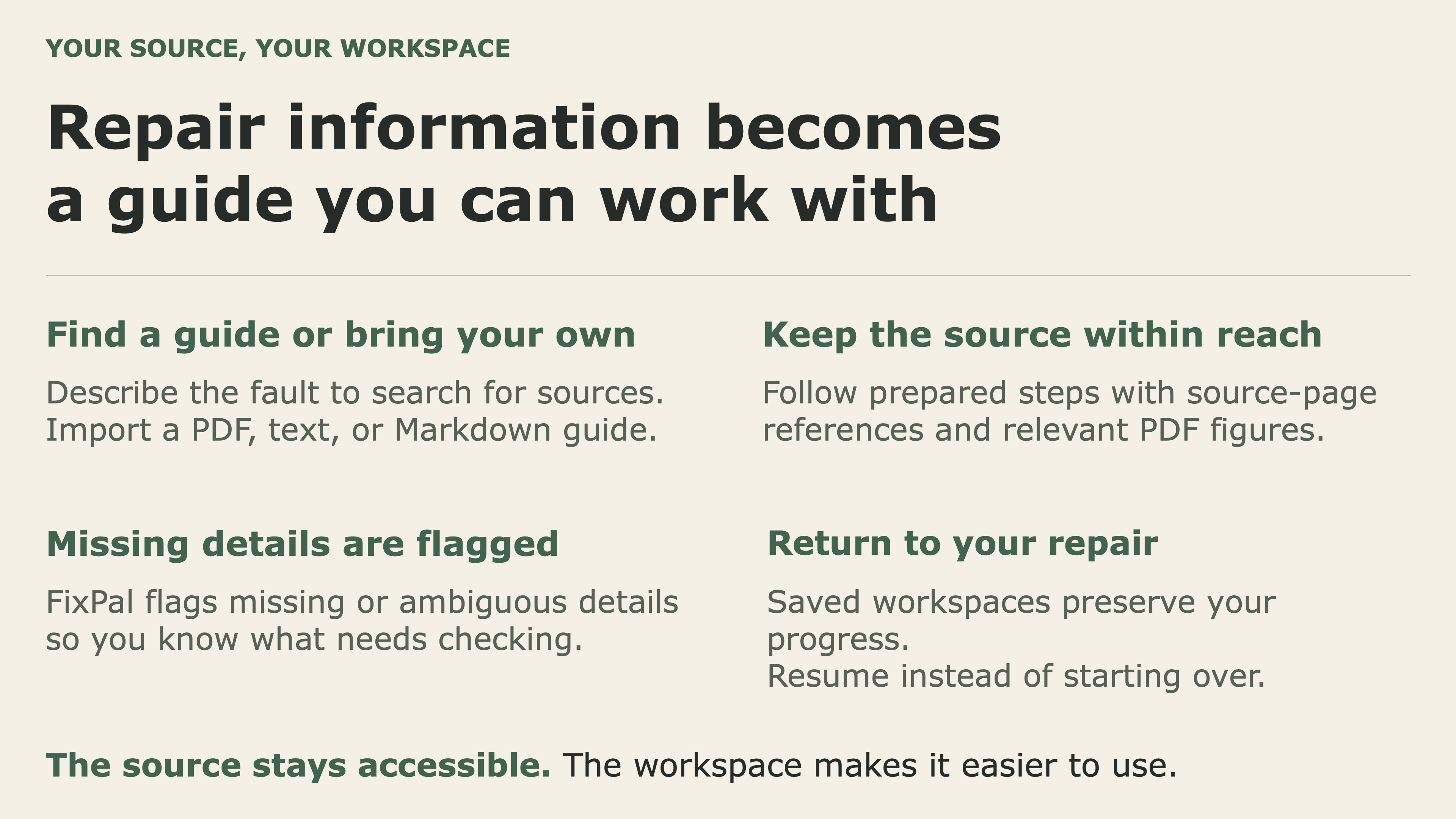
- Import existing instructions or PDFs and transform them into an easier-to-follow interactive guide.
- See the original sources, page references, diagrams, and figures behind the instructions.
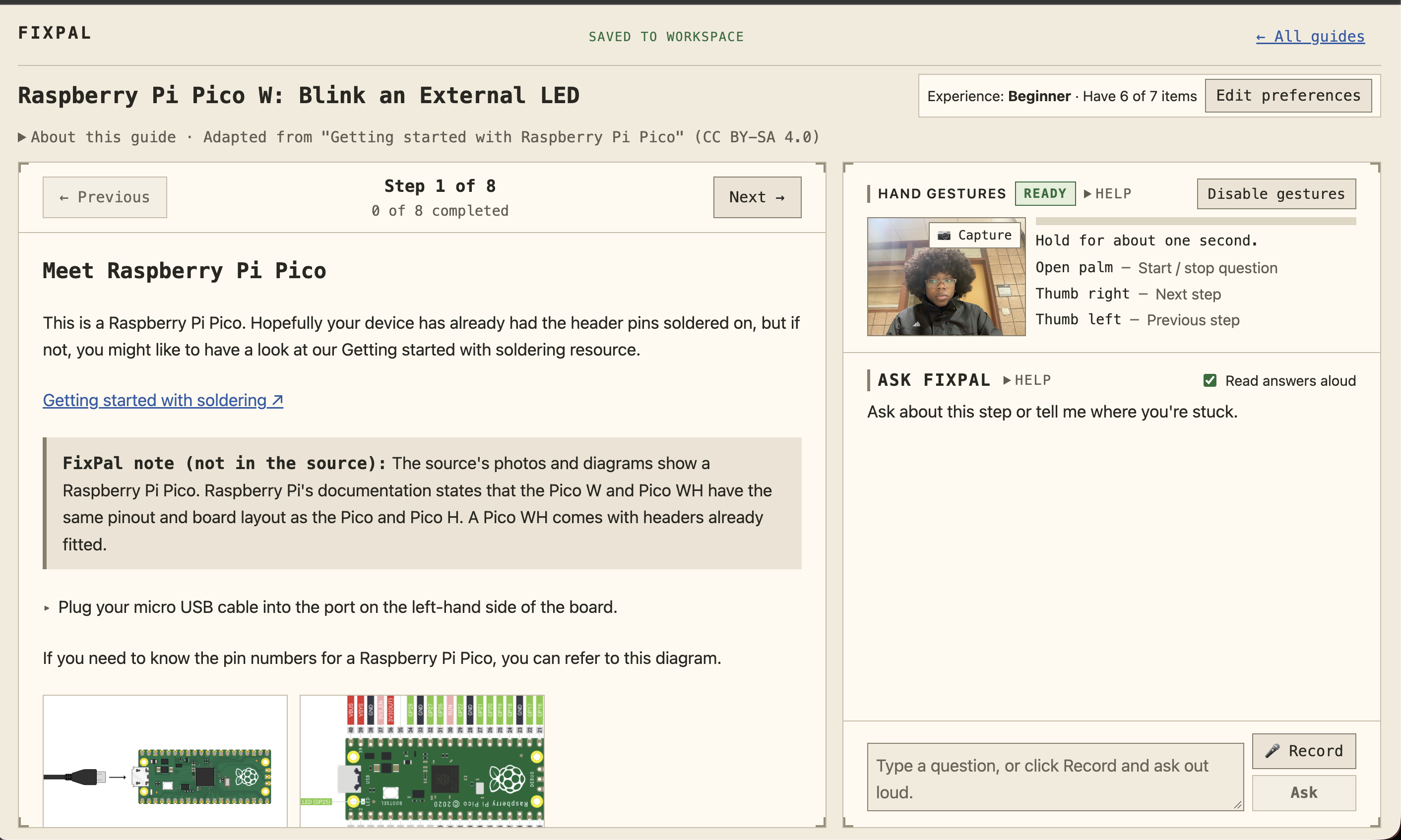
- Move through the repair one step at a time instead of constantly jumping between documents.
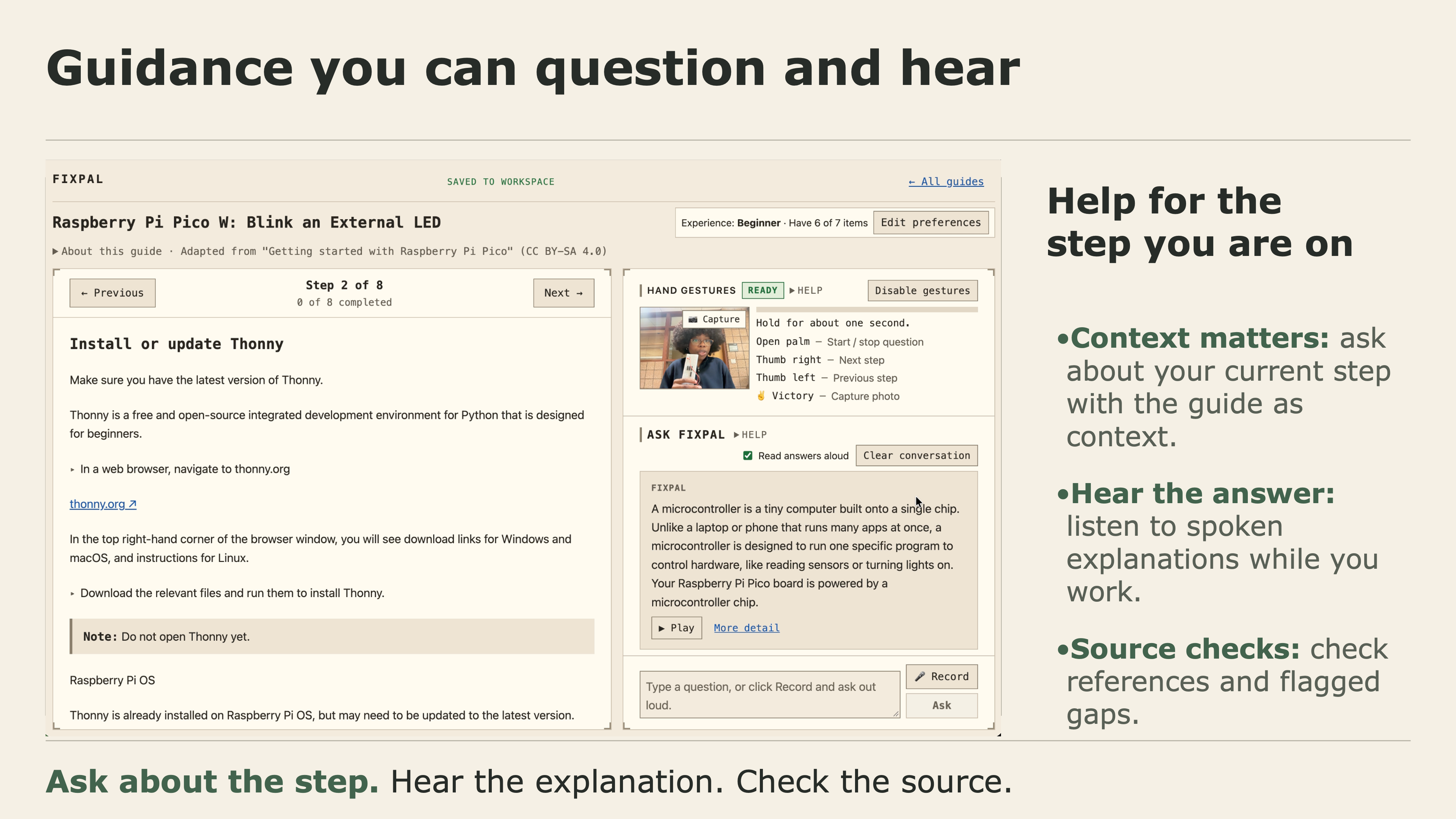
- Ask questions whenever an instruction does not make sense.
- Ask questions that are anchored to the specific step they are currently working on.
- Hear explanations spoken aloud through ElevenLabs, allowing them to keep their attention on the repair instead of the screen.
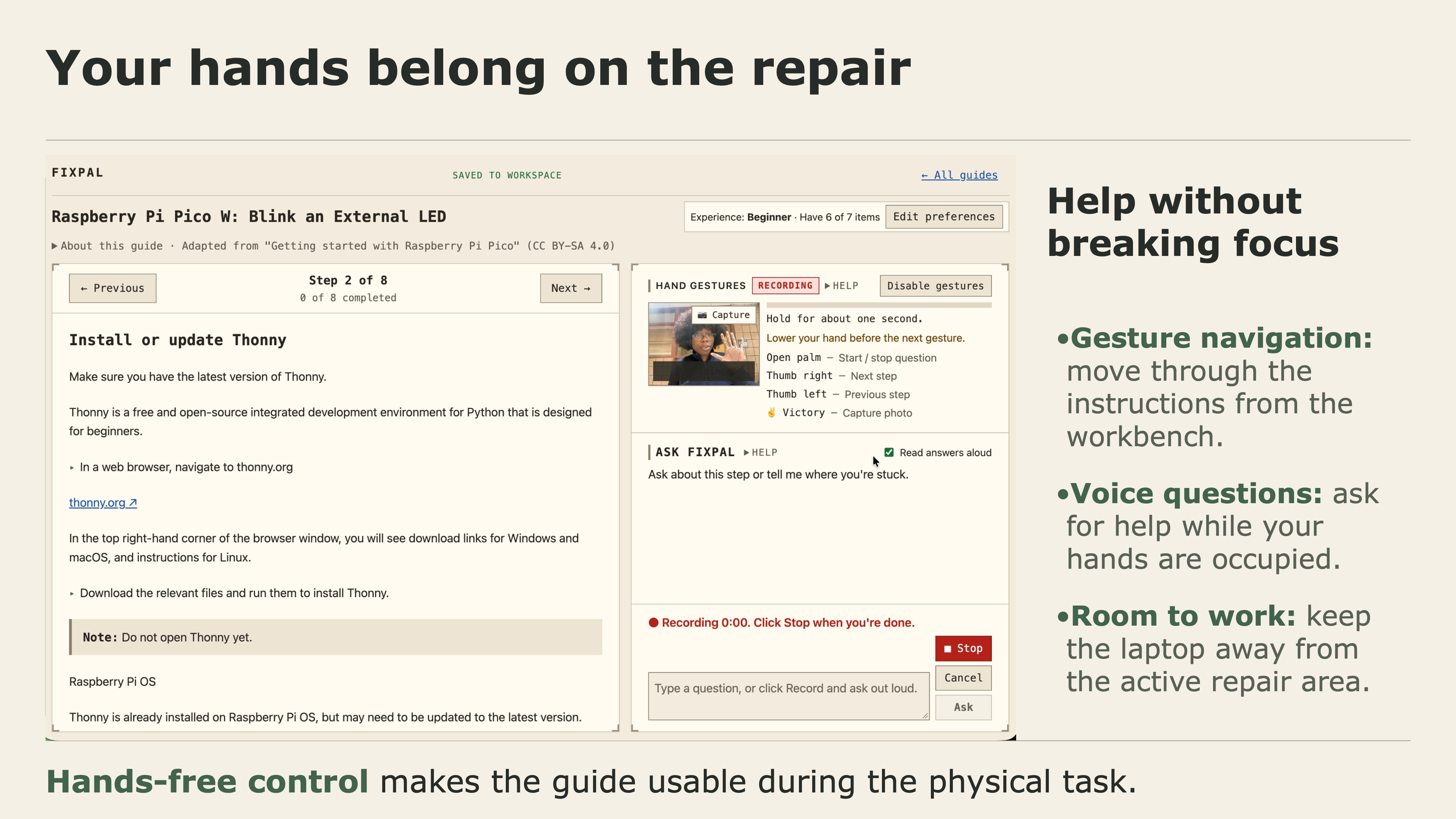
- Navigate through instructions using voice and gestures, keeping their hands focused on the physical task.
- See when FixPal detects that the original instructions are incomplete or ambiguous instead of having the AI confidently invent an answer.
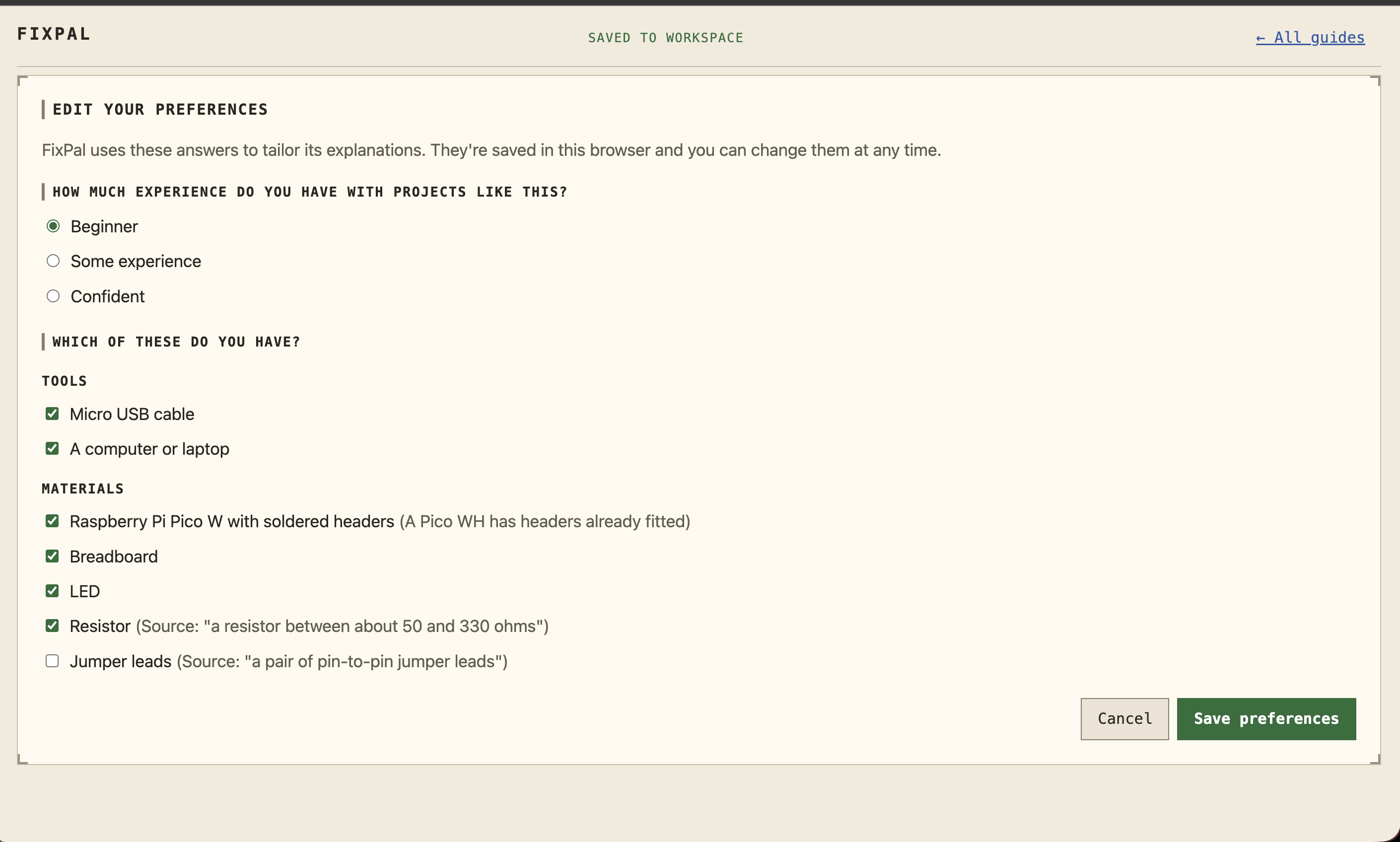
- Automatically save repair workspaces and progress using Neon, so users can return to a project instead of starting over.
The original source always remains available because FixPal is not trying to replace technical documentation. It is trying to make that documentation usable.
Our demo
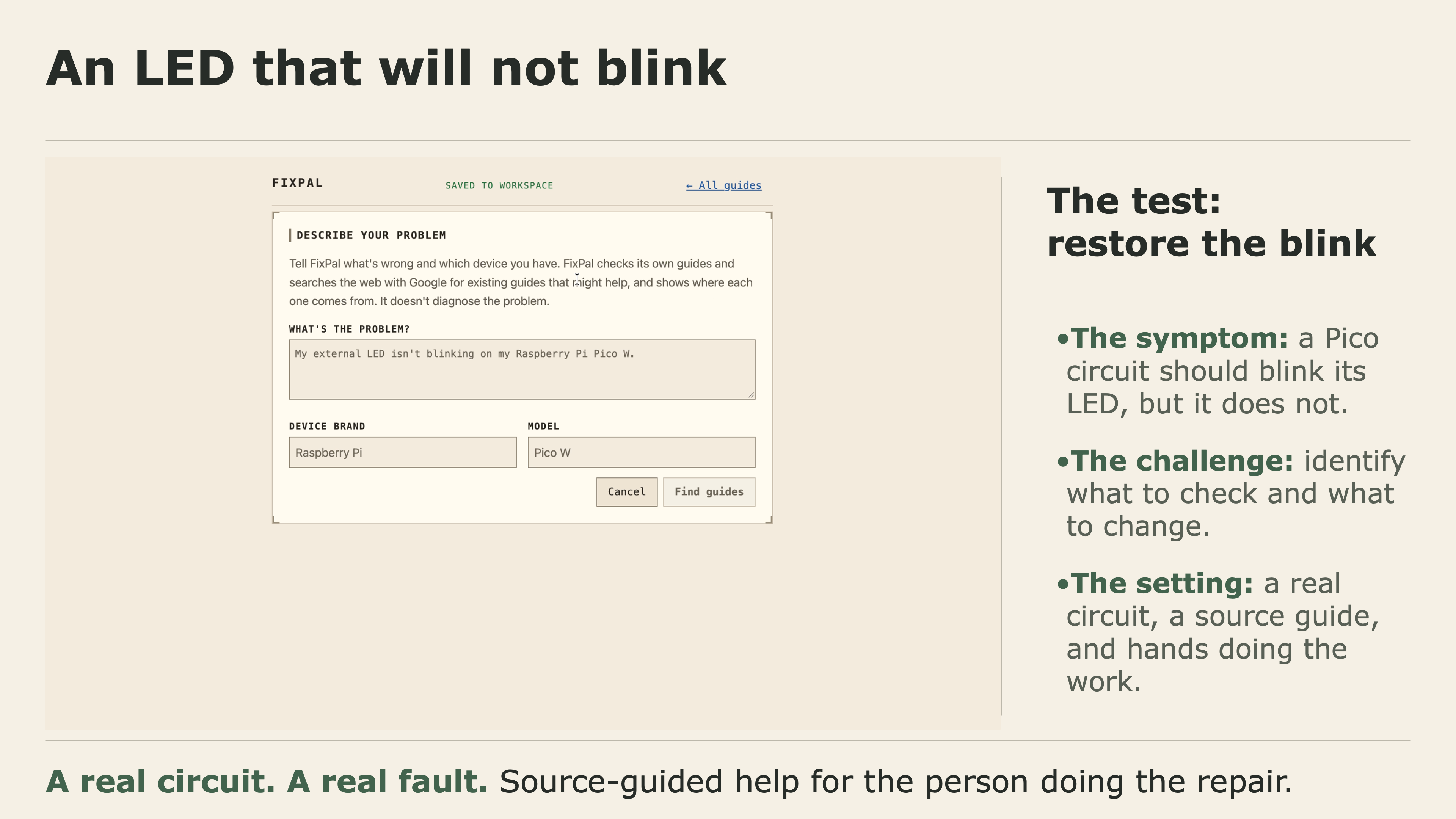
For our physical demo, we built a circuit using a Raspberry Pi Pico and an LED.
The circuit starts in a state where the LED does not blink correctly.
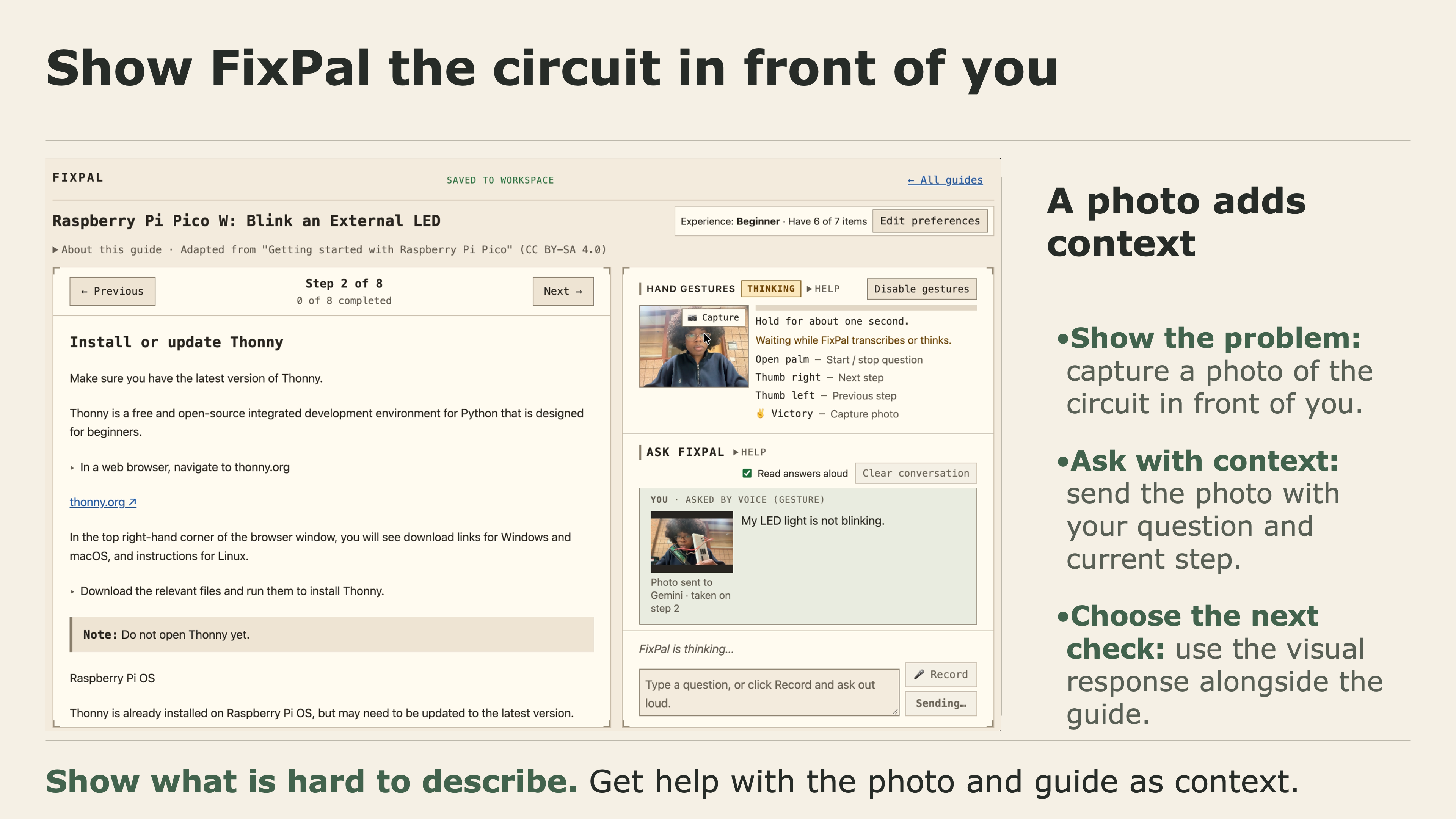
Instead of manually searching through documentation, the user asks FixPal what they should check. FixPal searches grounded sources, helps them work through the relevant instructions, explains confusing parts of the guide, and walks them toward the wiring change.
Because FixPal supports spoken interaction through ElevenLabs, the user can hear guidance without constantly moving their attention away from the circuit.
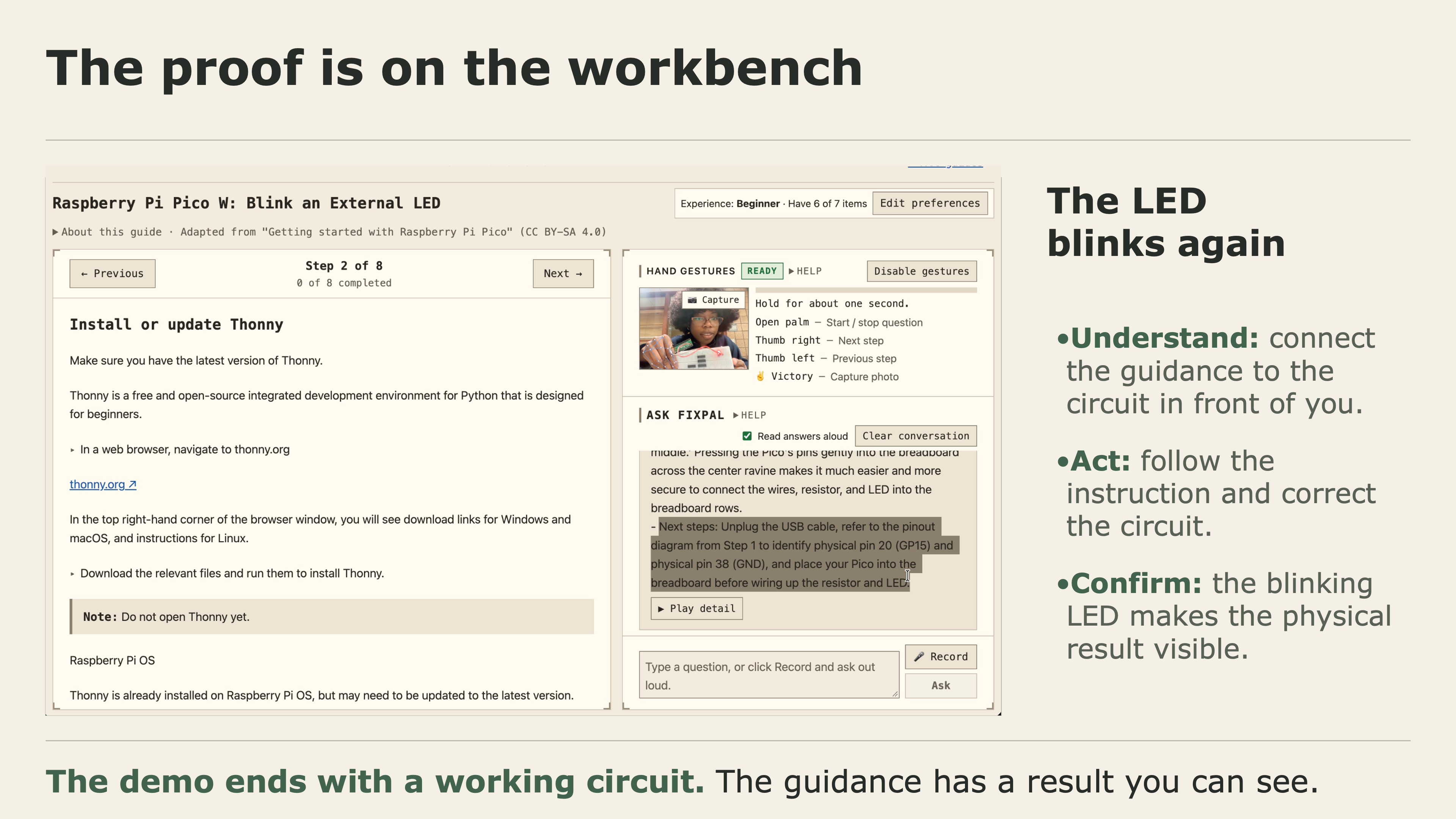
The user makes the correction.
The LED starts blinking.
That moment represents what we wanted FixPal to be: AI guidance that does not end with an answer on a screen—it helps someone successfully do something in the physical world.
How we built it
FixPal is a web application built with React and TypeScript, with several technologies working together to create the full experience.
Google Gemini + Google Search
Google Gemini powers FixPal's core AI experience.
For the “Describe your problem” workflow, we use Gemini with Google Search grounding so FixPal can search for relevant real-world repair documentation rather than relying entirely on the model's existing knowledge.
That created an interesting engineering problem of its own.
We wanted FixPal to provide useful structured instructions while also preserving the sources behind those instructions. During development, we found that requesting strict JSON output from Gemini caused the Google Search grounding metadata we needed to disappear.
Instead, we separated the process: the grounded search operates using plain-text output, we extract and resolve the returned sources, and FixPal then transforms that information into the interactive guide the user sees.
Google's returned source URLs can also be redirects, so we built source-resolution logic that identifies the underlying pages before presenting them to the user.
For imported repair guides, Gemini helps break long instructions into manageable steps while preserving references to the original material, including relevant figures and diagrams.
ElevenLabs
Repair is inherently hands-on, so we did not want FixPal to require the user to constantly read from a screen.
We integrated ElevenLabs to give FixPal a natural spoken interface.
When users ask questions about a repair step, FixPal can respond aloud, allowing them to continue working while listening to the explanation.
This is especially important for electronics and other tasks where a user's hands and visual attention may already be occupied.
The combination of spoken guidance and hands-free navigation moves FixPal away from the traditional chatbot model and toward something closer to an AI partner at the workbench.
Neon
Repair projects are rarely completed in a single interaction.
Users may need to stop, find a tool, order a component, or return to a project later.
We use Neon as the persistent data layer behind FixPal's repair workspaces. Projects are automatically saved so users can return to their repair state, source material, and progress without rebuilding the workspace from scratch.
That persistence is important to the product experience because FixPal is designed around an ongoing repair project, not just a single AI conversation.
Designing the repair workspace
We intentionally built the interface around repair rather than treating FixPal like a normal chatbot.
Questions are connected to the current step. Source material remains visible and accessible. Long instructions are divided into manageable pieces. Spoken interaction reduces how often the user must touch the computer.
The goal was to make the interface disappear into the repair process as much as possible.
The project was continuously tested as we built these systems, including 168 unit tests and end-to-end browser checks covering the core experience.
Challenges we faced
Grounded AI without losing the sources
One of our biggest challenges was combining AI-generated guidance with trustworthy source attribution.
Google Search grounding worked, but some structured-output approaches removed the metadata we needed.
We had to redesign the pipeline so we could preserve both the intelligence of Gemini and the evidence behind its response.
Knowing when not to answer
Repair documentation is often incomplete.
During testing, we found examples where critical wiring information existed only inside a diagram, where button wiring was not fully explained, or where extracted code was missing important setup information.
A generative model can easily fill those gaps with something that sounds correct.
For a physical repair tool, that behavior can be far more consequential than an incorrect answer in a normal chatbot.
So we designed FixPal to surface unresolved gaps and ambiguity instead of quietly inventing missing instructions. Users can go back to the relevant source or ask FixPal specifically about the missing information.
Turning documents into usable instructions
A PDF might technically contain everything someone needs while still being extremely difficult to follow at a workbench.
Breaking documents into steps sounds simple until diagrams, code blocks, references between sections, warnings, and assumptions all have to remain connected.
We had to think about the relationship between the generated guide and the original source rather than simply summarizing the document.
Designing AI for physical work
Most AI interfaces assume the user's attention is on the computer.
FixPal assumes the opposite.
The user's attention should be on the thing they are fixing.
That forced us to think differently about interaction: larger steps, less unnecessary text, spoken answers through ElevenLabs, gesture navigation, and keeping the repair workspace usable without constant keyboard and mouse interaction.
Persisting an AI-assisted repair
We also had to think beyond a single chat session.
A repair may span minutes, hours, or days, so users need their workspace to persist.
Using Neon allowed us to treat the repair as a durable project with saved state rather than a temporary AI conversation.
What we learned
The biggest thing we learned is that access to information is not the same thing as usable information.
The internet already contains an enormous amount of repair knowledge. The opportunity for AI is not simply to generate even more instructions.
It is to help someone understand the instructions they already have, answer questions in context, find the missing piece when they get stuck, and stay with them through the process.
We also learned how important grounding and uncertainty become when AI moves beyond purely digital tasks.
If an AI is helping someone physically change something, being confidently wrong matters much more.
That changed the way we designed FixPal. We began treating source visibility, unresolved gaps, and the ability to inspect the original material as core product features rather than extras.
We also learned that interaction design changes completely when AI enters the physical world. ElevenLabs helped us explore what happens when AI guidance becomes something you can listen to instead of constantly read, while Neon helped us treat the experience as a persistent project rather than a disposable chat.
Accomplishments we're proud of
We are especially proud that FixPal became more than a chatbot wrapped in a repair-themed interface.
We built:
- A real Google Gemini + Google Search grounded discovery workflow
- Source resolution and attribution
- AI-generated interactive repair guides
- PDF importing with preserved source references and figures
- Step-specific contextual questioning
- Natural spoken guidance powered by ElevenLabs
- Hands-free navigation
- Persistent repair workspaces powered by Neon
- Explicit detection of incomplete or ambiguous instructions
- A physical electronics demonstration where FixPal's guidance results in a real-world change
- A tested application with extensive automated and browser-level verification
Most importantly, the final experience demonstrates the idea we started with:
AI should not just tell you how something works. It should help you gain the confidence to work on it yourself.
What's next
FixPal can become much more capable as AI models become better at understanding the physical world.
The biggest next step is deeper live visual understanding.
Instead of only knowing the instructions and the user's questions, FixPal could use a camera to understand what the user is currently looking at, recognize components, compare their work against the expected state, and catch mistakes before the user moves forward.
We also want to:
- Expand beyond electronics into appliances, furniture, bicycles, and other repair categories.
- Improve support for video-based repair instructions.
- Build richer long-term project histories using our persistent Neon workspaces.
- Make voice interaction through ElevenLabs even more conversational and context-aware.
- Give Gemini richer visual context about the object the user is actively repairing.
- Move toward real-time verification, where FixPal can confirm whether a repair step was completed correctly before advancing.
Our long-term vision is simple:
Before you replace it, ask FixPal.
Built With
- ai
- computer-vision
- css3
- elevenlabs
- generative-ai
- gesture-recognition
- google-gemini
- hardware
- html5
- iot
- neon
- pdf-processing
- postgresql
- raspberry-pi-pico
- react
- search-grounding
- typescript
- vite
- voice-ai
- web-speech-api

Log in or sign up for Devpost to join the conversation.