-
-
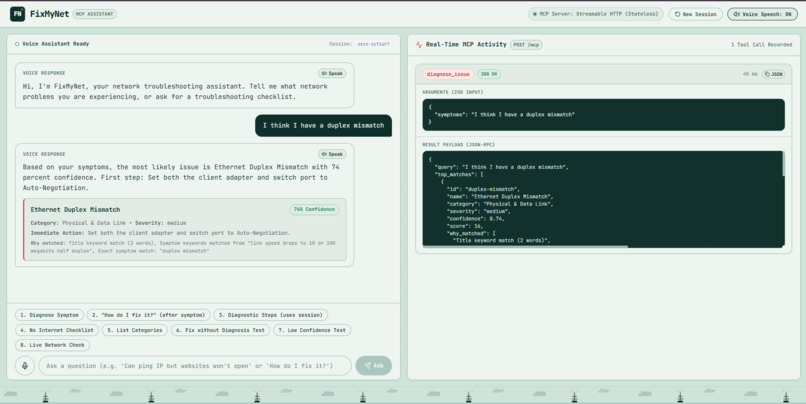
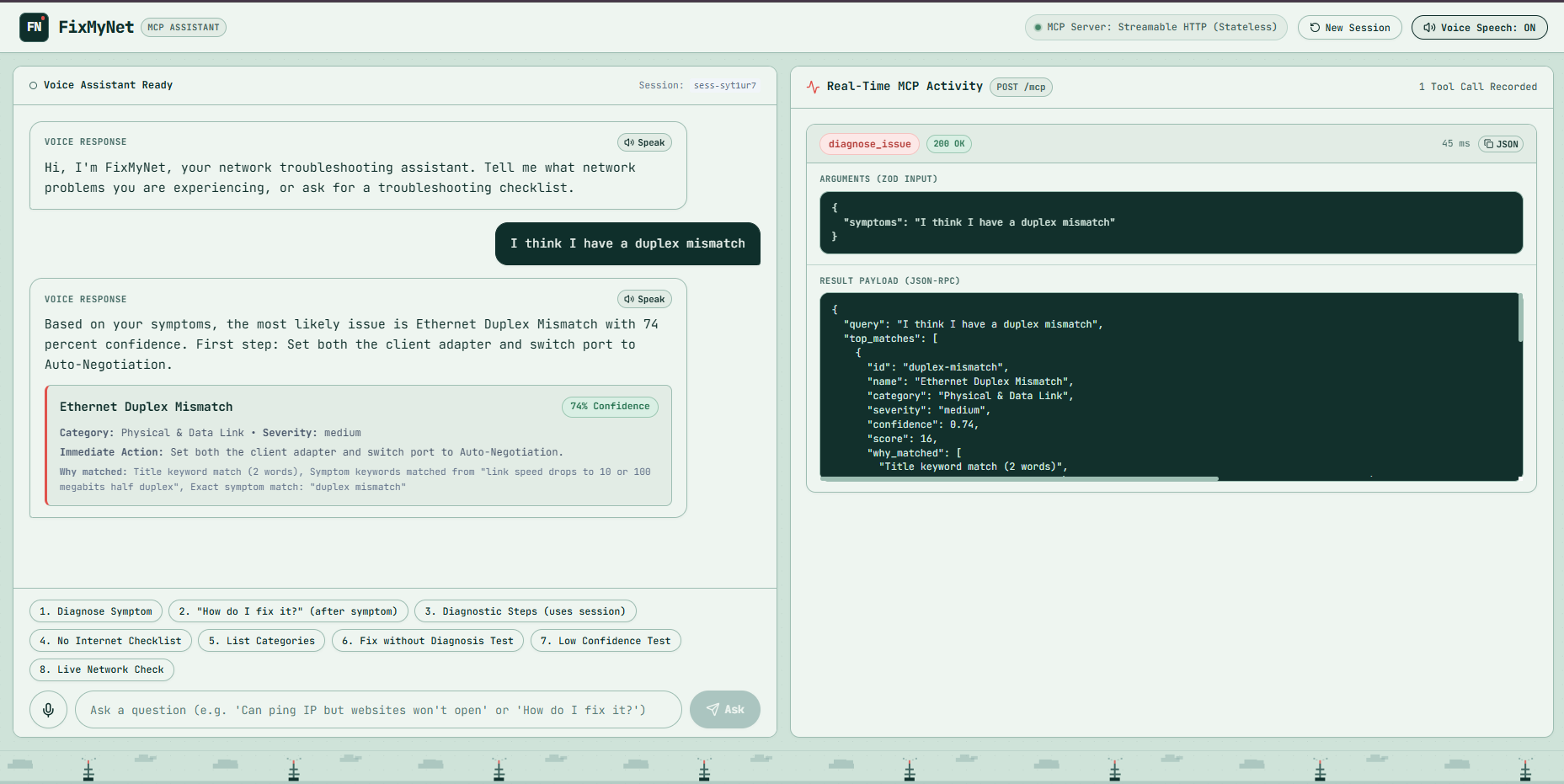
Main screen after a diagnosis.
-
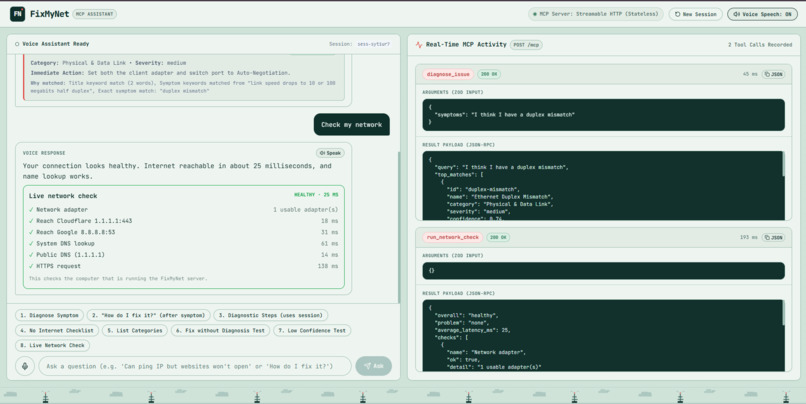
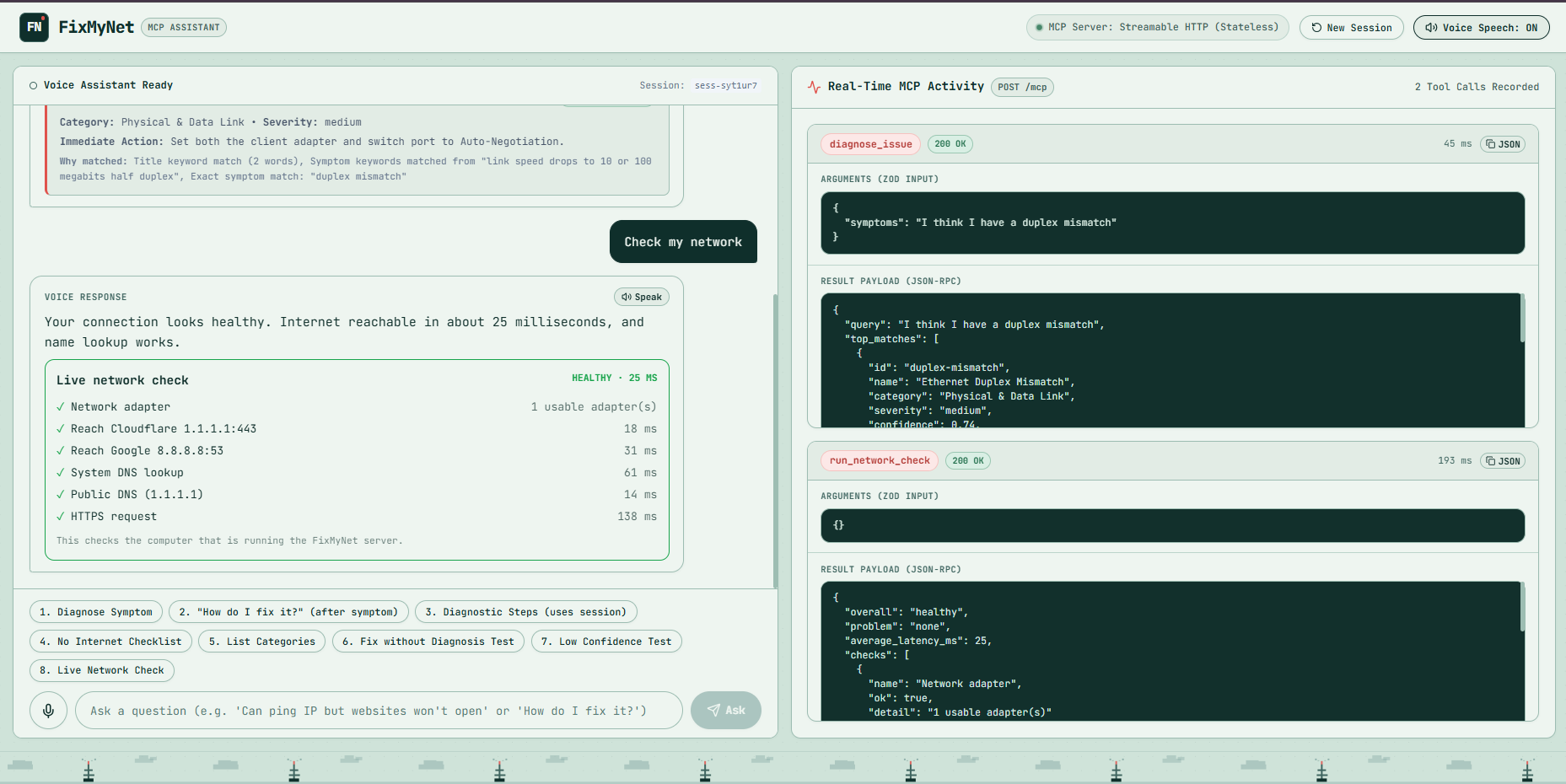
Live network check, healthy.
-
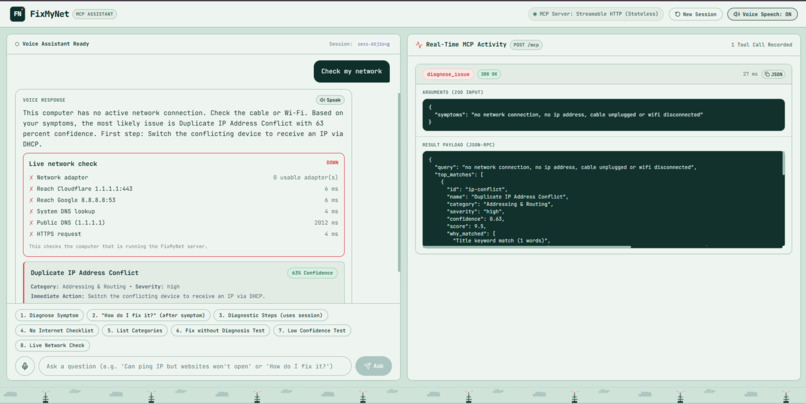
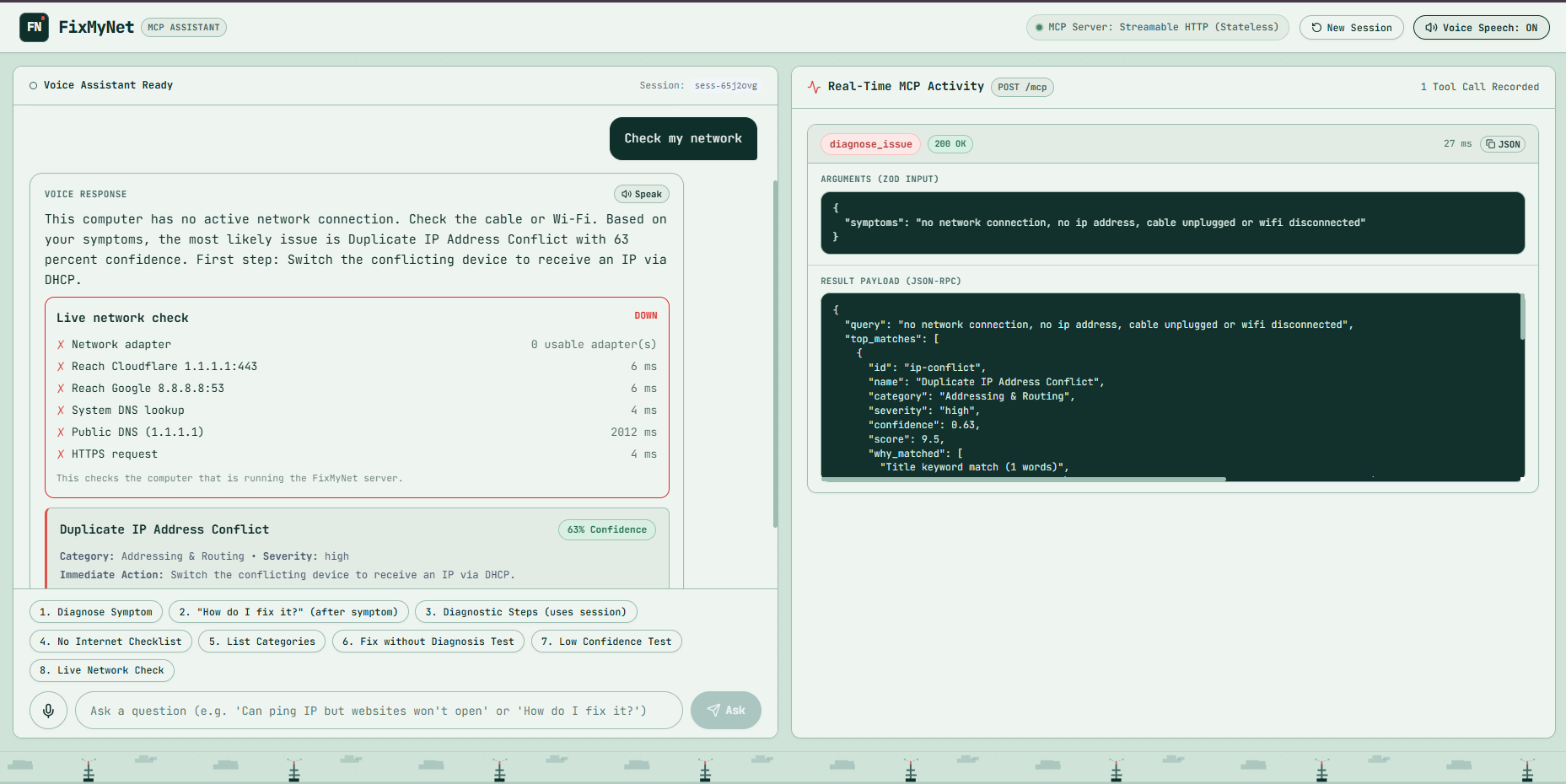
Live network check with Wi-Fi off.
-
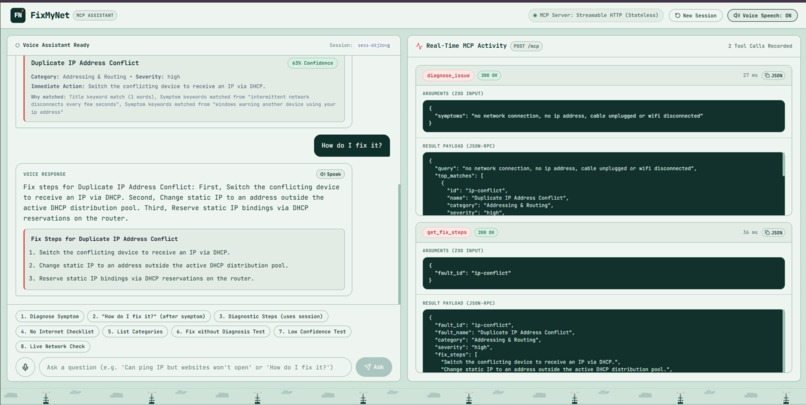
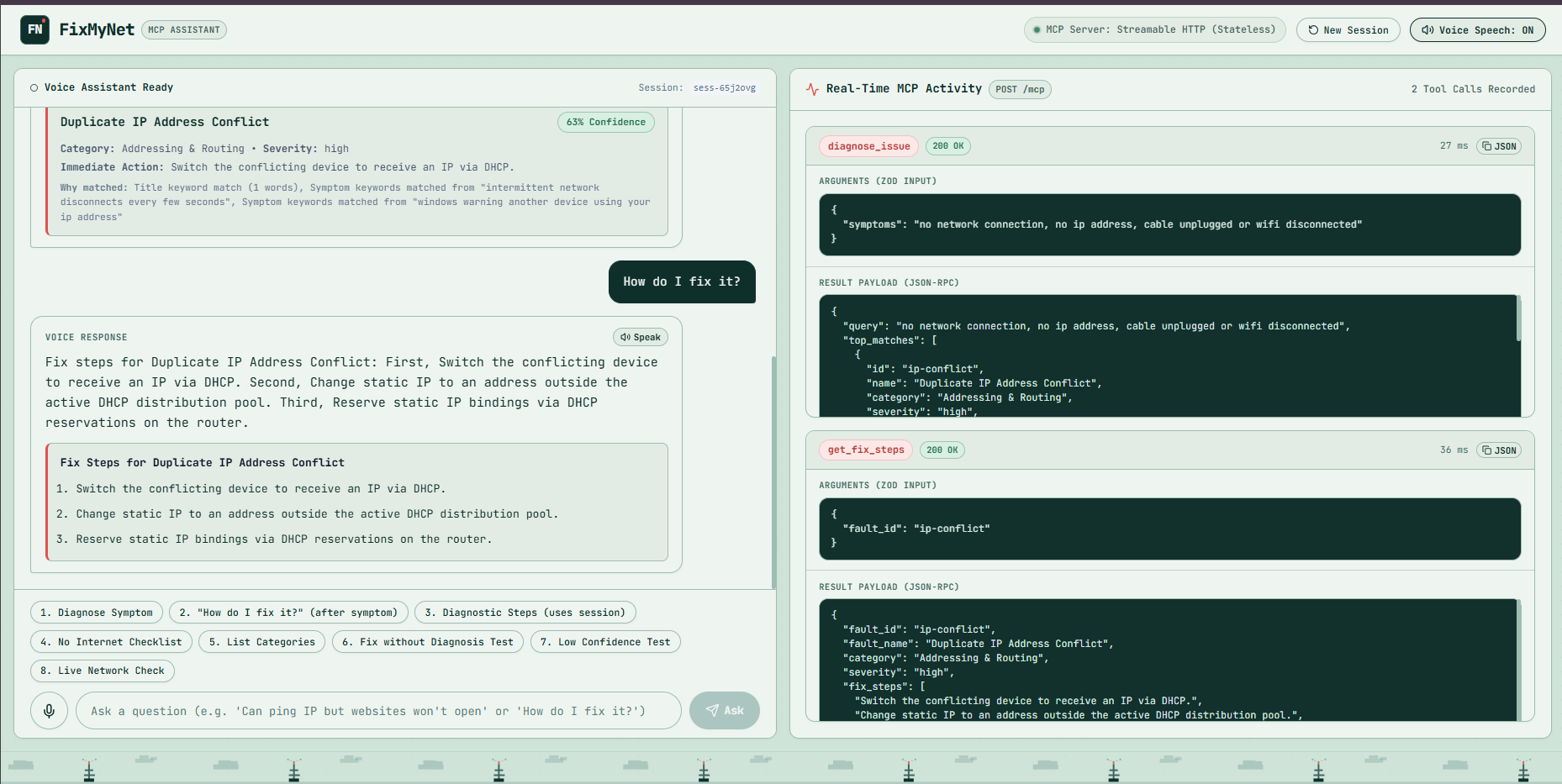
“How do I fix it?” after a diagnosis.
-
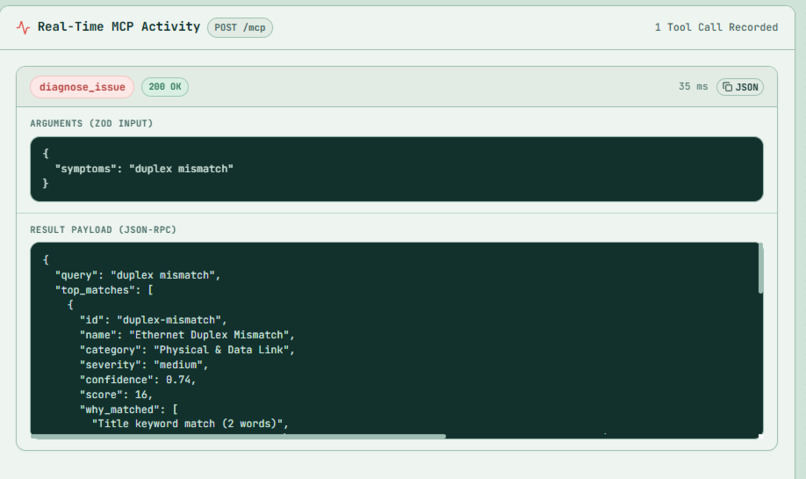
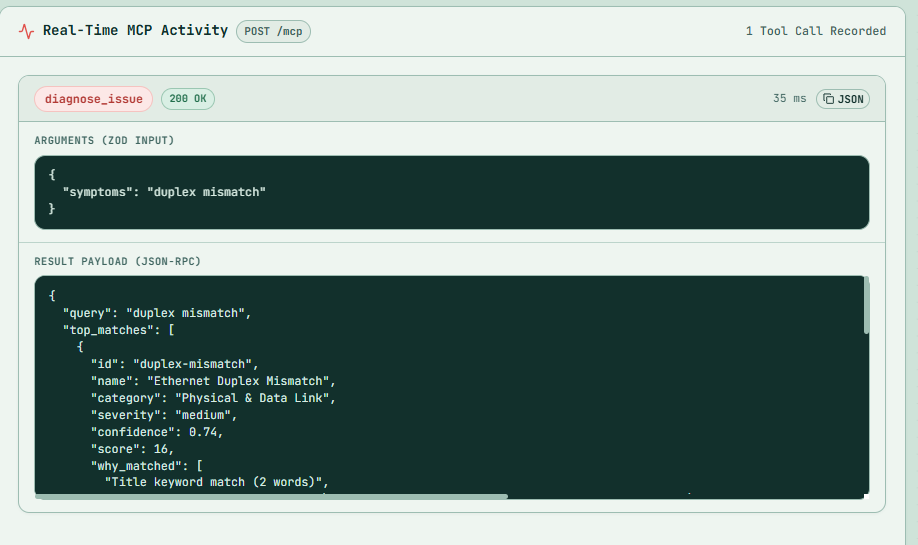
The MCP activity panel up close.
-
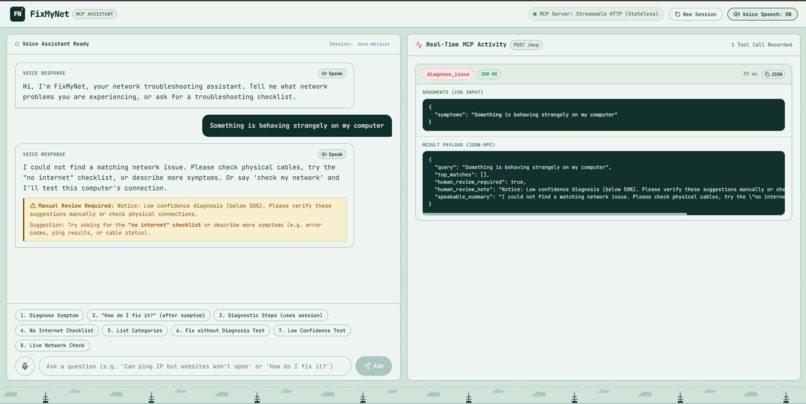
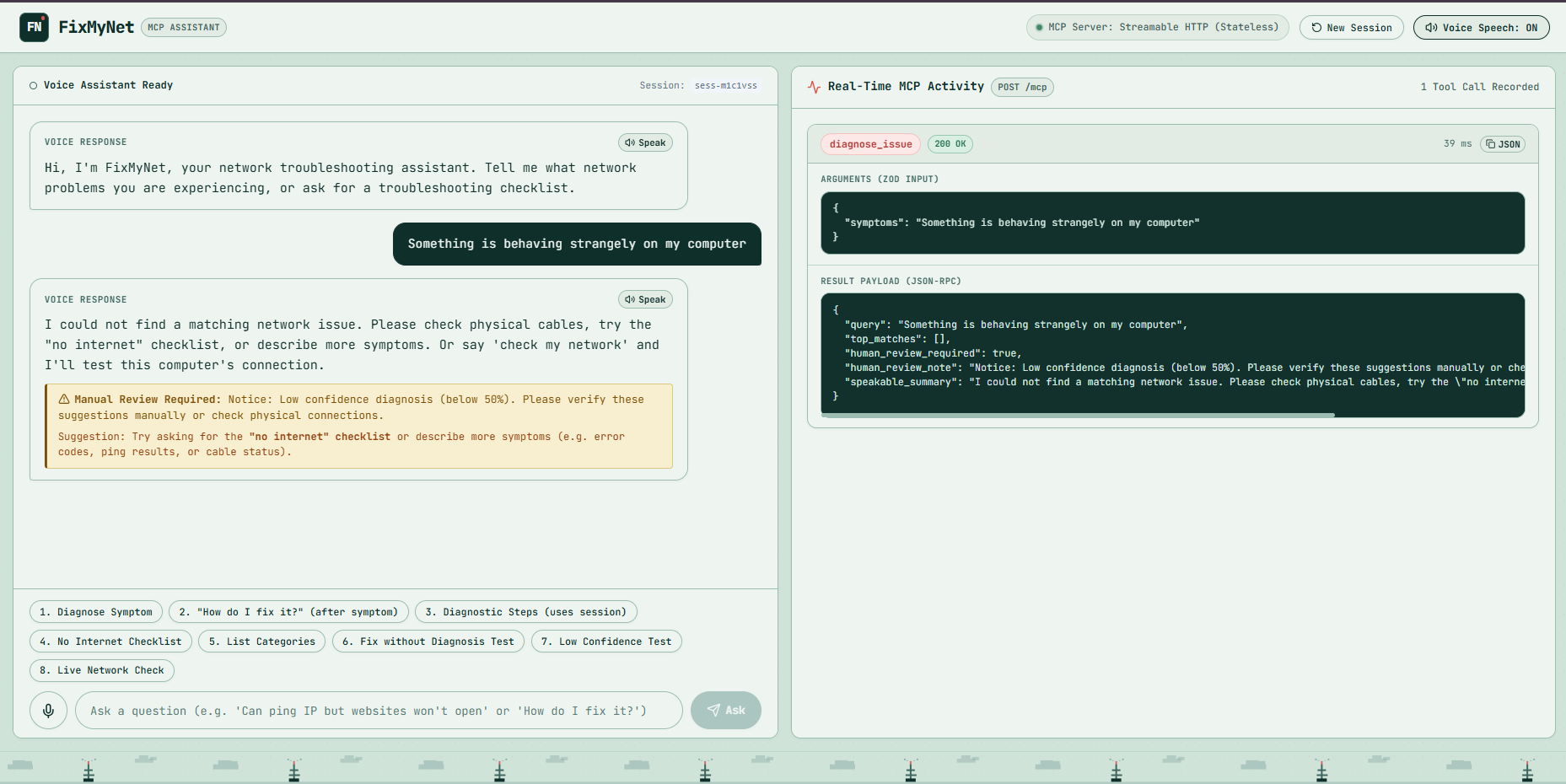
Low-confidence case.
-
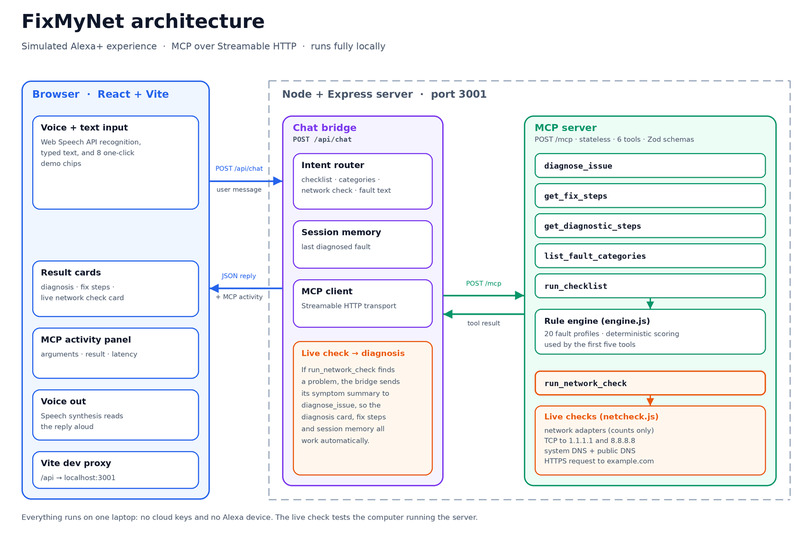
FixMyNet Architecture diagram

Inspiration
The last time my Wi-Fi broke, I spent a long time restarting things and guessing before I even knew what kind of problem I had. When the internet breaks, the advice is always the same: restart the router and hope. Most people can't tell a DNS problem from a dead cable, and a voice assistant that could simply ask "what's wrong?" and walk you through it felt like a good fit for Alexa+. I wanted something that doesn't just recite a script, but remembers what it found and can check your real connection.
What it does
FixMyNet is a voice troubleshooter for network problems, built as a simulated Alexa+ experience.
- Describe a problem out loud ("I cannot open websites by domain name") and it ranks the likely cause with a confidence score and says the first fix.
- It remembers the fault it found in the session, so "How do I fix it?" works without repeating yourself.
- If it isn't confident (below 50%), it shows a manual-review warning instead of guessing.
- Say "check my network" and it runs live tests on the laptop itself: network adapter, TCP connections to two public servers, system and public DNS lookups, and an HTTPS request. If it finds a problem, it diagnoses it automatically.
- A live panel beside the chat shows every MCP tool call as it happens, with arguments, results and latency.
How I built it
- MCP server: Node.js + Express, using the official
@modelcontextprotocol/sdkover Streamable HTTP in stateless mode. A handshake test confirms it negotiates protocol version 2025-11-25. - Six tools with Zod input schemas:
diagnose_issue,get_fix_steps,get_diagnostic_steps,list_fault_categories,run_checklistandrun_network_check. - Rule engine: deterministic keyword and phrase scoring over 20 fault profiles I wrote from scratch, with no cloud keys needed.
- Bridge: an Express layer that acts as a real MCP client, keeps per-session memory of the last diagnosed fault, and routes what you say to the right tool.
- Live check: only Node built-ins (
node:net,node:dns,node:os,fetch), fixed targets only, no user input reaches them, and IP addresses are never returned. - Front end: React + Vite, with the browser's Web Speech API for voice in and out. No Alexa device is needed.
- Tests: an automated suite runs all six tools through the real MCP client, plus the session and routing rules.
- Built with Antigravity as a coding agent, with all testing and a lot of the debugging done by hand.
Challenges I ran into
- Stateless MCP: each request needs a fresh transport and server, and reusing one can cause request ID conflicts. It took a while to get that pattern right.
- Windows PowerShell: quote escaping broke my one-line test commands, so I moved the logic into proper test scripts.
- Speech recognition: Chrome kept hearing "ping" as "paint" and mangling numbers, so my demo phrases avoid both.
- Honest results: one of my own DNS checks sometimes times out on my network. I kept it and show the reason on the card.
- Keyword matching has limits: it can only match the 20 fault profiles. When nothing matches, it says so, and suggests the live check instead.
Accomplishments that I'm proud of
- A live check that feeds its findings into a second tool: when "check my network" finds a problem, the diagnosis card, fix steps and session memory all work automatically.
- A server that does real MCP, not a mock: a genuine client-server handshake over Streamable HTTP, with every tool call visible in the live panel.
- A working voice experience with no Alexa device and no cloud API keys.
- 20 hand-written fault profiles and an automated test suite that runs all six tools through the real MCP client.
- Results that stay honest: low confidence triggers a manual-review warning instead of a guess, and the live check never returns IP addresses.
What I learned
How MCP works end to end: servers, clients, transports, tool schemas and the handshake. I learned that stateless mode is simple but needs care, and that a live check feeding its result into a second tool is a small idea that changes how the project feels.
What's next for FixMyNet
- More fault profiles and smarter matching
- A check that works from a phone or router, not only the host laptop
- Plugging the server into the real Alexa+ once there's a way to do that
This is a simulated Alexa+ experience: the app runs in a web browser, and no real Alexa device is involved.
Built With
- cors
- css
- dotenv
- express.js
- html5
- javascript
- lucide-react
- mcp
- model-context-protocol
- modelcontextprotocol-sdk
- node.js
- react
- speech-synthesis
- streamable-http
- vite
- web-speech-api
- zod

Log in or sign up for Devpost to join the conversation.