When something breaks, most people face the same frustrating cycle: search through forums, watch a dozen videos, guess which solution applies, try it, and hope they did it correctly.
The problem isn't always a lack of information. It's knowing what to do next for your specific situation — and knowing whether you did it correctly.
That led us to build FixIt AI.
Show me the problem. Let's solve it.
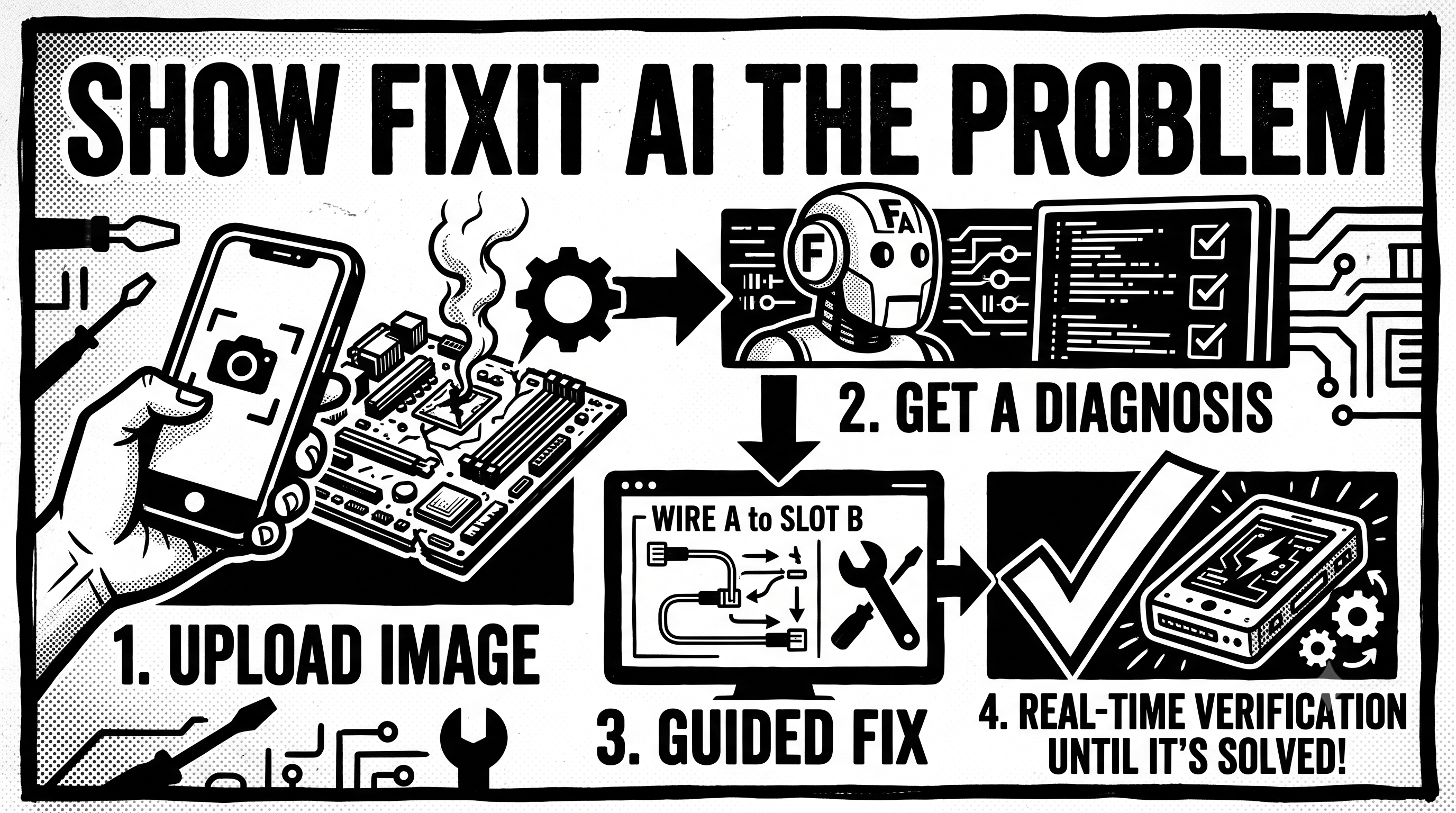
FixIt AI is a multimodal troubleshooting assistant that turns a real-world problem into an interactive, step-by-step solving process.
Instead of simply answering “What's wrong?”, FixIt AI aims to answer:
What is happening? Why might it be happening? What is the safest next step? Did I do it correctly? What should I do next? A user can capture a problem using a photo, multiple images, video, voice, or text.
FixIt AI then:
Understands the evidence Identifies visible components, damage, error messages, symptoms, and other relevant clues. Diagnoses possibilities Generates multiple plausible causes instead of immediately pretending there is one certain answer. Evaluates safety Determines whether the problem can reasonably be approached with guided troubleshooting or should be escalated to a professional. Ranks solutions Considers factors such as safety, difficulty, time, tools, cost, and likelihood of success. Guides the user Breaks the solution into small, understandable steps instead of overwhelming the user with a long repair manual. Verifies the user's work After a step, the user can select “Show me what changed” and capture another image or video. Adapts in real time The system compares the new evidence with the previous state, determines whether the step was completed correctly, updates its diagnosis, and chooses the next appropriate action. Confirms the result Once the user believes the problem is fixed, FixIt AI guides them through a final verification rather than blindly declaring success. The Feature That Makes FixIt Different
The core interaction is:
Capture → Diagnose → Guide → Act → Verify → Adapt → Solve
Imagine a user troubleshooting a leaking connection.
They capture a photo.
FixIt AI identifies a likely loose connection and recommends a safe first step.
The user performs the step and responds:
“I tried Step 2. Here's a photo.”
Instead of starting over, FixIt AI analyzes the new evidence against the previous state.
It can determine whether the expected change happened, whether something was missed, whether the situation became unsafe, and what should happen next.
That makes the experience closer to interactive troubleshooting than a conventional AI chatbot.
Safety Is Part of the Product
Real-world troubleshooting can involve electricity, gas, fire, vehicles, machinery, chemicals, and other hazards.
We therefore designed safety as a core part of the workflow.
FixIt AI can distinguish between situations that are appropriate for guided troubleshooting and situations where the user should stop and seek professional help.
For higher-risk situations, the product is designed to prioritize:
Recognize the risk → stop unsafe actions → explain the concern → provide appropriate safe next steps → escalate when necessary.
The goal is not to encourage people to perform dangerous repairs. The goal is to help people understand problems while making responsible decisions about what they should and should not attempt themselves.
What We Learned
Building FixIt AI changed how we think about AI product design.
A useful AI application is not necessarily the one that produces the longest or smartest-looking answer. It is the one that can move a user toward a measurable outcome.
That meant designing around state and feedback rather than a single prompt.
The system needs to remember:
what the original problem was, what evidence was provided, which hypotheses were considered, which steps were attempted, what the user reported, what changed visually, and what should happen next.
The most valuable interaction is therefore not:
“Ask AI → Get Answer.”
It is:
“Take Action → Show Evidence → Learn → Take the Next Action.”
Challenges
One of the hardest parts was designing for uncertainty.
A blurry photograph, incomplete information, an unusual device, or a misleading symptom can easily produce an overconfident answer.
We therefore designed FixIt AI around explicit uncertainty, additional evidence, clarification, and escalation rather than pretending that every image provides enough information.
Another major challenge was making multimodal interaction feel natural. A user shouldn't have to understand AI models, diagnostic terminology, or complex workflows. They should simply be able to say:
“This is broken. What do I do?”
and be guided from there.
Why We Built It
Repair knowledge is often fragmented across manuals, forums, videos, technicians, and years of personal experience.
We wanted to make troubleshooting more accessible by putting the user's actual problem — not a generic article about similar problems — at the center of the experience.
FixIt AI is our attempt to turn AI from an answer generator into a problem-solving partner.
What's Next
We see FixIt AI evolving from simple troubleshooting into a broader personal problem-solving system:
smarter multimodal diagnostics, stronger manufacturer-document retrieval, richer before/after visual verification, personalized device and repair history, maintenance intelligence, better technician handoffs, and increasingly reliable safety-aware decision making.
The long-term vision is simple:
Whatever is broken, start by showing us.
Built With
- ai
- api
- cloud
- computer
- expo.io
- mobile
- multimodal
- native
- node.js
- ocr
- postgresql
- react
- real-time
- rest
- revenuecat
- speech-to-text
- storage
- typescript
- vision

Log in or sign up for Devpost to join the conversation.