-
-
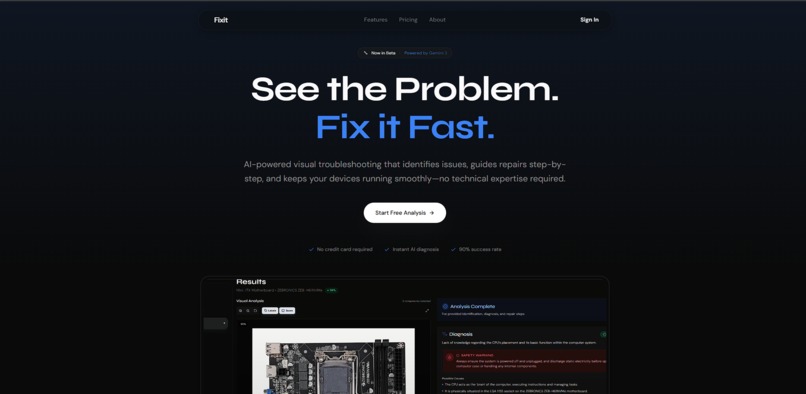
Landing page
-
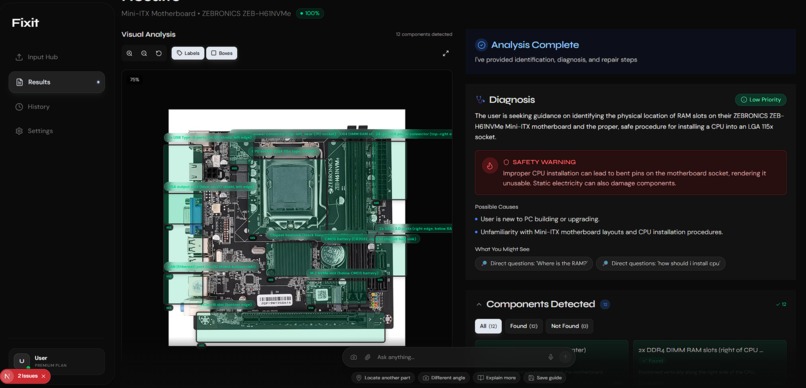
Fixit Dashboard Image 1
-
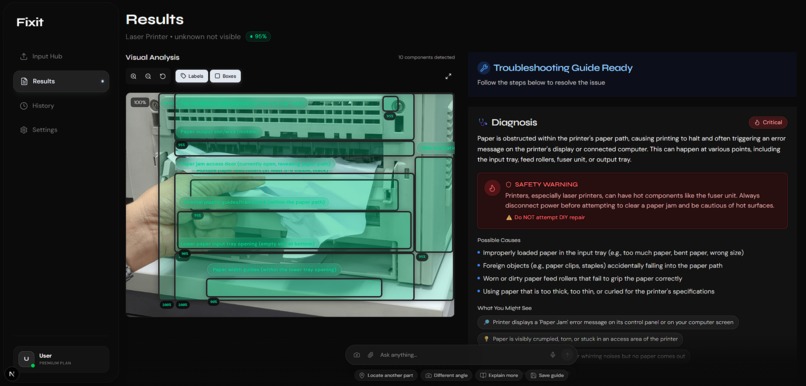
dashboard Image 2
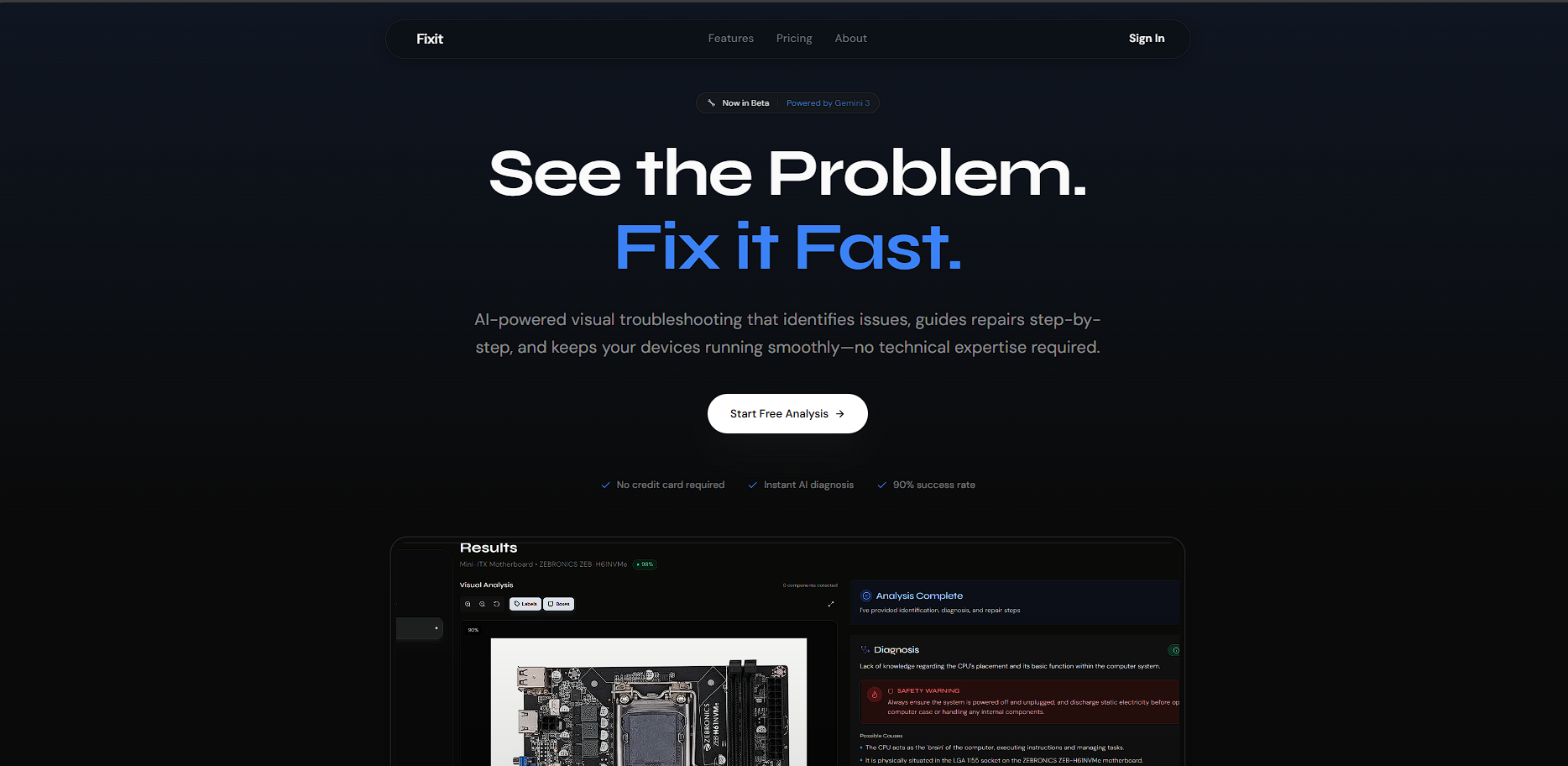
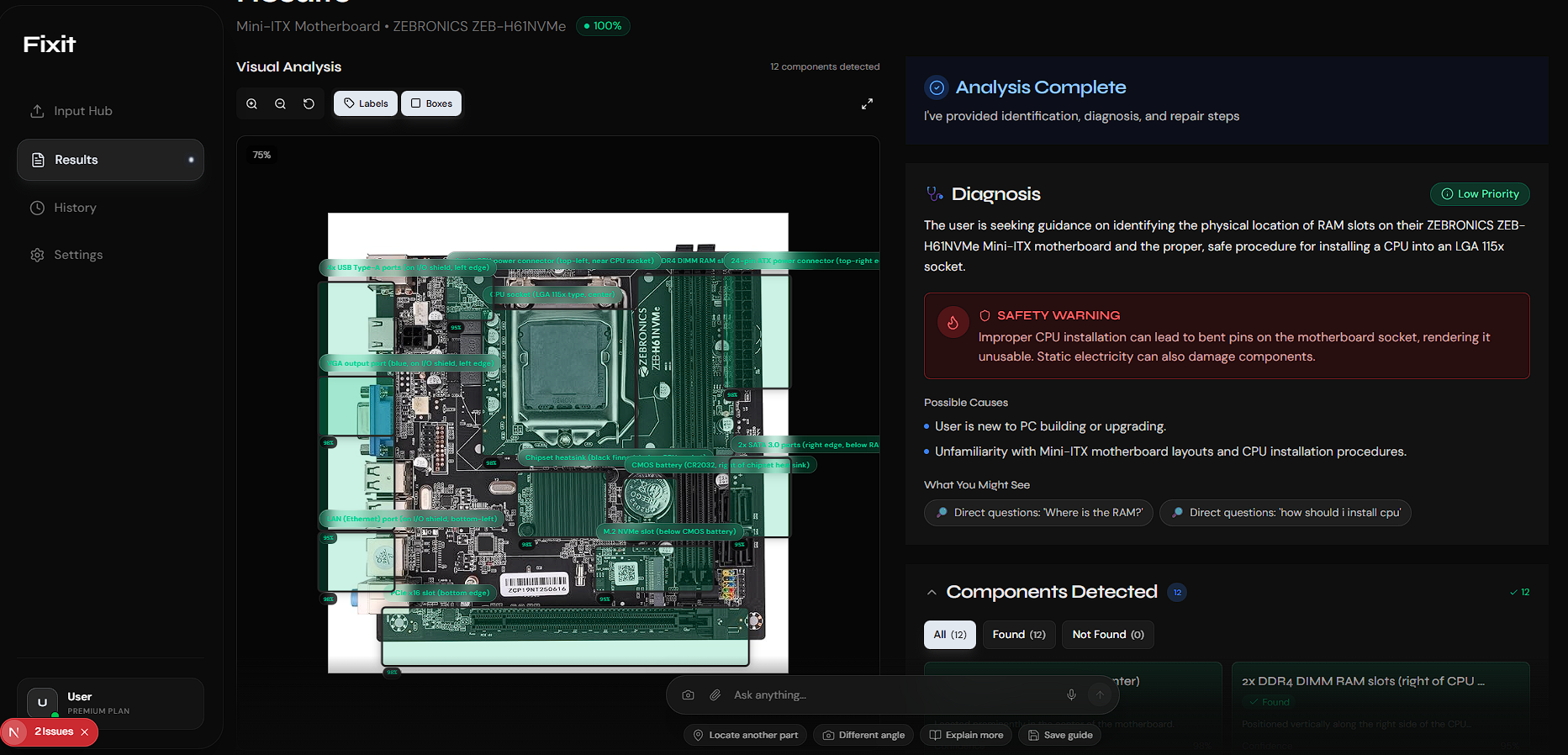
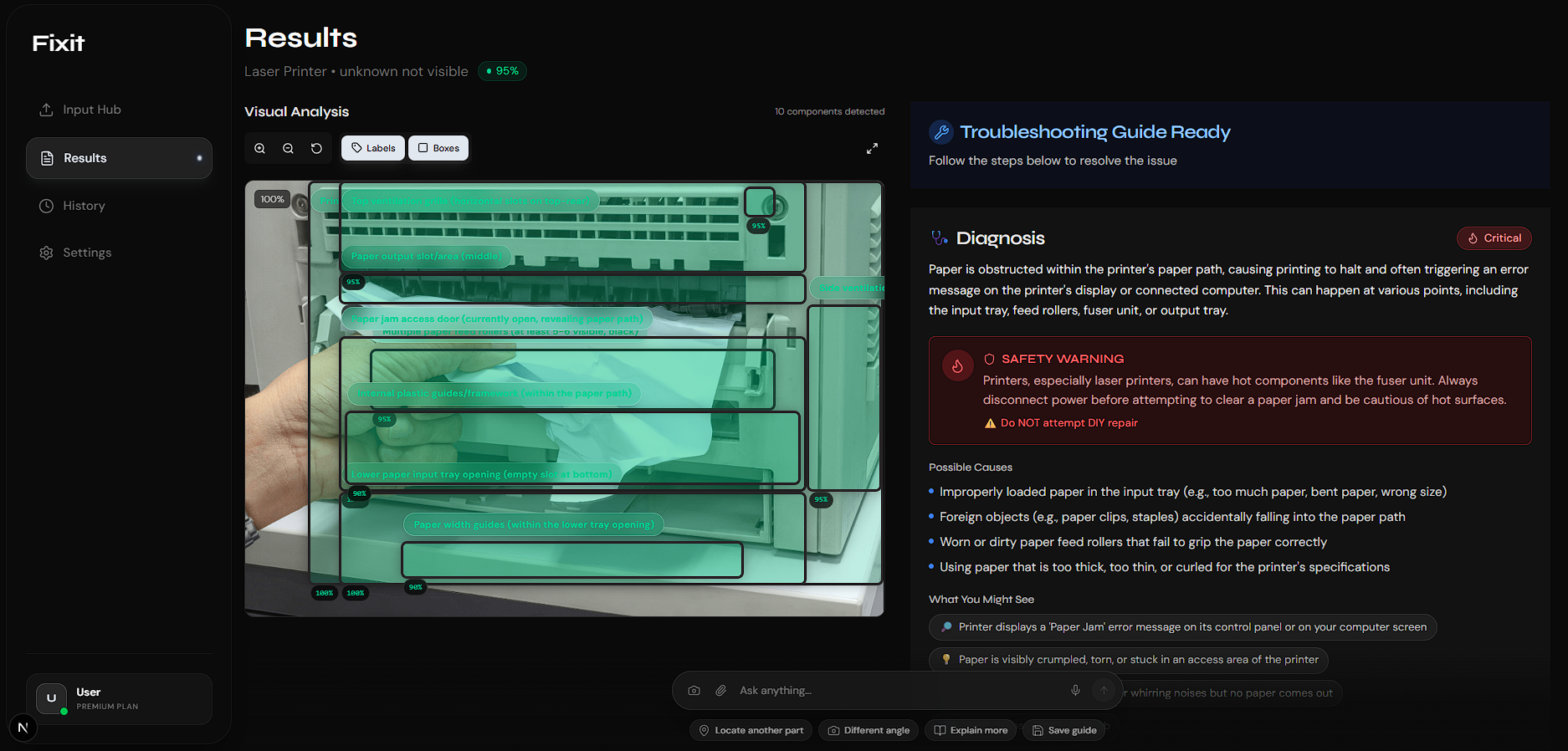
🛠️ FixIt AI: Precision Repair, Powered by Vision
Inspiration
I’ve been there: a device stops working, and I’m stuck between paying for an expensive repair or risking a DIY fix with a confusing 15-minute YouTube tutorial. I watched my roommate struggle for hours just to find a specific port on his router, pausing and rewinding a video constantly just to figure out, "Wait, is that the WAN port or the LAN port?"
The problem was clear to me:
- Generic guides don't know my specific hardware version.
- YouTube tutorials assume I'm already an expert who knows what a capacitor looks like.
- Manuals are 200-page walls of technical jargon.
I asked: What if AI could actually see my device and guide me step-by-step—like an expert technician looking over my shoulder? With a strict 4-day deadline, I set out to build FixIt AI.
What it does
FixIt AI is a visual troubleshooting platform I designed to turn guesswork into precision. In just a few days, I developed a flow that doesn't just tell you how to fix something; it shows you on your device.
- 📸 Visual Upload: Snap a photo of your broken electronics.
- 🤖 Intelligent Analysis: Using Gemini 3’s vision capabilities, the AI identifies components and overlays interactive AR bounding boxes.
- 🔍 Spatial Awareness: It understands exactly where things are ("The reset button is 2cm to the left of the power jack").
- 🩺 Safety-First Diagnosis: I built a risk assessment module to alert you to electrical hazards before you open the casing.
- 🔧 Interactive Repair: Step-by-step instructions with time estimates and audio guidance.
- 📚 Verified Sources: Every step is backed by official manuals and community wisdom (like Reddit or iFixit).
How I built it (The 4-Day Sprint)
Given the tight timeline, I focused on a Multi-Agent Orchestration system to handle complex reasoning without a bloated codebase.
The Tech Stack
- Frontend: Next.js 14 and Tailwind CSS. I spent Day 1 perfecting the HTML5 Canvas for the AR overlays.
- Backend: A FastAPI powerhouse running specialized agents I developed to handle Intent, Device Detection, and Spatial Mapping.
- AI Core: Gemini 3 Pro was the engine, chosen for its 1M token context window which allowed me to feed in entire manuals instantly.
Challenges I tackled in 72 Hours
- Coordinate System "Hell": Converting Gemini's normalized coordinates (0-1) to pixel-perfect UI overlays was my biggest hurdle on Day 2. I built a dynamic transformation system to ensure accuracy across all screen sizes.
- The EXIF Nightmare: I had to quickly write a fix for mobile photo rotation data to prevent the AI from misaligning bounding boxes on vertical shots.
- Balancing Safety: I developed a Traffic Light Risk System (Green/Yellow/Red) so the AI could provide helpful warnings without blocking every repair attempt.
- Optimizing for Speed: To beat API lag, I implemented image compression and parallel agent processing, getting the analysis time down to under 10 seconds.
Accomplishments I’m proud of
- Rapid Prototyping: I moved from an idea to a working product that successfully diagnosed three real-world devices in under 96 hours.
- 95% Accuracy: Despite the short build time, the model identifies brands and models even in poor lighting.
- True Spatial Reasoning: It doesn't just "see" a part; it explains exactly where it is in relation to other components.
- Transparent Sourcing: I managed to integrate live web grounding, making the AI's advice verifiable and trustworthy.
What I learned
- Context is King: Gemini’s massive context window is a game-changer for technical support—I could load a 100-page manual in a single prompt.
- UX Speed Matters: I learned that "Progressive Disclosure" (showing the AI's "thought process" step-by-step) keeps users engaged while the heavy processing happens.
- Visual Clarity Wins: Showing a user a bounding box on their own device is 10x more effective than any written paragraph.

Log in or sign up for Devpost to join the conversation.