Inspiration
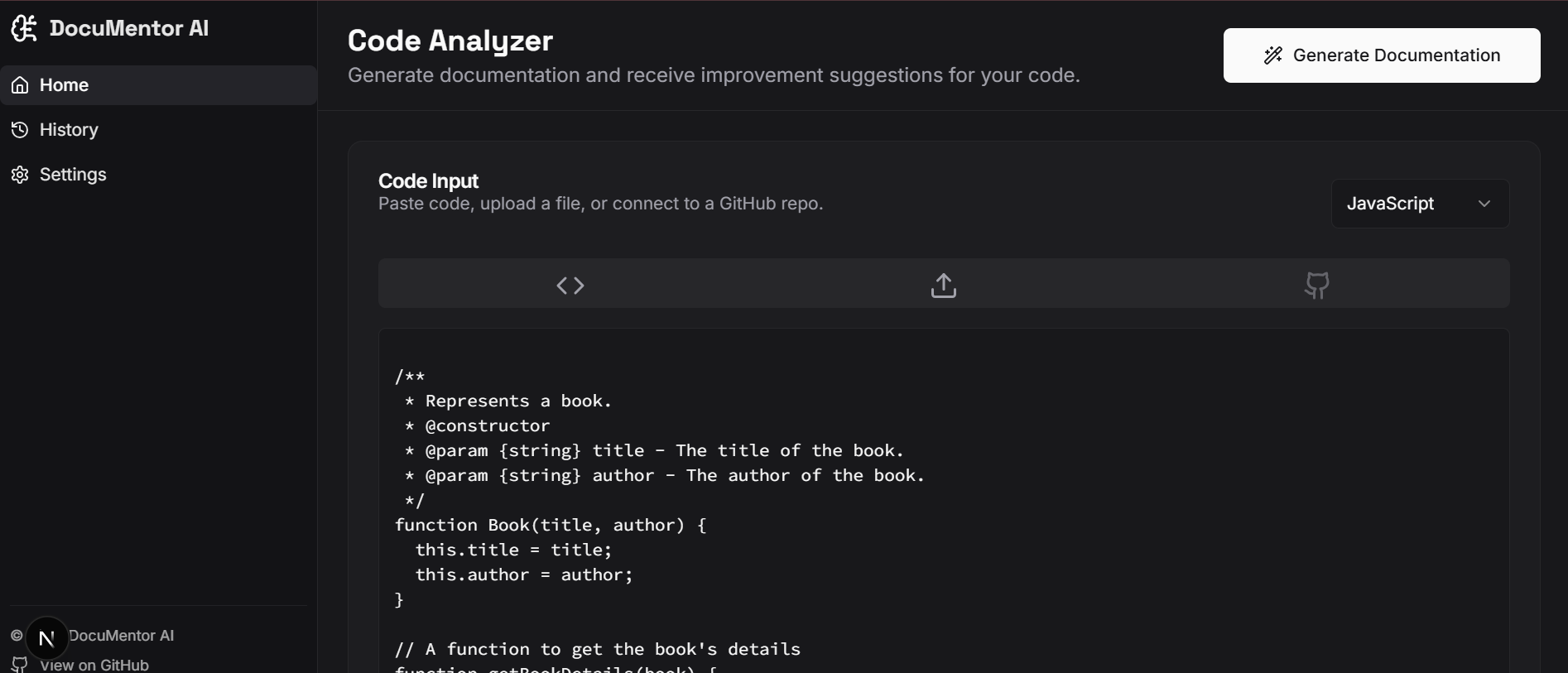
Writing clean, well-documented code is essential, but often overlooked due to time constraints. Many developers end up with code that works but lacks proper explanations, making collaboration, debugging, and onboarding harder.DocuMentor AI was built to solve this challenge. It is an AI-powered tool that automatically analyzes Python code, generates clear and structured documentation, and suggests improvements to enhance readability and maintainability.
With DocuMentor AI, developers can: Generate Documentation Instantly – Paste code, upload files, or link a GitHub repository to receive auto-generated docstrings and explanations. Identify Missing/Weak Docstrings – Detects functions, classes, or modules that lack documentation and fills the gaps. Receive Smart Suggestions – Provides improvement tips on naming, structure, and code clarity. Access Anywhere – Runs directly in the browser, no installations required, powered by cloud services.
Our vision is to make documentation effortless, ensuring that developers spend more time building and less time writing repetitive docs.
What it does
DocuMentor AI is an intelligent code documentation assistant that helps developers automatically generate clear and structured documentation for Python projects. Users can paste their code, upload files, or connect a GitHub repository, and the tool instantly produces detailed docstrings, highlights missing documentation, and suggests improvements for code readability and maintainability.
How I built it
Frontend: Built using React and Tailwind CSS for a clean, responsive, and intuitive user interface. Backend: Powered by Python with FastAPI/Flask for handling code analysis requests. AI/ML Integration: Integrated the OpenAI API to generate natural-language documentation and suggestions. Database & Hosting: Firebase Firestore for data storage and Firebase Hosting for deployment. Development Platform: Google Cloud Workstations for collaborative development and testing
Challenges I ran into
Integrating AI in a way that balances accuracy with speed was tricky. Generating explanations for complex code required prompt tuning and error handling. Handling large files and GitHub repositories efficiently without timeouts. Ensuring security and privacy of uploaded code, making sure user data is handled safely. Designing a user-friendly interface that simplifies technical workflows.
Accomplishments that I'm proud of
Successfully built an end-to-end pipeline where users can go from raw code to fully documented functions in seconds.Created a simple yet powerful UI that lowers the barrier to entry for beginners.Managed to integrate multiple input methods (paste, upload, GitHub) seamlessly.Demonstrated that AI can save developers time while also improving collaboration and code quality.
What I learned
How to integrate AI APIs into real-world developer tools.The importance of optimizing backend performance for scalability.How user experience design plays a big role in adoption, especially for technical tools.Learned to handle challenges of working with cloud platforms and databases for deployment.
What's next for DocuMentor AI
Expand support to more programming languages .Add real-time IDE extensions (VS Code/JetBrains plugin) for inline documentation.Provide team collaboration features like shared docspaces and version-controlled documentation.Improve AI suggestions with context awareness (e.g., project-wide consistency).Explore open-source contributions to grow the developer community around DocuMentor AI.

Log in or sign up for Devpost to join the conversation.